

Special Education Forms
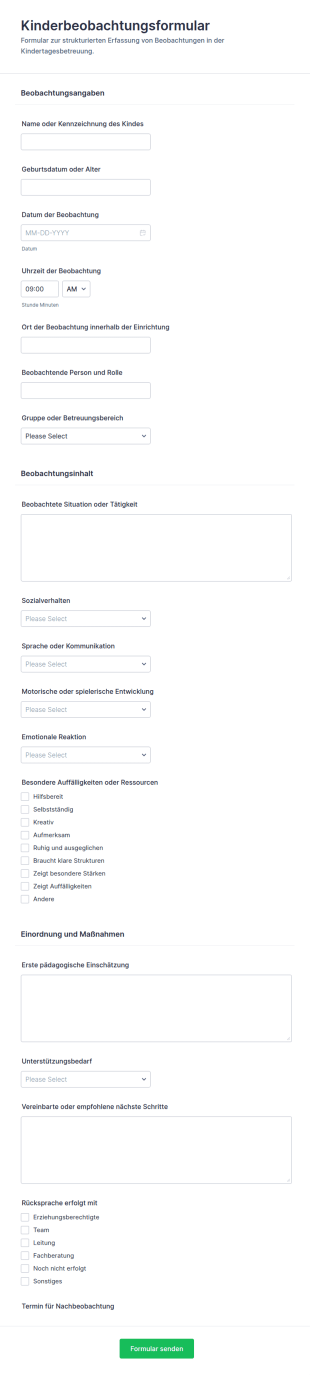
Kinderbetreuungsbeobachtungsbogen
Kinderbeobachtungsformular unterstützt Kitas und pädagogische Teams bei der einheitlichen Datenerfassung von Beobachtungen, der Dokumentation von Entwicklungen und der Vorbereitung von Gesprächen durch digitale formularantworten in Jotform.
Zur Kategorie:Formulare für Schulen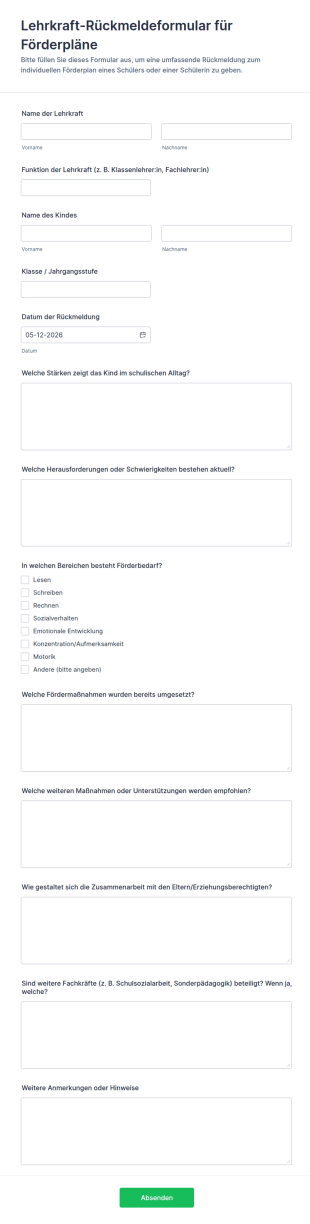
Lehrkraft Rückmeldeformular Für Förderpläne
Dokumentieren Sie pädagogische Rückmeldungen für Förderpläne mit dem Lehrkraft-Rückmeldeformular für Förderpläne und erleichtern Sie Schulen die Datenerfassung, Auswertung und Abstimmung zwischen Lehrkräften und weiteren Fachkräften in Jotform.
Zur Kategorie:Special Education Forms
Vorlage Zur Erfassung Von Schülerinterventionsstrategien
Dokumentieren Sie schulische Interventionen mit dem Schülerinterventionen-Dokumentationsformular und erleichtern Sie Datenerhebung, interne Abstimmung und Nachverfolgung von Maßnahmen in Klassen, Förderteams und Beratungsarbeit.
Zur Kategorie:Formulare für Bildungseinrichtungen
Monatlicher Alphabetisierungstrainerbericht Fragebogen
Dokumentieren Sie Förderziele, Beobachtungen und Ergebnisse der Lese- und Schreibförderung monatlich mit dieser Jotform Formularvorlage, ideal für Lehrkräfte, Lernförderung und Schulen, die Datenerfassung und Formularantworten zentral bündeln möchten.
Zur Kategorie:Berichtsformulare
Spezialpädagogischer Aufnahmebogen
Erfassen Sie Anmeldungen für sonderpädagogischen Förderbedarf und organisieren Sie die digitale Datenerfassung für Schulen und Beratungsstellen mit einer anpassbaren Formularvorlage in Jotform.
Zur Kategorie:Special Education Forms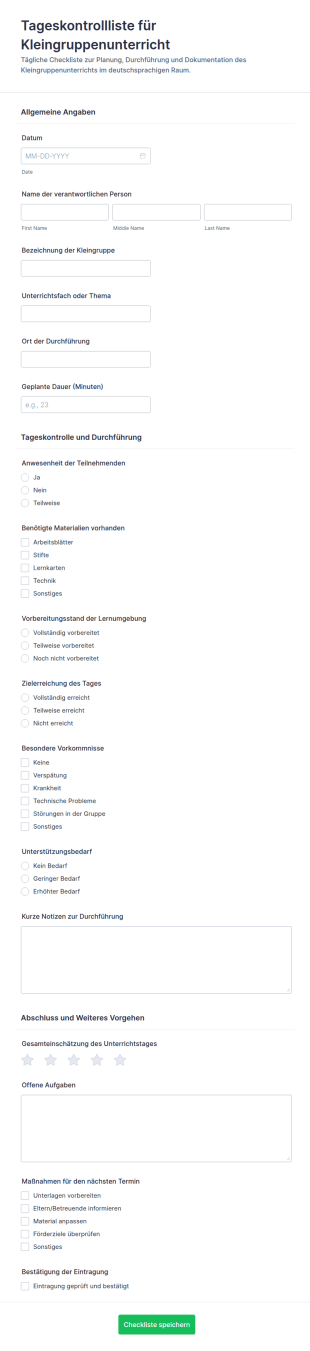
Tägliche Gruppenanweisungs Checkliste Formular
Das Tageskontrollliste für Kleingruppenunterricht Formular erleichtert die tägliche Datenerfassung für Förder- und Kleingruppenstunden, damit Schulen Unterrichtsverläufe dokumentieren und nächste Schritte konsistent festhalten können.
Zur Kategorie:Checklisten-Formulare
Sonderpädagogischer Fortschrittsbericht Fragebogen
Dokumentieren Sie Lernentwicklung, Beobachtungen und Förderziele im Sonderpädagogischer Fortschrittsbericht Formular und unterstützen Sie Teams an Schulen und Förderzentren bei konsistenter Datenerfassung und Auswertung mit Jotform.
Zur Kategorie:Special Education Forms
Sprachtherapie Fortschrittsbericht Formular 🗣️📋
Dokumentieren Sie Therapiefortschritte in der Sprech- und Sprachtherapie mit dem Sprech- und Sprachtherapie-Fortschrittsformular und bündeln Sie Datenerfassung und Formularantworten zentral in Jotform.
Zur Kategorie:Gesundheitsformulare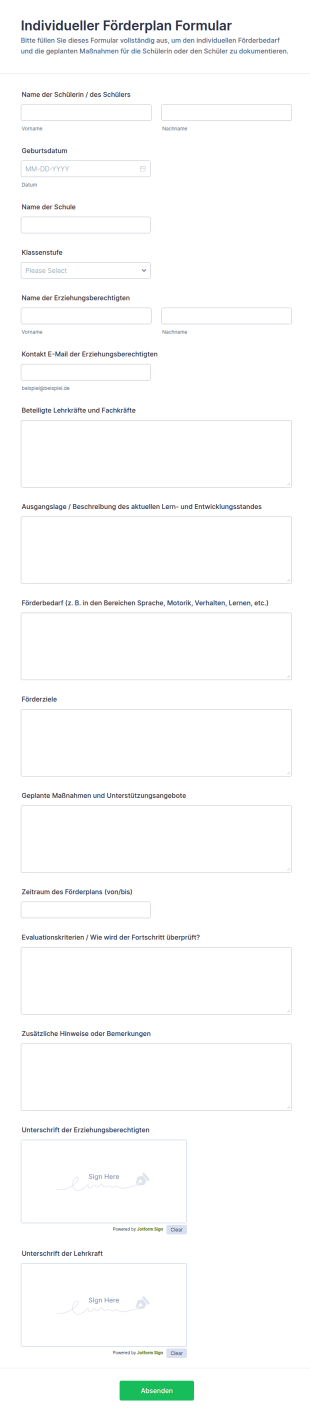
Individueller Förderplan Formular
Das Individueller Förderplan Formular unterstützt Schulen und pädagogische Teams dabei, Förderplanung und Daten erfassen digital zu organisieren, Fortschritte zu dokumentieren und Formularantworten zentral in Jotform zu verwalten.
Zur Kategorie:Special Education Forms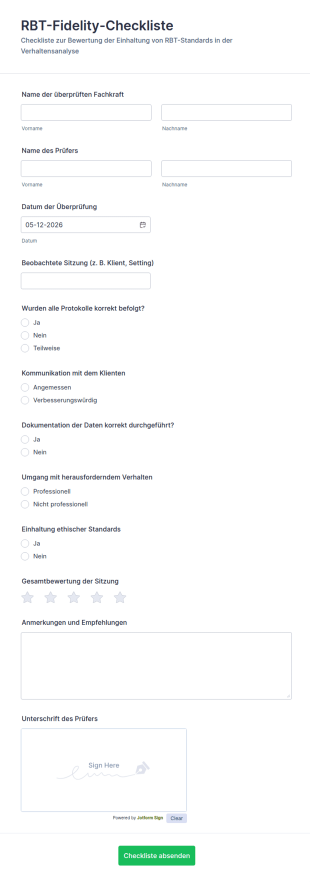
RBT Fidelity Checkliste
Dokumentieren Sie Sitzungsbeobachtungen und Qualitätsprüfungen mit dem RBT-Fidelity-Checkliste Formular, ideal für Praxen und Einrichtungen, die Bewertungen zentral erfassen und Rückmeldungen im Team nachvollziehbar organisieren möchten.
Zur Kategorie:Checklisten-Formulare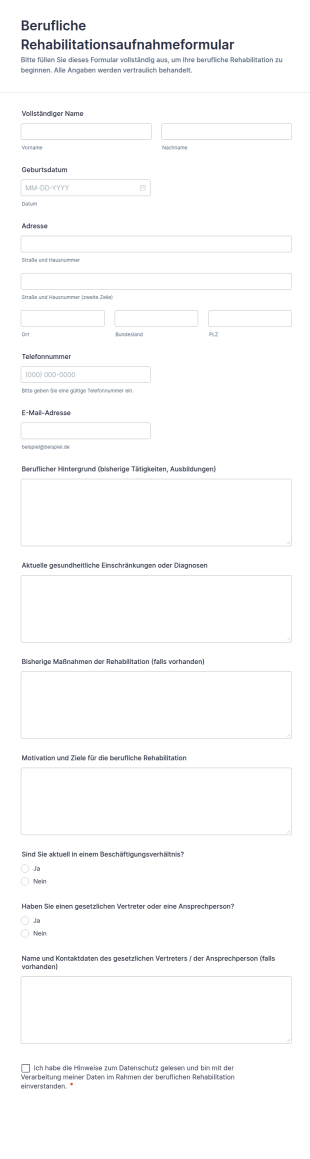
Berufliche Rehabilitationsaufnahmeformular
Berufliche Rehabilitationsaufnahmeformular erleichtert die digitale Datenerfassung für Reha-Einrichtungen, Bildungsträger und Beratungsstellen, damit Aufnahmen vorbereitet, Teilnehmende passend zugeordnet und Formularantworten zentral verwaltet werden können.
Zur Kategorie:Aufnahmeformulare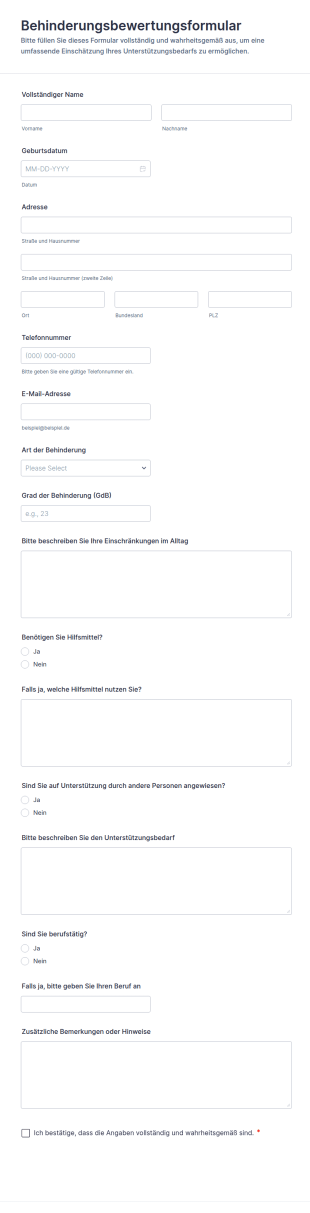
Behinderungsbewertungsformular
Erfassen Sie mit dem Behinderungsbewertungsformular wichtige Angaben zu Einschränkungen und Unterstützungsbedarf für Beratung, Betreuung oder interne Einschätzungen und bündeln Sie die Datenerfassung zentral in Jotform.
Zur Kategorie:Healthcare Assessment Forms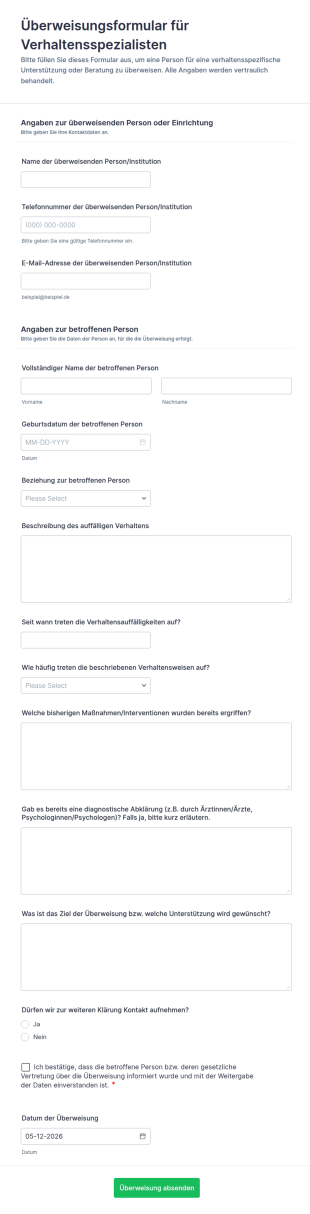
Überweisungsformular Für Verhaltensspezialisten
Überweisungsformular für Verhaltensspezialisten erleichtert die digitale Datenerfassung für Überweisungen aus Praxen, Schulen und Beratungsstellen und sorgt für klare Informationen zur weiteren Abklärung und Kontaktaufnahme mit Jotform.
Zur Kategorie:ÜberweisungsformulareÜber Special Education Forms
Special education forms are structured documents used to collect, document, and manage information related to special education services, accommodations, and student support plans. They help schools and support teams coordinate evaluations, eligibility decisions, individualized planning, and ongoing progress tracking in a consistent way. Special education forms are commonly used by schools, special education departments, counselors, psychologists, and family support teams for referrals, assessments, IEP-related documentation, accommodation requests, service delivery records, and parent communication. By standardizing these workflows, special education forms improve clarity, reduce administrative delays, and support better collaboration between educators and families.
With Jotform, special education forms can be created quickly using a no-code, drag-and-drop Form Builder and tailored to different school processes and student needs. Conditional logic can show the right questions based on grade level, referral reason, or service type, while file upload fields can collect supporting documents. Submissions are stored in Jotform Tables, making it easier for authorized staff to review requests, track documentation, and maintain organized records. Automated notifications can help route forms to the correct team members and keep timelines moving.
Use Cases of Special Education Forms
Special education forms support referral, evaluation, planning, and service documentation across student support processes. Below are common ways these forms are used and the problems they help solve.
Mögliche Anwendungsfälle:
- Überweisung zur Sonderpädagogik und Aufnahme zur Vorabbewertung
- Unterbringungswünsche von Eltern oder Lehrern
- Dokumentation zur Bewertung und Beurteilung
- IEP-Meeting-Planung und Teilnahmebestätigungen
- Protokolle zur Leistungserbringung und Fortschrittsüberwachung
- Elternkommunikation und Einholung von Einwilligungen
Lösungsansätze:
- Unterlagen zum Support für Studierende bündeln und verstreute Kommunikation verringern
- Helfen Sie Teams, die für Bewertung und Planung nötigen konsistenten Details zu sammeln
- Bessere Koordination zwischen Lehrern, Fachkräften und Familien
- Verbessern Sie die Dokumentation für Follow-ups, Besprechungen und die Nachverfolgung von Serviceleistungen
Mögliche Eigentümer und Nutzer:
- Koordinatoren für Sonderpädagogik und Fallmanager
- Lehrkräfte und Unterrichtspersonal
- Schulpsychologen und Schulberater
- Anbieter von Sprach-, Berufs- oder Verhaltensunterstützung
- Eltern oder Erziehungsberechtigte, die Formulare und Genehmigungen einreichen
Unterschiede der Erstellungsmethoden:
- Überweisungsformulare für die Sonderpädagogik erfassen beobachtete Probleme, die Auswirkungen auf den Unterricht, bereits erprobte Maßnahmen und die Gründe für die Beantragung einer formellen Beurteilung.
- Antragsformulare für Unterkünfte und Unterstützung konzentrieren sich auf die Bedürfnisse der Studierenden, die gewünschten Anpassungen, Details zur Lernumgebung und die Unterlagen, die den Antrag stützen.
- IEP- und Fortschrittsverfolgungsformulare legen den Fokus auf Ziele, Dienstleistungsminuten, Fortschrittsnotizen, Besprechungsergebnisse und Aktionspunkte für die Nachverfolgung.
How to Create a Special Education Form
Creating a special education form with Jotform helps schools collect student support information in a consistent, organized way while keeping workflows clear for staff and families.
1. Wählen Sie eine Vorlage oder beginnen Sie komplett neu
Klicken Sie in „Mein Arbeitsbereich” auf „Erstellen” und wählen Sie „Formular”. Sie können von Grund auf neu beginnen oder eine Aufnahmevorlage aus dem Bildungsbereich anpassen. Ein klassisches Formular eignet sich für ausführliche Förderanträge. Ein Kartenformular führt Fachkräfte oder Eltern Schritt für Schritt durch die Fragen und verringert fehlende Angaben.
2. Add Student and Request Context Fields
Nutzen Sie „Element hinzufügen“, um den Namen des Schülers, die Klasse, die Schule, den Lehrer und die Kontaktdaten der Erziehungsberechtigten zu erfassen. Fügen Sie ein Dropdown-Menü für die Art der Anfrage hinzu, z. B. Überweisung, Antrag auf Sondermaßnahmen, Bewertungsunterlagen oder Änderung des Fortschritts.
3. Collect the Right Information Based on Form Purpose
Fügen Sie in Überweisungsformularen Felder für beobachtete Verhaltensweisen, Lernschwierigkeiten, Häufigkeit und die Auswirkungen des Problems auf die schulischen oder sozialen Fähigkeiten ein. Bei Anträgen auf Sonderregelungen gehören die gewünschten Unterstützungsmaßnahmen, der Unterrichtskontext und relevante Unterlagen dazu. Zur Fortschrittsverfolgung tragen Sie Ziele, Notizen und Details zu den erbrachten Leistungen ein.
4. Use Conditional Logic to Keep the Form Focused
Mit bedingter Logik lassen sich unterschiedliche Abschnitte je nach Klassenstufe, Überweisungsgrund oder Dienstleistungsart anzeigen. Wählt man etwa „Sprach-Support“, erscheinen sprachbezogene Eingabeaufforderungen; wählt man „Verhaltensprobleme“, werden Felder zur Verhaltensdokumentation eingeblendet.
5. Add Consent and Communication Preferences
Fügen Sie bei Bedarf Einwilligungserklärungen für die Teilnahme der Eltern und die Sammlung von Unterlagen hinzu. Ergänzen Sie Felder für Kommunikationspräferenzen, um Follow-ups und Termine zu koordinieren.
6. Veröffentlichung, Test und Verwaltung von Antworten in Jotform Tabellen
Bevor Sie das Formular freigeben, sollten Sie es überprüfen und testen. Veröffentlichen Sie den Link zum Formular per E-Mail oder über Ihr Schulportal für Mitarbeiter oder Familien. Die Antworten werden in Jotform Tabellen gespeichert, wo autorisierte Teams sie nach Schüler, Art der Anfrage und Status filtern können.
Häufig gestellte Fragen
1. What are special education forms?
Special education forms are documents or online forms used to manage referrals, accommodations, evaluations, and support planning for students who may need special education services.
2. Why are special education forms important?
They standardize documentation, improve collaboration, and help schools coordinate evaluations and support services more efficiently.
3. What information is typically included in special education forms?
Common fields include student details, observed concerns, interventions attempted, requested supports, evaluation notes, consent acknowledgments, and progress updates.
4. Who uses special education forms?
Special education teams, teachers, counselors, psychologists, service providers, and parents or guardians may all use special education forms.
5. Are special education forms used only for IEPs?
No. They are also used for referrals, evaluations, accommodation requests, service logs, parent consent, and progress monitoring.
6. Can special education forms be completed online?
Yes. Online forms make it easier to collect information from teachers and families and keep records organized in one place.
7. How do special education forms help with coordination?
They create consistent inputs for meetings and planning, reduce missing details, and help route requests to the right staff quickly.
8. Can special education forms be customized by school process?
Yes. Schools can tailor fields, logic, and workflows to fit their referral steps, service models, and documentation requirements.