

Zugangskontrollformulare
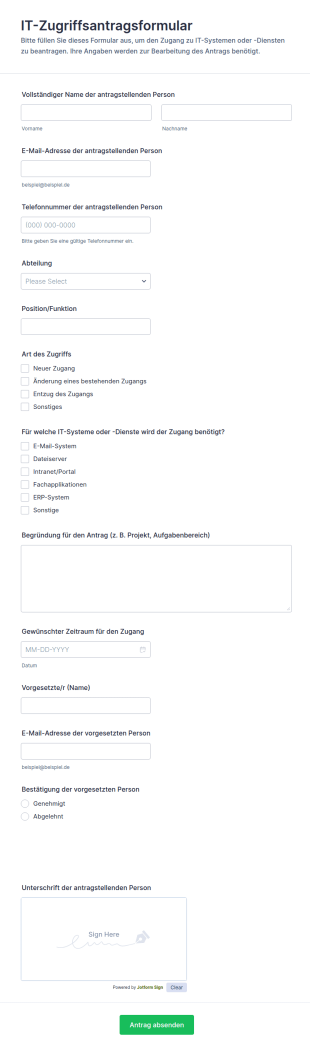
IT Zugriffsantragsformular
IT-Zugriffsantragsformular unterstützt Teams dabei, Zugriffsrechte auf interne Systeme zentral zu beantragen, Freigaben zu koordinieren und die Datenerfassung sowie jede Formular-Antwort in Jotform übersichtlich zu verwalten.
Zur Kategorie:Zugangskontrollformulare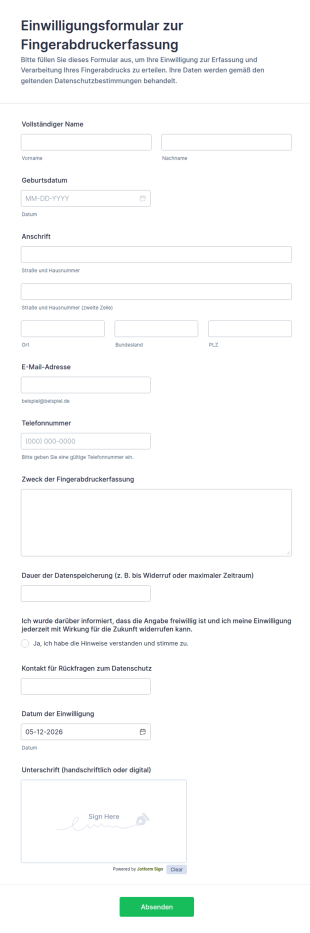
Einwilligungsformular Zur Fingerabdruckerfassung
Dokumentieren Sie die Einwilligung zur Fingerabdruckerfassung digital und einheitlich, inklusive transparenter Hinweise zur Datenspeicherung, und verwalten Sie jede Formularantwort zentral mit Jotform.
Zur Kategorie:Einverständniserklärungen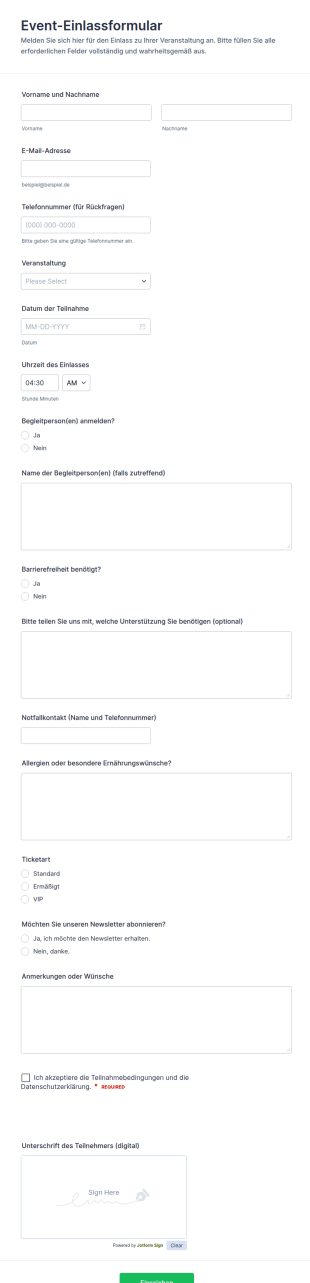
Event Check In Formular
Erfassen Sie Anmeldungen für den Veranstaltungseinlass mit dem Event-Einlassformular und erleichtern Sie Planung, Einlasskontrolle und Gästekommunikation für Konzerte, Workshops, Messen und Firmenevents.
Zur Kategorie:Veranstaltungsanmeldeformulare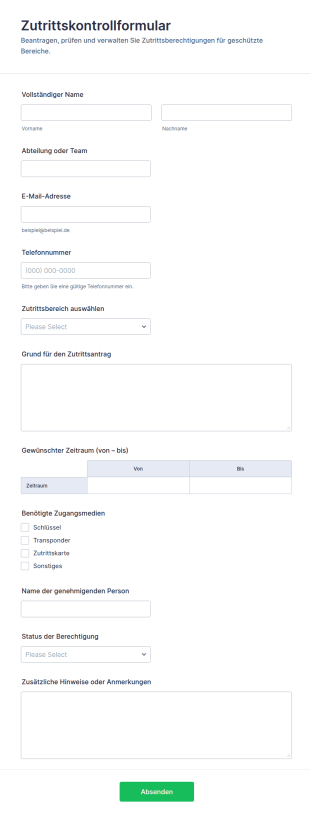
Zugriffssteuerung Formular
Erfassen und verwalten Sie interne Zutrittsanträge für definierte Bereiche mit dem Zutrittskontrollformular, ideal für Büromanagement, Sicherheitsverantwortliche und Facility Management, inklusive zentraler Datenerfassung und übersichtlicher Formularantworten.
Zur Kategorie:Zugangskontrollformulare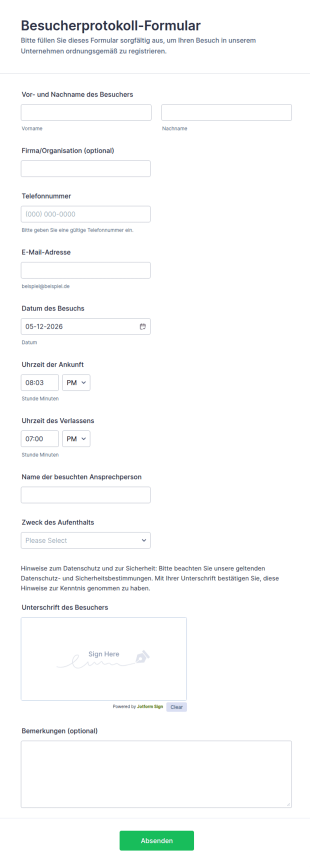
Besucherprotokoll Formular
Das Besucherprotokoll-Formular erleichtert die Datenerfassung am Empfang, dokumentiert Besuchszeiten und sorgt für nachvollziehbare Abläufe in Unternehmen, Bildungseinrichtungen und Veranstaltungsorten mit digitaler Formularantwort in Jotform.
Zur Kategorie:Zugangskontrollformulare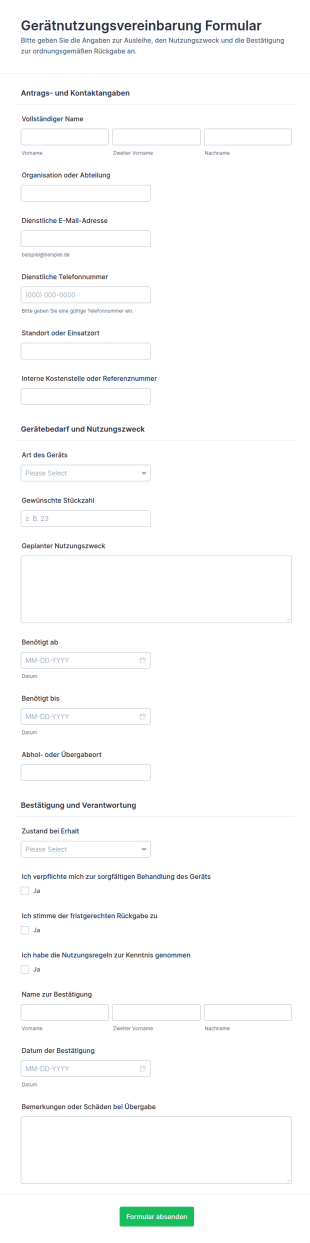
Vereinbarung Zur Nutzung Von Geräten Waiver
Dokumentieren Sie Ausleihen von Geräten samt Zeitraum und Rückgabevereinbarung mit dem Gerätnutzungsvereinbarung Formular von Jotform, ideal für IT, Verwaltung, Schulen und Vereine, die digitale Datensammlung und nachvollziehbare Formularantworten benötigen.
Zur Kategorie:Equipment Request Forms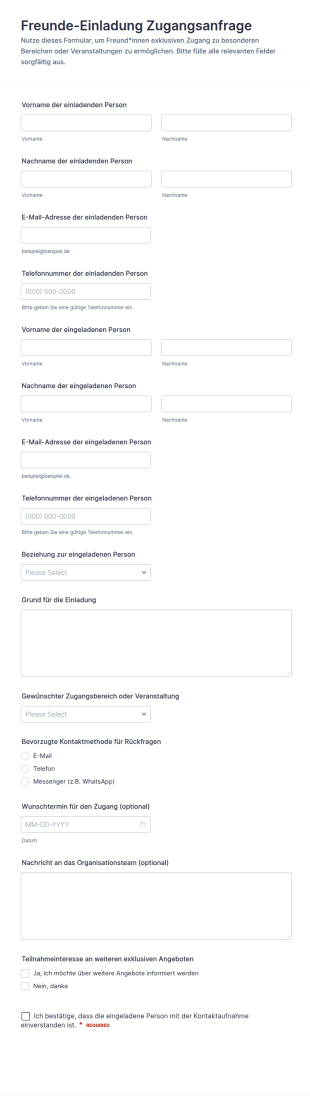
Einladungen Zur Exklusiven Zugangsfreigabe
Das Freunde-Einladung Zugangsanfrage-Formular erleichtert die Datenerfassung für Einladungen zu exklusiven Bereichen oder Veranstaltungen und hilft Organisationen, Zugänge und Rückfragen in Jotform klar zu organisieren.
Zur Kategorie:Zugangskontrollformulare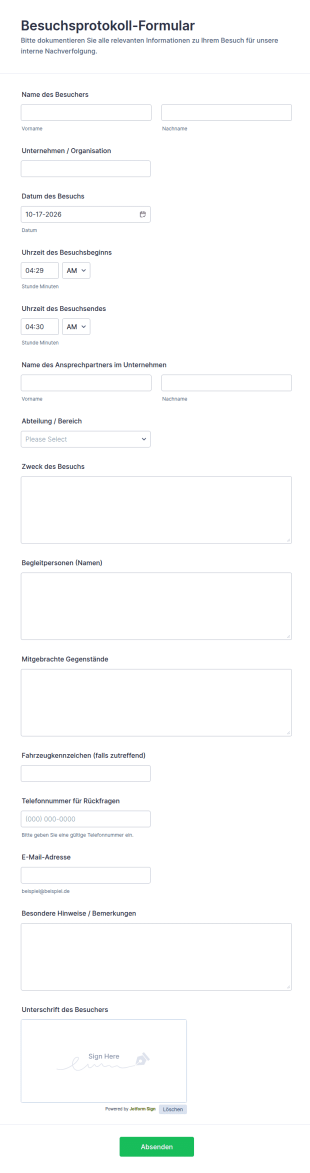
Besuchsunterlagen Formular
Das Besuchsprotokoll-Formular erleichtert die digitale Datenerfassung von Besucherinformationen in Unternehmen, Behörden und Einrichtungen und sorgt für nachvollziehbare Dokumentation und schnelle interne Weitergabe in Jotform.
Zur Kategorie:Verwaltungsformulare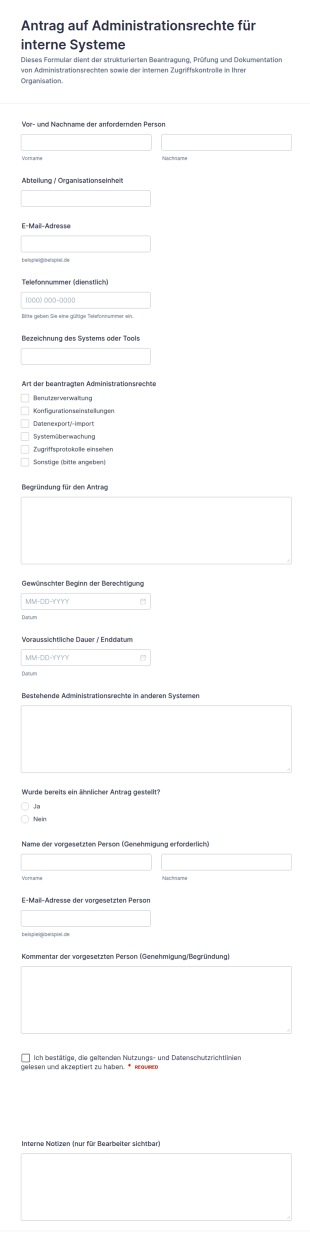
Verwaltung Von Admin Rechten Formular
Verwalten Sie Berechtigungsanfragen zentral mit dem Antrag auf Administrationsrechte für interne Systeme Formular und verbessern Sie Datenerfassung und Nachverfolgung für IT-Teams, Führungskräfte und interne Prüfprozesse.
Zur Kategorie:Zugangskontrollformulare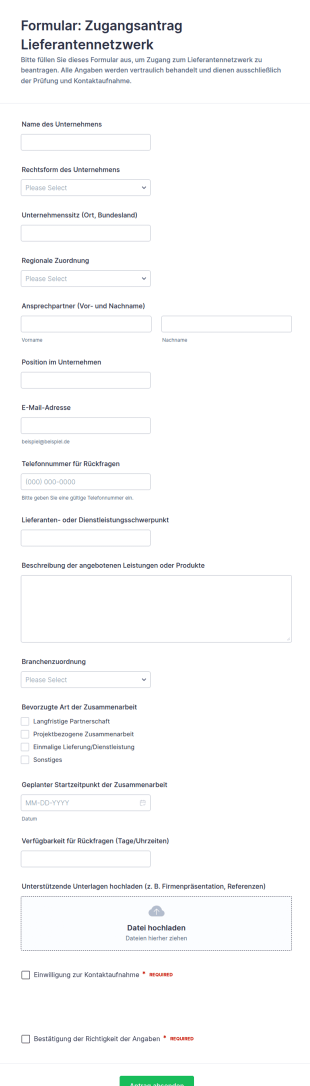
Anfrage Zur Netzwerkkontrolle Für Lieferanten
Erfassen Sie Lieferantenanfragen zentral mit dem Zugangsantrag Lieferantennetzwerk Formular von Jotform und vereinfachen Sie Datenerfassung, Vorprüfung und Kontaktaufnahme für Einkauf und Lieferantenmanagement.
Zur Kategorie:Supplier Management Forms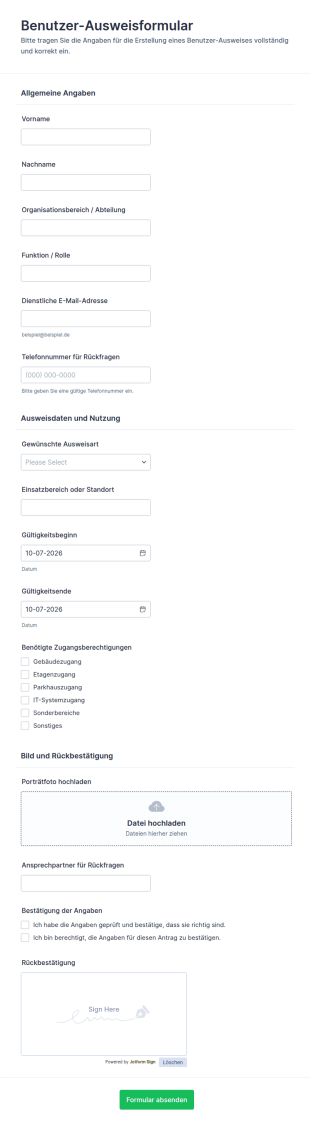
Benutzerausweis Erstellungsformular
Benutzer-Ausweisformular vereinfacht die Datenerfassung für Ausweisanträge in Unternehmen, Schulen und Einrichtungen, damit Ausgabe, Gültigkeitszeiträume und benötigte Berechtigungen zentral und nachvollziehbar verwaltet werden können.
Zur Kategorie:Zugangskontrollformulare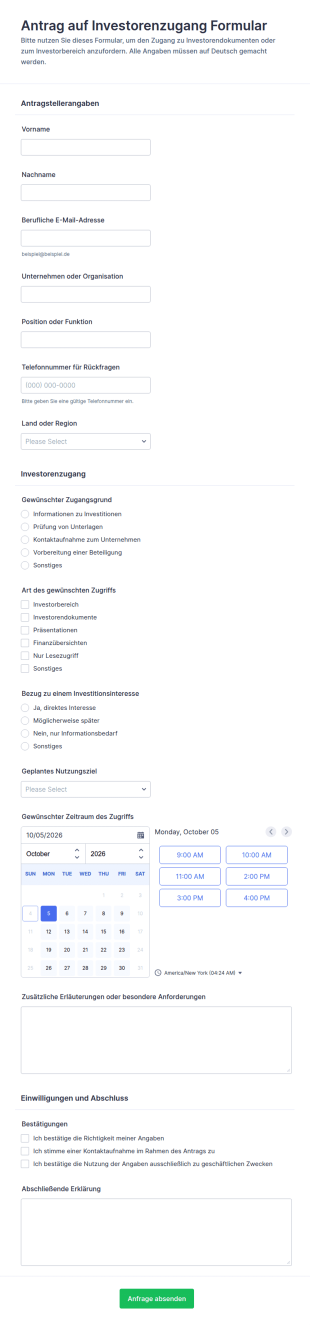
Anfrage Zur Investorenzugangsberechtigung
Erfassen Sie Investorenzugangs-Anfragen zentral mit dem Antrag auf Investorenzugang Formular und unterstützen Sie Teams in Investor Relations und Geschäftsführung bei der schnellen Prüfung, Priorisierung und datenaufnahme in Jotform.
Zur Kategorie:Formulare für Investoren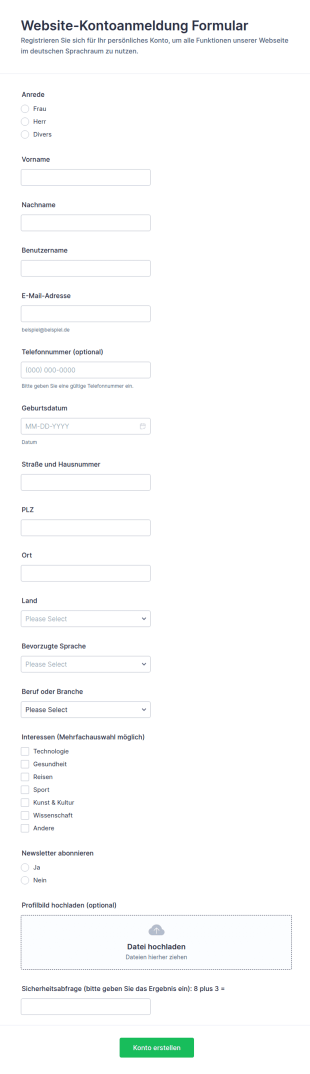
Website Kontoanmeldung
Website-Kontoanmeldung Formular erleichtert die Registrierung neuer Nutzer für Webseiten, Portale und Communities, indem Anmeldungen zentral erfasst, Formularantworten organisiert und die Datenerfassung mit Jotform flexibel anpassbar gemacht wird.
Zur Kategorie:Anmeldeformulare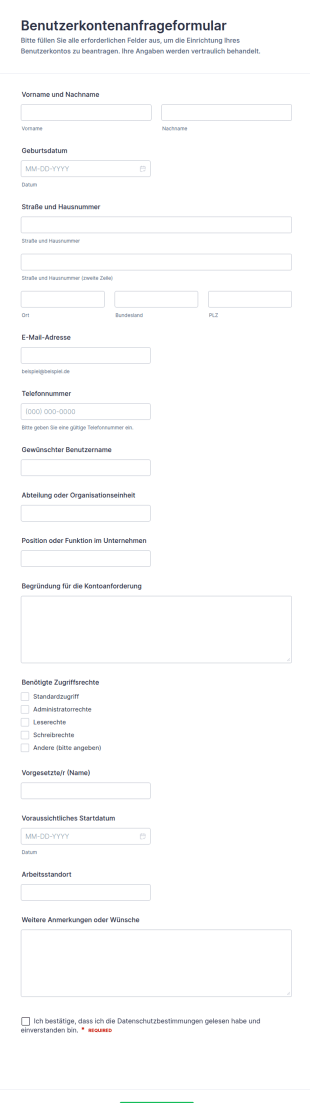
Anfrage Zur Nutzerkonten Registrierung Formular
Benutzerkontenanfrageformular erleichtert die Datenerfassung für neue Nutzerkonten und Zugriffsrechte in Unternehmen, damit interne Teams Anträge schnell prüfen, zuweisen und als Formularantworten in Jotform verwalten können.
Zur Kategorie:Zugangskontrollformulare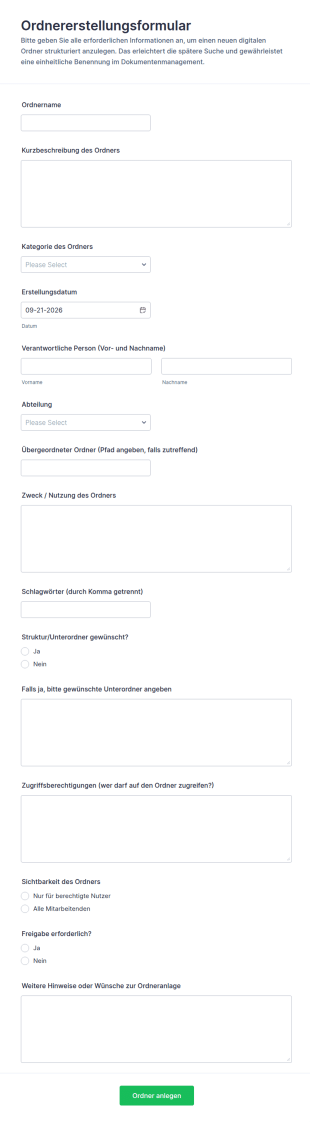
Ordnererstellungsformular
Ordnererstellungsformular erleichtert die einheitliche Beantragung neuer digitaler Ordner inklusive Zuständigkeiten und Zugriffsregeln und unterstützt Teams bei der schnellen Datenerfassung und Bearbeitung in Jotform.
Zur Kategorie:Verwaltungsformulare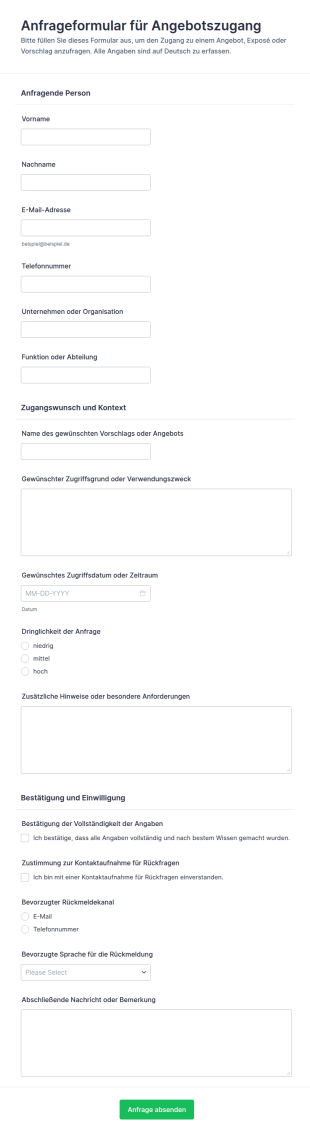
Anfrage Zur Angebotszugriffsfreigabe
Erfassen Sie Zugriffsanfragen für Angebote und Exposés mit dem Anfrageformular für Angebotszugang-Formular und organisieren Sie Datenerfassung und Formularantworten in Jotform für Vertrieb, Kundenservice und Projektteams.
Zur Kategorie:Zugangskontrollformulare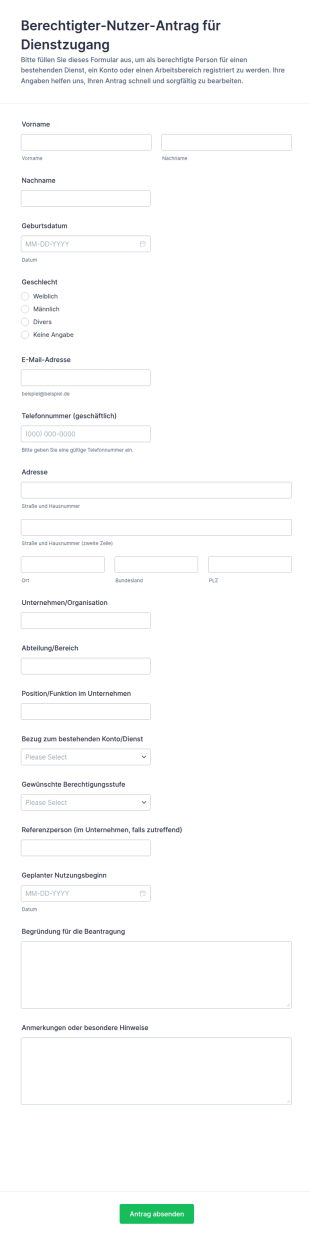
Antrag Auf Benutzungsberechtigung
Erfassen Sie Zugriffsanträge für bestehende Dienste und Arbeitsbereiche mit dem Berechtigter-Nutzer-Antrag für Dienstzugang Formular in Jotform, damit IT und Fachbereiche Berechtigungen einheitlich prüfen und bearbeiten können.
Zur Kategorie:Zugangskontrollformulare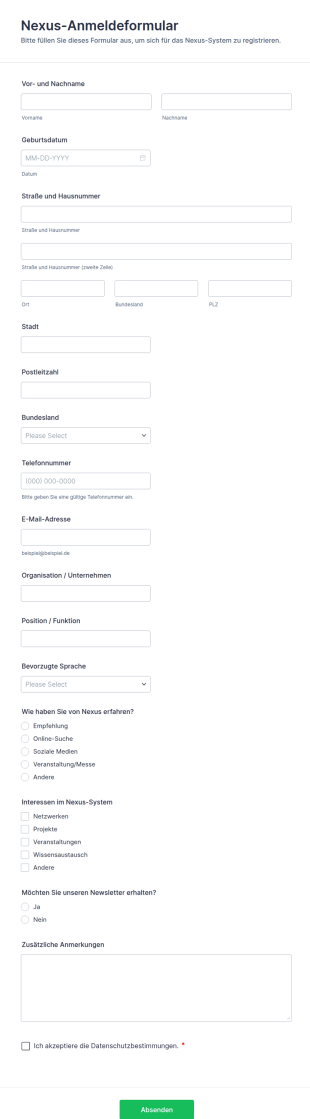
Nexus Registrierungsformular
Registrieren Sie neue Nutzerinnen und Nutzer für Ihr Nexus-System mit dem Nexus-Anmeldeformular und vereinfachen Sie die Datenaufnahme und Verwaltung der Formularantworten in Jotform.
Zur Kategorie:Anmeldeformulare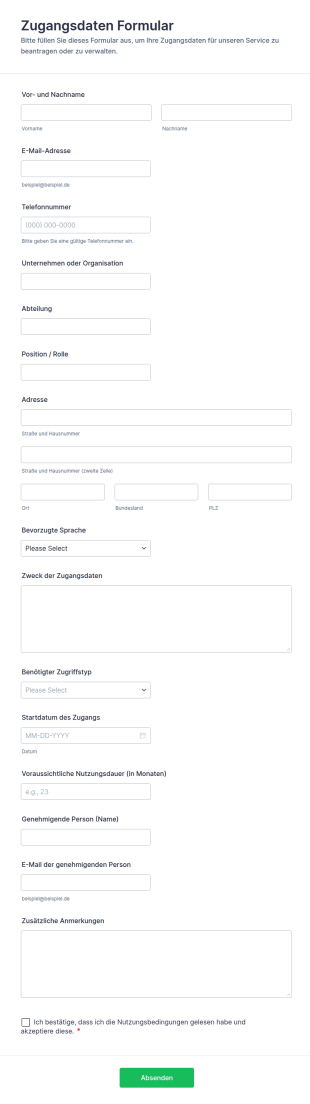
Zugangsdaten Formular
Das Zugangsdaten-Formular erleichtert die Datenerfassung für Zugriffsanfragen in Unternehmen, damit IT-Teams und Führungskräfte Berechtigungen zentral anfordern, prüfen und verwalten können.
Zur Kategorie:Zugangskontrollformulare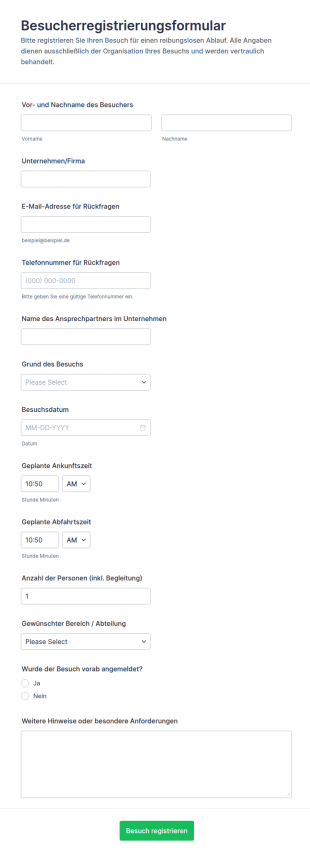
Teilnehmerregistrierungsformular
Erfassen Sie Besucherankündigungen für Ihr Unternehmen mit dem Besucherregistrierungsformular und erleichtern Sie Empfang, Terminplanung und interne Abstimmung bei jeder Datenerfassung mit Jotform.
Zur Kategorie:Anmeldeformulare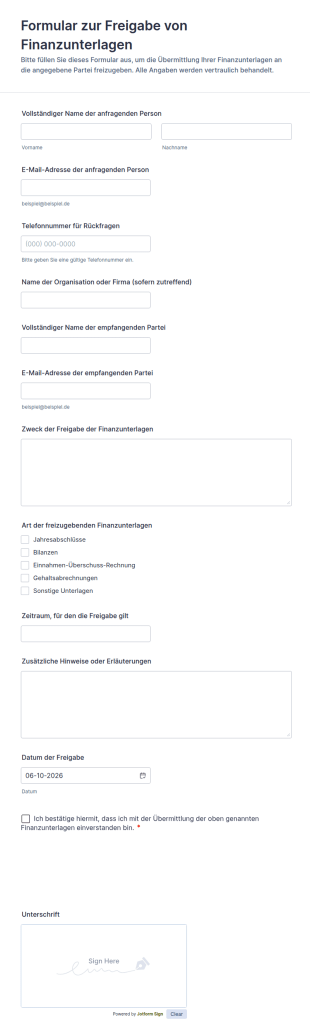
Finanzielle Unterlagenfreigabe Formular
Dokumentieren Sie Freigaben zur Weitergabe von Finanzunterlagen mit dem Formular zur Freigabe von Finanzunterlagen und unterstützen Sie Kanzleien, Vereine und Unternehmen bei klarer Datenerfassung und Verwaltung in Jotform.
Zur Kategorie:Autorisierungsformulare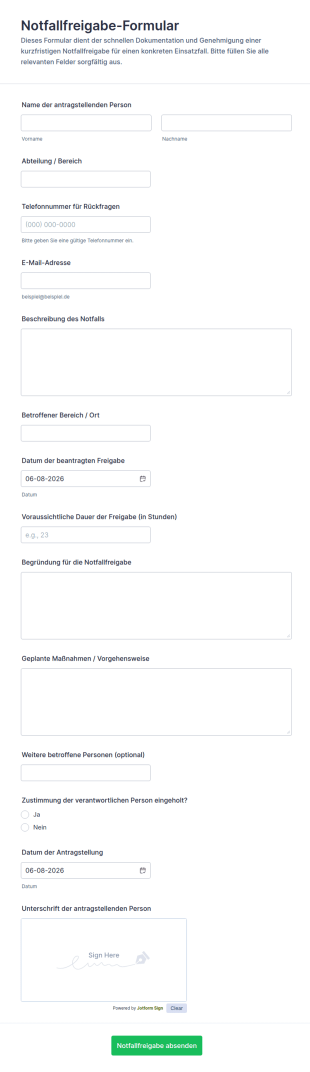
Notfallgenehmigungsformular
Erfassen Sie dringende Notfallfreigaben zentral mit dem Notfallfreigabe-Formular, damit Teams in Betrieb, IT oder Facility Management Ausnahmen nachvollziehbar dokumentieren und zügig intern abstimmen können.
Zur Kategorie:Zugangskontrollformulare
Datenschutz Und Compliance Formular
Das Richtlinien-Compliance-Formular erleichtert die interne Datenerfassung von Richtlinienfällen, Abweichungen und Risiken inklusive Nachweisen und unterstützt Teams bei Prüfung, Priorisierung und Rückmeldung in Jotform.
Zur Kategorie:Audit Formulare
Wax Raum Check In Formular
Koordinieren Sie Wachraum-Besuche und Termine mit dem Wachraum-Anmeldeformular von Jotform, damit Sicherheits- und Betriebsteams Anfragen zentral erfassen, besser planen und Rückfragen schneller klären können.
Zur Kategorie:AnmeldeformulareÜber Zugangskontrollformulare
Zugangskontrollformulare sind strukturierte Dokumente, mit denen sich der Zugang zu physischen Standorten, Systemen oder eingeschränkten Ressourcen beantragen, genehmigen und nachvollziehen lässt. Sie helfen Organisationen dabei, zu steuern, wer bestimmte Bereiche betreten, bestimmte Geräte nutzen oder auf sensible digitale Systeme zugreifen darf, indem sie einheitliche Angaben wie die Identität der antragstellenden Person, die Zugangsberechtigung, die Begründung sowie Genehmigungsnachweise erfassen. Sie kommen in Büros, auf Campusgeländen, in Rechenzentren, Krankenhäusern, Lagerhäusern und IT-Umgebungen zum Einsatz – etwa bei Ausweisanträgen, Besucherzugang, temporären Ausweisen, rollenbasiertem Systemzugang oder Berechtigungsänderungen. Indem sie Zugangsanträge standardisieren, senken diese Formulare Sicherheitsrisiken, erhöhen die Nachvollziehbarkeit und liefern klare Audit-Trails.
Mit Jotform lassen sich Zugangskontrollformulare mithilfe des No-Code-Formulargenerators per Drag-and-drop zügig erstellen und an verschiedene Einrichtungen, Abteilungen oder Sicherheitsrichtlinien anpassen. Mit bedingter Logik lassen sich Felder je nach Zugriffstyp (physisch oder systemtechnisch), Dringlichkeit oder Rolle anzeigen, während die Genehmigungsweiterleitung das zuständige Team zur Prüfung benachrichtigt. Die Einreichungen landen in Jotform Tabellen, sodass Sicherheits- oder IT-Teams Zugriffsanfragen nach Status, Benutzer und Standort verfolgen können. Automatisierte Benachrichtigungen und Bestätigungen halten die Antragsteller auf dem Laufenden und verringern den manuellen Follow-up-Aufwand.
Anwendungsfälle für Zugangskontrollformulare
Zugangskontrollformulare helfen, Berechtigungen über Gebäude und Systeme hinweg zu verwalten. Hier finden Sie häufige Einsatzbereiche dieser Formulare und die Probleme, die sie lösen.
Mögliche Anwendungsfälle:
- Anträge auf Mitarbeiterausweise und Schlüsselkarten
- Besucherzugang und Registrierung von temporären Ausweisen
- Anfragen zum Systemzugriff auf Software, Datenbanken oder freigegebene Laufwerke
- Bei einem Rollenwechsel werden die Zugriffsrechte angepasst (Beförderungen, Versetzungen, Ausscheiden)
- Zugangsberechtigungen für Sperrbereiche (Labore, Serverräume, Lagerräume)
- Anträge auf Löschung und Deaktivierung des Zugangs
Lösungsansätze:
- Zugriffsanfragen standardisieren und fehlende Sicherheitsdetails verringern
- Legen Sie eine nachvollziehbare Genehmigungs- und Prüfspur für Zugriffsänderungen an
- Erhöhen Sie die Sicherheit, indem Sie den Zugriff auf autorisierte Personen beschränken
- Helfen Sie Teams, den Zugriffszyklus effizient zu verwalten (gewähren, ändern, entfernen)
Mögliche Eigentümer und Nutzer:
- Sicherheits- und Facility-Teams
- IT- und Identitäts-/Zugriffsmanagement-Teams
- Personalabteilung und Abteilungsleiter (für Freigaben)
- Mitarbeiter, Auftragnehmer und Besucher, die Anträge einreichen
Unterschiede der Erstellungsmethoden:
- Formulare für physische Zugangsanträge erfassen den Standort oder das Gebäude, die Zugangsstufe, das Zeitfenster, die Ausweisdetails und die Freigabe durch Vorgesetzte oder Sicherheitsdienst.
- Diese Formulare für Systemzugriff und Berechtigungen fokussieren sich auf die beantragten Anwendungen, rollenbasierte Zugriffsebenen, Begründungen, erforderliche Schulungen oder Richtlinienbestätigungen sowie die IT-Genehmigungsprozesse.
- Formulare für Besucher und temporären Zugang erfassen die Identität des Besuchers, Informationen zum Gastgeber, den Zweck des Besuchs, Datum und Uhrzeit des Eintritts sowie eventuelle Anforderungen zum Einchecken oder zur Begleitung.
So erstellen Sie ein Zugangskontrollformular
Mit einem Zugangskontrollformular von Jotform verwalten Sie Zugangsanfragen einheitlich und behalten gleichzeitig den Überblick über Ihre Sicherheitsprozesse.
1. Wählen Sie eine Vorlage oder beginnen Sie komplett neu
Klicken Sie in „Mein Arbeitsbereich” auf „Erstellen” und wählen Sie „Formular”. Beginnen Sie mit einer Vorlage für Anfragen und passen Sie sie an Ihre Anforderungen an die Zugriffsverwaltung an.
2. Identitäts- und Anfragedaten hinzufügen
Erfassen Sie den Namen des Antragstellers, die Abteilung, die Kontaktdaten und die Art des Zugangs (physisch, System, Besucher). Geben Sie den Grund für den Zugang und die gewünschten Termine an.
3. Zugriffsbereich klar definieren
Fügen Sie Dropdown-Menüs für Gebäude, Räume, Systeme oder Rollen hinzu. Strukturieren Sie die Felder für Zugriffsebenen, damit Genehmigungen einheitlich sind.
4. Verwenden Sie bedingte Logik und Genehmigungen
Zeigen Sie verschiedene Abschnitte je nach Zugriffstyp an. Leiten Sie Antworten mithilfe von Benachrichtigungen und Genehmigungen an die Sicherheitsabteilung, die IT-Abteilung oder Manager weiter.
5. Bestätigungen zu Richtlinien hinzufügen
Fügen Sie die erforderlichen Checkboxes hinzu, mit denen der Antragsteller bestätigt, dass er die Zugriffsrichtlinien und Verantwortlichkeiten verstanden hat.
6. Anfragen in Jotform Tabellen veröffentlichen und nachverfolgen
Veröffentlichen Sie das Formular und verfolgen Sie die eingereichten Antworten in Tabellen nach Status, Antragsteller und Standort oder System.
Häufig gestellte Fragen
1. Was sind Zugangskontrollformulare?
Zugangskontrollformulare sind Dokumente oder Online-Formulare, die dazu dienen, den Zugang zu gesperrten Bereichen, Systemen oder Ressourcen zu beantragen, zu genehmigen und zu dokumentieren.
2. Warum sind Zugangskontrollformulare wichtig?
Sie erhöhen die Sicherheit, verhindern unbefugten Zugriff und erstellen prüfungssichere Aufzeichnungen darüber, wer Zugriff beantragt hat und aus welchem Grund.
3. Welche Angaben sind in Zugangskontrollformularen üblicherweise enthalten?
Typischerweise gehören dazu die Identität des Antragstellers, die Art des Zugriffs, die beantragte Zugriffsebene, das Zeitfenster, die Begründung sowie Genehmigungsbestätigungen.
4. Wer nutzt Zugangskontrollformulare?
Je nach Ablauf können Sicherheitsteams, IT-Teams, die Personalabteilung, Führungskräfte, Mitarbeiter, Auftragnehmer und Besucher diese Formulare nutzen.
5. Sind Zugangskontrollformulare nur für den physischen Zutritt gedacht?
Nein, Sie eignen sich auch für Systemberechtigungen, Software- und Datenbankzugriffe sowie rollenbasierte digitale Zugriffsrechte.
6. Können Zugangskontrollformulare temporären Zugang verwalten?
Ja, viele Zugangskontrollformulare unterstützen temporäre Zugangsfenster, Besucherausweise und zeitlich begrenzte Genehmigungen.
7. Inwiefern unterstützen Zugangskontrollformulare die Prüfung?
Sie liefern einen dokumentierten Nachweis über Zugangsanfragen, Genehmigungen und den Umfang der Zugangsrechte, der bei der Compliance und bei internen Sicherheitsüberprüfungen hilft.
8. Lassen sich die Zugangskontrollformulare nach Abteilung oder Standort anpassen?
Ja, mit bedingter Logik und benutzerdefinierten Feldern passen Sie Zugangsoptionen und Genehmigungswege für verschiedene Standorte, Teams oder Rollen an.