

IT-Formulare
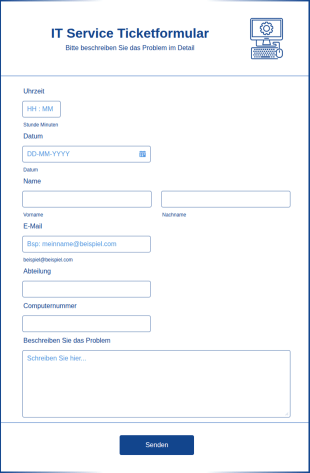
IT Service Ticketformular
Ein IT-Service-Ticket-Formular wird von IT-Experten verwendet, um Anfragen zu verfolgen und den Status von IT-Anfragen zu überwachen. Ein IT-Service-Ticket-Formular ist eine gängige Methode, um Service-Tickets, die Identifizierung eines Tickets, die Kontaktinformationen des Anfragenden, das IT-Support-Personal und die Teammitglieder, die Problembeschreibung, die Problempriorität, die Problembeschreibung und andere wichtige Informationen zum Problem zu erfassen. Wenn Sie ein IT-Serviceticket ausfüllen, wird von Ihnen erwartet, dass Sie Ihre IT-Ticketnummer, den Titel des Tickets, den Schweregrad des Tickets und alle anderen notwendigen Informationen angeben. Egal, ob Sie eine IT-Abteilung oder ein selbständiger PC-Reparaturspezialist sind, ein IT-Service-Ticket-Formular kann Ihnen helfen, die öffentliche Nachfrage zu nutzen. Passen Sie das Formular einfach an, betten Sie es auf Ihrer Website ein oder geben Sie es als Link weiter, und beginnen Sie, Anfragen direkt von Ihren Kunden zu sammeln.
Zur Kategorie:IT-Formulare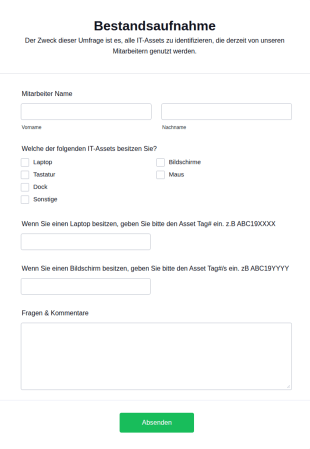
Bestandsaufnahme
Eine Bestandsaufnahme ist ein Formular, das die Arbeitnehmer ausfüllen, um Informationen über den Zustand bestimmter Anlagen an einem bestimmten Standort zu erhalten. Ein Beispiel: Der Mitarbeiter füllt das Formular zur Bestandsaufnahme (in der Regel ein Blatt Papier) oder ein Online-Formular zur Bestandsaufnahme aus. Das Bestandsaufnahme Formular enthält Informationen über die Anlage, den Standort der Anlage usw. Der Mitarbeiter reicht den Fragebogen ein, wenn er ein Asset des Unternehmens erhält. Machen Sie Ihre Vorlage für die Bestandsaufnahme noch nützlicher, indem Sie Ihr Logo oder eine benutzerdefinierte Beschreibung hinzufügen, um die benötigten Informationen zu erhalten. Wenn Sie Ihre Umfragebeantwortungen direkt von Ihrem Smartphone aus abrufen möchten, laden Sie die kostenlose mobile App von Jotform herunter, um die Eingaben auch unterwegs einzusehen! Fügen Sie dem Formular bei Bedarf neue Fragen hinzu - dann aktualisieren Sie es einfach und senden es erneut ab. Holen Sie das Beste aus Ihrer Bestandsaufnahme heraus und sparen Sie Zeit mit Formularen, die von Jotform für Sie erstellt wurden.
Zur Kategorie:IT-Formulare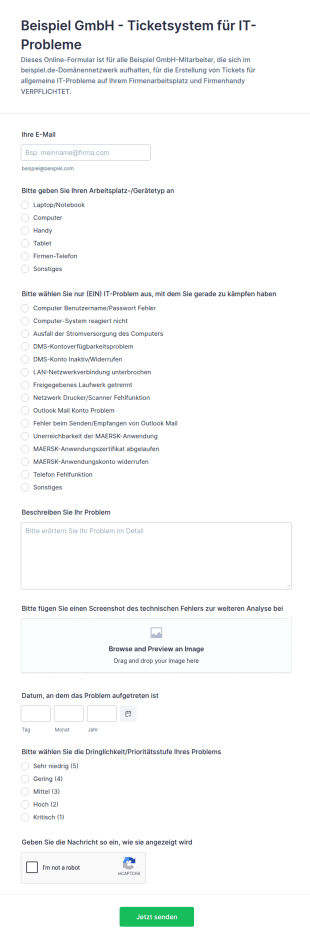
Ticketsystem Für IT Probleme
Ein Ticketsystem wird von IT-Organisationen verwendet, um Vorfälle und Probleme mit Hilfe eines Ticketsystems zu verwalten. Mit dem kostenlosen Ticketsystem von Jotform können Sie ein Ticket-Management-System für IT-Vorfälle und -Probleme erstellen. Erstellen Sie ein benutzerfreundliches Ticketsystem für Vorfälle, indem Sie das Formular an Ihre Arbeitsabläufe im Vorfallmanagement anpassen! Sobald Sie die benötigten Informationen erfasst haben, können Sie sie zur sicheren Aufbewahrung an Ihr Jotform-Konto senden. Ganz gleich, ob Sie Serverausfälle, Computerprobleme oder Softwarefehler verwalten, unser Ticketsystem macht es Ihnen leicht, den Überblick über die Probleme zu behalten, mit denen Ihr Team konfrontiert ist. Mithilfe unserer über 100 leistungsstarken Integrationen können Sie Übermittlungen mit Ihrem bevorzugten Speicherdienst synchronisieren, um erfasste Antworten direkt dorthin zu senden, oder sie als PDF herunterladen. Mit Jotform können Sie Ihre Probleme von Anfang bis Ende verwalten! Wenn Sie ein Formular benötigen, das persönlich ausgefüllt werden kann, sehen Sie sich unser Ticketsystem für IT-Probleme an.
Zur Kategorie:IT-Formulare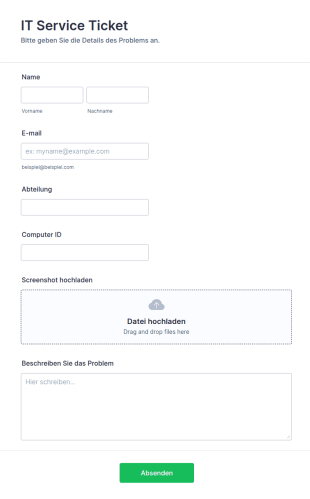
IT Service Ticket Formular
Dieses Standard-IT-Serviceformular ist nützlich für Unternehmen, die sich mit alltäglichen IT-Aufgaben wie der Behebung von Netzwerkproblemen in verschiedenen Abteilungen und Geräten befassen. Sie können es als Vorlage für ein IT-Serviceticket verwenden, das das Anhängen von Dateien mit den auf jedem System auftretenden Problemen ermöglicht und einen Bereich für weitere Informationen bietet. Sie können diese Vorlage als Ihr primäres Kommunikationsmittel verwenden.
Zur Kategorie:IT-Formulare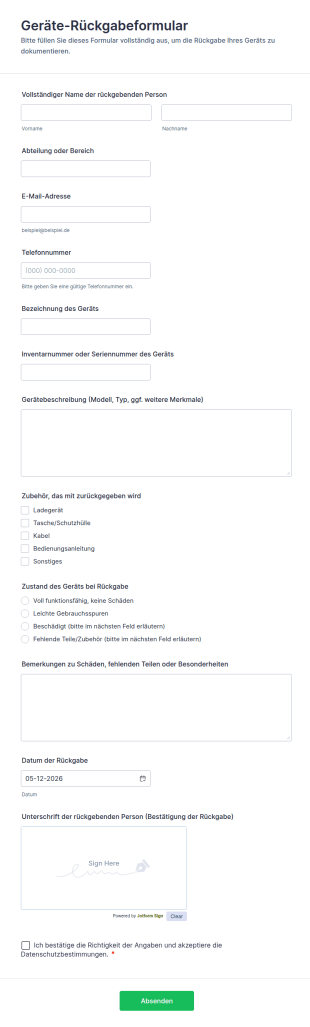
Geräte Rückgabeformular
Dokumentieren Sie Gerätewechsel und Rückgaben im Unternehmen mit dem Geräte-Rückgabeformular von Jotform, damit IT, Büromanagement und Führungskräfte Übergaben nachvollziehbar erfassen und intern besser nachverfolgen können.
Zur Kategorie:IT-Formulare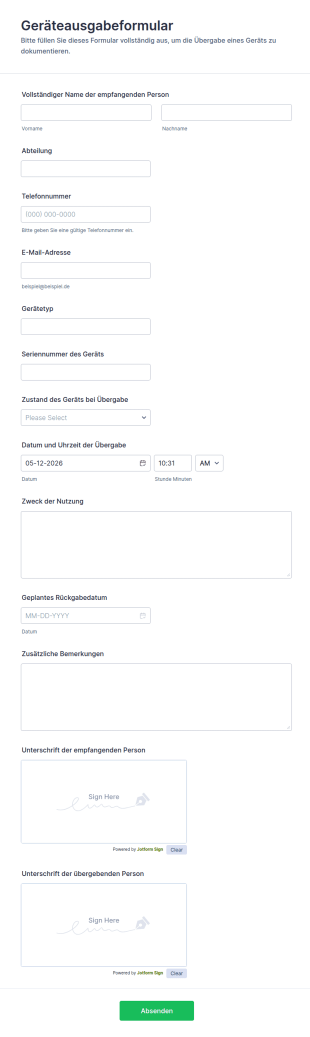
Geräteausgabeformular
Dokumentieren Sie Geräteausgaben im Unternehmen mit dem Geräteausgabeformular von Jotform, inklusive digitaler Datenerfassung, Unterschriften und zentral verwalteter Formular-Antworten für IT, Büromanagement und Personalabteilung.
Zur Kategorie:IT-Formulare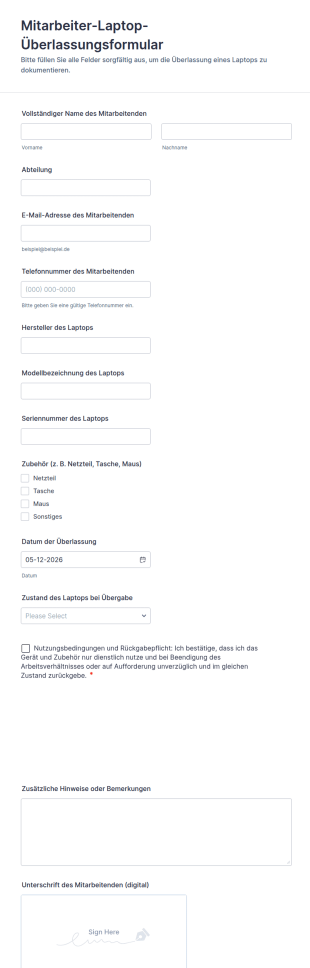
Mitarbeiter Laptop Überlassungsformular
Dokumentieren Sie Geräteübergaben im Unternehmen mit dem Mitarbeiter-Laptop-Überlassungsformular von Jotform und halten Sie Ausgabe, Zustand und Rückgaberegeln für IT, Büromanagement und Personalabteilung zentral fest.
Zur Kategorie:Asset-Tracking-Formulare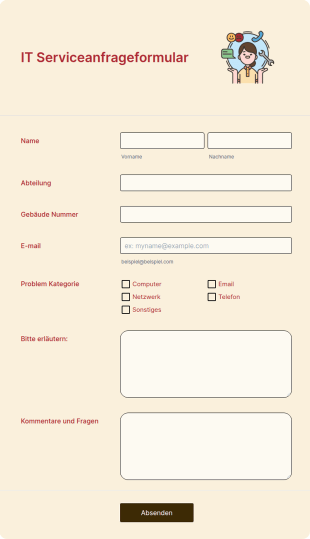
IT Serviceanfrageformular
Ein IT-Serviceanfrageformular wird von Technologieunternehmen verwendet, um die technischen Probleme ihrer Kunden zu priorisieren und zu lösen. Egal, ob Sie Webentwickler sind oder im IT-Support arbeiten - mit einer kostenlosen Vorlage für ein IT-Serviceanfrageformular können Sie Ihre IT-Prozesse optimieren und die Probleme Ihrer Kunden schneller lösen. Der Einstieg ist ganz einfach: Ziehen Sie einfach Ihr Logo auf die Vorlage und passen Sie das Formular an. Binden Sie Ihr IT-Service-Anfrageformular auf Ihrer Website ein und beginnen Sie mit dem Empfang von Einsendungen. Wenn Sie den Prozess der Übermittlung von Formularen an das Konto Ihrer Wahl automatisieren möchten, bietet Jotform mehr als 100 Integrationen mit beliebten Anwendungen wie Salesforce (auch auf Salesforce AppExchange verfügbar), Google Drive, Slack und anderen. Synchronisieren Sie E-Mails, wandeln Sie Formulare in Dokumente um und vieles mehr - alles mit nur wenigen Klicks. Steigern Sie Ihre Effizienz und beschleunigen Sie Ihre IT-Arbeit mit einem kostenlosen Online-Formular für IT-Serviceanfragen.
Zur Kategorie:IT-Formulare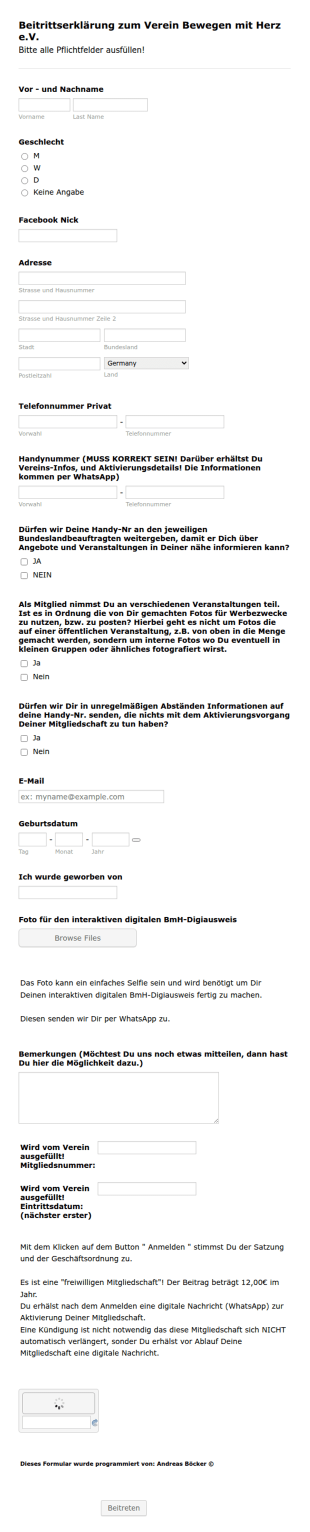
Beitrittserklärung Böcker
Diese Vorlage ist eine Beitrittserklärung zu einem Verein. Es werden die Mitgliedsdaten gesammelt und die rechtlichen Dinge wie Fotos usw. geklärt. Diese Beitrittserklärung ist ohne die Möglichkeit einen Mitgliedsbeitrag einzuziehen, aber auch das kann leicht durch Zufügen eines Bezahl-Feldes erledigt werden.
Zur Kategorie:IT-Formulare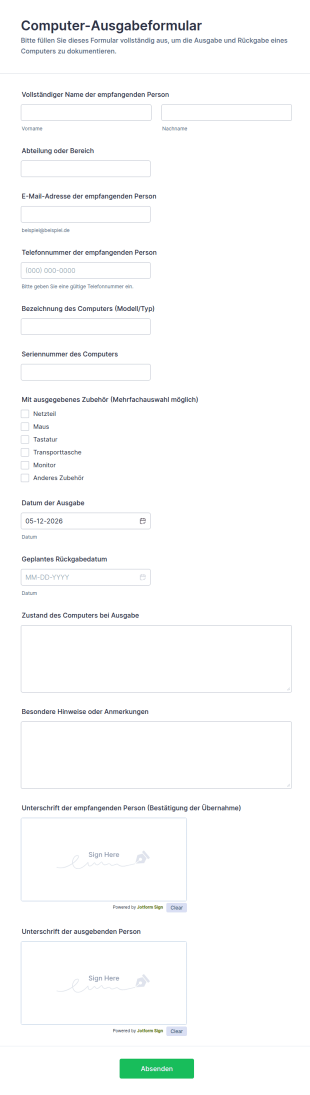
Computer Ausgabeformular
Dokumentieren Sie Geräteausgaben und geplante Rückgaben mit dem Computer-Ausgabeformular, ideal für IT, Büromanagement und Bildungseinrichtungen, die eine klare Datenerfassung und nachvollziehbare Übergaben benötigen.
Zur Kategorie:IT-Formulare
Vorlagen Für Standard Und Technische Arbeitsprotokolle
Hier finden Sie eine nützliche Vorlage für Fehlerbehebungsprotokolle, Standard- und technische Arbeitsprotokolle.
Zur Kategorie:IT-Formulare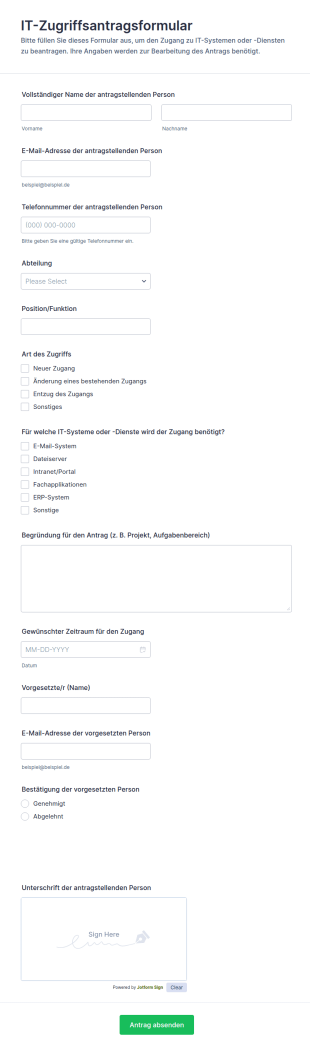
IT Zugriffsantragsformular
IT-Zugriffsantragsformular unterstützt Teams dabei, Zugriffsrechte auf interne Systeme zentral zu beantragen, Freigaben zu koordinieren und die Datenerfassung sowie jede Formular-Antwort in Jotform übersichtlich zu verwalten.
Zur Kategorie:Zugangskontrollformulare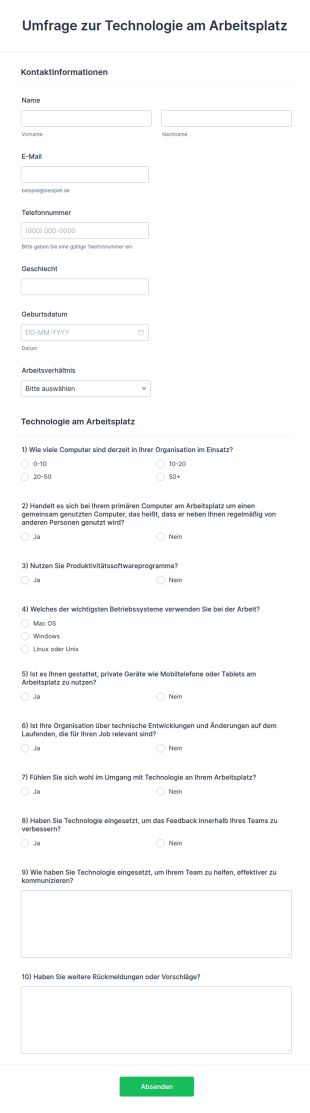
Umfrage Zur Technologie Am Arbeitsplatz
Heutzutage ist Technologie sehr wichtig. Wie sieht es mit dem technologischen Fortschritt in Büros oder am Arbeitsplatz aus? Eine Umfrage zur Arbeitsplatztechnologie hilft dabei, sich über den technologischen Fortschritt am Arbeitsplatz zu informieren.
Zur Kategorie:IT-Formulare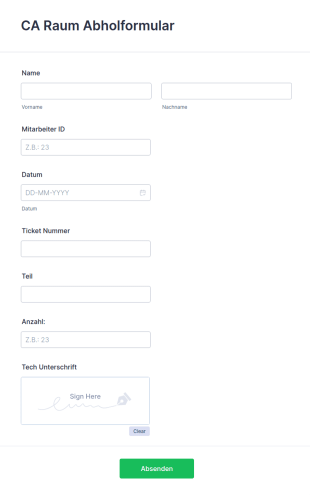
Ausrüstung Abholformular
Ein Formular für die Abholung von Ausrüstung wird von Selfstorage-Unternehmen verwendet, um den Transfer von Kundenausrüstung zwischen Lagereinheiten zu erfassen und zu verfolgen. Mit dieser kostenlosen Vorlage für ein Ausrüstung Abholformular ist es für Ihr Unternehmen ganz einfach, den Überblick über die gelagerte und umgelagerte Ausrüstung zu behalten - passen Sie es einfach an und beginnen Sie mit der Erfassung von Informationen! Ganz gleich, ob Sie das Formular zur Bestandsverfolgung oder nur zur Information Ihrer Kunden verwenden, es ist die perfekte Wahl für Unternehmen und Organisationen jeder Größe und Branche. Wir haben es Ihnen leicht gemacht, dieses Ausrüstung Abholformular an Ihr Unternehmen anzupassen. Verleihen Sie ihm mit dem kostenlosen Jotform Formulargenerator ein neues Aussehen mit einem Logo, einem Hintergrundbild oder verschiedenen Schriftarten. Wenn Sie Antworten von Ihren Nutzern sammeln und an einen Speicherdienst oder Ihre E-Mail senden möchten, können Sie dies mit den über 100 leistungsstarken Integrationen von Jotform, einschließlich Google Sheets, Google Drive, Dropbox und Box, automatisch tun. Was auch immer Sie mit den gesammelten Antworten tun möchten, mit einem kostenlosen Formular zur Geräteabholung von Jotform können Sie es umsetzen.
Zur Kategorie:IT-Formulare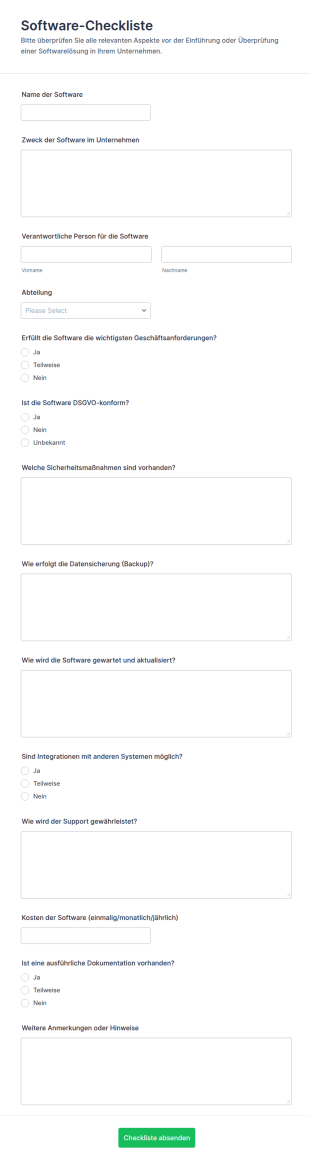
Software Checkliste Fragebogen
Software-Checkliste-Formular für Unternehmen, um Anwendungen einheitlich zu bewerten, Zuständigkeiten festzuhalten und Prüfprozesse zwischen IT, Fachbereichen und Datenschutz zu koordinieren.
Zur Kategorie:Checklisten-Formulare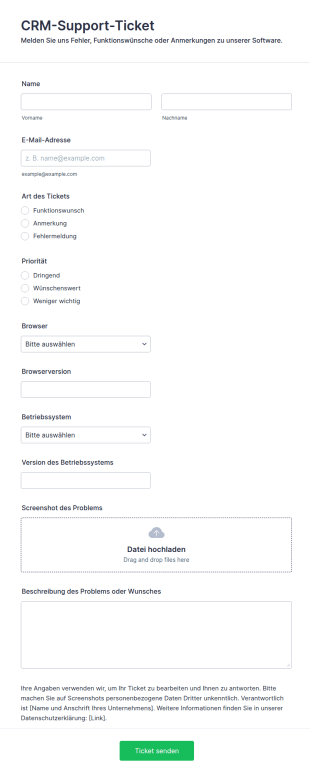
CRM Support Ticketformular
Mit diesem CRM-Ticketformular gehen Fehler, Funktionswünsche und Anmerkungen ein – samt Browser, System und Screenshot.
Zur Kategorie:Geschäftsformulare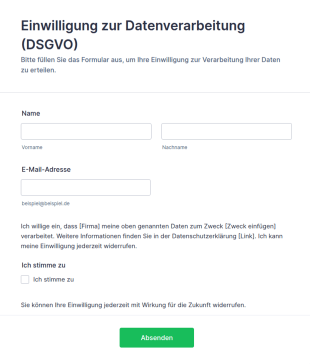
Vorlage Einwilligung Zur Datenverarbeitung (DSGVO)
DSGVO-konforme Einwilligungsformular-Vorlage für Jotform: Opt-in-Checkbox, Widerrufshinweis und Datenschutz-Platzhalter – direkt anpassbar und einsatzbereit.
Zur Kategorie:Werbeformulare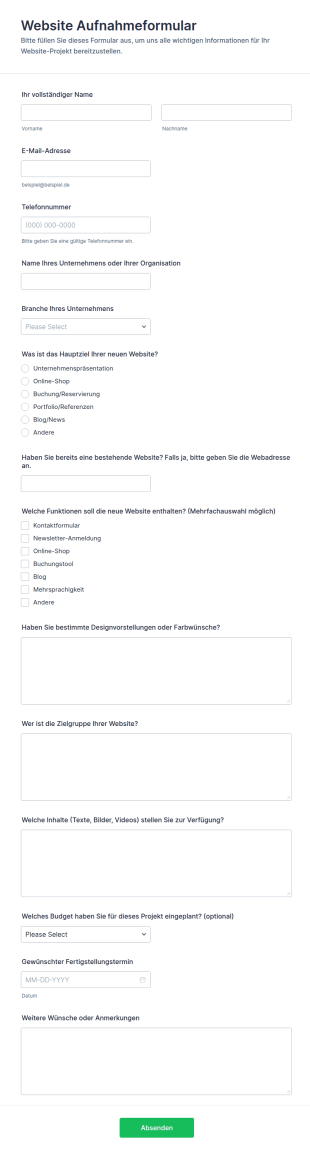
Website Aufnahmeformular
Website-Aufnahmeformular unterstützt Agenturen und Freelancer dabei, Anforderungen für neue Webprojekte zentral zu erfassen, Abstimmungen zu vereinfachen und die Datenaufnahme für Angebot und Planung mit Jotform zu beschleunigen.
Zur Kategorie:Webdesign Formulare
Sicherheitsvorfall Meldeformular
Erfassen Sie Sicherheitsvorfälle einheitlich mit dem Sicherheitsvorfall-Formular von Jotform, um Meldungen zu priorisieren, intern weiterzuleiten und die Datenerfassung für Nachverfolgung und Auswertung zu vereinheitlichen.
Zur Kategorie:Vorfallsmeldeformulare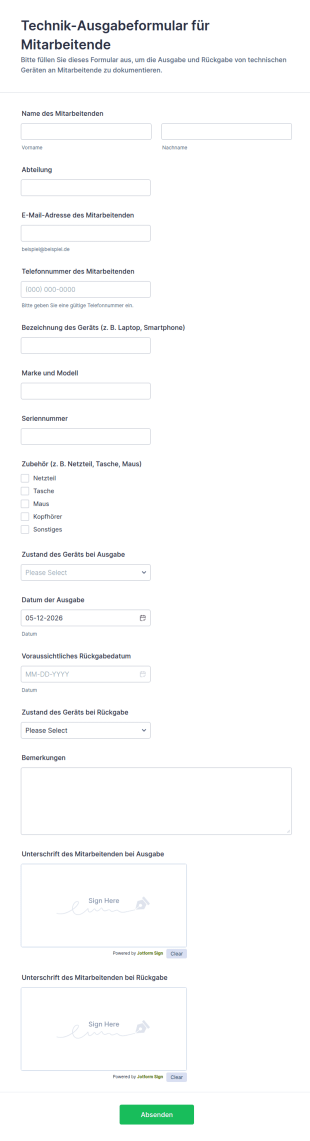
Technik Ausgabeformular Für Mitarbeitende
Technik-Ausgabeformular für Mitarbeitende erleichtert die Dokumentation von Geräteausgabe und Rückgabe in Unternehmen, damit IT und Verwaltung Übergaben, Rückgabetermine und Verantwortlichkeiten zentral nachverfolgen können.
Zur Kategorie:Geräteverwaltungsformulare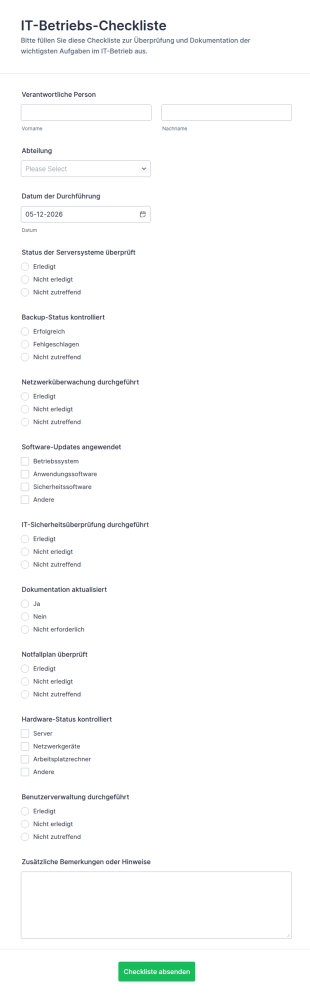
IT Betriebs Checkliste
IT-Betriebs-Checkliste Formular erleichtert die regelmäßige Datenerfassung für IT-Kontrollen in Teams und Abteilungen, damit Prüfungen dokumentiert, nachverfolgt und als Formularantworten zentral in Jotform gesammelt werden.
Zur Kategorie:Checklisten-Formulare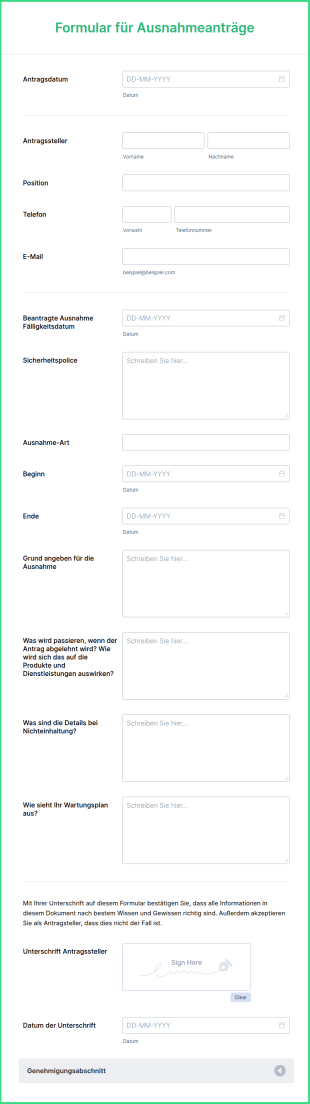
Formular Für Ausnahmeanträge
Das Formular für Ausnahmeanträge ist ein Dokument, mit dem Sie eine Ausnahme für die Verwendung von Prozessen oder Technologien beantragen können, die gegen die von einer bestimmten Abteilung wie der IT-Abteilung aufgestellten Sicherheitsrichtlinien verstoßen. Dieses Formular wird verwendet, um die Erlaubnis für die Verwendung eines Produkts zu beantragen, das von den zuständigen Abteilungen geprüft und dann genehmigt werden muss. Das ist wichtig, denn es gibt einige Produkte, die für die Durchführung und den Abschluss einer bestimmten Aufgabe erforderlich sind.Dieses Ausnahmeantragsformular enthält Formularfelder, die nach dem Namen des Antragstellers, den Kontaktdaten, einer Sicherheitsrichtlinie, die den Antrag abdeckt, dem Anfangs- und Enddatum der Ausnahme, dem triftigen Grund für die Ausnahme, den Folgen einer Ablehnung, dem Wartungsplan und dem Genehmigungsbereich fragen. Der Genehmigungsbereich verwendet das Werkzeug Abschnitt einklappen, mit dem die darin enthaltenen Felder automatisch ausgeblendet werden und auf das Sie zugreifen können, indem Sie auf den Abschnitt des Genehmigungsbereichs selbst klicken. Dieser Bereich enthält Felder, die den Status des Antrags und Details über den Genehmigenden überprüfen.
Zur Kategorie:IT-Formulare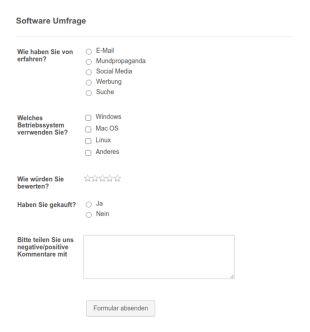
Software Umfrage Formular
Eine Software-Umfrage ist ein Fragebogen, der von Software-Unternehmen zur Erfassung von Feedback bei den Kunden eingesetzt wird. Wenn Sie im Software-Bereich arbeiten, verwenden Sie unser Software-Umfrageformular, um zu Ihren Kunden zu sprechen und mehr darüber herauszufinden, wie diese Ihre Produkte verwenden! Dieses Formular ist ideal bei der Entwicklung neuer Softwarefunktionen, der Fehlersuche und zur allgemeinen Verbesserung der App. Fügen Sie Ihr Logo und Branding in die Vorlage des Software-Umfrageformulars ein, wählen Sie ein Design, das Ihre neuen Funktionen unterstreicht und passen Sie das Formular ganz einfach an, um die Informationen zu erfassen, die Sie benötigen. Jotform ist 100 % kostenlos - wenn Sie also nach einem Online-Umfrage-Werkzeug suchen, welches keine versteckten Kosten beinhaltet, sind Sie fündig geworden. Integrieren Sie Ihre Antworten mit über 100 anderen Applikationen in unserem App-Marktplatz, um Ihre Software zu perfektionieren. Danach können Sie die Datenvisualisierungswerkzeuge von Jotform verwenden, um Ihre Daten zu analysieren und sie in einem beeindruckenden Bericht zu präsentieren. Sie können auch Ihre eigene individuelle Online-Umfrage von Grund auf neu erstellen!
Zur Kategorie:IT-Formulare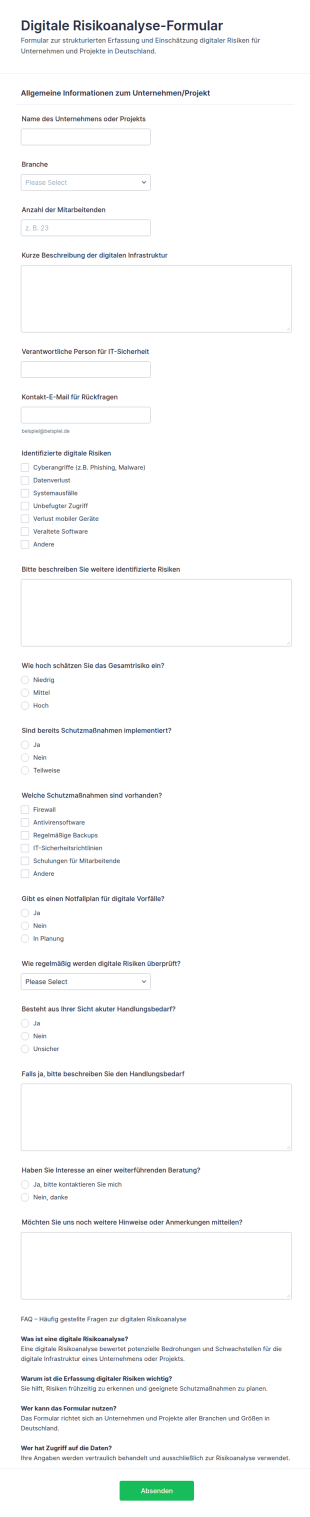
Digitale Risikoanalyse Checkliste
Digitale Risiken im Unternehmen systematisch erfassen und bewerten, damit Teams Prioritäten für Schutzmaßnahmen festlegen und Handlungsbedarf dokumentieren können, ideal für Projekte und Organisationen in Deutschland.
Zur Kategorie:BewertungsformulareÜber IT-Formulare
IT-Formulare sind spezialisierte digitale Formulare, die darauf ausgelegt sind, verschiedene Prozesse im Bereich der IT zu optimieren und zu verbessern. Diese Formulare werden für eine Vielzahl operativer Use Cases genutzt, beispielsweise zur Verwaltung von IT-Serviceanfragen, zur Nachverfolgung des Gerätebestands und zur Erleichterung von Systemaudits. In Workflows erfassen und verarbeiten IT-Abteilungen mit IT-Formularen wichtige Daten effizient. Sie stellen Compliance mit den Richtlinien der Organisation sicher und führen genaue Aufzeichnungen über alle IT-bezogenen Aktivitäten. Dadurch steigt die betriebliche Effizienz. IT-Teams können sich darauf konzentrieren, mehr strategischen Mehrwert für ihre Organisationen zu schaffen.
Jotform stands out as the premier online form builder for IT Forms, offering a robust platform that caters to the unique needs of IT professionals. With Jotform, users can easily customize forms to suit specific requirements and automate the data collection process to minimize manual efforts. Furthermore, Jotform’s centralized data management system, facilitated by Jotform Tables, allows IT teams to organize and access their data seamlessly, ensuring that information is always up-to-date and readily available. This combination of customization, automation, and data management positions Jotform as an indispensable tool for IT departments looking to optimize their workflows.
Why Use IT Forms?
- IT Forms offer unparalleled accuracy in data collection, reducing the risk of errors that often occur with manual data entry. By leveraging digital forms, IT departments can ensure that the information captured is complete and precise, leading to more reliable data-driven decisions.
- Speed is a critical factor in the IT industry, and IT Forms significantly enhance the speed at which data is collected and processed. With features like conditional logic, forms can dynamically adapt to user input, streamlining the completion process and reducing the time required to gather information.
- Professional data handling is paramount in IT operations, and IT Forms provide a secure and structured method for managing sensitive information. By utilizing secure data management practices, such as those offered through Jotform Tables, IT teams can safeguard data integrity and confidentiality.
- The ability to integrate with over 100 third-party applications ensures that IT Forms can seamlessly fit into existing workflows. Whether it's updating a database in Salesforce or sending a notification via Slack, these integrations enhance operational connectivity and efficiency.
- Customization is key in addressing the specific requirements of IT operations, and Jotform’s Drag-and-Drop Form Builder allows for extensive customization of IT Forms. Users can tailor forms to match their organizational processes, ensuring that each form serves its intended purpose without unnecessary elements.
Common Problems Solved by IT Forms
- Manual paperwork can be cumbersome and prone to errors, but IT Forms eliminate the need for physical documents by providing a digital alternative. This transition not only reduces paper waste but also ensures that data is captured accurately and stored efficiently.
- Data entry errors are a prevalent issue in IT operations, often leading to incorrect information and operational inefficiencies. IT Forms address this by utilizing electronic data capture, which minimizes human error and ensures higher data accuracy.
- Lost or misplaced data poses significant challenges, particularly when dealing with critical IT information. By centralizing data storage within Jotform Tables, IT Forms ensure that all collected data is easily retrievable and protected against loss.
- The time-consuming nature of traditional data collection methods can hinder IT productivity. IT Forms streamline this process by automating data entry and processing, allowing IT teams to focus on more strategic tasks rather than administrative duties.
Passende Anwendungsfälle für Features
- For IT service request management, the Conditional Logic feature can be employed to create dynamic forms that adjust based on user input, ensuring that only relevant questions are presented, thus speeding up the process and improving user experience.
- The need for secure transactions in IT procurement can be addressed by integrating one of the 30+ Payment Gateways such as Stripe or PayPal, allowing for direct and secure payments through the forms.
- When conducting IT equipment audits, Jotform's Report Builder can be utilized to generate comprehensive reports from the collected data, providing insights and helping to maintain accurate inventory records.
- Electronic Signatures, facilitated by Jotform Sign, are essential for authorizing IT-related documents, ensuring that all necessary approvals are captured digitally and stored securely.
- Offline Data Collection, available through Jotform Mobile Forms, is crucial for IT teams working in environments with limited internet connectivity, enabling them to gather data in the field and sync it once online.
- The PDF Editor feature can automate the generation of formatted PDF documents from form submissions, transforming raw data into professional reports or records that can be easily shared and archived.
- Integration with Google Sheets helps maintain real-time updates of form submissions, ensuring that IT teams have access to the latest data without manual input, thereby enhancing data accuracy and accessibility.
How to Create a IT Form
- Begin by browsing the Template List for an ITs template or start from a blank form to tailor it to your specific needs.
- Customize the design and fields of your form using the intuitive Drag-and-Drop Form Builder to ensure it aligns with your operational requirements.
- Publish and share your form via Direct Link, Email, or Website Embed to reach your intended audience and begin collecting data immediately.
Top Use Cases for IT Forms
- For Managers: IT Forms are invaluable for managers seeking to streamline operations and enhance oversight within their departments. By providing a centralized platform for data collection and analysis, managers can easily monitor IT processes, track performance metrics, and ensure compliance with organizational policies. This enables them to make informed decisions and implement strategic improvements that drive efficiency and productivity.
- For Teams: For IT teams, these forms simplify everyday tasks by automating routine data entry and processing. Whether it’s submitting service requests, reporting issues, or conducting equipment audits, IT Forms reduce the administrative burden on team members, allowing them to focus on more technical and strategic initiatives. This not only improves workflow efficiency but also boosts team morale by eliminating repetitive tasks.
- For Customers: Customers benefit from IT Forms through improved service delivery and communication. By using digital forms for service requests, feedback, or troubleshooting, customers experience a streamlined process that is both user-friendly and efficient. This enhances customer satisfaction and helps build trust in the IT department’s ability to respond swiftly and effectively to their needs.
Summarizing IT Forms
In summary, IT Forms, created with Jotform, offer a comprehensive solution for optimizing data collection and management within the IT sector. By facilitating accurate, efficient, and secure data handling, these forms empower IT departments to enhance their operational workflows and deliver superior service. With features like customization, automation, and integration, IT Forms provide the flexibility needed to address diverse use cases, making them an essential component of modern IT strategies.
Häufig gestellte Fragen
1) Ist die Erstellung von IT-Formularen auf Jotform kostenlos?
Ja, Jotform bietet einen kostenlosen Tarif an, mit dem Nutzer IT-Formulare erstellen und nutzen können. Es stehen jedoch auch Premium-Tarife zur Verfügung, die zusätzliche Funktionen und höhere Limite bieten.
2) Sind die Formulare und die übermittelten Daten sicher?
Ja. Jotform legt großen Wert auf Datensicherheit und nutzt branchenübliche Verschlüsselung, um Formularantworten und Daten zu schützen.
3) Benötige ich Programmierkenntnisse, um ein IT-Formular zu erstellen?
No coding knowledge is required to build an IT Form with Jotform. The platform's Drag-and-Drop Form Builder makes it easy for anyone to create and customize forms without technical expertise.
4) Kann ich Zahlungen direkt über meine Formulare erfassen?
Ja, Sie können Zahlungen direkt über Ihre IT-Formulare erfassen. Integrieren Sie dazu eines der über 30 Zahlungsportale von Jotform, beispielsweise Stripe, PayPal oder Square.
5) Können diese Formulare auf mobilen Geräten verwendet werden?
IT-Formulare lassen sich auf mobilen Geräten nutzen. Mit Jotform Mobile Formularen füllen Nutzer Formulare auch offline aus und senden sie ab. Die Daten synchronisieren sich, sobald eine Internetverbindung verfügbar ist.
6) Kann ich Formularantworten in professionelle PDF-Dokumente umwandeln?
Ja, mit dem PDF Editor von Jotform können Sie aus Formularantworten automatisch professionelle PDF-Dokumente erstellen. Anschließend können Sie diese Dokumente weitergeben oder archivieren.
7) Können IT-Formulare in die bestehende IT-Infrastruktur integriert werden?
Certainly, IT Forms can be integrated with existing IT infrastructure through Jotform's 100+ third-party integrations, including platforms like Google Sheets, Salesforce, and Slack.
8) Wie verbessern IT-Formulare die Effizienz im IT-Servicemanagement?
IT-Formulare automatisieren die Datenerfassung und -verarbeitung. Sie reduzieren manuellen Aufwand. So fließt Informationen präzise und zeitnah durch die Organisation.