
Key takeaways
- Google Forms is ideal for internal teams and Google Workspace users who need a free, no-fuss way to collect data quickly without worrying about design.
- Tally is better suited for creators, startups, and public-facing businesses that need a polished, branded experience and seamless integration with tools like Notion and Airtable.
- Both tools handle basic forms, but they diverge sharply on flexibility: Google relies on a rigid template, while Tally offers a document-style canvas with advanced logic capabilities.
- Jotform is a strong alternative if your workflows rely on richer form logic, payments, approvals, and integrated data management in one ecosystem.
Online form builders have become the digital front door for nearly everything we do. Whether you’re running a quick internal survey, capturing leads for a new product launch, or managing complex employee onboarding flows, the form you choose sets the tone for the entire interaction. A clunky experience can cost you valuable responses and look unprofessional, while a well-designed form can elevate your brand perception.
If you’re looking for a powerful yet cost-effective tool to handle these tasks, the decision often comes down to two contenders: Google Forms vs Tally forms.
On one side, you have Google Forms: the long-standing, free option likely already part of your Google account. It’s the tool everyone knows how to use. On the other, you have Tally, also known as Tally forms or Tally.so, a newer, minimalist challenger promising a polished writing experience with a generous free tier.
I’ve used both tools, and in my experience, the choice depends on context. Do you need a fast, functional tool for your team or a branded experience for your customers? Below, I’ll walk you through a quick verdict, a deeper comparison of their features, and how Jotform fits in as a flexible alternative.
 Jotform |  Google Forms |  Tally | |
|---|---|---|---|
| Best for | Complex, automated workflows | Quick, simple surveys | Modern, public-facing forms |
| Workflows and automation | Built-in approvals, e-signatures, and PDF generation | Basic linear logic | Advanced conditional logic |
| Integrations | 150+ integrations, including CRMs, payments, marketing, and communication tools | Seamless sync with Google Sheets and Drive | Deep native integration with Notion and Airtable |
| Form design and UX | Fully customizable with advanced styling options | Standardized, utility-focused templates | Document-style writing interface |
| Data and reporting | Powerful built-in database and report builder | Basic summary charts and export to Sheets | Simple analytics and direct database syncing |
| Pricing approach | Starter plan: Free (feature-limited); Bronze plan: $34/month; Silver plan: $39/month; Gold plan: $99/month; Enterprise plan: Custom pricing | Free (included with Google account) | Free tier; Pro: $24/month; Business: $74/month |
Google Forms
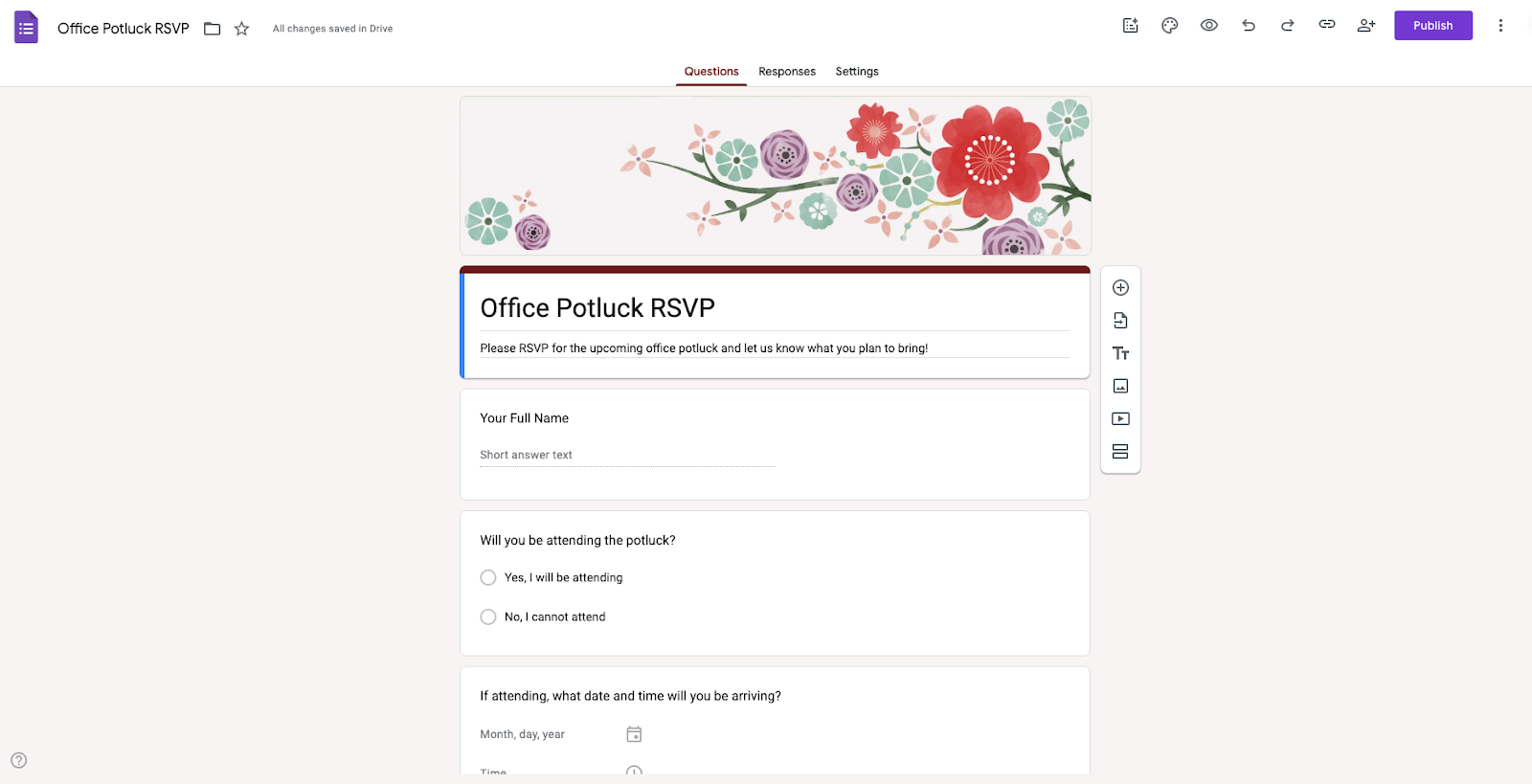
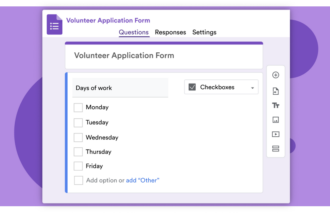
Google Forms is often considered the default choice for internal teams and educators who need function over flair. It shines in classrooms for creating quizzes and in corporate offices for IT requests or team polls, where getting answers fast is more important than branding. Because it lives in Google Drive, it’s reliable, straightforward, and ready to use without any setup.
Building with Forms feels just like using Google Docs — you simply click to add questions and drag them into place. Sharing is as easy as sending a link, but the direct integration with Google Sheets is the real standout. Responses arrive in real time, organized in a spreadsheet ready for immediate analysis.
- Best for: Educators, internal teams, and anyone who needs to build a simple survey or poll quickly and for free
- What I liked about Google Forms the most: It was easy to use, even for non-techies like me. The template gallery helped me get started fast, and because I was already in the Google ecosystem, the instant export to Sheets was a massive plus.
- Key features
- Google Workspace integration
- Basic conditional language
- Built-in quiz mode
- Organization-only access
- Real-time collaboration
- Mobile-responsive design
- Pros
- Zero learning curve: Because the interface mimics Google Docs, it feels familiar instantly.
- Instant data visualization: Google Forms generates summary charts automatically, giving you quick insights without any setup.
- Deep ecosystem integration: If your team lives in Google Workspace, Forms fits right into your existing workflow seamlessly.
- Cons
- Limited customization: You can change the header image and theme color, but you can’t fully white label the form. It will always look like a Google Form, which feels less professional for client-facing tasks.
- Logic is limited: While you can send users to different sections based on an answer, you can’t perform complex calculations or show/hide specific fields dynamically on the same page.
- No built-in payment processing: If you want to sell a product or collect event fees, you have to rely on third-party add-ons or awkward workarounds.
- Plans/Pricing
- Free with any Google account
Tally forms
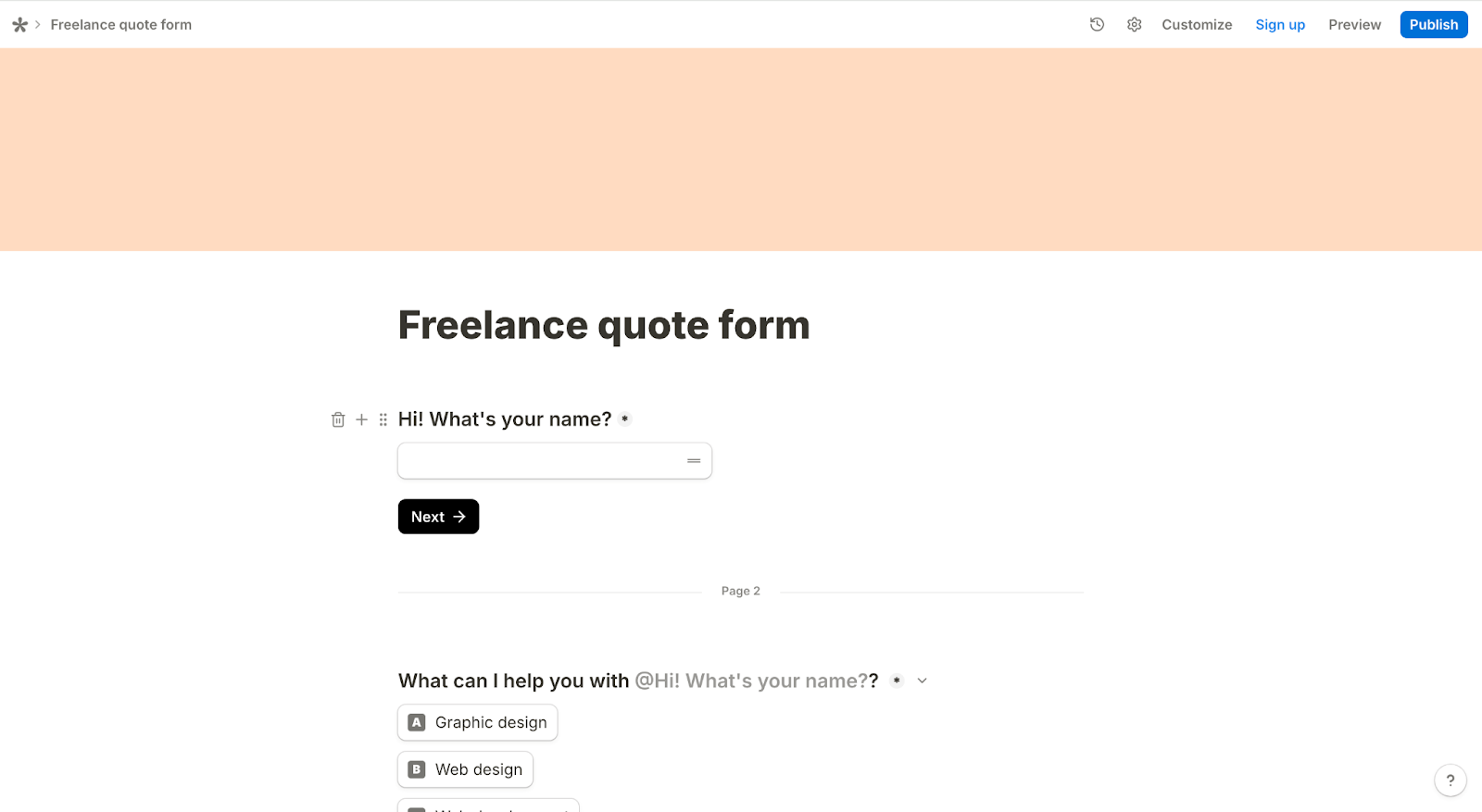
Tally is a favorite among Notion users because it mirrors that tool’s interface almost exactly. It replaces the traditional drag-and-drop builder with a text-based editor, so the process feels more like writing a document than designing a survey. This approach is ideal for creators and solo entrepreneurs building landing page-style forms or quick lead capture projects that need to feel like a natural extension of a personal brand.
The experience of building a Tally form is refreshingly intuitive. You start with a blank white page and type a forward slash to insert questions or headers directly from your keyboard. While this feels much more modern and polished than Google Forms, it sometimes falls short for larger teams requiring complex permission settings or dense data structures. But for a sleek, single-column form that offers a smooth reading experience on any device, Tally is hard to beat.
- Best for: Startups, creators, and anyone who wants a form that looks professional without needing to know code
- What I liked about Tally the most: I liked the look of Tally more. It felt less like a piece of software and more like a writing pad. I could easily access the menu options without breaking my flow — I just typed a slash (/), and the options to insert questions or payments were right there.
- Key features
- Document-style editor
- Payment collection
- Calculations and answer piping
- Notion integration
- Hidden fields
- Pros
- Professional, modern aesthetic: Forms feel high-end, polished, and minimalist right out of the box.
- Faster building flow: The document-style editor and advanced Tally forms features make building incredibly fast.
- Premium power without the price tag: Most form builders charge a premium for features like calculations and answer piping, but Tally gives you these powerful tools on the free plan.
- Cons
- Rigid design structure: The commitment to simplicity means you’re locked into a vertical, single-column layout, without the ability to arrange fields side by side to create a compact view.
- Requires external analysis: The built-in results page provides basic numbers, but for deep insights or visual charts, you’ll often need to export your data elsewhere.
- Steep learning curve for automation: Some native integrations exist, but connecting to many popular tools requires using webhooks or Zapier — a technical hurdle for beginners.
- Plans/Pricing
- Free tier
- Pro: $24 per month
- Business: $74 per month
Google Forms is faster and more intuitive for simple, internal surveys
Both tools are user-friendly, but they have different philosophies on how a form should be built. Here’s a look at how the building process compares with Tally vs Google Forms.
How Google Forms handles usability
The biggest strength of Google Forms is you likely already know how to use it. The interface looks and feels just like Google Docs, so there’s practically no learning curve. You click to add a question, drag it into place, and send the link in less time than it takes to sign up for a new account elsewhere.
This standardized approach makes it accessible for anyone on your team. You don’t have to worry about layout or styling because the tool handles it for you. It might not win design awards, but it removes all the friction from building a functional, reliable survey.
How Tally handles usability
Tally takes a completely different approach with its type-to-build interface. For users familiar with tools like Notion, it’s incredibly intuitive — you can insert questions or payments without your hands ever leaving the keyboard.
However, this approach requires a slight mental shift if you’re used to traditional builders like I was. Because there’s no sidebar menu constantly showing your options, you can’t just scan a list to see what’s available. You have to actively bring up the menu yourself, which feels abstract for anyone who prefers clicking buttons over typing commands.
Which users benefit most
Google Forms is the clear winner for teams that need speed and reliability over style. If you work in operations, HR, or education, and you just need to collect data efficiently, the familiar Google interface will save you time. It’s also the best choice for collaborative teams, as multiple people can edit the form simultaneously without learning a new tool.
Tally is the better choice for creators, founders, and public-facing teams who treat forms as part of their brand. If you’re comfortable with modern tools like Notion and care about the experience of filling out a form, Tally’s editor is worth the slight learning curve.
Tally offers a more modern form experience and aesthetic
If design and brand perception are your top priorities, this is where the two online form builders diverge the most: Google Forms provides a standardized template, and Tally allows for more creative freedom to build a customized page.
How Google Forms handles design and customization
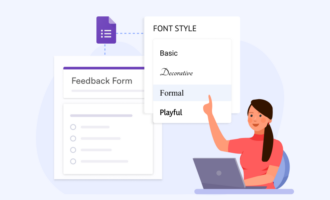
With Google Forms, you’re restricted to the standard Google style: a vertical list of cards on a colored background. Customization is essentially limited to uploading a header image, changing the primary theme color, and selecting from a handful of basic fonts.
This rigidity ensures consistency, but it also means every form looks unmistakably like a Google Form. You can’t remove the branding, change the layout significantly, or add your own CSS to match your website. It’s perfectly adequate for internal data collection, but for client-facing surveys or RSVPs, it looks a bit generic and dated.
How Tally handles design and customization
Tally offers a much more polished aesthetic right out of the box. It’s built like a document, so your forms look less like data entry sheets and more like modern web pages. You have far more control over the visual presentation — you can easily add wide cover images, insert logos, and switch between light and dark modes to match your brand’s style.
The biggest advantage is Tally’s minimalism. There are no clunky borders or gray backgrounds to distract the user. Even on the free plan, this open design makes your form look high-end and professional.
Which users benefit most
Tally is the better choice for freelancers, agencies, and startups who need to impress. If you’re sending a client intake form, a product waitlist, or a feedback survey to paying customers, Tally’s polished look signals professionalism.
Google Forms is best for purely functional tasks. If you’re collecting classroom assignments or polling your team, you don’t need a cover image or custom font — you just need the answers. It’s the right tool for low-stakes situations where function trumps style.
Google Forms offers superior integration for shared workspaces
The real work often happens after the data is collected. To see which tool fits better into a collaborative environment, I tested how easily they let teams co-edit and how seamlessly they connect to outside apps.
How Google Forms handles team collaboration
If your team lives in Google Workspace, Forms fits right in. It’s not a separate tool you have to log into; it’s connected to everything else you use. Just click one button, and your responses feed into a spreadsheet that updates in real time. It’s seamless, reliable, and keeps your data exactly where you expect it to be.
Sharing access is just as easy because it uses the same permissions system as Google Docs. You can add a coworker as an editor in seconds, and they can jump in to tweak questions or review data without a separate login. You also don’t have to worry about seats or account limits — if they’re on your company domain, they’re good to go.
How Tally handles team collaboration
Tally doesn’t live inside a spreadsheet, but it connects to the tools startups use, like Notion and Slack. The Notion integration is particularly strong; it sends responses directly to your Notion database, making it a perfect fit for teams who organize their lives there.
But this collaboration comes with a price tag. While Google lets you invite unlimited editors for free, Tally locks team features behind its Pro plan. If you want a coworker to jump in and edit a form with you, you’ll need to upgrade.
Which users benefit most
Google Forms is the default if you’re already in the Google ecosystem. Since everyone has an account and permissions work just like Google Docs, you can collaborate without any friction. It’s the best option for teams that need to collaborate without worrying about extra subscriptions.
Tally is the better fit if your workflow centers on Notion or Airtable. The integration is deep and reliable, sending data exactly where you need it without messy workarounds. However, since collaborative editing requires a paid subscription, it makes the most sense for solo creators or small teams who don’t mind upgrading for a better workflow.
Tally provides more power for advanced logic and conditional flows
If you need your form to react intelligently to user input, the differences here are significant. Google Forms offers enough functionality to handle basic decision trees, and Tally provides the depth required to build complex, app-like experiences without writing code.
How Google Forms handles logic and branching
Google Forms handles logic in a very linear way: by jumping between page sections. Its Go to section based on answer feature lets you route users down different paths — for example, skipping the Vegetarian questions if someone chooses Steak. It’s a reliable method for simple decision trees where you just need to direct traffic.
The limitation is you can’t show or hide specific questions on the fly; you have to move the user to a completely new page (section) to change the path. It also lacks advanced features like answer piping (inserting a user’s name into the next question) and calculations.
How Tally handles logic and branching
Tally creates a much more fluid experience by letting you show or hide specific questions on the same page. For example, if a user checks I have a dietary restriction, a text box asking for details can instantly slide into view right below it. This keeps the form feeling like a single, cohesive conversation rather than a disjointed series of pages.
It also supports powerful features that Google lacks, like answer piping and calculations. You can take a respondent’s name from the first question and automatically insert it into the next one (e.g., “Thanks, Sarah! What are your goals?”), or build a calculator that updates a price in real time based on the options they select.
Which users benefit most
Tally is the powerhouse for interactive forms. If you need to calculate a price quote, score a complex quiz, or personalize questions using a respondent’s name, Tally is the only option here. It’s built for users who need their form to act more like a smart application than a static sheet of paper.
Google Forms is best for simple linear surveys. If you just need to skip a section, it handles that perfectly well. It’s a solid choice when your logic is straightforward and you don’t need to perform math or pipe answers into future questions.
Google Forms vs Tally: Which one wins?
While both tools are excellent at collecting data, they fit into very different workflows. Finding the best online form builder depends on your specific goals: Google Forms is the undisputed king of internal utility, while Tally offers the creative freedom for public-facing projects.
Choose Google Forms if…
- You live in Google Workspace: The ability to pull data directly into Sheets and manage permissions through your existing company account makes it the most convenient option for internal workflows.
- Simplicity outweighs style: If you just need to poll your team about lunch or collect student quiz answers, the standardized design lets you create and share a form in minutes.
- Budget is your #1 priority: Unlike Tally’s free plan, which gates some collaborative features, Google allows unlimited responses and full team editing access without costing a cent.
- Speed to launch is key: Because you can’t customize much, you won’t get bogged down in details. You can type out five questions and have a live link ready to share in under two minutes.
Choose Tally if…
- You work in Notion or Airtable: Tally sends data directly to your databases without the need for messy add-ons or workarounds.
- Presentation is a priority: If you’re sending forms to clients or investors, Tally’s polished, borderless design signals professionalism in a way a standard Google Form can’t.
- You need flexible logic: Tally lets you calculate prices, score quizzes, and personalize questions based on previous answers, handling complexity that Google Forms can’t touch.
- You want a seamless experience: The editor removes the clunky friction of traditional surveys, making the process feel smoother for your respondents.
Consider Jotform if…
If you find both Google and Tally lack the structural depth your team needs, it’s worth exploring a more scalable Google Forms alternative. Jotform is built for teams that need to connect simple data collection with full-scale business process management.
Jotform might be right for you if
- You need end-to-end workflow automation: Build powerful automations with Jotform Workflows. You can automatically route approvals to managers, generate PDF contracts, or even deploy Jotform AI Agents to manage complex tasks that usually require a human touch.
- You handle mission-critical payments: Jotform integrates natively with over 40 payment gateways (including PayPal, Stripe, and Square) with zero additional transaction fees, making it robust enough for serious e-commerce.
- You need enterprise-level team collaboration: For larger organizations, Jotform Enterprise offers granular role-based permissions, single sign-on, and dedicated activity logs, giving you the control that lightweight builders don’t provide.
- You demand sophisticated data management: Jotform Tables lets you organize, filter, and visualize your data in powerful ways right inside the platform, so you don’t have to export everything to a spreadsheet to make sense of it.
- You want a conversational user experience: If standard forms feel too impersonal for your brand, use Jotform AI Chatbot Builder to turn your questions into an interactive dialogue. This is a great way to qualify leads or provide support in a more natural format.
Prefer forms that scale with your workflows? Meet Jotform
While the Google Forms vs Tally debate focuses on utility versus design, growing teams need more than a survey tool. Jotform is a comprehensive platform for automating entire workflows, so you can connect your forms directly to data, approvals, and sophisticated automation.
With Jotform, you go far beyond simple data collection:
- Build powerful, branded forms in minutes using our intuitive drag-and-drop interface, or bundle them into custom, no-code Jotform Apps for your team.
- Create smart interactions with advanced logic, calculations, and multistep experiences.
- Collect payments and files securely without extra transaction fees.
- Store and organize responses in a collaborative, table-like workspace.
- Automate approvals and route tasks to team members based on submissions.
- Connect forms to a wide ecosystem of tools and AI-powered features, like using an Instagram Agent to capture leads or a Gmail Agent to automate your follow-ups.
If you’re finding that lightweight builders are limiting your ability to scale, it’s time to upgrade. Explore Jotform today and see how our Form Builder turns your busywork into a streamlined workflow.
This article is for the students, educators, freelancers, solo founders, small businesses, and internal teams already using Google Workspace or Tally who want to understand which tool fits their workflows best.




































































































Send Comment: