Here’s a worst-case e-commerce scenario: A shopper who’s ready to buy lands on your site, gets overwhelmed by the number of options, and leaves without choosing anything. Then they buy from someone else.
That outcome stings, because you did the hard part. You earned the traffic, you got the right person onto the right page, and you lost them at the moment of decision. Shopping paralysis is common, and it’s expensive. Shoppers abandon roughly seven in 10 online carts, and when customers face too many choices, many of them abandon a purchase they genuinely wanted to make.
E-commerce quizzes solve this. Instead of showing shoppers everything you sell, give them a quiz that asks a few targeted questions, narrows the field of relevant products, and often results in a clear recommendation.
Quizzes also raise engagement, because customers feel like participants rather than spectators scrolling a catalog. And every answer a shopper gives is data you can act on, informing your marketing, your email campaigns, your product recommendations, and your broader sales strategy.
This article covers how e-commerce quizzes work, what the most common types look like, and how to build one that produces effective results.
What is an e-commerce quiz?
An e-commerce quiz is basically an interactive product recommendation form. It asks shoppers questions and returns the products best matched to their answers. Instead of leaving a customer to filter through an entire catalog, the quiz does the narrowing for them and delivers a shortlist, or often one recommendation, in under a minute.
Not every quiz has the same job. Depending on your needs, a quiz can
- Drive an immediate purchase by routing shoppers to a specific product and a reason to buy it today
- Capture email addresses by offering to save results or send a personalized recommendation
- Learn what your customers want before you decide what to stock, bundle, or promote next
The format stays consistent even as the goal changes, which is why the same basic tool works across very different parts of your funnel.
Keep it to four to six questions: Interact’s conversion data across more than 80 million quiz leads shows that completion rates hold steady through the sixth question and drop noticeably after that, so ask only what you need to make a good recommendation. If you want more information than six questions can gather, collect it later through a follow-up survey rather than stretching the quiz.
Conditional logic: This is what separates a quiz from an ordinary form. Each answer determines what the shopper sees next. For example, in a quiz about skin products
- A shopper who selects dry skin gets follow-up questions about flaking, tightness, and moisture barrier products.
- A shopper who selects oily skin takes a path toward questions about shine control and pore concerns.
Conditional logic also controls which products appear on the results page and which offer the shopper sees after submitting. One customer might land on a starter bundle with a first-order discount, while another lands on a premium option with a note about free returns.
Everything a shopper tells you along the way is zero-party data, meaning information they volunteered directly rather than data you inferred from their behavior. It’s the most reliable customer data you can collect, and it’s yours to use in segmentation, email campaigns, and retargeting long after the shopper closes the tab.
Pro Tip
Conditional logic and customized results pages are the two features that decide whether a quiz converts or gets abandoned, so make sure your form builder supports both before you start building. Jotform includes conditional logic and thank-you page customization on its free plan, along with a drag-and-drop builder that doesn’t require any code.
4 common e-commerce quiz examples
You can build a quiz around almost anything that might make a shopper hesitate. If customers keep asking your support team the same question before they buy, that question is a quiz waiting to happen. That said, four formats show up again and again because they solve the most common reasons a ready buyer walks away: too many options, no idea what someone else would like, no sense of what suits them, and no confidence it will fit.
- Product recommendation quiz: A shopper answers a few questions about their situation, their goals, or the problem they’re trying to solve, and the quiz returns the product that fits. This quiz works best when your catalog is deep enough to be confusing and you have a wide variety of products. Supplements, skincare, coffee, and pet food are all natural fits, because the customer knows what they want to accomplish but has no reliable way to map that goal onto a specific product.
Pro Tip
You don’t have to build this type of quiz from scratch. Jotform’s product recommendation form template gives you a working structure you can customize with your own questions, products, and branding in a few minutes.
- Gift finder quiz: A gift shopper is buying for someone else, but they don’t know the recipient’s size, their brand preferences, or what they already own. A gift finder asks about the occasion, the relationship, and the budget, and a few personality signals to describe the recipient. Then it recommends an appropriate product. These quizzes are particularly useful during the holidays, when a large share of your traffic is people shopping outside their own taste.
- Style finder quiz: Style quizzes handle the shoppers who like your brand but can’t tell which of your products is for them. The questions lean visual, asking customers to choose images, color palettes, or finished looks rather than describing preferences in words. Apparel, home goods, jewelry, and eyewear all benefit from this kind of quiz. Warby Parker’s frame finder is a great example, asking about face shape and material preferences before narrowing thousands of possible pairs down to a handful worth trying on.
- Sizing quiz: Fit uncertainty is one of the last things standing between a shopper and the buy button, and a size chart rarely resolves it because most shoppers aren’t confident in interpreting one. A sizing quiz walks them through the process one question at a time. It asks what brands they already wear and how those items fit, whether they prefer a looser or closer cut, and what they’re buying this piece for. Because the quiz interprets the answers, the shopper arrives at a size they trust. You both convert shoppers who would have stalled at the size dropdown and cut the return rate on the orders you do win, which protects margin on every sale.
Although these quizzes ask different questions, they do the same underlying job. Each one takes a decision the shopper couldn’t make alone and makes it for them, with enough transparency that the recommendation feels earned rather than pushed.
How to create an e-commerce quiz
The key to an effective quiz is the thinking you do before you open the tool. Here’s how to build a quiz that produces results.
- Define the goal. Before you write a single question, decide what you want the quiz to accomplish. For example, a quiz built to convert ends on a product and a buy button, but a quiz built to generate leads ends on a recommendation and an offer to email the results. Pick one primary goal and let the rest follow.
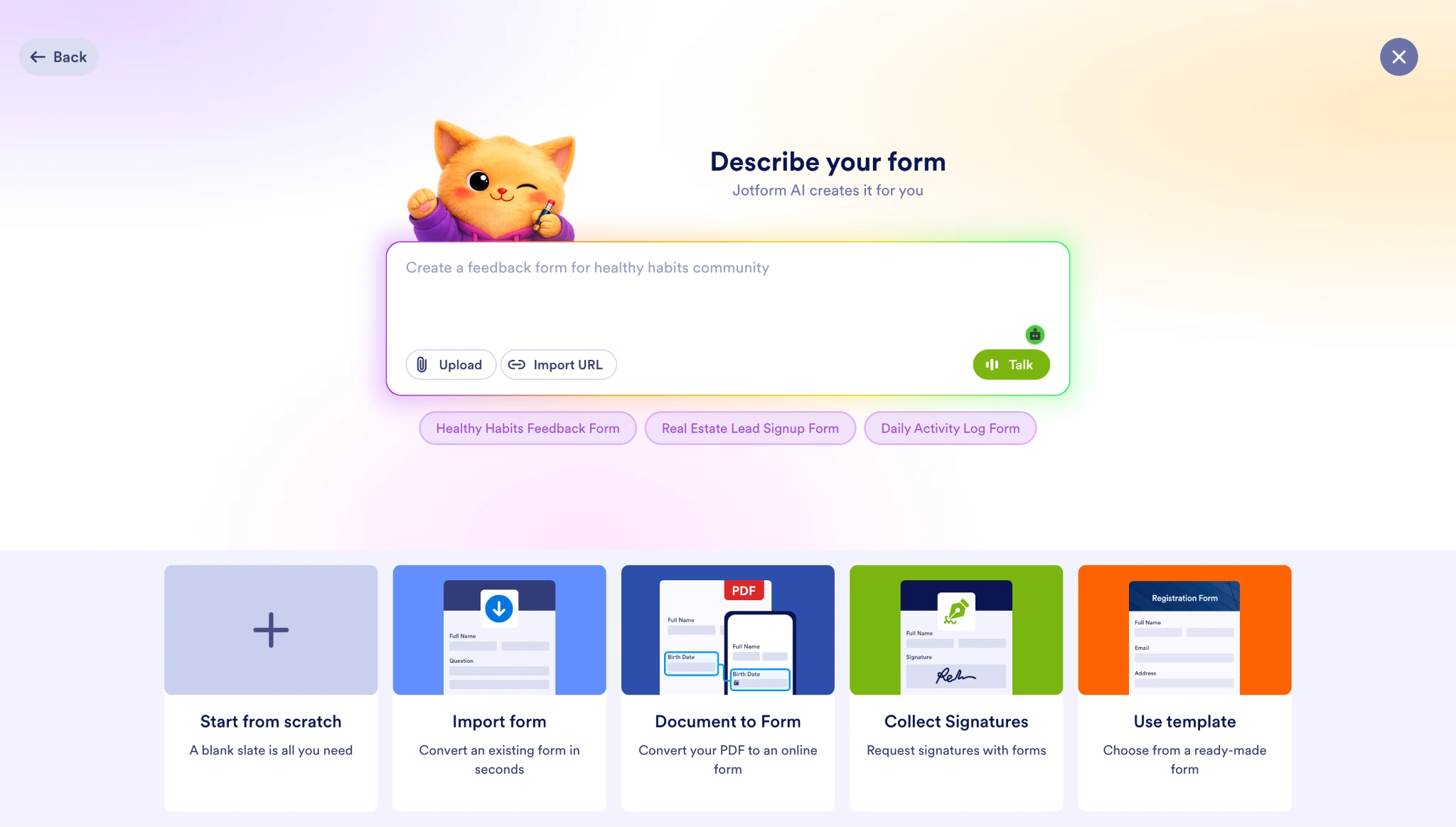
A clear goal also pays off immediately if you use AI to build the quiz. With Jotform, you can describe the form you want in a sentence, such as “a product recommendation quiz for a skincare store that asks about skin type and routine, then recommends a product,” and Jotform’s AI generates a working draft you can refine. The better you’ve defined the goal, the better that first draft comes out.
- Choose the right quiz type and title. Your title tells the shopper what they’re getting, and vague titles get skipped. “Find Your Perfect Shade in 60 Seconds” sets a clear expectation. “Take Our Quiz” doesn’t. Name the outcome and, if you can, the time commitment. This is also where you commit to a format, whether that’s a product recommendation quiz, a gift finder, a style finder, or a sizing quiz.
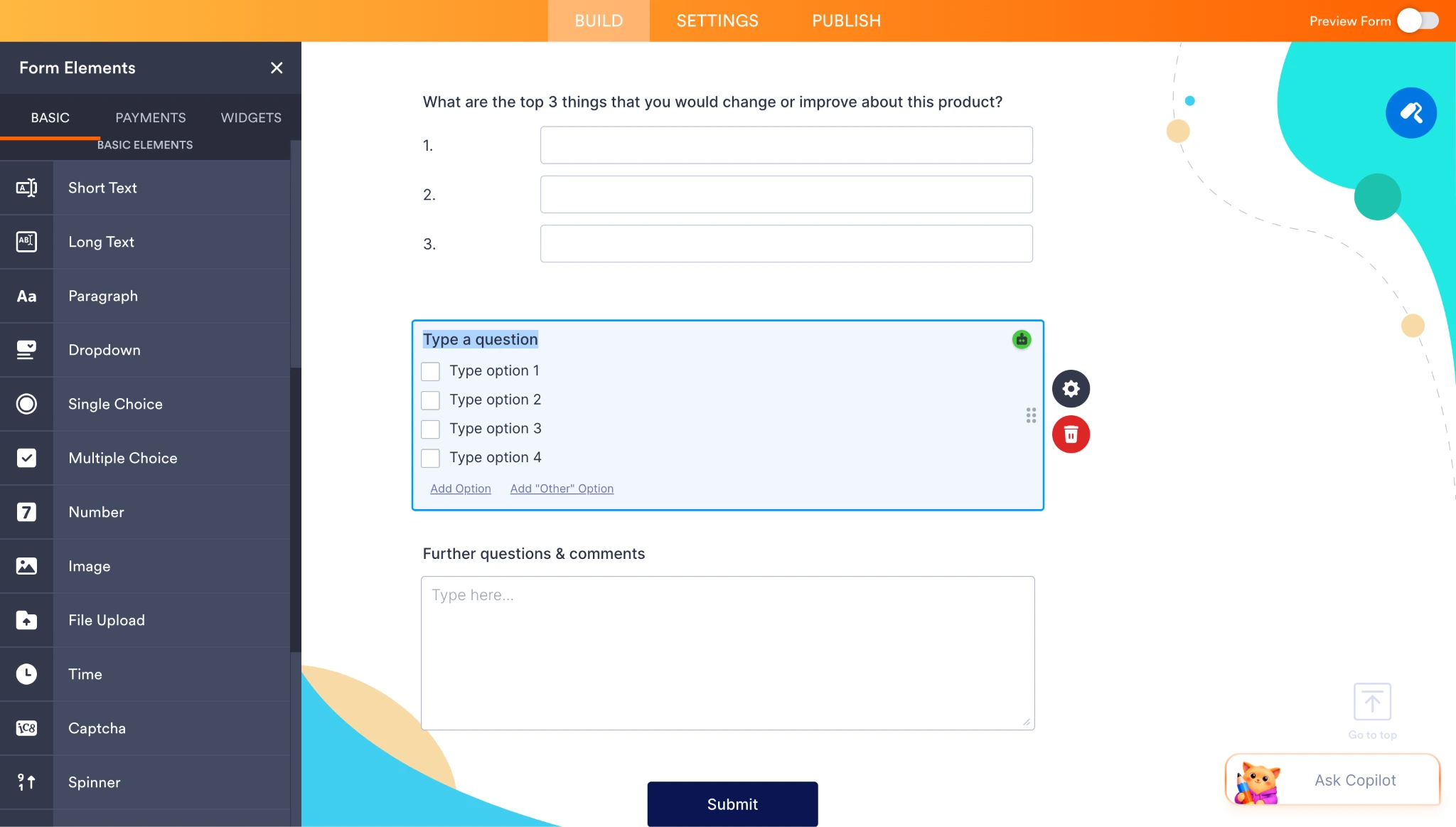
- Write questions that reveal intent. The goal of every question is to learn something that changes your recommendation. If an answer wouldn’t route the shopper anywhere different, cut the question. Ask about the problem they’re solving, how they’ll use the product, their experience level, and any hard constraints such as budget or sensitivities. Keep the phrasing plain and the answer options short. Multiple choice and image-based questions work better than open text, because they’re faster to answer and easier to route on. Our guide to types of quiz questions covers the formats worth using.
- Add conditional logic. For this kind of quiz, conditional logic isn’t optional. It’s the feature that personalizes the experience. In Jotform, you set up conditions that show or hide questions based on previous answers, so a shopper who selects one option sees a different follow-up from a shopper who selects another. You can build each rule manually, or describe the branching in plain language in the Describe Your Conditions box and let Jotform AI create the rule for you. Either way, start simple. Build the main path first, get it working, then add branches.
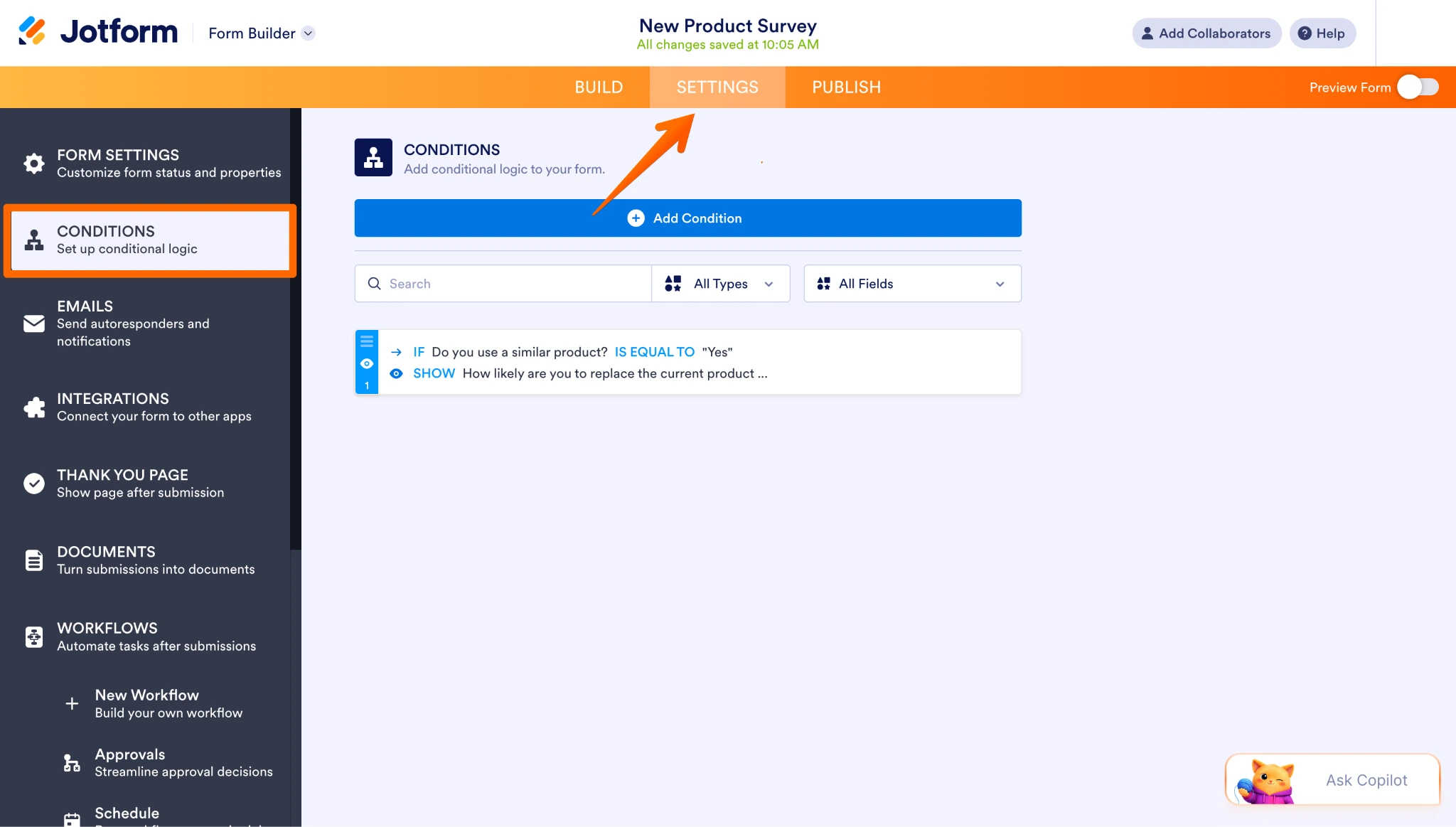
- Map the paths before you build them. Sketch the quiz on paper or in a simple flowchart first. Check that every possible combination of answers leads somewhere sensible, and that no shopper hits a dead end or a result that contradicts what they told you. This step catches problems that are painful to fix later, once you have 20 conditions stacked on top of one another.
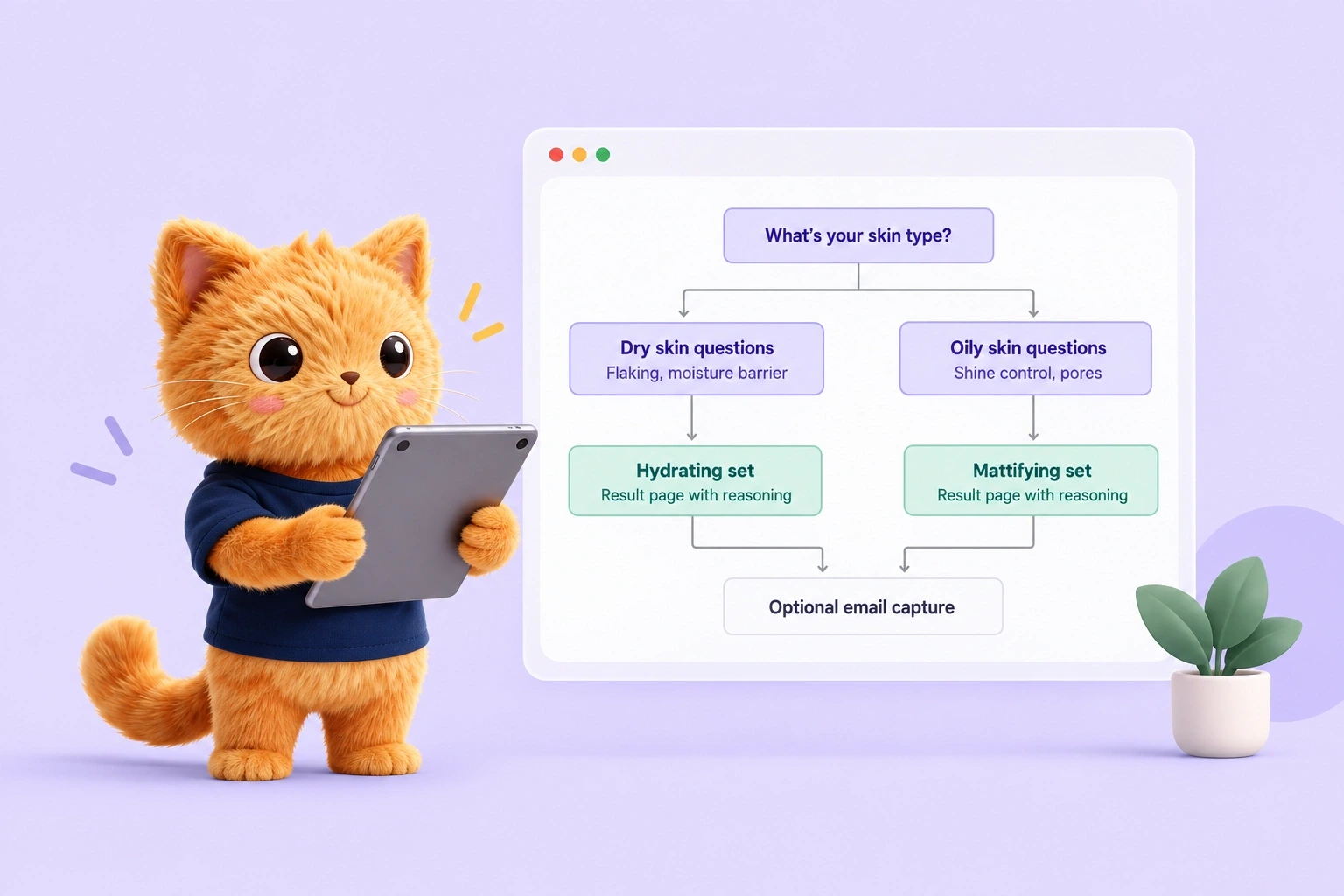
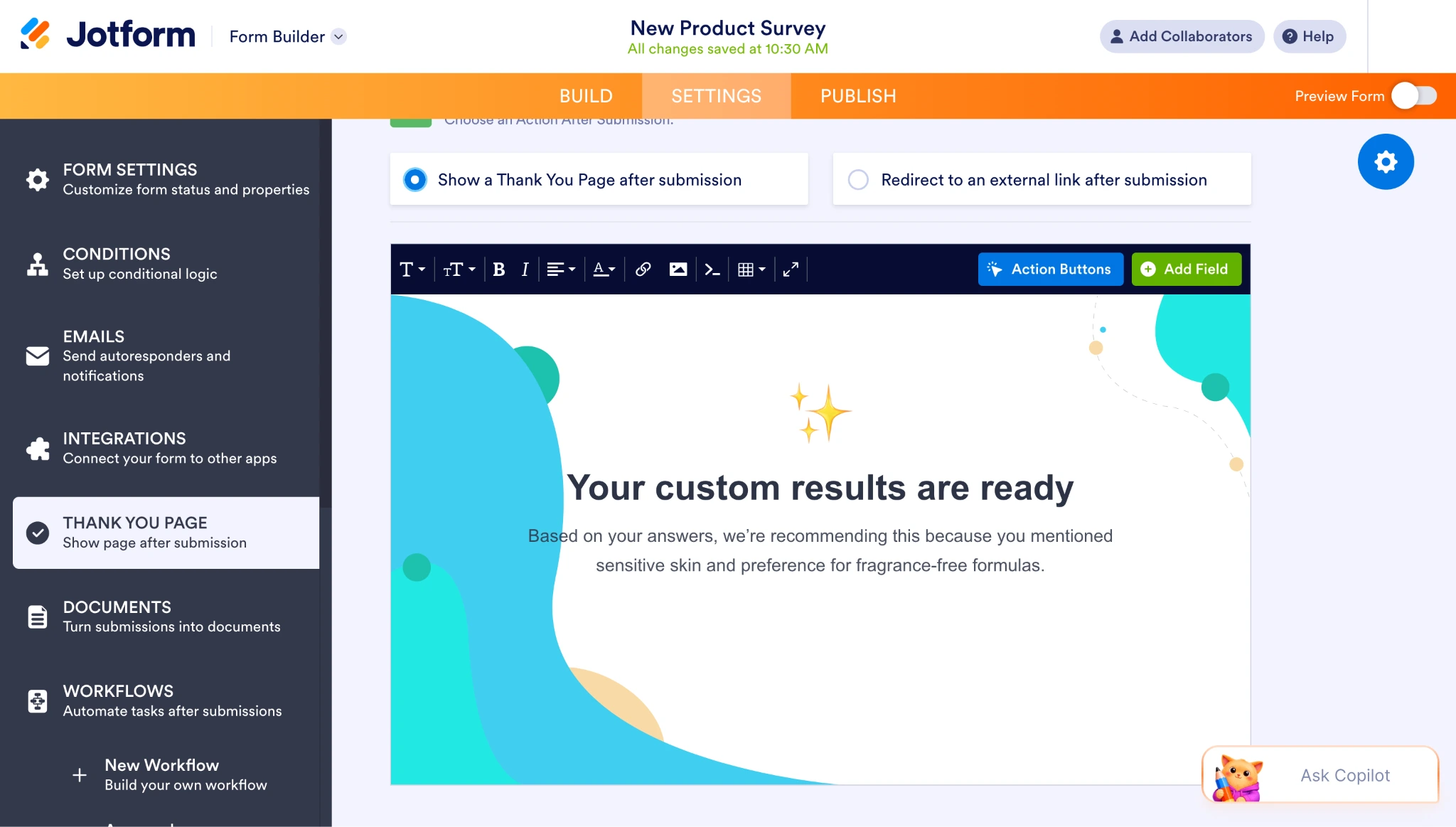
- Build a results page worth reaching. The results page is where the quiz pays off. Show the recommended product clearly, with an image and a link to the product page. Then explain the recommendation in a sentence or two, such as “We’re recommending this because you mentioned sensitive skin and a preference for fragrance-free formulas.” Shoppers trust a recommendation when they can see the reasoning behind it. In Jotform, you do this on the thank-you page, which you can customize with your own copy, images, links, and branding.
- Ask for the email after you’ve delivered value. If lead capture is your goal, place it after the shopper has received something useful. Give them the recommendation first, then offer to email the full results, a discount code, or a personalized shortlist. Keep the fields minimal, usually just name and email, and frame the request as a benefit rather than a toll. A shopper who’s just been helped is far more willing to hand over an address than one who’s been stopped at the door.
Putting quiz data to work
The quiz doesn’t stop earning once the shopper closes the tab. Every response you collect is a customer profile, and that’s what makes quiz data so useful.
You can segment your email list by quiz answers and send campaigns that speak to what each group told you they wanted. You can build retargeting audiences around specific responses, so the ads a shopper sees match the recommendation they received. You can follow up with people who started the quiz and never finished. And over time, the aggregate responses show you which problems customers bring to your store most often, and you can use that information to improve customer retention and decide what to build or stock next.
Pro Tip
Quiz data is more valuable if it’s easy to collect, organize, and act on. Every submission from a Jotform quiz flows automatically into Jotform Tables, where you can filter and group responses by any answer, tag customers in segments, and export lists for your email platform. Jotform Report Builder turns the same data into visual reports, so you can spot response patterns and product opportunities.
Turn quiz responses into sales with Jotform
Most form builders can collect answers. Few can act on them. The reason Jotform is a good fit for e-commerce quizzes is that the two features the format depends on, conditional logic and a customizable results page, are both included on the free plan rather than locked behind a higher tier. You can build a working product recommendation quiz, route shoppers down different paths, deliver personalized results, and organize every response without paying anything.
There are three ways to start, depending on how much you want to build yourself.
- Jotform AI Quiz Generator: This is the fastest option. Describe the quiz you want, and it generates an editable draft you can adjust, which is useful when you know the outcome you’re after but don’t want to manually place every field.
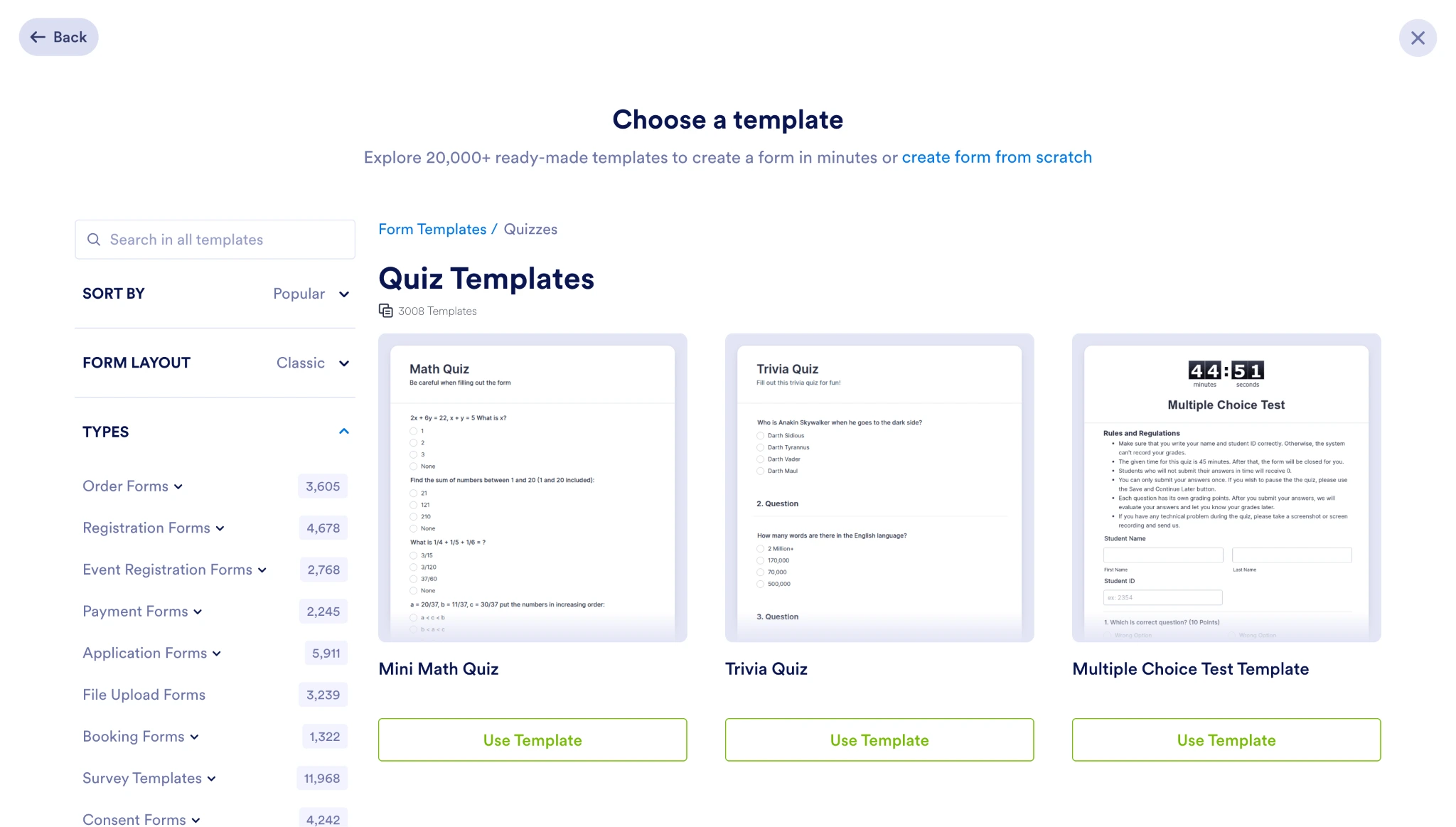
- Templates: Jotform has more than 20,000 ready-to-use templates, including quiz and product recommendation forms you can adapt to your catalog. Browsing our guide to online quizzes and our comparison of online quizzing tools will help you decide which structure and setup suit your goal.
- Starting from scratch: This gives you the most control. The drag-and-drop builder doesn’t require code, so building a quiz question by question takes minutes.
Setting up conditional logic
Conditional logic is what turns a list of questions into a guided path. Here’s how to set it up.
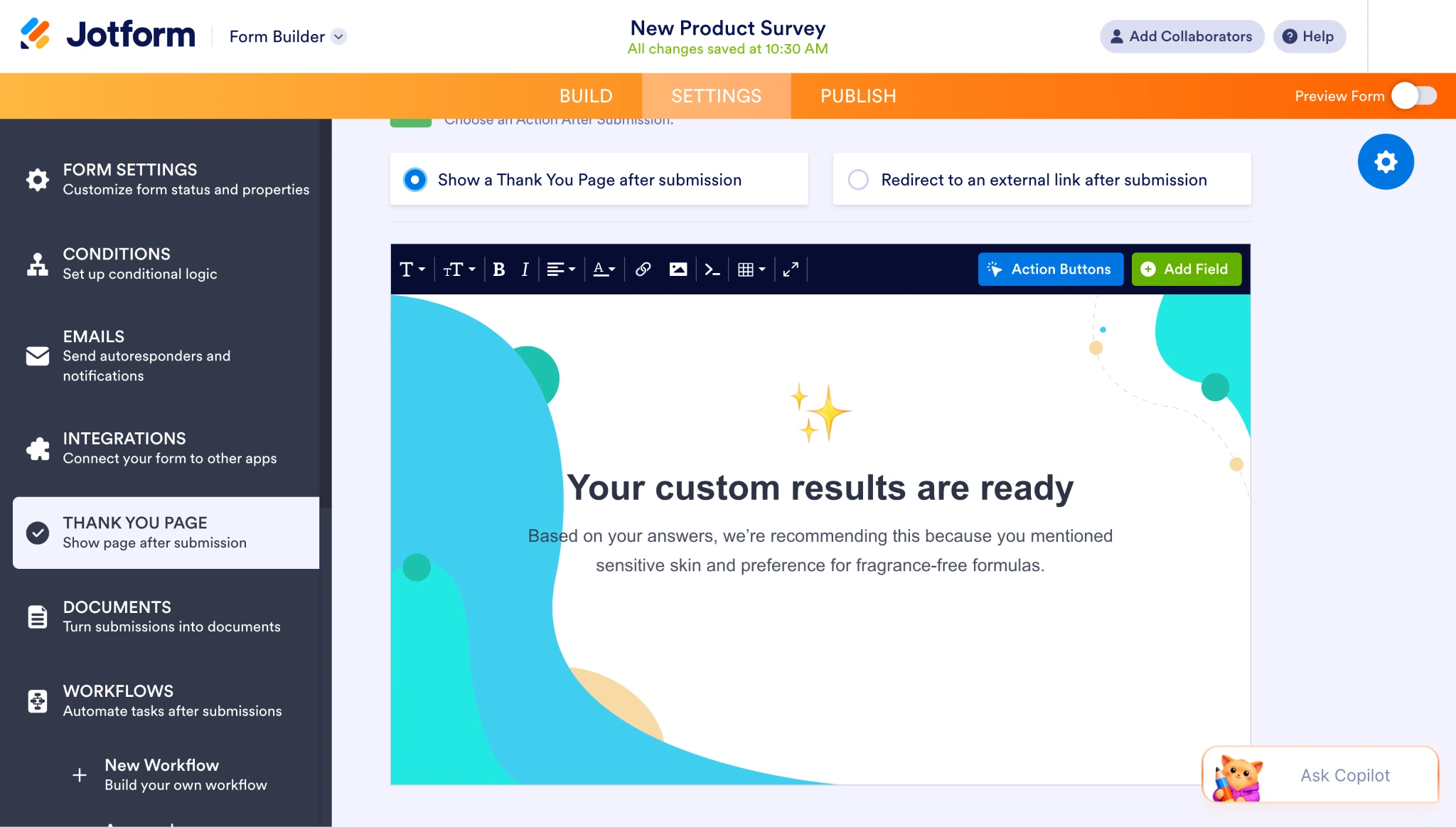
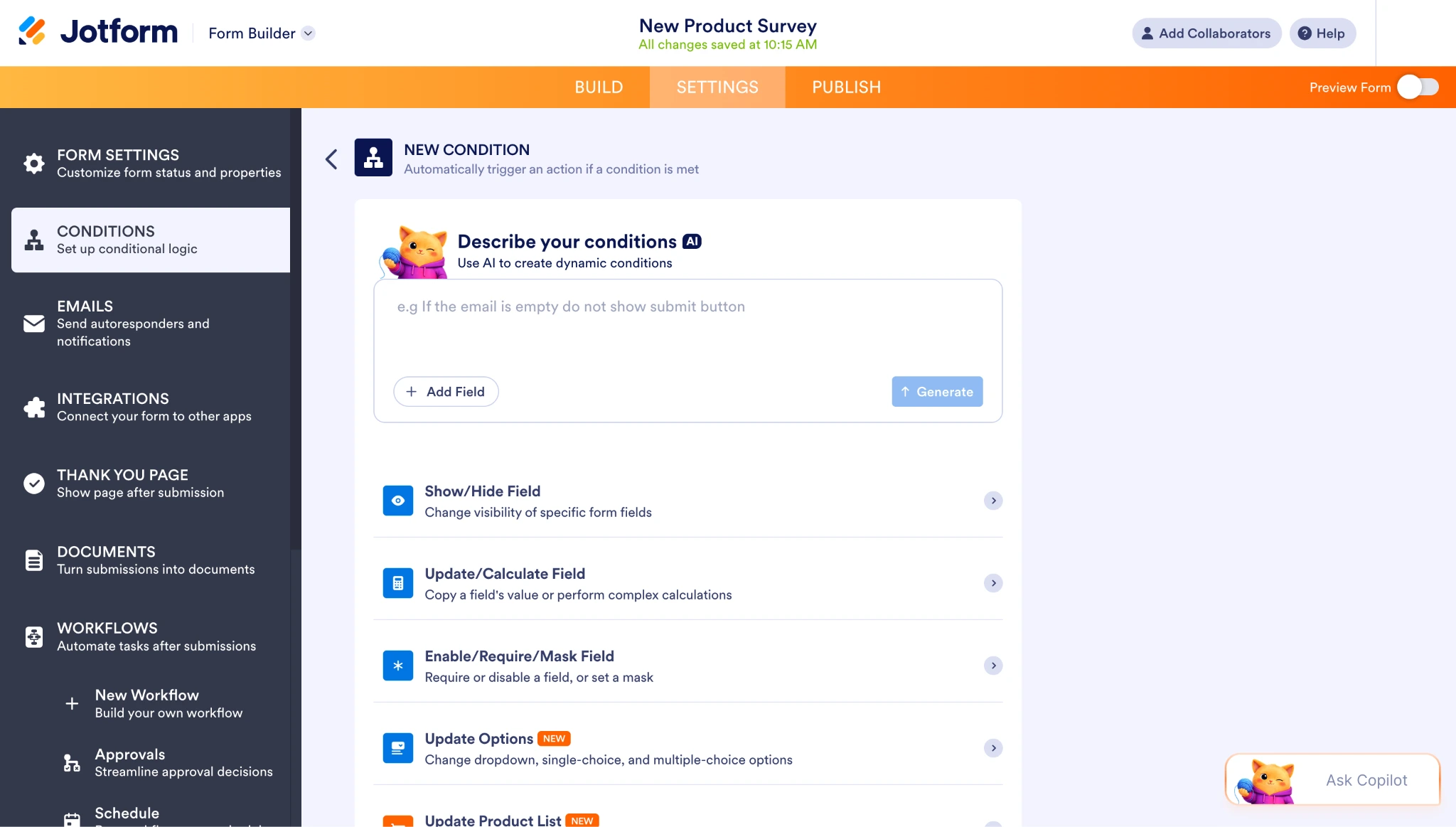
- Open the Conditions panel. In the form builder, go to Settings and select Conditions. This is where every rule for your quiz lives, so get familiar with the layout before you start adding logic.
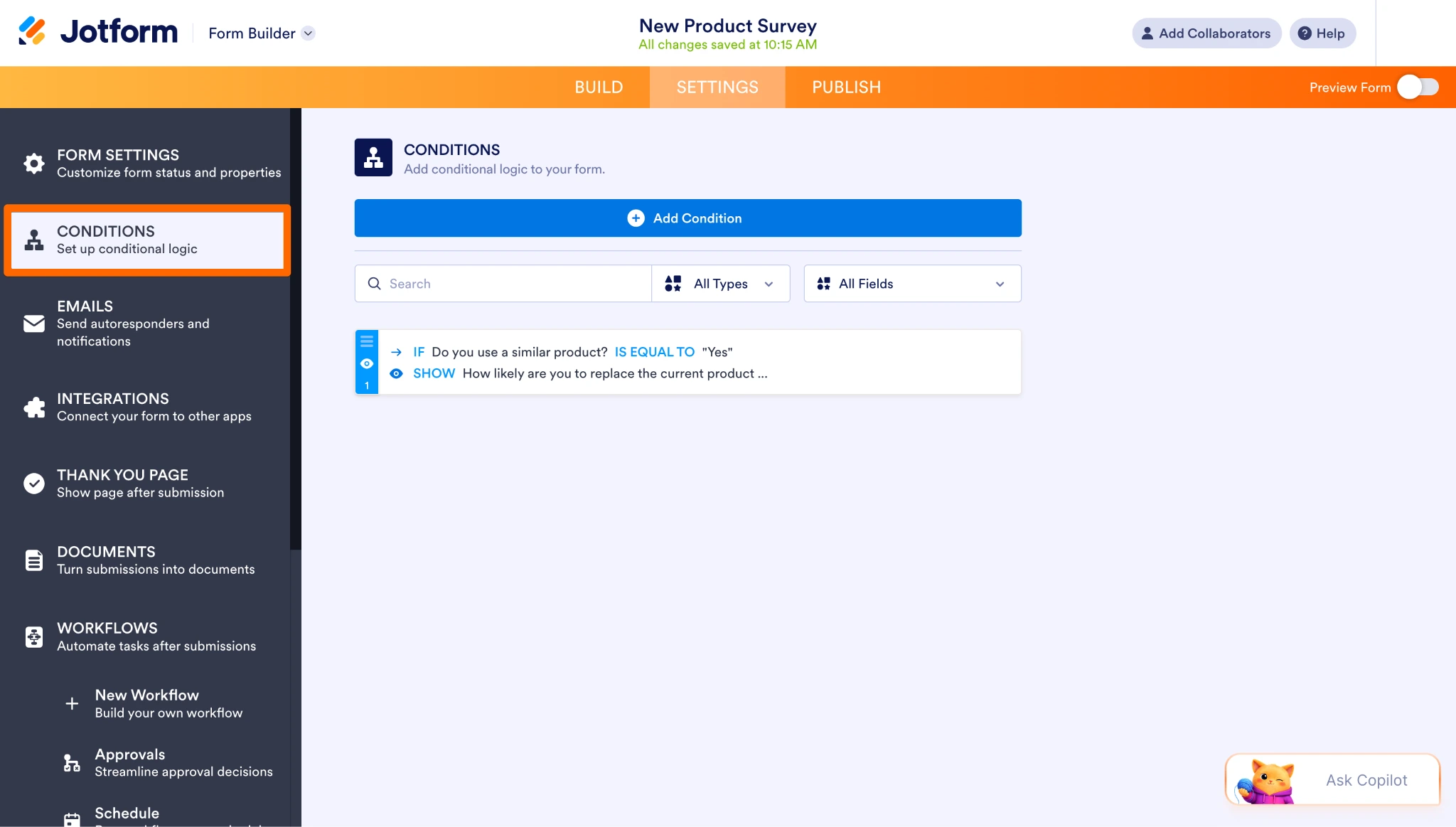
- Choose a condition type. Select the Show/Hide Field option. This is the rule you’ll use most, since it controls which questions a shopper sees based on what they’ve already answered.
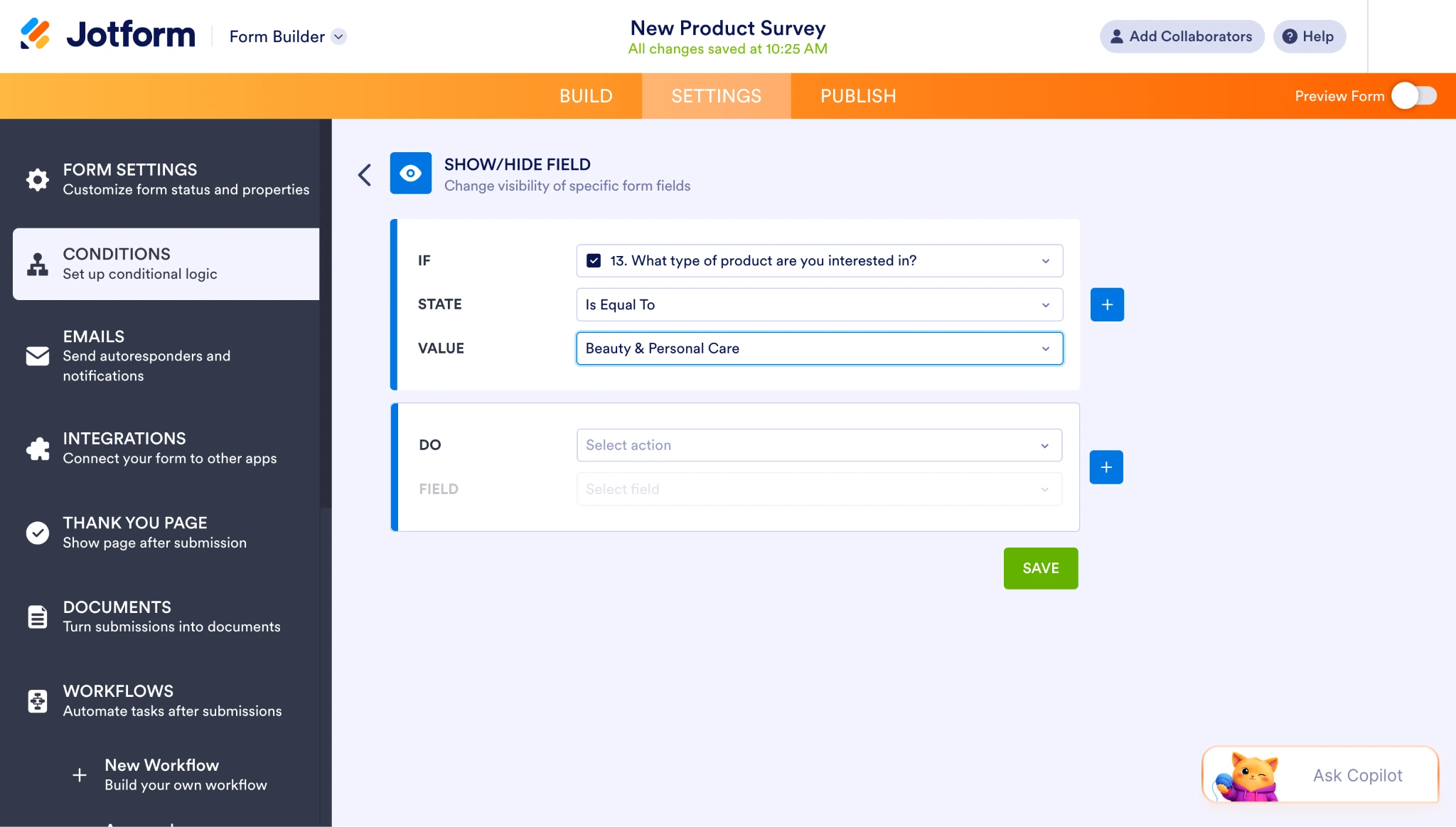
- Set the If statement. Choose the question you’re branching from and the answer that should trigger the rule. If your first question asks about hair type, for example, your If statement points at that field and the specific option a shopper selected.
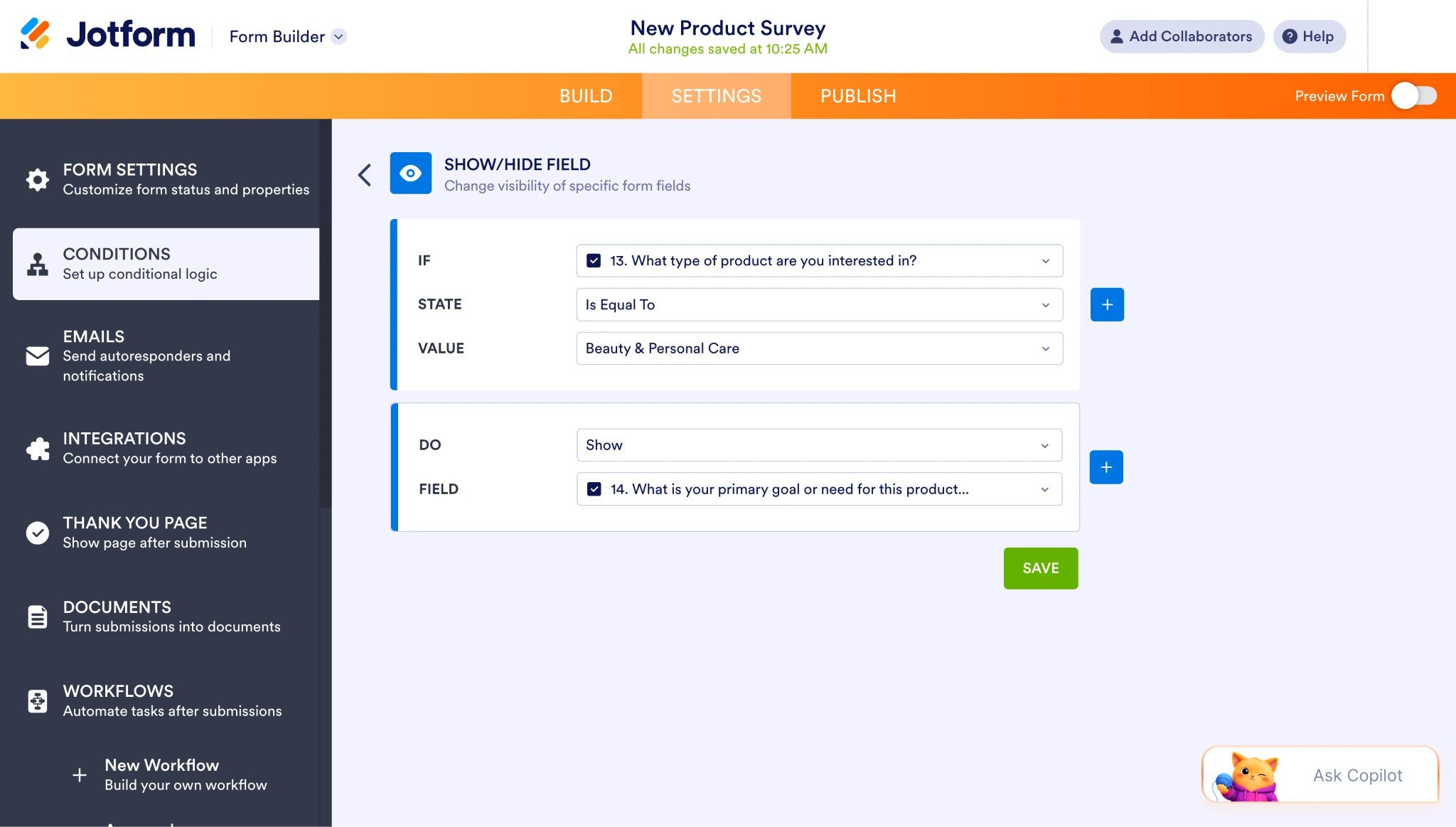
- Set the Then action. Tell Jotform which questions to show when that condition is met. Repeat this for each answer option so every path leads somewhere useful, then save the condition.
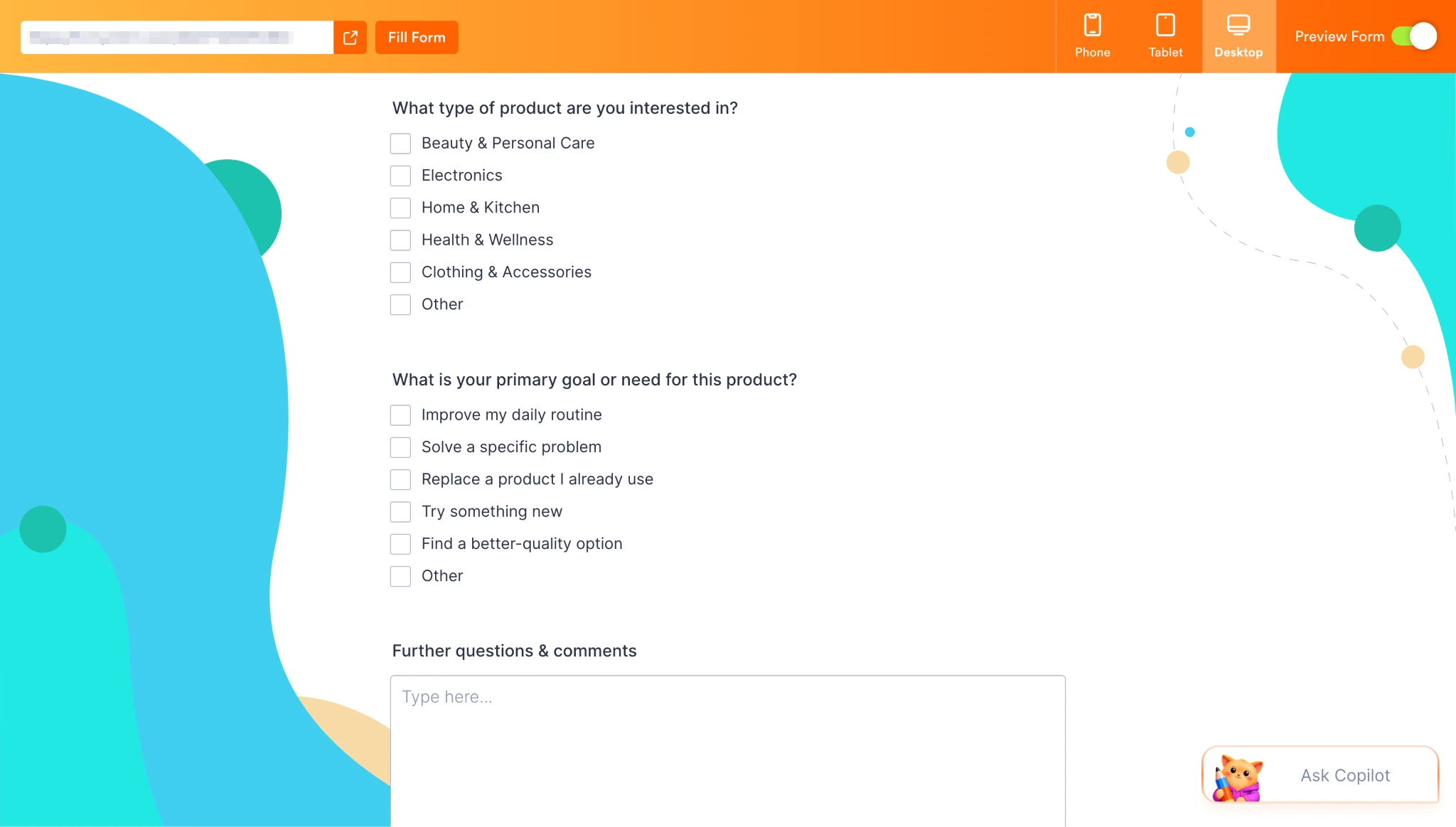
- Test every path. Preview the form and take the quiz once for each answer option. This is the step people skip, but it’s the one that catches errors such as a branch that shows the wrong follow-up or a path that leads nowhere.
Customizing the results page
The thank-you page is your results page, and it’s where the quiz converts.
- Open the thank-you page settings. From Settings, select Thank You Page. By default, this shows a generic confirmation message.
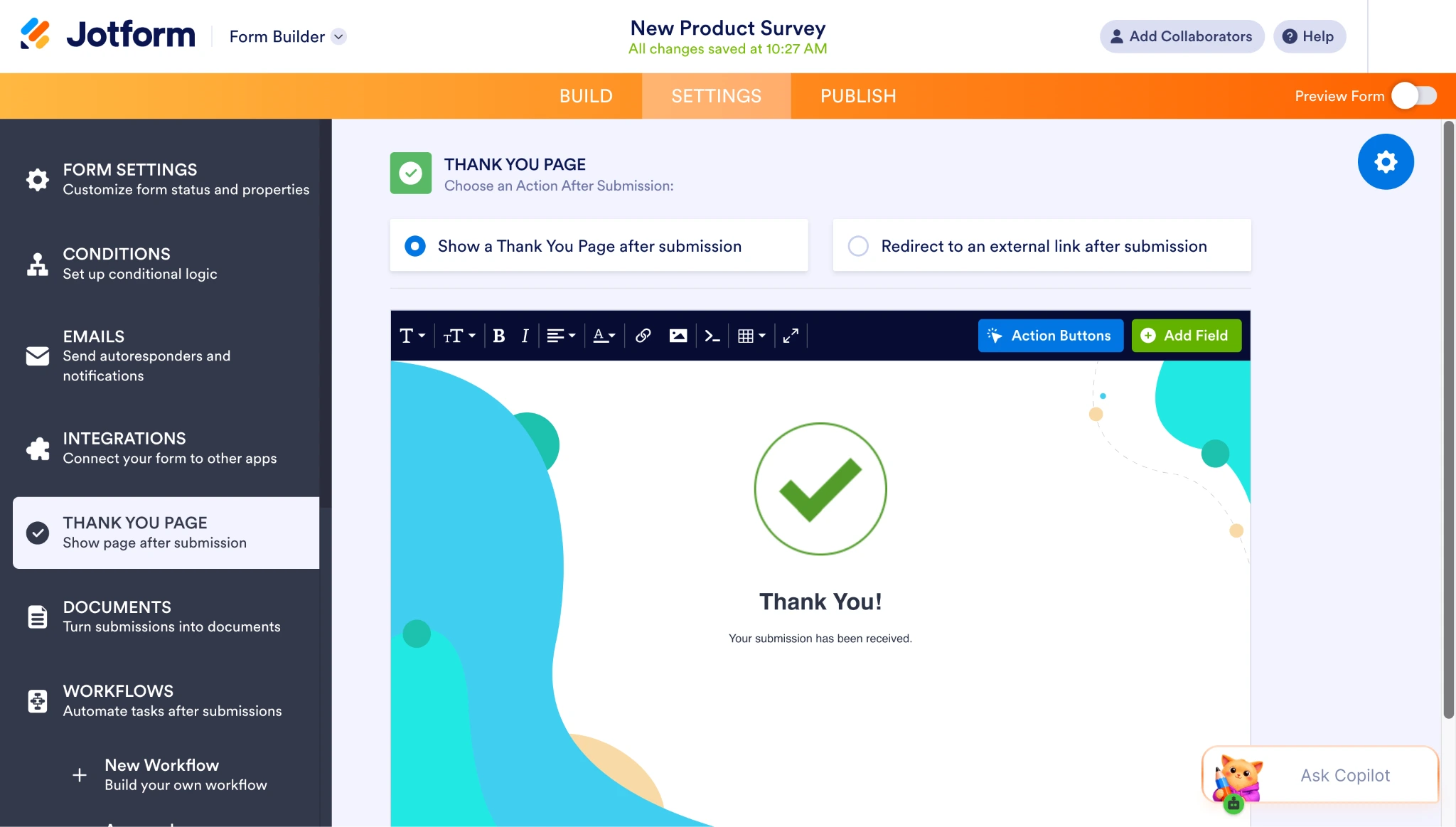
- Write the recommendation. Replace the default text with your result copy, add the product image, and include a link to the product page. Explain the recommendation in a sentence so the shopper can see the reasoning behind it.
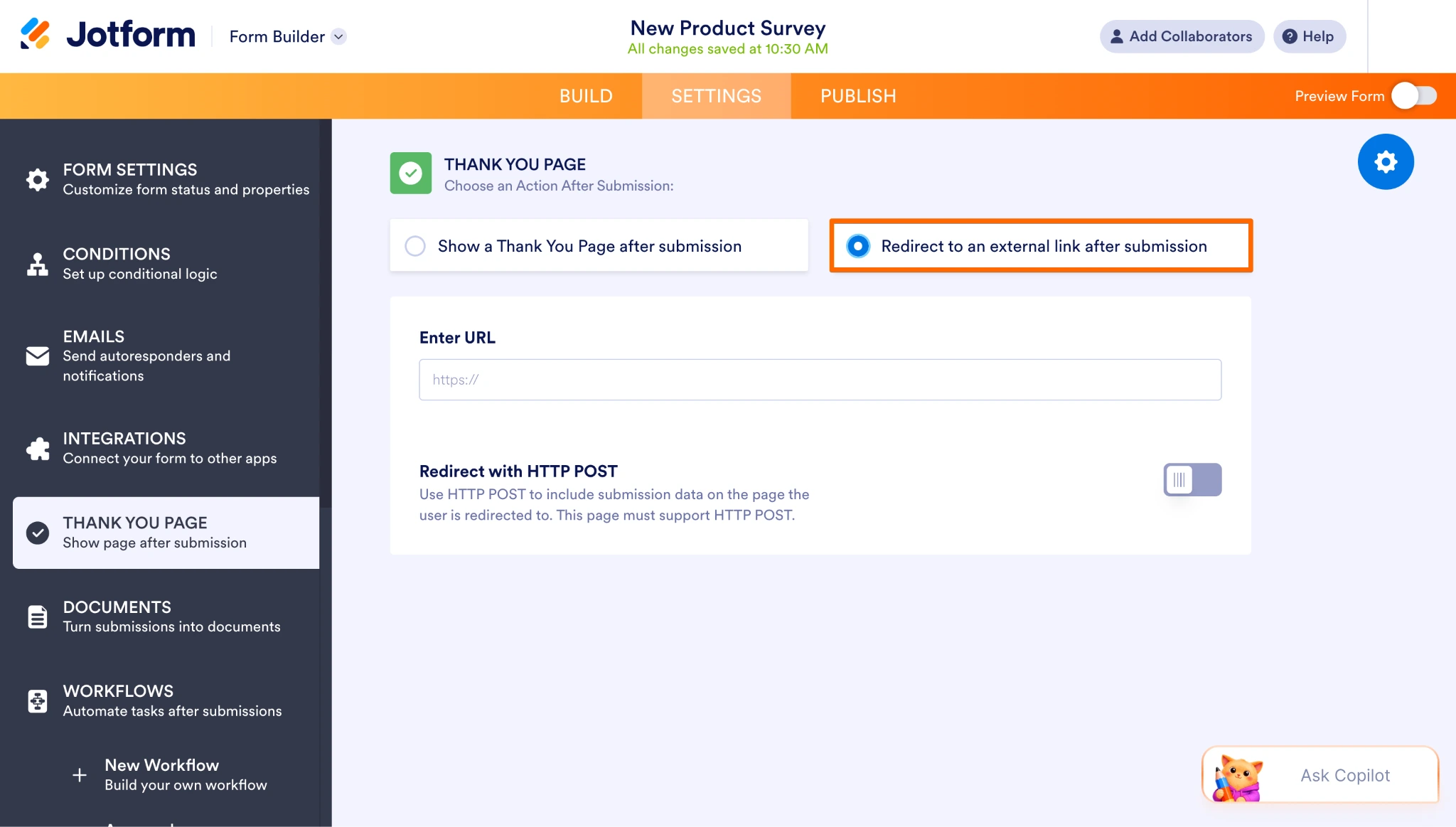
- Add a redirect if you’d rather send shoppers to a page you control. Instead of showing results inside the form, you can redirect to a landing page or a product page after submission, which is useful if your recommendation needs more room.
Other features worth using
A few Jotform features make e-commerce quizzes better in ways that aren’t obvious until you need them:
- Photo collection: Lets shoppers upload an image as part of the quiz. This is useful for shade matching, fit questions, or anything where a customer can show you the problem faster than they can describe it.
- Card forms: Presents questions one at a time, in a chat-style flow, rather than as a page of fields. Quizzes feel lighter this way, and shoppers are more likely to finish them.
- Responsive design: Adjusts automatically to whatever device the shopper is using. Since mobile now accounts for the majority of e-commerce sales, quizzes will have the most reach if they work on multiple devices.
Every response lands in Jotform Tables, where you can filter by answer, group shoppers into segments, tag records for follow-up, and export lists to your email platform. That connects the quiz to the rest of your operation, so you can map out an e-commerce workflow or set up e-commerce automation around the data you collect.
A quiz is one of the few ways to sell online that helps the shopper and the seller at the same time. The customer gets a decision made easier, and you get a labeled profile of someone who just told you what they want. Sign up for a free Jotform account and build your first e-commerce quiz today.
This article is for e-commerce store owners, Shopify merchants, DTC brands, eCommerce marketers, CRO specialists, and online retailers looking to improve conversions and personalize shopping experiences.

















































Send Comment: