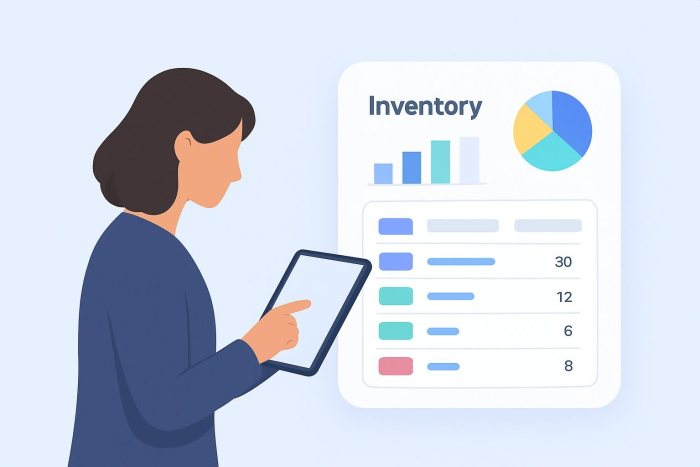
Whether you run a small shop or a growing ecommerce business, tracking inventory is essential. One of the simplest ways to do that is with an inventory spreadsheet.
Similar to a budget spreadsheet, an inventory spreadsheet tracks what’s selling, what needs replenishing, and how your stock is performing. By centralizing inventory data, you can identify overstocked items, slow-moving products, high-demand SKUs, and potential discrepancies before they impact sales. The stakes are real: stockouts alone account for 40% of lost sales, as customers are more likely to switch to competitors when items are unavailable.
While large businesses may manage complex spreadsheets and smaller teams may use simpler versions, the goal is the same: maintain visibility, prevent stockouts, and make smarter purchasing decisions.Here’s how to create an inventory spreadsheet and what to include for effective inventory management.


What to include in an inventory spreadsheet
1. Product details
Add the name of each item you carry and include product characteristics so you can easily identify which version you’re talking about. These might include
- SKUs, barcodes, and/or serial numbers
- Cost per unit
- Sale price
- Location
This additional information is helpful if you sell a product in many colors and/or sizes. Think about it this way: If you’re running out of a black shirt in large, you don’t want to mistakenly reorder an extra-large white shirt.
If you sell perishable items, include the expiration date in this section.
2. Quantity
You can’t track inventory levels without including how much of each product you have on hand. Tracking quantity on hand allows businesses to monitor stock availability in real time and prevent shortages. Quantity info can also help you track the value of the inventory you’re currently carrying, which makes budgeting easier. These calculations will come in handy if you use formulas in your spreadsheet.
3. Reorder details
To avoid out-of-stock products — and missed sales — include pertinent reorder information, such as
- Supplier
- Minimum order quantity
- Order processing speed
- Reorder flag, which you can use to indicate it’s time to place another order
Reorder data turns an inventory spreadsheet from a tracking tool into a proactive inventory management system. This matters more than many businesses realize: 42% of small businesses struggle with overstocking, which directly impacts their cash flow and operational efficiency.
4. Order frequency
Once you’ve been in business for a few months, you should get a better sense of how frequently you have to reorder each item you carry. We suggest including this order frequency in your inventory spreadsheet as an additional fail-safe measure to avoid going out of stock.
Once you have these four basic columns, you’ve mastered the basics of how to make an inventory spreadsheet. Save it and update the document on a weekly or monthly basis.
How to make an inventory spreadsheet in 5 steps
Creating an inventory spreadsheet works best when you follow a few clear setup steps. The right tool and structure depend on your business size, product volume, and growth plans.
Step 1: Choose a spreadsheet tool that fits your business
There are a number of basic spreadsheet options, like Apple’s Numbers, Google Sheets, and Microsoft Excel. They offer the same basic functionality. In fact, if you’re a small business, you can likely use the program you already use for your personal budget.
Step 2: Structure your spreadsheet for categories and calculations
With spreadsheet software, you can input limitless categories and products and use formulas to make quick, automatic calculations. These programs also offer time-saving inventory management templates that reduce setup time and errors.
Step 3: Test usability before committing
If you don’t have a preference, take these programs for a quick test-drive to see which one you’re most comfortable with. After all, you’re going to spend a lot of time tracking inventory in this spreadsheet.
Step 4: Reevaluate as your inventory grows
As your business grows, you may find a standard spreadsheet won’t cut it for your inventory management needs anymore. At that point, limitations around automation, collaboration, and scale can slow you down.
Step 5: Consider a scalable alternative before full inventory software
However, there is another cost-effective option before you make that leap: Jotform Tables, a hybrid solution that offers the user-friendliness of spreadsheets and the powerful functionality of databases. It has a compelling price tag: free. It also allows users to automate inventory management and share information with each other, which gives Jotform Tables a few big advantages over some of the other programs and templates available.
Choosing the right inventory spreadsheet
There’s no single inventory spreadsheet that works for every business. The right inventory spreadsheet is one that reflects your products, sales volume, and operational needs.
By following these five steps and choosing a platform that fits your workflow, you can create an inventory spreadsheet that keeps stock organized, prevents shortages, and supports smarter purchasing decisions as your business grows.
FAQs about how to make an inventory spreadsheet
To make a Google spreadsheet for inventory, open Google Sheets and create columns for product name, SKU, quantity, location, and reorder level.
Yes, there are free inventory sheet templates available online that include prebuilt columns for product details, quantities, and reorder tracking. Jotform Tables offers free inventory templates that combine spreadsheet-style tracking with automation and collaboration features.
To create a simple inventory, list each item you sell and track only essential details such as quantity, location, and reorder point. A basic inventory system is ideal for small businesses because it keeps tracking manageable while still helping prevent stockouts and overordering.
This article is for small business owners, operations managers, retailers, and e-commerce sellers, and anyone who wants to create an inventory spreadsheet to track stock levels, prevent shortages, reduce overordering, and make smarter purchasing decisions as their business grows.























Send Comment:
1 Comment:
January 31, 2022
Gentlemen,
We’re not very proficient with information technology, and the persons in charge of our storage aren’t either.
This is a small construction and demolition company , integrated morning we dispatch the equipment the workers will use during the day for their tasks, afeternoon they bring it back for storage , and so on. We’ve been doing this by hand in a notebook, but is time consuming and not effective,. So, I guess that a tablet and a simple spreadsheet will resolve the problem, but question is how to get started?