

Top inventory management apps
Many small businesses still handle inventory management with spreadsheets, handwritten logs, direct messages, and disconnected point-of-sale records. Because none of those methods track stock levels and movements across sales channels and locations in real time, teams end up with inaccurate stock counts, low-stock items that go unnoticed until shelves are empty, and excess stock that ties up cash. Across retail, this inventory distortion — the combined cost of out-of-stocks and overstocks — costs retailers around $1.77 trillion worldwide.
Thankfully, modern inventory management apps can fix this by giving you real-time visibility over your stock records. They track stock levels as they change, update quantities after each sale, and flag products that are running low before they sell out. Because most inventory tracking apps run on phones, tablets, and desktops, staff can work from the same numbers on any device — whether they’re on shop floors, in warehouses, or in the office. Some inventory tracking apps also include AI features that answer questions about your stock and turn inventory data into charts and reports.
But not every inventory app solves the same problem. Some are built for warehouses that need pick, pack, and ship workflows, while others suit retail shops that need accuracy across physical outlets and online channels. To help you make the switch from manual inventory tracking, we researched and compiled six of the best inventory management apps for small businesses, retail stores, warehouses, and online sellers. Below, you’ll find what each one does well, where it falls short, what it costs, and a guide to choosing the right one for your business.
| Tool | Best for | Standout feature | Pricing |
|---|---|---|---|
 Jotform |
Custom, form-based inventory apps |
AI Data Assistant answers stock questions and generates charts inside Jotform Tables |
Free plan, paid plans start from $34 per month (billed annually) |
 Zoho Inventory |
Multichannel online sellers |
Orders and stocks sync with Amazon, eBay, Etsy, Walmart, and Shopify |
Free plan, paid plans start from $29 per month (billed annually) |
 Odoo Inventory |
Warehouse operations |
Min-max replenishment rules that create purchase orders automatically |
Free plan (one app), paid plan is priced per user |
 Square for Retail |
Physical stores and pop-up sellers |
Point of sale and inventory share one catalog |
Free plan, paid plans start from $49 per month per location |
 Sortly |
Small teams tracking supplies and equipment |
Visual folders with item photos and phone barcode scanning |
Free plan, paid plans start from $24 per month (billed annually, first year) |
 inFlow Inventory |
B2B wholesalers and distributors |
GS1 labels that capture lot numbers, serial numbers, and expiry dates in one scan |
Paid only from $99 per month (billed annually) |
1. Jotform
Why it made the list: Jotform lets you build a custom mobile inventory app around your specific process, then store, analyze, and act on every stock update from one workspace.
Key strengths:
- Jotform supplies ready-made inventory app templates for retail, warehouse, barcode, and point-of-sale workflows, including the POS Inventory App.
- Inventory submissions flow into Jotform Tables, where the AI Data Assistant answers stock questions and generates charts.
- Apps run on any phone, tablet, or computer and install without an app store.
Key drawback:
- Stock deductions happen through form submissions, so multichannel sellers may need integrations to keep counts aligned with their storefronts.
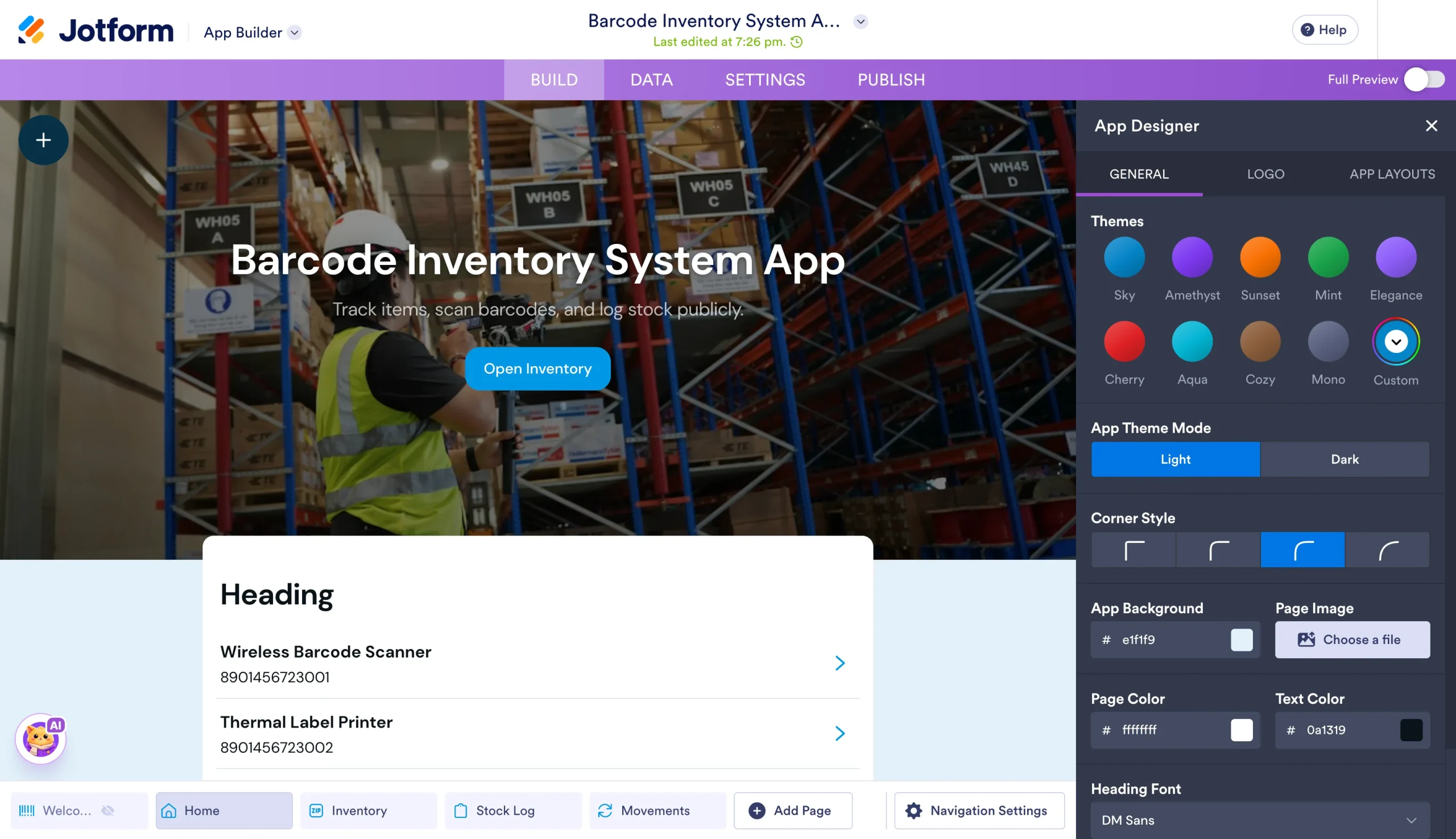
Jotform is the best inventory management app for small businesses, retail managers, and operations teams that want an inventory app designed around their own processes. It lets you build custom inventory apps with Jotform Apps for tracking a wide variety of records, including stock in, stock out, product adjustments, and more. Start by bundling your forms and item lists into a branded app that staff can open from a phone, tablet, or desktop. Or get a head start from Jotform’s library of inventory app templates, customizing one with the details your team tracks, such as item name, SKU, storage location, quantity, status, unit price, and notes.
Each template comes structured for a specific inventory job. The Product Inventory App gives staff one place to add new products and monitor low-stock items. The Barcode Inventory System App lets teams organize stock receipts and adjustments around a scan-first flow. The Retail Inventory Billing App pairs stock updates with customer bills to keep daily sales organized. Behind each template, Jotform’s widgets — like the Barcode Scanner and Inventory Widget — help you capture item-level details and add them to your inventory app.
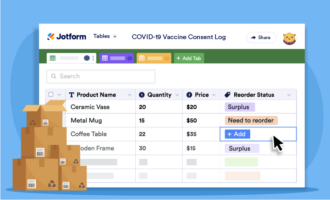
As staff manage inventory records in the app, everything automatically lands in Jotform Tables, where teams can filter, sort, and share with edit or comment access. Jotform AI Data Assistant works directly inside those tables. You can ask which products had the most stockouts last month, and AI Data Assistant pulls the answer from your submission data. It also surfaces patterns in stock movement, generates charts and summaries of inventory activity, and highlights records that need attention, such as items with missing supplier details. Other Jotform AI Data Assistant features include bulk updates, so when a group of records needs the same change, one prompt applies it across all of them.
Once your mobile inventory management app is ready, you can set access to public, private, or company-only, and share it via link, email, QR code, or by embedding it in your company portal. Staff can add the app to their device’s home screen without going through an app store, and push notifications keep them informed of updates. And if you want to connect inventory records to the rest of your operations, you can use Jotform Workflows and integrations to route purchase requests for manager approval, send alerts to Slack, and sync submissions to your other business-critical tools.
Jotform pricing
- Starter: Free
- Bronze: $34 per month (billed annually)
- Silver: $39 per month (billed annually)
- Gold: $99 per month (billed annually)
- Enterprise: Custom pricing
2. Zoho Inventory
Why it made the list: For growing businesses, Zoho Inventory brings stock tracking, purchasing, multichannel order sync, and fulfillment into one system.
Key strengths:
- Zoho Inventory syncs orders and stock levels with Amazon, eBay, Etsy, Walmart, and Shopify.
- Reorder points notify you when stock falls below predefined thresholds.
- iOS and Android apps support stock adjustments, transfers, pick lists, and barcode scanning.
Key drawback:
- Barcode generation, stock counting, and batch tracking start in the Premium plan, so Standard-plan users miss several relevant tools.
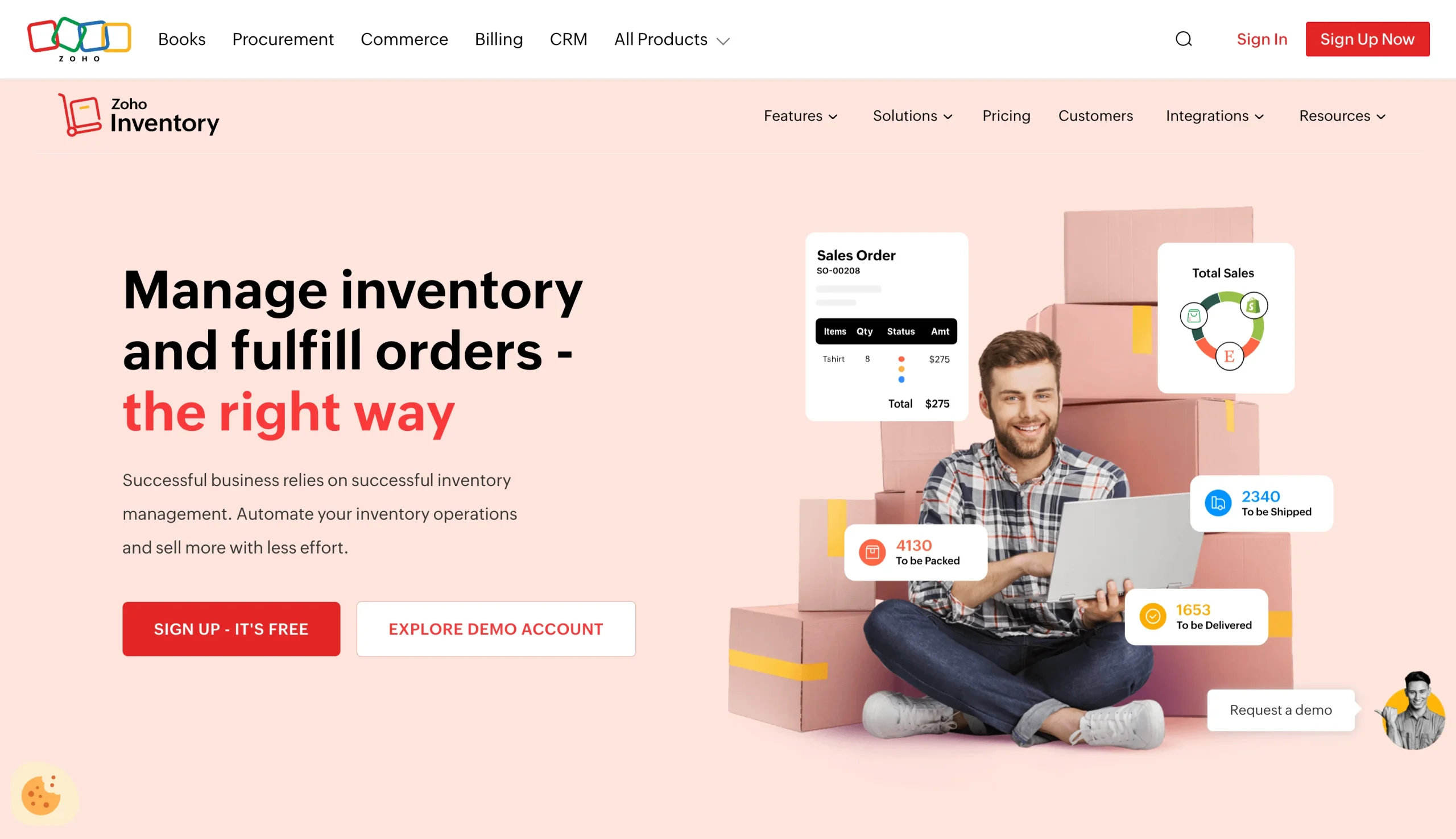
Zoho Inventory is a strong fit for e-commerce teams and growing retailers that sell across several channels and need stock counts to stay accurate everywhere. It connects with marketplaces and storefronts like Amazon, eBay, Walmart, and Shopify, pulling orders into one dashboard and updating stock levels as items sell. Teams already using Zoho Books, Zoho CRM, or QuickBooks Online can connect their accounting and customer records to the same system.
Zoho Inventory tracks items across multiple warehouses and handles transfers between locations. Staff members can adjust stock quantities, move stock, generate pick lists, and scan barcodes from a phone. During stock counts, they can record physical quantities in the app and compare them against system records in real time. Zoho Inventory lets you set reorder points for each item on your shelf and automatically notifies you by email when items are running low so that you can reorder before shelves are empty. Managers can require approvals for inventory adjustments, transfer orders, and purchase receipts.
The main trade-off for small businesses is how the Zoho Inventory app structures its plans. Each tier caps monthly orders, users, and locations, and extra capacity comes through paid add-ons. Several warehouse features are also restricted to higher-tier plans, though availability varies by region. In markets with a Professional plan, serial and batch tracking start at that tier, while barcode generation and stock counting require Premium.
Zoho Inventory pricing
- Free
- Standard: $29 per month (billed annually)
- Professional: $79 per month (billed annually)
- Premium: $129 per month (billed annually)
- Enterprise: $249 per month (billed annually)
3. Odoo Inventory
Why it made the list: Odoo Inventory gives warehouse teams detailed stock controls, from replenishment rules to offline barcode scanning, with a free plan that covers unlimited users.
Key strengths:
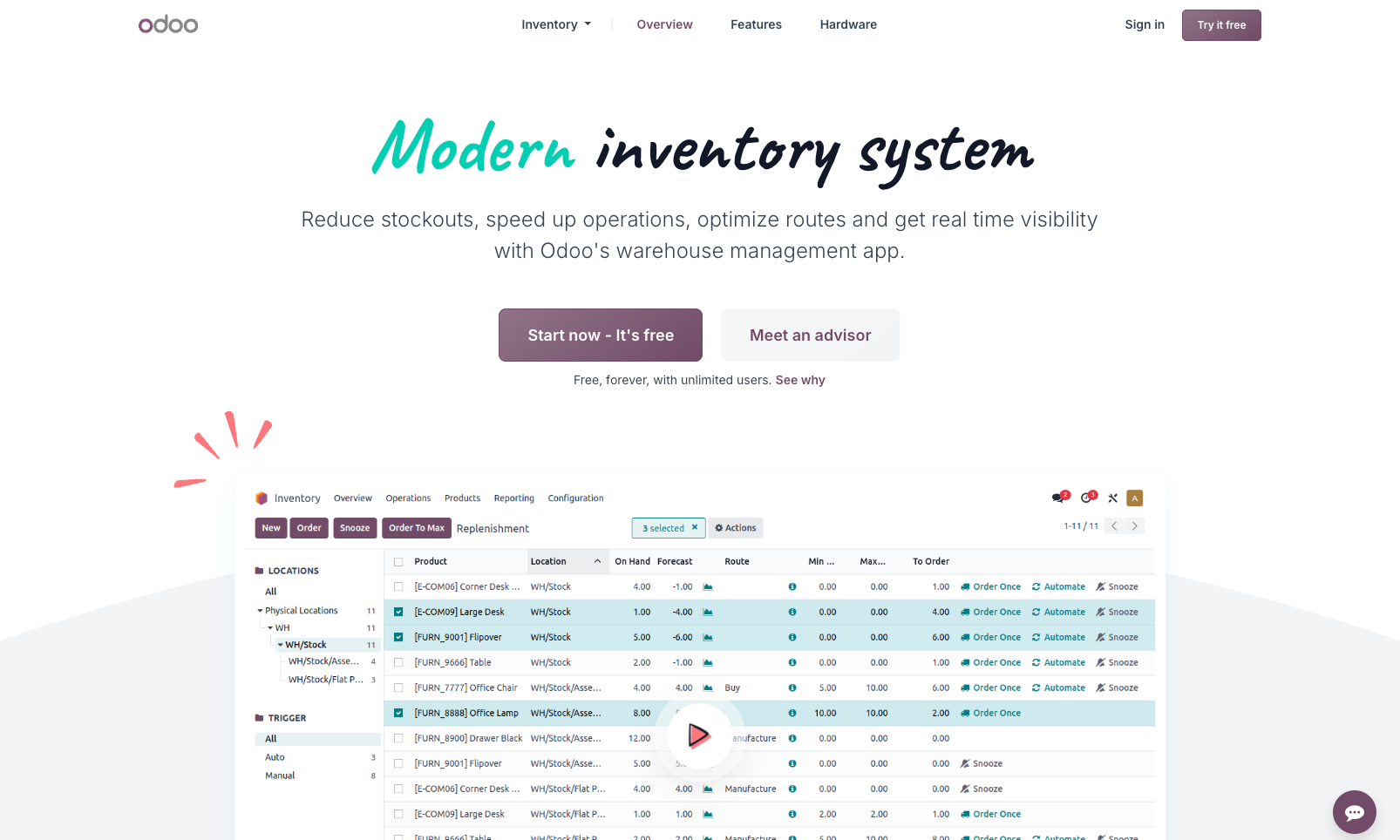
- Min-max replenishment rules can trigger purchase orders automatically.
- Barcode scanning works offline and reads barcodes, QR codes, and GS1 codes.
- The free plan includes one app for unlimited users.
Key drawback:
- The free plan covers inventory only, so adding the Purchase, Sales, Point of Sale, or Accounting apps moves your team onto per-user paid pricing.
Odoo Inventory is a warehouse inventory app for growing operations that manage stock across several locations and want room to expand into a full business suite later. The app shows where every product sits across multiple warehouses in real time, tracks serial numbers, lots, and packaging, and supports cycle counting to help teams verify stock without halting operations.
Where Odoo stands out is in stock replenishment. It uses min-max rules and make-to-order settings to propose purchase orders or create them automatically when stock dips. With the Purchase app connected, it sends vendor reminders such as PO acknowledgments and receipt confirmations. On the warehouse floor, teams can use push and pull rules, custom routes, and putaway strategies to decide where incoming goods go. Odoo supports single, cluster, wave, or batch picking to maximize picking efficiency depending on your warehouse or order volume. And it includes a barcode scanner that processes most operations offline, so weak Wi-Fi in a stockroom doesn’t slow scans. Odoo also integrates with carriers to print shipping labels at the packing stage.
Due to the depth of features, Odoo Inventory requires setup work. Routes, rules, and putaway strategies take time to configure, and small shops tracking a few dozen products may find the system overkill. Odoo Inventory connects with its Sales, Purchase, Point of Sale, eCommerce, and Accounting apps, but adding any app moves you away from the free plan.
Odoo Inventory pricing
- One App Free: Free with unlimited users in one app
- Standard: Per-user monthly pricing that includes every Odoo app
Pro Tip
Replenishment rules work best when the numbers behind them are sound. Learn inventory management techniques like ABC classification, EOQ analysis, and demand-based safety stock to set smarter reorder levels.
4. Square for Retail
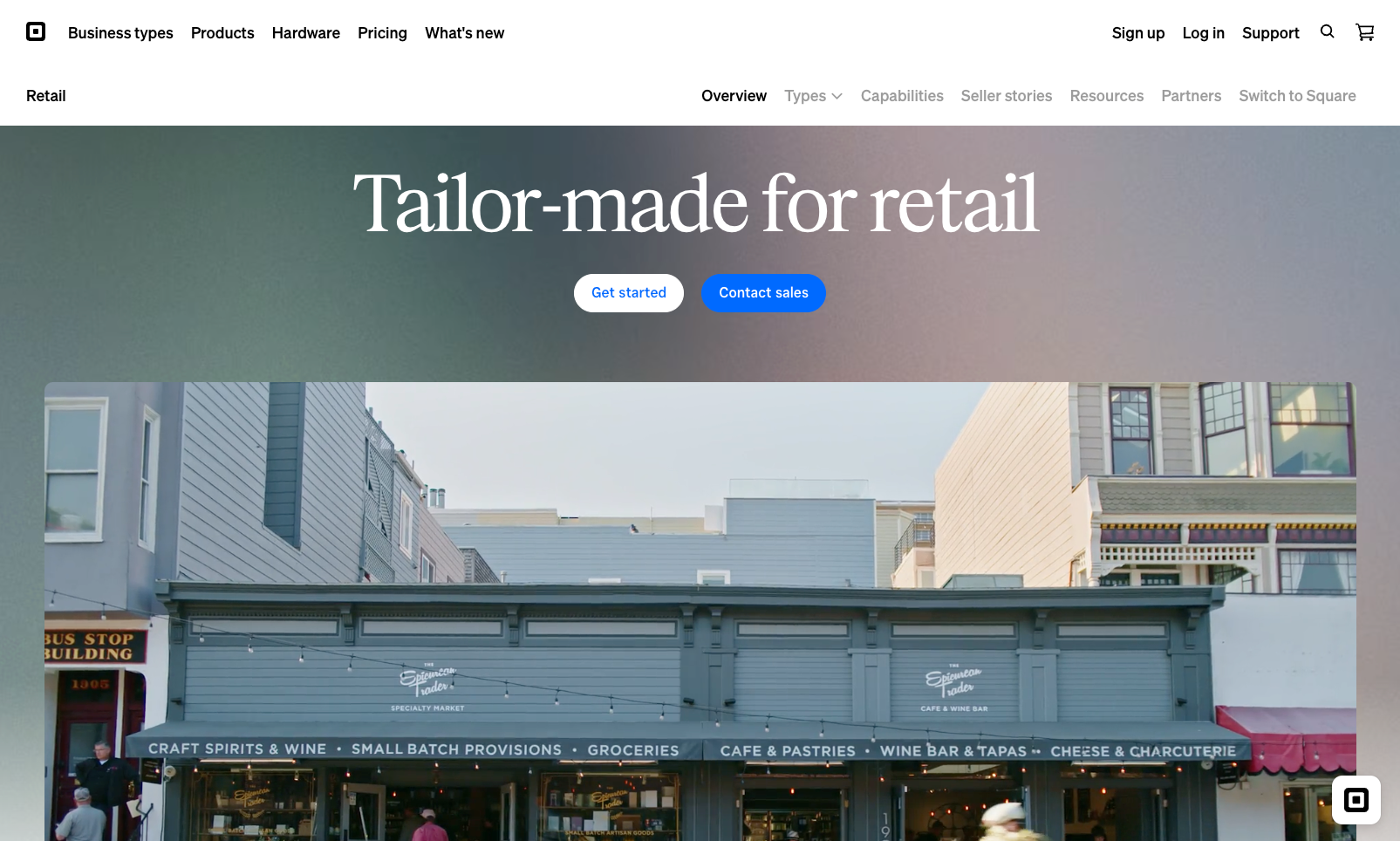
Why it made the list: Square for Retail connects your point of sale to your stock records, allowing store and online sales to update inventory from the same catalog.
Key strengths:
- Scanning a product’s GTIN barcode adds it to your catalog and generates its SKU.
- Low-stock alerts come with every plan, including Square Free.
- Inventory syncs with Square Online and Wix, and connects to Shopify through Thrive Inventory.
Key drawback:
- Vendor and purchase order management, stock counts, and inventory history require Square Plus. The ability to transfer orders between locations requires Square Premium. Both are priced per location.
Square for Retail is built for boutiques, specialty shops, and pop-up sellers who want to track sales and stock in one system. It lets you build your catalog by scanning or searching a GTIN barcode or by importing an existing product list in bulk, while Square fills in the missing SKUs. Businesses on Square Plus can print barcode labels for new products and receive stock in bulk by scanning items as they arrive.
Once products are in your catalog, Square lets you track stock with low-stock alerts, inventory history, a counting tool for full or cycle counts, and unit costs that feed cost-of-goods and profit-margin reports. Stock counts sync across your sales channels and locations. Square also syncs with Square Online and Wix, and the Thrive Inventory integration connects your catalog to Shopify.
The Square retail inventory app centers on the store, so warehouse teams handling high volumes across several facilities may need a more specialized system. Costs also scale with your footprint, and multistore retailers need the Premium plan to transfer stock between stores or accept returns at any location.
Square for Retail pricing
- Square Free: Free (processing fees billed separately)
- Square Plus: $49 per month per location (processing fees billed separately)
- Square Premium: $149 per month per location (processing fees billed separately)
5. Sortly
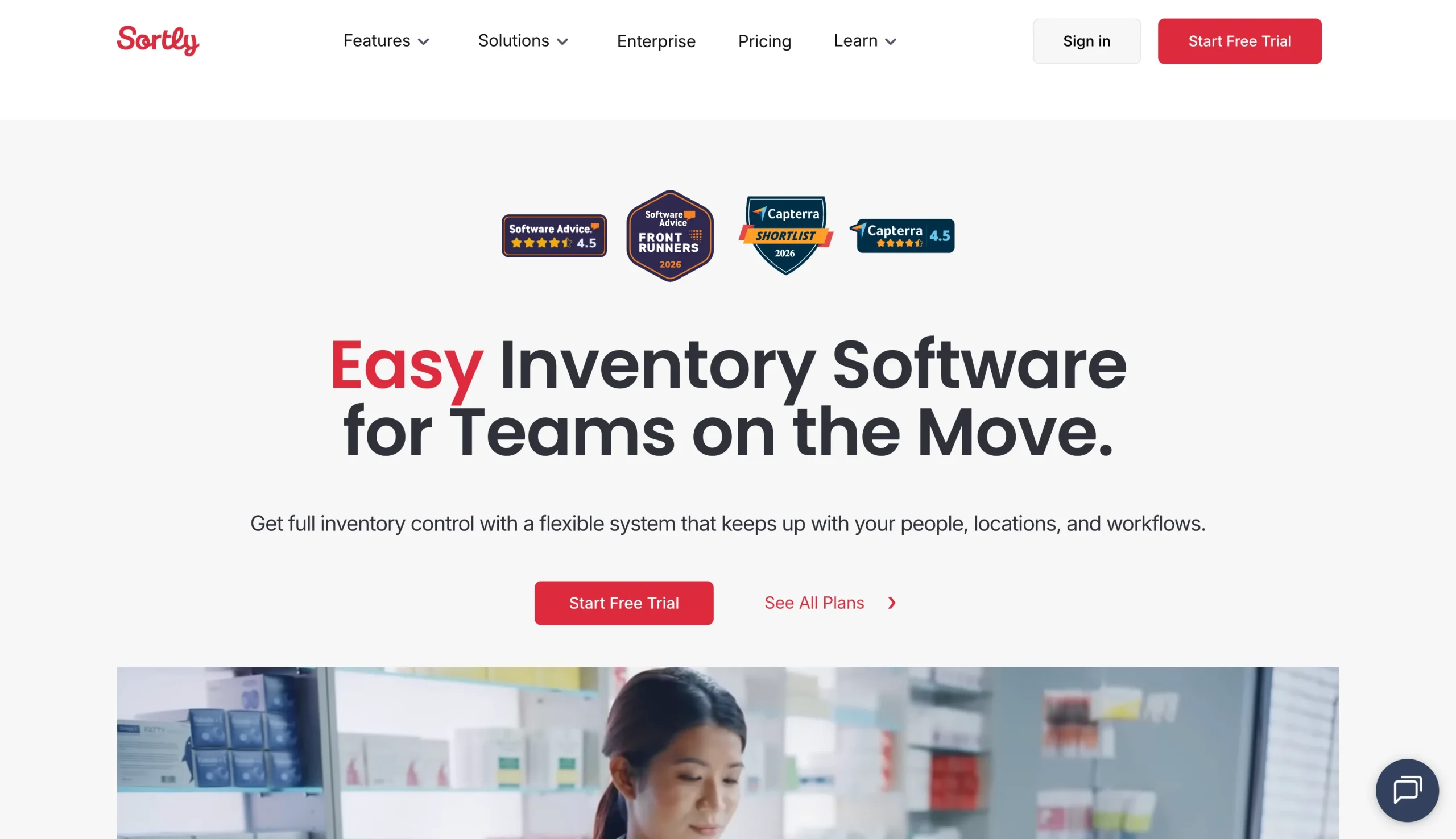
Why it made the list: Sortly lets small teams organize and track stock with a phone using photos, folders, and barcode scanning.
Key strengths:
- Add or update items by scanning barcodes and QR codes with a phone camera.
- Offline mobile access keeps updates going in stockrooms and job sites with weak signals.
- Folders, photos, and custom fields create a visual inventory that mirrors how your storage is organized.
Key drawback:
- Each plan caps unique items and user licenses, so a growing catalog or team means moving up a tier.
Sortly can be picked up by staff with little training. It’s a mobile inventory app for small businesses, warehouse coordinators, and field teams that track supplies, products, and equipment. Simply import an existing spreadsheet or add items one at a time, then organize them into custom folders that mirror your shelves, rooms, or vehicles. Each item can carry photos, tags, and custom fields such as serial numbers or supplier details. Staff can then use their phone cameras to scan barcodes and QR codes to find and update items, and Sortly can generate printable labels for products that don’t have one.
As well as low-stock alerts, Sortly includes date-based alerts for tracking maintenance and repair schedules. Features like check-in and check-out, pick lists, and purchase orders help staff manage inventory, and you can build reports covering low stock, item movement, quantity changes, and team activity. All inventory updates sync across devices in real time, and offline mode lets you track and update inventory even when you’re out of range.
One of Sortly’s main limitations is that its pricing is built around item and user limits, which makes costs climb quickly as your catalog grows.
Sortly pricing
- Free
- Advanced: $24 per month (billed annually)
- Ultra: $74 per month (billed annually)
- Premium: $149 per month (billed annually)
- Enterprise: Custom pricing
Note
Sortly’s annual rate includes a 50 percent discount in the first year for new customers. Renewals are billed at 20 percent off monthly pricing.
6. inFlow Inventory
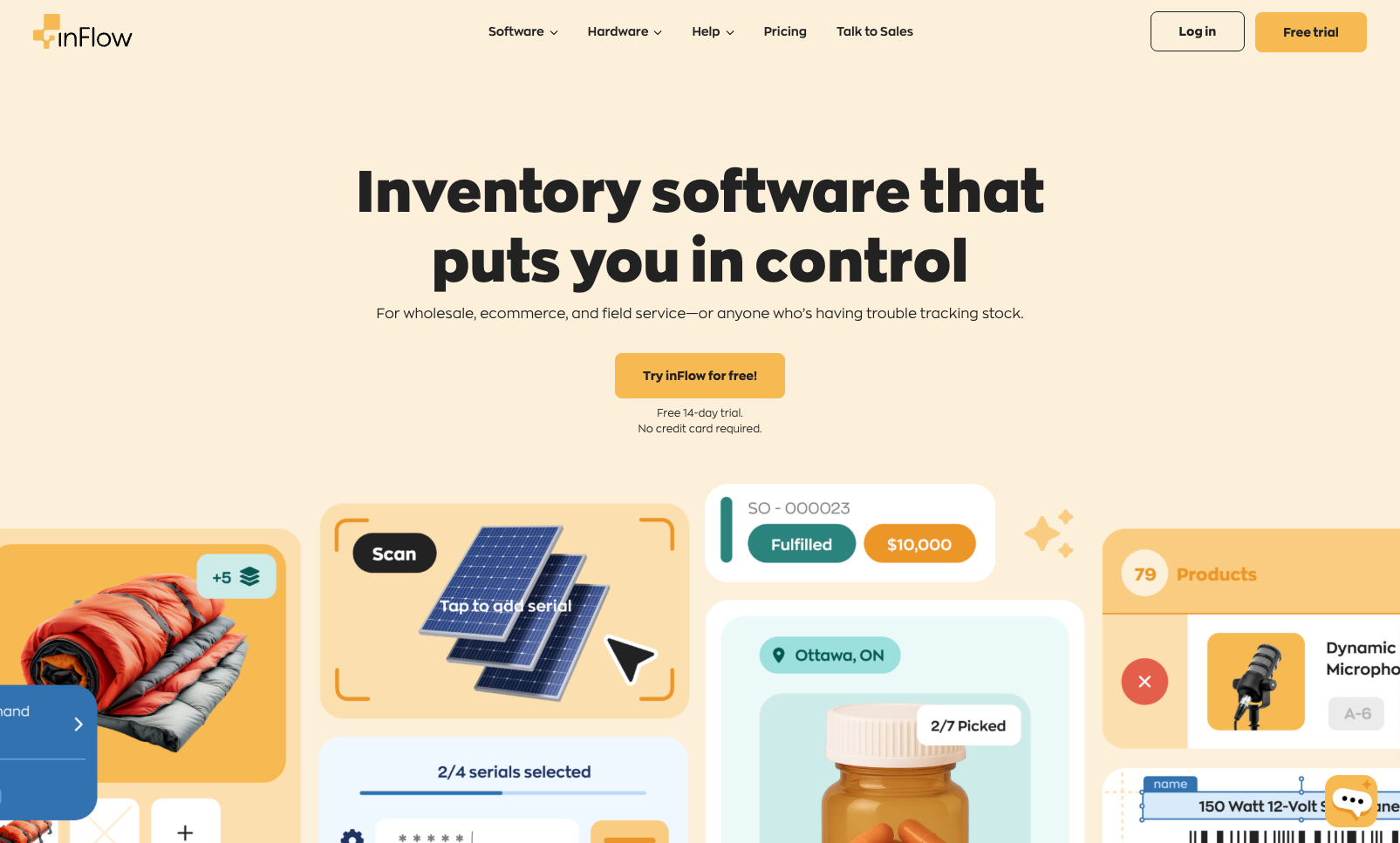
Why it made the list: inFlow Inventory combines lot-level traceability with B2B selling tools, giving wholesalers and distributors one place to track stock and sell it to trade customers.
Key strengths:
- GS1 barcode labels capture lot numbers, serial numbers, and expiry dates in a single scan.
- Showroom gives each B2B customer a private online catalog with their own products, pricing, and live stock levels.
- Reorder rules are set per product and per location, including restocking satellite sites from a main warehouse.
Key drawback:
- Lot and serial tracking are paid add-ons below the Max plan, and Core plans and above require a one-time $499 onboarding package.
inFlow Inventory focuses on field service businesses, B2B wholesalers, and distributors that buy, store, and sell items in volume. Once goods are in your catalog, inFlow gives you a record of how much product you have on hand, including the aisle or bin where it’s stored. For food, pharmaceuticals, and other regulated goods, inFlow tracks lots, serial numbers, and expiry dates for end-to-end recall traceability. The inventory app with barcode scanner lets you create GS1 barcode labels with its label designer so you can capture all three details in a single scan. Staff can also scan with smartphones or USB scanners to speed up receiving and picking.
What’s more, inFlow helps you manage restocking with reorder points and notifications before items run out. Teams can control where the replacement stock comes from, including moving it from a main warehouse to a satellite location. When orders come in, the inventory tracker app shows what’s been ordered against what’s in stock, so your team can decide which orders to fulfill first. With inFlow, each sale you fulfill pushes updated stock levels to all connected storefronts, and the app pulls in orders from more than 40 e-commerce and EDI sources, including Shopify and WooCommerce.
For B2B sellers, inFlow offers Showroom, where you can turn the product data you already have in inFlow into an online catalog with stock levels, photos, and pricing. Private showrooms show each customer their own products and prices, and their orders land directly in inFlow. The main trade-off is the required upfront commitment, as inFlow offers no free plan and costs rise with add-ons and onboarding.
inFlow Inventory pricing
- Lite: $99 per month (billed annually)
- Core: $299 per month (billed annually)
- Pro: $499 per month (billed annually)
- Max: $699 per month (billed annually)
Pro Tip
If your inventory is small enough to manage in a spreadsheet for now, learn how to make an inventory spreadsheet that’s set up to scale when you’re ready.
How to choose the right inventory management app
All the tools we’ve covered so far are built to help businesses struggling to track stock. But each one excels at a specific inventory job, and the right option for you is the one that matches your biggest inventory need. As you evaluate the options above, here’s a decision guideline to keep in mind:
- Choose Jotform or Sortly if: You need an inventory app that’s shaped around how your team already works.
- Jotform lets you start with an inventory app template and customize the fields, forms, and pages to match your ways of working.
- Sortly organizes items into custom folders with photos, tags, and custom fields that mirror your storage.
- Choose Square for Retail or Jotform if: You sell in a physical store or at pop-up events.
- With Square for Retail, your POS and inventory share one catalog, so every item you sell in-store is automatically deducted from your inventory count.
- With Jotform’s Sales and Inventory App template, stock updates and sales records live in one place.
- Choose Zoho Inventory or inFlow Inventory if: You sell across several online channels.
- Zoho Inventory syncs orders and stock levels with Amazon, eBay, Etsy, Walmart, and Shopify.
- inFlow Inventory pulls in orders from more than 40 e-commerce and EDI sources and pushes updated stock levels after each sale.
- Choose Odoo Inventory or inFlow Inventory if: You run warehouse operations.
- Odoo Inventory combines min-max replenishment rules, putaway strategies, and lot and serial tracking across multiple warehouses.
- inFlow Inventory sets reorder rules per location, and its GS1 labels capture lot numbers, serial numbers, and expiry dates in a single scan.
To choose the right option, start by identifying where your current stock-tracking process breaks down. It might be stockouts, scattered records, sales across too many channels, or a lack of traceability. Once you pinpoint the problem, picking the best inventory management app becomes easier.
We recommend Jotform if you need an inventory system built around your own processes. Start from one of Jotform’s inventory app templates, such as the Store Manager App, and customize the fields your team tracks. Every update then lands in Jotform Tables, where you can analyze it with the AI Data Assistant, get answers about your stock, and generate summaries and charts. You can get started right now on Jotform’s free Starter plan.
FAQs about inventory management apps
The best inventory management app for a small business depends on how you track and sell stock. Jotform is ideal for teams that want a custom, form-based inventory app with AI analysis. For a wider comparison, see our guide to the best inventory apps for small businesses.
Yes, several inventory apps offer free plans with usage limits. Jotform’s Starter plan includes Jotform Apps, Tables, and AI Data Assistant for free, plus ready-made inventory table templates for tracking products, equipment, and orders. Odoo’s One App Free plan covers inventory for unlimited users, Zoho Inventory’s free plan handles 50 orders a month, and Sortly’s free plan tracks up to 100 unique items for one user.
Yes. An inventory app replaces manual spreadsheets with structured records that update as staff log stock changes. Most apps add features that spreadsheets lack, such as barcode scanning, low-stock alerts, and activity history. Tools like Jotform also import existing spreadsheets, so you can move your current records over without starting from scratch. Alternatively, you can start fresh with a ready-made Inventory Form.
Look for real-time stock tracking, low-stock alerts, and support for multiple locations. Other types of inventory management features, such as barcode scanning, QR codes, and POS systems, are also important. Purchase orders, reporting, and integrations with your sales channels or accounting tools become more useful as your operation grows. And a mobile app with customizable fields is critical if your team works in stockrooms, warehouses, or at events.
Yes, Jotform inventory apps run on phones, tablets, and desktops, and they install to a device’s home screen without an app store. This makes it easier for staff to update stock from anywhere. Zoho Inventory, Square, Sortly, and inFlow also offer iOS and Android apps.
Both terms overlap, and many vendors use them interchangeably. But inventory management software usually refers to a broader system, often desktop- or browser-based, that covers purchasing, sales, and warehouse operations. An inventory app typically emphasizes mobile access for quick tasks like scanning, counting, and updating stock.
This article is for small business owners, retail managers, warehouse coordinators, pop-up sellers, ecommerce teams, and operations staff who need a simple way to track stock, update quantities, manage sales entries, and avoid stockouts without relying on spreadsheets or complicated ERP software.



















Send Comment: