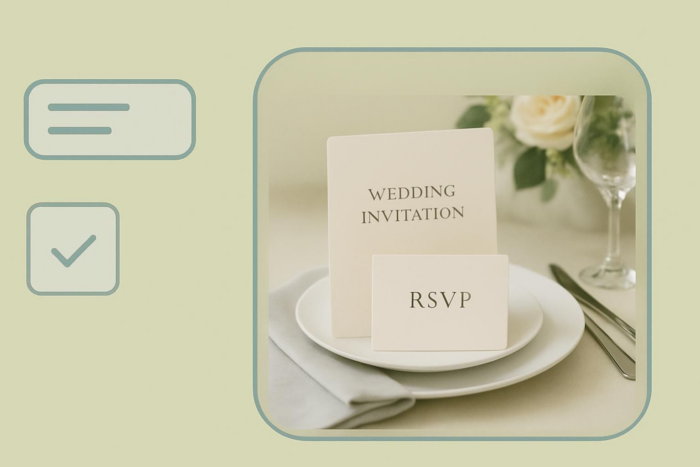
Are you unsure about how to ask guests to reply — or how to keep it polite but firm? This guide to wedding invitation RSVP wording shows you exactly what to say on RSVP cards, websites, and even text or email. We’ll cover the essentials — including reply methods, deadlines, plus-ones, meal choices, and dietary notes — and share copy-and-paste examples you can drop right into your invitations.
You’ll also find wording for tricky moments, like limited guest lists or adults-only celebrations, along with online RSVP options that save time and stress.
Since clear communication is the backbone of smooth event planning, getting your RSVP wording right keeps you organized from the very first reply. Start with the template that fits your format (card, QR, or web form); then personalize each line below so guests know exactly how and when to respond.
Wedding RSVP wording: Line by line
Your RSVP section should feel inviting, not intimidating. A few well-phrased lines keep your headcount accurate and your planning stress-free, whether you’re collecting traditional cards or setting up an online wedding RSVP. The key is clarity — guests should instantly know how to reply.
Start here: Quick steps
Before you decide what to write, settle the basics:
- Choose the RSVP method (card, website/QR, or text/email)
- Set your deadline — typically four to five weeks before the wedding
- Decide if you’re collecting plus-ones, meal choices, or dietary needs
- Choose your tone — formal, classic, or playful
- Use the core template for your format and customize each line below
💡 Did you know?
You can streamline replies with Jotform’s free tools:
- Wedding RSVP App: Create a tap-to-RSVP link or QR code in minutes and add fields for plus-ones, meal choices, and dietary notes.
- Wedding RSVP Form: Share a single-page online form for quick, organized responses.
These templates collect all replies in one dashboard — no lost emails, no tally spreadsheets.
Core copyable templates
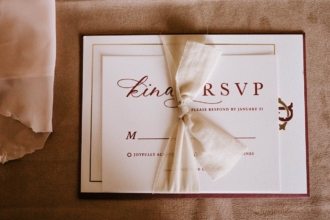
A) RSVP card (traditional)
Kindly reply by [Date]
☐ Accepts with pleasure ☐ Regretfully declines
Names: ___________________________
Number attending: ___
Meal selection (if applicable): __________________
B) RSVP online (website/QR)
Please RSVP by [Date] at [Your RSVP URL]
(Scan the QR on your invitation to respond in seconds.)
RSVP method and deadline
Make the method unmistakable: Tell guests exactly where and how to respond. Online RSVP links or QR codes are easiest for guests and planners alike.
Make replies instant by using a Wedding RSVP Tool or sharing a Wedding RSVP Form, then adding the short URL or QR code to your printed or digital invitation.
Set a firm deadline — about four to five weeks before your wedding — to finalize seating, meals, and vendor counts.
Examples:
- “RSVP by June 1 at [Your RSVP URL] (QR on invite).”
- “Please return the enclosed card by June 1.”
Accept/decline language
Keep options clear and polite. Match your tone to your celebration style.
Examples:
- “Accepts with pleasure / Regretfully declines” (classic)
- “Yes, can’t wait! / Sadly can’t make it” (casual)
- “Joyfully accepts / Sends regrets” (formal but warm)
Names and headcount
For mailed cards, include a Names line and a Number attending box. For digital RSVPs, you can pre-fill fields.
If seating is limited, consider a gentle clarification such as
“We’ve reserved two seats in your honor.”
This phrasing feels personal and avoids awkward follow-ups.
Plus-ones
Be crystal clear to avoid confusion. If plus-ones are welcome, add a field for the guest’s name. If not, phrase it graciously.
Examples:
- “We’re delighted to celebrate with you and [Guest Name].”
- “We’re keeping this celebration intimate and aren’t able to accommodate additional guests.”
Meal choices (optional)
Include only if your caterer requires choices now. Keep it short and aligned with your menu.
Example:
“Please select one: Chicken / Steak / Vegetarian.”
Online forms make this simple — guests can select from dropdowns or checkboxes without smudging a card.
Dietary needs (optional)
A single line is enough to keep everyone comfortable.
Example:
“Kindly note any dietary needs: __________”
Digital RSVP forms can automatically log these responses, so you can share them with your caterer later.
Adults only/Kids welcome (optional)
When children aren’t included, clarity prevents hurt feelings. Add it kindly near your RSVP or on your details card.
Examples:
- “Adults-only celebration.”
- “We love your little ones, but this evening is just for grownups.”
“Regrets only” (optional)
Perfect for small or local gatherings where most guests will attend.
Example:
“Regrets only by June 1 to [Phone/Email].”
Reminders (optional)
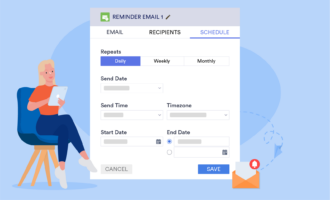
A gentle nudge a week before the deadline keeps your guest list accurate.
Examples:
- Email/Text: “Quick RSVP reminder — please reply by June 1 at [Your RSVP URL]. We can’t wait to celebrate with you!”
- Card follow-up: “Haven’t heard from you yet — kindly return your card by June 1.”
Wedding RSVP wording templates (General)
Here are 12 copy-and-paste templates you can use right away. Mix and match lines to suit your tone and format.
Tip: The goal is clarity and kindness. Always include your RSVP deadline and keep instructions simple. Guests should know exactly how and when to respond without guessing.
1.Classic formal (Card)
Kindly reply by the first of June
☐ Accepts with pleasure ☐ Declines with regret
Names: __________________________
Number attending: ___
Use this if: Your tone is elegant and timeless — perfect for ballroom, vineyard, or church weddings.
2. Modern formal (Card or online form)
Please respond by June 1
☐ Joyfully accepts ☐ Sends regrets
Names: ____________________ Number attending: ___
Meal preference (if applicable): __________________
Use this if: You want something polite but slightly less traditional.
3. Casual or rustic (Printed or QR code)
RSVP by June 1 at [Short URL]
Can’t wait to celebrate! / Sadly can’t make it
Add your song request and meal choice on the form.
Use this if: You’re hosting a relaxed outdoor or barn wedding where guests appreciate a friendly tone.
4. Online RSVP (App or website)
Please RSVP by June 1 at [Your RSVP URL]
(Scan the QR on your invitation to respond instantly.)
Add digital fields for plus-ones, meal choices, and dietary needs directly in your Wedding Invitation Form.
5. Destination wedding
Kindly RSVP by May 10 at [Your RSVP URL]
Travel details and hotel links available on our website.
Pro Tip
Add a time zone cue (“RSVP by May 10, 11:59 PM EDT”) to avoid confusion for international guests.
6. Adults only
We love your little ones, but this celebration is for adults only.
Please RSVP by June 1.
Use this if: You want to maintain a formal atmosphere while phrasing the restriction gently.
7. Plus-one friendly
We’re delighted to celebrate with you and [Guest Name].
Please confirm both guests’ attendance by June 1.
Use this if: You’re giving specific guests a plus-one option and want names in advance for seating.
8. Limited guest/Reserved seating
We’ve reserved two seats in your honor.
Kindly RSVP by June 1 so we can plan accordingly.
Use this if: You have a tight venue capacity and need to manage attendance politely.
9. Regrets only
Regrets only by June 1 to [Phone/Email].
Use this if: You’re hosting a small, close-friends event and expect nearly everyone to attend.
10. Digital reminder (Email or text)
Hi [Name]! Just a friendly reminder to RSVP by June 1 at [Short URL].
We can’t wait to celebrate with you!
Use this if: You’re managing responses online and want to follow up gently.
11. Polite decline variant
☐ Will be there with joy
☐ Sends love from afar
Use this if: You prefer warmth over formality — perfect for casual or destination weddings.
12. Thank-you follow-up
Thank you for RSVPing!
We’re so excited to celebrate with you on June 20.
Use this if: You’re using an automated confirmation email via your wedding attendance form.
Each of these templates can be pasted directly into a printed RSVP card, a wedding website, or a Jotform RSVP form.
To customize further — add meal dropdowns, guest name fields, or reminder automations — try Jotform’s drag-and-drop form builder or Wedding Invitation App Template.
Online wedding RSVP wording
Digital RSVPs are the new standard — they’re fast for guests, instant for you. Here are some ready-to-use online versions tailored for websites, QR codes, and apps.
Examples:
- “RSVP by June 1 at [Your RSVP URL] (scan the QR on your invite).”
- “Tap to RSVP here: [Your App URL] — please reply by May 20.”
- “Can’t attend? Let us know online so we can celebrate from afar.”
- “Add your meal choice and any dietary needs at [URL].”
- “Please reply by June 1 — we’re finalizing seating and catering this week.”
- “Confirm your attendance in seconds — just tap the QR code or visit [Your RSVP URL].”
Wedding RSVP wording for limited guests
Keeping your wedding intimate? These polite lines set boundaries gracefully while keeping the tone warm.
Examples:
- “We’ve reserved two seats in your honor.”
- “Your invitation is for [Name(s)] only.”
- “Please RSVP for [2] guests.”
- “Due to venue capacity, we can only host those listed on this invitation.”
- “Adults-only celebration — thank you for understanding.”
- “We’re keeping our guest list intimate and are unable to accommodate additional guests.”
Tone Tip
Always lead with appreciation. A phrase like “We truly wish we could celebrate with everyone we love” softens any restriction.
FAQ: Wedding RSVP wording
Absolutely. Online RSVPs are standard now and save time. Include a clear link or QR code on your invitation and confirm older relatives have help if needed.
Send a polite reminder a week before the deadline. If there’s still silence, a quick call or text is fine — keep it friendly.
Use an online form field in your Wedding RSVP Form so responses are automatically organized for your caterer.
Specify on the invite (“We’ve reserved two seats in your honor”) and reinforce it on your RSVP form with guest name fields or prefilled options.
Yes — for smaller or local weddings where you expect everyone to come. It saves postage and clutter.
Place it near the RSVP or details section of your website. Keep the phrasing light and appreciative.
Sure! It’s a fun icebreaker — simply embed a song request form in your RSVP App so guests can add their favorite tunes in seconds.
This article is for the engaged couples, planners, and DIY stationers who need clear, polite RSVP phrasing for cards, websites/QR, text/email—plus guidance for headcount control, plus‑ones, and meal choices.





























































Send Comment: