

Formulare für Bibliothekare
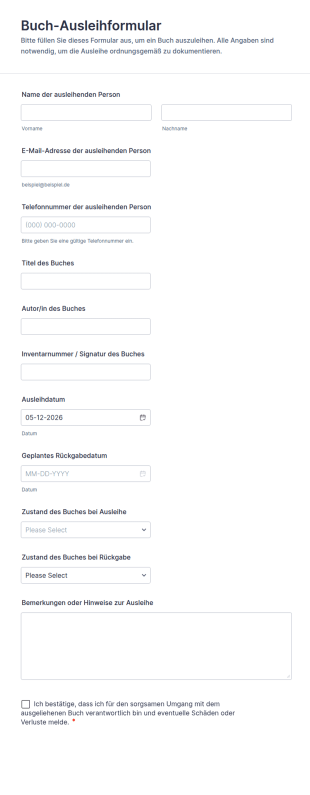
Buch Ausleihformular
Das Buch-Ausleihformular erleichtert Bibliotheken, Schulen und Vereinen die Datenerfassung von Ausleihen und Rückgaben, damit Bestände nachvollziehbar bleiben und jede Formularantwort zentral verwaltet werden kann.
Zur Kategorie:Formulare für Bibliothekare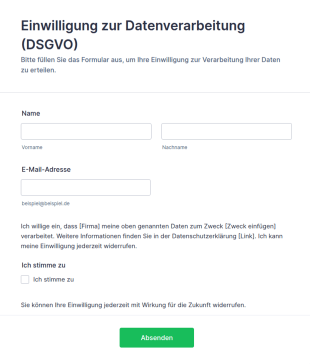
Vorlage Einwilligung Zur Datenverarbeitung (DSGVO)
DSGVO-konforme Einwilligungsformular-Vorlage für Jotform: Opt-in-Checkbox, Widerrufshinweis und Datenschutz-Platzhalter – direkt anpassbar und einsatzbereit.
Zur Kategorie:Werbeformulare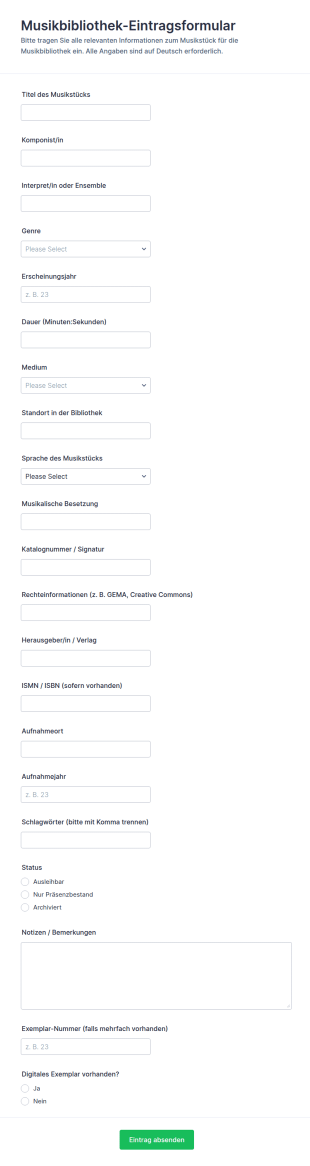
Musikbibliothek Eintrag Formular
Das Musikbibliothek-Eintrag Formular erleichtert die Datenerfassung für Bibliotheken und Archive, um neue Musikstücke einheitlich zu katalogisieren, den Bestand zu pflegen und Formularantworten zentral zu verwalten.
Zur Kategorie:Anmeldeformulare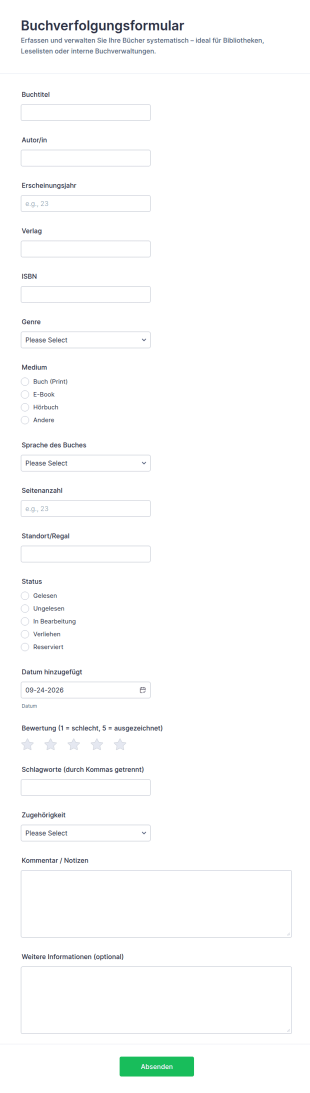
Buchverfolgungsformular
Buchverfolgungsformular erleichtert die Datenerfassung für Leselisten und Buchbestände in Bibliotheken, Schulen, Teams oder privat, damit Sie Titel, Ausleihen und den aktuellen Status zentral in Jotform verwalten können.
Zur Kategorie:Tracking-Formulare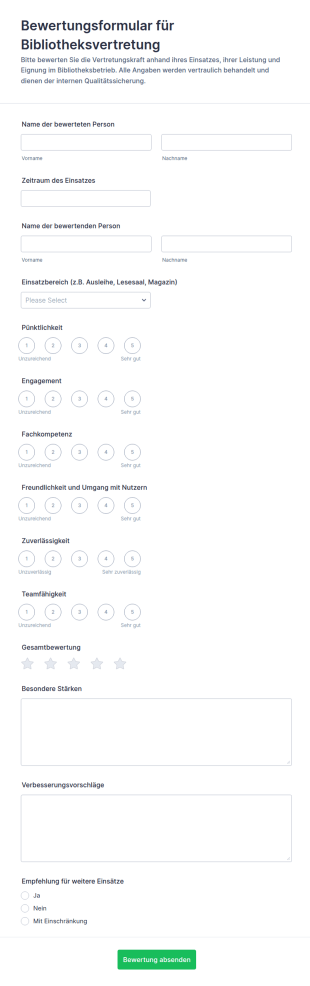
Bibliothek Ersatzbewertung Umfrage
Dokumentieren Sie Einsätze von Bibliotheksvertretungen mit dem Bewertungsformular für Bibliotheksvertretung und sammeln Sie Rückmeldungen für interne Qualitätsarbeit in Bibliotheken und Verwaltungen direkt über Jotform.
Zur Kategorie:Beurteilungsformulare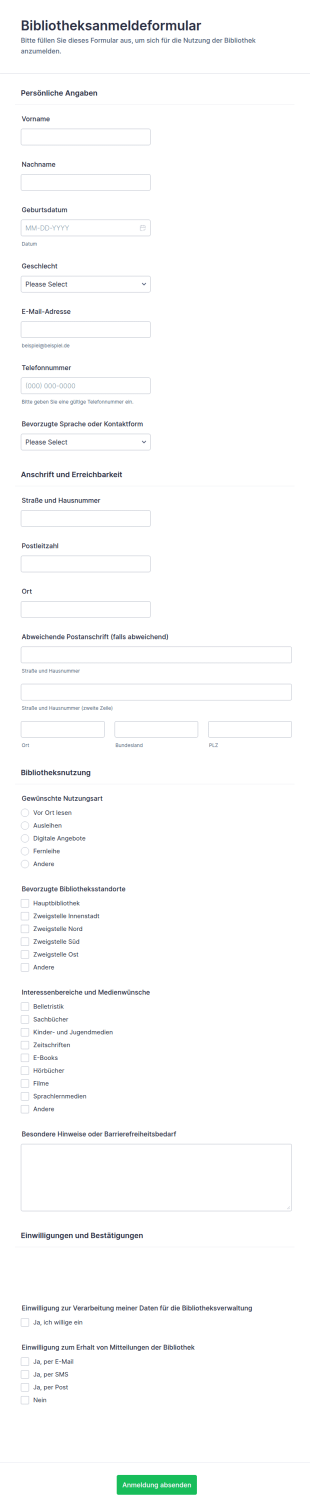
Bibliotheksregistrierungsformular
Bibliotheksanmeldeformular erleichtert Bibliotheken die Online-Registrierung neuer Nutzerinnen und Nutzer und sorgt mit Jotform für schnelle Datenerfassung, klare Einwilligungen und eine übersichtliche Verwaltung jeder Formularantwort.
Zur Kategorie:Anmeldeformulare
Bibliotheksleiter Bewertungsformular
Erfassen Sie Beurteilungen der Bibliotheksleitung in Bibliotheken und öffentlichen Einrichtungen einheitlich, vergleichen Sie Bewertungen über Zeiträume hinweg und nutzen Sie Jotform für digitale Datenerfassung und zentrale Auswertung.
Zur Kategorie:Beurteilungsformulare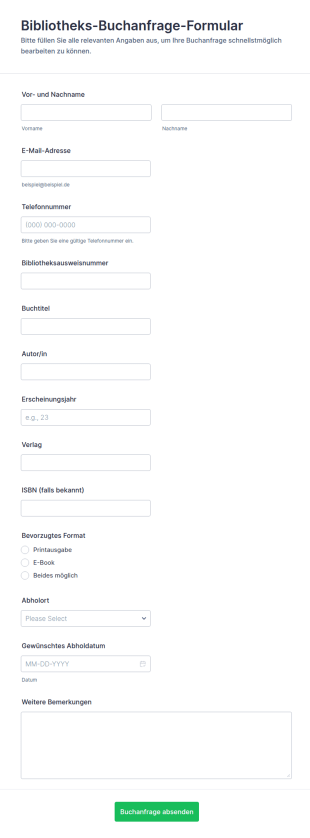
Bibliotheksbuch Anfrage Formular 📚
Erfassen Sie Medienwünsche Ihrer Nutzerinnen und Nutzer mit dem Bibliotheks-Buchanfrage-Formular von Jotform und organisieren Sie Datenerfassung und Formularantworten zentral für öffentliche, Schul- und Hochschulbibliotheken.
Zur Kategorie:AnfrageformulareÜber Formulare für Bibliothekare
Bibliotheksformulare sind spezielle digitale Formulare, die darauf ausgelegt sind, die Vielzahl der Aufgaben zu optimieren, die Bibliothekare täglich bewältigen. Diese Formulare optimieren Abläufe wie Buchanfragen, Veranstaltungsanmeldeformulare, Bestandsverwaltung und Fernleihanträge. So reduzieren sie den Verwaltungsaufwand erheblich. Bibliothekare bearbeiten viele Aufgaben, die präzise Organisation und effiziente Abwicklung erfordern. Mit diesen Bibliotheksformularen führen Sie genaue Aufzeichnungen. Sie erleichtern den Umgang mit Nutzern. Sie steigern die betriebliche Effizienz. Die digitale Transformation in Bibliotheken schreitet voran. Bibliotheksformulare werden dabei unverzichtbar, damit Bibliotheken den Bedürfnissen ihrer Gemeinden effektiv gerecht werden.
Jotform stands as the preeminent online form builder for creating Librarian Forms, offering a versatile platform that caters specifically to the needs of the library sector. The customization capabilities of Jotform allow librarians to tailor forms to their specific operational requirements, enabling them to automate data collection processes that once required manual input. Furthermore, Jotform Tables provide a centralized data management system that ensures all collected information is stored securely and can be accessed with ease. This centralized approach not only saves time but also minimizes errors, contributing to a more streamlined and professional library management system.
Why Use Librarian Forms?
- Librarian Forms enable precise data collection, ensuring that all information collected is accurate and up-to-date. This is particularly important in settings where data integrity is crucial, such as tracking book loans and returns, managing library memberships, and processing event registrations.
- The speed of form processing is greatly enhanced with Librarian Forms, as these digital forms allow for real-time data entry and instant access to information. This speed is essential when managing high volumes of patron interactions, such as during community events or peak library hours.
- Professional data handling is a hallmark of Librarian Forms, allowing for seamless integration with existing library management systems. This ensures that data collected is not only accurate but also readily available for reporting and analysis, aiding in strategic decision-making.
- By leveraging digital forms, libraries can reduce their reliance on paper-based systems, which not only cuts down on physical storage needs but also minimizes the environmental impact. This transition to digital forms supports libraries’ sustainability goals while improving operational efficiency.
- The use of Jotform's electronic signatures feature allows libraries to securely manage document sign-offs, such as agreements for inter-library loans or membership renewals, ensuring that all parties have a verifiable record of consent.
Common Problems Solved by Librarian Forms
- Librarians often struggle with the inefficiency of paper-based systems which can lead to misplaced documents and data loss. Librarian Forms solve this by digitizing processes, ensuring all data is captured and stored securely in the cloud.
- Manual data entry is time-consuming and prone to errors. With Librarian Forms, data is entered directly into the system, reducing the risk of errors and freeing up staff time for more critical tasks.
- The challenge of managing large volumes of data is significant in library environments. Librarian Forms offer a solution by organizing data into easily accessible formats, which can be retrieved and analyzed quickly.
- Privacy and data security concerns are prevalent in all data handling environments. Librarian Forms are equipped with secure data management features, ensuring that sensitive patron information is protected against unauthorized access.
Passende Anwendungsfälle für Features
- For book request management, the Drag-and-Drop Form Builder allows librarians to create intuitive forms that patrons can use to request books quickly and easily. This feature simplifies the process for both librarians and patrons, ensuring requests are handled efficiently.
- Conditional Logic can be used to streamline event registration forms, automatically showing or hiding fields based on previous responses. This ensures that patrons only see relevant questions, making the registration process smoother and more personalized.
- Libraries can utilize the 30+ Payment Gateways to collect fees for late returns or special event tickets directly through their forms. This feature simplifies financial transactions and provides a seamless experience for both the library staff and patrons.
- The use of Electronic Signatures through Jotform Sign facilitates the management of approvals needed for inter-library loan agreements, ensuring that all necessary signatures are collected and stored securely.
- With the PDF Editor, librarians can automatically generate PDF versions of completed forms, such as membership applications, which can then be stored or sent to patrons as a record of their transaction.
- By integrating with platforms like Google Sheets and Salesforce, libraries can ensure that data collected through forms is synchronized with their existing systems, enhancing workflow efficiency and reducing the need for manual data transfers.
- Approval Workflows can be customized to manage internal approvals for library acquisitions or event planning, ensuring that all necessary parties review and approve actions in a timely manner.
How to Create a Librarian Form
- Begin by browsing the Template List for a Librarians template that suits your needs, or start from a blank form if you prefer a more personalized approach.
- Customize the design and fields of your form using the Drag-and-Drop Form Builder. This flexible interface allows you to add, remove, or rearrange fields to meet your specific requirements.
- Once your form is ready, publish and share it via a Direct Link, Email, or by embedding it on your library’s website to ensure it reaches the intended audience.
Top Use Cases for Librarian Forms
- For Managers: Librarian Forms provide managers with the tools they need to oversee library operations efficiently. By utilizing these forms, managers can monitor book inventories, track event participation, and manage staff schedules, all of which contribute to a well-organized library environment. The ability to generate reports from collected data allows managers to make informed decisions that enhance library services and patron satisfaction.
- For Teams: Library teams benefit immensely from the collaborative nature of Librarian Forms. These forms facilitate seamless communication and coordination among staff members, ensuring that everyone is on the same page when it comes to managing daily tasks and special projects. With real-time data access, team members can quickly address patron inquiries and manage library resources effectively.
- For Customers: Patrons enjoy a streamlined experience when interacting with libraries that utilize Librarian Forms. Whether they are registering for events, applying for memberships, or requesting book loans, patrons benefit from the hassle-free, digital-first approach of these forms. The convenience of accessing forms online and receiving instant confirmation enhances their overall experience with the library.
Summarizing Librarian Forms
Librarian Forms are an invaluable asset for libraries seeking to improve their operational efficiency and patron satisfaction. By digitizing essential processes, these forms reduce the burden of manual data entry, minimize errors, and ensure data is stored securely. Jotform's robust features, such as conditional logic and electronic signatures, further enhance the functionality and effectiveness of these forms. As libraries continue to adapt to the digital age, Librarian Forms offer a practical solution for managing data and improving services.
Häufig gestellte Fragen
1) Ist die Erstellung von Bibliotheksformularen auf Jotform kostenlos?
Ja, Jotform bietet ein kostenloses Abo an, mit dem Nutzer Bibliotheksformulare erstellen und nutzen können. Dabei gelten jedoch Limits für die Anzahl der Formulare und Antworten.
2) Sind die Formulare und die übermittelten Daten sicher?
Jotform schützt Ihre Daten durch Verschlüsselung und Branchenstandards. So bleiben alle Formulare und übermittelten Daten geschützt.
3) Brauche ich Programmierkenntnisse, um ein Bibliotheksformular zu erstellen?
Nein, mit dem Drag-and-Drop-Formulargenerator von Jotform können Sie Formulare ohne jegliche Programmierkenntnisse erstellen. So können alle Bibliotheksmitarbeiter ihn nutzen.
4) Kann ich Zahlungen direkt über meine Formulare erfassen?
Ja, Jotform unterstützt über 30 Zahlungsportale. So erfassen Sie Zahlungen für Bußgelder, Gebühren oder Veranstaltungsanmeldungen direkt über Ihre Formulare.
5) Können diese Formulare auf mobilen Geräten verwendet werden?
Jotform-Formulare sind vollständig responsiv. Nutzer können sie auf jedem mobilen Gerät aufrufen und ausfüllen. Das erhöht den Komfort für Bibliothekspersonal und Besucher.
6) Kann ich Formularantworten in professionelle PDF-Dokumente umwandeln?
Ja, mit dem PDF Editor von Jotform können Sie Formularantworten automatisch in professionell formatierte PDF-Dokumente umwandeln, um sie einfach zu speichern und weiterzugeben.
7) Wie helfen Bibliotheksformulare bei der Bestandsverwaltung?
Bibliotheksformulare optimieren die Bestandsverwaltung, indem sie Dateneingabe und -verfolgung digitalisieren. So führen Bibliothekare genaue und aktuelle Aufzeichnungen über alle Bestände der Bibliothek.
8) Können Bibliotheksformulare bei der Organisation von Bibliotheksveranstaltungen helfen?
Bibliotheksformulare helfen Ihnen, Anmeldungen für Veranstaltungen zu verwalten, Teilnehmerdaten zu erfassen und die Kommunikation mit den Teilnehmern zu erleichtern. So planen Sie Bibliotheksveranstaltungen erfolgreich.