

Meeting Formulare

Formular Zur Planung Von Zoom Meetings
Ein Formular zur Planung von Zoom-Meetings wird verwendet, um Zoom-Meetings online zu planen, ohne dass E-Mails oder Nachrichten hin- und hergeschickt werden müssen. Mit einem kostenlosen Online-Formular für Zoom-Meeting-Termine können Mitarbeiter oder Kunden eine Besprechungsanfrage senden, indem sie ein Zeitfenster aus dem personalisierten Terminkalender Ihres Online-Formulars auswählen! Um loszulegen, passen Sie die Vorlage an Ihr Unternehmen an. Binden Sie das Formular dann in Ihre Website ein oder teilen Sie es mit einem Link, und beginnen Sie sofort mit der Erfassung von Besprechungs- und Terminanfragen.Fügen Sie Ihr individuelles Logo hinzu, aktualisieren Sie Schriftarten und Farben oder fügen Sie zusätzliche Formularfelder ein, um weitere Informationen zu erfassen - mit unserem Drag & Drop-Formulargenerator brauchen Sie nur ein paar Klicks, um das perfekte Formular für Ihre Bedürfnisse zu erstellen. Sie können sich auch mit über 100 anderen Apps verbinden, um Zahlungen zu akzeptieren, Meetings zu einer Tabellen-App hinzuzufügen und vieles mehr. Unser kostenloses Formular Zoom-Meeting ansetzen erleichtert Ihnen die Einrichtung virtueller Termine, so dass Sie weniger Zeit mit der Logistik und mehr Zeit mit der Vorbereitung Ihres nächsten großen Meetings verbringen.
Zur Kategorie:Meeting Formulare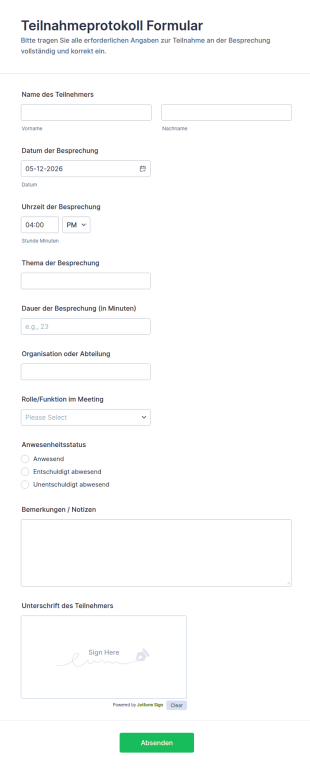
Teilnahmeprotokoll Formular
Dokumentieren Sie Meeting-Teilnahmen, Anwesenheiten und Sitzungsdetails mit dem Teilnahmeprotokollformular von Jotform, ideal für Teams, Vereine und Bildungseinrichtungen zur konsistenten digitalen Datenerfassung.
Zur Kategorie:Anwesenheitsformulare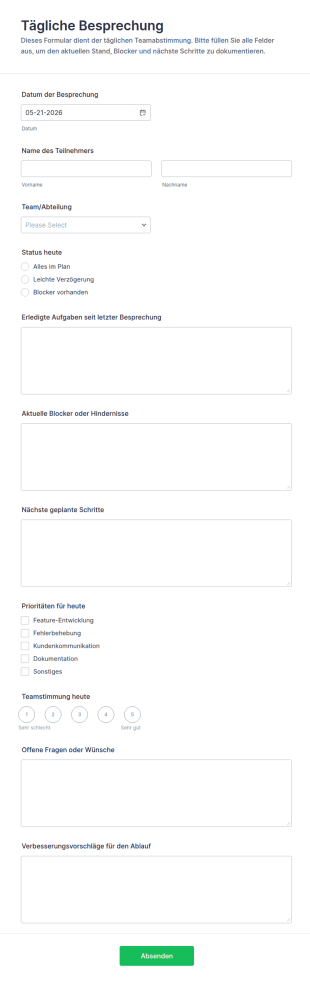
Tägliches Team Meeting Formular
Tägliche Besprechung Formular unterstützt Teams bei der täglichen Datenaufnahme für Status-Updates, Hindernisse und nächste Schritte und hält jede formularantwort zentral in Jotform fest.
Zur Kategorie:Meeting Formulare
Gruppentreffen Protokoll Umfrage
Das Gruppenbesprechungsprotokoll-Formular unterstützt Teams, Vereine und Projektgruppen bei der digitalen Protokollführung, damit Ergebnisse, Beschlüsse und nächste Schritte nach jeder Besprechung zuverlässig dokumentiert und geteilt werden können.
Zur Kategorie:Meeting Formulare
Besprechungsnachbereitung Fragebogen
Das Besprechungsnachbereitung Fragebogenformular erleichtert Teams die Auswertung von Meetings, hält Ergebnisse fest und unterstützt die interne Datenerfassung, damit Aufgaben und Verbesserungen nach dem Termin nachvollziehbar bleiben.
Zur Kategorie:Vorlagen für Fragebögen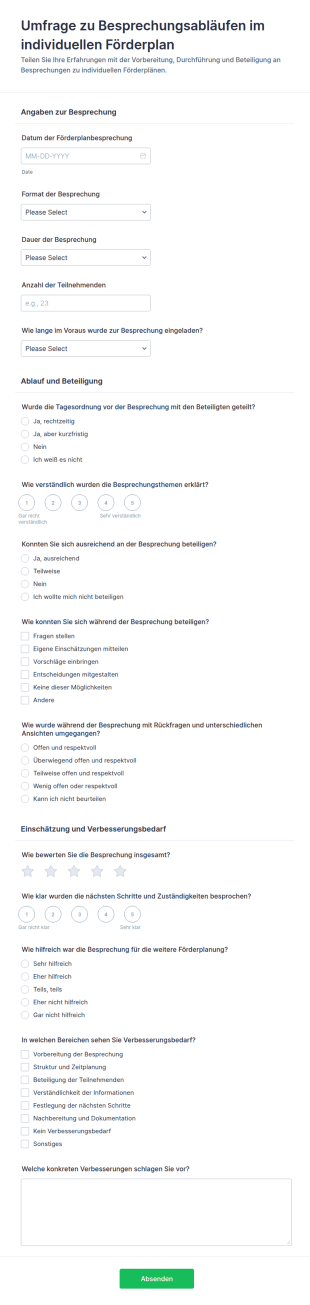
IFSP Meeting Praktiken Umfrage
Erfassen Sie Feedback zu Förderplanbesprechungen mit dem Umfrageformular zu Besprechungsabläufen im individuellen Förderplan und unterstützen Sie Teams in Schule und Beratung bei Datenerhebung, Auswertung und Qualitätsentwicklung mit Jotform.
Zur Kategorie:Bildungsumfragen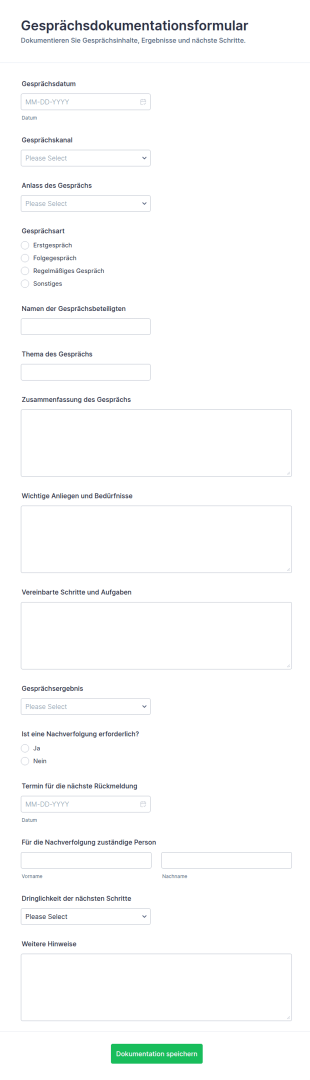
Gesprächsprotokoll Formular
Dokumentieren Sie Gespräche in Beratung, Kundenservice oder Personalabteilung mit dem Gesprächsdokumentationsformular, damit Inhalte, Ergebnisse und nächste Schritte einheitlich erfasst und für die Nachverfolgung verfügbar sind.
Zur Kategorie:Geschäftsformulare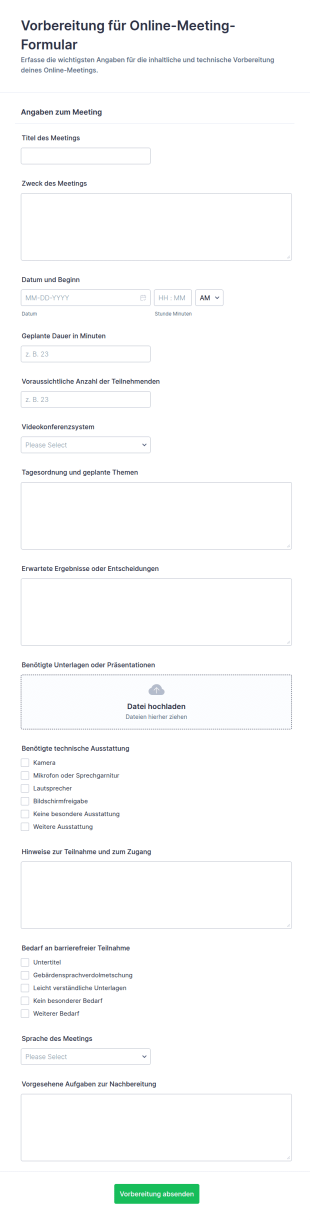
Vorbereitung Auf Ein Online Meeting Form
Das Vorbereitung für Online-Meeting-Formular erleichtert die Datenerfassung für virtuelle Meetings und hilft Teams, Agenda, Technikbedarf und Unterlagen vorab zu koordinieren, damit Besprechungen planbar und gut vorbereitet starten.
Zur Kategorie:Meeting Formulare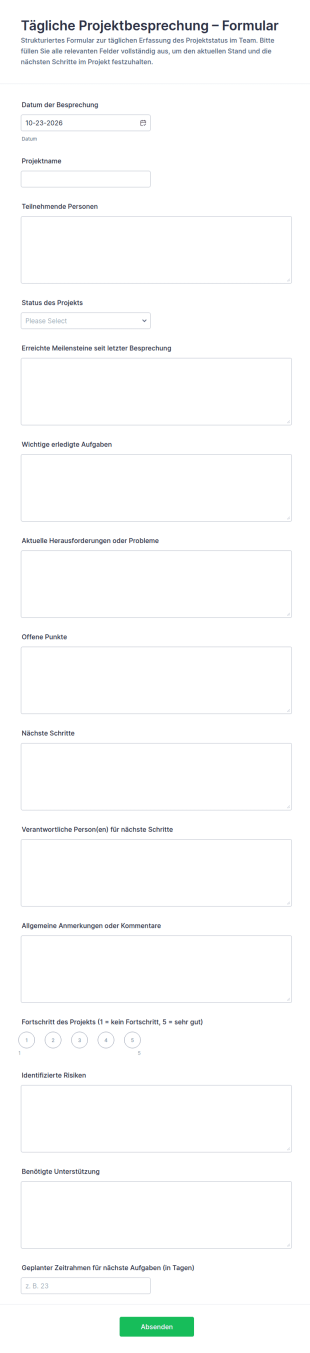
Tägliche Projekt Übergabe Übersicht
Dokumentieren Sie tägliche Statusrunden im Team mit dem Formular für tägliche Projektbesprechungen, damit Projektleitung und Beteiligte Fortschritt, Risiken und nächste Schritte einheitlich erfassen und nachverfolgen können.
Zur Kategorie:Meeting Formulare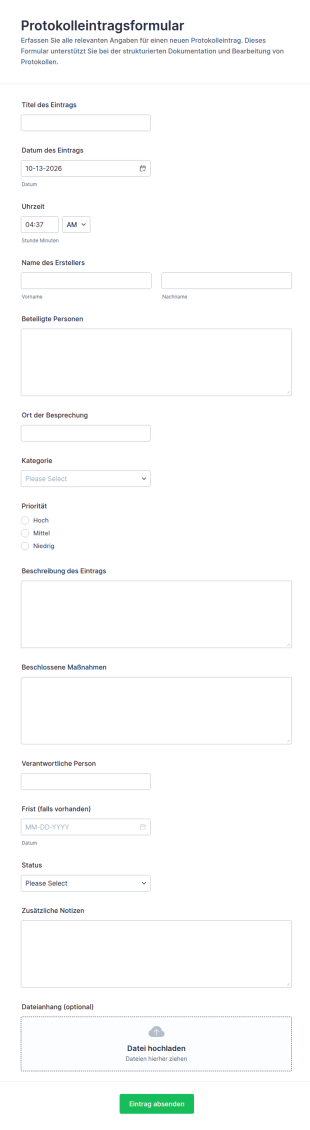
Protokolleinreichung Formular
Protokolleintragsformular erleichtert die einheitliche Dokumentation von Besprechungen und Projekten, damit Teams Entscheidungen, Maßnahmen und Zuständigkeiten zentral erfassen und nachverfolgen können.
Zur Kategorie:Verwaltungsformulare
Treffen Planungsformular
Das Meetup-Planungsformular erleichtert die Datenerfassung für die Organisation von Meetups und Community-Treffen, damit Teams, Vereine und Veranstaltende Termine, Orte und Abläufe zentral planen und Formularantworten übersichtlich verwalten.
Zur Kategorie:Meeting Formulare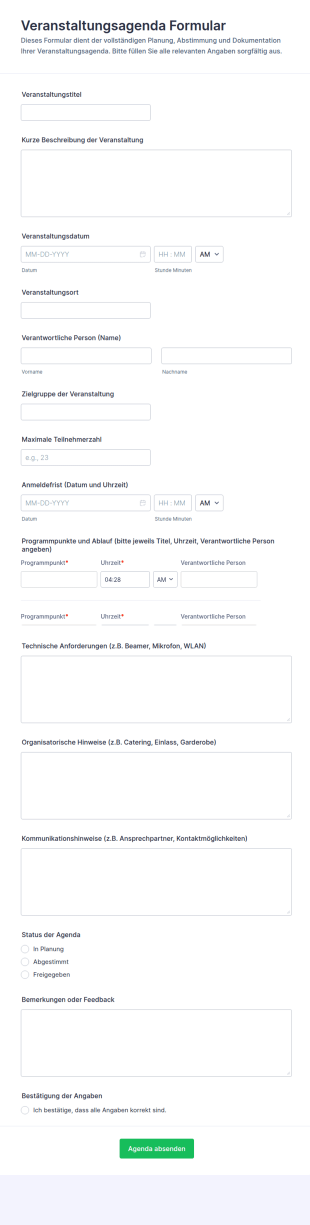
Event Agenda Formular
Planen und dokumentieren Sie Eventabläufe mit dem Veranstaltungsagenda Formular für klare Abstimmung in Teams und zuverlässige Datenaufnahme, inklusive einfacher Verwaltung jeder Formularantwort in Jotform.
Zur Kategorie:Veranstaltungsplanungsformulare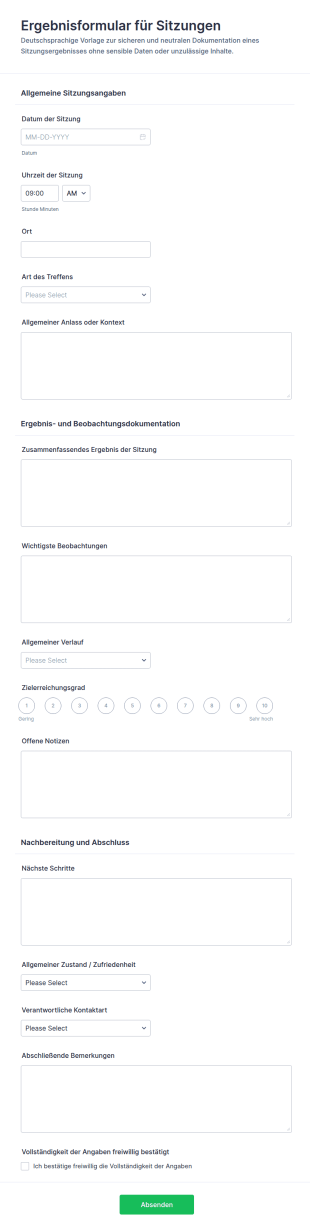
Ergebnisprotokoll Für Spielsitzungen
Dokumentieren Sie Sitzungen einheitlich mit dem Ergebnisprotokoll-Formular für Sitzungen, ideal für Teams, Beratung und Projektarbeit, um Ergebnisse festzuhalten und die Datenerfassung sowie Formularantworten in Jotform zentral zu bündeln.
Zur Kategorie:Meeting Formulare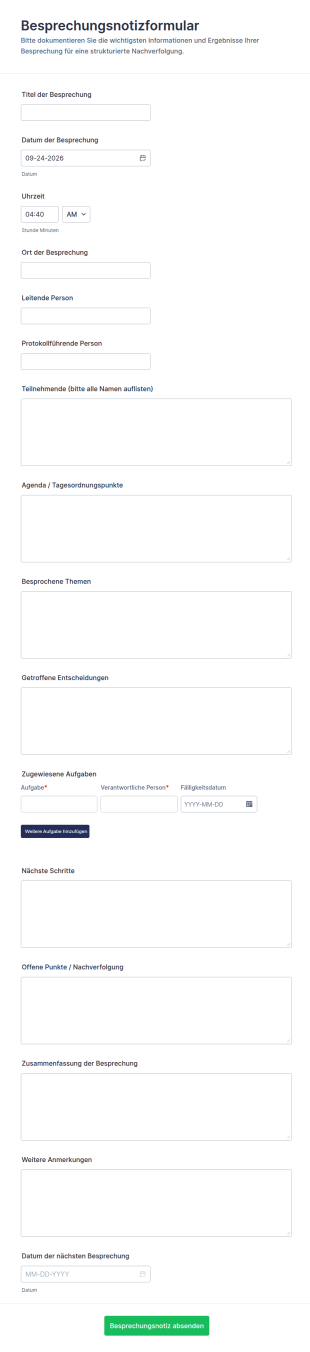
Sitzungsnotizen Formular
Dokumentieren Sie Meetings einheitlich mit dem Besprechungsnotizformular und halten Sie Ergebnisse, Beschlüsse und Aufgaben für Teams, Projekte und wiederkehrende Besprechungen zentral fest.
Zur Kategorie:Meeting Formulare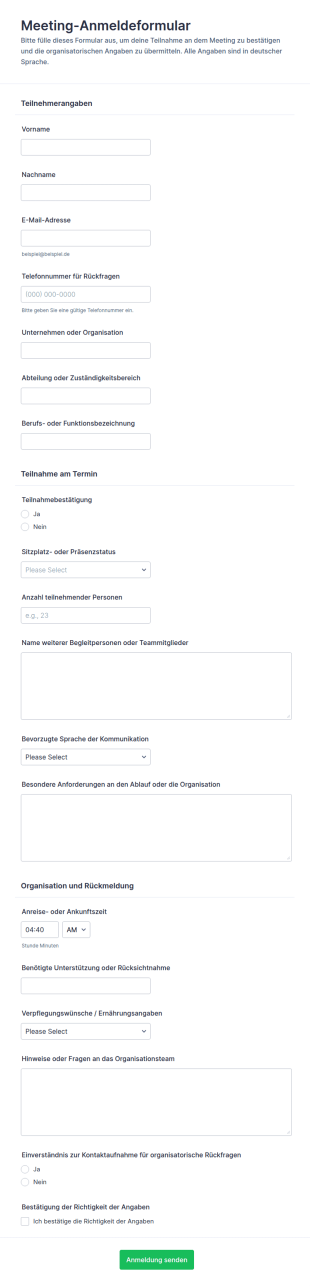
Einladung Zur Teilnahme: RSVP Anmeldung
Sammeln Sie mit dem Meeting-Anmeldeformular Teilnahmen für Meetings und koordinieren Sie Präsenz, Teilnehmerzahlen und organisatorische Hinweise für Teams, Organisationen und Veranstalter über Jotform.
Zur Kategorie:Meeting Formulare
Protokollbogen Für Den Ablaufplan Des Events
Planen und koordinieren Sie Programmpunkte, Zeiten und organisatorische Hinweise mit dem Veranstaltungsablauf-Formular von Jotform für eine zuverlässige Datenerfassung rund um Meetings, Workshops und Konferenzen.
Zur Kategorie:Veranstaltungsplanungsformulare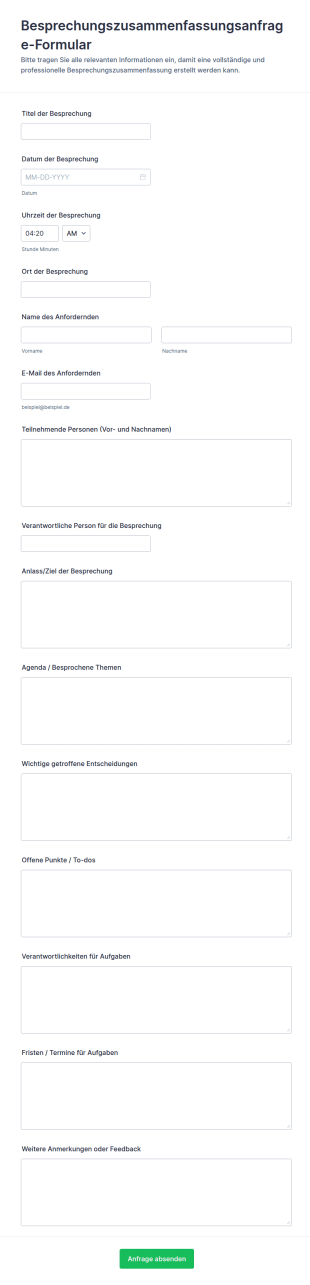
Anfrage Zur Besprechungszusammenfassung
Erfassen Sie mit dem Besprechungszusammenfassungsanfrage-Formular wichtige Meeting-Informationen an einem Ort, damit Teams Entscheidungen, Aufgaben und nächste Schritte schneller dokumentieren und intern teilen können.
Zur Kategorie:Meeting Formulare
Bewertung Eines Online Meetings Survey
Sammeln Sie mit dem Online-Meeting-Bewertungsformular konsistentes Feedback zu digitalen Besprechungen und verbessern Sie Ablauf, Inhalte und Technik durch einfache Datenerfassung und zentrale Auswertung in Jotform.
Zur Kategorie:Meeting Formulare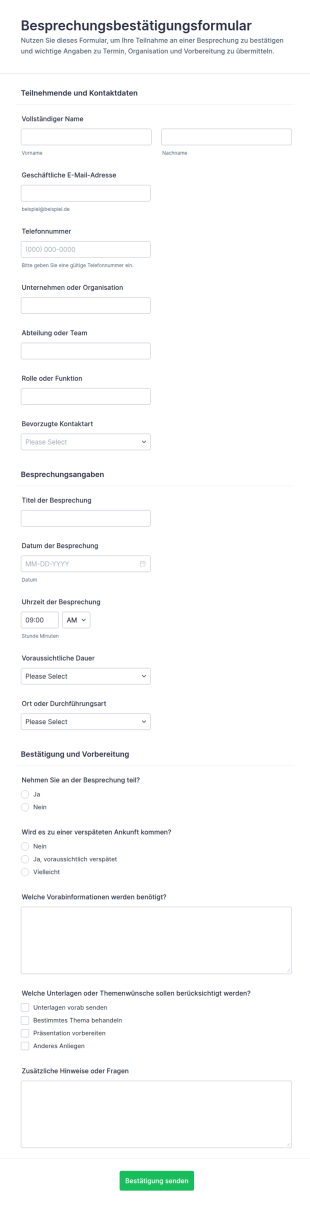
Terminbestätigungsformular
Sammeln Sie mit dem Besprechungsbestätigungsformular Zusagen zu Meetings zentral ein und erleichtern Sie Terminplanung und Datenerfassung für Teams, Assistenz und Projektverantwortliche mit Jotform.
Zur Kategorie:Meeting Formulare
Pflegeplan Meeting Vorlage Fragebogen
Dokumentieren Sie Fallbesprechungen in der Pflege mit dem Pflegeplan-Besprechungsformular von Jotform und halten Sie Ziele, Maßnahmen und Nachverfolgung für Einrichtungen, ambulante Dienste und interdisziplinäre Teams übersichtlich fest.
Zur Kategorie:Gesundheitsformulare
Rückblicksbesprechung Formular
Dokumentieren Sie Sicherheits- und Arbeitsbesprechungen direkt vor Ort mit dem Tailboard-Meeting-Formular und vereinheitlichen Sie Datenerfassung und Formularantworten für Bau, Produktion, Instandhaltung und Logistik in Jotform.
Zur Kategorie:Meeting Formulare
Beratungsgesprächsformular
Dokumentieren Sie Beratungsgespräche im Unternehmen mit dem Beratungsgesprächsformular von Jotform und halten Sie Inhalte, Maßnahmen und nächste Schritte zentral für eine verlässliche Datenerhebung fest.
Zur Kategorie:Formulare für Beratungsstellen und Praxen
Protokoll Für Vorstandssitzung Formular
Dokumentieren Sie Sitzungen einheitlich mit dem Formular für Unternehmenssitzungsprotokolle und halten Sie Ergebnisse, Beschlüsse und nächste Schritte zentral fest, ideal für Teams, Vorstände und Abteilungen in Jotform.
Zur Kategorie:Meeting Formulare
Ingenieurmeeting Agenda Formular
Dokumentieren Sie technische Besprechungen mit dem Ingenieurmeeting-Agenda Formular, bündeln Sie Themen, Entscheidungen und Aufgaben an einem Ort und erleichtern Sie die Abstimmung in Ingenieur- und Projektteams.
Zur Kategorie:Meeting FormulareÜber Meeting Formulare
Meeting-Formulare sind digitale Formulare, die speziell darauf ausgelegt sind, die Organisation, Terminplanung und Verwaltung von Besprechungen zu optimieren und effizienter zu gestalten. Diese Formulare werden branchenübergreifend eingesetzt, um wichtige Details wie Teilnehmerdaten, Tagesordnungspunkte, Besprechungsziele und Feedback zu erfassen. Durch den Einsatz von Meeting-Formularen können Unternehmen alle relevanten Informationen strukturiert erfassen. So läuft die Organisation reibungsloser. In der Praxis nutzen Workflows diese Formulare zur Planung von Unternehmensbesprechungen, Kundenberatungen oder Teambesprechungen, bei denen zeitnahe und genaue Datenerfassung entscheidend ist.
Jotform ist ein vielseitiger und benutzerfreundlicher Online-Formulargenerator für Meeting-Formulare. Dank der intuitiven Drag-and-Drop-Oberfläche passen Sie Ihre Formulare mit Jotform schnell an Ihre Anforderungen an. Mit der Plattform automatisieren Sie Datenerfassungsprozesse. So sinkt der manuelle Arbeitsaufwand, und Fehler werden minimiert. Jotform Tabellen verwalten alle erfassten Daten zentral. Die Lösung bietet eine sichere und übersichtliche Möglichkeit zum Speichern und Zugriff auf Informationen und verbessert Ihre Datenverwaltungsfunktionen insgesamt.
Warum sollten Sie Meeting-Formulare verwenden?
- Meeting-Formulare bieten einen strukturierten Ansatz, um wichtige Informationen zu erfassen und sicherzustellen, dass während der Planung nichts übersehen wird. Diese Genauigkeit ist entscheidend für eine effektive Vorbereitung und Durchführung von Meetings und verringert die Wahrscheinlichkeit, dass Details übersehen werden.
- Meeting-Formulare erfassen und rufen Daten schnell ab – das ist ein klarer Vorteil. Der direkte Zugriff auf die Daten erleichtert zügige Entscheidungen und Anpassungen, sodass Sitzungen effizient bleiben und planmäßig verlaufen.
- Meeting-Formulare verbessern den professionellen Umgang mit Daten, weil sie sichere Wege zur Erfassung und Speicherung sensibler Informationen bieten. Das ist wichtig, um Vertraulichkeit zu wahren und die Datenschutzbestimmungen einzuhalten.
- Durch die Digitalisierung der Datenerfassung machen Meeting-Formulare Papierformulare überflüssig, die umständlich und anfällig für Verlust sind. Das vereinfacht die Abläufe und senkt dank weniger Papierabfall auch den ökologischen Fußabdruck.
- Automatisierte Workflows, die in Meeting-Formularen integriert sind, sparen Zeit, indem sie wiederholende Tasks minimieren, sodass sich die Mitarbeiter auf strategisch wichtigere Tätigkeiten konzentrieren können. Dies führt zu einer gesteigerten Produktivität und einer besseren Ressourcenzuweisung innerhalb der Organisation.
Häufige Probleme, die durch Meeting-Formulare gelöst werden
- Meeting-Formulare lösen vor allem das Problem der aufwendigen Schreibarbeit. Durch die Umstellung auf digitale Formulare können Unternehmen den Zeitaufwand für die Verwaltung physischer Dokumente erheblich reduzieren und das Risiko des Verlusts wichtiger Informationen verringern.
- Die manuelle Dateneingabe ist eine weitere Herausforderung, der sich Meeting-Formulare stellen. Durch die automatisierte Datenerfassung wird das Risiko menschlicher Fehler verringert, was zu genaueren und zuverlässigeren Informationen für die Entscheidungsfindung führt.
- Meeting-Formulare verringern das Risiko eines Datenverlusts, weil sie Daten sicher speichern. So bleiben alle erfassten Informationen erhalten und lassen sich schnell wiederfinden.
- Meeting-Formulare ordnen außerdem das oft chaotische Datenmanagement. Wenn alle Daten zentral erfasst und gespeichert werden, behalten Unternehmen den Überblick über alle besprechungsrelevanten Informationen; Auswertungen und Nachfassungen werden dadurch einfacher.
Passende Anwendungsfälle für Features
- Teams, die ihre Terminplanung vereinfachen wollen, können mit dem Drag-and-Drop-Formulargenerator schnell passende Formulare zusammenstellen und alle nötigen Terminfelder hinzufügen. Damit lassen sich Terminformulare zügig anlegen oder anpassen und alle relevanten Angaben erfassen.
- Bedingte Logik in Meeting-Formularen kann die betrieblichen Ergebnisse erheblich verbessern, indem den Befragten auf der Grundlage ihrer vorherigen Antworten nur relevante Fragen angezeigt werden. Dies führt zu übersichtlicheren Formularen und einer besseren User Experience.
- Mit über 30 Zahlungsportalen, darunter Stripe und PayPal, können Sie Zahlungen für Veranstaltungen oder kostenpflichtige Beratungsgespräche direkt über Meeting-Formulare abwickeln. Die Integration vereinfacht den Zahlungsprozess und sorgt für schnelle, sichere Transaktionen.
- Mit der elektronischen Signaturfunktion von Jotform Signatur lassen sich Einwilligungen oder Genehmigungen einholen; so sind alle Vereinbarungen dokumentiert und rechtsgültig. Das ist wichtig, wenn in Besprechungen Verträge oder vertrauliche Vereinbarungen auf dem Tisch liegen.
- Mit dem PDF Editor von Jotform lassen sich PDF-Dateien automatisch erstellen und Formularantworten in professionelle Dokumente überführen. Das ist praktisch, um Meeting-Notizen oder Zusammenfassungen an alle Beteiligten zu schicken.
- For organizations using multiple platforms, the 100+ Third-party Integrations, such as Google Sheets and Salesforce, enable seamless data flow between systems. This connectivity enhances data consistency and accessibility across different departments.
- Jotform Tabellen speichern Ihre Meeting-Daten sicher, verhindern unbefugten Zugriff und helfen Ihnen, die Datenschutzbestimmungen einzuhalten.
So erstellen Sie ein Meeting-Formular
- Schauen Sie zuerst in der Vorlagenliste nach einer Meeting-Vorlage, die zu Ihren Anforderungen passt, oder legen Sie mit einem leeren Formular los, wenn Sie etwas Passgenaueres brauchen.
- Passen Sie Felder und Design Ihres Formulars mit dem Drag-and-Drop-Formulargenerator an, damit es alle Anforderungen für Ihre Besprechungen erfüllt.
- Wenn Ihr Formular fertig ist, veröffentlichen Sie es und schicken Sie den Teilnehmern den Direktlink, eine E-Mail oder den Einbettungslink, um Antworten zu sammeln.
Die wichtigsten Anwendungsfälle für Meeting-Formulare
- Für Führungskräfte: Mit Meeting-Formularen lassen sich Meetings besser organisieren, weil sie einen festen Rahmen für Tagesordnung, Teilnehmerliste und Ziele bieten. So können alle Beteiligten ihre Erwartungen klar formulieren und sich gezielt vorbereiten. Nach dem Termin hilft das Feedback, Stärken und Schwächen einzuschätzen und für das nächste Mal nachzusteuern.
- Für Teams: Teams profitieren von Meeting-Formularen, da sie ihnen ein zentrales System zur Planung und Verwaltung von Meetings bieten. So stellen sie sicher, dass alle Teammitglieder auf dem gleichen Stand sind. Der einfache Datenaustausch und die Integration mit anderen Plattformen ermöglichen eine nahtlose Kommunikation und Zusammenarbeit und steigern so die Produktivität. Darüber hinaus gewährleistet die Möglichkeit, Ergebnisse und Maßnahmen von Meetings festzuhalten, die Verantwortlichkeit und die Nachverfolgung der besprochenen Punkte.
- Für Kunden: Kunden profitieren von einem optimierten Interaktionsablauf, wenn Meeting-Formulare zur Vereinbarung von Beratungs- oder Serviceterminen genutzt werden. Die Formulare ermöglichen die einfache Übermittlung von Anfragen und Präferenzen und stellen sicher, dass die Termine genau auf die Bedürfnisse der Kunden zugeschnitten sind. Diese Art der Anpassung steigert die Kundenzufriedenheit und fördert engere Kundenbeziehungen. Darüber hinaus vermittelt der sichere Umgang mit personenbezogenen Daten den Kunden die Gewissheit, dass ihre Privatsphäre geschützt ist, und stärkt das Vertrauen.
Meeting-Formulare zusammengefasst
Meeting-Formulare sind ein unverzichtbares Hilfsmittel für Organisationen, die ihre Prozesse im Besprechungsmanagement optimieren möchten. Durch die Nutzung der Funktionen des Online-Formulargenerators von Jotform können Organisationen hochgradig angepasste und effiziente Formulare erstellen, die die Datenerfassung optimieren und die Gesamtproduktivität von Besprechungen steigern. Die Funktionen zum zentralisierten Data Management und zur Automatisierung sparen nicht nur Zeit, sondern stellen auch sicher, dass alle besprechungsbezogenen Informationen präzise erfasst und sicher gespeichert werden. Letztendlich tragen Meeting-Formulare zu besser organisierten, effektiveren und wirkungsvolleren Besprechungen bei.
Häufig gestellte Fragen
1) Ist das Erstellen von Meeting-Formularen auf Jotform kostenlos?
Ja, Jotform bietet ein kostenloses Abo an. Damit erstellen und passen Nutzer Meeting-Formulare ohne jegliche Kosten an. Bestimmte erweiterte Funktionen und höhere Limite für Formularantworten stehen jedoch nur in Premium-Tarifen zur Verfügung.
2) Sind die Formulare und die übermittelten Daten sicher?
Ja. Jotform legt großen Wert auf Datensicherheit und setzt branchenübliche Maßnahmen ein, um Formulare und übermittelte Daten zu schützen – etwa geschützte Server und SSL-Verschlüsselung. Jotform erfüllt die DSGVO.
3) Brauche ich Programmierkenntnisse, um ein Meeting-Formular zu erstellen?
Nein, Sie benötigen keinerlei Programmierkenntnisse, um ein Meeting-Formular zu erstellen. Der Drag-and-Drop-Formulargenerator von Jotform ist benutzerfreundlich. So erstellen Sie mühelos ein Formular.
4) Kann ich Zahlungen direkt über meine Formulare erfassen?
Ja, Sie können Zahlungen direkt über Ihre Meeting-Formulare erfassen. Nutzen Sie dafür eines der über 30 integrierten Zahlungsportale wie Stripe, PayPal oder Square. Diese Funktion ermöglicht sichere Transaktionen.
5) Können diese Formulare auf mobilen Geräten verwendet werden?
Ja, Meeting-Formulare können Sie auf Mobilgeräten aufrufen und übermitteln. So bleiben Sie unterwegs flexibel und komfortabel. Jotform Mobile Formulare unterstützen außerdem die Offline-Datenerfassung. Damit erfassen Sie Informationen auch ohne Internetverbindung.
6) Kann ich Formularantworten in professionelle PDF-Dokumente umwandeln?
Der PDF Editor von Jotform wandelt Formularantworten automatisch in professionelle PDF-Dokumente um. Diese Funktion ist für Dokumentationszwecke nützlich, zum Beispiel zum Weiterleiten von Konferenzprotokollen oder Berichten.
7) Wie können Meeting-Formulare die Interaktion mit Kunden verbessern?
Mit Meeting-Formularen verbessern Sie die Interaktionen mit Kunden. Sie planen und verwalten Besprechungen strukturiert und erfassen alle Bedürfnisse und Präferenzen der Kunden genau. So liefern Sie Dienstleistungen effizienter und steigern die Kundenzufriedenheit.
8) Kann ich Meeting-Formulare in mein bestehendes CRM-System integrieren?
Ja, Jotform bietet Support für die Integration mit über 100 Anwendungen von Drittanbietern, darunter beliebte CRM-Systeme wie Salesforce. So übertragen Sie Daten aus Meeting-Formularen direkt in Ihr CRM. Das verbessert das Datenmanagement und den Zugriff auf die Daten.