

Personalformulare

Fitness Für Dienstform
Arbeitgeber verwenden ein Formular zur Dienstfähigkeit, um zu beurteilen, ob Arbeitnehmer nach einer Krankheit oder Verletzung bereit sind, an den Arbeitsplatz zurückzukehren.
Zur Kategorie:Personalformulare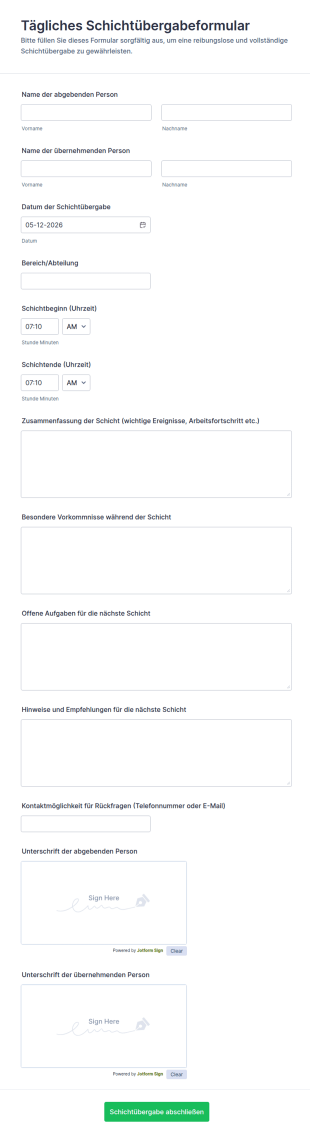
Tägliches Schichtübergabeformular
Das Tägliche Schichtübergabeformular erleichtert die Datenerfassung bei Schichtwechseln und hilft Teams in Betrieb, Pflege, Logistik oder Sicherheit, Übergaben nachvollziehbar zu dokumentieren und Informationen zuverlässig weiterzugeben.
Zur Kategorie:Formulare für Schichtberichte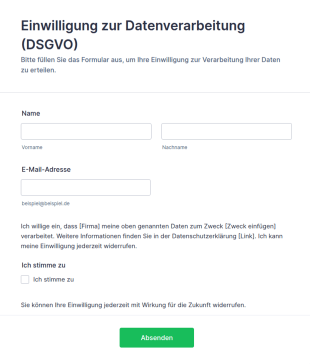
Vorlage Einwilligung Zur Datenverarbeitung (DSGVO)
DSGVO-konforme Einwilligungsformular-Vorlage für Jotform: Opt-in-Checkbox, Widerrufshinweis und Datenschutz-Platzhalter – direkt anpassbar und einsatzbereit.
Zur Kategorie:Werbeformulare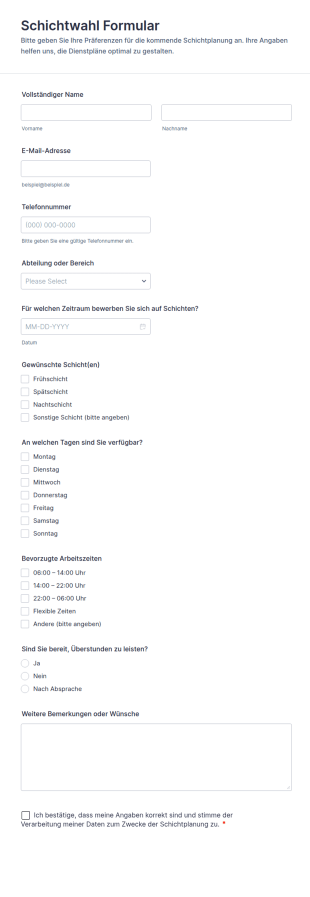
Schichtwahl Formular
Erfassen Sie mit dem Schichtwahl-Formular Schichtwünsche und Verfügbarkeiten für eine bessere Einsatzplanung in Teams, Filialen oder Projekten und sammeln Sie Formulareinsendungen zentral mit Jotform.
Zur Kategorie:Personalformulare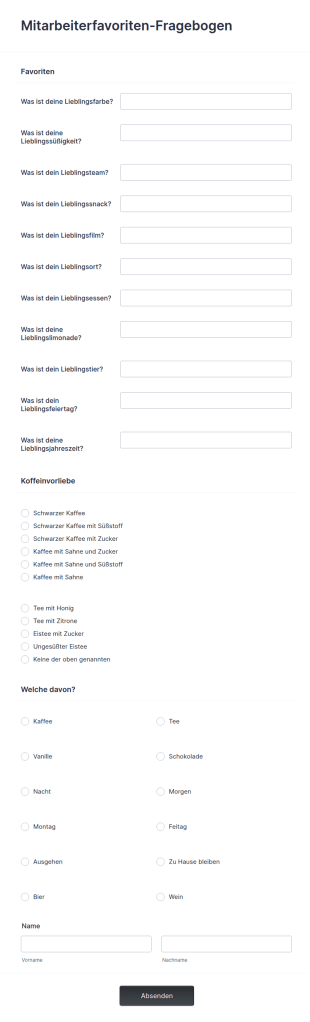
Mitarbeiterfavoriten Fragebogen
Ein „Employee Favorites“ (Lerne deine Mitarbeitenden kennen) Fragebogen ist ein Tool, das von Trainerinnen und Trainern verwendet wird, um herauszufinden, welche Dinge ein Mitarbeitender mag, nicht mag und ob er sie anderen weiterempfehlen würde. Ganz gleich, ob du ein kleines Unternehmen oder einen grossen Konzern führst – nutze diesen kostenlosen Fragebogen, um Feedback deiner Mitarbeitenden über ihren Arbeitsplatz zu sammeln und die Ergebnisse im Intranet oder auf der Unternehmenswebsite zu veröffentlichen. Passe die Fragen einfach an, um genau die Informationen zu erhalten, die du brauchst – zum Beispiel, welche Aufgaben den Mitarbeitenden am meisten Freude bereiten, welche Vorteile sie sich zusätzlich wünschen oder verbessern möchten, oder ob sie gerne weiterhin im Unternehmen arbeiten würden. Mit Jotform kannst du die Antworten verfolgen, die Ergebnisse mit deinem Team teilen und sie intern veröffentlichen.Beziehe deine Mitarbeitenden stärker in das Unternehmen ein, indem du Feedback mit einem Online-Fragebogen sammelst – so erhältst du nicht nur direkten Zugang zu ihren Meinungen, sondern kannst das gesammelte Feedback auch nutzen, um den Arbeitsplatz für alle zu verbessern. Egal, ob du ein neues Schulungsprogramm einführst, das Menü in der Kantine überarbeitest oder die Zusatzleistungen optimierst – die gesammelten Informationen helfen dir, dein Unternehmen attraktiver für Mitarbeitende zu gestalten und die Arbeitsmoral zu stärken. Mit der kostenlosen Employee Favorites Questionnaire-Vorlage von Jotform bleibst du mit deinem Team in Kontakt und machst deinen Arbeitsplatz unterhaltsamer, flexibler und effizienter.
Zur Kategorie:Personalformulare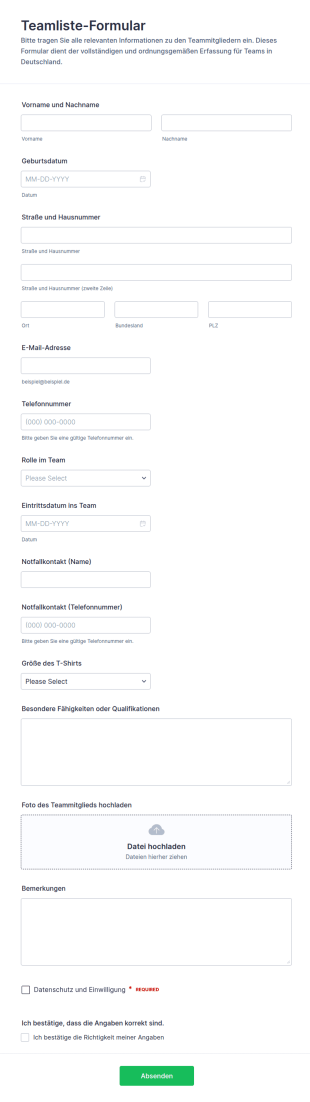
Team Roster Übersicht
Erfassen Sie Team- und Mitgliedsdaten übersichtlich mit dem Teamliste-Formular, ideal für Vereine, Schulen und Organisationen, die Kontaktinformationen zentral sammeln und aktuell halten möchten.
Zur Kategorie:Personalformulare
Schichtplanungsformular
Erfassen Sie mit dem Schichtplanungsformular Schichtbedarf und Verfügbarkeiten für Teams in Filialen, Gastronomie, Pflege oder Veranstaltungen und bündeln Sie die Datenerhebung in einer zentralen Formularvorlage in Jotform.
Zur Kategorie:Personalformulare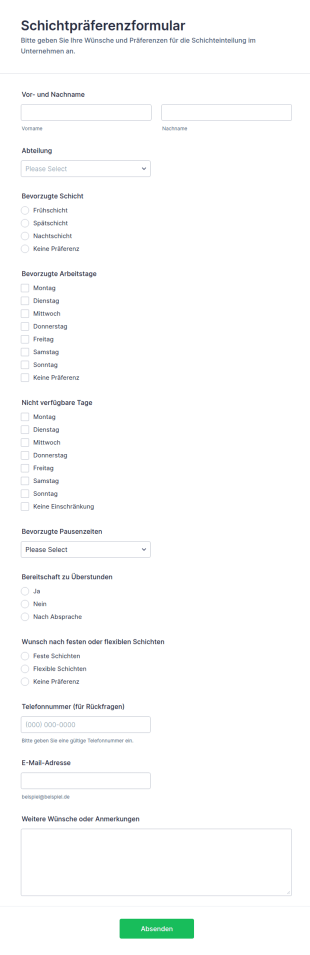
Schichtpräferenz Formular
Erfassen Sie mit dem Schichtpräferenzformular Schicht- und Verfügbarkeitswünsche für die Einsatzplanung in Schichtbetrieben, Filialen oder Teams und sammeln Sie Formularantworten zentral mit Jotform für eine verlässliche Datenerfassung.
Zur Kategorie:Personalformulare
Sommerlager Mitarbeiterbewertungsbogen
Das Sommerlager-Mitarbeiterbewertungsformular erleichtert die einheitliche Beurteilung von Lagerpersonal, damit Leitungen Feedback sammeln, Entscheidungen zum erneuten Einsatz treffen und Auswertungen für kommende Durchgänge vorbereiten können.
Zur Kategorie:Mitarbeiterbeurteilung Formulare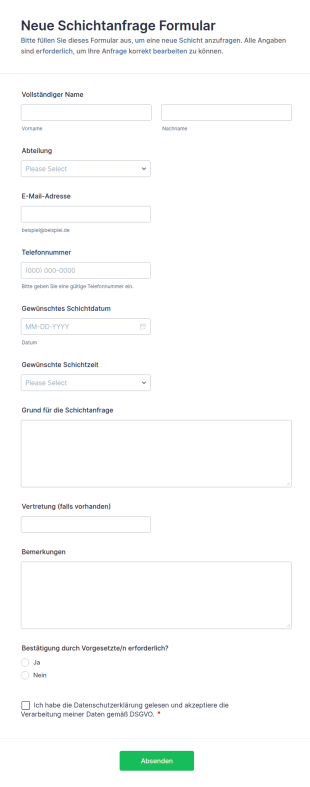
Neue Schichtanfrage Formular
Neue Schichtanfrage Formular erleichtert die digitale Datenerfassung von Schichtwünschen in Teams und sorgt mit Jotform für nachvollziehbare Formularantworten, die sich schnell prüfen, teilen und organisieren lassen.
Zur Kategorie:AnfrageformulareÜber Personalformulare
Formulare für Mitarbeitende sind Online-Formulare, die Abläufe rund um Personalverwaltung und Betrieb in einer Organisation vereinfachen. Sie kommen in vielen Bereichen zum Einsatz, etwa beim Onboarding neuer Beschäftigter, bei Mitarbeitergesprächen, in der Einsatzplanung und beim Einholen von Feedback. Im Arbeitsalltag erleichtern sie die Kommunikation zwischen Personalabteilung und Beschäftigten und sorgen für eine effiziente, einheitliche Datenerfassung – eine wichtige Grundlage für reibungslose Abläufe und eine produktive Organisation.
Jotform stands out as the leading online form builder in the industry for creating Staff Forms due to its innovative features and user-friendly interface. With Jotform, businesses can effortlessly customize forms to fit their specific staff management needs, enabling the automation of data collection processes that save time and reduce the risk of human error. Centralized data management is made possible with Jotform Tables, allowing organizations to store, organize, and analyze staff-related data from a single platform, thereby improving operational efficiency and decision-making.
Why Use Staff Forms?
- Staff Forms significantly enhance the accuracy of data collection by minimizing the risk of human errors often associated with manual entry. This accuracy is crucial for maintaining reliable records and ensuring that all staff-related processes are based on correct information, which is essential for effective decision-making.
- The speed at which data can be collected and processed using Staff Forms is unparalleled. By automating many of the steps involved in data gathering, organizations can respond more quickly to staff needs and inquiries, thereby improving overall responsiveness and service levels within the company.
- Professional data handling is a hallmark of Staff Forms, allowing organizations to present a polished image to employees and stakeholders. With customizable templates, businesses can ensure that all forms maintain a consistent and professional look, enhancing the organization's brand and identity.
- Utilizing Staff Forms allows for streamlined workflows, reducing the time spent on administrative tasks. This efficiency frees up valuable time for staff to focus on more strategic tasks, ultimately boosting productivity and morale across the organization.
- The integration capabilities of Staff Forms with other platforms, such as Google Sheets and Salesforce, allow for seamless data transfer and synchronization. This connectivity ensures that all staff-related data is up-to-date and can be accessed by relevant stakeholders without unnecessary delays or duplications.
Common Problems Solved by Staff Forms
- One of the most significant pain points in staff management is the cumbersome paperwork involved in processes such as onboarding and performance reviews. Staff Forms eliminate this burden by digitizing these processes, making it easier to collect, store, and retrieve information.
- Manual data entry often leads to errors and inconsistencies, which can have detrimental effects on staff records and reporting. By using Staff Forms, organizations can automate data entry, ensuring that information is consistent and accurate across all systems.
- Lost or misplaced data is a common issue when dealing with paper forms. With Staff Forms, all data is stored securely in Jotform’s database, making it easily accessible and reducing the risk of data loss.
- The inefficiencies associated with traditional staff management processes can slow down operations and negatively impact productivity. Staff Forms streamline these processes, allowing for quicker completion and turnaround times, which enhances overall operational efficiency.
Passende Anwendungsfälle für Features
- The Drag-and-Drop Form Builder is perfect for customizing Staff Forms to suit specific company requirements, such as tailoring an employee feedback form to include unique questions that align with organizational goals. This feature ensures that forms are precisely suited to the task, enhancing data relevance and usability.
- Conditional Logic can be employed in Staff Forms to create dynamic forms that adapt based on user responses, simplifying complex processes like performance evaluations by only showing relevant sections to each staff member. This adaptability ensures a smoother user experience and efficient data collection.
- For organizations requiring secure document handling, Electronic Signatures (Jotform Sign) enable legally binding digital signatures on forms such as employment contracts or policy acknowledgments, ensuring compliance and reducing the need for physical paperwork.
- The use of Jotform’s PDF Editor allows for Automated PDF Generation from form submissions, turning collected data into professional documents that can be easily shared or archived, thus streamlining reporting and documentation processes.
- With 100+ Third-party Integrations, Staff Forms can connect with platforms like Slack and Salesforce, enabling real-time notifications and data synchronization, which ensures that all team members are informed and that data is consistently updated across all systems.
- Approval Workflows are ideal for managing processes that require multiple levels of authorization, such as time-off requests or budget approvals, providing a clear and efficient path for decision-making and ensuring that all necessary stakeholders are involved.
- Secure Data Management with Jotform Tables ensures that sensitive staff information is protected and organized, allowing HR departments to manage employee data with confidence and comply with privacy regulations.
How to Create a Staff Form
- Browse the Template List for a Staffs template or start from a blank form to ensure that the form structure aligns with your organization’s specific needs and goals.
- Customize the design and fields using the Drag-and-Drop Form Builder, allowing for the inclusion of specific data points and ensuring that the form meets the precise requirements of the staff management process.
- Publish and share your form via Direct Link, Email, or Website Embed to ensure that it is easily accessible to all intended users, facilitating smooth data collection and communication.
Top Use Cases for Staff Forms
- For Managers: Staff Forms provide managers with an efficient way to handle administrative tasks such as performance appraisals, leave requests, and team feedback. By automating these processes, managers can focus more on strategic initiatives and less on paperwork, leading to better team management and improved outcomes.
- For Teams: Teams can utilize Staff Forms to coordinate activities, track progress, and communicate effectively with one another. Features like conditional logic and integrations with collaborative platforms ensure that teams have the information they need at their fingertips, fostering a more cohesive and productive work environment.
- For Customers: While primarily used internally, Staff Forms can also enhance customer interactions by ensuring that staff members are better organized and informed. For example, quick access to updated schedules and contact information helps staff serve customers more efficiently, improving customer satisfaction and loyalty.
Summarizing Staff Forms
Staff Forms by Jotform offer a comprehensive solution for managing staff-related processes with greater efficiency and accuracy. By leveraging Jotform’s powerful features, organizations can streamline operations, reduce administrative burdens, and focus on strategic objectives. The ability to customize forms, automate workflows, and securely manage data ensures that Staff Forms are an invaluable asset to any organization seeking to optimize its staff management practices.
Häufig gestellte Fragen
1) Ist die Erstellung von Formularen für Mitarbeitende bei Jotform kostenlos?
Ja, mit dem kostenlosen Tarif von Jotform erstellen und teilen Sie Formulare für Mitarbeitende. Kostenpflichtige Tarife bieten zusätzliche Funktionen und höhere Einsendungsgrenzen.
2) Sind die Formulare und die übermittelten Daten sicher?
Jotform überträgt Formulare und Einsendungen verschlüsselt, hält die DSGVO ein, bietet in geeigneten Tarifen HIPAA-Funktionen (USA) sowie einen Auftragsverarbeitungsvertrag an und ermöglicht die Speicherung Ihrer Daten auf europäischen Servern. Für den datenschutzgerechten Einsatz bleiben Sie selbst verantwortlich.
3) Benötige ich Programmierkenntnisse, um ein Formular für Mitarbeitende zu erstellen?
Für ein Formular für Mitarbeitende sind keine Programmierkenntnisse nötig. Mit dem intuitiven Drag-and-Drop-Formulargenerator von Jotform erstellen und gestalten Sie Formulare ganz einfach, ohne technische Vorkenntnisse.
4) Kann ich Zahlungen direkt über meine Formulare erfassen?
Ja, Jotform unterstützt mehr als 30 Zahlungsdienste, darunter Stripe, PayPal und Square, sodass Sie Zahlungen direkt über Ihre Formulare für Mitarbeitende entgegennehmen können.
5) Können diese Formulare auf mobilen Geräten verwendet werden?
Ja, mit Jotform erstellte Formulare passen sich an Mobilgeräte an, und mit der App Jotform Mobile Formulare erfassen Sie Daten auch offline – so nutzen Sie Ihre Formulare auch unterwegs.
6) Kann ich Formularantworten in professionelle PDF-Dokumente umwandeln?
Ja, mit dem PDF Editor von Jotform wandeln Sie Formulareinsendungen automatisch in ansprechend gestaltete PDF-Dokumente um, die Sie ablegen oder weitergeben können.
7) Wie unterstützen Formulare für Mitarbeitende das Onboarding neuer Beschäftigter?
Formulare für Mitarbeitende vereinfachen das Onboarding: Datenerfassung und Dokumentation laufen automatisiert, der Papierkram nimmt ab, und die erforderlichen Angaben werden vollständig und effizient erfasst.
8) Lassen sich Formulare für Mitarbeitende mit unserer bestehenden Personalsoftware verbinden?
Ja, Jotform bietet mehr als 100 Integrationen mit Drittanbietern, mit denen Sie Formulare für Mitarbeitende an Ihre bestehende Personalsoftware anbinden und Daten automatisiert übertragen.