Free Email Survey Software
Jotform’s email survey software is a comprehensive feedback tool designed to engage subscribers and gather data directly from your campaigns. Use it to build custom surveys with conditional logic, embed them into newsletters via simple links, and analyze response trends in real time. The platform integrates with major email services, allowing you to automate follow-ups and personalize the subscriber experience without any coding.
テンプレート
Free Email Survey Templates
Not sure where to start? Choose a ready-made template to send to your subscribers in seconds — or to customize with our no-code builder.
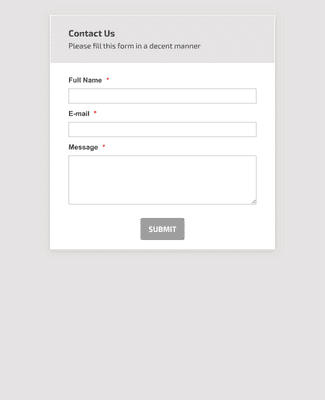
お問い合わせフォーム
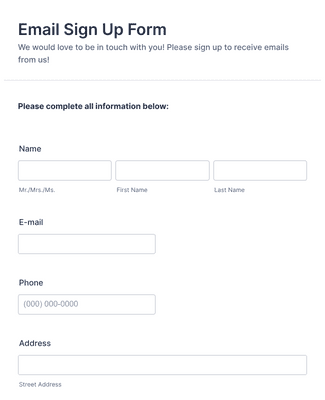
メール登録フォーム
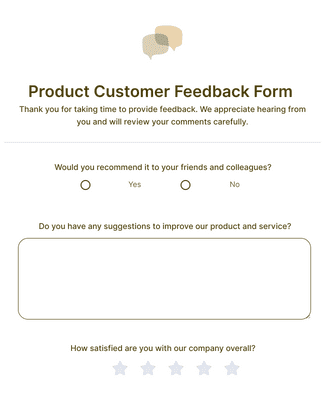
Product Customer Feedback Form
メリット
アンケートを即座に作成
Create a Survey in Seconds
Use Jotform email survey software to build an online survey from scratch or customize a template without coding. The drag-and-drop builder makes it easy to change survey questions and design elements in the same editor. This helps teams publish a survey faster because updates do not require developer time.
Share It with Your Subscribers
Share the survey in an email as a link, or embed the survey on a website built with Wix, Squarespace, Weebly, or other website builders. Connect Jotform to Mailchimp or MailerLite to send new subscriber information to email lists automatically. This reduces manual list updates because the survey submission can trigger the list sync.
Manage Subscriber Info with Ease
メールアンケートの回答データを保存し、アンケートを作成した同じJotformアカウント内で管理できます。収集したデータはJotformテーブルで整理・管理できます。テーブルを使えば、回答データのフィルタリング、グループ化、検索が簡単に行えるため、レビュー時に傾向やパターンを見つけやすくなります。アンケートの質問内容と購読者データを紐づけて管理できるため、フォローアップ対応もスムーズに行えます。
Keep Data Protected
アンケートデータは、256ビットSSL暗号化によって保護されます。これはJotformのフォームで標準で有効になっています。また、スパム対策フィールドや追加の暗号化オプションを利用することで、不正な送信を減らし、機密性の高い回答データの露出を最小限に抑えることができます。さらに、プラットフォームはPCIやGDPRに対応しており、医療分野向けにHIPAA対応の機能も提供しています。
ユーザーの声
Jotformに関するユーザーの声
よくある質問
Jotformに関するご質問にお答えします。よくあるご質問はFAQをご覧ください。またはサポートチームまでお問い合わせください。
How do I create an email survey?
Creating an email survey is easy with Jotform! To create an email survey
- 一からアンケートを作成することも、既製のテンプレートを使用することもできます。Jotformには数百種類の無料アンケートテンプレートが用意されているので、すぐにアンケートを始めることができます。
- Customize your survey questions. What do you want to ask your subscribers? Feel free to collect contact details, demographic information, and add unique question types that will help you gather the data you’re looking for.
- Add the survey to your email. Copy and paste it into your email with a link.
- 回答の収集とデータ分析 メールを共有し、回答が集まり始めたら、読者をより深く理解するために必要な情報を得ることができます。Jotformの分析機能を使えば、データから実用的な洞察を得ることができます。
Can you put a survey in an email?
はい。Jotformでは無料でメールアンケートを作成することができます。Jotformの無料アカウントに登録してアンケートを作成し、メールアンケートを埋め込むか、リンクをコピーして貼り付けるだけです。分析したいアンケートを選択します。
Jotformテーブルのレポート機能を使えば、データを一目で見ることができます。
Generate more complex visual reports with Jotform Report Builder.
Share survey analysis reports with teammates or shareholders.
Are Jotform surveys free?
Yes. You can create an online survey on any Jotform plan, including our free plan. To learn more about the different plans available — including plans with higher submission limits — visit Jotform’s pricing page.
How do I send a survey through Mailchimp?
To send a survey through Mailchimp, start by creating one with Jotform’s powerful survey platform. Once you’ve built a survey with our drag-and-drop builder or customized a ready-made survey template, you can add it to a Mailchimp campaign by adding the form link as a CTA button in your email. When you send out your campaign, your subscribers can click on the button and fill out your survey. All survey responses will be sent straight to your Jotform account, where you can view and analyze survey responses to uncover important insights.
How do I embed my form into a website?
With Jotform, you can embed a form in your website in a few easy clicks. To embed a form in your website
- Create a form with Jotform. Choose whether to build a form from scratch or get a head start with 20,000+ ready-made form templates. Add your survey questions and choose from unique question types.
- Get your embed code. Open your form in the Form Builder and go to the Publish tab. Select the Embed tab to find your embed code.
- Add the code to your website’s HTML. Copy the embed code and paste it directly into your website’s HTML. Jotform embed codes work with Wix, WordPress, Squarespace, and all other major website building platforms.
- Start collecting form responses. Once you’ve published your form, submissions will be sent to your secure Jotform account — easy to view and manage on any device.
JotformとWordPressを接続するには?
The easiest way to connect Jotform to WordPress is by embedding a Jotform form into your WordPress website with a copy-paste embed code. To add a survey to WordPress using an embed code, simply
- Jotformのドラッグ&ドロップビルダーでアンケートを作成しましょう
- Open your survey in the Form Builder and go to the Publish tab
- Open the Embed tab and copy the embed code
- Paste the embed code into your WordPress HTML to display the form on your website
Is Jotform safe?
はい。JotformはGDPRとCCPAに準拠し、256ビットのSSL接続、PCI DSS Level II認証、オプションでフォームの暗号化と医療従事者向けのHIPAAコンプライアンスでデータを保護します。Jotformのセキュリティ機能の詳細については、セキュリティページをご覧ください。