
Key takeaways
- Docusign is primarily a signature overlay tool, not a form builder. To create a contract, you must first write your document in a separate program and upload it or pay to create a template you may never use again.
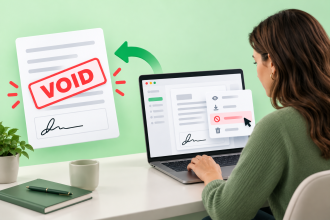
- If you spot a typo in your contract, you can only edit it using the Docusign template builder. If you’re uploading a one-off contract or using the free version of Docusign, you’ll need to start over: fix the typo, re-export, re-upload, and rebuild the signature field from scratch.
- Although Docusign isn’t a document builder, Jotform Sign is. You can draft, edit, and send documents in one place with advanced tools, or skip drafting entirely using over a thousand free, ready-to-use templates.
As a Docusign user, you should be able to create dynamic contracts quickly and easily. But the reality is that Docusign wasn’t designed as a form builder. It’s contract management software for documents that are already ready to go.
So what is Docusign capable of creating? If you want to create a contract envelope in Docusign, you’ll need to prepare each document before adding signature fields, building out each contract as its own template to save time.
However, this approach will require you to either prebuild your contract and edit it inside Docusign or use the limited form-building features available in the Agreement Template Builder. This workaround is also limited to paid plans, as the free version of Docusign doesn’t offer access to custom templates.
To help you navigate this roundabout process, we’ve put together a step-by-step guide to writing a contract in Docusign. We also explore a free alternative that offers a better way to control your document from start to finish.
How to prepare and upload your contract in Docusign
If you want to send a contract as a one-time envelope, you’ll need to prepare your document in the word processor or form builder of your choice. Make sure your contract is ready to send before you upload it, as your editing options will be limited once your file is in the Docusign interface.
Once you have all the elements of a contract in place, you can then upload your documents to Docusign. The platform will convert your documents into a signable PDF format and allow you to add signature fields before sending.
Here’s how to prepare and send a contract in Docusign using your files:
- Open the Set Up Envelope function, click the Upload button, and select the contract you wish to prepare.
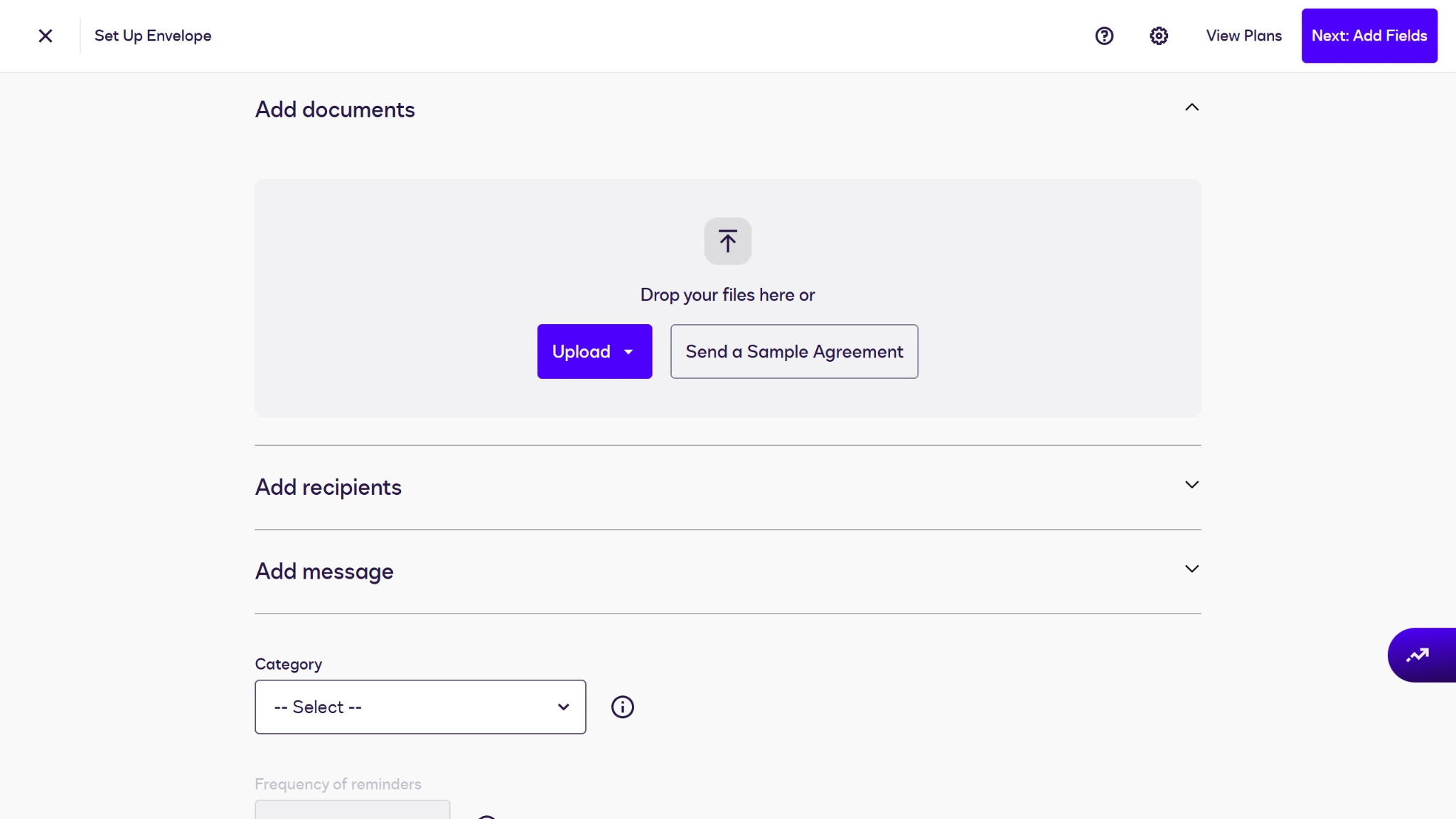
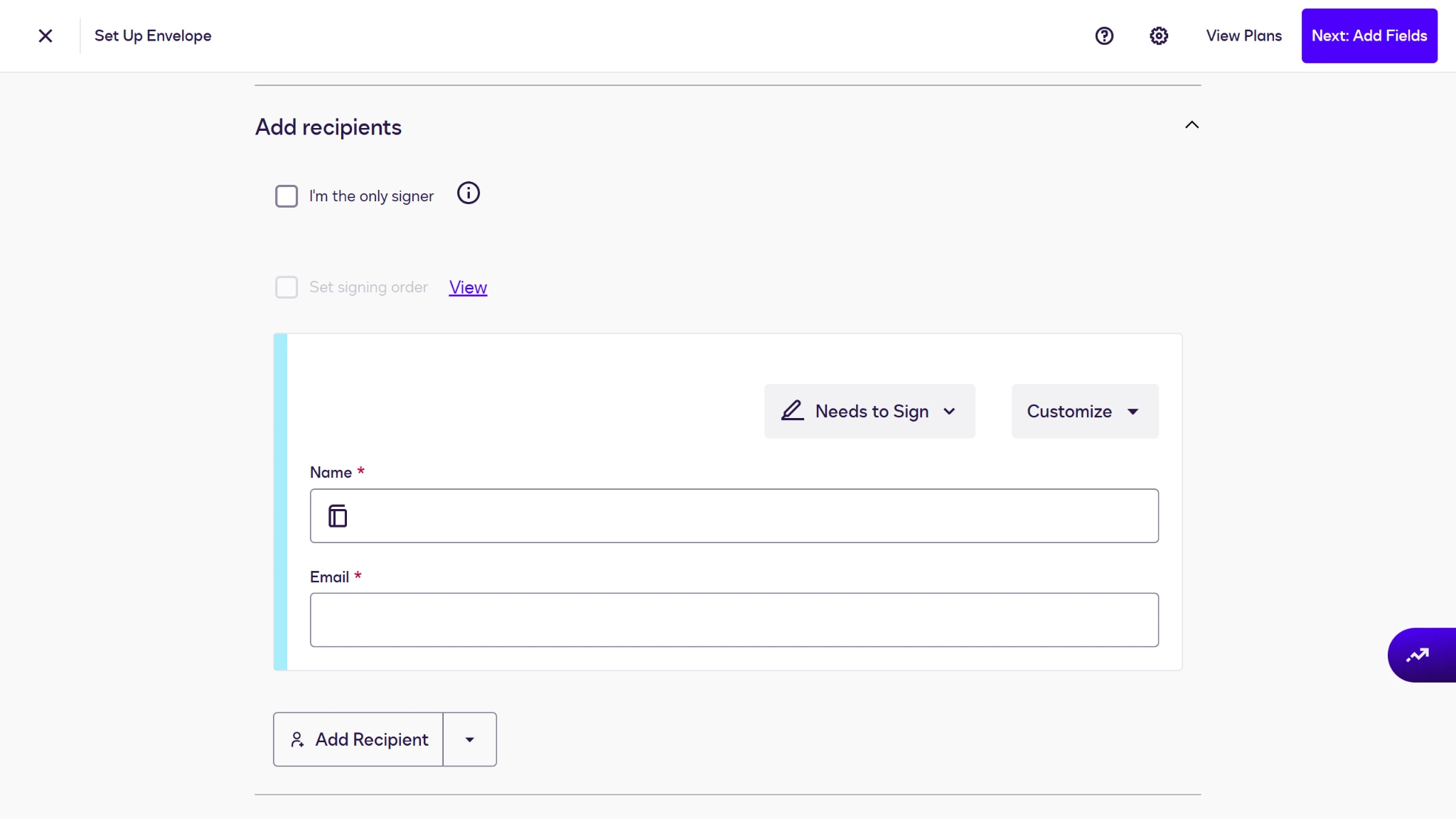
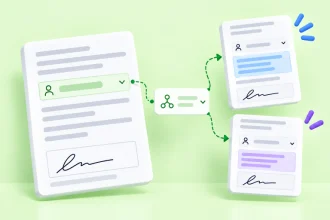
- Add recipients under the Add recipients menu and assign their roles.
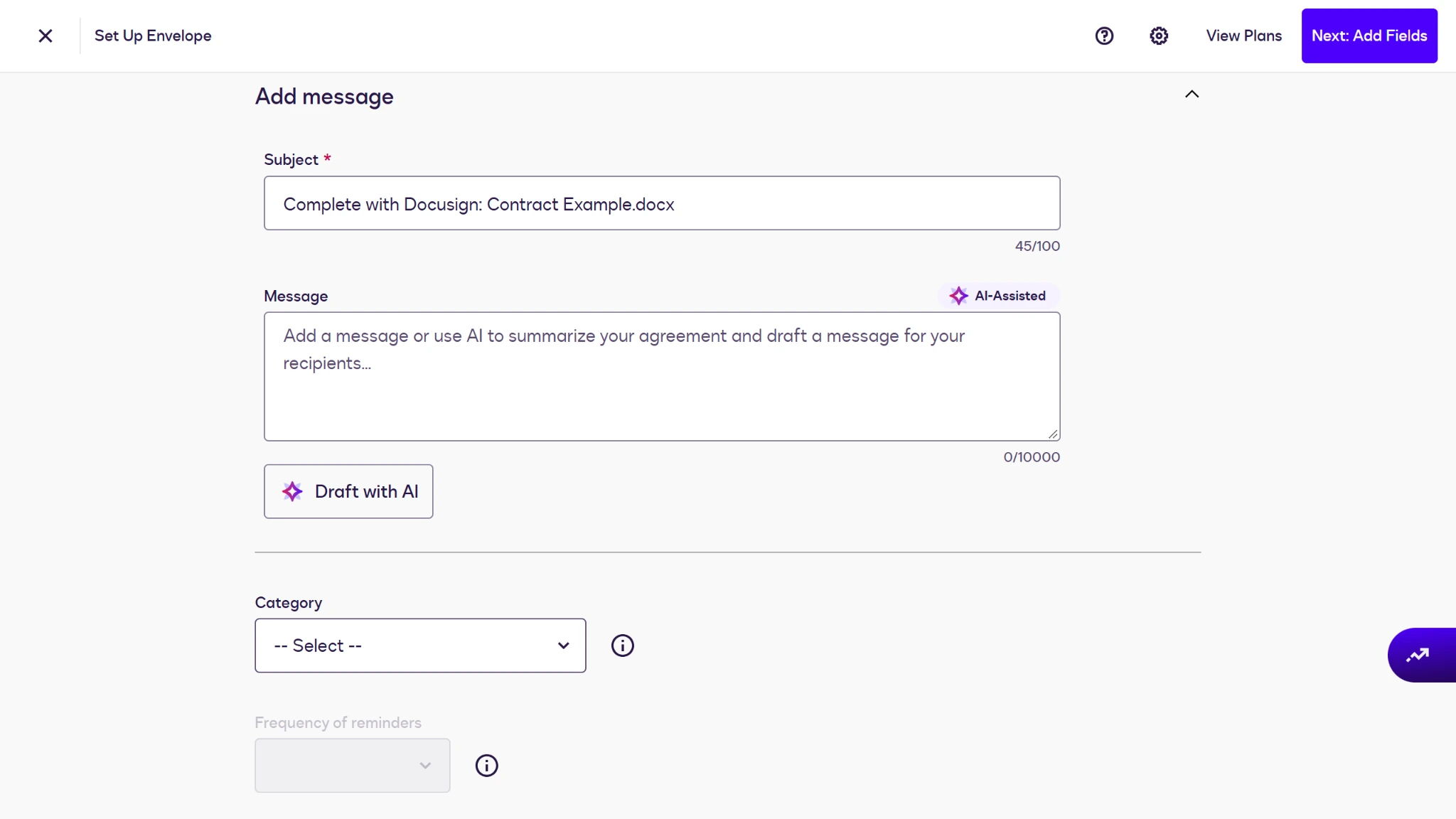
- Add a message to your envelope. Then assign a category to your contract and click the Next: Add Fields button in the top-right corner.
- In the Add Fields interface, drag and drop fields into place where needed. When you’ve finished, you can click the Send button in the top-right corner to share your contract.
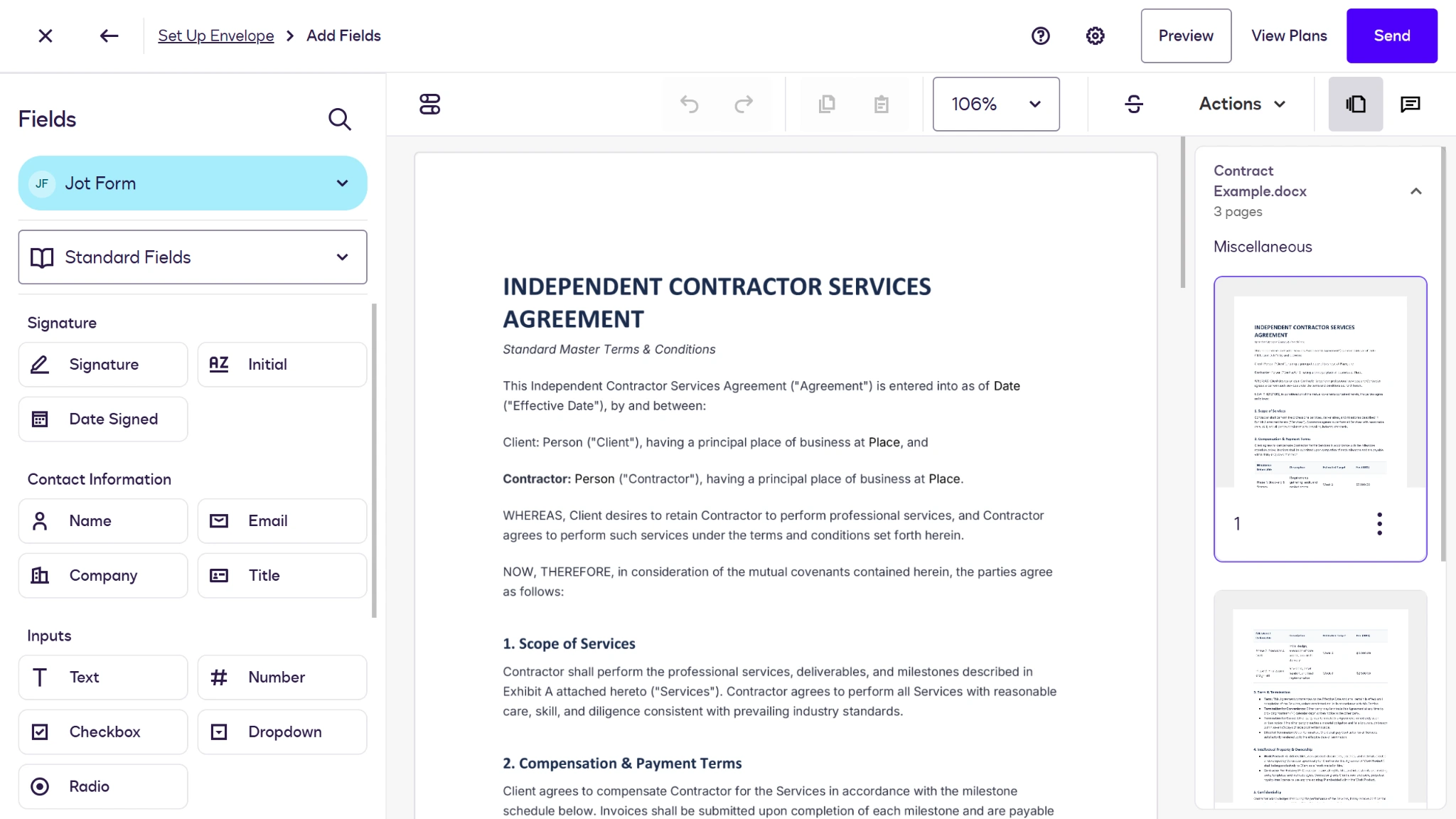
Although you can’t edit the text of your contracts using the envelope method, the Docusign Agreement Template Builder offers a workaround for this limited editing and document-creation tool. Through the template builder, you can choose to generate a document from scratch or upload your preexisting documents and adjust accordingly.
How to save your contract as a reusable template
If you have a standard contract that you use time and time again in your day-to-day business, re-uploading this document every time you need it signed isn’t a valuable use of your time. That’s why knowing how to use Docusign templates is an essential skill for users with repeatable contracts and a paid account.
While Docusign does offer its own prebuilt templates, you can create a custom reusable template in just a few minutes using these two methods:
Creating a new document
- Open the Docusign Agreement Template Builder. Add a template name and description to your new contract.
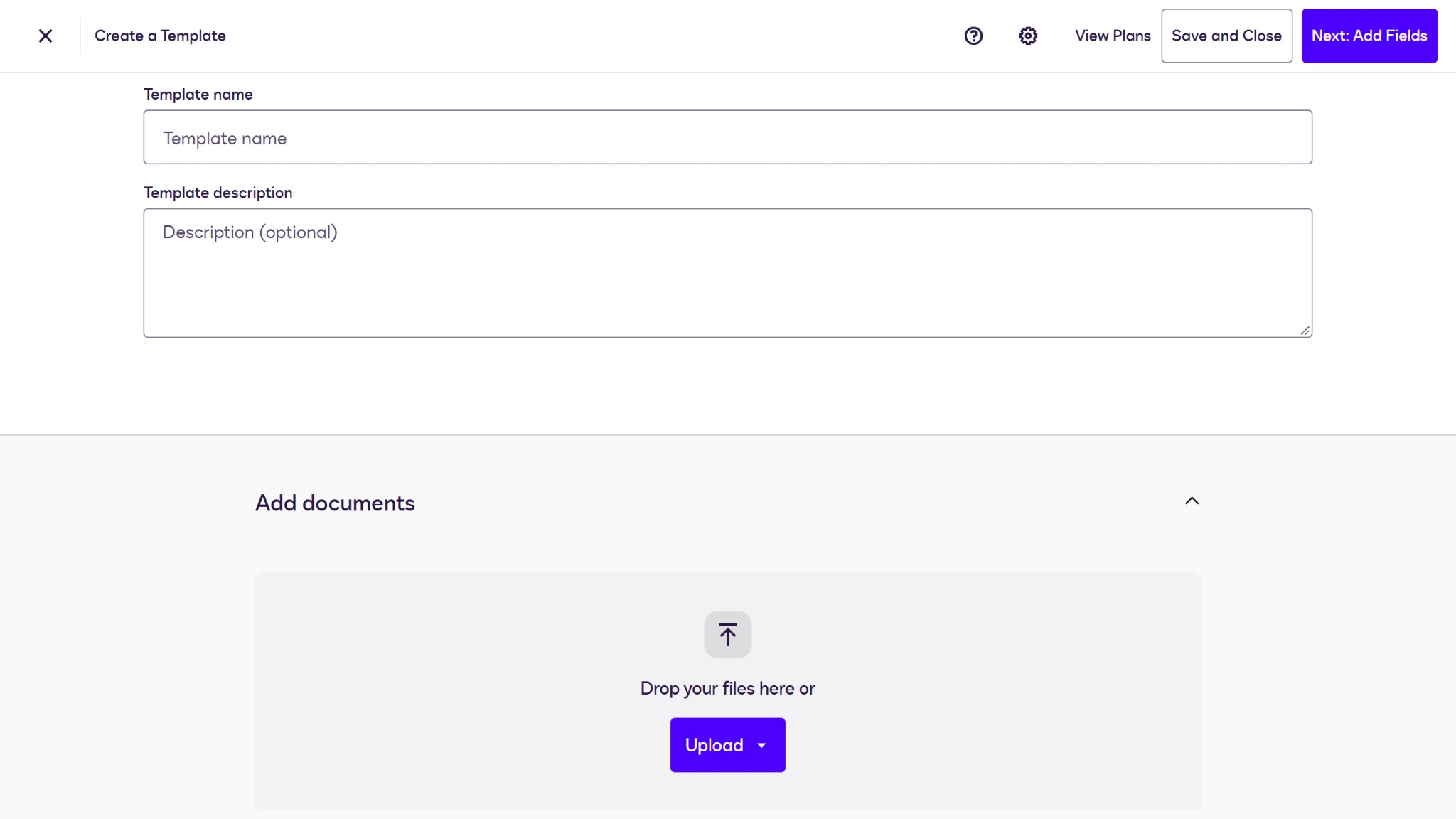
- Under the Add documents section, click the arrow next to the Upload button and select Create New Document from the dropdown menu.
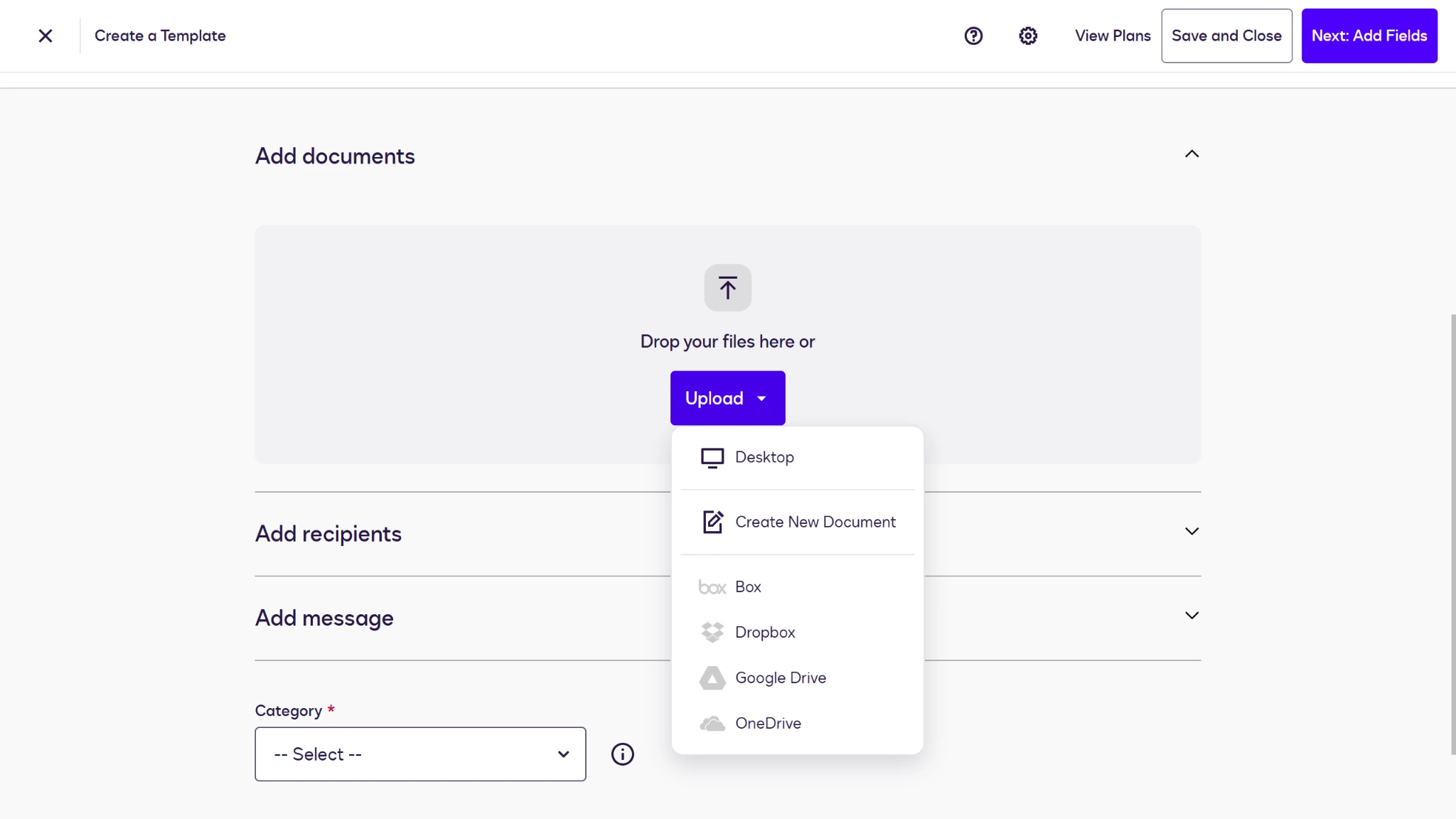
- Add recipients under the Add recipients menu and assign their roles.
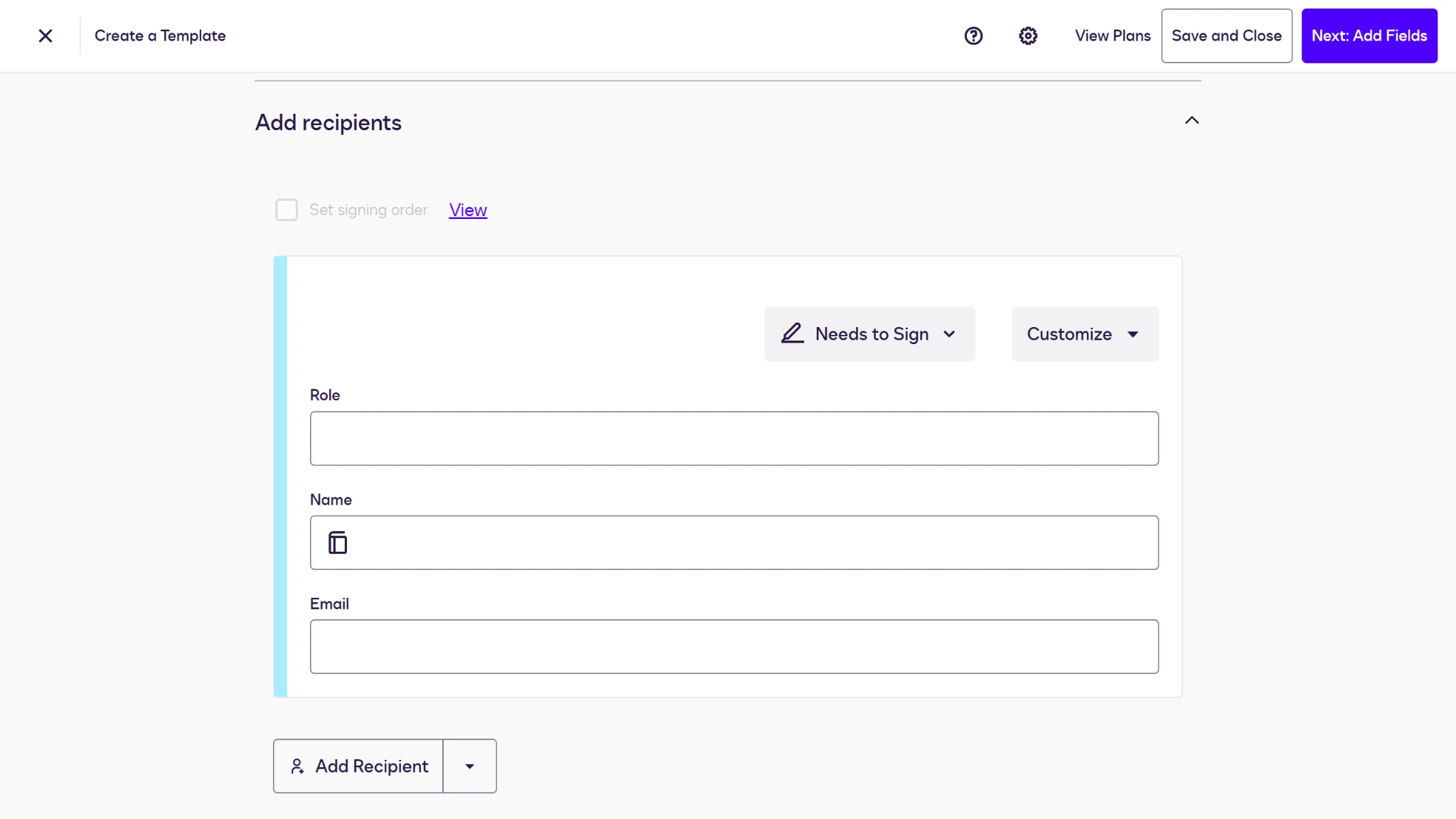
- Add a message to your custom email. Then assign a category to your template and click the Next: Add Fields button in the top-right corner.
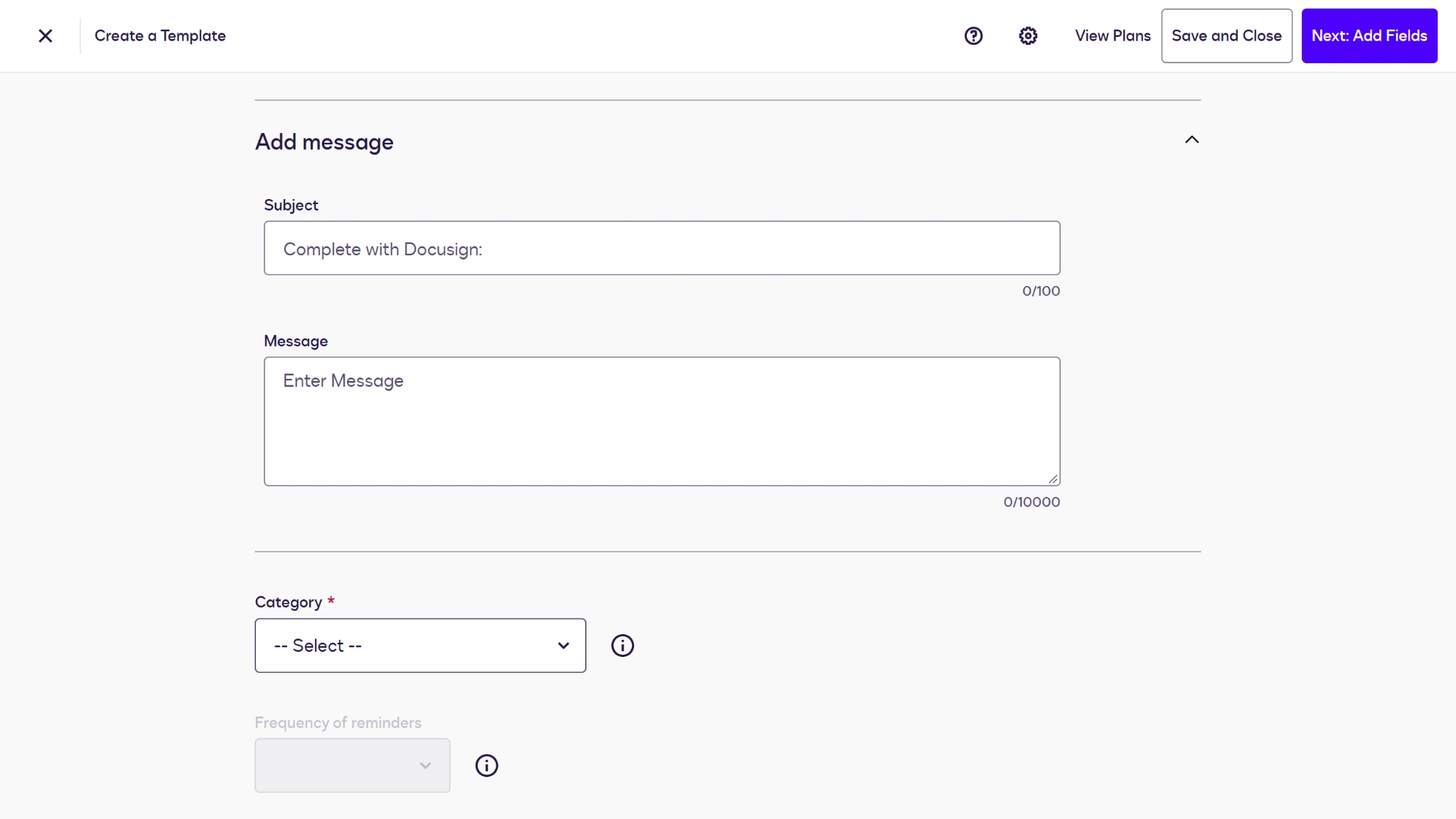
- In the Agreement Template Builder, type your contract’s text and drag and drop fields into place where necessary.
- Once your contract is complete, click the Save and Close button.
Editing an existing document
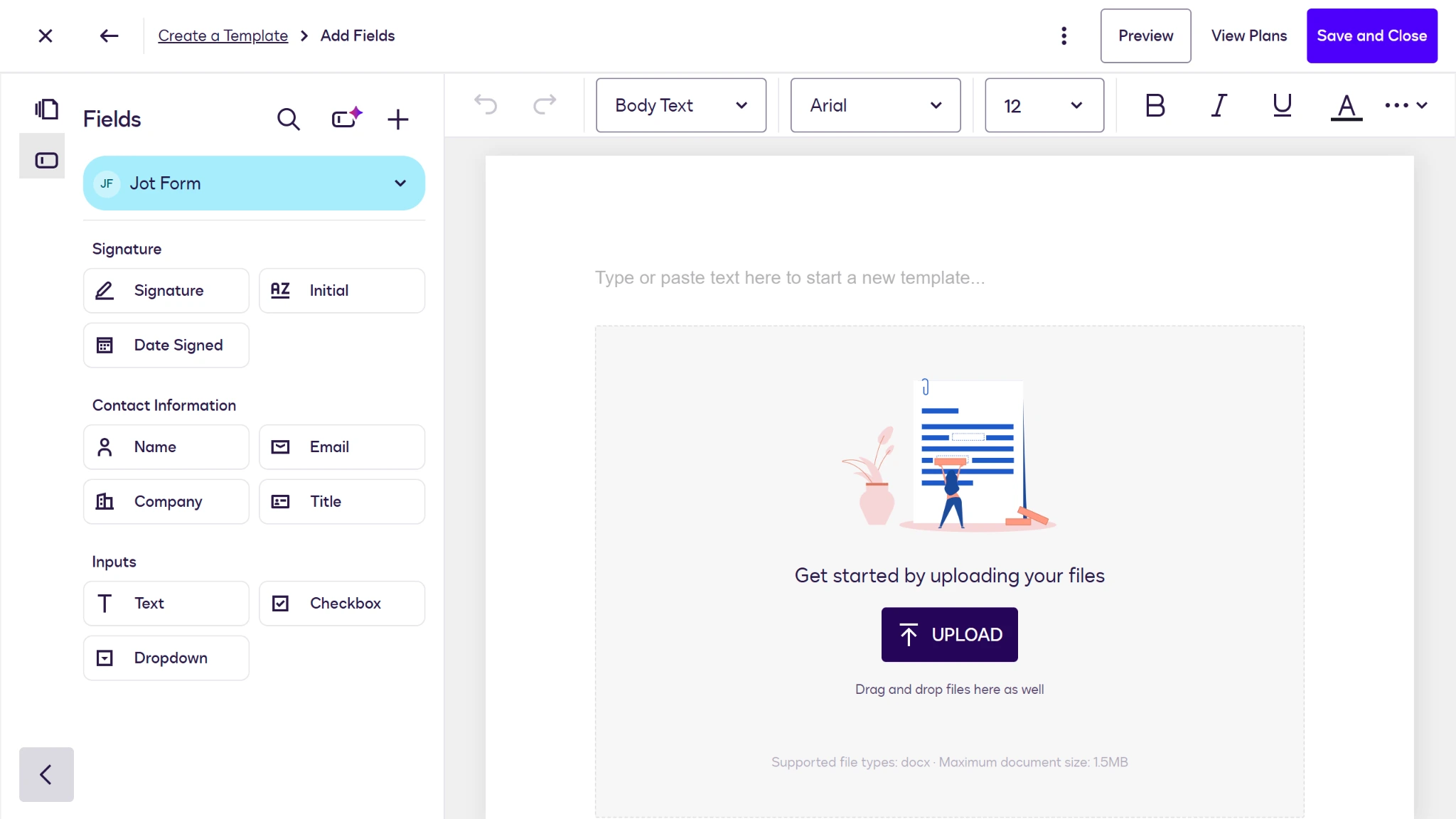
- Open the Docusign Agreement Template Builder. Add a template name and description to your new contract.
- Under the Add documents section, click the Upload button and select the contract you wish to edit.
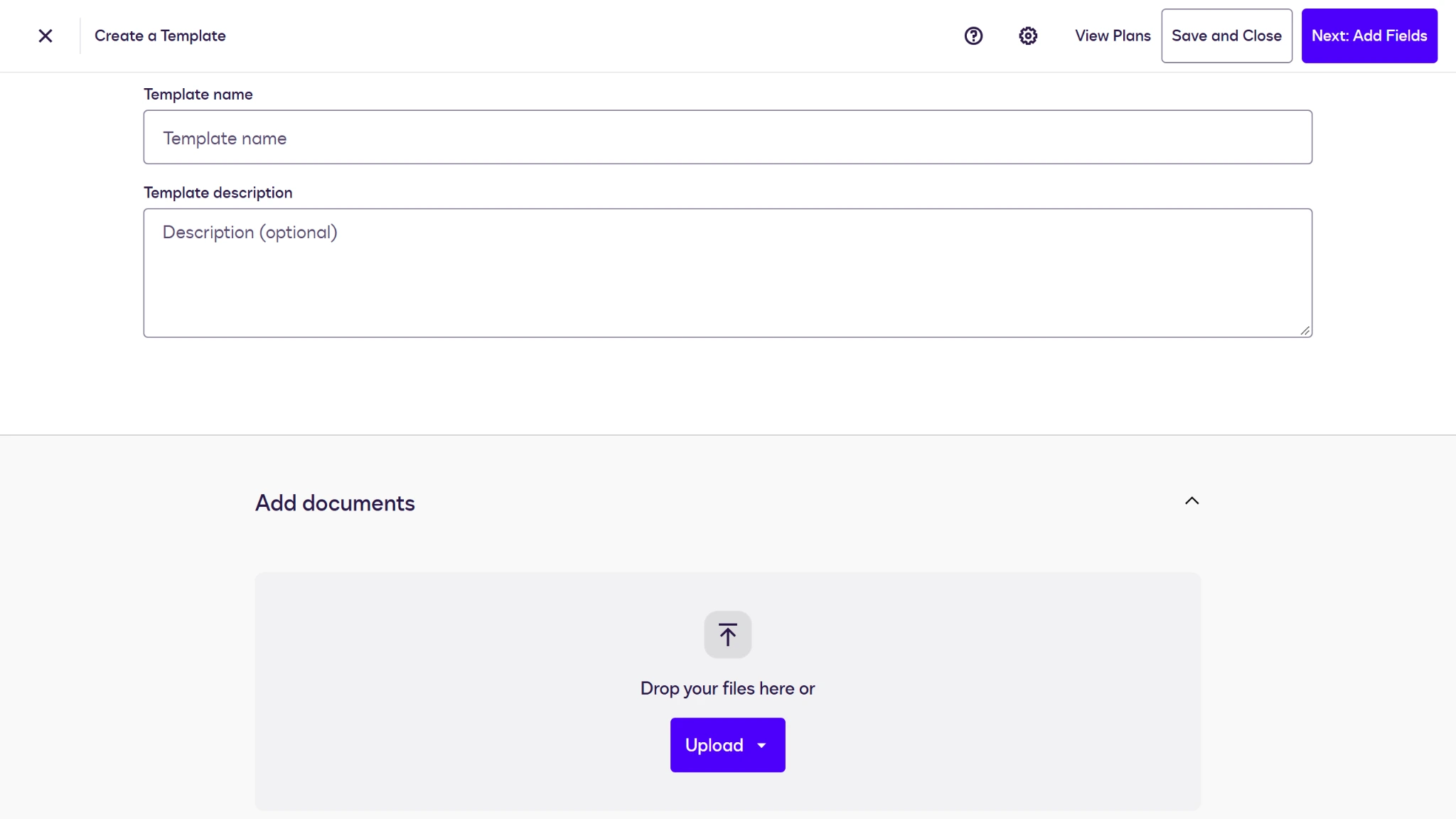
- Add recipients under the Add recipients menu and assign their roles.
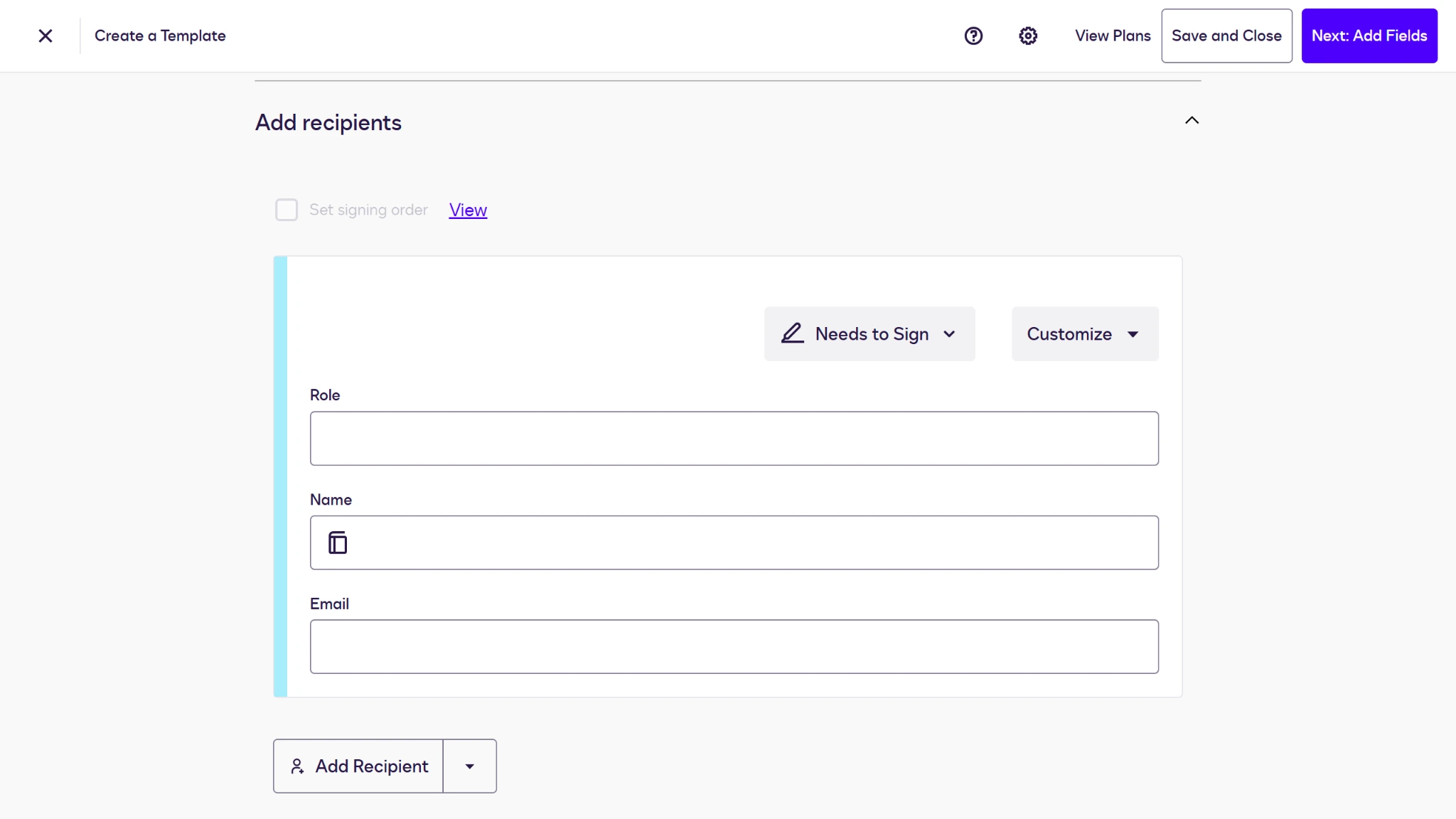
- Add a message to your custom email. Then assign a category to your template and click the Next: Add Fields button in the top-right corner.
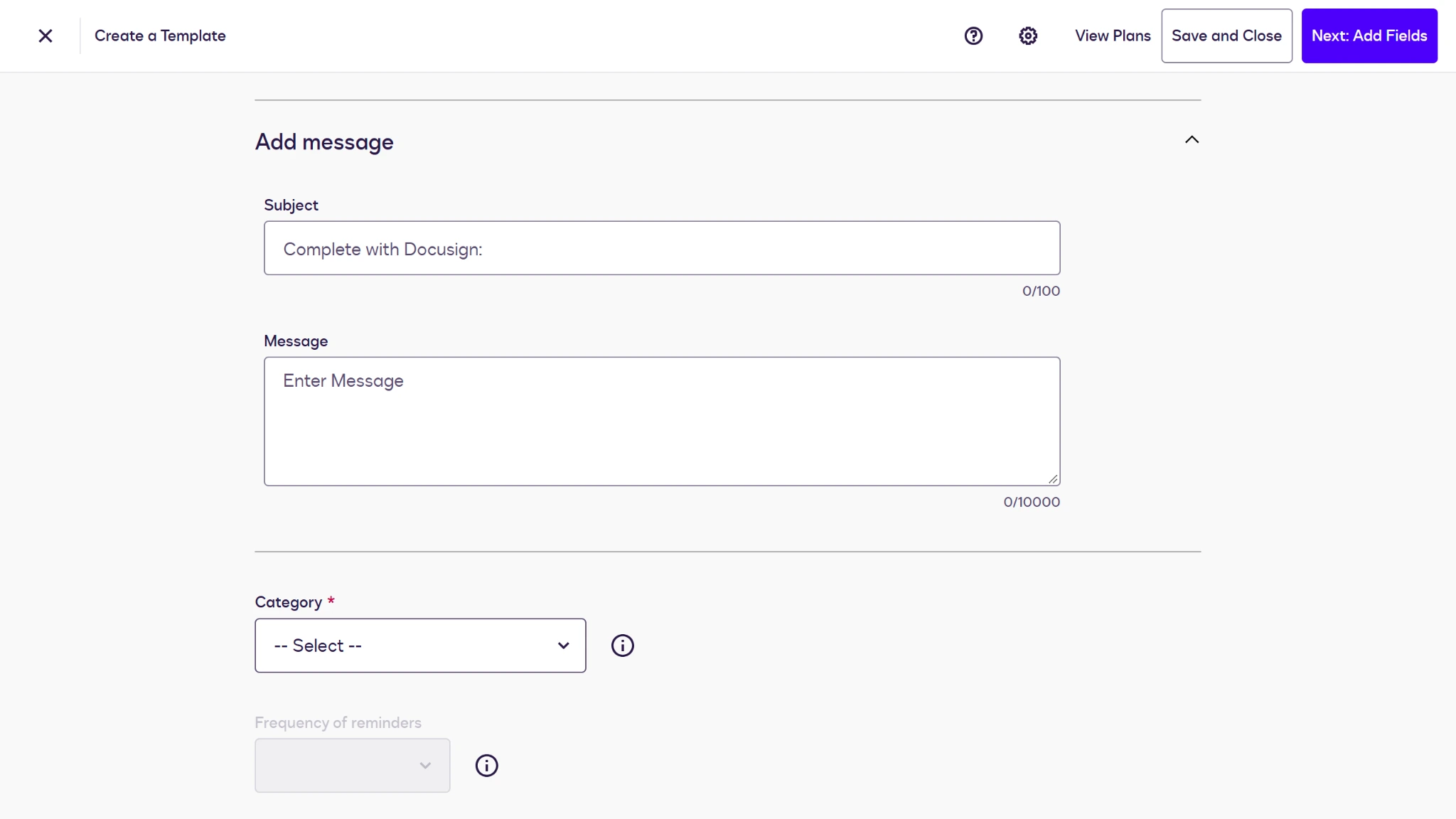
- In the Agreement Template Builder, edit your contract’s text and drag and drop fields into place where necessary.
- Once your contract is complete, click the Save and Close button.
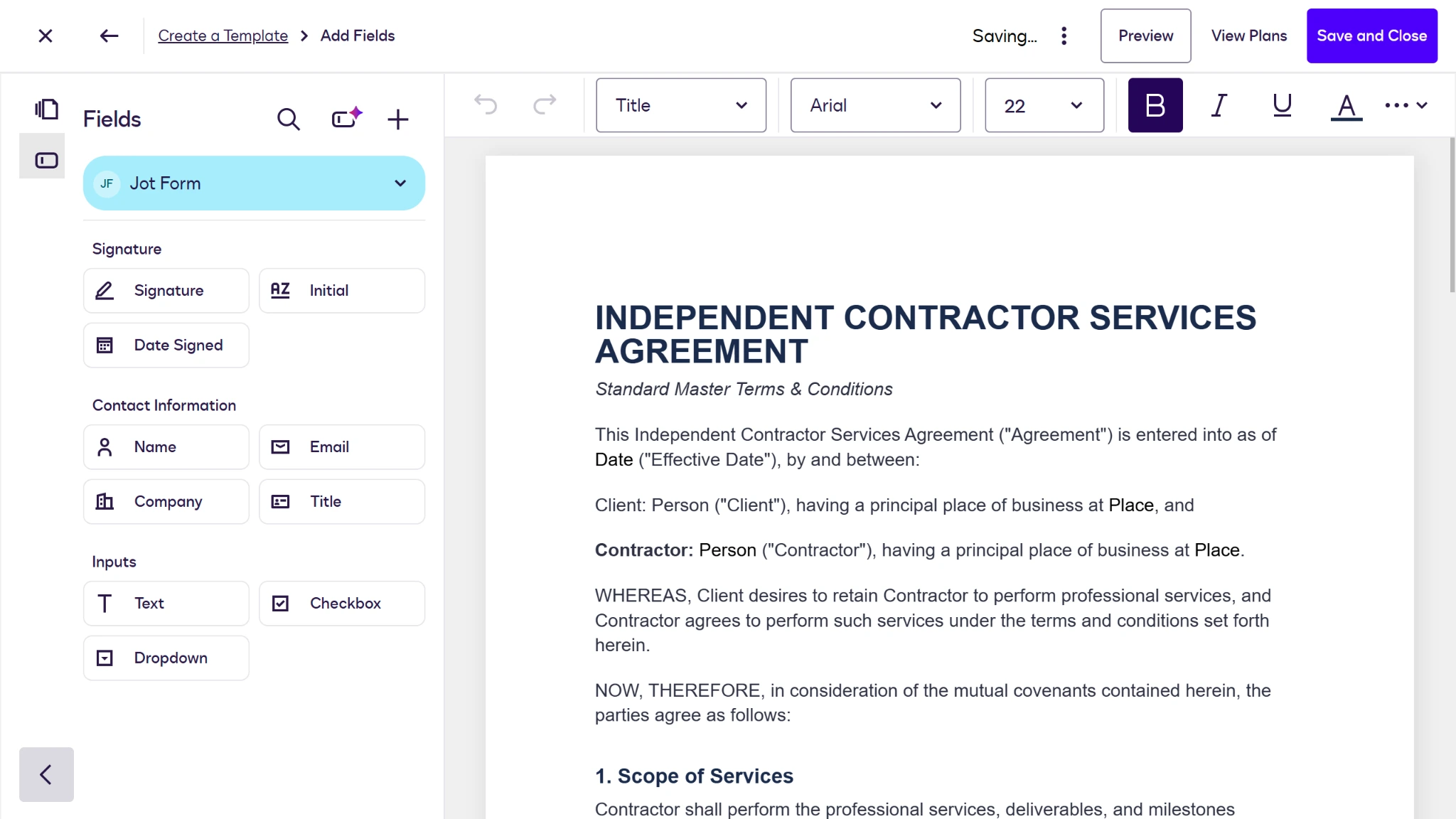
By creating Docusign contract templates, you can avoid the excessive work of uploading files from scratch over and over. But Docusign is still limited in its overall capabilities when it comes to creating contracts, and this template workaround ultimately negates the time-saving benefits templates are meant to provide. Plus, you’ll still need to go through the standard envelope setup process to send your contract after you build your template.
To streamline and enhance your document-creation process, you should consider using Docusign alternatives like Jotform Sign. Jotform Sign lets you build, customize, and send your contracts in multiple formats — all in a single, unified, user-friendly platform.
Create contracts instantly with Jotform instead
Although there are many differences between Jotform Sign vs Docusign, there are a few key advantages of this online form builder that stand out when it comes to building contracts:
- User-friendly document creation: You shouldn’t have to use a workaround to build your forms or upload premade files and juggle multiple tools. Jotform Sign offers a native online contract maker that lets you build, edit, and format contract text with ease, without ever leaving your tab.
- Over a thousand free templates: Templates should save time, not create more work. Use one of more than 1,200 free, customizable Jotform Sign templates, including hundreds of free contract templates like NDAs and freelance agreements.
- AI generation tools: Have an idea of what you want your contract to look like, but need some help getting started? You can instantly create customizable contracts from scratch with a single prompt using Jotform AI.
- Mobile form solutions: With the Jotform Sign Mobile app, your contracts are with you wherever you go. Edit and sign on the go to stay agile without having to start over.
- Fully accessible free tools: Docusign hides many of its best features behind paywalls, leaving you with another monthly bill just to build and edit basic contracts. Jotform’s free-forever plan offers full access to the Jotform suite of products, so even low-volume users can create the contracts they need from scratch.
Rather than paying for contract management software that limits your ability to control your contracts, try creating documents with an all-in-one form builder designed for efficiency.
How to create a contract from scratch in Jotform Sign
The Jotform Sign form builder makes generating contracts a breeze — no more writing out documents in one app and transferring them to another, or paying to create a template for a document you’ll never use again. Build your contract from the ground up and send it using these quick steps.
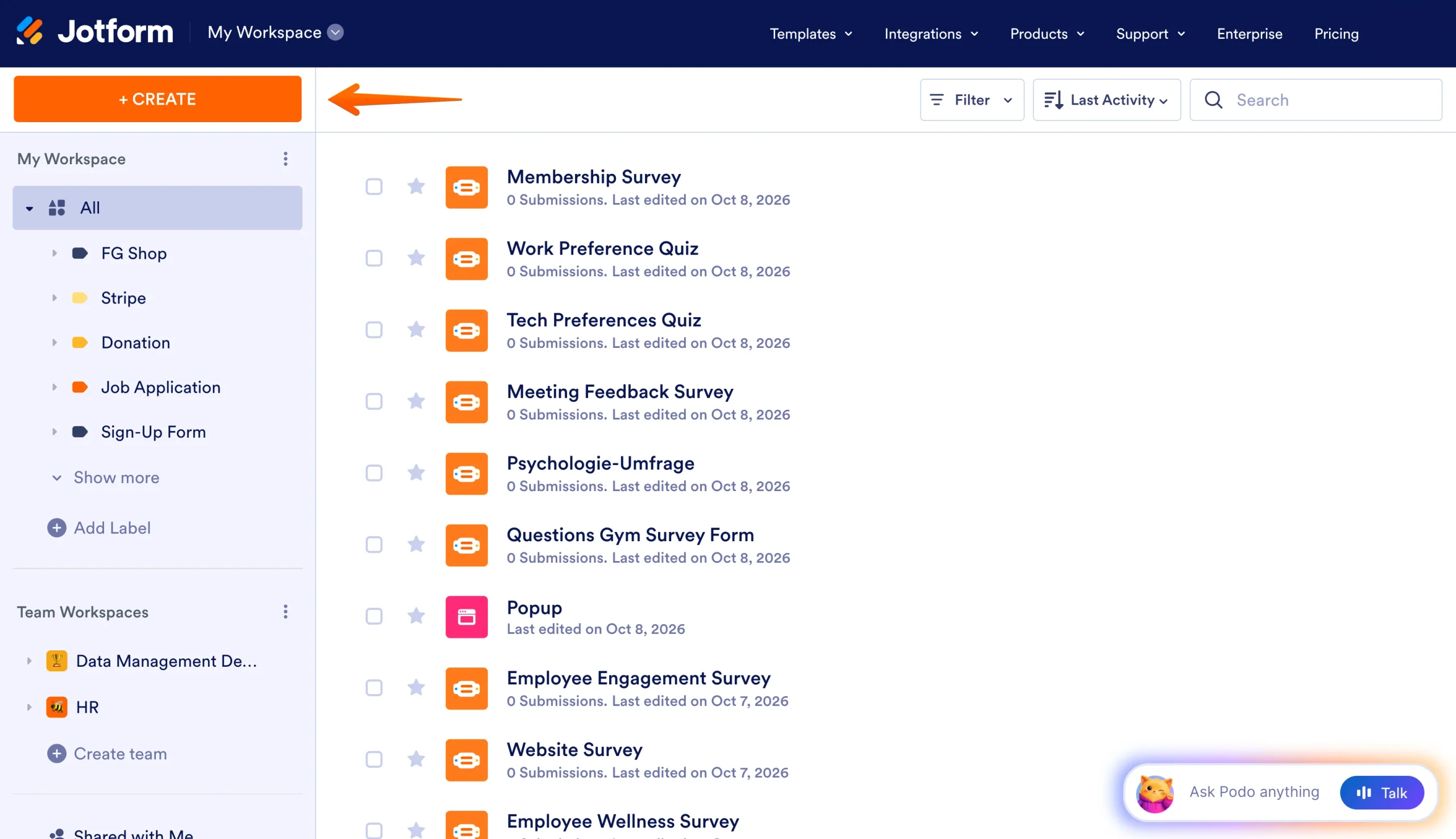
- Open your Jotform Workspace and click the Create button.
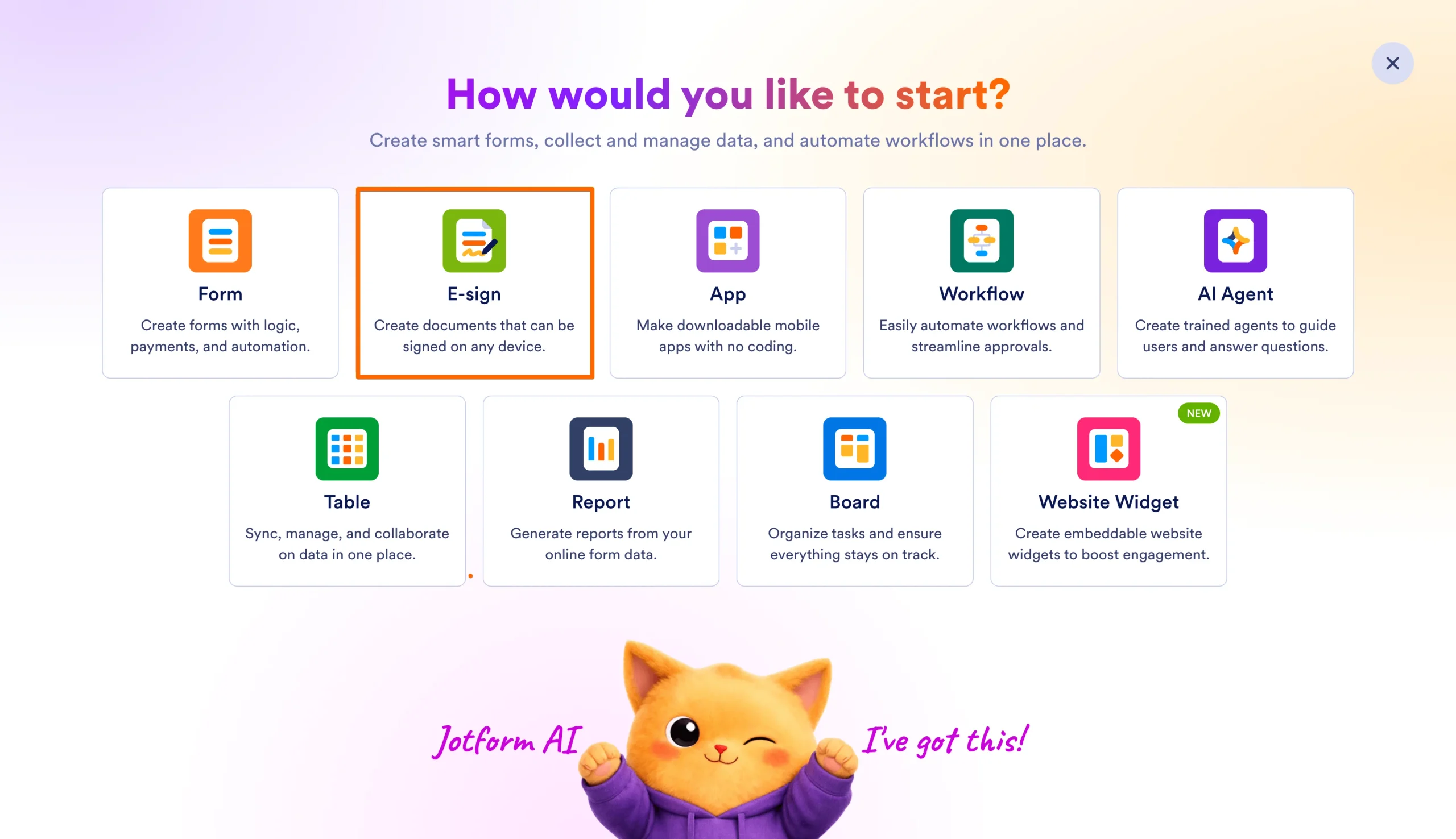
- Click the E-sign option in the creator menu.
- Start your form by entering an AI prompt, uploading a document, or choosing a premade template.
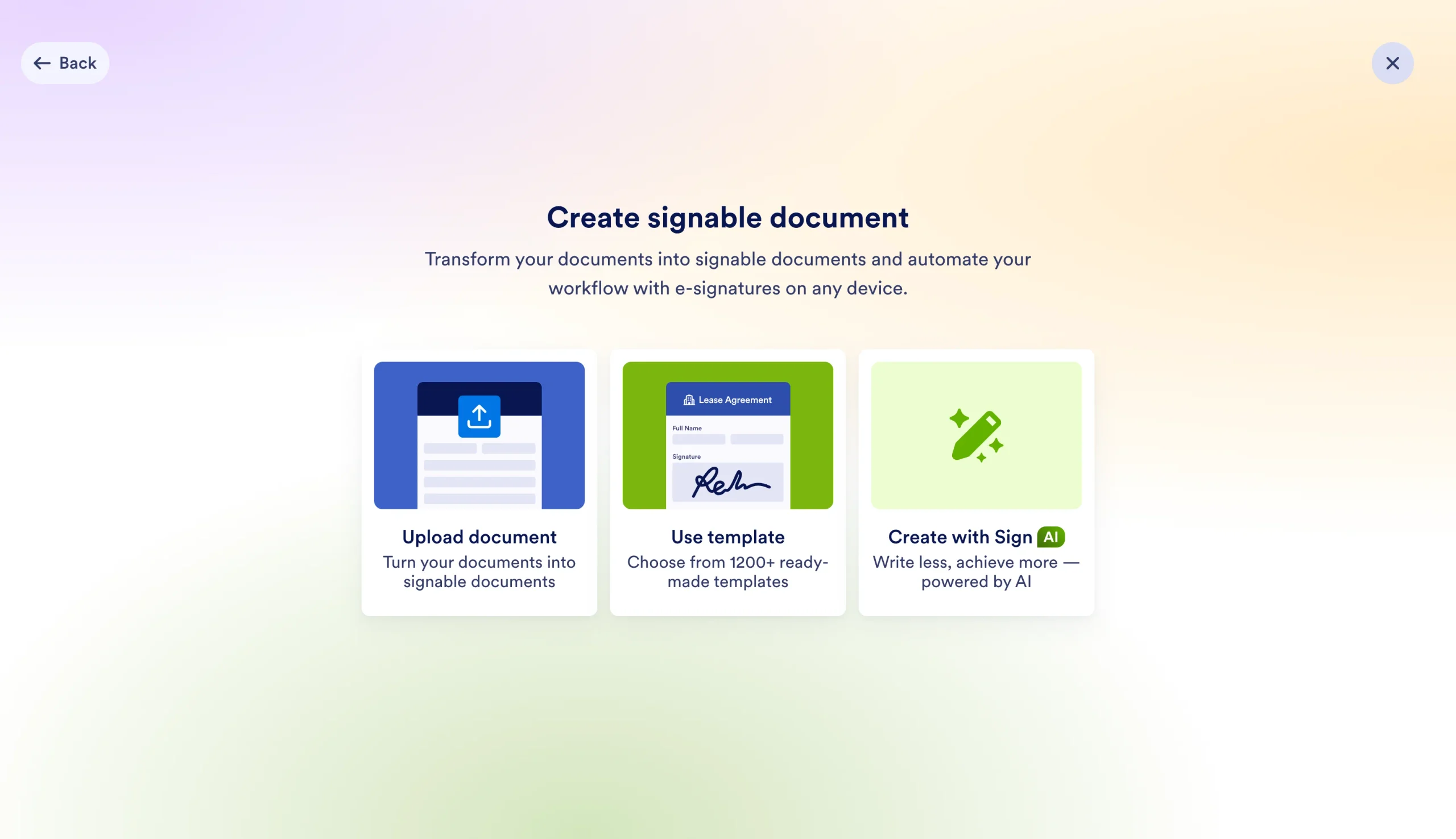
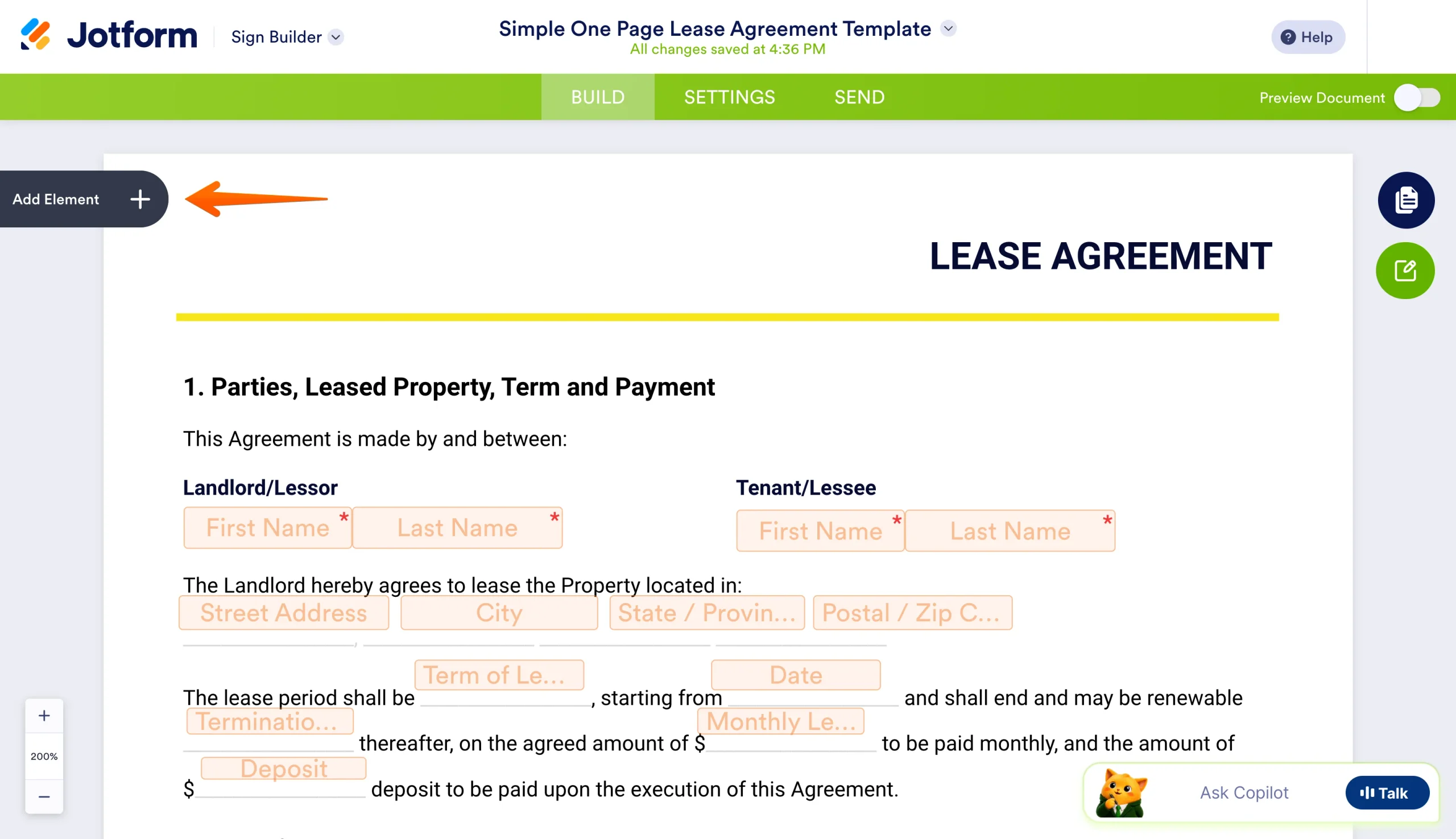
- Adjust and add fields as necessary by clicking on the existing fields or by clicking the Add Element button on the left side to open the Document Elements menu.
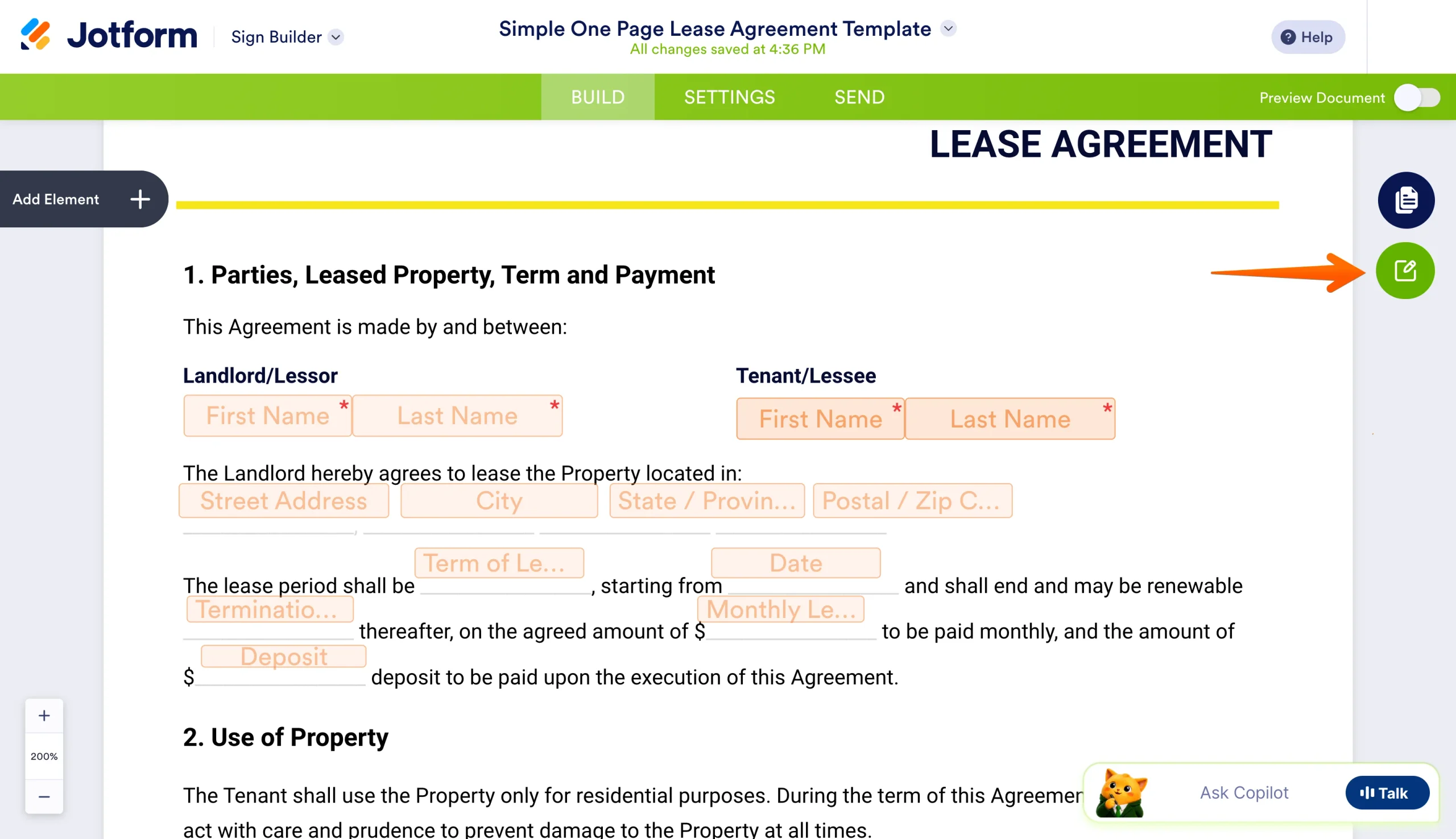
- To edit your contract’s text, click on the green Edit Document button on the right side of the Sign Builder.
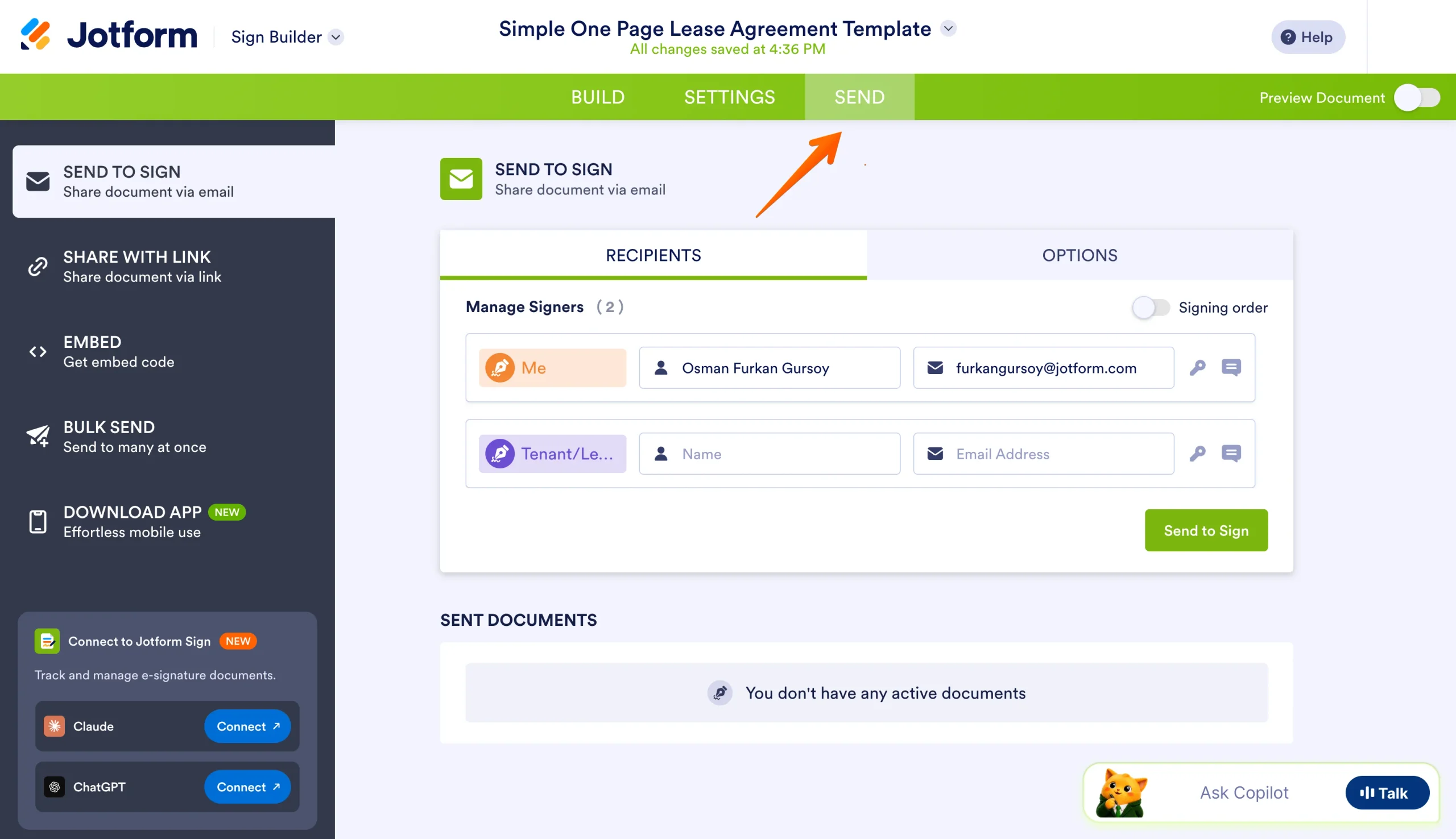
- Once your contract is ready, click on the Send button in the top menu and share using your preferred method of communication.
While Docusign may technically let you create a signable contract, Jotform Sign lets you more effectively build and manage your form from start to finish without ever having to leave its user-friendly interface. Don’t pay for a solution that offers less than what you need; try an all-in-one alternative today for free and discover why Jotform Sign is the best way to handle your contract creation.
FAQs about creating contracts in Docusign
Simple contract agreements can be created from scratch, using Jotform templates, or through the help of AI in Jotform Sign. This all-in-one digital form solution can help you build a simple agreement in seconds, no additional software required.
Sending a contract through Docusign requires you to use the Docusign envelope system. Here’s a quick guide:
- Log into Docusign.
- Upload your contract.
- Add recipients and write a message.
- Tag your signature fields.
- Click Send.
Repeat this process as necessary for any future contracts (or create and send contracts using multiple methods with Jotform Sign).
To use Docusign for contracts, you’ll need to upload a premade contract, add signature fields, and send using Docusign’s envelope system. Docusign doesn’t let you build one-time contracts from scratch. However, you can create templates from your own files, use one of Docusign’s premade contract templates, or create a new template using Docusign’s limited builder.
AS ALWAYS, CONSULT AN ATTORNEY AND/OR OTHER APPLICABLE PROFESSIONALS BEFORE RELYING ON ANY INFORMATION ON THIS PAGE. THE CONTENT ABOVE IS FOR INFORMATIONAL PURPOSES ONLY. JOTFORM IS NOT PROVIDING LEGAL, TAX, FINANCIAL OR OTHER ADVICE.
This article is for small business owners, freelancers, and HR teams who need to draft agreements quickly and are frustrated by having to juggle multiple apps just to get a signature.





































Send Comment: