
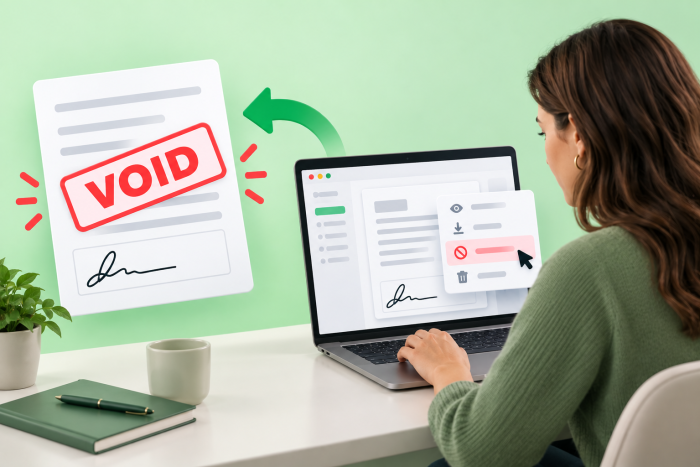
How to void a signed document in Docusign
- You can void an active Docusign envelope by clicking the three vertical dots next to the agreement’s Resend button, but there’s no way to void a fully completed agreement.
- Voiding a document in Docusign still counts against your account’s strict envelope limits, so even a simple typo can mean using an additional paid envelope to send a corrected version.
- Jotform Sign won’t deduct from your monthly limit until a document is completely signed, allowing you to cancel in-progress documents without wasting your plan’s quota.
Wondering how to void a signed document in Docusign? Unfortunately, you can’t — if it’s been fully signed. But you can cancel a Docusign envelope that still needs signatures.
Occasionally, an in-progress agreement needs to be voided — maybe you’ve included the wrong price, or one party has changed their mind about the terms. In this article, we’ll show you how to void an active Docusign envelope step by step, and explain how to terminate one that’s already been fully signed. Plus, there’s one important caveat you need to know about voiding — and we’ll explain that, too.

How to void an in-progress envelope in Docusign
If you’ve just realized that you need to correct errors in a contract that’s still waiting for signatures, the right course of action is to void it. Docusign has the ability to both void and correct envelopes, but you must use void when at least one recipient has already signed the document or when you need to change the underlying document itself.
Here’s how to void an active envelope or effectively cancel a Docusign sent in error:
- From the Docusign homepage, select the envelope you want to void.
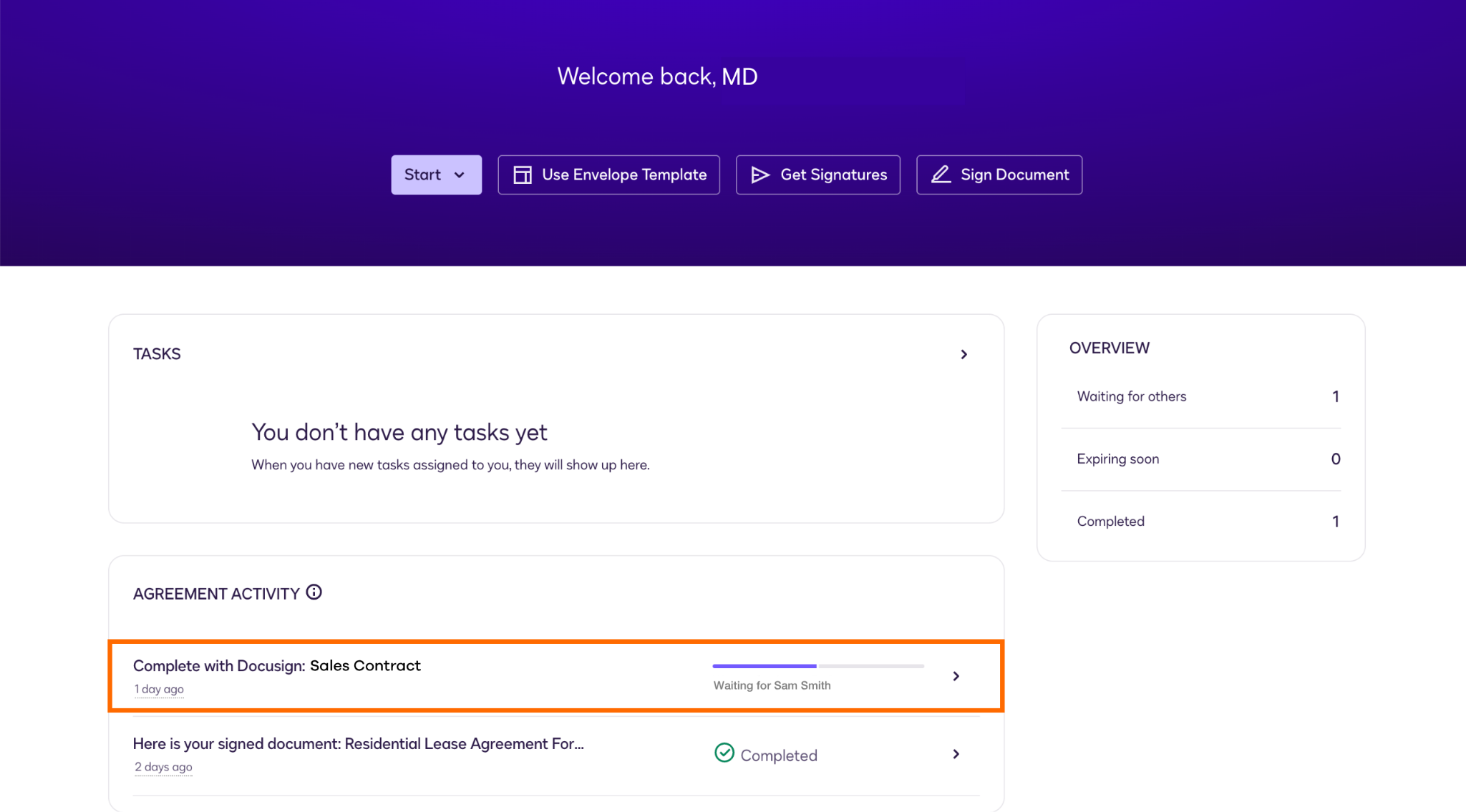
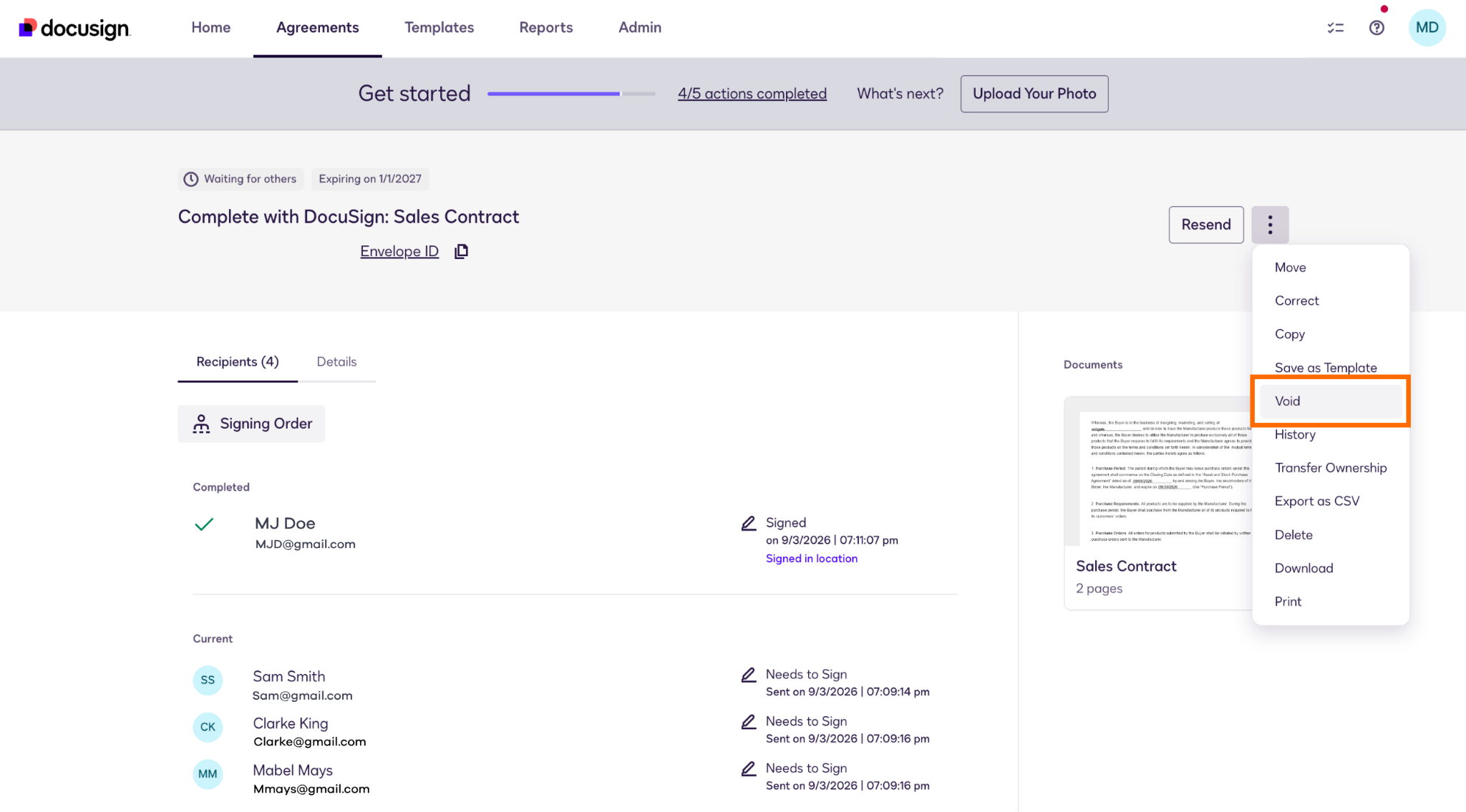
- Click the three vertical dots next to the Resend button and select Void.
- Select the reason for voiding the envelope and then click Void.
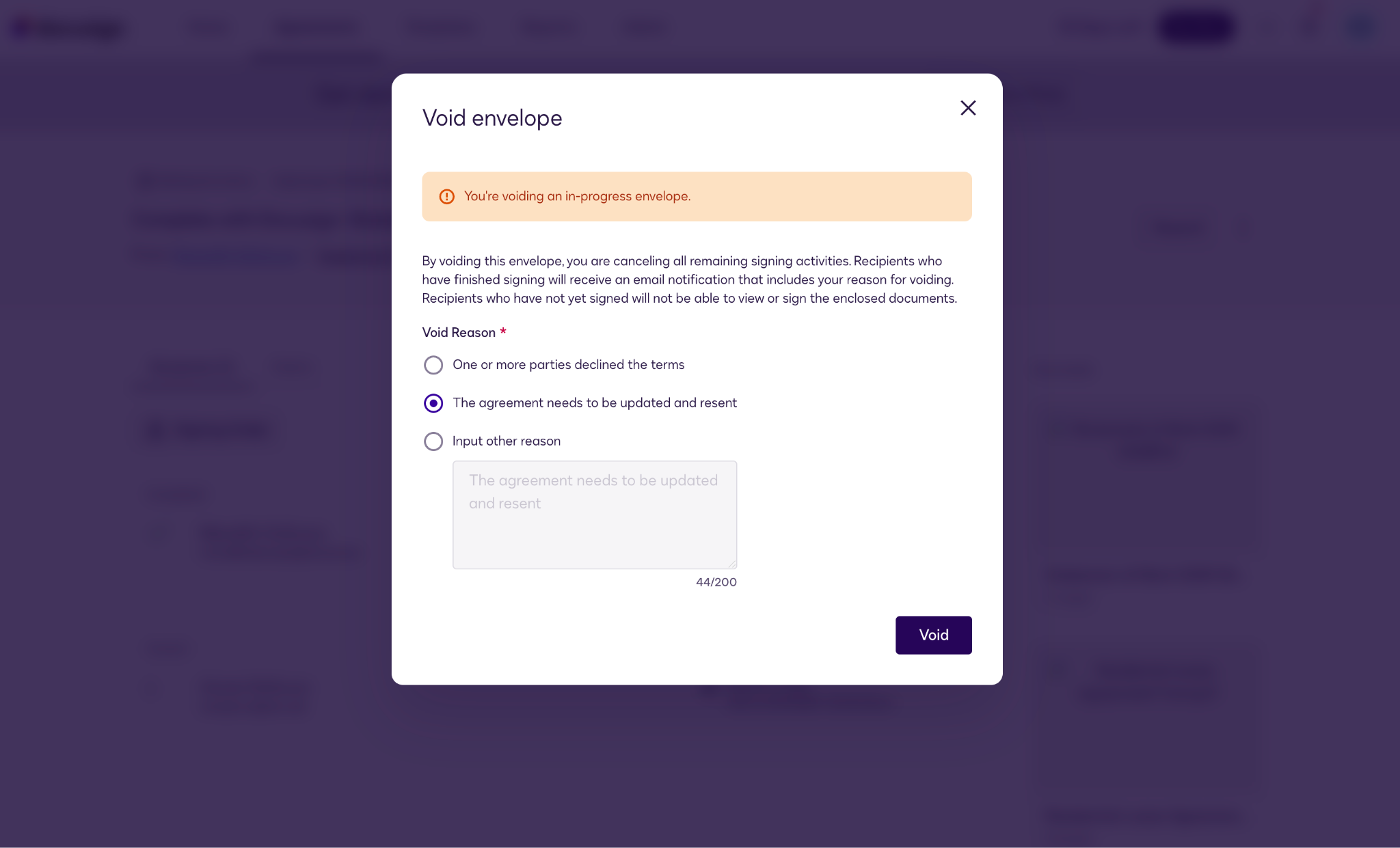
Now, the agreement will show up in Docusign as a “Void” envelope on your homepage. All the signing parties will receive an email notification that the agreement has been voided for the reason you provided, and they will no longer be able to view or sign it.
What to do if the document is already fully signed
If a document is already fully signed, its status changes to “Completed” in Docusign. At that point, it’s a finalized agreement, and the option to void is removed.
The only way to undo a fully executed agreement is to draft an amendment or termination agreement that explicitly voids the original contract, and then get new signatures from the original signers. You can send a Docusign to multiple signers in any way you choose, whether it’s via email, by sending a Docusign link, or by setting up an in-person signing meeting. Docusign has a termination letter template you can use as a guide.
What making a mistake in Docusign really costs
One thing to be aware of when voiding: Voided envelopes still count toward your account’s overall envelope allowance.
Docusign enforces strict limits on the number of envelopes a user can send per month or per year, depending on the plan you signed up for. In Docusign, the “void envelope” action doesn’t erase the fact that it was sent. As long as the envelope has been sent to recipients, it counts toward your quota — no matter what happens after that. Sometimes voiding can’t be helped, but it’s advisable to always strive to prevent typos or other mistakes that could lead to unnecessary, costly voids.
Manage documents without the penalty: Try Jotform Sign
Wish there was another e-signature platform that was a little more forgiving? There is: Jotform Sign is e-signature software that does all the same things as Docusign but offers more flexibility and more powerful workflow capabilities. It also doesn’t penalize you for mistakes.
Here are just a few reasons why so many people prefer Jotform over Docusign:
- No anxiety around sending limits: Jotform only counts a document toward your account limit when it has been fully signed, not just sent. So if you find a typo midway through the signing process, there’s no need to worry — it’s easily fixable.
- Crystal-clear tracking: You can track and manage your agreements from the visual, centralized Jotform Sign Inbox. Here you can see at a glance the real-time status of any agreement, and filter and search by signing activity. That makes it easy to find and correct agreements before it’s too late.
- Effortless cancellation: You can cancel an in-progress document with a few clicks, stopping any further signatures instantly.
- Mobile-friendly signature tool: Jotform Sign Mobile supports document creation and signatures from anywhere. You can even snap a quick picture of a paper document and turn it into a digital, signable one, wherever you happen to be.
Everything related to agreements is easier in Jotform Sign, partly because of the seamless nature of Jotform’s ecosystem of interrelated business tools. But it’s also thanks to good design: Jotform’s user-friendly interface makes nearly every task quick and simple. See how easy it is to void a partially signed document in Jotform Sign below.
How to cancel an in-progress document in Jotform Sign
1. In Jotform Sign, select the agreement you want to void and click Sign Inbox.
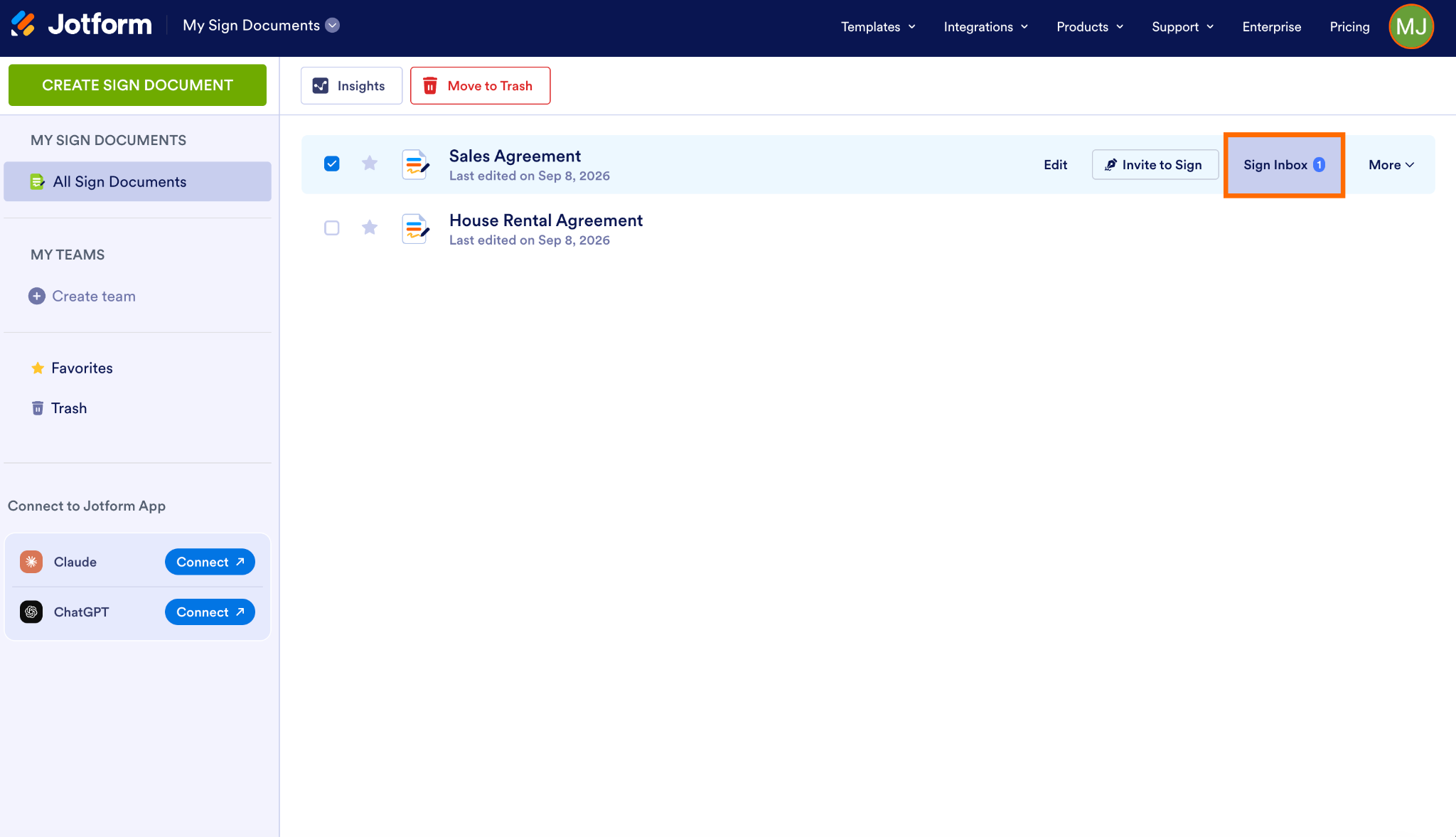
2. At the top, click Cancel Document.
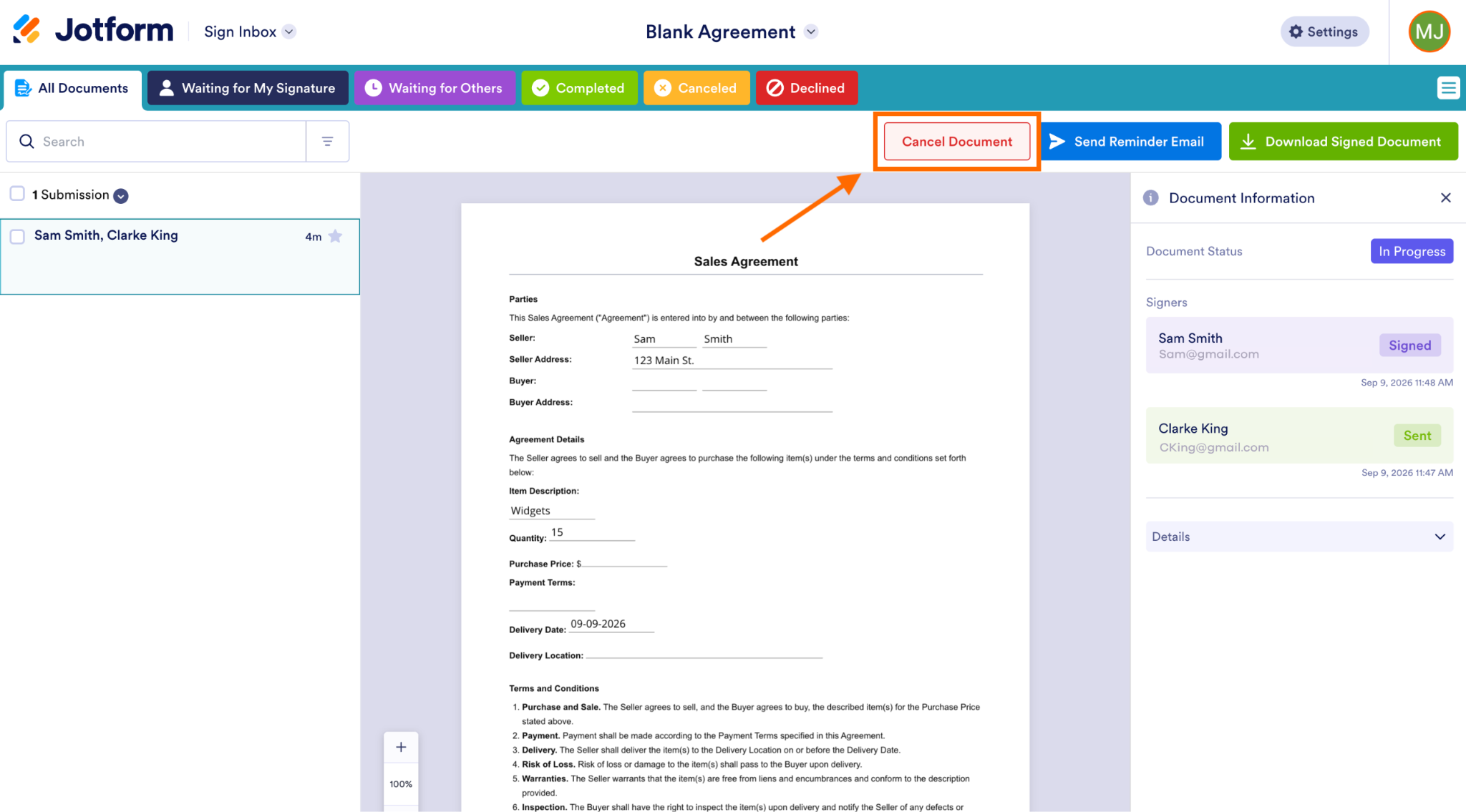
3. Type your reason for canceling the agreement in the box provided, and click Cancel Document.
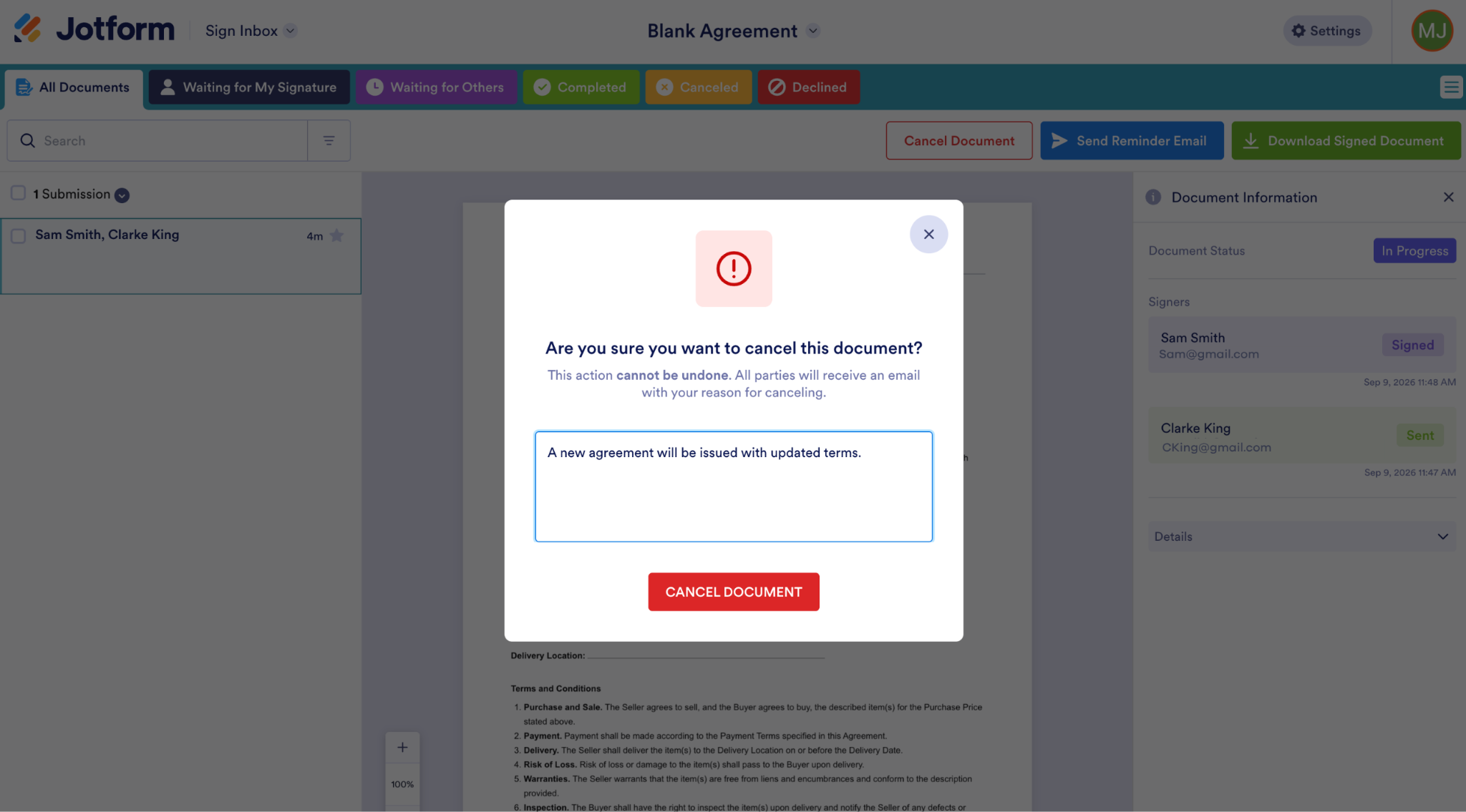
That’s it — your document is canceled.
If you’re looking for a way to simplify e-signatures — and avoid the anxiety around potential mistakes — why not try Jotform Sign, one of the most popular Docusign alternatives? It’s hands down the best tool for preparing, signing, and managing agreements online.
Plus, it has a free-forever plan, which is perfect for small businesses, freelancers, real estate agents, project managers, and anyone who needs a reliable electronic signature tool without all the complexity associated with Docusign. View all Jotform Sign pricing plans here.
What are you waiting for? Create your first agreement with Jotform Sign today.
FAQs about voiding Docusign envelopes
Yes. As long as the document has not been fully signed by all recipients, you can still void a Docusign after one or more parties have signed. This action terminates any further signing activity on the envelope.
Once a Docusign has been signed by all parties, it can no longer be edited. Even after the signing process has started, edits are limited. For example, you cannot change the main document or any of its existing fields after someone has signed. You are, however, able to add recipients or fix the names and email addresses of people who haven’t yet signed.
You cannot delete an in-progress Docusign envelope without notifying everyone. Once you void it, all recipients will receive a notice that the agreement has been voided. If, however, you delete a completed Docusign envelope, it will move to the Deleted bin in your own account and recipients won’t be notified.
Voiding is a more formal action than deleting and is considered the best approach for canceling contractual agreements. Deleting usually just removes a document from your account view and isn’t necessarily a way to cancel a contract.
An account administrator can remove the “signed by” frame around signatures. In the Signing Settings, scroll to the Signature section, look for Docusign frame options, and select Do not add frame.
This article is for freelancers, real estate agents, and project managers who made a mistake on a contract, need to pull it back, and are frustrated by Docusign’s confusing envelope statuses.
AS ALWAYS, CONSULT AN ATTORNEY BEFORE RELYING ON ANY INFORMATION ON THIS PAGE. THE CONTENT ABOVE IS FOR INFORMATIONAL PURPOSES ONLY. JOTFORM IS NOT PROVIDING LEGAL, FINANCIAL OR OTHER ADVICE.








































Send Comment: