Create SMS Surveys
Jotform’s SMS surveys let you create custom mobile survey forms that collect feedback and insights via text-friendly links. With SMS surveys, you can build and customize surveys without coding, optimize them for mobile to boost response rates, and manage results in one place to make data-driven decisions.
Templates
Explore SMS Survey Templates
Not sure where to begin? Pick one of our ready-made survey templates to get started. Drag and drop to customize it by adding images or branding assets, changing fonts and colors, integrating with useful tools, and so much more.
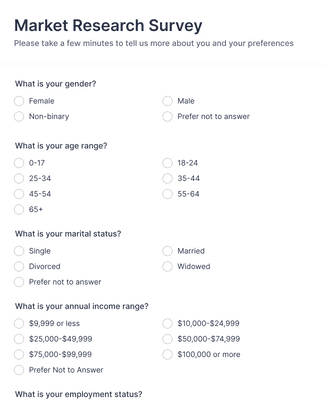
Market Research Survey
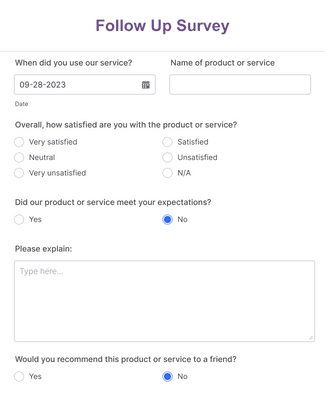
Follow Up Survey
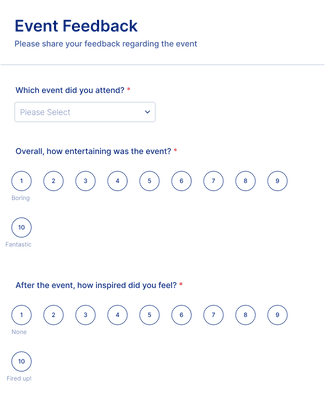
Event Feedback Form
Benefits
Intuitive Interface
Build an SMS survey tool using Jotform’s drag-and-drop form builder, so you don’t need coding skills to create and launch surveys. Add and rearrange questions, adjust layouts, and customize design before sending your survey link by text message. This makes it easy to create professional SMS surveys quickly and update them as feedback needs change.
Classic and Card Forms
Choose between classic surveys that display all questions on one page or card-style surveys that show one question at a time. Card forms can help improve completion rates because respondents focus on a single prompt per screen. Flexible layouts allow you to match the survey format to your audience and use case.
Conditional Logic
Use conditional logic to show or hide questions based on previous answers, so each SMS survey feels more relevant to the respondent. Personalized question paths reduce unnecessary prompts and keep surveys shorter. This targeted approach can improve response quality and completion rates.
Mobile-friendly Surveys
Every SMS survey link opens a mobile-responsive form that works on smartphones, tablets, and desktops. Respondents can complete the survey immediately after receiving the text message without downloading an app. Mobile optimization helps increase participation because the survey experience is simple and accessible anywhere.
Collect and Manage Responses
View and organize SMS survey responses in Jotform Tables, where submissions automatically populate a structured workspace. You can search, filter, and analyze data in spreadsheet-style views without exporting files. Centralized response management makes it easier to track trends and act on feedback quickly.
Create Visual Reports
Turn SMS survey responses into charts and data summaries with Jotform Report Builder. Automatically generated bar charts, pie charts, and response tables help you understand results at a glance. Visual reporting supports faster decision-making without requiring separate analytics software.
Testimonials
What our users say about Jotform
How to create a survey with Jotform
Learn how to build your own custom survey with Jotform in this instructional video.

Frequently Asked Questions
All your questions about Jotform — answered. Check out our FAQs for answers to common questions, or contact our support team for further information.
What is an SMS survey?
An SMS survey, also known as a text survey or short message service survey, is a type of survey that users can fill out on their mobile devices. SMS surveys are sent by companies or individuals that are looking to conveniently poll their users on their mobile devices.
How do SMS surveys work?
SMS surveys function as an easy way for clients or customers to submit survey responses on their mobile devices. To send out SMS surveys, you can either create your own and copy-paste the link to an outgoing text message or use a specialized SMS survey tool to have users fill out surveys by directly responding via text message.
What kinds of surveys can be conducted via SMS?
All sorts of surveys can be conducted via SMS — it just depends on the needs of your organization. With Jotform, you can build your ideal SMS survey with our drag-and-drop builder. Build a survey from scratch or use one of our 10,000+ templates to get started. Create, customize, and share your SMS survey in just a few clicks with Jotform.
What are the key steps to executing successful SMS surveys?
The key steps to executing successful SMS surveys are:
- Outlining survey goals
- Identifying your survey audience
- Writing appropriate questions
- Making your survey user-friendly
- Choosing the best time to send your survey
- Following up with your survey takers
- Analyzing data to inform future actions and goals
What are the benefits of SMS surveys?
SMS surveys are a great way to poll audiences because they’re efficient and convenient. Because SMS surveys go straight to users’ mobile or tablet devices, users can fill them out right then and there.
Additionally, by using an all-in-one survey builder like Jotform, you can also track and manage your SMS survey responses straight from your Jotform account — perfect for both sending and organizing your SMS surveys.
How can I send a survey through text?
To send a survey through text, all you need to do is get the complete URL of your survey and send it to your users via text. To do this, open up the Form Builder and click the Publish button. Under the Quick Share tab, click the Copy Link button to copy the form URL. That’s all! Simply send the copied link to your users via text.
Who can use SMS surveys?
Anyone with a mobile device can use SMS surveys.