Survey App for iPad
Jotform’s survey app for iPad is a no-code data collection tool that turns your tablet into a feedback station. Use it to build and conduct professional surveys, collect offline data, and analyze results instantly from your device. The app syncs submissions automatically once you’re back online.
Templates
Explore Free iPad Survey Templates
Don’t know where to start? Simply pick one of these ready-made survey templates and customize it with your own designs and survey questions. Then all you have to do is send your surveys to your audience to start collecting responses.
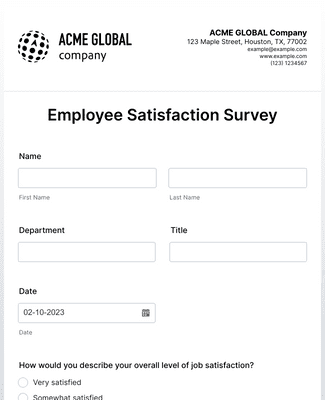
Employee Satisfaction Survey
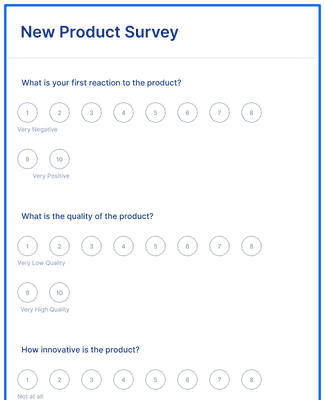
New Product Survey
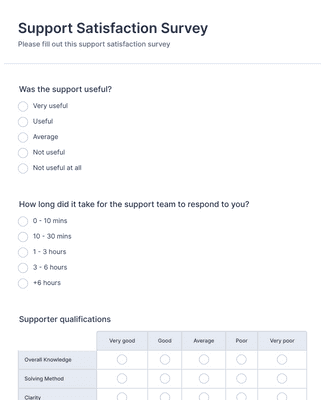
Support Satisfaction Survey
Benefits
Instantly Create Surveys
Collect Data from Anywhere
Collect survey responses on an iPad, phone, or desktop using Jotform’s mobile-ready forms. Share the survey with a link or embed it on a website so people can respond from where they are. This makes it easier to run surveys outside the office because the same form works across devices.
Create and Customize Online Forms
Build iPad surveys with a drag-and-drop form builder, so teams can set up questions without writing code. Update fonts, colors, and branding assets to match an organization’s look. Add widgets when a survey needs specific functions, including payment or scheduling fields.
Useful Tools for iPad Surveys
Collect survey responses without internet access using Jotform’s offline forms, which can save submissions on the device and sync later. Use kiosk mode to lock a survey on the screen and turn an iPad into a dedicated survey station. These tools help teams collect consistent responses at events, reception desks, or in the field.
Keep Your Information Secure
Protect survey submissions with 256-bit SSL encryption and Jotform’s security controls. Use Jotform options that support privacy and compliance needs such as GDPR and CCPA, and apply HIPAA-friendly features when surveys collect sensitive health information. This helps organizations manage survey data in a controlled workspace instead of storing responses across personal devices
Testimonials
What our users say about Jotform
Frequently Asked Questions
All your questions about Jotform — answered. Check out our FAQs for answers to common questions, or contact our support team for further information.
How do I create an email survey?
Creating an email survey is easy with Jotform! To create an email survey
Build a survey from scratch or use a ready-made template. Jotform offers hundreds of free survey templates to choose from, so you can get started in seconds.
Customize your survey questions. What do you want to ask your subscribers? Feel free to collect contact details, demographic information, and add unique question types that will help you gather the data you’re looking for.
Add the survey to your email. Copy and paste it into your email with a link.
Collect responses and analyze data. Once you share the email and the responses start rolling in, you’ll have the information you need to better understand your audience — and with Jotform’s analytics features, you can gain actionable insights from your data.
Can you put a survey in an email?
Yes. You can create an email survey for free with Jotform. Simply sign up for a free Jotform account to create a survey without coding, add your email survey by embedding it or copying and pasting it with a link, and send the email to your subscribers to start collecting responses.Select the survey you’d like to analyze.
Use the report feature in Jotform Tables, which allows you to view your data at a glance.
Generate more complex visual reports with Jotform Report Builder.
Share survey analysis reports with teammates or shareholders.
Are Jotform surveys free?
Yes. You can create an online survey on any Jotform plan, including our free plan. To learn more about the different plans available — including plans with higher submission limits — visit Jotform’s pricing page.
How do I send a survey through Mailchimp?
To send a survey through Mailchimp, start by creating one with Jotform’s powerful survey platform. Once you’ve built a survey with our drag-and-drop builder or customized a ready-made survey template, you can add it to a Mailchimp campaign by adding the form link as a CTA button in your email. When you send out your campaign, your subscribers can click on the button and fill out your survey. All survey responses will be sent straight to your Jotform account, where you can view and analyze survey responses to uncover important insights.
How do I embed my form into a website?
With Jotform, you can embed a form in your website in a few easy clicks. To embed a form in your website
- Create a form with Jotform. Choose whether to build a form from scratch or get a head start with 20,000+ ready-made form templates. Add your survey questions and choose from unique question types.
- Get your embed code. Open your form in the Form Builder and go to the Publish tab. Select the Embed tab to find your embed code.
- Add the code to your website’s HTML. Copy the embed code and paste it directly into your website’s HTML. Jotform embed codes work with Wix, WordPress, Squarespace, and all other major website building platforms.
- Start collecting form responses. Once you’ve published your form, submissions will be sent to your secure Jotform account — easy to view and manage on any device.
How do I connect Jotform to WordPress?
The easiest way to connect Jotform to WordPress is by embedding a Jotform form into your WordPress website with a copy-paste embed code. To add a survey to WordPress using an embed code, simply
Create a survey with Jotform’s no-code drag-and-drop builder
Open your survey in the Form Builder and go to the Publish tab
Open the Embed tab and copy the embed code
Paste the embed code into your WordPress HTML to display the form on your website
Publish the
Is Jotform safe?
Yes. Jotform protects data with GDPR and CCPA compliance, a 256-bit SSL connection, PCI DSS Level II certification, and optional form encryption and HIPAA compliance for healthcare professionals. Visit our security page to learn more about Jotform’s security features.