Free Online Survey Analysis Tool
Jotform’s survey analysis tool is an all-in-one data solution that allows you to collect, manage, and visualize feedback in a single platform. Use the drag-and-drop builder to create custom surveys, then automatically aggregate responses into visual reports and charts. The platform includes built-in analytics to help you identify trends, track conversion rates, and share actionable insights with stakeholders without needing external software.
テンプレート
Explore Ready-Made Survey Templates
Not quite sure where to start? Choose one of our ready-made survey templates and customize it to match your needs. Add your questions, change design elements, and then send it off to your participants.
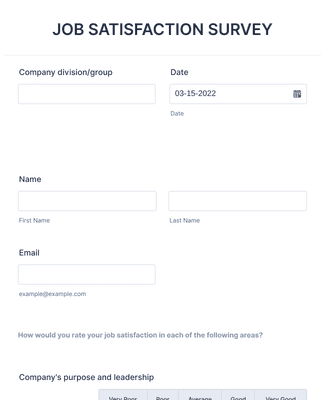
職務満足度調査
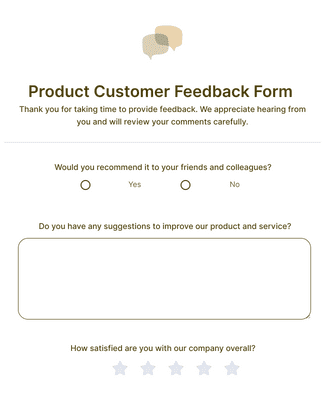
Product Customer Feedback Form
メリット
アンケートを即座に作成
Collect and Manage Survey Data
Collect survey responses and manage survey data in one place inside Jotform. Jotform Tables can automatically turn submissions into a spreadsheet-style workspace, so responses are organized and easy to review. This reduces the need to move data between separate tools, because the survey and the responses stay connected.
Use Form Analytics
Jotformのフォーム分析ツールを使えば、回答内容だけでなく、アンケートのパフォーマンスも確認できます。アクセス数や送信状況を可視化し、離脱ポイントやコンバージョン率を把握できます。分析データはフォームに紐づいて表示されるため、設問数や質問文の改善にも活用でき、より回答されやすいアンケートへと最適化できます。
Share and Embed Anywhere
Webサイトに埋め込む、または専用リンクを共有するだけで、すぐに公開できます。対面で案内する場合は、読み取り可能なQRコードの共有も可能です。同じアンケートを複数のチャネルに展開できるため、より多くの人に届けられます。
Professional Reports and Informed Choices
Turn survey results into visual reports with Jotform Report Builder so stakeholders can understand findings faster. Build charts and summaries from the collected responses, then share the report with teammates. This supports better decisions because the report is generated directly from the survey data you collected.
Connect Helpful Tools
Connect surveys to analytics tools like Google Analytics to track behavior and outcomes. This adds another layer of measurement because survey views and submissions can be monitored alongside other site activity. Use other analytics and reporting integrations when the same survey data needs to flow into an existing reporting setup.
よくある質問
Jotformに関するご質問にお答えします。よくあるご質問はFAQをご覧ください。またはサポートチームまでお問い合わせください。
オンラインアンケートを作成するにはどうすればいいですか?
Creating an online survey is fast and easy with Jotform. To get started, open our Form Builder and select whether to build your survey from scratch or customize a ready-made survey template. Simply drag and drop form fields, add your survey questions, customize the design to match your organization’s brand, and add conditional logic and widgets. Then share your survey with a few clicks to begin collecting feedback.
How do I analyze my survey results?
To analyze survey results with Jotform, follow these easy steps:
Select the survey you’d like to analyze.
Use the report feature in Jotform Tables, which allows you to view your data at a glance.
Generate more complex visual reports with Jotform Report Builder.
Share survey analysis reports with teammates or shareholders.
What are the five common statistical tools?
The five common statistical tools are
- Mean
- 標準偏差
- Regression
- Hypothesis testing
- Sample size determination
What are the four types of analysis?
The four types of data analysis are
- Descriptive Analysis
- Diagnostic Analysis
- Predictive Analysis
- Prescriptive Analysis
How do I add surveys to my website?
To add surveys to your website, simply copy and paste your survey’s unique embed code into your website HTML. Jotform also offers easy third-party publishing options on platforms such as WordPress, Squarespace, Facebook, and more. In addition, you can share your survey via email, form link, or social media.
Jotformでアンケートを作成するのは無料ですか?
Yes, you can create a survey and analyze its results for free with Jotform.