SB 721 Inspection Report Template
SB 721 Inspection Report Template is a ready-to-use PDF document for recording observations from inspections of exterior elevated elements at multifamily properties, including balconies, decks, stairways, landings, and walkways. Property owners, apartment building managers, property management companies, licensed architects, structural and civil engineers, and qualified building inspectors can use it to create clear, consistent records for California properties. The template supports efficient data collection during site visits by providing a professional format for documenting location details, visible conditions, inspection findings, photographs, deterioration, water-related concerns, and possible structural defects. It can also help teams communicate repair recommendations, corrective actions, inspection dates, and follow-up timelines across property portfolios. Whether an inspector is reviewing a single apartment building or a management company is maintaining records for multiple locations, this report creates a practical reference for sharing findings with responsible parties. A polished inspection report can make safety-condition documentation easier to review, archive, print, and revisit when scheduling maintenance, repairs, or future assessments related to California SB 721 documentation.
Jotform PDF Editor makes it easy to customize this SB 721 Inspection Report Template and automatically turn submitted inspection data into polished PDF reports. Start with a mobile-friendly Jotform form for field data collection, then use the intuitive drag-and-drop PDF Editor to tailor the report’s appearance with company branding, logos, fonts, colors, images, and preferred page orientation. Inspectors can capture detailed responses and upload photographic evidence on site, while each submission populates the same report design automatically, reducing repetitive manual work and creating consistent reports across every inspection. Add blank areas for notes and annotations, choose custom file names for easier record retrieval, and download or print completed reports when needed. Jotform also supports electronic signature collection, helping inspectors and property representatives acknowledge completed documentation without separate paperwork. Teams can share reports by email, send copies automatically through autoresponder options, and store files in connected cloud services such as Google Drive or Dropbox. With flexible layouts, simple customization, and automated reports, Jotform PDF Editor offers a streamlined way to manage inspection records from submission to distribution.
Related templates

Technology Assessment Template
This free Technology Assessment Template includes a checklist for operational technology, technology support structure, hardware modernization and technology network in all areas of the restaurant.

Supply Inventory Template
Generate a supply inventory form with this free template. Drag and drop to customize. Easy to share. Fill out and e-sign from any device. Converts to PDF.

Daily Safety Inspection Report
Daily Safety Inspection Report Sample is an audit report, which is obviously crucial for any company to track the health and well-being of the employees. The fields in the template include equipment standards of workers.

Framing Inspection Checklist
Framing Inspection Checklist Sample has all the basic information for an inspection checklist. It is essential especially for a construction business to identify potential issues and assure that equipment is working properly.

Internal Audit Report Template
Create an internal audit report with Jotform Sign. Fill out and e-sign from any smartphone, tablet, or desktop. Easy to customize and share. No coding.
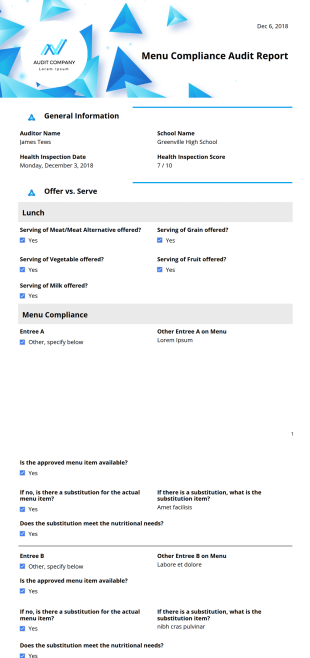
Menu Compliance Audit Report
Menu Compliance Audit Report Sample provides you an effective way to report your findings each time you carry out menu compliance auditing. With Menu Compliance Audit Report PDF Template, health inspectors can easily create customized PDF reports.