
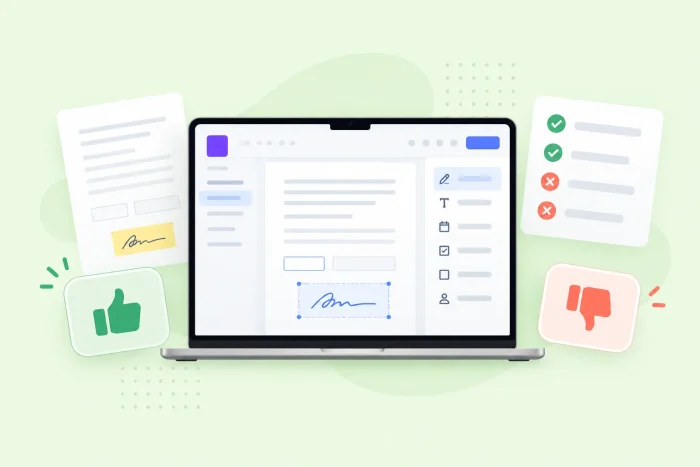
Key takeaways
- Docusign has high brand recognition as the industry standard for e-signatures thanks to its reliable user experience for signing simple, unchanging PDFs.
- However, Docusign locks essential features like payment collection and CRM syncing behind expensive enterprise paywalls and lacks a built-in document editor to fix typos.
- For businesses in search of an all-in-one solution, Jotform Sign offers native document creation, smart workflows, and thousands of templates without the premium price tag.
When you think of e-signature software, Docusign is likely one of the first names that pops into your head. It has been a major player in the e-signature market for years. But is Docusign worth it for every business?
The online contract maker may be effective for enterprise organizations, but smaller businesses might find the limitations of Docusign (such as hidden costs and complex workflows) to be a frustrating deterrent. Because Docusign puts some of its advanced capabilities behind paid higher-tier plans, many businesses are rethinking their e-signature solution by exploring Docusign pros and cons, as well as Docusign alternatives. We tackle both below.
Docusign pros
Although Docusign may not be the only e-signature solution on the market, it still has advantages that keep users coming back. These features have helped Docusign stay at the top, but many are capabilities you’ll also find in the best Docusign alternatives.
1. Basic features are easy to use
Docusign’s e-signature basics are user-friendly for both senders and signers. Users can easily build contracts and other basic business documents using Docusign’s agreement preparation tool, including AI document-generation capabilities using Docusign Iris.
Once documents are sent over, your signers are quickly guided to the appropriate fields to sign, so you can streamline your e-signature collection process from front to back. Agreements are even automatically mobile-responsive, meaning signers can access your documents from whichever device they prefer.
2. Strong brand recognition
Digital business documents often contain sensitive information like financial terms, personal data, confidential company secrets, and more. To protect their privacy (and your own), signers will expect you to use a trusted program with a reputation for security. This is where Docusign’s brand recognition comes in handy.
Since Docusign is a well-known name in the business world, you can reduce any friction in your signing process that may stem from uncertainty over privacy. Clients can sign with confidence knowing that Docusign’s enterprise security features are protecting their information. This will help establish legitimacy and trust during your online business transactions.
3. Contract audit trails
What is Docusign used for most often? Business contracts. So it’s only natural that this e-signature software would have features dedicated to ensuring your contracts are signed by the right people, at the right time, and in the right way. This is why Docusign offers real-time audit trails on all its plans.
Rather than constantly checking in on the status of your contract’s e-signatures, you can get minute-by-minute insights into who has signed and who hasn’t. Using this information, you can contact the right people to speed up the signing process, without wasting time on those who have already submitted.
4. Industry-specific templates
Starting from scratch whenever you need to build a form is a time drain. Docusign makes it easier to create industry-specific forms with free common business templates such as
- Tax forms
- Operating agreements
- Non-disclosure agreements
- Rental agreements
- Employment contracts
Knowing how to use Docusign templates to your advantage can help accelerate your business processes and reduce errors. Docusign templates are separated into distinct categories based on purpose, so you can quickly find forms you use regularly and minimize repetitive document preparation.
Pro Tip
Docusign isn’t the only e-signature solution that offers free templates. Jotform Sign templates range across more than 1,200 fully customizable options, including over 300 free contract templates.
5. Workflow automations
Signing and completing paperwork is often a much more complicated process than you’d hope. Depending on the number of stakeholders involved in a contract or agreement, you may have to pass documents back and forth several times, getting approvals or making changes as you go along.
Rather than managing this process manually, Docusign lets you build workflows that automate the agreement process from end to end. These workflows can be integrated with third-party tools such as your CRM and customized to meet compliance requirements.
However, automated workflows are only available in the top-tier paid plans of the standalone e-signature program. They come as standard in Docusign’s more expensive Intelligent Agreement Management (IAM) pricing structure, but are limited in these plans as well.
Docusign cons
Although Docusign is one of the top e-signature solutions on the market, that doesn’t mean it’s without faults. Particularly for smaller businesses, this solution may prove to be unruly, overly complex, and expensive.
1. Routing to multiple signers requires complex setup
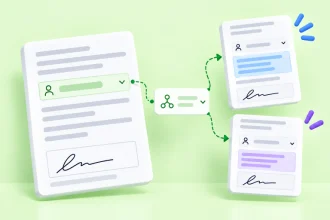
It’s unlikely that every document you send out for signing will only go to one person. Business documents typically require signatures from several parties across multiple departments or organizations. But sending a Docusign to multiple signers is a multistep process that requires you to prepare a separate recipient list CSV file or use individual envelopes, which will eat into your monthly usage limits. Both options are complex to initiate.
When comparing Docusign vs competitors, this process is much more cumbersome than necessary. Alternatives like Jotform Sign allow you to share with multiple signers simply by entering email addresses. While enterprise businesses may have the budget for higher Docusign usage limits and pre-prepared recipient lists, smaller businesses on lower-tier plans often waste time just to send an agreement to two or more recipients.
2. Sending a simple link is unnecessarily complicated
Some of the best Docusign alternatives offer simple, quick share links. But to send a Docusign link instead of email, you’ll need to build out special custom forms known as PowerForms or WebForms that allow for this type of sharing. These forms are not only complicated to create, but they’re also limited to the highest paid tiers of both IAM and basic e-signature paid plans, and they use up a workflow credit in IAM plans.
Standard Docusign forms can only be sent through the Docusign platform, not through a copy-and-paste link. This severely limits the sharing capabilities of your Docusign forms and increases the frustration that stems from sharing forms without an envelope.
3. In-person signing is clunky
Docusign in-person signing may be a useful feature, but actually collecting signatures is far from easy. This process requires you to navigate through several logistical hoops, including
- Account permissions
- Document templates
- Signature routing settings
- Using a designated Docusign host device
Overall, this system is simply unintuitive for the average user. The time that Docusign users spend setting up their in-person signing process could end up costing them more time than it’s worth. Other solutions, like Jotform Sign Mobile, offer similar in-person capabilities that can be completed quickly with mobile-specific tools.
4. Hidden costs add up as you scale
One of the core complaints listed in Docusign reviews is how expensive this solution can be. While Docusign may offer free and individual plans, these options are severely limited and are unlikely to be of any use in a business setting. Paid plans, on the other hand, are complex and come with hidden costs.
For example, for e-signature-only plans, standard paid plans come with a set number of envelopes per user per year (up to 100). If you exceed this limit, you’ll then have to pay as you go for further use.
The only way around this limit is to pay custom pricing or sign up for a higher-tier IAM plus e-signature plan. These plans are nearly double the monthly cost per user, require a three-user minimum, and still limit your access to automated workflows.
5. Limited document editing
Docusign is built for agreement management, not for form creation and customization. This means that, although you can build forms, your ability to adjust them to fit your requirements will be limited. This especially applies to templates, which have even more restrictions on what you can and cannot edit.
But not every form will meet your needs out of the gate. Your documents are unique and need to be updated to reflect your brand. For more control over your documents, you may consider trying an alternative that offers solutions to the common limitations of Docusign.
How Jotform Sign solves the biggest Docusign headaches
While Docusign may have the name, its interface isn’t meant for everyone. Individuals and businesses looking for a standalone, user-friendly e-signature solution may need something that offers more for less. Jotform Sign makes collecting e-signatures easier than ever, especially compared to Docusign.
Some of the core benefits of Jotform Sign vs Docusign include
- Invite by link: No special forms. No complex workflows. Just build your form, identify your signers, copy the link, and share your documents with whomever you choose.
- Embed documents directly on your website: To embed your signable documents, Docusign requires you to build special forms, which you must pay more to use. Jotform Sign forms can be embedded with the click of a single button. Any form you create can generate an embeddable link — no extra charge necessary.
- Built-in data management: No need to switch between solutions to manage your signature data. Jotform Tables links directly to your Jotform Sign documents to automatically collect signature information as it is completed.
- Free-forever plan: Jotform’s free-forever plan offers many of the same capabilities as Docusign’s lower-tier paid plans, at no additional cost. Individuals or small businesses looking for a basic e-signature solution can easily get the features they need without paying extra for a popular brand name.
Although Docusign may still be a viable option for large corporations with equally large budgets, the average user can get more for less with powerful alternatives like Jotform Sign. Try this free form builder for yourself and discover how simple collecting e-signatures can be.
FAQs about Docusign pros and cons
Docusign offers a basic signing experience that’s easy to understand for both senders and signers. It also caters to industry-specific needs and offers tools such as audit trails and workflow automation that help users better manage and track their signing process. These features pair with Docusign’s well-recognized and trusted brand name to maintain trust with signers.
Docusign has three core issues: complexity, hidden costs, and limitations. Docusign’s editor is basic, and sending Docusign forms typically requires you to use its envelope system, which has usage caps and overage fees. Docusign’s advanced features are also often complicated. Simple tasks like sending agreements using a link require special, design-limited forms that are only available on top-tier plans.
Jotform Sign is a strong alternative to Docusign thanks to its free-forever plan, user-friendly interface, and streamlined advanced features. Many of the advanced features that are complex to use and paywalled in Docusign are simplified and accessible in Jotform Sign. This Docusign alternative also offers better customization and control over signable forms compared to Docusign’s limited editing capabilities.
Docusign is most commonly used by financial institutions, insurance companies, and other professional organizations that handle sensitive data. This is likely due to the fact that Docusign offers industry-specific resources for these sectors and maintains high security standards.
Docusign is a well-trusted e-signature solution with high brand recognition. Docusign provides users with strong security and accessibility features that are compliant with standards such as
- ISO 27001
- SOC 2 Type II
- WCAG 2.0 Level AA
- eIDAS
- GDPR
Security features can offer peace of mind to both you and your signers over the protection of your data.
The advanced features of Docusign, such as automated workflows and billing, can be difficult to use. However, the basic e-signature functions of this software are generally considered to be user-friendly.
AS ALWAYS, CONSULT AN ATTORNEY AND/OR OTHER APPLICABLE PROFESSIONALS BEFORE RELYING ON ANY INFORMATION ON THIS PAGE. THE CONTENT ABOVE IS FOR INFORMATIONAL PURPOSES ONLY. JOTFORM IS NOT PROVIDING LEGAL, TAX, FINANCIAL OR OTHER ADVICE.
This article is for decision-makers, business owners, and IT managers evaluating software tools. They are ready to buy an e-signature solution but want to know the hidden catches before committing to an annual contract.








































Send Comment: