
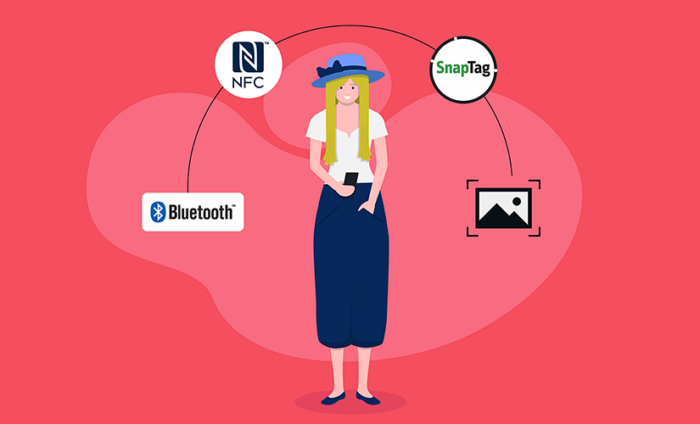
7 best QR code alternatives in 2026
- NFC tags: Best for tap-and-go experiences in design-led spaces
- Branded links: Best for trust-sensitive, shareable access
- Visual search: Best for inspiration-led discovery
- Data Matrix: Best for dense data and harsh environments
- Bluetooth beacons: Best for location-driven, in-the-moment experiences
- AR markers/WebAR triggers: Best for immersive, camera-first experiences
- RFID cards/wristbands: Best for repeatable access and payments
If there’s a surface, someone’s slapped a square on it and called it digital.
And for a while, it worked. QR codes gave brands a faster way to connect.
“They’ve kind of revolutionized the way we get access to information quickly,” says James Chatwani, senior security strategist at GuidePoint Security.
But they’re not the only option anymore.
Ahead, I’ll break down the most practical QR code alternatives available today. You’ll get real-world examples of when — and why — you’d choose one over another.
Why are brands exploring QR code alternatives?
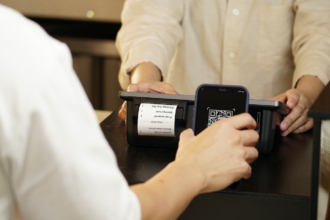
QR codes, short for quick response codes, are scannable barcodes that let people access information instantly using their phone camera.
Lately, however, the news around QR codes has been less about what’s possible and more about what can go wrong.
What are the limitations of QR codes?
First, there’s the consumer privacy angle. As one writer put it: “I’m sick of giving out my personal details to every cafe, bar and restaurant under the sun…I feel like I’m one poorly timed small-double-shot-flat-white away from identity theft.”
Second, poor accessibility often breaks first experiences with a QR code. While QR codes can be accessible, most standard ones aren’t. Many QR codes assume good lighting, easy reach, steady hands, and clear visual cues.
Third, the most important question of them all…
Are QR codes secure?
“Quishing,” QR code phishing, is on the rise.
“QR codes weren’t built with security in mind, they were built to make life easier, which also makes them perfect for scammers,” explains Rob Lee, chief of research, AI, and emerging threats at the SANS Institute.
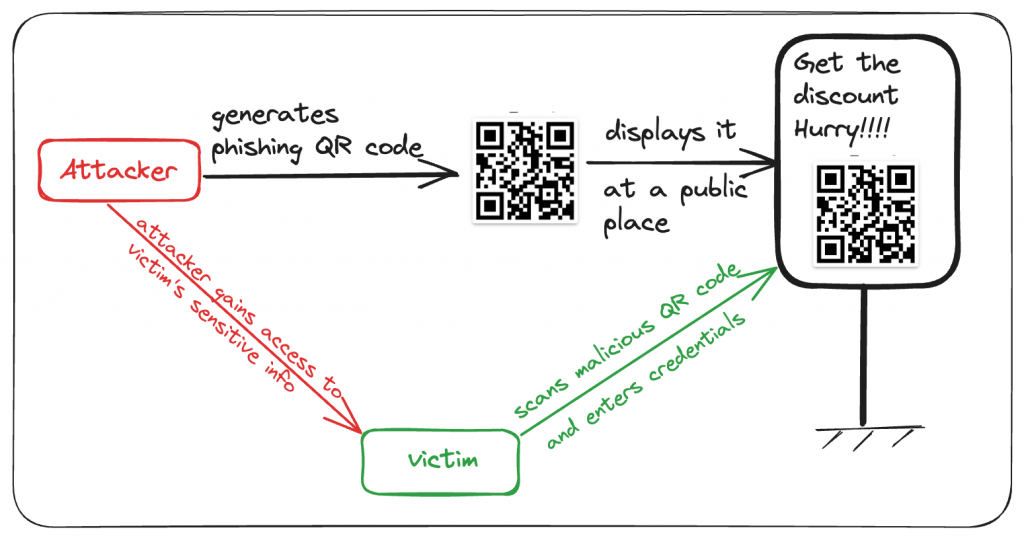
The concern has reached federal regulators too. In a consumer alert earlier this year, the U.S. Federal Trade Commission warned about a growing scam involving QR codes placed on unexpected packages.
So let’s take a closer look at alternatives that can right QR codes’ wrongs.
7 top alternatives to QR codes in 2026
1. NFC tags: Best for tap-and-go experiences in design-led spaces
NFC — short for near-field communication — is a short-range wireless technology that works when two devices are just a few centimeters apart. NFC tags are often used as lightweight interactive packaging tools, especially for care instructions and post-purchase content.
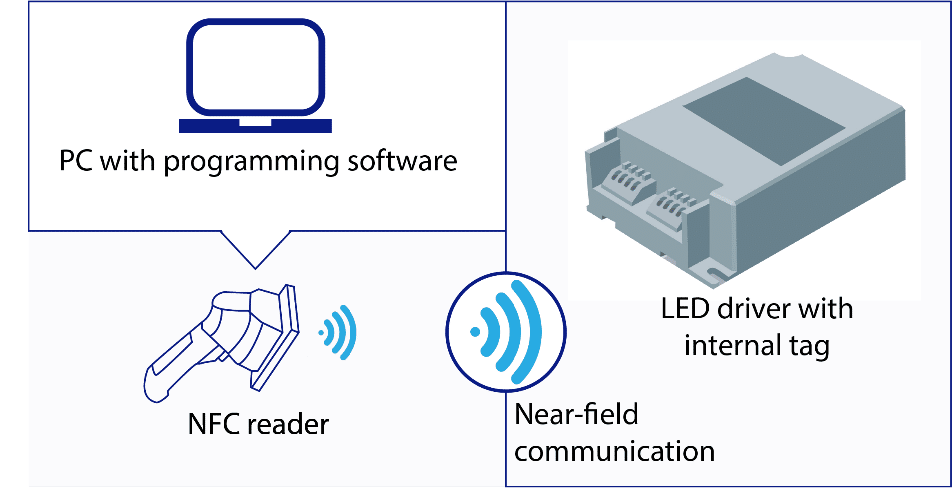
London’s Oyster and contactless readers, New York’s OMNY, and Japan’s Suica and PASMO systems all process taps in fractions of a second to keep people moving. NFC also shows up in hotel room keys, office badges, car keys, and even digital car access systems, where it’s used as a secure fallback.
Note: In June 2025, the NFC Forum debuted NFC Release 15; the effective range increased from about half a centimeter to roughly two centimeters.
NFC vs QR codes
NFC shifts the interaction from scan and wait to tap and go. There’s no camera to open and no angle to find. NFC doesn’t need to announce its presence with a black-and-white square, so it fits naturally into packaging, signage, and retail environments without competing with the design.
Hugo Boss, for example, has added NFC tags to a range of baseball caps as part of a “phygital” experience. When customers tap the tag, they’re taken to a digital version of the cap that can be used in virtual environments.
How can you use NFC tags?
Common use cases include
- Event check-ins and feedback, where a tap at the door or on a table opens a form immediately.
- Contact sharing in live settings, like tapping a badge or card to open a profile, portfolio, or lead form during a conversation.
- Product information at the point of use, such as care instructions sewn into clothing, warranty details on electronics, or authenticity verification on high-value goods.
- In-store shortcuts, like tapping a shelf tag to reorder a product, save it for later, or view specifications.
- Physical triggers for digital actions, including tapping a sticker to start a playlist or opening a specific app flow.
Best tools for NFC tags
You generally need two things: the physical tag and a platform to manage what happens when someone taps.
- For the tags: Suppliers like Seritag offer pre-made tags or custom options with printing.
- For management: Here are the main platforms:
- Phone-native NFC support: iOS and Android both support background NFC reading, as long as the back end is configured to handle it.
2. Branded links: Best for trust-sensitive, shareable access
Generic short links are cheap and convenient, but they also look exactly like the links people are trained to avoid. The U.S. Cybersecurity and Infrastructure Security Agency flags “untrusted shortened URLs” as a common phishing red flag because attackers often hide the real destination behind short links.
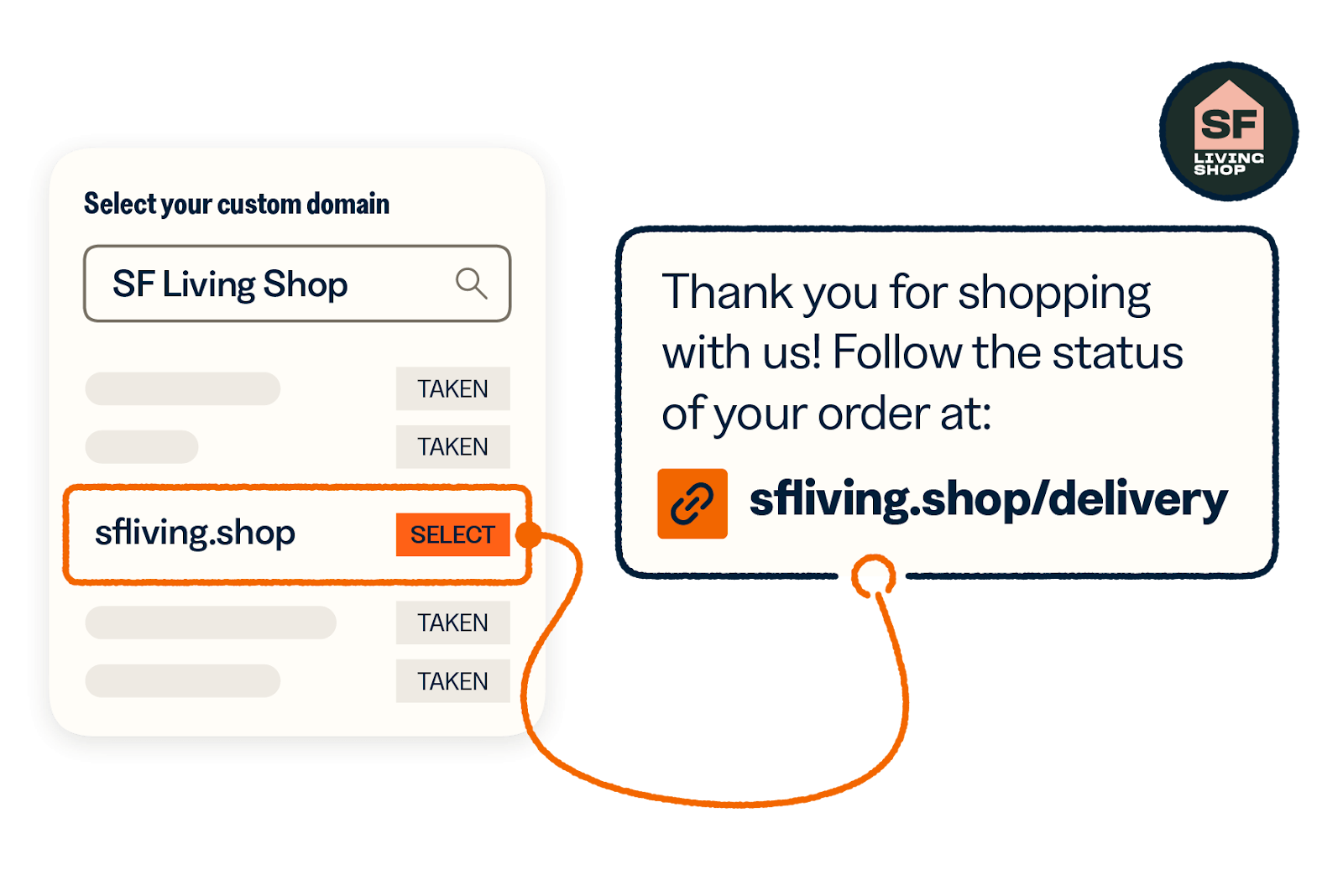
A branded short link uses your own domain instead of a generic shortener. Instead of “bit.ly/a3x9f,” you get “yourbrand.com/offer.”
For example, Amazon uses “amzn.to” links across its affiliate and marketing efforts.
Branded links vs QR codes
The biggest difference is legibility. A QR code hides the destination entirely until it’s scanned, while a branded link shows it upfront. According to Rebrandly, branded short links increase click-through rates by up to 39 percent because people trust recognizable brand names.
QR codes require a camera scan. Branded links can be typed, texted, or clicked directly — lowering friction for anyone who wants to share the link manually.
Plus, branded links are dynamic by default. If you control the domain and the redirect, you can change the destination at any time without changing the link itself. QR codes don’t always offer that flexibility.
How can you use branded links?
Branded links work best anywhere the link itself has to carry trust:
- Email and SMS campaigns, where a readable domain reassures recipients before they click
- Social posts and paid ads, where a clean URL signals legitimacy and improves recall
- Offline-to-online handoffs, like print ads, event signage, or podcast reads, where people need to remember and type the link later
- Customer support and account messages, where users are already cautious about links claiming to be “from you”
- Campaigns that evolve, where the same link can point to different destinations over time without breaking or reprinting anything
Best tools for branded links
You need two things: a branded link management platform and ideally your own domain (or subdomain):
3. Visual search: Best for inspiration-led discovery
A recent Criteo study found that around 76 percent of consumers say online shopping is “functional, but not fun.”
Visual search, powered by image recognition technology, aims to bridge that gap by letting people find products based on images. For example, Pinterest pairs AI with a “taste graph” that maps billions of user signals: searches, saves, pins, and clicks.
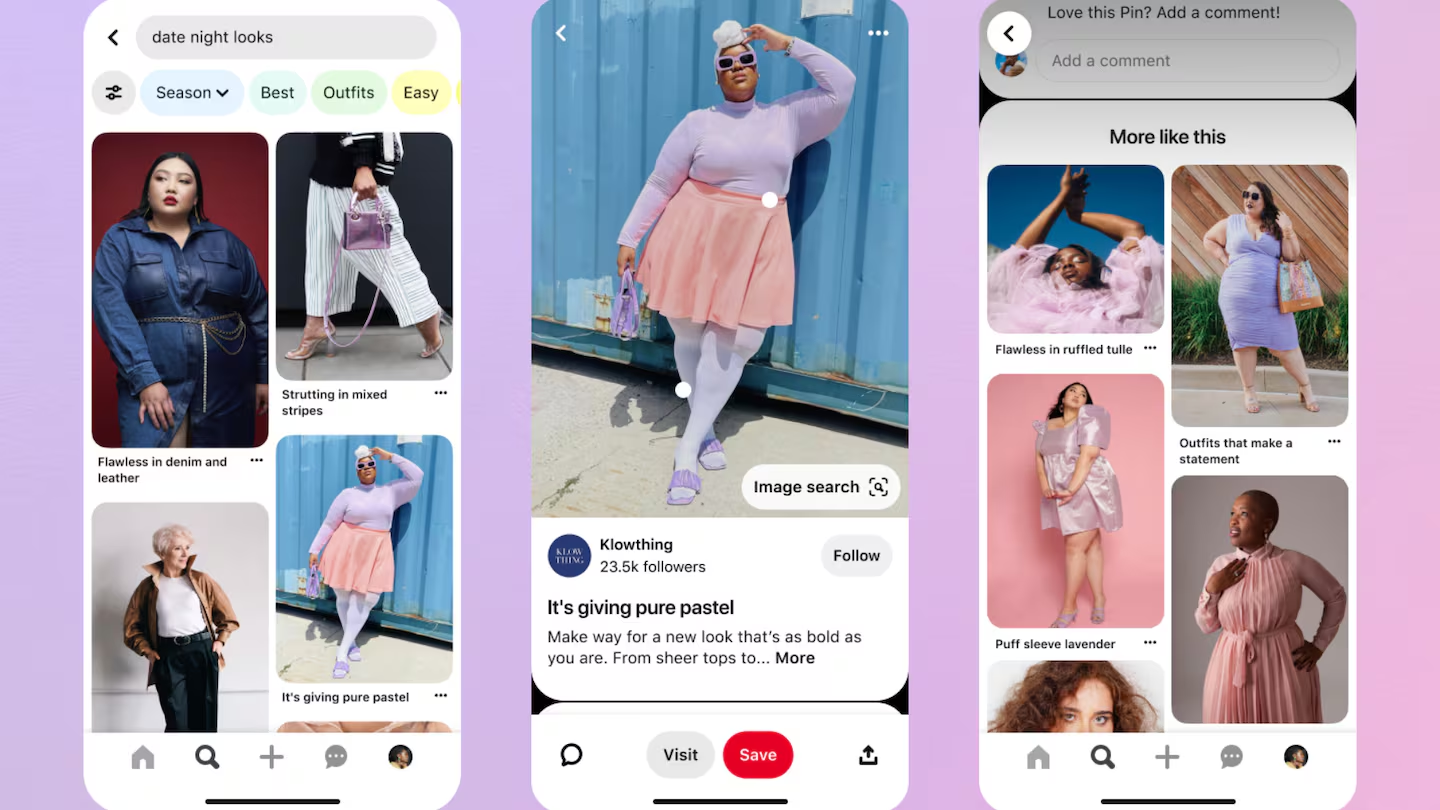
Google is pushing visual search further into everyday behavior by integrating Google Lens directly into Chrome’s native AI interface, turning it into a persistent way to explore images, context, and questions as you browse.
You can see how this plays out in newer shopping flows too. Beni, an AI-powered resale search engine, recently introduced Beni Lens, which lets shoppers find secondhand versions of items they encounter anywhere — online or offline.
Visual search vs QR codes
QR codes require intent. Someone has to notice the code, decide to scan it, and pause long enough for the experience to load.
Visual search works earlier, often before intent is fully formed — it starts with something someone already noticed: an outfit, a product, a space, a detail. That makes visual search better suited to inspiration-heavy moments where QR codes feel awkward or out of place.
How can you use visual search?
Visual search is a way to capture demand that doesn’t start with keywords.
- For fashion retailers, visual search turns every storefront window, social media post, and influencer collaboration into a sales channel.
- For home decor and furniture brands, visual search works as a discovery tool at scale; someone sees a living room they’re inspired by and snaps it, and your pieces show up in the results.
- For beauty and cosmetics brands, the benefit lies in try-before-you-buy scenarios.
Best tools for visual search
- Google Lens
- Pinterest Lens
- Site-native visual search tools (e.g., Syte, ViSenze)
Pro Tip
You can take a look at our article about the best AI search engines in 2026 for more information.
4. Bluetooth beacons: Best for location-driven, in-the-moment experiences
The global iBeacon and Bluetooth beacon market is projected to reach $210.5 billion by 2032, driven largely by location-based services and proximity marketing technology.
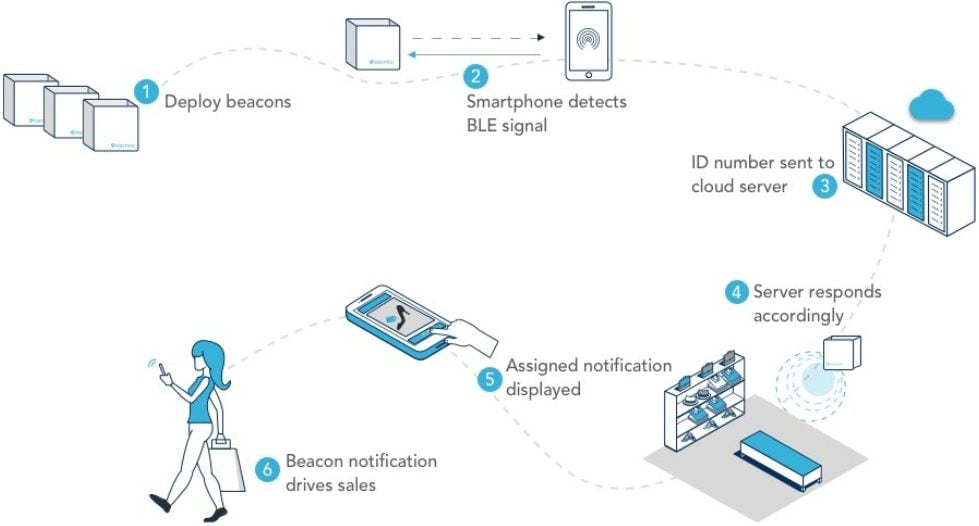
Macy’s was one of the first major retailers to publicly test an iBeacon-style shopping experience with Shopkick. When iPhone users with the Shopkick app walked into Macy’s Herald Square or Union Square, they received a notification that pulled them into the app. Then, Shopkick would surface in-store deals and even nudge shoppers about products they’d shown interest in that were now on sale.
Bluetooth beacons vs QR codes
The key difference is who initiates the interaction.
QR codes are user driven. Someone has to notice the code, decide to scan it, and complete the action. That makes them predictable and easy to control but also limited to moments where a customer is willing to stop and engage.
Bluetooth beacons are environment driven. The interaction is triggered by proximity when someone enters a space or moves near a specific location.
That makes beacons better suited to situations where context and timing matter more than explicit intent.
How can you use Bluetooth beacons?
Sectors like retail, healthcare, transportation, and even defense continue to invest in beacon-based systems.
- Retail stores deploy beacons to send location-triggered offers as customers approach specific departments or displays.
- Healthcare facilities use beacons for patient monitoring and asset tracking.
- Transportation and logistics companies deploy beacons for hands-free asset tracking across warehouses and distribution centers.
- Defense and security applications use beacons for personnel and equipment tracking in restricted environments.
Best tools for Bluetooth beacons
Bluetooth beacons require the physical hardware and a platform to manage deployments and data.
- For hardware: BlueUp is a leading manufacturer of Bluetooth Low Energy devices certified for iBeacon, Eddystone, and other major beacon standards.
- For management and deployment: Infsoft’s LocAware platform is a cloud IoT hub with web applications for data management and visualization.
- BeaconTrax provides integrated hardware and software solutions for manufacturing, construction, healthcare, and energy sectors.
5. Data Matrix: Best for dense data and harsh environments
A Data Matrix is a compact 2D barcode that packs massive amounts of data into tiny spaces — and it’s one of the most widely used 2D barcode alternatives to QR codes in rough-and-tumble industries.
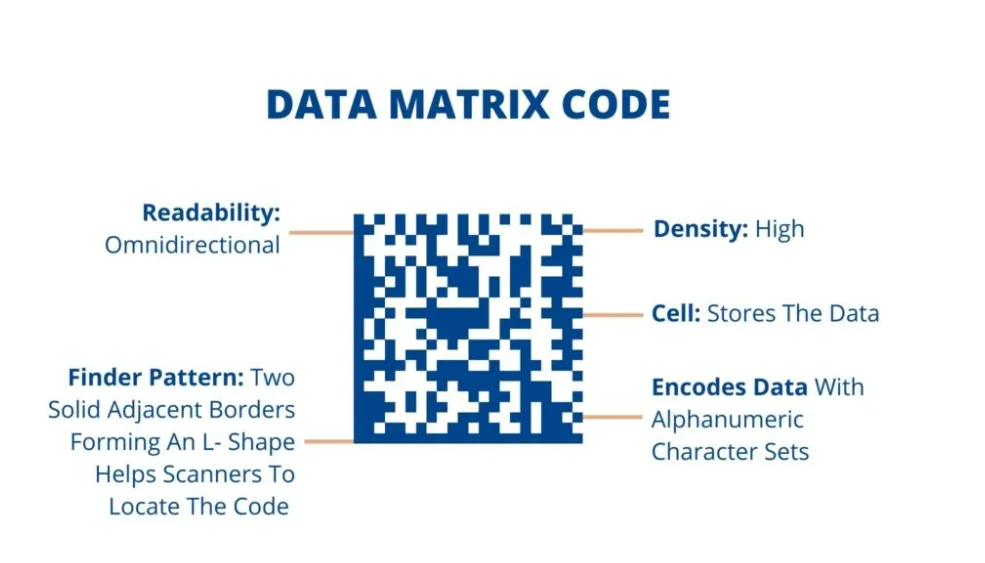
Take Victorinox, the maker of the original Swiss Army Knife. The company recently introduced a line of commercial knives for food and meat processing that use laser-engraved Data Matrix codes directly on the blade. Each code carries a full set of product identifiers: EAN, SKU, and serial, allowing knives to be tracked, audited, and managed across their entire lifecycle.
Healthcare is pushing Data Matrix adoption harder. GS1 (the organization that invented barcoding) partnered with Google to make Data Matrix codes readable through Google Lens on medicine packs. Now, patients can scan a barcode with their phone and access the drug information.
Data Matrix vs QR codes
Like QR codes, they’re scannable, but unlike QR codes, which are often consumer-facing marketing tools, Data Matrix codes live inside supply chains.
QR codes are built to move people from offline to online. Data Matrix codes are built to track physical items through regulated, complex supply chains, where data density and reliability matter more than consumer engagement.
How can you use Data Matrix?
Data Matrix works best in environments where the barcode itself needs to be tougher than the product.
- Direct part marking, where codes are laser etched or printed directly onto products or components
- Inventory and asset tracking, especially in environments where labels wear out, get washed, or are exposed to heat, chemicals, or friction
- Regulated supply chains, such as food processing, pharmaceuticals, and medical devices
- Serialization and recalls, making it easier to trace individual units back to batches, suppliers, or production runs
Best tools for Data Matrix
The tools tend to fall into three buckets:
- Standards and encoding:
- GS1 defines how product identifiers like GTINs, batch numbers, and serials are encoded for traceability and compliance.
- GS1 Digital Link extends Data Matrix codes so they can resolve structured product information when scanned by compatible tools.
- Printing and marking:
- Scanning and verification:
6. AR markers/WebAR triggers: Best for immersive, camera-first experiences
AR markers and WebAR triggers use the phone’s camera as the entry point, but the interaction doesn’t stop at a link. The scan is the experience.
AR markers activate a layer of content on top of the real world: 3D models, animations, overlays, instructions, or interactions — directly in the browser. WebAR can recognize visual markers like unique patterns, illustrations, or even the overall design of a package.
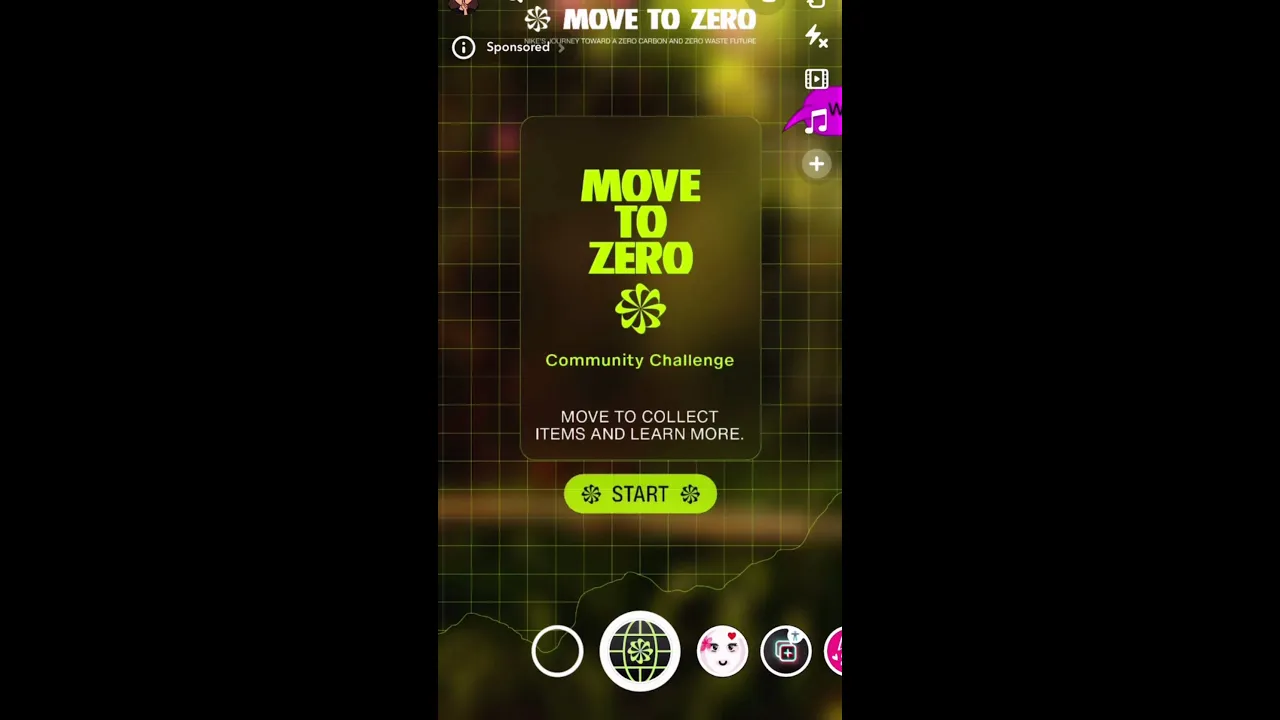
Nike’s Move to Zero boxes are a clear example of AR packaging done right. Nike worked with production partner Unit9 to turn its Move to Zero shoe boxes into WebAR experiences that overlay 3D visuals and storytelling directly on top of the box in the browser when scanned.

WebAR vs QR codes
QR codes treat the scan as a gateway. You scan, then you’re sent somewhere else — the experience lives outside the physical object you’re interacting with.
WebAR, instead of redirecting, layers digital content directly onto what you’re looking at, making your smartphone the lens itself. When you want someone to pause, explore, and interact with your product or content in a meaningful way, WebAR wins out.
How can you use WebAR?
WebAR works best when you’re selling something visual and when the experience itself helps them make a decision.
- Product manuals and assembly instructions use AR markers to overlay step-by-step animations directly on the item you’re assembling.
- Automotive dealers use WebAR to show vehicle configurations.
- Fashion and apparel brands use AR try-on experiences.
- Furniture and home decor brands use WebAR to let customers visualize products in their space before buying.
Best tools for WebAR
WebAR tools typically combine camera access, image recognition, and browser-based rendering.
7. RFID cards/wristbands: Best for repeatable access and payments
The radio-frequency identification (RFID) market was expected to reach $15.6 billion in 2025. In retail alone, apparel retailers required over 31 billion RFID tags in 2025.
A card or wristband contains a small chip that communicates wirelessly with a nearby reader, allowing people to tap or hover to trigger an action.
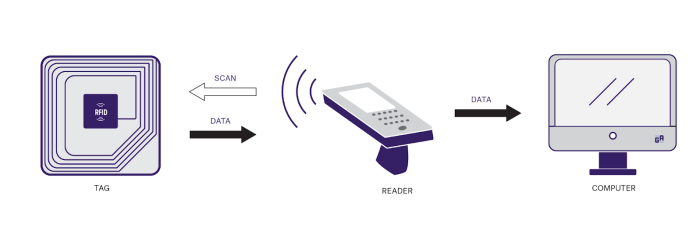
Royal Caribbean’s WOW Bands are a great example. The silicone wristbands, embedded with RFID chips, let passengers open their stateroom doors, purchase drinks, and check into activities with a tap. The band replaces cards, tickets, and confirmations with a single wearable that works everywhere onboard.
RFID vs QR codes
QR codes are best for one-off interactions. Someone scans, completes a task, and moves on.
RFID is built for repeated use. RFID engagement replaces dozens of small interactions: payments, access, check-ins — with a single tap.
How can you use RFID cards/wristbands?
RFID technology works best when people need to move quickly through the same system again and again.
- Access control, such as opening doors, entering restricted areas, or checking into rooms without keys
- Cashless payments
- Event and venue entry, replacing tickets with wristbands
- Hospitality experiences, like hotels, cruises, and resorts
- Retail operations, including inventory tracking and faster checkout in high-volume environments
- Healthcare and secure facilities for staff identification, asset tracking, and controlled access
Best tools for RFID cards/wristbands
RFID setups usually involve hardware (tags or readers) plus a system that decides what a tap does.
- Cards, wristbands, and tags:
- NXP Semiconductors (MIFARE, UHF)
- Smartrac/Avery Dennison
- Readers and terminals:
- Software platform:
Will QR codes become obsolete?
QR codes aren’t going away anytime soon, I reckon. They’re still the cheapest, fastest way to move people from offline to online.
But what’s changed is that you now have tons of options.
If your goal is simple, one-time interactions — forms, menus, check-ins — QR codes still win. They’re quick to implement and don’t require special hardware. But if you need something else like stronger security signals, immersive experiences, or supply chain traceability, one of these alternatives will do the job better.
Create QR Codes in Minutes
And if you’re starting with forms? Use Jotform’s QR Code Generator to create mobile-friendly QR codes that link directly to forms, surveys, or feedback collection.
FAQs
Yes, ChatGPT can generate QR codes that link to URLs, forms, or text, either as images or downloadable files.
An Aztec code is a type of 2D barcode designed to store information in a compact, square pattern made up of black and white cells. You’ll often see Aztec codes on mobile boarding passes, train tickets, and event tickets, rather than in consumer marketing.
This article is for forward-thinking marketers, brand designers, product teams, event organizers, and creators looking to build more interactive, more elegant, or more seamless experiences than traditional QR codes can provide.









































Send Comment:
1 Comment:
November 20, 2021
Nice article but Jotform does not have an NFC reader widget. It was requested a year ago and again 2 months ago.