

Formulare für Apotheken
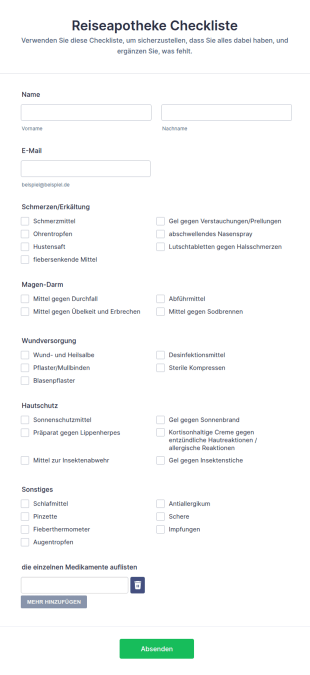
Reiseapotheke Checkliste
Eine Reiseapotheken-Checkliste ist eine spezielle Checkliste, die von Reisenden verwendet wird, um sicherzustellen, dass sie alle ihre Reisemedikamente haben.
Zur Kategorie:Formulare für Apotheken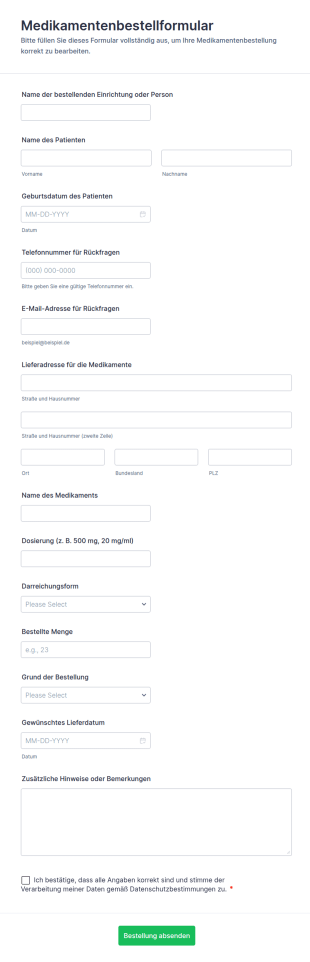
Medikamentenbestellformular
Erfassen Sie Medikamentenbestellungen zuverlässig mit dem Medikamentenbestellformular von Jotform, ideal für Apotheken, Arztpraxen und Pflegeeinrichtungen zur schnellen Daten erfassen und sicheren Weiterleitung jeder Formularantwort.
Zur Kategorie:Bestellformulare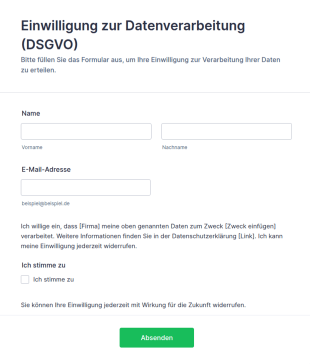
Vorlage Einwilligung Zur Datenverarbeitung (DSGVO)
DSGVO-konforme Einwilligungsformular-Vorlage für Jotform: Opt-in-Checkbox, Widerrufshinweis und Datenschutz-Platzhalter – direkt anpassbar und einsatzbereit.
Zur Kategorie:Werbeformulare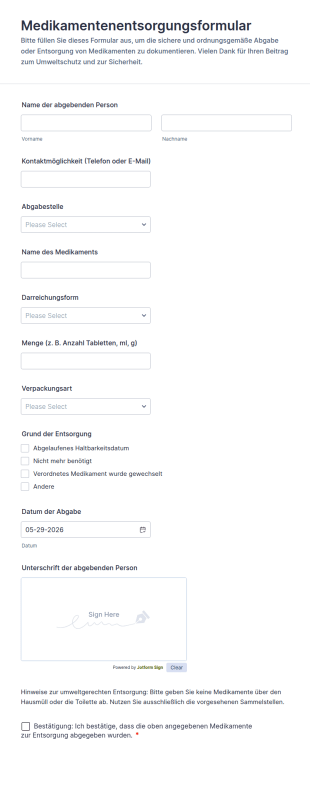
Medikamentenentsorgungsformular
Das Medikamentenentsorgungsformular erleichtert Apotheken und Sammelstellen die digitale Datenerfassung bei der Annahme zur Entsorgung und hält Annahme und Bestätigung nachvollziehbar in Jotform fest.
Zur Kategorie:Formulare für Apotheken
Medikationsabgleich Formular
Erfassen Sie mit dem Medikationsabgleich-Formular die aktuelle Medikation und wichtige Hinweise für Praxis, Apotheke oder Pflege, um den Medikamentenabgleich bei Aufnahme, Entlassung oder Kontrollterminen zuverlässig zu dokumentieren.
Zur Kategorie:Gesundheitsformulare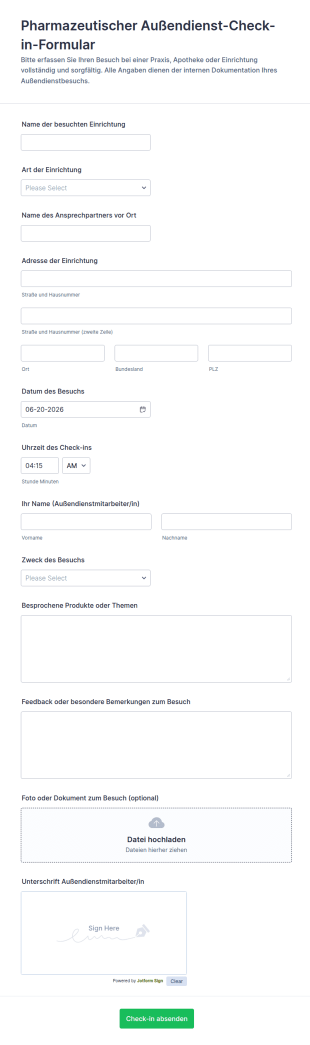
Anwesenheits Check In Für Pharma Vertreter
Dokumentieren Sie Außendienstbesuche im pharmazeutischen Umfeld mit dem Pharmazeutischen Außendienst-Check-in-Formular und vereinfachen Sie Datenerfassung, interne Auswertung und Nachbereitung mit Jotform.
Zur Kategorie:Check-in Formulare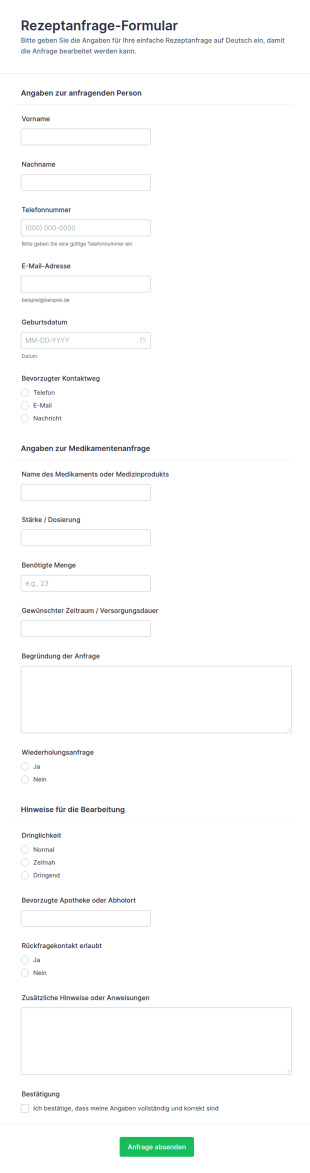
Einwilligungsformular Für Rezepte
Das Rezeptanfrage-Formular erleichtert Arztpraxen und Apotheken die digitale Annahme und Priorisierung von Rezeptwünschen, damit Anfragen schneller geprüft, nachverfolgt und beantwortet werden können.
Zur Kategorie:Gesundheitsformulare
Impfstoff Einwilligungsformular
Erfassen Sie mit dem Impf-Einwilligungsformular für die Apotheke Einwilligungen und gesundheitsbezogene Angaben vor einer Impfung, damit Apothekenteams Abläufe vorbereiten und die Datenerfassung über Jotform formularantworten zentral verwalten können.
Zur Kategorie:Einverständniserklärungen
Impfzertifizierung Apothekenformular
Impfzustimmung Apotheke Formular unterstützt Apotheken bei der digitalen Datenerhebung und Dokumentation von Einwilligungen rund um Impfungen, inklusive Unterschrift und nachvollziehbarer Formularantwort in Jotform.
Zur Kategorie:Einverständniserklärungen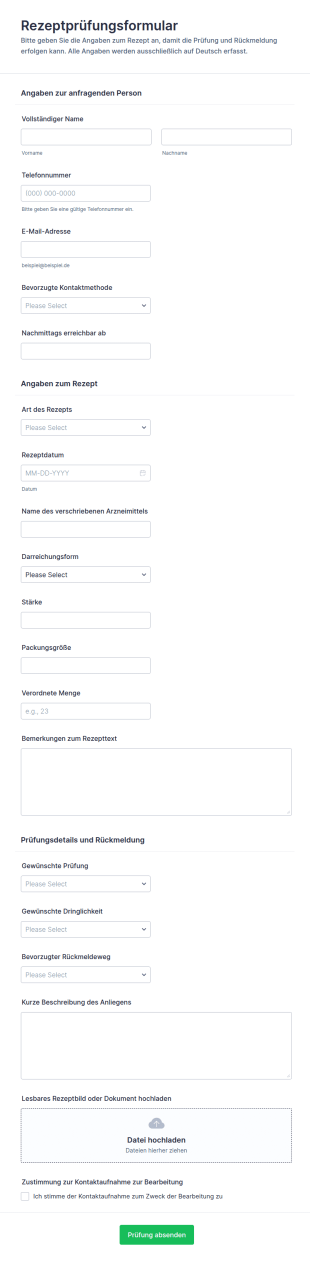
Rezeptprüfung Formular
Rezeptprüfung Formular für Apotheken und medizinische Einrichtungen, um Rezeptanfragen digital zu erfassen, zu priorisieren und Prüfprozesse über Jotform mit klarer Datenerfassung und nachvollziehbarer Formularantwort zu organisieren.
Zur Kategorie:Formulare für Apotheken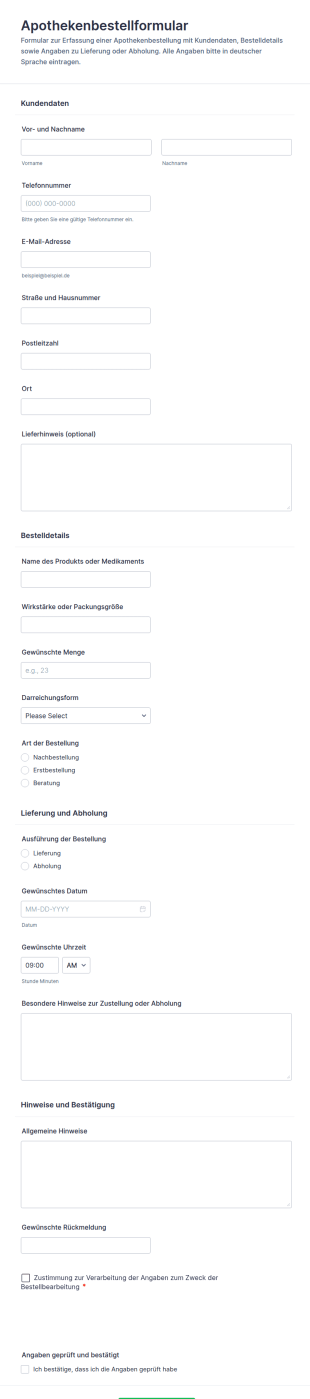
Apothekenbestellformular
Apothekenbestellformular unterstützt Apotheken dabei, Vorbestellungen für Medikamente und Produkte online zu erfassen und Lieferung oder Abholung planbar zu machen, damit Teams Anfragen schneller bearbeiten und Kundinnen und Kunden zuverlässig informieren können.
Zur Kategorie:Bestellformulare
Apotheken Wochenend Arbeitscheckliste Formular
Dokumentieren Sie Wochenenddienste in der Apotheke einheitlich mit dem Apotheken-Wochenend-Checkliste Formular für klare Übergaben, zuverlässige Datenerfassung und besser planbare Abläufe über Jotform.
Zur Kategorie:Checklisten-Formulare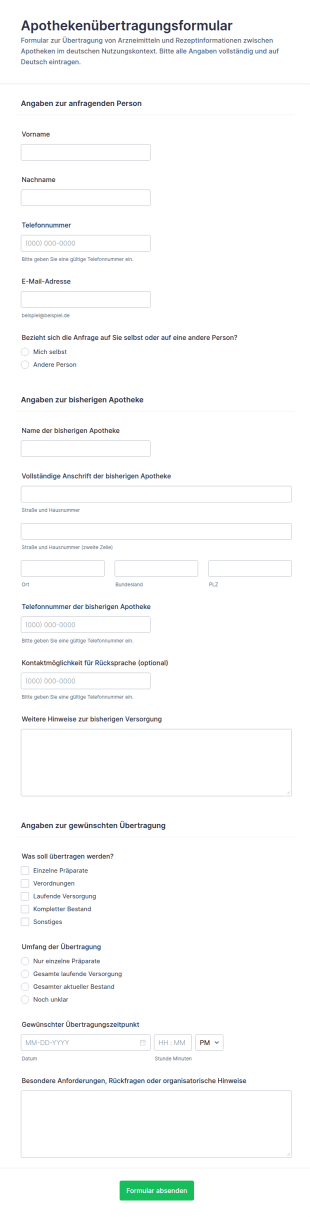
Apothekenüberweisungsformular
Erfassen Sie Apothekenübertragungsanfragen online, koordinieren Sie Übernahmen mit der bisherigen Apotheke und sammeln Sie alle Angaben zentral, ideal für Vor-Ort-Apotheken und Filialverbünde.
Zur Kategorie:Anfrageformulare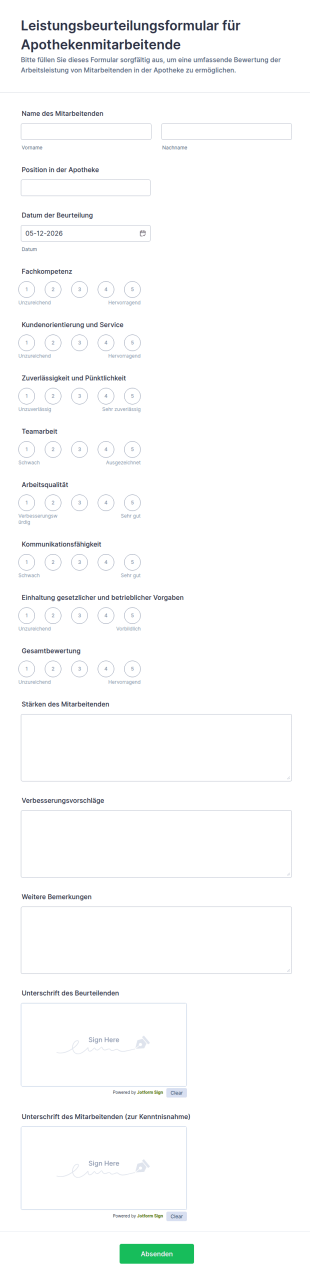
Leistungsbeurteilungsformular Für Apothekenmitarbeitende
Erfassen Sie Mitarbeiterleistungen in der Apotheke einheitlich mit dem Leistungsbeurteilungsformular für Apothekenmitarbeitende von Jotform und vereinfachen Sie Beurteilungsrunden für Filialleitungen und Inhaberinnen und Inhaber.
Zur Kategorie:Mitarbeiterbeurteilung Formulare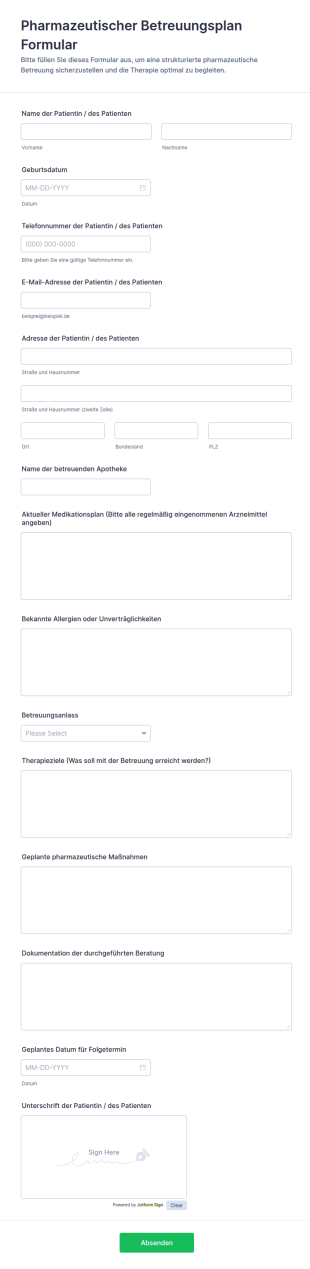
Pharmazeutischer Betreuungsplan Formular
Dokumentieren Sie pharmazeutische Betreuungsgespräche in der Apotheke mit dem Pharmazeutischer Betreuungsplan Formular von Jotform und erleichtern Sie Datenerfassung, Nachverfolgung und einheitliche Abläufe bei jeder Formularantwort.
Zur Kategorie:Apothekenformulare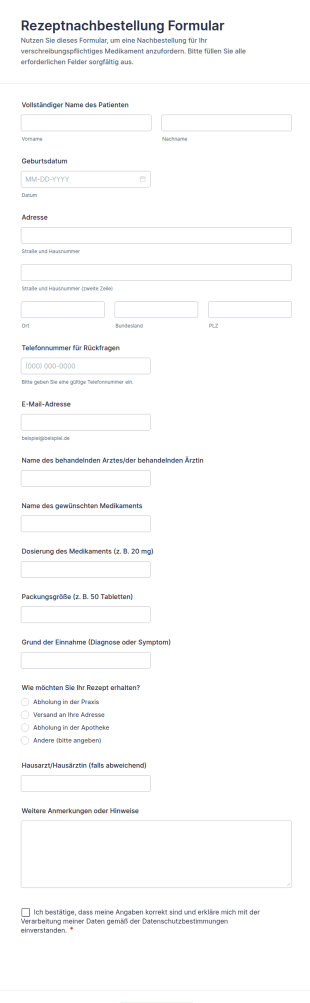
Rezeptnachbestellung Formular
Erfassen Sie Rezeptnachbestellungen online mit dem Rezeptnachbestellung Formular von Jotform, ideal für Arztpraxen und Apotheken, um Anfragen zentral zu sammeln, Rückfragen zu reduzieren und die Datenerfassung pro Formularübermittlung zu vereinheitlichen.
Zur Kategorie:GesundheitsformulareÜber Formulare für Apotheken
Apothekenformulare sind digitale Formulare, die speziell für die Abläufe in Apotheken entwickelt wurden. Sie unterstützen zentrale Prozesse wie die Bearbeitung von Rezepteinlösungen, die Erfassung von Patientendaten, die Bestandsverwaltung und die Dokumentation gesetzlicher Vorgaben. In einem schnelllebigen Umfeld wie der Apotheke, in dem Präzision und Effizienz entscheidend sind, bieten Apothekenformulare eine praktische Lösung für die zahlreichen täglichen Erfassungsaufgaben. Sie helfen dabei, Aufzeichnungen korrekt zu führen, den schnellen Datenaustausch zwischen Gesundheitsfachkräften zu unterstützen und Abläufe sorgfältig und professionell zu gestalten.
Jotform stands out as the premier online form builder for creating custom Pharmacy Forms. With its intuitive drag-and-drop interface, Jotform makes it easy for professionals to design forms that meet the specific needs of a pharmacy. The platform's ability to automate data collection reduces the likelihood of human error and accelerates the workflow, allowing pharmacies to focus on delivering excellent service to their customers. Additionally, Jotform Tables offers centralized data management, ensuring that all collected information is securely stored and easily accessible, facilitating seamless integration into existing pharmacy systems and enhancing overall operational efficiency.
Why Use Pharmacy Forms?
- Pharmacy Forms are essential for ensuring accuracy in data collection, which is critical in the pharmaceutical industry. By digitizing forms, pharmacies can minimize manual data entry errors, ensuring that patient information, medication details, and transaction records are consistently accurate.
- Speed is a significant advantage when using Pharmacy Forms. These forms streamline processes such as patient intake and prescription refills, allowing pharmacy staff to process requests quickly and efficiently, thereby reducing wait times and improving customer satisfaction.
- Professional data handling is another key benefit. Pharmacy Forms ensure that sensitive patient information is managed with the highest level of security and confidentiality. This is crucial for maintaining compliance with healthcare regulations and building trust with patients.
- The use of digital forms enhances communication and collaboration among pharmacy staff. By integrating with third-party platforms like Google Sheets and Slack, Pharmacy Forms facilitate seamless data sharing, enabling teams to work together more effectively and make informed decisions promptly.
- Pharmacy Forms also support the collection of payments directly through the form, using one of the 30+ payment gateways available, including Stripe, PayPal, and Square. This feature simplifies the billing process, making transactions more convenient for both the pharmacy and its customers.
Common Problems Solved by Pharmacy Forms
- One of the primary issues in pharmacies is the reliance on paper-based systems, which can lead to lost or misplaced documents. By switching to Pharmacy Forms, pharmacies can eliminate paper clutter and ensure that all records are stored digitally, reducing the risk of data loss.
- Manual data entry is time-consuming and prone to errors, which can have serious implications in a pharmacy setting. Pharmacy Forms automate data collection, significantly reducing the need for manual input and minimizing the potential for mistakes that could affect patient care.
- Pharmacies often struggle with maintaining up-to-date inventory records, leading to stockouts or overstocking. Pharmacy Forms can be used to streamline inventory management, providing real-time updates and ensuring that stock levels are accurately tracked.
- Compliance with healthcare regulations is a constant challenge for pharmacies. Pharmacy Forms help ensure that all necessary documentation is completed and stored correctly, facilitating audits and inspections and reducing the risk of non-compliance penalties.
Passende Anwendungsfälle für Features
- For prescription refills, the Drag-and-Drop Form Builder allows pharmacies to create customized forms that patients can fill out online, streamlining the refill process and reducing wait times at the pharmacy.
- Conditional Logic can be applied to Pharmacy Forms to ensure that patients only see relevant questions or fields, improving the user experience and ensuring that all necessary information is collected efficiently.
- With the integration of 30+ Payment Gateways, pharmacies can securely collect payments directly through their forms, simplifying the billing process and providing a convenient payment option for customers.
- The Electronic Signatures feature, powered by Jotform Sign, enables pharmacies to collect legally binding signatures on consent forms or agreements, ensuring compliance with legal and regulatory requirements.
- Jotform's Report Builder can be used to generate comprehensive reports from form submissions, providing valuable insights into pharmacy operations, patient trends, and inventory levels, enabling data-driven decision-making.
- Offline Data Collection with Jotform Mobile Forms allows pharmacy staff to collect data in areas with limited internet connectivity, ensuring that operations are not disrupted even in offline environments.
- Secure Data Management with Jotform Tables ensures that all collected data is stored safely and can be accessed easily for audits, compliance checks, or operational reviews.
How to Create a Pharmacy Form
- Browse the Template List for a Pharmacys template or start from a blank form. This step is crucial for selecting a starting point that closely aligns with your pharmacy's specific requirements.
- Customize the design and fields using the Drag-and-Drop Form Builder. This feature allows you to tailor the form's appearance and functionality, ensuring it meets your operational needs and provides a seamless user experience.
- Publish and share via Direct Link, Email, or Website Embed. These options make it easy to distribute the form to patients and staff, ensuring that it is accessible to everyone who needs it.
Top Use Cases for Pharmacy Forms
- For Managers: Pharmacy Forms provide managers with the tools to streamline operations, improve accuracy, and enhance compliance. Managers can use these forms to track inventory levels, monitor patient interactions, and ensure that all regulatory documentation is up-to-date and easily accessible. This level of oversight helps in making strategic decisions that drive efficiency and improve service delivery in the pharmacy.
- For Teams: Pharmacy teams benefit from the use of Pharmacy Forms by having a clear and organized workflow that reduces the risk of errors and miscommunication. These forms facilitate better collaboration among team members, enabling them to share information quickly and efficiently. By integrating with systems like Salesforce and Slack, teams can stay connected and informed, ensuring that they provide consistent and coordinated care to patients.
- For Customers: Pharmacy Forms enhance the customer experience by providing convenient and efficient service options. Patients can easily request prescription refills, schedule appointments, or update their information online, reducing the need for in-person visits and long wait times. This convenience, coupled with secure data handling, builds trust and satisfaction among customers, encouraging them to remain loyal to the pharmacy.
Summarizing Pharmacy Forms
Pharmacy Forms play a vital role in transforming the operations of a pharmacy, making processes more efficient, accurate, and compliant. By leveraging the powerful features of Jotform's online form builder, pharmacies can create customized forms that meet their specific needs, streamline data collection, and manage information securely. These forms not only enhance operational efficiency but also improve the overall customer experience, positioning pharmacies for sustained success in a competitive industry.
Häufig gestellte Fragen
1) Ist die Erstellung von Apothekenformularen auf Jotform kostenlos?
Ja, Jotform bietet ein kostenloses Abo an, mit dem Nutzer Formulare für Apotheken erstellen und anpassen können. Für den Zugriff auf erweiterte Funktionen und höhere Limite kann jedoch ein Upgrade auf einen Premium-Tarif erforderlich sein.
2) Sind die Formulare und die übermittelten Daten sicher?
Auf jeden Fall. Jotform schützt Ihre Daten durch Verschlüsselung, DSGVO-Compliance für sensible Gesundheitsdaten. So bleiben alle Formularantworten geschützt.
3) Brauche ich Programmierkenntnisse, um ein Apothekenformular zu erstellen?
Es sind keine Programmierkenntnisse erforderlich. Der Drag-and-Drop-Formulargenerator von Jotform ist benutzerfreundlich und intuitiv. So erstellt jeder mühelos professionelle Formulare.
4) Kann ich Zahlungen direkt über meine Formulare erfassen?
Ja, Jotform unterstützt die Integration mit über 30 Zahlungsportalen, darunter Stripe, PayPal und Square. So erfassen Sie Zahlungen direkt über Ihre Formulare.
5) Können diese Formulare auf mobilen Geräten verwendet werden?
Ja, mit Jotform erstellte Apothekenformulare sind für mobile Geräte optimiert. Sie können die Formulare auf jedem Smartphone oder Tablet aufrufen und ausfüllen.
6) Kann ich Formularantworten in professionelle PDF-Dokumente umwandeln?
Ja, Sie können den PDF Editor von Jotform nutzen, um aus Formularantworten automatisch professionelle PDF-Dokumente zu erstellen. Diese Dokumente eignen sich für Dokumentations- oder Compliance-Zwecke.
7) Wie helfen Apothekenformulare bei der Bestandsverwaltung?
Apothekenformulare optimieren die Bestandsverwaltung. Sie verfolgen Bestände in Echtzeit und passen sie sofort an. So verwalten Sie Lagerbestände präzise und effizient.
8) Können Sie Apothekenformulare in Ihr bestehendes Apothekenverwaltungssystem integrieren?
Ja, Jotform bietet über 100 Integrationen mit Drittanbietern an. So verbinden Sie Ihre Formulare direkt mit Systemen wie Google Tabellen oder Salesforce. Dadurch übertragen und verwalten Sie Daten reibungslos.