

Formulare für Bausachverständige und Gebäudeprüfungen
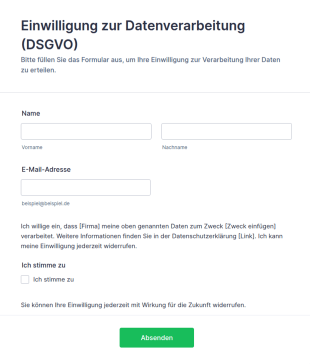
Vorlage Einwilligung Zur Datenverarbeitung (DSGVO)
DSGVO-konforme Einwilligungsformular-Vorlage für Jotform: Opt-in-Checkbox, Widerrufshinweis und Datenschutz-Platzhalter – direkt anpassbar und einsatzbereit.
Zur Kategorie:Werbeformulare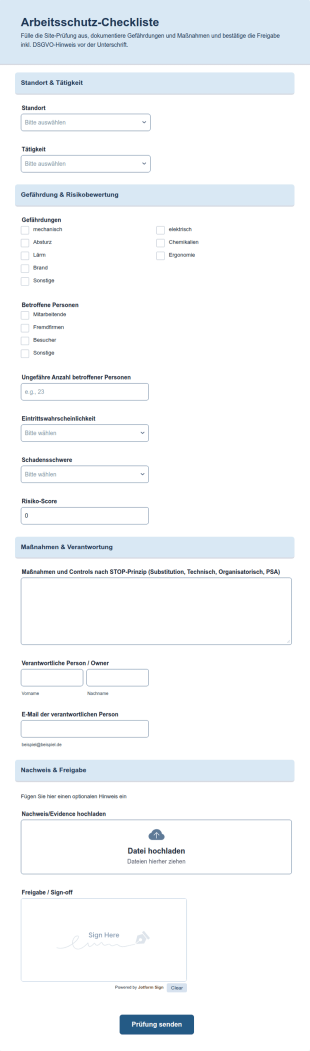
Vorlage Arbeitsschutz Checkliste
Kostenlose Arbeitsschutz-Checkliste als Jotform-Vorlage: Gefährdungen erfassen, Risiko automatisch bewerten, Maßnahmen dokumentieren und digital freigeben.
Zur Kategorie:Formulare für Sicherheitsinspektionen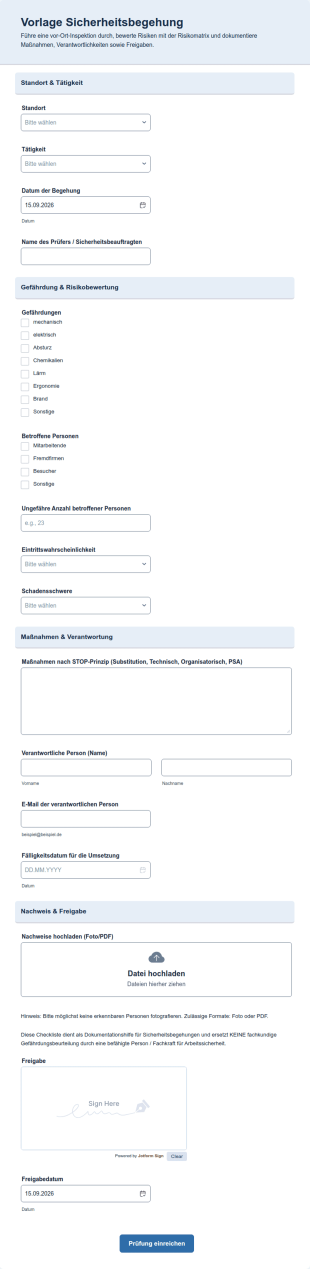
Vorlage Sicherheitsbegehung
Jotform-Vorlage für Sicherheitsbegehungen: Risikomatrix mit Score-Berechnung, Foto-Upload, automatisches Maßnahmen-Routing und Erinnerungen bei Überfälligkeit.
Zur Kategorie:Checklisten-Formulare
Bauleistungs Inspektionsbericht Form
Das Bauleistungs-Inspektionsbericht Formular erleichtert die Datenerfassung bei Bau- und Serviceprüfungen, indem Teams Ergebnisse dokumentieren, Maßnahmen nachverfolgen und Nachkontrollen für Objekte planen können.
Zur Kategorie:Formulare für Bausachverständige und Gebäudeprüfungen
Hausinspektionsformular
Dokumentieren Sie Objektzustände und Mängel bei Begehungen mit dem Hausinspektionsformular von Jotform und sammeln Sie alle Angaben zentral für Hausverwaltungen, Sachverständige und Eigentümervertretungen.
Zur Kategorie:Inspektionsformulare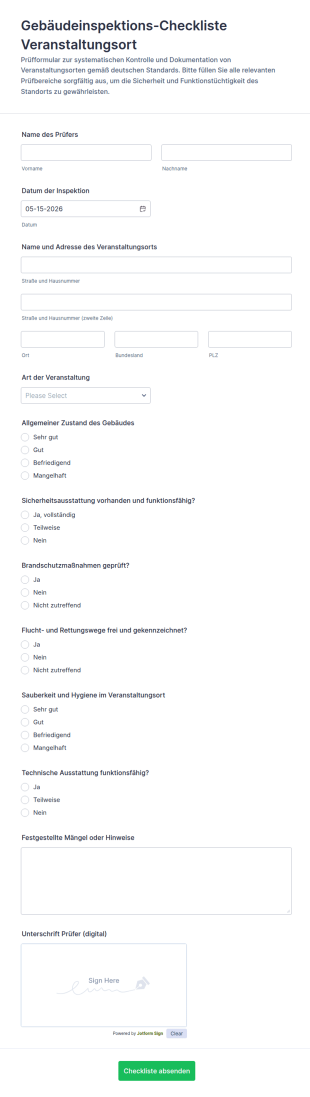
Veranstaltungsort Inspektionscheckliste Formular
Dokumentieren Sie Gebäudeprüfungen für Veranstaltungsorte mit der Gebäudeinspektions-Checkliste-Formular für Veranstaltungsorte und sorgen Sie für klare Abläufe bei Datensammlung und Formularantworten für Teams in Event- und Gebäudebetrieb.
Zur Kategorie:Checklisten-FormulareÜber Formulare für Bausachverständige und Gebäudeprüfungen
Formulare für Bausachverständige und Gebäudeprüfungen sind digitale Formulare, die Verwaltungs- und Prüfabläufe rund um Gebäude und Baustellen vereinfachen. Sie helfen dabei, Prüfergebnisse festzuhalten, Berichte zu erstellen und die Einhaltung von Vorschriften nachvollziehbar zu dokumentieren. In der Praxis nutzen Sachverständige, Bauleitungen und Hausverwaltungen diese Formulare, um bei Ortsterminen Befunde zu erfassen, sichtbare Schäden an der Bausubstanz zu dokumentieren und Mängel oder notwendige Reparaturen festzuhalten. So behalten sie ihre Prüftermine im Blick, ergänzen Befunde um aussagekräftige Fotos und verfügen über eine lückenlose Dokumentation aller Prüfungen.
Mit dem Online-Formulargenerator von Jotform erstellen Sie Formulare für Bausachverständige und Gebäudeprüfungen, die genau zu Ihrer Arbeit passen. Die Formulare lassen sich einfach an Ihre Anforderungen anpassen. Da die Angaben automatisch erfasst werden, entfällt das Abtippen von Prüfnotizen. In Jotform Tabellen laufen alle Prüfergebnisse an einem zentralen Ort zusammen und sind für Auswertungen und Berichte schnell zur Hand. So können sich Sachverständige und Prüfteams auf ihre eigentliche Arbeit vor Ort konzentrieren und effizienter arbeiten.
Warum Formulare für Bausachverständige und Gebäudeprüfungen?
- Formulare für Bausachverständige und Gebäudeprüfungen sorgen für verlässlichere Angaben, und das ist wichtig für nachvollziehbare Prüfnachweise. Beim Abtippen von Hand schleichen sich leicht Fehler ein. Digitale Formulare verringern dieses Risiko durch einheitliche Felder und Formate.
- Mit digitalen Formularen geht die Auswertung deutlich schneller. Papierformulare kosten Zeit und verzögern Abläufe, während digitale Prüfdaten sofort übermittelt werden und direkt zur Durchsicht bereitstehen.
- Ein weiterer Vorteil ist der sorgfältige Umgang mit Daten: Die Formulare erleichtern die zentrale Ablage und Organisation vertraulicher Angaben. Mit Jotform Tabellen verwalten Prüfteams ihre Daten effizient und rufen sie bei Audits oder Nachprüfungen jederzeit ab.
- Formulare für Bausachverständige und Gebäudeprüfungen unterstützen eine ausführliche Dokumentation und Berichterstattung, die für Entscheidungen und die Abstimmung mit Auftraggebern und Beteiligten wichtig ist. Aus den erfassten Daten lassen sich umfassende Berichte erstellen, die eine gute Grundlage für klare Empfehlungen bieten.
- Formulare für Bausachverständige und Gebäudeprüfungen lassen sich mit über 100 externen Anwendungen verbinden, etwa mit Google Tabellen. Das erleichtert die Zusammenarbeit im Team und den Datenaustausch, damit alle Beteiligten mit aktuellen Angaben arbeiten.
Diese Probleme lösen digitale Prüfformulare
- Bei Gebäudeprüfungen fällt viel Papier an, und dabei gehen wichtige Unterlagen leicht verloren oder landen im falschen Ordner. Formulare für Bausachverständige und Gebäudeprüfungen verringern dieses Risiko deutlich, weil alle Angaben digital erfasst und zentral online abgelegt werden.
- Das Abtippen von Hand ist fehleranfällig und kostet Zeit, die bei der eigentlichen Prüfung besser aufgehoben wäre. Digitale Formulare automatisieren diesen Schritt, erfassen die Angaben zuverlässiger und halten sie schnell abrufbar.
- Prüfteams tun sich mit der Datenverwaltung oft schwer, weil sich frühere Prüfergebnisse in Papierakten oder verstreuten Dateien kaum wiederfinden oder auswerten lassen. Mit digitalen Prüfformularen liegen alle Angaben an einem Ort, und frühere Ergebnisse lassen sich einfach durchsuchen und auswerten.
- Wenn Informationen zwischen Prüfteams und Auftraggebern nicht ankommen, verzögern sich Entscheidungen und nächste Schritte. Mit diesen Formularen lassen sich aktuelle Ergebnisse und Änderungen direkt teilen, damit alle auf dem gleichen Stand sind.
Passende Anwendungsfälle für Features
- Für die Datenerfassung direkt vor Ort erstellen Prüfteams mit dem Drag-and-Drop-Formulargenerator Formulare, die genau zu ihren Anforderungen passen. Eine gut aufgebaute Checkliste hilft dabei, dass nichts Wichtiges vergessen wird.
- Mit bedingter Logik passen sich Formulare für Bausachverständige und Gebäudeprüfungen an die bisherigen Antworten an: Wird etwa ein Mangel angekreuzt, erscheinen direkt Felder für Beschreibung und Fotos. Das vereinfacht die Prüfung und sorgt dafür, dass nur die passenden Felder abgefragt werden.
- The integration of 30+ Payment Gateways allows for seamless payment collection for inspection fees directly through the forms, simplifying the financial transactions involved in building inspections.
- Digitale Unterschriften (Jotform Signatur) erleichtern das Unterzeichnen von Prüfberichten und Aufträgen. Jede Unterschrift ist nachvollziehbar dokumentiert.
- Mit dem PDF Editor werden Einsendungen automatisch zu ansprechenden PDF-Dokumenten im Design Ihres Büros, die sich einfach teilen oder für Ihre Unterlagen archivieren lassen.
- Genehmigungs-Workflows vereinfachen die Durchsicht und Freigabe von Prüfberichten, damit jeder Bericht die vorgesehenen Freigabeschritte durchläuft, bevor er abgeschlossen und verschickt wird.
- Mit der Jotform Mobile App erfassen Prüfteams Daten auch ohne Internetverbindung, etwa im Keller, in der Tiefgarage oder auf einer Baustelle ohne Empfang. So läuft die Prüfung ohne Unterbrechung weiter.
So erstellen Sie ein Formular für Gebäudeprüfungen
- Stöbern Sie zunächst in den Vorlagen nach einer passenden Vorlage für Gebäudeprüfungen, oder beginnen Sie mit einem leeren Formular und gestalten Sie es ganz nach Ihren Anforderungen.
- Passen Sie Design und Felder Ihres Formulars mit dem Drag-and-Drop-Formulargenerator an. Fügen Sie Elemente wie Textfelder, Checkboxen oder Unterschriftsfelder hinzu, um alle benötigten Angaben abzufragen.
- Wenn Ihr Formular fertig ist, veröffentlichen und teilen Sie es per Direktlink oder E-Mail oder binden Sie es auf Ihrer Website ein. So erreicht es schnell alle, die es ausfüllen sollen.
Die wichtigsten Anwendungsfälle
- Für Büro- und Teamleitungen: Formulare für Bausachverständige und Gebäudeprüfungen sind eine große Hilfe, wenn Sie mehrere Prüfteams und Projekte koordinieren. An einem zentralen Ort planen Sie Prüftermine, verteilen Aufgaben und sehen abgeschlossene Berichte durch. Die erfassten Daten zeigen Ihnen Auslastung und Verbesserungspotenzial in den Abläufen und helfen, die Dokumentation in allen Teams einheitlich zu halten.
- Für Prüfteams: Prüfteams profitieren von einfacheren Abläufen und besserer Abstimmung. Sie dokumentieren ihre Befunde direkt vor Ort, teilen Informationen sofort und arbeiten bei umfangreichen Projekten zusammen, ohne auf Papierformulare warten zu müssen. So lassen sich Prüfungen zügiger und sorgfältiger abschließen, und die Auftraggeber sind zufriedener.
- Für Auftraggeber: Auftraggeber erhalten übersichtliche Prüfberichte mit Befunden, Fotos und Empfehlungen. Ergebnisse lassen sich bequem online abrufen, und Unterlagen können direkt digital unterschrieben werden. Das spart Wege und macht die Zusammenarbeit einfacher.
Formulare für Bausachverständige und Gebäudeprüfungen im Überblick
Formulare für Bausachverständige und Gebäudeprüfungen sind eine wertvolle Unterstützung für moderne Prüfabläufe: Sie machen die Dokumentation genauer, schneller und einheitlicher. Mit den Funktionen von Jotform automatisieren Sachverständige und Prüfteams die Datenerfassung, vereinfachen Abläufe und verwalten ihre Daten zentral. Da sich die Formulare individuell anpassen, für ausführliche Berichte nutzen und mit anderen Anwendungen verbinden lassen, eignen sie sich für alle, die Gebäude prüfen. So können Fachleute ihre Prüfungen sorgfältig dokumentieren und die nötigen Nachweise ohne großen Aufwand führen.
Häufig gestellte Fragen
1) Kann ich Formulare für Gebäudeprüfungen mit Jotform kostenlos erstellen?
Ja, Jotform bietet einen kostenlosen Tarif, mit dem Sie Formulare für Bausachverständige und Gebäudeprüfungen erstellen und anpassen können. Zahlreiche Funktionen sind bereits enthalten. Zusätzliche Funktionen und mehr Einsendungen pro Monat bieten die kostenpflichtigen Tarife.
2) Sind die Formulare und die übermittelten Daten sicher?
Jotform setzt branchenübliche Sicherheitsmaßnahmen ein, darunter eine SSL-Verschlüsselung der übertragenen Daten. Zur Umsetzung der DSGVO können Sie Ihre Daten in einem Rechenzentrum in der EU speichern lassen und einen Auftragsverarbeitungsvertrag abschließen.
3) Brauche ich Programmierkenntnisse, um ein Prüfformular zu erstellen?
Nein, Programmierkenntnisse sind nicht nötig. Mit dem Drag-and-Drop-Formulargenerator von Jotform erstellt jede und jeder ohne Vorkenntnisse ansprechende Formulare.
4) Kann ich Zahlungen direkt über meine Formulare erfassen?
Ja, über mehr als 30 angebundene Zahlungsdienste wie Stripe, PayPal oder Mollie können Sie Honorare direkt über Ihre Prüfformulare abrechnen.
5) Können diese Formulare auf mobilen Geräten verwendet werden?
Ja, die Formulare lassen sich auf Smartphones und Tablets nutzen, auch direkt auf der Baustelle. Mit der Jotform Mobile App können Sie Daten zudem ohne Internetverbindung erfassen.
6) Kann ich Formularantworten in professionelle PDF-Dokumente umwandeln?
Ja, mit dem PDF Editor von Jotform werden Einsendungen automatisch zu ansprechenden PDF-Dokumenten, die Sie an das Design und Layout Ihres Büros anpassen können.
7) Lassen sich die Formulare mit meinem CRM-System verbinden?
Ja, Prüfformulare lassen sich mit über 100 externen Anwendungen verbinden, darunter CRM-Systeme wie Salesforce oder HubSpot. Neue Einsendungen werden so automatisch in Ihr System übertragen.
8) Wie helfen Prüfformulare bei der Dokumentation für Vorschriften und Audits?
Die Formulare erleichtern eine sorgfältige Erfassung und Dokumentation, sodass Sie alle Prüfschritte ausführlich festhalten können. Diese lückenlose Dokumentation hilft Ihnen, Nachweise zu führen, und ist bei Audits und Nachprüfungen schnell zur Hand. Welche Vorschriften für Ihre Prüfungen gelten, müssen Sie selbst klären. Dieser Hinweis ersetzt keine Rechtsberatung.