

Buchhaltungsformulare
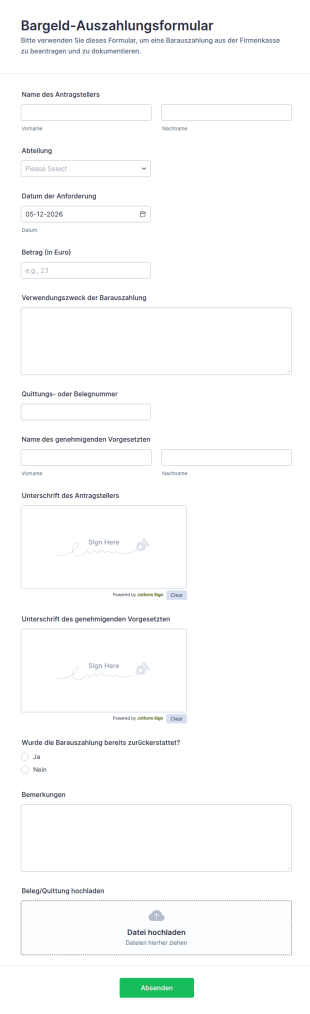
Bargeld Auszahlungsformular
Das Bargeld-Auszahlungsformular erleichtert die interne Datenerfassung für Barauszahlungsanträge, Genehmigungen und Belegverwaltung und eignet sich für Buchhaltung, Büromanagement und Teamleitungen in Unternehmen.
Zur Kategorie:Zahlungsformulare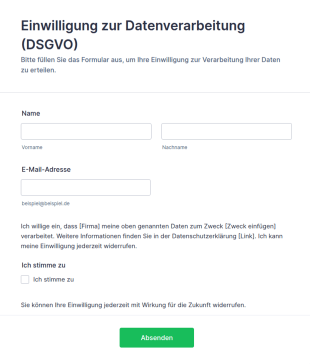
Vorlage Einwilligung Zur Datenverarbeitung (DSGVO)
DSGVO-konforme Einwilligungsformular-Vorlage für Jotform: Opt-in-Checkbox, Widerrufshinweis und Datenschutz-Platzhalter – direkt anpassbar und einsatzbereit.
Zur Kategorie:Werbeformulare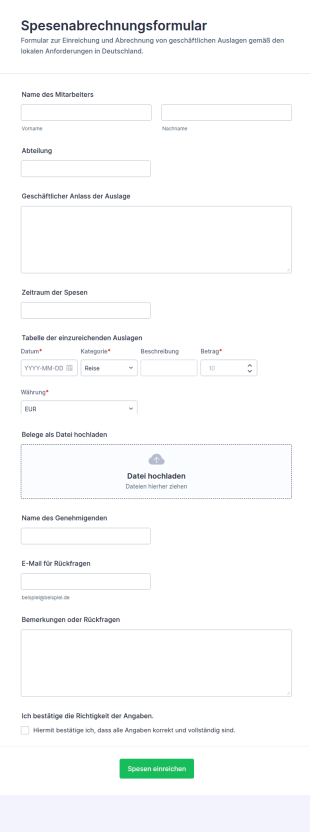
Spesenabrechnung Formular
Erfassen Sie Auslagen und Belege digital mit dem Spesenabrechnungsformular, ideal für Unternehmen, Teams und die Personalabteilung, um Datenerfassung und Freigaben für Erstattungen über ein Online-Formular zu koordinieren.
Zur Kategorie:Aufnahmeformulare für Kostenerstattungen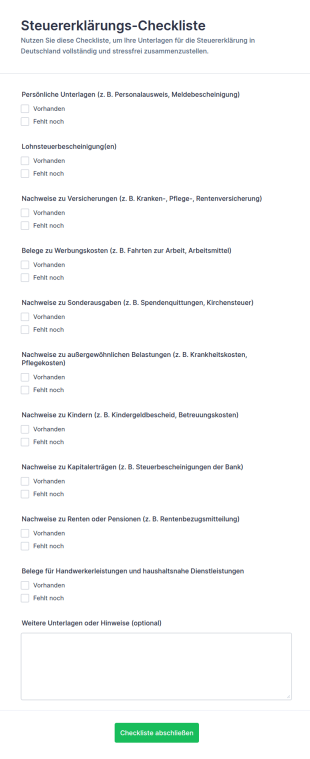
Steuererklärungs Checkliste Formular
Behalten Sie mit dem Steuererklärungs-Checkliste Formular den Überblick über Ihre Unterlagen für die Steuererklärung und vereinfachen Sie die Vorbereitung für Privatpersonen, Familien oder Selbstständige mit digitaler Datenerfassung in Jotform.
Zur Kategorie:Checklisten-Formulare
Rechnungszahlungen Formular
Das Kreditorenformular Form erleichtert die Datenerfassung für Lieferantenanliegen und Rechnungsprüfung, damit Buchhaltung und Fachabteilungen Formulareinsendungen priorisieren, zuordnen und zuverlässig bearbeiten können.
Zur Kategorie:Buchhaltungsformulare
Spesenabrechnungsformular Mit Berechnungen
Erfassen Sie Reisekosten und Auslagen zentral mit dem Spesenabrechnungsformular Formular und vereinfachen Sie Datenerfassung und Prüfung für Mitarbeitende, Vorgesetzte und Buchhaltung mit Jotform.
Zur Kategorie:Aufnahmeformulare für Kostenerstattungen
Checkliste Zur Erbschaftsteuer Für Neukunden
Sammeln Sie mit dem Checkliste zur Erbschaftsteuer für Neukunden Formular alle wichtigen Angaben für die Mandatsannahme und die Vorbereitung der Erbschaftsteuerbearbeitung und bündeln Sie die Datenerfassung samt Formularantworten in Jotform.
Zur Kategorie:Checklisten-Formulare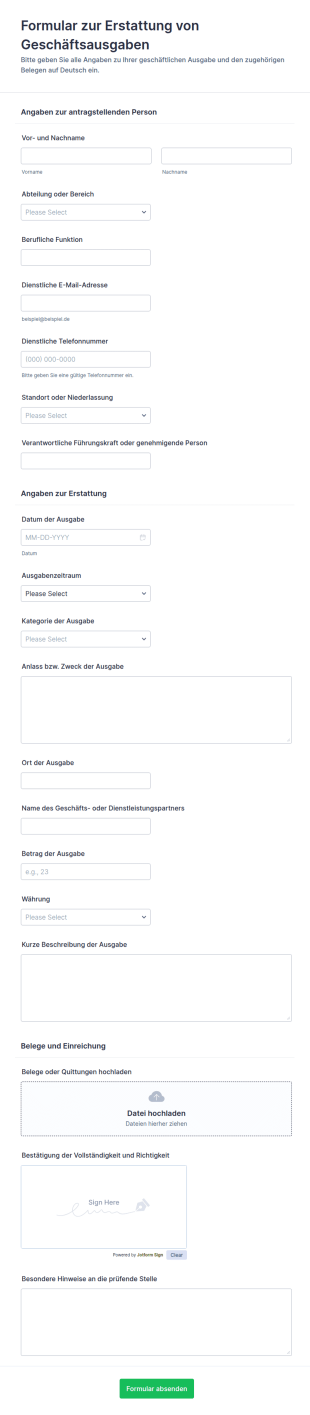
Antrag Auf Spesenrückerstattung
Sammeln Sie Erstattungsanträge für Geschäftsausgaben digital mit dem Formular zur Erstattung von Geschäftsausgaben und Jotform, damit Teams Belege einreichen, Prüfungen koordinieren und Datenerfassung sowie Formularantworten zentral verwalten können.
Zur Kategorie:Aufnahmeformulare für Kostenerstattungen
Rechnungs Einreichungsformular
Sammeln Sie Lieferantenrechnungen zentral mit dem Lieferantenrechnungsformular und vereinfachen Sie die interne Prüfung für Buchhaltung, Einkauf und Projektteams durch digitale Datenerfassung mit Jotform.
Zur Kategorie:Buchhaltungsformulare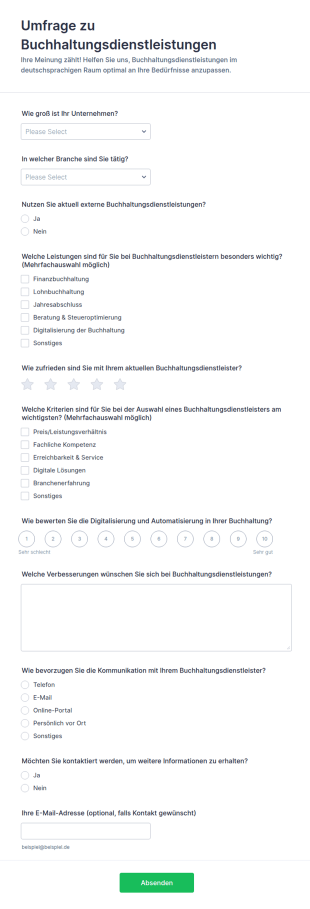
Buchhaltungsservice Umfrage
Sammeln Sie mit dem Umfrageformular zu Buchhaltungsdienstleistungen gezielte Rückmeldungen von Unternehmen, um Servicequalität, Kommunikation und digitale Buchhaltungsangebote zu verbessern, und werten Sie Formularantworten in Jotform schnell aus.
Zur Kategorie:Umfragen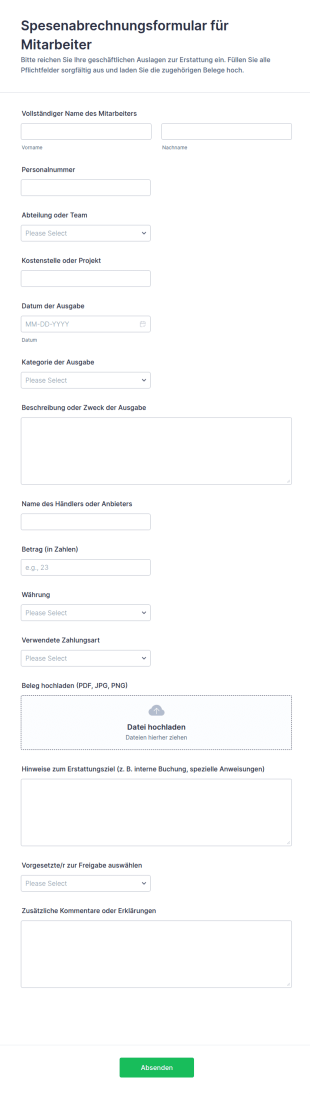
Ausgabenabrechnungsformular
Spesenabrechnungsformular für Mitarbeiter Formular erleichtert die Datenerfassung von Auslagen inklusive Belegen und unterstützt Teams in Buchhaltung und Büromanagement bei der schnellen Prüfung und Erstattung über Jotform.
Zur Kategorie:Aufnahmeformulare für Kostenerstattungen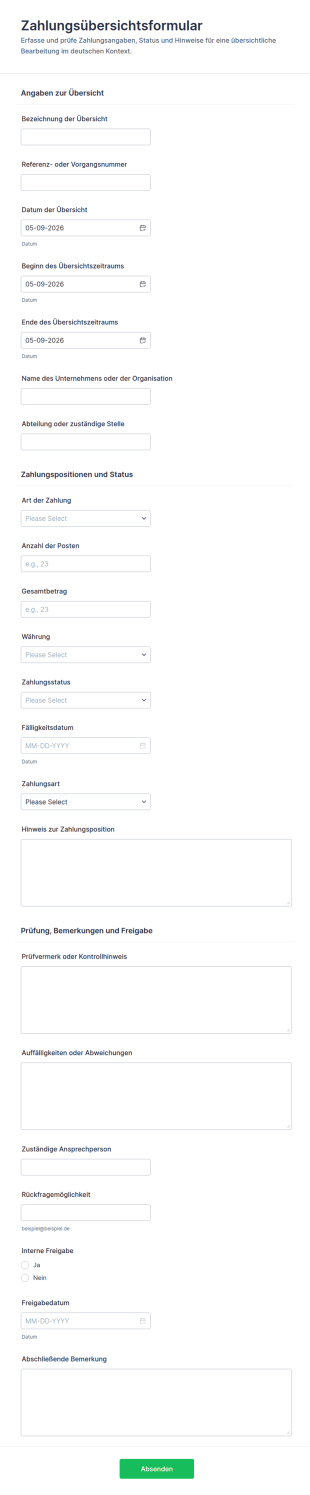
Zahlungszusammenfassung Formular
Dokumentieren Sie Zahlungen, Zeiträume und Freigaben zentral mit dem Zahlungsübersichtsformular und vereinfachen Sie die Datenerfassung für Buchhaltung, Verwaltung und Projektteams in Jotform.
Zur Kategorie:Zahlungsformulare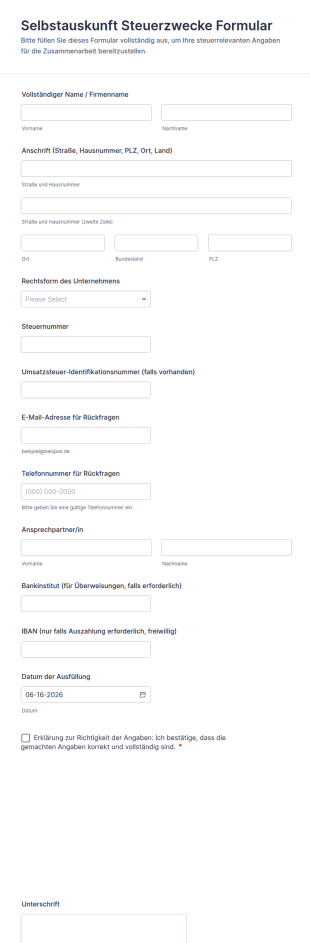
Selbstauskunft Steuerzwecke Formular
Sammeln Sie mit dem Selbstauskunftformular für Steuerzwecke steuerrelevante Unternehmensangaben zentral und einheitlich, ideal für Buchhaltung, Verwaltung und die Anlage neuer Lieferanten oder Dienstleister.
Zur Kategorie:Steuerformulare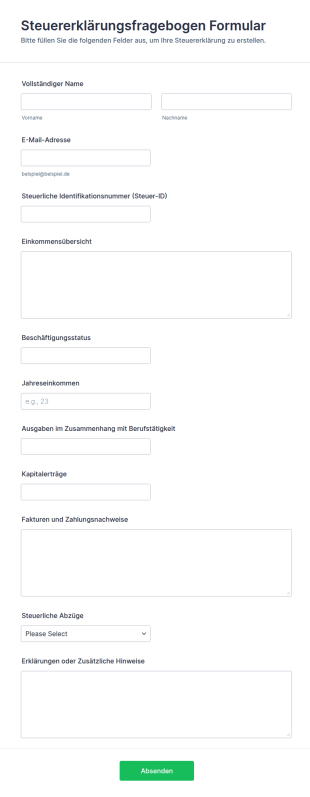
Steuererklärungsfragebogen Formular
Erfassen Sie mit dem Steuererklärungsfragebogen-Formular die wichtigsten Angaben von Mandanten für die Steuererklärung und vereinfachen Sie die Datenerfassung in Kanzleien und Lohnsteuerhilfevereinen mit Jotform.
Zur Kategorie:Steuerformulare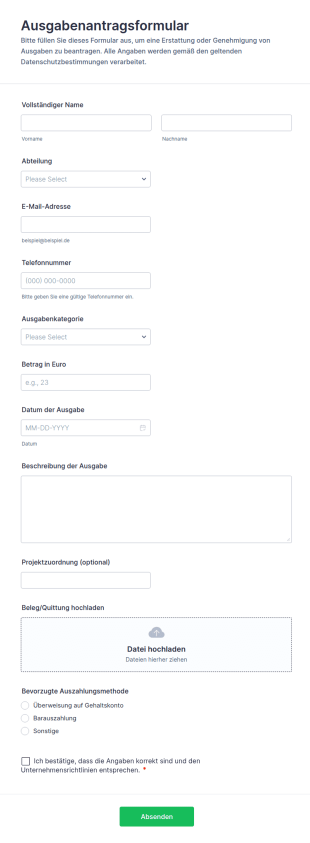
Ausgabenantragsformular
Erfassen Sie Auslagenanträge inklusive Belegnachweis digital und leiten Sie Erstattungen geordnet weiter, ideal für Unternehmen, Abteilungen und Projektteams, die Ausgaben schnell prüfen und dokumentieren möchten.
Zur Kategorie:Aufnahmeformulare für Kostenerstattungen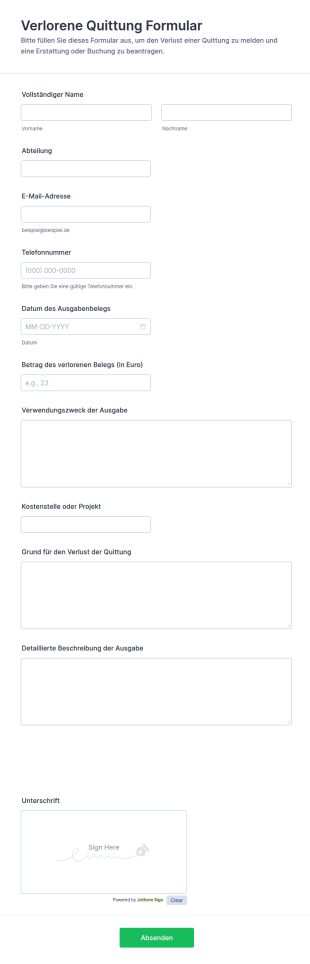
Verlorene Quittung Formular
Dokumentieren Sie Ausgaben ohne Beleg mit dem Formular für verlorene Quittungen und sammeln Sie Angaben für interne Prüfung und Erstattung in einer zentralen Jotform Formularvorlage.
Zur Kategorie:Aufnahmeformulare für Kostenerstattungen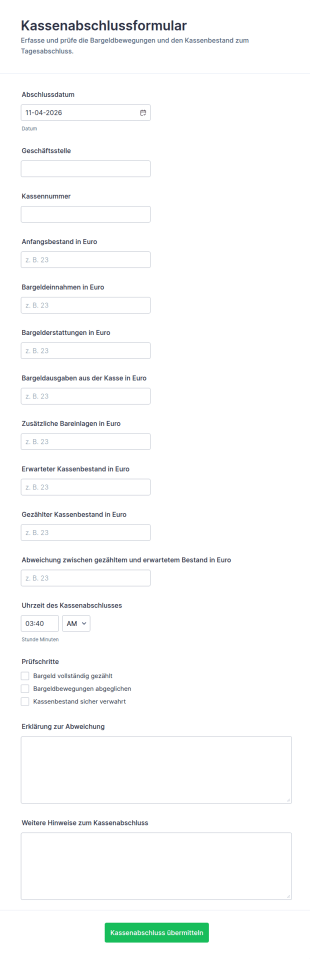
Kassenabschluss Bericht
Dokumentieren Sie tägliche Kassenabschlüsse inklusive Bestandsabgleich und Prüfschritten mit dem Kassenabschlussformular, ideal für Filialen, Gastronomie, Einzelhandel und Vereine zur zuverlässigen Datenaufnahme.
Zur Kategorie:Buchhaltungsformulare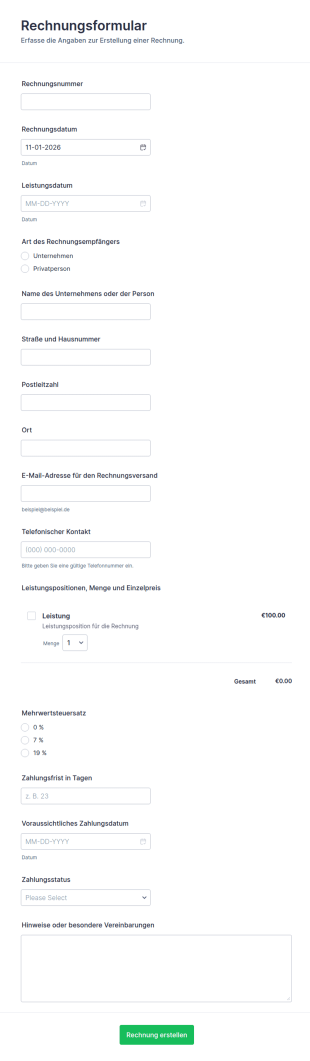
Rechnungsformular
Das Rechnungsformular von Jotform erleichtert die Datensammlung für Rechnungen, damit Selbstständige und Unternehmen Abrechnungen schneller erstellen, versenden und den Zahlungsstatus nachvollziehen können.
Zur Kategorie:Zahlungsformulare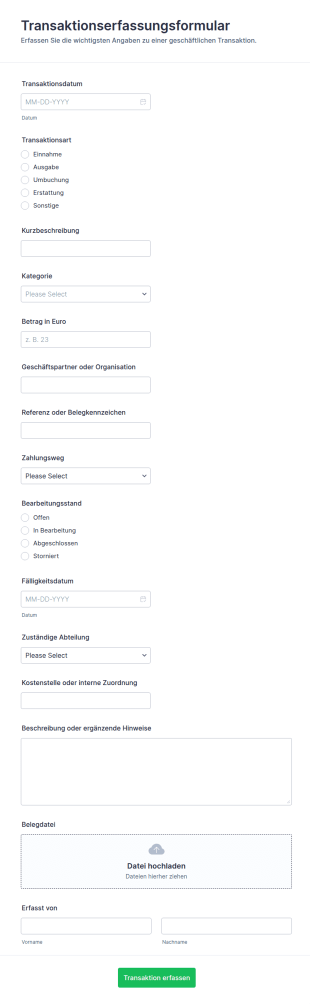
Transaktionserfassung Formular
Transaktionserfassung Formular für die schnelle Datenaufnahme von Einnahmen und Ausgaben in Teams, Vereinen und Unternehmen, inklusive nachvollziehbarer Dokumentation und zentraler Formularantworten in Jotform.
Zur Kategorie:Formulare zur Kostenverfolgung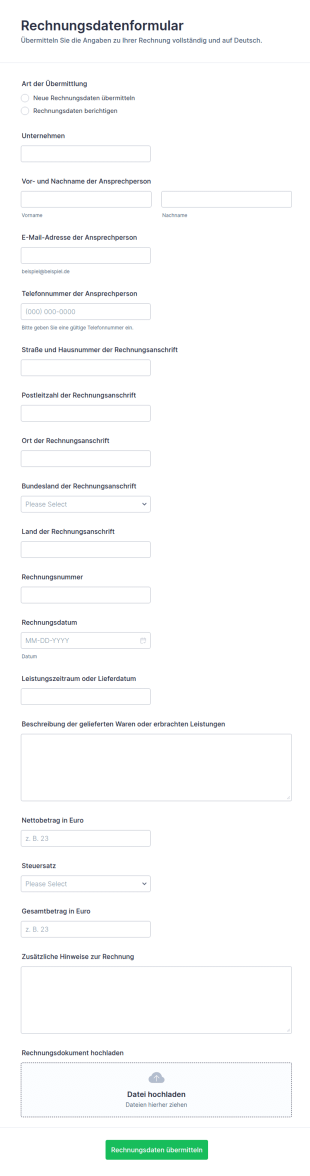
Rechnungsinformationen Übermittlung Formular
Rechnungsdatenformular erleichtert die digitale Datenerfassung von Rechnungsangaben für Buchhaltung, Einkauf und Dienstleister, damit Korrekturen und neue Angaben einheitlich eingehen und als Formularantwort zuverlässig weiterverarbeitet werden können.
Zur Kategorie:Buchhaltungsformulare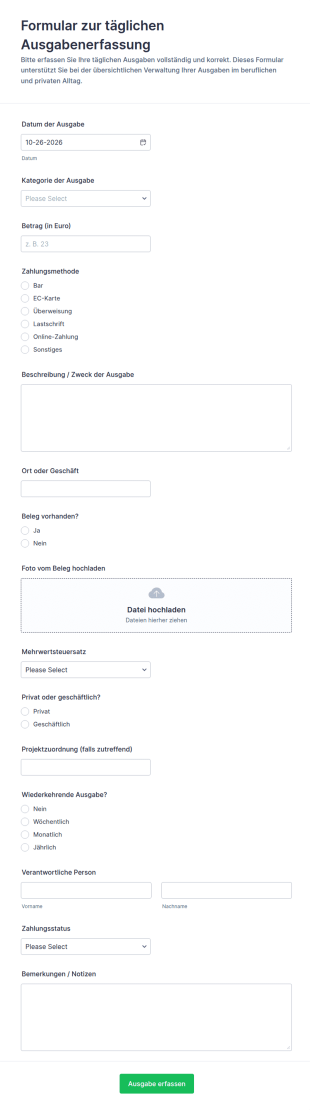
Tägliche Ausgaben Erfassung
Dokumentieren Sie tägliche Kosten für Privat oder Geschäft, inklusive Projekten und Belegen, mit dem Formular zur täglichen Ausgabenerfassung und vereinfachen Sie die laufende Datenerfassung in Teams oder im Alltag.
Zur Kategorie:Formulare zur Kostenverfolgung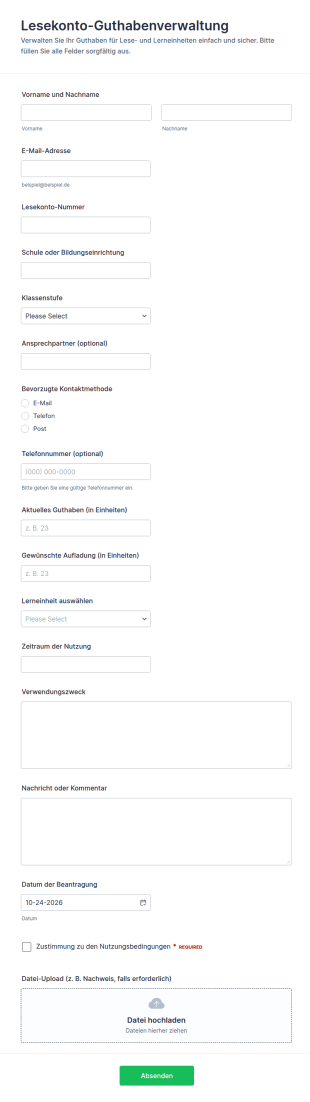
Gutschrift Für Lernkonto Formular
Erfassen und verwalten Sie Anträge zur Aufladung von Lesekonto-Guthaben in Schulen und Bildungsprojekten mit dem Formular zur Lesekonto-Guthabenverwaltung von Jotform für digitale Datenerfassung und sichere Formularantworten.
Zur Kategorie:Formulare für Bildungseinrichtungen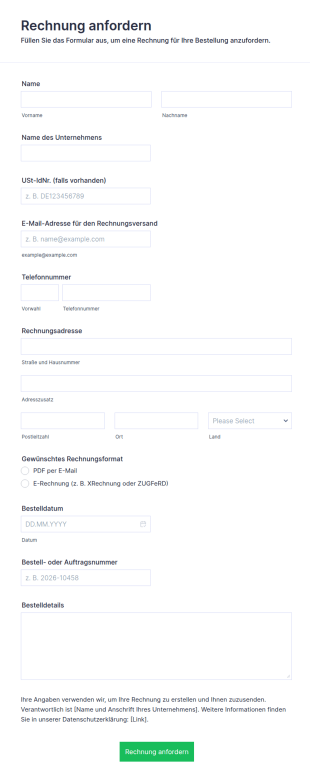
Rechnung Anfordern
Sowohl als PDF als auch als E-Rechnung: Mit diesem Formular fordern Kundinnen und Kunden Rechnungen an – samt Rechnungsadresse, USt-IdNr. und Bestellnummer.
Zur Kategorie:Geschäftsformulare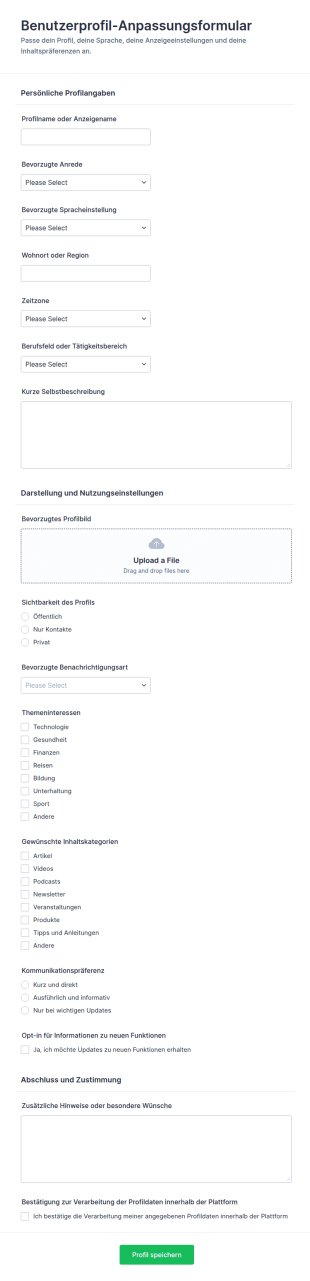
Benutzerprofil Anpassung Survey
Benutzerprofil-Anpassungsformular erleichtert die Datenerfassung zu Profil- und Kommunikationseinstellungen, damit Teams Nutzerpräferenzen zentral sammeln, prüfen und für Portale, Communities oder interne Systeme übernehmen können.
Zur Kategorie:AnmeldeformulareÜber Buchhaltungsformulare
Accountant Forms are specialized digital forms designed to streamline the operations of accounting professionals by automating and simplifying various data collection tasks. These forms cater to a wide range of accounting activities, from client onboarding and financial reporting to tax documentation and invoicing. By leveraging Accountant Forms, professionals in the accounting industry can efficiently manage client data, track financial transactions, and ensure compliance with regulatory requirements. This digital transformation not only enhances productivity but also minimizes the risk of errors commonly associated with manual data entry and paperwork-heavy processes.
Jotform ist ein Online-Formulargenerator für Buchhalter, der sich durch hohe Benutzerfreundlichkeit und Anpassungsmöglichkeiten auszeichnet. Dank der intuitiven Drag-and-Drop-Oberfläche von Jotform können Buchhalter Formulare mühelos an ihre spezifischen Anforderungen anpassen. So automatisieren sie die Datenerfassung. Die Integration mit Jotform Tabellen zentralisiert das Datenmanagement und bietet eine sichere, übersichtliche Plattform zum Speichern, Analysieren und Abrufen von Finanzdaten. So können Buchhalter sich auf die Erbringung hochwertiger Dienstleistungen für ihre Kunden konzentrieren und gleichzeitig die Genauigkeit und Effizienz ihrer Workflows gewährleisten.
Why Use Accountant Forms?
- Buchhaltungsformulare sind unerlässlich, um die Richtigkeit der Finanzdaten zu gewährleisten, da sie die bei der manuellen Erfassung häufig auftretenden Fehler vermeiden. Durch die Automatisierung der Datenerfassung verringern Buchhalter das Risiko von Unstimmigkeiten und stellen präzise, zuverlässige Finanzunterlagen sicher.
- Die Geschwindigkeit, mit der Buchhaltungsformulare Daten verarbeiten können, bietet vielbeschäftigten Teams einen erheblichen Vorteil. Diese Formulare optimieren Workflows. Buchhalter erfassen und analysieren Informationen damit schneller. Das spart Zeit und steigert die Produktivität.
- Der professionelle Umgang mit Daten ist ein Markenzeichen von Buchhaltungsformularen, da diese einen strukturierten Rahmen für die Erfassung und Organisation von Finanzdaten bieten. So speichern und organisieren Sie alle Daten systematisch und halten sie leicht zugänglich. Dadurch führen Sie effiziente Prüfungen und Überprüfungen durch.
- Durch die Integration elektronischer Signaturen über Jotform Signatur können Buchhalter die Sicherheit und Authentizität von Dokumenten verbessern. Kunden unterzeichnen Formulare digital. So sind alle Transaktionen und Vereinbarungen rechtsgültig und nachprüfbar.
- Buchhaltungsformulare lassen sich problemlos an die spezifischen Anforderungen verschiedener Mandanten und Projekte anpassen. Diese Flexibilität ermöglicht es Buchhaltern, Formulare an unterschiedliche Szenarien anzupassen, sei es für Steuerunterlagen, die Rechnungsstellung oder die Finanzberichterstattung.
Häufige Probleme, die durch Buchhaltungsformulare gelöst werden
- Eine der größten Herausforderungen in der Buchhaltung ist der Umgang mit übermäßiger Schreibarbeit. Sie ist mühsam und fehleranfällig. Buchhaltungsformulare digitalisieren diese Dokumente. So sinkt der Bedarf an physischer Aufbewahrung, und der Abruf von Informationen wird effizienter.
- Manuelle Dateneingabe ist zeitaufwendig und führt häufig zu menschlichen Fehlern, die die Genauigkeit der Finanzunterlagen beeinträchtigen. Buchhaltungsformulare lösen dieses Problem durch die Automatisierung der Dateneingabe und gewährleisten so, dass Informationen präzise und einheitlich erfasst werden.
- Datenverlust ist in der Buchhaltung ein erhebliches Problem, besonders bei Wirtschaftsprüfungen oder Compliance-Prüfungen. Mit Buchhaltungsformularen werden alle Daten sicher gespeichert und sind leicht abrufbar, wodurch das Risiko eines Datenverlusts minimiert wird.
- Mit herkömmlichen Methoden kann es schwierig sein, den Überblick über die Kommunikation mit Mandanten und deren Genehmigungen zu behalten. Buchhaltungsformulare optimieren diesen Prozess durch Funktionen wie bedingte Logik und automatisierte E-Mail-Benachrichtigungen. So holen und dokumentieren Sie alle erforderlichen Genehmigungen.
- Bachhaltungsteams führen häufig komplexe Berechnungen und Datenanalysen durch. Manuelle Bearbeitung stellt sie dabei vor Herausforderungen. Formulare mit integrierten Berechnungen und Anbindungen an Anwendungen von Drittanbietern vereinfachen komplexe Finanzanalysen und die Berichterstellung.
Passende Anwendungsfälle für Features
- Bei der Kundenaufnahme nutzen Buchhalter den Drag-and-Drop-Formulargenerator, um Formulare anzupassen und alle erforderlichen Kundendaten effizient zu erfassen. Die Anpassung sorgt für einen reibungslosen Aufnahmeprozess.
- Bedingte Logik ist für die Steuerdokumentation besonders nützlich. Sie passt Formulare dynamisch an die Eingaben des Benutzers an. So erhalten Kunden nur relevante Fragen, was die Datenerfassung vereinfacht und Verwirrung vermeidet.
- The availability of 30+ payment gateways, including Stripe and PayPal, facilitates the collection of payments directly through forms. This feature is crucial for invoicing and billing, allowing accountants to streamline financial transactions and improve cash flow management.
- Mit dem PDF Editor von Jotform erstellen Sie automatisch professionelle PDF-Dokumente aus Formularantworten. Das erleichtert die Finanzberichterstattung, weil Buchhalter damit schnell ansprechende Berichte erstellen und sie mit Kunden und Interessengruppen teilen.
- Datenmanagement hat für Buchhaltungen höchste Priorität. Jotform Tabellen bieten eine zuverlässige Lösung für die Speicherung und Organisation vertraulicher Informationen. Diese Funktion gewährleistet, dass alle Kunden- und Finanzdaten geschützt sind und den branchenüblichen Vorschriften entsprechen.
- Mit dem Berichtgenerator erstellen Buchhalter aus erfassten Daten detaillierte Berichte und Visualisierungen. Diese Berichte unterstützen Entscheidungsprozesse, indem sie klare Insights in die finanzielle Entwicklung und Trends bieten.
- Genehmigungsworkflows optimieren interne Prozesse, indem sie die Genehmigung von Dokumenten und Transaktionen automatisieren. So führen Sie alle erforderlichen Prüfungen effizient durch, vermeiden Engpässe und verbessern die Nachvollziehbarkeit.
So erstellen Sie ein Buchhaltungsformular
- Durchsuchen Sie zunächst die Vorlagenliste nach einer Vorlage für Buchhalter oder beginnen Sie den Vorgang mit einem leeren Formular. In diesem Schritt können Sie entweder vorgefertigte Vorlagen nutzen oder ein Formular erstellen, das genau auf Ihre Anforderungen in der Buchhaltung zugeschnitten ist.
- Passen Sie Design und Felder mit dem Drag-and-Drop-Formulargenerator an. Mit diesem intuitiven Tool fügen Sie Felder hinzu, entfernen oder ändern sie. So passt das Formular zu Ihren betrieblichen Anforderungen.
- Veröffentlichen und teilen Sie das Formular über einen Direktlink, per E-Mail oder durch Einbettung in eine Website. Diese Flexibilität gewährleistet, dass Kunden und Kollegen über verschiedene Kanäle auf das Formular zugreifen können, was eine reibungslose Kommunikation und Datenerfassung ermöglicht.
Top Use Cases für Buchhaltungsformulare
- Für Führungskräfte: Buchhaltungsformulare helfen Führungskräften, Finanzabläufe zu überwachen und Compliance mit internen sowie externen Vorschriften sicherzustellen. Mit diesen Formularen optimieren Führungskräfte Genehmigungsprozesse. Sie verfolgen Finanzdaten in Echtzeit. Sie erstellen Berichte zur finanziellen Leistung. Dieser zentralisierte Ansatz sorgt für mehr Transparenz und hilft Führungskräften, fundierte Entscheidungen zu treffen, die den Erfolg des Unternehmens vorantreiben.
- Für Teams: Buchhaltungsteams nutzen die Collaborative Features von Accountant Forms und tauschen Daten effizient aus. So bleiben alle Teammitglieder auf dem gleichen Stand und haben alle Informationen. Die Integration mit Anwendungen von Drittanbietern automatisiert Routineaufgaben und verringert den Aufwand für manuelle Dateneingabe.
- Für Kunden: Buchhaltungsformulare ermöglichen Kunden, erforderliche Finanzinformationen und Unterlagen effizient einzureichen. Diese Formulare lassen sich anpassen, um Kunden durch komplexe Prozesse wie Steuererklärungen oder Offenlegungen zu führen. So erfassen Sie alle erforderlichen Informationen korrekt. Elektronische Signaturen bieten Kunden eine sichere Methode, Transaktionen und Vereinbarungen zu autorisieren. Das schafft Vertrauen in die erbrachten Buchhaltungsdienstleistungen.
Buchhaltungsformulare zusammengefasst
Buchhaltungsformulare modernisieren den Workflow von Fachleuten im Rechnungswesen. Sie digitalisieren die Datenerfassung und optimieren Finanzprozesse. Sie erhöhen die Genauigkeit und Effizienz, verringern das Fehlerrisiko und strukturieren das Datenmanagement. Mit dem Online-Formulargenerator von Jotform erstellen Buchhalter diese Formulare schnell und passen sie an ihre Anforderungen an, sodass sie Finanzdaten effektiv erfassen und verwalten. Durch die Integration fortschrittlicher Funktionen wie elektronischer Signaturen, Zahlungsportale und Workflows erbringen Buchhalter hochwertige Dienstleistungen und gewährleisten gleichzeitig Compliance und Sicherheit.
Häufig gestellte Fragen
1) Ist die Erstellung von Buchhaltungsformularen auf Jotform kostenlos?
Das Erstellen von Buchhaltungsformularen auf Jotform ist kostenlos. Sie können auf Premium-Tarife upgraden, um zusätzliche Funktionen und höhere Limite zu erhalten.
2) Sind die Formulare und die übermittelten Daten sicher?
Ja, Jotform gewährleistet die Sicherheit aller Formulare und übermittelten Daten durch den Einsatz von Verschlüsselungsverfahren nach Industriestandard und Compliance mit den Datenschutzbestimmungen.
3) Brauche ich Programmierkenntnisse, um ein Buchhaltungsformular zu erstellen?
Für die Erstellung eines Buchhaltungsformulars sind keine Programmierkenntnisse erforderlich. Der Jotform Formulargenerator ist intuitiv und benutzerfreundlich.
4) Kann ich Zahlungen direkt über meine Formulare erfassen?
Ja, Sie können Zahlungen direkt über Ihre Formulare erfassen. Integrieren Sie dazu über 30 Zahlungsportale, darunter Stripe, PayPal und Square.
5) Können diese Formulare auf mobilen Geräten verwendet werden?
Ja, Jotform-Formulare sind für mobile Geräte optimiert. Nutzer können sie auf jedem Gerät aufrufen und ausfüllen. So arbeiten sie unterwegs flexibel und bequem.
6) Kann ich Formularantworten in professionelle PDF-Dokumente umwandeln?
Ja, mit dem PDF Editor von Jotform können Sie Formularantworten automatisch in professionelle PDF-Dokumente umwandeln, um diese problemlos weiterzugeben und zu archivieren.
7) Lassen sich Buchhaltungsformulare in meine bestehende Software integrieren?
Buchhaltungsformulare lassen sich in über 100 Anwendungen von Drittanbietern integrieren, darunter beliebte Programme wie Google Tabellen, Salesforce und Slack. So optimieren Sie Ihre Workflows und Ihr Data Management.
8) Wie stelle ich mithilfe von Buchhaltungsformularen die Compliance mit Finanzvorschriften sicher?
Buchhaltungsformulare können Sie anpassen, damit sie erforderliche Compliance-Prüfungen und Datenvalidierungsregeln enthalten. So stellen Sie sicher, dass alle erfassten Informationen den einschlägigen Finanzvorschriften und -standards entsprechen.