

Webdesign Formulare
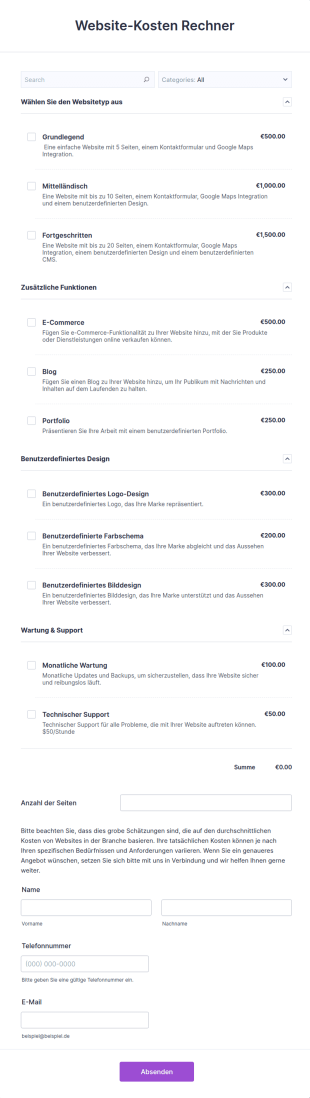
Website Kosten Rechner
Mit diesem Website-Kostenrechner Formular erhalten Sie eine genaue Schätzung der Kosten für die Erstellung einer Website.
Zur Kategorie:Webdesign Formulare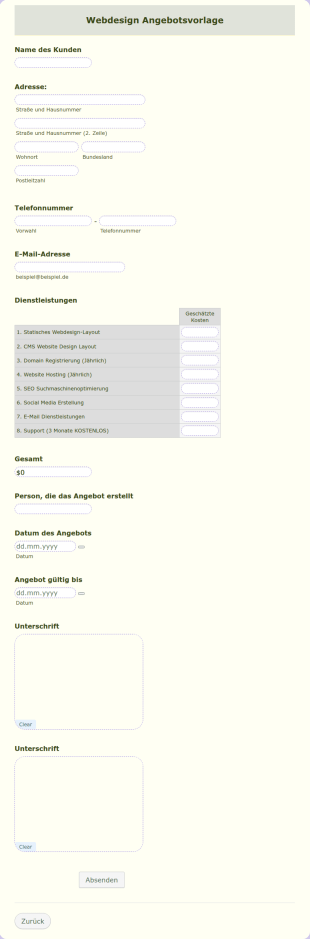
Webdesign Angebot
Erstellen Sie jetzt Ihr eigenes Angebot für ein Webdesign Service mit unserer Angebotsvorlage. Diese Vorlage ist nur ein Beispiel, aber Sie können sie bearbeiten und einige Informationen mithilfe der Bearbeitungsfunktion ändern. Das PDF-Formular enthält die grundlegenden Informationen, die für die Erstellung eines Web-Design-Angebots erforderlich sind. Füllen Sie einfach die Felder aus, passen Sie sie an, fügen Sie Informationen hinzu oder entfernen Sie sie, je nach Ihren Wünschen.
Zur Kategorie:Webdesign Formulare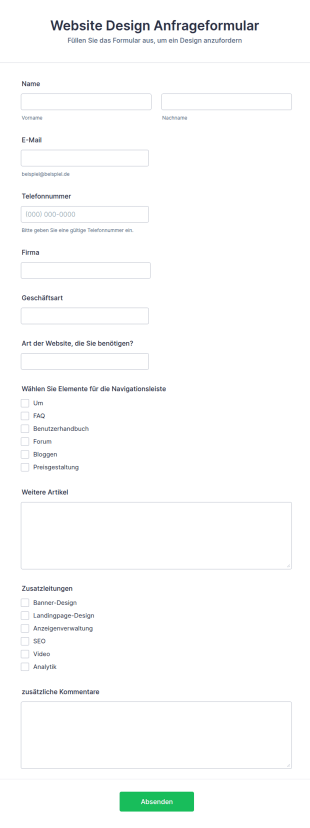
Website Design Anfrageformular
Mit dem Website-Design-Anfrageformular können Sie alle Informationen sammeln, um die Art des Geschäfts Ihrer Kunden und ihre Erwartungen an ihre Website zu verstehen. Das Formular ermöglicht es Ihnen, das Design im Detail wahrzunehmen und zusätzliche Dienste wie SEO, Anzeigenverwaltung, Analysen usw. anzubieten. Mit vielen weiteren anpassbaren Tools und Widgets können Sie Ihr eigenes Formular erstellen, indem Sie dieses als Grundlage verwenden.
Zur Kategorie:Webdesign Formulare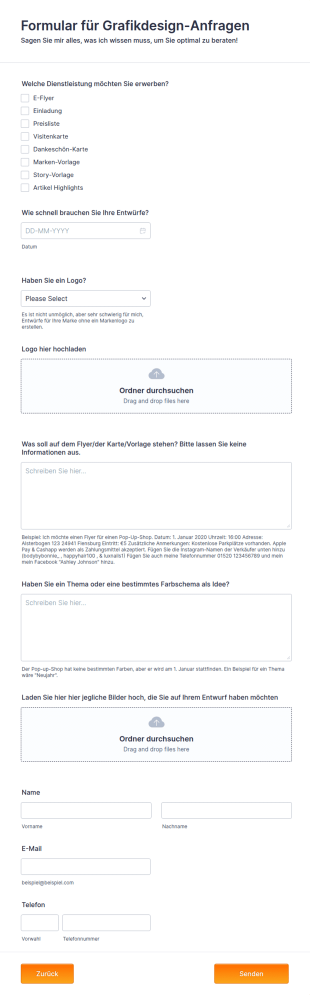
Formular Für Grafikdesign Anfragen
Diese Vorlage ist perfekt für Designer, die sich auf Veranstaltungsflyer und Visitenkarten spezialisiert haben.
Zur Kategorie:Webdesign Formulare
SEO Kundenfragebogen
Ein SEO-Kundenfragebogen wird von Unternehmen verwendet, um Informationen von potenziellen Kunden über ihre Website-Design-Bedürfnisse zu sammeln. Sie können diese kostenlose Vorlage für einen SEO-Kundenfragebogen verwenden, um Ihre Webdesign-Anfragen zu verwalten. Passen Sie einfach die Formularfelder an die Bedürfnisse Ihres Unternehmens an und betten Sie das Formular in Ihren Webshop ein, indem Sie es mit einem Link freigeben, oder fügen Sie es auf dem Tablet oder Computer Ihres Unternehmens persönlich hinzu. Sie können das Formular sogar so einrichten, dass es eine Follow-up-E-Mail an Ihre Kontakte für Webdesign-Anfragen sendet - hilfreich, um sicherzustellen, dass Sie die Informationen erhalten, die Sie für eine fundierte Entscheidung benötigen. Möchten Sie das Formular für Webdesign-Anfragen nach Ihren Wünschen gestalten? Fügen Sie das Logo Ihrer Marke hinzu, ändern Sie die Formularfelder und Farben, um sie an Ihr Unternehmen anzupassen, und fügen Sie ein Logo oder ein Bild für den Hintergrund hinzu. Mit der kostenlosen Formulargenerator App von Jotform sind Ihnen keine Grenzen gesetzt! Um sicherzustellen, dass Sie alle Vorteile von Jotform nutzen, um Ihre Webdesign-Anfragen zu verwalten, sehen Sie sich unsere über 100 Integrationen von Drittanbieter-Anwendungen an, um Antworten mit Ihren anderen Konten zu synchronisieren. Außerdem können Sie mit der Jotform Mobile App auch unterwegs den Überblick über Ihre Einsendungen behalten. Melden Sie sich für ein Konto an und beginnen Sie, Anfragen zu sammeln!
Zur Kategorie:Webdesign Formulare
SEO Kundenfragebogen
Ein SEO-Kundenfragebogen wird von Unternehmen verwendet, um Informationen von potenziellen Kunden über deren Anforderungen an das Webdesign zu sammeln. Sie können diese kostenlose Vorlage für einen SEO-Kundenfragebogen verwenden, um Ihre Webdesign-Anfragen zu organisieren. Passen Sie die Formularfelder einfach an die Bedürfnisse Ihres Unternehmens an und betten Sie das Formular in Ihren Webshop ein, indem Sie es mit einem Link freigeben, oder fügen Sie es persönlich auf dem Tablet oder Computer Ihres Unternehmens hinzu. Sie können das Formular sogar so einrichten, dass es eine Follow-up-E-Mail an Ihre Ansprechpartner für Webdesign-Anfragen sendet - hilfreich, um sicherzustellen, dass Sie die Informationen erhalten, die Sie für eine fundierte Entscheidung benötigen. Möchten Sie das Formular für Webdesign-Anfragen nach Ihren Wünschen gestalten? Fügen Sie das Logo Ihrer Marke hinzu, ändern Sie die Formularfelder und Farben, um sie an Ihr Unternehmen anzupassen, und fügen Sie ein Logo oder ein Bild für den Hintergrund hinzu. Mit der kostenlosen Form Builder App von Jotform sind Ihnen keine Grenzen gesetzt! Um sicherzustellen, dass Sie alle Vorteile von Jotform nutzen, um Ihre Webdesign-Anfragen zu verwalten, sehen Sie sich unsere über 100 Integrationen von Drittanbieter-Anwendungen an, um Antworten mit Ihren anderen Konten zu synchronisieren. Außerdem können Sie mit der Jotform Mobile App auch unterwegs den Überblick über Ihre Einsendungen behalten. Melden Sie sich für ein Konto an und beginnen Sie, Anfragen zu sammeln!
Zur Kategorie:Webdesign Formulare
Anmeldeformular Für Webentwicklung
Ein Anmeldeformular für die Webentwicklung wird von Website-Entwicklungsunternehmen verwendet, um die Daten eines Kunden zu erfassen. Dieses Formular wird in der Regel von einem Kunden oder einem Vertreter des Kunden ausgefüllt, bevor ein Unternehmen mit der Arbeit an einem Website-Projekt beginnt. Zu diesen Angaben gehören der Name des Kunden, seine E-Mail-Adresse, seine Telefonnummer, seine Adresse und eine Liste aller Dienstleistungen, an denen der Kunde interessiert ist. Jotform hilft Ihnen nicht nur dabei, sich zu organisieren - es hilft Ihnen auch, auf sich aufmerksam zu machen. Mit unserem Formulargenerator können Sie Ihr Logo hinzufügen, Farben und Schriftarten ändern und neue Formularfelder hinzufügen - und wir machen es Ihnen leicht, das Formular an Ihre Marke anzupassen. Wenn Sie Integrationen für Ihre Formulare hinzufügen möchten, können Sie diese mit über 100 beliebten Apps synchronisieren, darunter Google Drive und Dropbox. Was auch immer Sie mit Ihren Formularen machen wollen, Jotform hat alles was Sie benötigen.
Zur Kategorie:Webdesign Formulare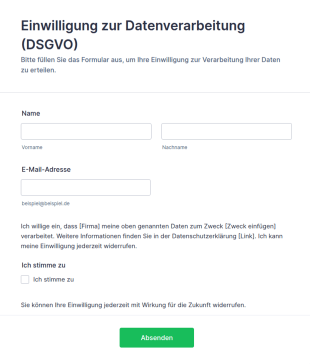
Vorlage Einwilligung Zur Datenverarbeitung (DSGVO)
DSGVO-konforme Einwilligungsformular-Vorlage für Jotform: Opt-in-Checkbox, Widerrufshinweis und Datenschutz-Platzhalter – direkt anpassbar und einsatzbereit.
Zur Kategorie:Werbeformulare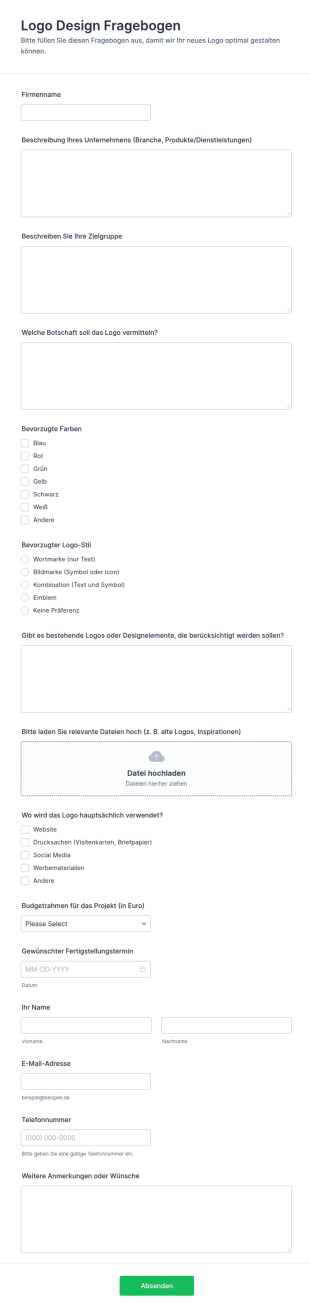
Logo Design Fragebogen
Sammeln Sie mit dem Logo-Design-Fragebogen-Formular Briefing-Informationen für Logo-Projekte und verbessern Sie die Datenerfassung für Designer, Agenturen und Marketingteams mit Jotform.
Zur Kategorie:Vorlagen für Fragebögen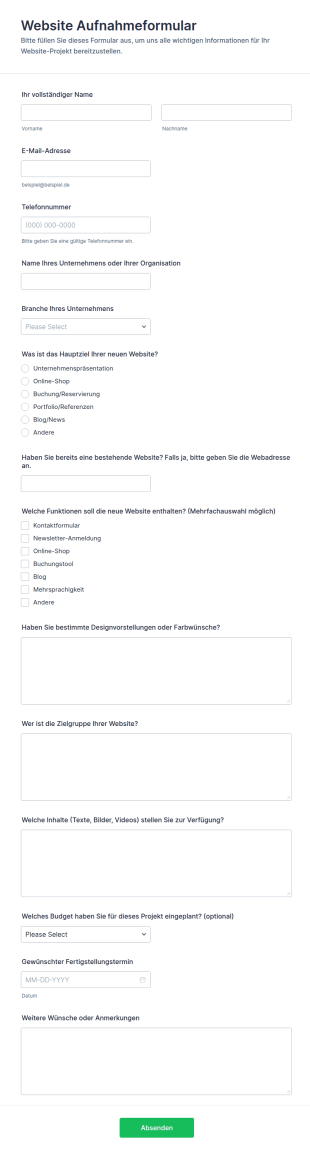
Website Aufnahmeformular
Website-Aufnahmeformular unterstützt Agenturen und Freelancer dabei, Anforderungen für neue Webprojekte zentral zu erfassen, Abstimmungen zu vereinfachen und die Datenaufnahme für Angebot und Planung mit Jotform zu beschleunigen.
Zur Kategorie:Webdesign Formulare
Bootstrap Design Thema
Das Bootstrap-Thema ist in Jotform verfügbar! Dieses Thema unterstützt alle wichtigen Formularfelder. Für weitere Informationen lesen Sie bitte die offizielle Bootstrap-Dokumentation. Wenn Sie also ein Bootstrap-Design mögen, ist dies die richtige Bootstrap-Formularvorlage, um damit zu beginnen.
Zur Kategorie:Webdesign Formulare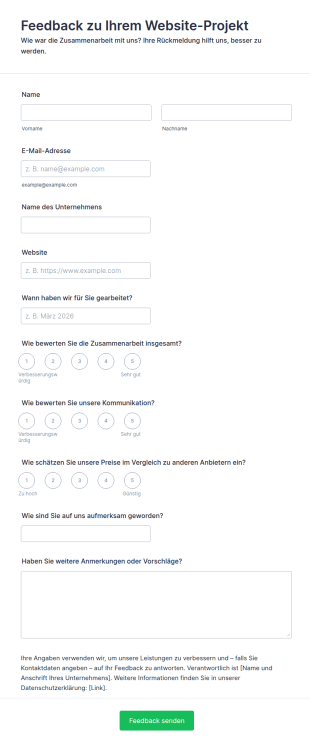
Website Kundenfeedback Formular
Mit diesem Formular holen Webdesign-Agenturen, Freelancer und Webentwickler Feedback von Kundinnen und Kunden ein, deren Website-Projekt abgeschlossen ist. Diese bewerten auf Skalen von 1 bis 5 die Zusammenarbeit insgesamt, die Kommunikation und die Preise im Vergleich zu anderen Anbietern, nennen den Zeitraum des Projekts und wie sie auf Sie aufmerksam geworden sind, und können weitere Anmerkungen hinterlassen. Name, E-Mail-Adresse und Unternehmen sind freiwillig, sodass auch anonymes Feedback möglich ist.Im Formulargenerator von Jotform passen Sie Fragen und Design per Drag-and-drop ohne Programmierkenntnisse an und ergänzen bei Bedarf weitere Felder. Über Integrationen wie Google Drive, Dropbox, Salesforce oder PayPal übertragen Sie die Antworten in Ihre anderen Programme. Vor dem Einsatz ergänzen Sie den Datenschutzhinweis mit Ihren Angaben.
Zur Kategorie:Webdesign Formulare
Projektbriefing Für Shopify Shops
Mit dem Projektbriefing für Shopify-Shops erfahren Webdesignerinnen, Agenturen und Freelancer, welchen Shop sich ihre Kundschaft vorstellt, und sammeln alle Inhalte, die sie für Gestaltung und Aufbau brauchen. Abgefragt werden Ansprechperson und Unternehmensdaten, aktuelle Website, Facebook, X und Instagram, Logo und Slogan, gewünschter Start, Shop-URL und Budget sowie Vorstellungen zu Stil, Produkten, Versandkosten, Zielgruppe und Wettbewerbern. Am Ende geben Kundinnen und Kunden an, wo ihr Impressum, ihre Datenschutzerklärung, AGB und Widerrufsbelehrung zu finden sind.Das Logo laden Kundinnen und Kunden direkt im Formular hoch. In einer erweiterbaren Liste tragen sie Produktname, Beschreibung und Preis ein und fügen so viele Zeilen hinzu wie nötig. Eingehende Briefings landen in Ihrem Jotform-Konto, Ihr Team erhält eine Benachrichtigung und die Kundschaft automatisch eine Eingangsbestätigung. Ergänzen Sie vor dem Einsatz Ihre Angaben im Datenschutzhinweis; die Vorlage ist ein Muster und ersetzt keine Rechtsberatung.
Zur Kategorie:Anfrageformulare für Informationen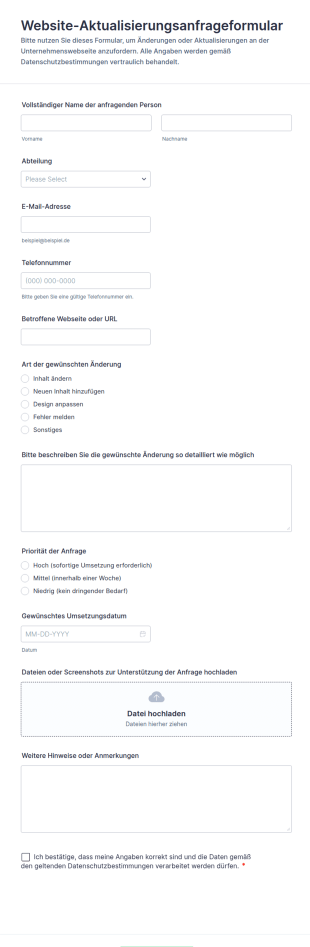
Website Aktualisierungsanfrageformular
Sammeln Sie Website-Änderungswünsche zentral mit dem Website-Aktualisierungsanfrageformular von Jotform, damit Teams Prioritäten, Termine und Zuständigkeiten klar abstimmen und Anfragen nachvollziehbar bearbeiten können.
Zur Kategorie:Anfrageformulare für IT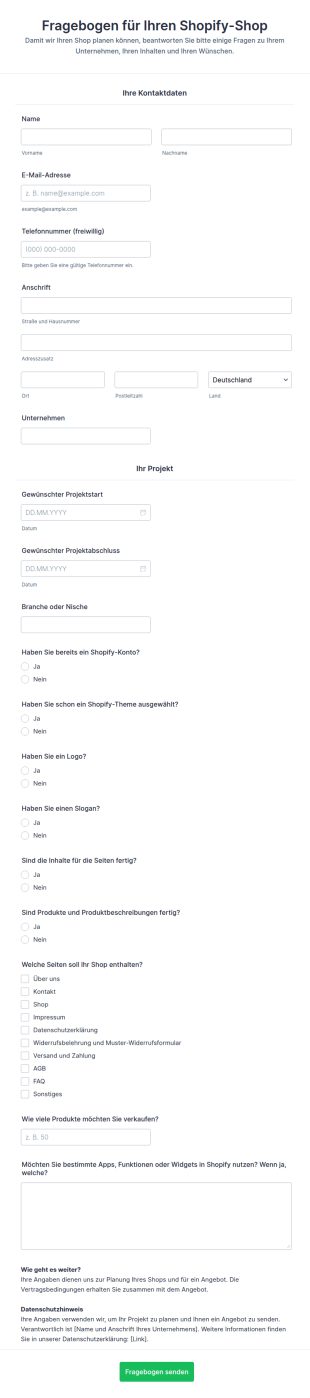
Fragebogen Für Shopify Shop Projekte
Mit dem Fragebogen für Shopify-Shop-Projekte erfahren Agenturen, Webdesignerinnen und Freelancer, was ihre Kundschaft für den neuen Shop braucht, bevor die Arbeit beginnt. Abgefragt werden Kontaktdaten, Unternehmen, Branche und gewünschter Zeitraum sowie der Stand der Vorbereitung: Gibt es schon ein Shopify-Konto und ein Theme, ein Logo und einen Slogan, sind Seiteninhalte, Produkte und Produktbeschreibungen fertig? Dazu kommen die gewünschten Seiten – vom Impressum über Datenschutzerklärung und Widerrufsbelehrung bis zu FAQ –, die geplante Zahl der Produkte und gewünschte Apps oder Funktionen. So entsteht eine klare Grundlage für Planung und Angebot, und die Zusammenarbeit beginnt ohne Missverständnisse.Binden Sie den Fragebogen per iFrame, Einbettungscode oder als Pop-up in Ihre Website ein oder senden Sie den Link direkt an Ihre Kundschaft. Im Formulargenerator passen Sie Farben, Schriftarten, Bilder und Layout ohne Programmierkenntnisse an. Eingehende Fragebögen landen in Ihrem Jotform-Konto, Ihr Team erhält eine Benachrichtigung und die Kundin oder der Kunde automatisch eine Eingangsbestätigung. Ergänzen Sie vor dem Einsatz Ihre Angaben im Datenschutzhinweis; die Vorlage ist ein Muster und ersetzt keine Rechtsberatung.
Zur Kategorie:E-Commerce Formulare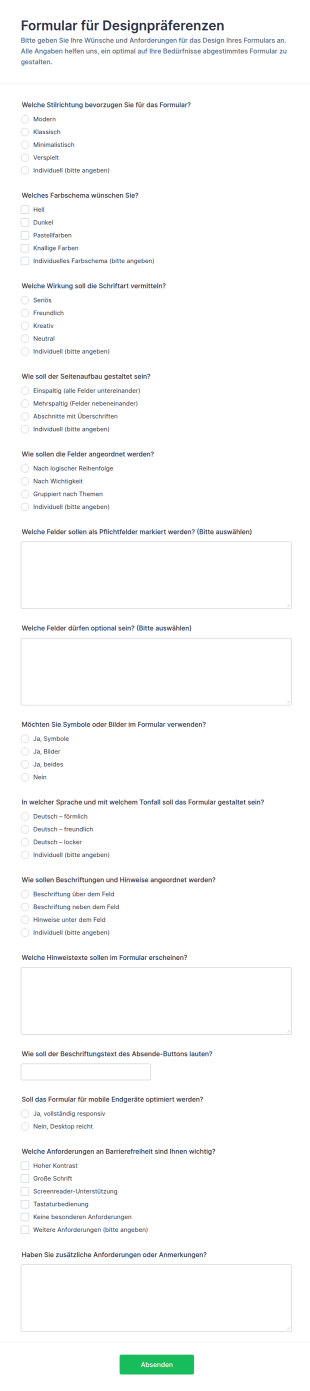
Formular Zur Gestaltungseinstellungen
Sammeln Sie mit dem Formular für Designpräferenzen Designvorgaben für Online-Formulare und vereinheitlichen Sie die Datenerfassung in Teams, Agenturen oder Organisationen mit Jotform.
Zur Kategorie:Vorlagen für Fragebögen
Website Feature Einreichung
Sammeln und priorisieren Sie Feature-Ideen mit dem Website-Funktionsvorschlag-Formular, damit Teams Anforderungen für unterschiedliche Website-Typen zentral erfassen und für Planung, Prüfung und Umsetzung aufbereiten können.
Zur Kategorie:Anfrageformulare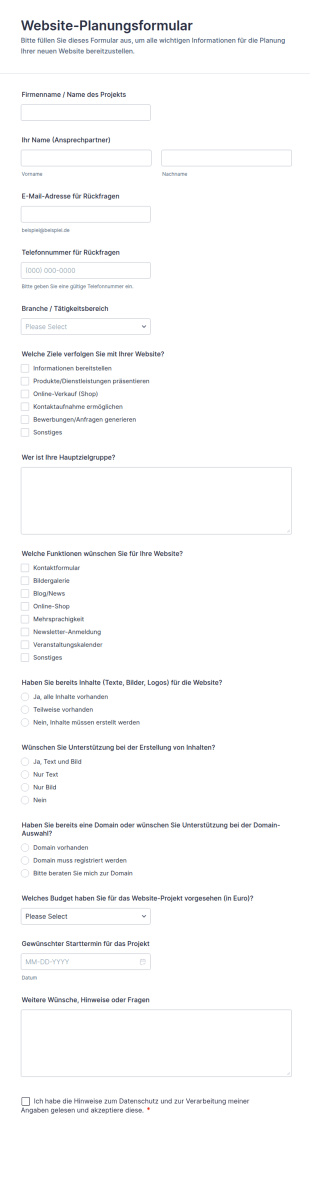
Website Planungsformular
Das Website-Planungsformular erleichtert die Anforderungserhebung für neue Webprojekte, damit Agenturen, Webdesigner und Unternehmen Ziele, Umfang und Startplanung zentral erfassen und die Datenaufnahme in Jotform bündeln können.
Zur Kategorie:Webdesign Formulare
Logodesign Anfrageformular
Sammeln Sie mit dem Logo-Design-Briefing-Formular alle wichtigen Informationen für Logoaufträge und Rebrandings, damit Designerinnen, Agenturen und Unternehmen Anforderungen klar festhalten und die Datenerfassung über Jotform bündeln.
Zur Kategorie:Vorlagen für Fragebögen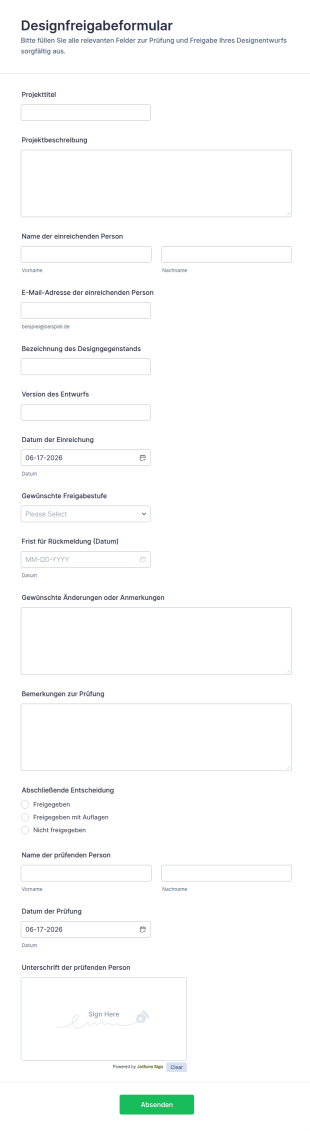
Design Genehmigungsformular
Sammeln Sie Designprüfungen und Freigaben zentral mit dem Designfreigabeformular von Jotform, ideal für Marketingteams, Agenturen und Produktteams, die Entscheidungen nachvollziehbar dokumentieren und Rückmeldungen termingerecht koordinieren möchten.
Zur Kategorie:Genehmigungsformulare
Kreative Design Anfrage Formular 🎨✨🌟
Das Kreative Designanfrage Formular unterstützt Teams dabei, Designaufträge zentral anzufragen, Prioritäten und Termine zu koordinieren und die Datenerfassung per Formularvorlage in Jotform zu vereinheitlichen.
Zur Kategorie:AnfrageformulareÜber Webdesign Formulare
Web Design Forms are specialized digital forms tailored for the intricate needs of web design projects. These forms facilitate a seamless flow of information between clients and designers, ensuring that all project requirements are captured accurately and efficiently. Whether it's gathering initial project specifications or managing ongoing feedback during the design process, Web Design Forms play a critical role in streamlining communication and documentation. By utilizing these forms, web designers and agencies can ensure that every detail is accounted for, thus enhancing project outcomes and client satisfaction.
Jotform stands out as the premier online form builder for creating and managing Web Design Forms, offering unparalleled ease of customization and robust functionality. Its intuitive drag-and-drop interface allows users to tailor forms to specific project requirements effortlessly, while automated data collection features streamline the process of gathering and storing information. Moreover, centralized data management through Jotform Tables provides a secure and organized platform for storing and accessing form data, ensuring that all project-related information is easily retrievable and manageable. This makes Jotform an indispensable asset for web design professionals seeking to optimize their workflow and enhance client interactions.
Why Use Web Design Forms?
- Web Design Forms ensure that critical project details are captured with precision, reducing the risk of misunderstandings and errors. By using structured online forms, designers can systematically gather client requirements, preferences, and feedback, leading to more accurate project execution.
- The speed of information collection and processing is greatly enhanced with Web Design Forms. Instead of relying on back-and-forth emails or phone calls, clients can quickly fill out forms at their convenience, providing designers with timely and relevant data to move the project forward efficiently.
- Professional data handling is a cornerstone of Web Design Forms, as the digital format minimizes the risk of lost or misplaced information. With centralized digital storage, all form submissions are automatically organized, making it easy to track and reference project details at any stage.
- Customization capabilities allow designers to tailor forms to the specific needs of each project, ensuring that all unique requirements are addressed. This adaptability helps in accommodating diverse project scopes, from simple website updates to complex redesigns, without losing consistency or quality.
- Automation features in Jotform's Web Design Forms reduce manual administrative tasks, freeing up more time for designers to focus on creative work. This leads to increased productivity and a more streamlined workflow, ultimately benefiting both the design team and the client.
Common Problems Solved by Web Design Forms
- Many web design projects suffer from communication breakdowns due to incomplete or unclear information. Web Design Forms help mitigate this issue by providing a structured format for clients to convey their needs clearly and comprehensively, reducing the likelihood of miscommunication.
- Paperwork and manual data entry can be time-consuming and prone to errors. By switching to digital forms, web design teams can eliminate the inefficiencies associated with traditional paperwork, ensuring that all data is captured accurately and stored electronically for easy access.
- Lost or misplaced project details can derail timelines and affect project outcomes. With Web Design Forms, all data is securely stored online, reducing the risk of information loss and enabling designers to maintain continuity throughout the project lifecycle.
- Managing multiple client projects simultaneously can lead to organizational challenges. Web Design Forms provide a centralized platform for tracking submissions and organizing data, making it easier for designers to juggle multiple projects without losing track of individual project requirements.
- The manual approval process can delay project progress. With Jotform's Approval Workflows feature, Web Design Forms can streamline the approval process, allowing for faster decision-making and project advancement.
Passende Anwendungsfälle für Features
- For capturing detailed project specifications, the Drag-and-Drop Form Builder allows designers to create forms that include all necessary fields, ensuring comprehensive data collection in a user-friendly manner.
- Conditional Logic can be used to tailor the form experience for clients, showing or hiding fields based on previous responses. This feature ensures that clients only fill out relevant sections, making the form submission process more efficient and personalized.
- To facilitate payments for design services, Web Design Forms can integrate with over 30 Payment Gateways, including Stripe and PayPal. This allows clients to make secure payments directly through the form, streamlining the billing process.
- Electronic Signatures (Jotform Sign) enable designers to obtain client approvals on proposals or design drafts directly within the form, ensuring that all authorizations are documented and legally binding.
- The PDF Editor feature allows for the automated generation of professional PDF documents from form submissions, providing a polished and easily shareable record of all client interactions and project agreements.
- Integration with third-party services like Google Sheets and Salesforce enables seamless data transfer and management, allowing design teams to maintain updated and synchronized project records.
- Secure Data Management with Jotform Tables ensures that all collected data is stored securely, protecting client information and maintaining compliance with data protection regulations.
How to Create a Web Design Form
- Begin by browsing the Template List for a Web Designs template that suits your needs or start from a blank form to build a custom solution.
- Use the Drag-and-Drop Form Builder to customize the design and fields, ensuring that all specific project requirements are addressed and the form is intuitive for clients to complete.
- Once your form is finalized, publish and share it via Direct Link, Email, or Website Embed to ensure easy access for clients and stakeholders.
Top Use Cases for Web Design Forms
- For Managers: Web Design Forms provide managers with a comprehensive tool to oversee all ongoing projects, ensuring that each project is on track and that all client requirements are being addressed. The ability to access real-time data and analytics enables managers to make informed decisions quickly, optimizing resource allocation and improving overall project management efficiency.
- For Teams: Design teams benefit from Web Design Forms by having a centralized platform to collaborate and communicate effectively. With all project details and client inputs readily available, team members can coordinate their efforts, ensuring consistency and alignment with project goals. This collaborative approach leads to higher quality outcomes and a more cohesive team dynamic.
- For Customers: Clients using Web Design Forms experience a seamless and professional interaction with their design partners. The structured format of the forms ensures that clients can convey their needs clearly and efficiently, while the automated processes reduce waiting times and enhance overall satisfaction. This level of service fosters trust and strengthens client relationships.
Summarizing Web Design Forms
Web Design Forms are an essential component for any web design project, offering a structured and efficient way to manage client interactions and project requirements. By leveraging Jotform’s advanced features, designers can streamline their workflows, reduce errors, and enhance communication, ultimately delivering superior results. The ability to customize forms to specific project needs, coupled with secure data management, makes Jotform an invaluable partner in the web design industry.
Häufig gestellte Fragen
1) Ist die Erstellung von Webdesign-Formularen auf Jotform kostenlos?
Ja, Jotform bietet ein kostenloses Abo an. Damit erstellen und passen Nutzer Webdesign-Formulare an, allerdings gibt es ein Limit hinsichtlich der Anzahl der Formulare und der Formularantworten.
2) Sind die Formulare und die übermittelten Daten sicher?
Absolutely, Jotform prioritizes data security with measures such as SSL encryption, compliance with GDPR, and secure data storage practices to protect client information.
3) Do I need coding knowledge to build a Web Design Form?
No, Jotform’s Drag-and-Drop Form Builder is designed for ease of use, allowing users to create fully functional forms without any coding expertise.
4) Kann ich Zahlungen direkt über meine Formulare erfassen?
Yes, Web Design Forms can integrate with over 30 payment gateways, enabling secure and convenient payment collection directly through the forms.
5) Können diese Formulare auf mobilen Geräten verwendet werden?
Indeed, Jotform’s forms are mobile-responsive, ensuring that clients can complete and submit forms from any device, enhancing accessibility and convenience.
6) Kann ich Formularantworten in professionelle PDF-Dokumente umwandeln?
Yes, with Jotform’s PDF Editor, you can automatically generate polished PDF documents from form submissions, perfect for record-keeping or sharing with clients.
7) Wie verbessern Webdesign-Formulare die Kommunikation mit Kunden?
Using structured forms ensures all client feedback and requirements are clearly documented, reducing miscommunication and improving project outcomes.
8) Lassen sich Webdesign-Formulare in Projektmanagement-Tools integrieren?
Ja, Jotform bietet Integrationen mit verschiedenen Diensten von Drittanbietern an, darunter Projektmanagement-Tools wie Asana und Trello, um Workflows und die Datensynchronisation zu optimieren.