
WhatsApp notifications have an impressive open rate of 98 percent, making the messaging app ideal for businesses that want an effective way to share important information with prospects and customers. Compared to other communication channels like email, WhatsApp alerts also have faster response times.
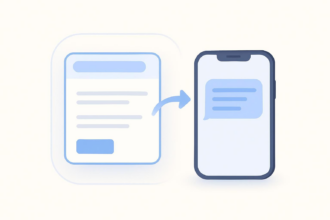
For businesses trying to streamline workflows, sending WhatsApp notifications can help expedite processes and reduce lag time between steps. Receiving WhatsApp notifications for Google Form submissions makes sure you get alerts right away so you don’t miss any important information.
However, there is one snag: Google Forms does not natively support WhatsApp notifications. That means you’ll have to get creative with third-party tools and automation services. In this article, we’ll explain the different ways to send a Google Form notification to WhatsApp. Plus, we’ll introduce you to another form builder that makes sending WhatsApp form notifications much simpler: Jotform.
How to get WhatsApp notifications from Google Forms
Google Forms only has the capacity to send email notifications when a Google Form is submitted. As a result, there’s no straightforward way to get a WhatsApp notification for a Google Forms submission. Fortunately, however, it’s one of those Google Forms problems for which there are several known solutions.
Try one of these tried-and-true methods to get Google Forms alerts on WhatsApp:
Automation platforms
Automation platforms like Zapier offer different ways to connect Google Forms with WhatsApp.
Zapier works according to “triggers” and “actions,” so you must first define the trigger (in this case, receiving a submitted Google Form) and then the subsequent action (sending an alert message in WhatsApp). Zapier comes with templates for different workflows, or you can create your own.
Make offers a similar tool which also provides built-in workflows for connecting Google Forms with WhatsApp.
Most automation platforms are fairly user-friendly, but some require technical expertise to implement workflows successfully.
Google Workspace add-on
If you know how to use Google Forms add-ons from the Google Workspace Marketplace, you can search for a tool that connects Google Forms with WhatsApp.
One such Google Forms add-on is JoyForm Notifications. It was created specifically to allow users to get WhatsApp notifications for new Google Form submissions.
Most Google Workspace add-ons are highly intuitive and easy to use. However, some can be glitchy if they are not well maintained.
API
Another option for automating WhatsApp notifications from Google Forms is to create a Google apps script. The script would be triggered whenever a form is submitted, calling the WhatsApp Cloud API to send a message to WhatsApp.
You will need technical expertise or a developer on your team for this option.
Manual approach
While it’s not ideal, there is one other approach you can take: Whenever you receive a Google Forms email notification that a form has been submitted, you can manually send a WhatsApp notification to the person that needs it.
This method works fine if you’re dealing with a small number of form submissions and if the notifications are going to someone besides yourself (such as a form collaborator). But if you’re the one that needs the notifications — or you expect a high volume of submissions — this method won’t be effective.
Limitations of current methods for Google Forms notifications in WhatsApp
There are several pros and cons of Google Forms, and its inability to connect with WhatsApp is one of the main drawbacks for WhatsApp users.
Here are some limitations you may encounter when you try to automate WhatsApp notifications for Google Forms:
- Reliance on third-party tools, add-ons, and APIs — Google Forms does not have a built-in way to send WhatsApp notifications, so you’re stuck using other tools. You can expect to encounter a learning curve when third-party tools, add-ons, and APIs are involved.
- External account setup — In addition to maintaining your Google account, you’ll need to open accounts with any third-party solutions. You may also need to open a WhatsApp for Business account.
- Multistep configuration — Without a native solution, it’s up to you to figure out a more complex setup that may require webhooks and API credentials. Often, you’ll need some kind of technical expertise to get things working properly.
- Potential costs — If you plan on using any premium plans, be prepared to pay a monthly fee. While many third-party solutions and add-ons offer free plans, some may require you to purchase a plan.
- More points of failure — When you’re cobbling together a solution from third-party tools, add-ons, and APIs, you increase the chances of something going wrong. With a built-in feature, things just work.
Pro Tip
Frustrated with Google Forms? Migrate your Google Forms to Jotform using Jotform’s built-in migration tools. Jotform offers native WhatsApp and multichannel notifications without any complex automation. Migrating your Google Forms to Jotform is easy, and so is setting up WhatsApp notifications for form submissions.
A unified solution: Jotform form notifications
If you’re looking for an alternative way to get form notifications, Jotform is the answer. An intuitive form builder with a sophisticated set of features, Jotform enables you to do everything Google Forms can — and many things it can’t.
Jotform’s new multichannel notification system enables users to receive real-time form submission alerts through WhatsApp, in addition to SMS, push, Slack, and Microsoft Teams. You no longer have to rely on form submissions notifications through email alone like you do with Google Forms. With Jotform, it’s easy to set up real-time notifications in the channel you choose.

Here’s why users love Jotform’s new multichannel notification system:
- All-in-one notification solution — Jotform makes it easy to set up notifications for multiple communication channels from one dashboard, including WhatsApp, SMS, push, Slack, and Teams. In contrast, Google Forms can only send email notifications; it doesn’t support Google Forms SMS messaging or connections with other communication platforms.
- Built-in features for smooth setup — No need for third-party, add-on, or API workarounds. You can easily enable WhatsApp notifications through the Jotform Form Builder tool under Form Settings or Form Integrations.
- No coding required — Setting up notifications is simple. All you have to do is complete a one-time verification process via phone, QR code, or mobile app, depending on the type of notifications you want to receive.
- Visual previews — You can customize the WhatsApp message you want to receive and even see a visual preview of it before enabling it.
- Individual and team notifications — Receive individual notifications through WhatsApp, phone, or SMS, or enable team notifications on Slack or Teams for enhanced visibility.
- Zero extra costs — Jotform’s multichannel notification system is a built-in tool that comes with all Jotform plans, including Jotform’s free plan.
Benefits of Jotform’s new multichannel notification system
Setting up instant alerts on the messaging apps people use daily creates faster follow-up times, stronger team visibility, and a more reliable form management process.
Whether your forms are for generating leads, booking appointments, handling patient intake, or something else, you’ll experience a number of key benefits when you set up form submission notifications on WhatsApp with Jotform:
Faster, more reliable notifications
Jotform’s multichannel notification system is highly reliable and doesn’t require any device or app dependencies. To receive WhatsApp notifications, all you need is the WhatsApp app and an account.
No missed submissions
With an impressive open rate of 98 percent, it’s highly likely your WhatsApp notifications are going to be seen. Important form submissions will no longer fall through the cracks.
Flexible delivery across multiple channels
You’re no longer limited to email-only notifications like you are with Google Forms. You choose the channels where you want to receive form submission notifications, and Jotform makes it happen.
Choose Jotform for simpler form submission notifications
In order to set up Google Forms WhatsApp notifications, you need third-party automation tools, Google add-ons, or APIs. This means dealing with setup overhead and reliability risks.
Jotform, on the other hand, delivers native WhatsApp alerts for every form submission — with no Zapier, no APIs, and no extra costs involved. Plus, Jotform can also notify you via SMS, push, Slack, and Teams, so you’re no longer limited to just email notifications. Explore Jotform today and see how easy it is to set up WhatsApp notifications for any form!
This article is for digital marketers, customer support teams, and workflow automation users who want to receive instant WhatsApp notifications from Google Forms without relying on complex third-party tools or integrations.



















































































Send Comment: