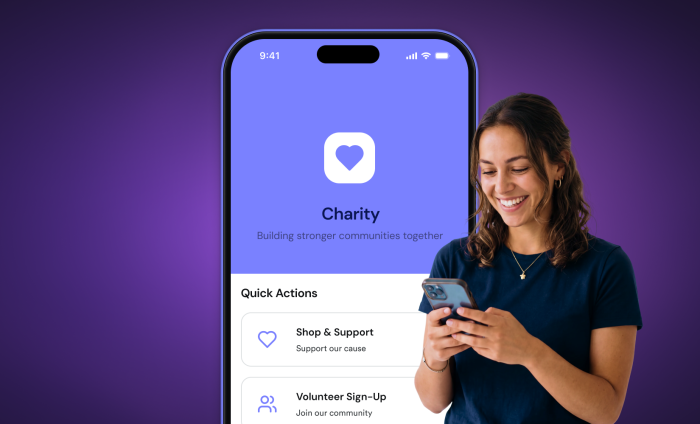

If you think your nonprofit doesn’t have the resources to create its own mobile apps, think again. With Jotform’s AI App Builder, you can create a professional-looking mobile app in minutes — just by describing what you need.
Mobile apps can help nonprofits with everything from donation collection to client intake to volunteer management. As more people use smartphones as the main way to access information online, apps also offer a way to connect with community members through their preferred means of communication.
A branded mobile app for your nonprofit makes it easy to collect and share information anywhere, anytime. It also allows you to curate experiences and resources for specific groups or events. Plus, apps can be downloaded to mobile devices or computers for easy access, so staff or community members can keep important information at their fingertips.
Ready to get started? Here are five types of mobile apps that can help nonprofits save time, effort, and money — and tips on how to create them with Jotform’s AI App Builder. All Jotform users have access to this new tool. You don’t need a paid plan to start exploring.
1. Fundraising apps
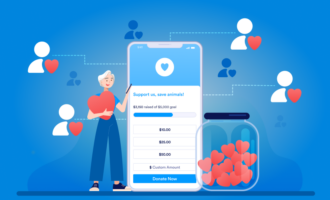
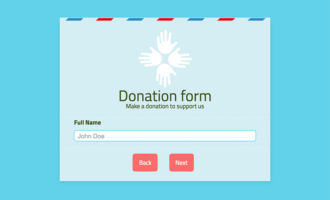
A fundraising app makes it a snap to collect gifts anywhere, anytime. With an app, you can bundle a donation form along with images, links, videos, and more to create a compelling fundraising package that’s branded to your organization.
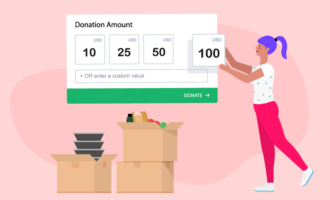
Jotform Apps has a donation box widget that makes setup easy. You can add a progress bar to show impact toward a fundraising goal, allow recurring donations, and set suggested donation amounts. Jotform also integrates with 40-plus payment processors, including Square, PayPal, Venmo, Stripe, Apple Pay, and Google Pay, so donors can contribute in whatever method is most convenient for them.
Pro tip: You can use apps as link-in-bio pages for social media profiles. Just add a link to your fundraising app in your social media bios to create a mini landing page. Potential donors can find all the information they need to make the decision to give.
Try this prompt with Jotform AI App Builder: Please create a fundraising app for an animal shelter. Include a donation form that integrates with Square to accept payments. Add a progress bar to the home screen with a goal of $10,000.
2. Volunteer management apps
A volunteer app can serve as a central portal to sign up for shifts, submit questions, request supplies, and log hours. A volunteer app can also be a clearinghouse for important links, training videos, and more.
For example, Scripture Union Northern Ireland (SUNI) uses a Jotform app to keep in touch with its 2,000-plus volunteer camp leaders. Since most volunteer leaders are under the age of 25, methods like email aren’t the best way to keep in touch. With an app, SUNI staff can reach volunteers through a device “that’s always in their hand,” says SUNI’s operations director Kathy Croskery. “They’re more likely to get it than to read through a whole email.”
Try this prompt with Jotform AI App Builder: I’d like to create an app for volunteers at a food bank. The app should include a form with an appointment widget to sign up for shifts. It should also include links to pre-shift training videos.
3. Human resources/staff apps
Does your staff have to search for the right forms to complete simple tasks like requesting reimbursements or time off? An app can help.
Your nonprofit can use an app as a central portal where staff can access essential resources from any location. The app could include links to policies, training videos, and frequently used resources like forms to request time off or expense reimbursement. You can even send push notifications through the app for important all-staff messages.
Try this prompt with Jotform AI App Builder: I’d like to create an app for the staff of an environmental nonprofit. The app should include forms for requesting time off, requesting expense reimbursement, and submitting company news items.
4. Event apps
Events are a great way to bring people together for your cause, whether you’re planning a fundraising gala or a volunteer beach cleanup. But they are also labor-intensive, often requiring staff to answer routine questions from attendees over and over.
With an app, you can create an organized, professional-looking hub for your event. Keep attendees up to date and give them instant access to FAQs, so staff can focus on making sure everything runs as expected. Instead of hunting through email or your website for details about the event, attendees will have information at their fingertips. With push notifications, you can message attendees through the app before, during, and after the event itself.
Add an RSVP form, a donation form, a ticket purchase form, a map to the event, a link to answers to FAQs, and more.
Try this prompt with Jotform AI App Builder: Please create an app for our fundraising gala. Include a ticket purchase form, a donation form, a map to the location, and a list of event FAQs.
5. Client intake apps
If your nonprofit provides services to the community, like job training, counseling, or healthcare, you need an easy way to keep track of the people you’re serving. A dedicated client intake app can help.
A client intake app can provide clients with shortcuts to information they need, like forms they need to fill out to obtain services. It can also route responses to the appropriate staff members. And because clients can add the app directly to their home screens, they’ll be able to easily find resources like forms, FAQs, and contact information, whenever they need them.
Pro tip: You can add a Jotform AI Agent to your app to field questions 24-7 and forward any complex issues to the appropriate person.
Try this prompt with Jotform AI App Builder: Please create a new client intake app for a job training nonprofit. Include a form that collects contact information. Add an appointment widget for booking a consultation with a counselor.
App building just got even easier
With Jotform’s AI App Builder, you can create your own apps just by describing what you need. Use plain-language prompts to create an app, change its design, and add forms, links, and other features. Give it a try today.






























































Send Comment: