
Key takeaways
- Digital signatures use PKI technology to verify identity and ensure tamper-proof security.
- Electronic signatures replicate handwritten signatures for quick, convenient online signing.
- Digital signatures provide stronger authentication, data integrity, and overall protection than e-signatures.
- The choice between digital and electronic signatures depends on the document’s purpose and required security level.
- Jotform Sign enables secure document uploading, field placement, recipient assignment, and tracking with audit trails.
- Jotform forms allow fast e-signature collection for high-volume or informal needs using customizable templates and widgets.
As technology continues to evolve, so does its prevalence in our everyday work lives. We use it to collaborate on projects, streamline workflows, send invoices, collect client feedback and information, and generate reports — anytime, anywhere, and on any device.
We also use technology to accept signatures on various types of documents, like employee contracts, legal affidavits, and articles of incorporation. And though people often use the terms synonymously, digital signatures and electronic signatures are actually different — especially when it comes to how individuals and businesses use them and how secure they are.
To better understand when to use a digital signature vs electronic signature, let’s compare them.
Digital signature vs electronic signature: Overview
The key distinction between a digital signature vs electronic signature is how you use it.
A digital signature — akin to a digital fingerprint — is a way to protect documents and signers. It’s unique to each signer and uses public key infrastructure (PKI) to ensure it meets the highest security standards and is universally accepted.
With PKI, the digital signature software provider is required to use a mathematical algorithm to generate two long numbers (or keys) — one is private, while the other is public. This algorithm serves as a cipher to create and encrypt data to match the signed document, resulting in a digital signature that marks the time an individual signed the document.
Say, as an example, John signs mortgage documents using his private key. The seller of the house receives the mortgage paperwork with a copy of John’s public key. If the public key doesn’t work and can’t decrypt the signature, the digital signature isn’t John’s or the document has been changed since John signed it. Either way, the signature is invalid.
An electronic signature (or e-signature) is less complex than a digital signature. It’s the digital form of a wet ink signature used to verify documents, allowing a signer to easily sign a document online by simply typing their name and seeing it appear as a handwritten signature. It’s still quite secure, but the technology behind it is a little different and less personal.
Digital signature vs electronic signature: Key differences
Compared to electronic signatures, digital signatures deliver more assurances in these three key areas.
- Authentication: Because unique digital signatures link the user’s signature to a real, identifiable individual, there shouldn’t be doubt about its legitimacy. In fact, it may be impossible to credibly claim that someone signed a document with a digital signature if they didn’t.
- Data integrity: As previously mentioned, if anyone changes a document after someone signs it, it will be invalid, since the digital signature depends on every binary piece of the document.
- Security: Thanks to both mathematical algorithms and data encryption, digital signatures can be better protected than electronic ones.
Put another way, think about all the times you use your debit card in a physical setting. You probably use it at the gas station, in restaurants, and when you’re out shopping. Now, think about checkout people or waitstaff asking for your driver’s license to verify that the name on your debit card and license match.
While both digital and electronic signatures are secure online signatures (as long as all involved parties agree to use them), electronic signatures — which are more common — are often used when there is no need for the level of security.
On the other hand, digital signatures require a process with more checks and balances than e-signatures do. But other than that, e-signatures are widely used for many types of documents and contracts, including the ones that contain PHI i.e. have to comply with HIPAA regulations.
Signature collection with Jotform Sign
Now that you have a better understanding of some of the key differences between a digital signature vs electronic signature, let’s explore how to collect them using Jotform Sign, Jotform’s dedicated e-signature automation tool.
Jotform Sign is designed for collecting signatures on formal documents like employee agreements, NDAs, lease contracts, healthcare records and consent forms. Unlike traditional forms, Jotform Sign allows you to upload a document, place fields directly onto it, and send it out for signature — all within a few clicks.
Here’s how it works:
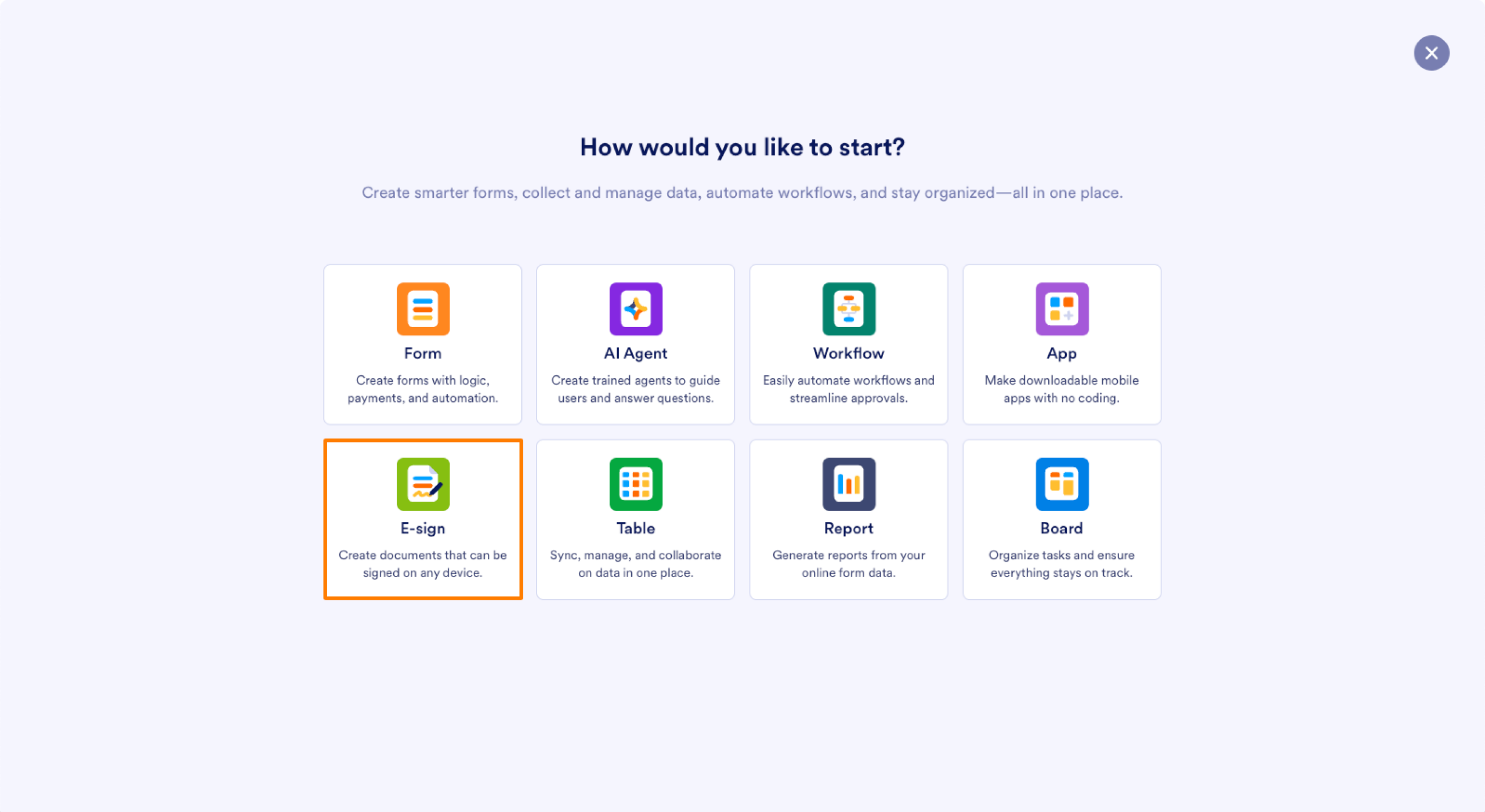
- In your Jotform Workspace, click on Create on the top left corner and choose E-sign
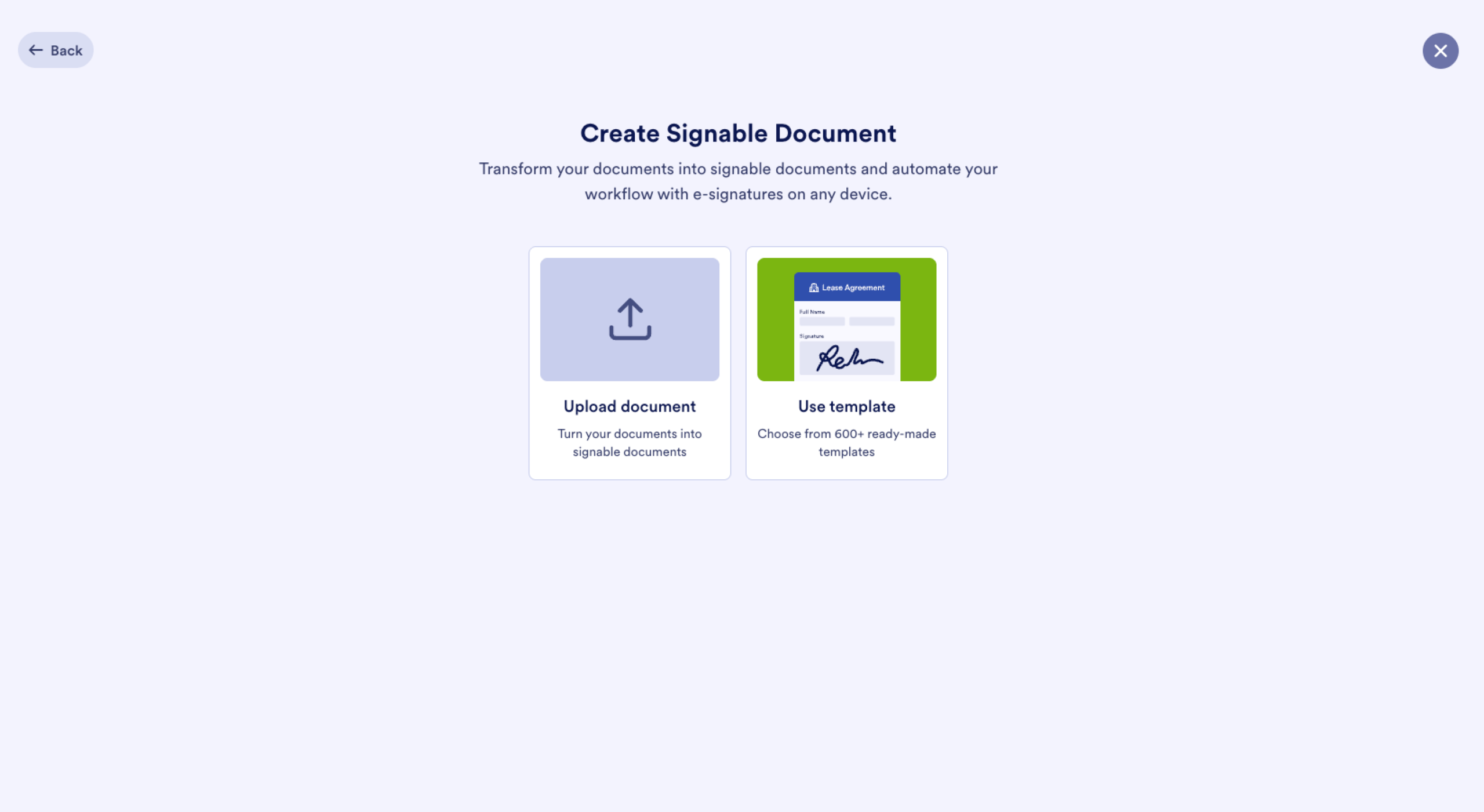
- Then either upload a PDF or select a prebuilt template to start customizing.
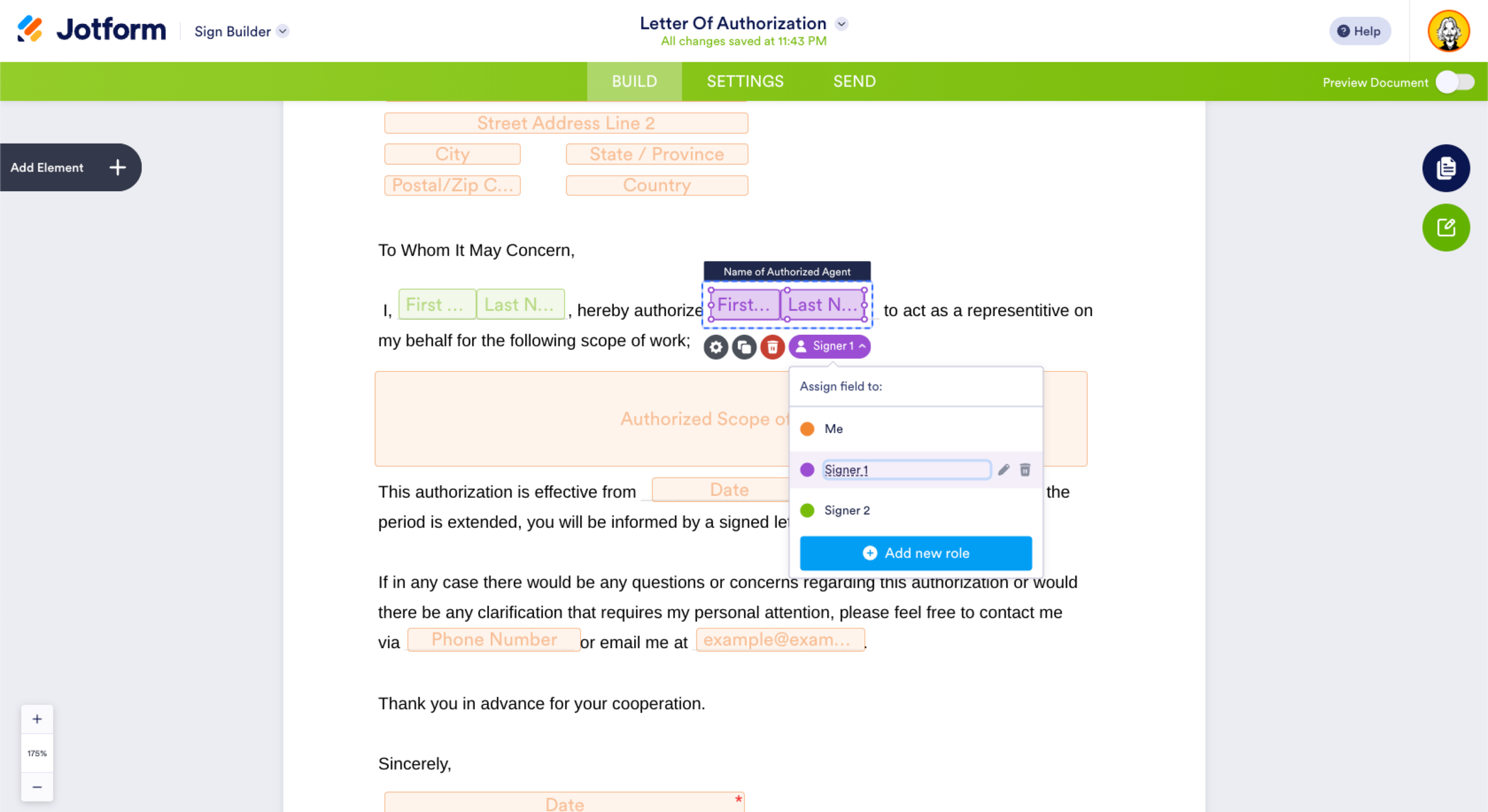
- Use the drag-and-drop builder to add signature fields, names, dates, and any other information you need to collect.
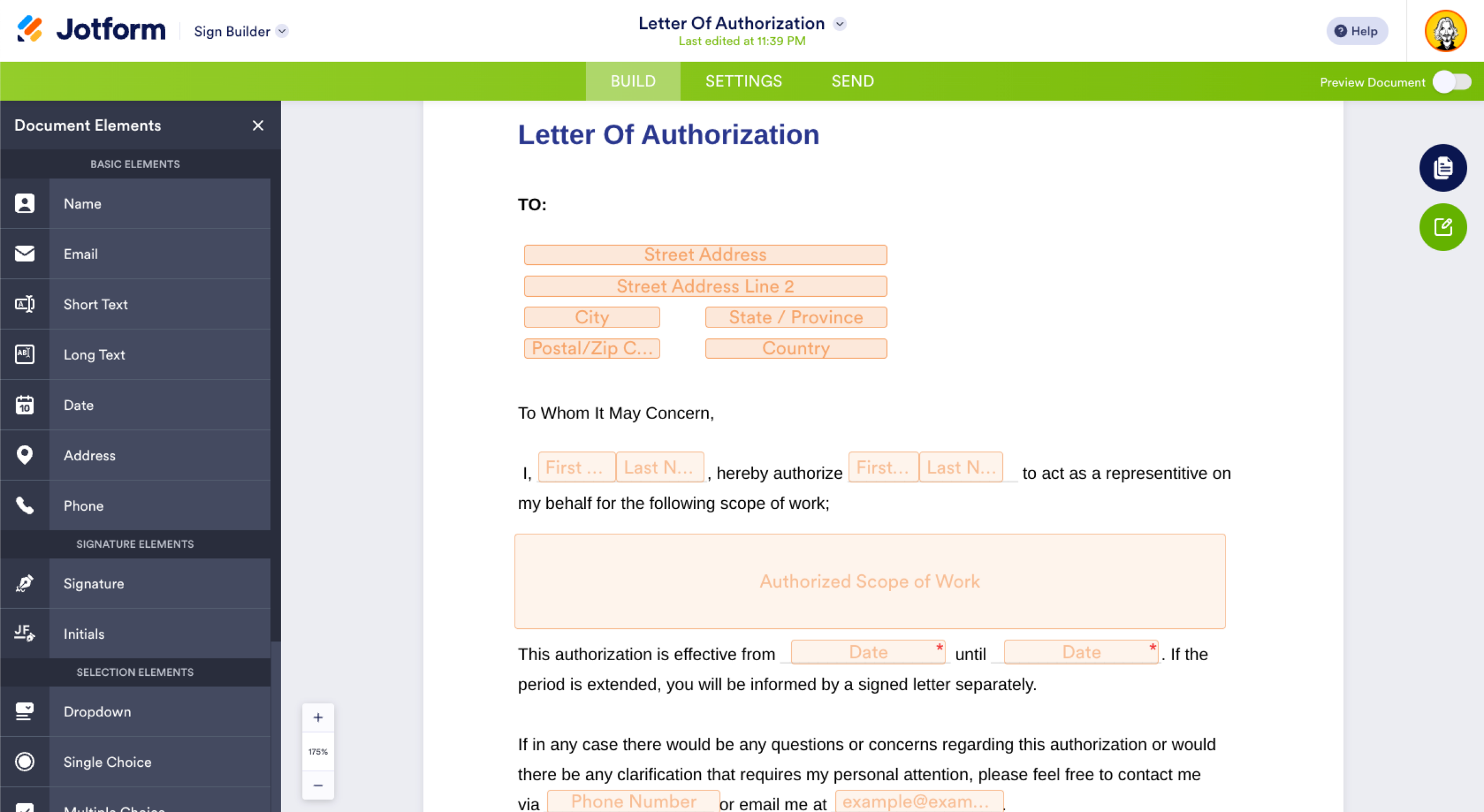
- Assign each field to specific recipients to guide the signing flow.
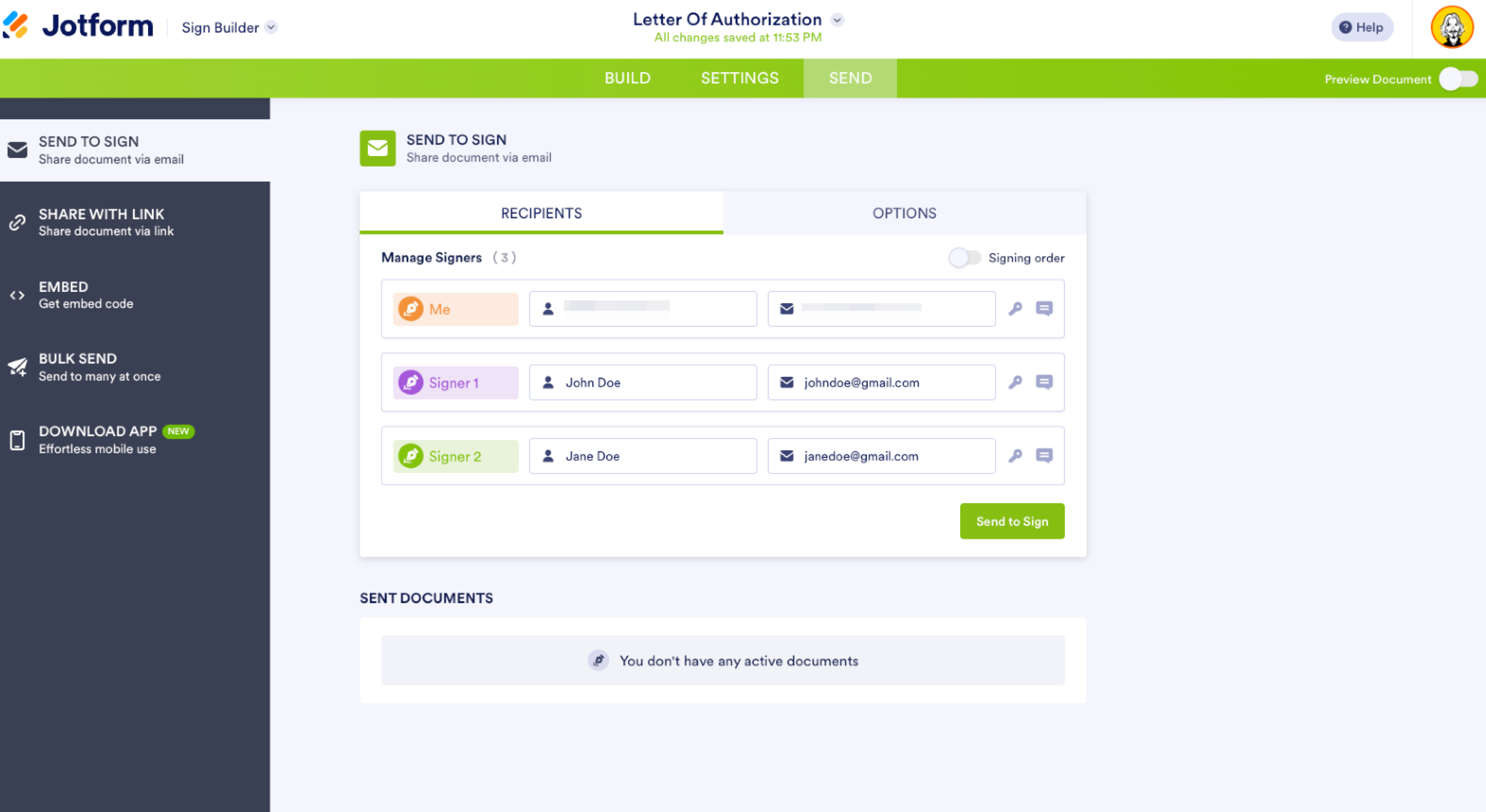
- Once ready, go to the Send tab to email the document to each signer. You can monitor the progress, send reminders, and even set deadlines for completion.
Each signed document comes with an audit trail and a certificate of completion to help you meet compliance and legal standards. Whether you’re sending one-off contracts or automating a recurring workflow, Jotform Sign provides a secure, streamlined way to manage your digital documents from start to finish.
Collecting e-signatures through forms
In addition to Jotform Sign, you can also collect electronic signatures directly within any Jotform form — a fast and flexible solution for less formal or high-volume needs, like surveys, applications, or internal approvals.
With Jotform’s 20,000-plus form templates — including loan applications, feedback forms, and registration forms — you can easily build and customize your form to include an e-signature field. Here’s how:
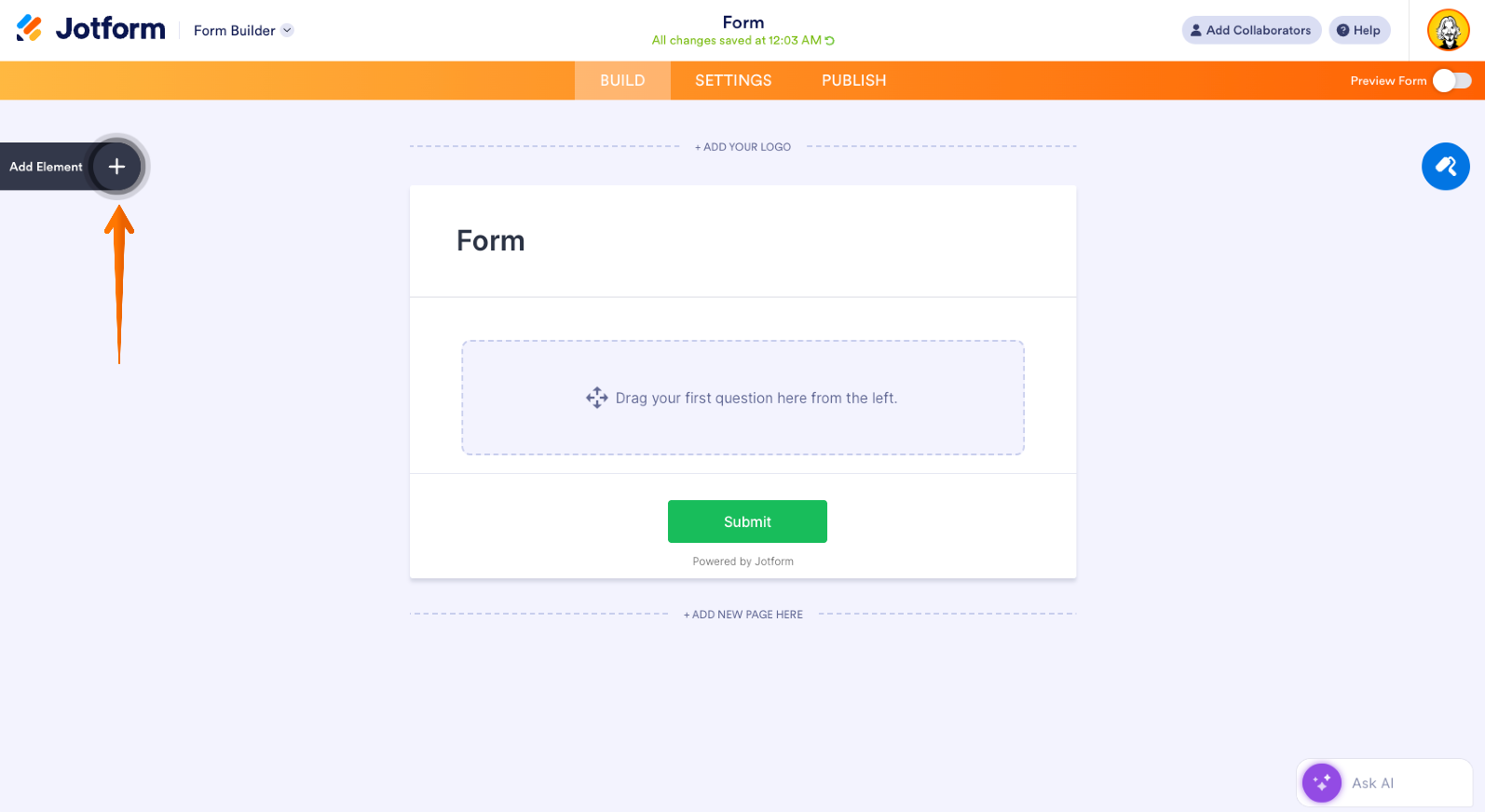
- In the Form Builder, click on Add Element on the left side of the screen.
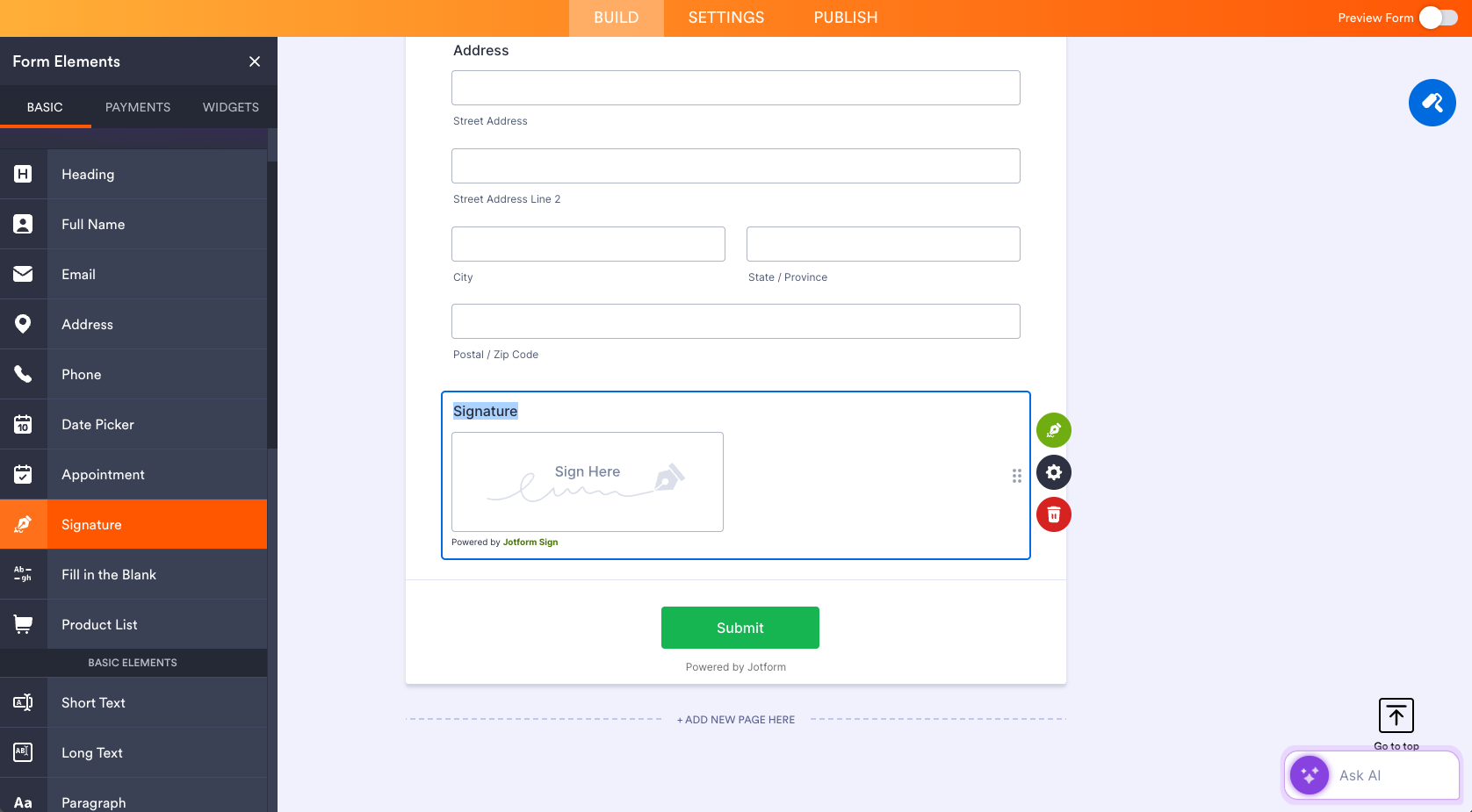
- Select Signature to add Jotform’s free e-signature widget to your form.
(Optional) If you prefer a specific e-signature provider like DocuSign, Adobe Sign, or Smooth Signature, click the Widgets tab, search for your provider, and add it to your form.
- Use the Form Designer tool — represented by a blue paint roller icon on the right side — to adjust the layout, colors, and branding to match your company’s look.
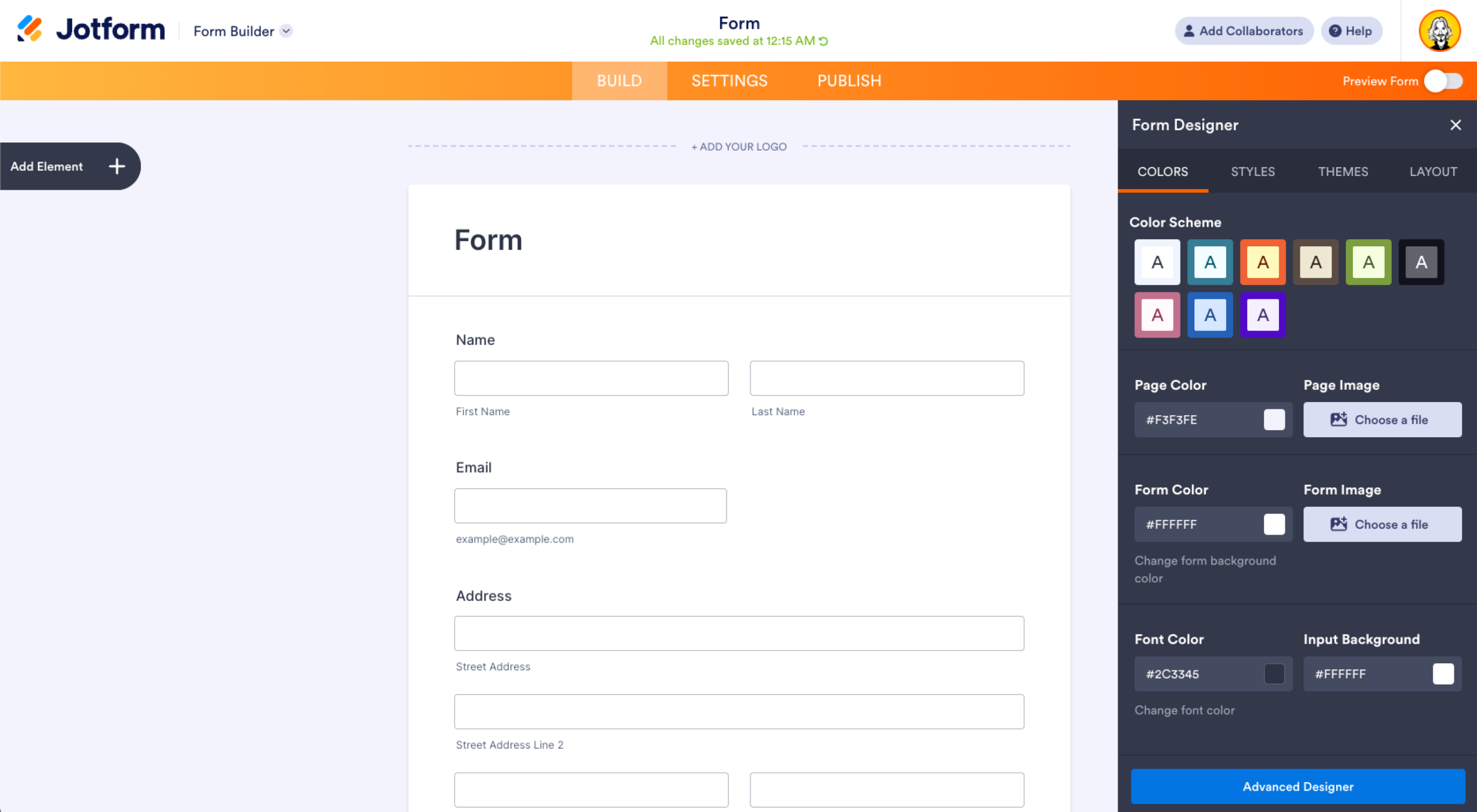
- When your form is ready, click Publish to share it via direct link or embed it on your website.
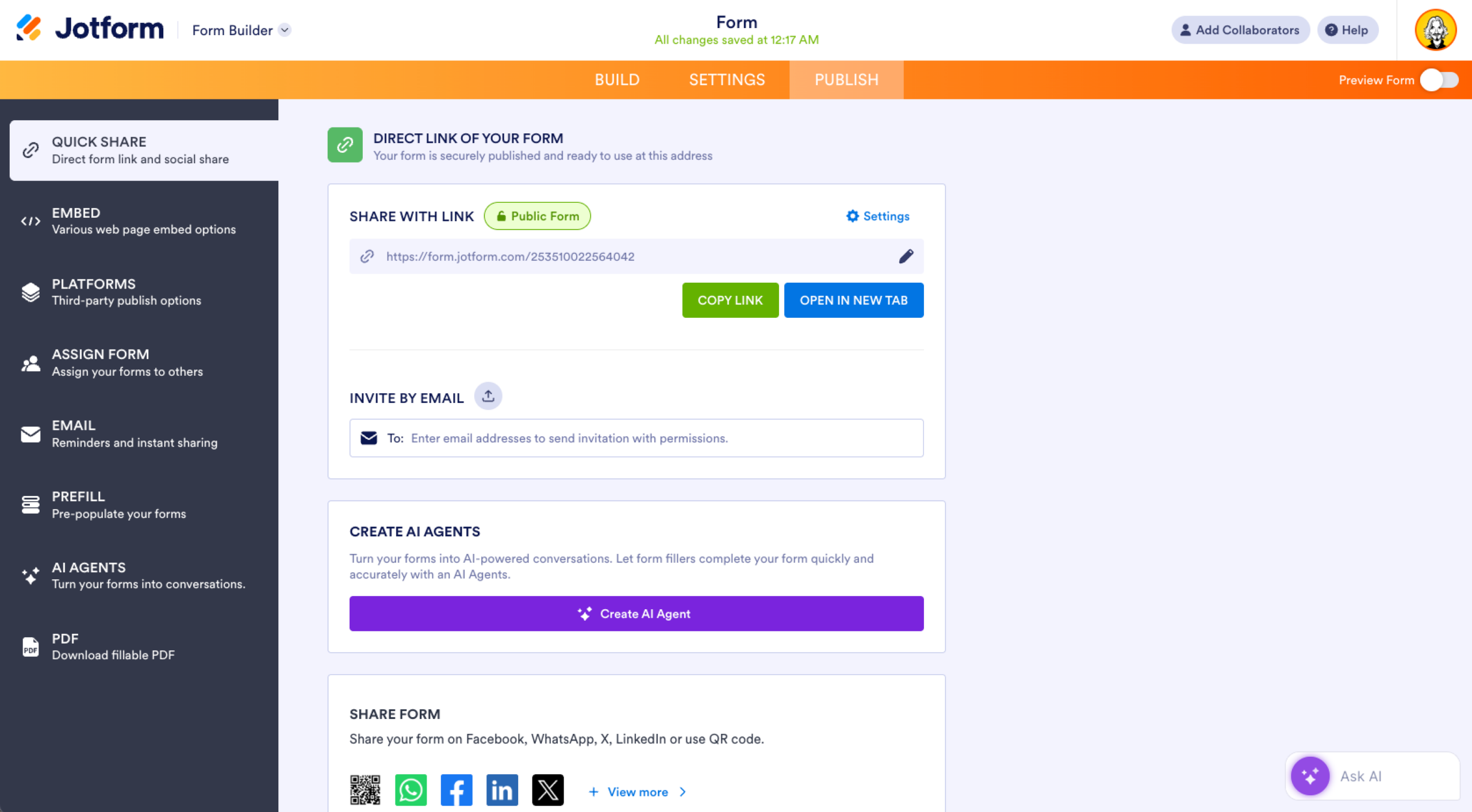
Jotform forms are fully customizable, mobile-friendly, and completely code-free, making it easy for teams of all sizes and technical skill levels to collect signatures and essential information — no hassle required.
Conclusion
Both digital signatures and electronic signatures have their place in different types of legal documents and paperwork. So, before you decide which to implement in your form, think about its purpose and who will sign it.
In any case, Jotform Sign provides a secure signing platform to its users for any type of document they want to get signed. Check this page out to learn more about Jotform Sign.
This guide is for operations, HR, legal/admin, and IT/security teams at businesses, nonprofits, clinics, and agencies that need clear criteria for when to use digital signatures (PKI-backed, high-assurance) versus electronic signatures (fast, flexible) across contracts, onboarding packets, and regulated forms.












































































Send Comment: