
If you’re wondering how to improve employee satisfaction, the answer lies in learning what those employees currently think — and you can use SurveyMonkey to do just that.
SurveyMonkey is a widely used freemium online survey platform that allows individuals and organizations to create, distribute, and analyze responses to surveys quickly. You don’t even need any prior market or employee research experience. And with several employee engagement survey templates to choose from, SurveyMonkey makes it simple to get started.
In this article, we give step-by-step instructions on how to create employee satisfaction surveys using SurveyMonkey in two ways. We’ll also look at Jotform vs SurveyMonkey, and consider Jotform as a strong alternative to SurveyMonkey that might meet your organization’s needs more fully.
How to create an employee satisfaction survey with SurveyMonkey
Users report it’s a simple matter to create and publish or send out an employment satisfaction survey through SurveyMonkey, with an extensive library of templates to choose from. You can also create a survey from scratch.
Creating a survey with a template
With this method, you’ll choose one of SurveyMonkey’s ready-to-use templates and customize it for your organization’s needs.
Follow these steps:
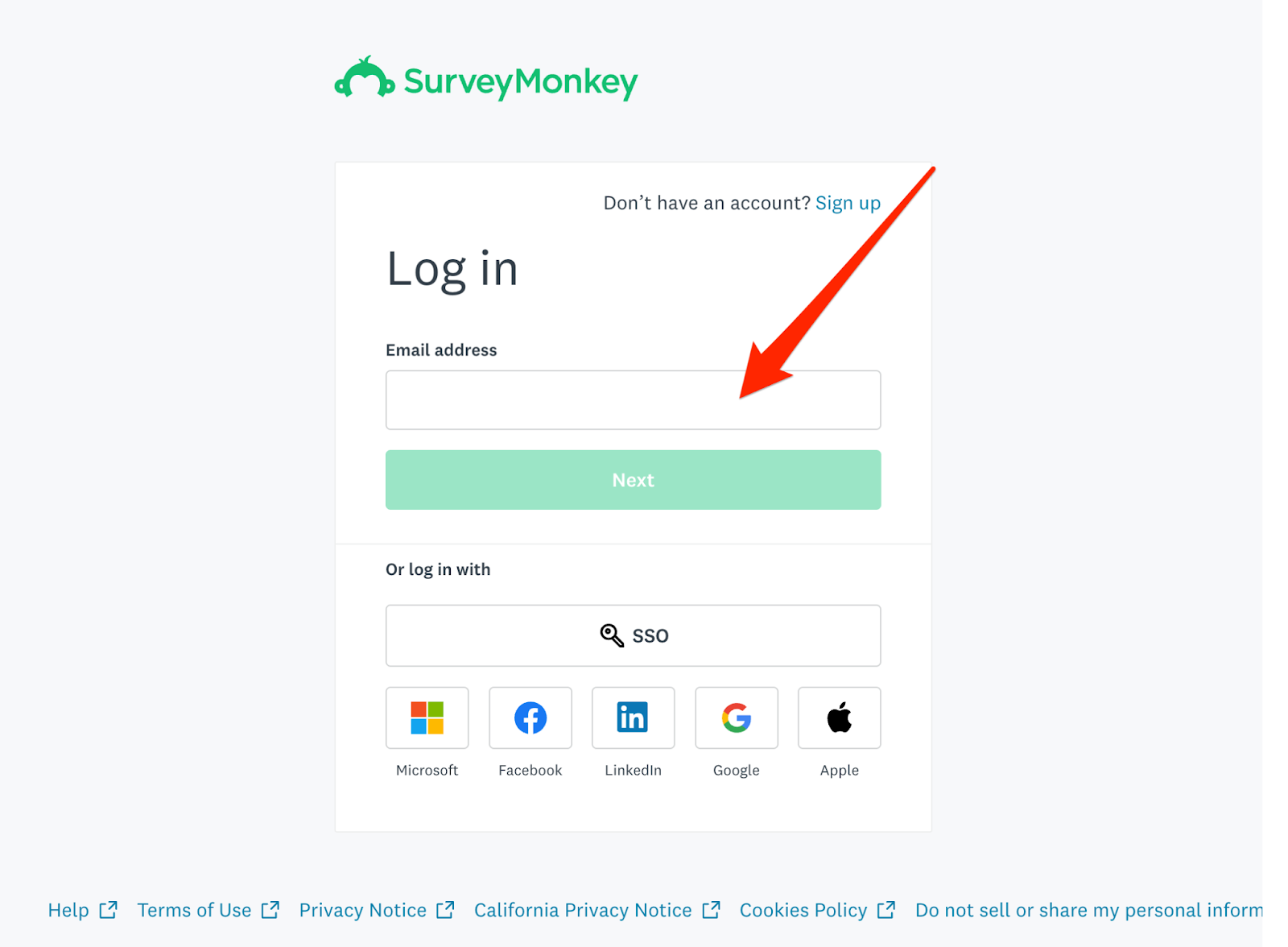
- Sign in to your SurveyMonkey account. If you don’t have one yet, you can create a free account to get started and upgrade later if needed.
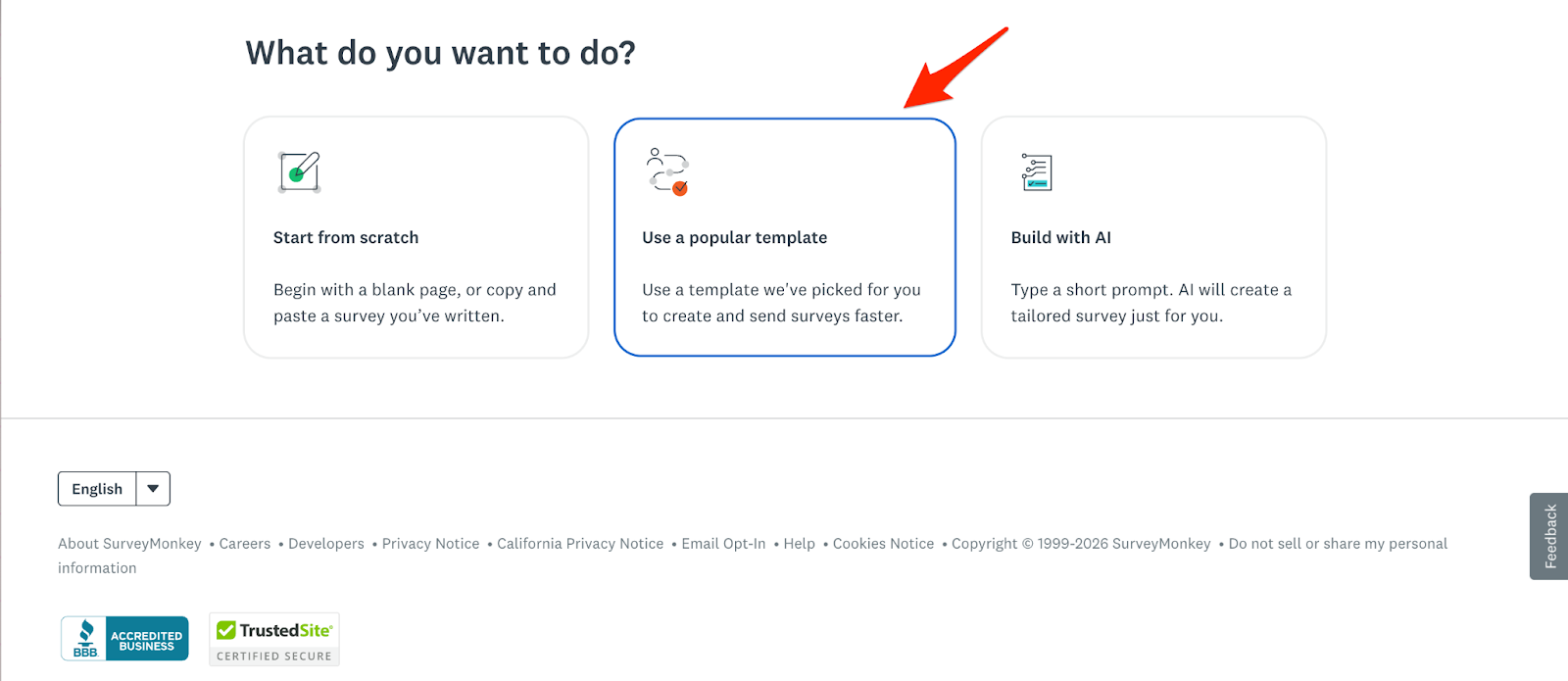
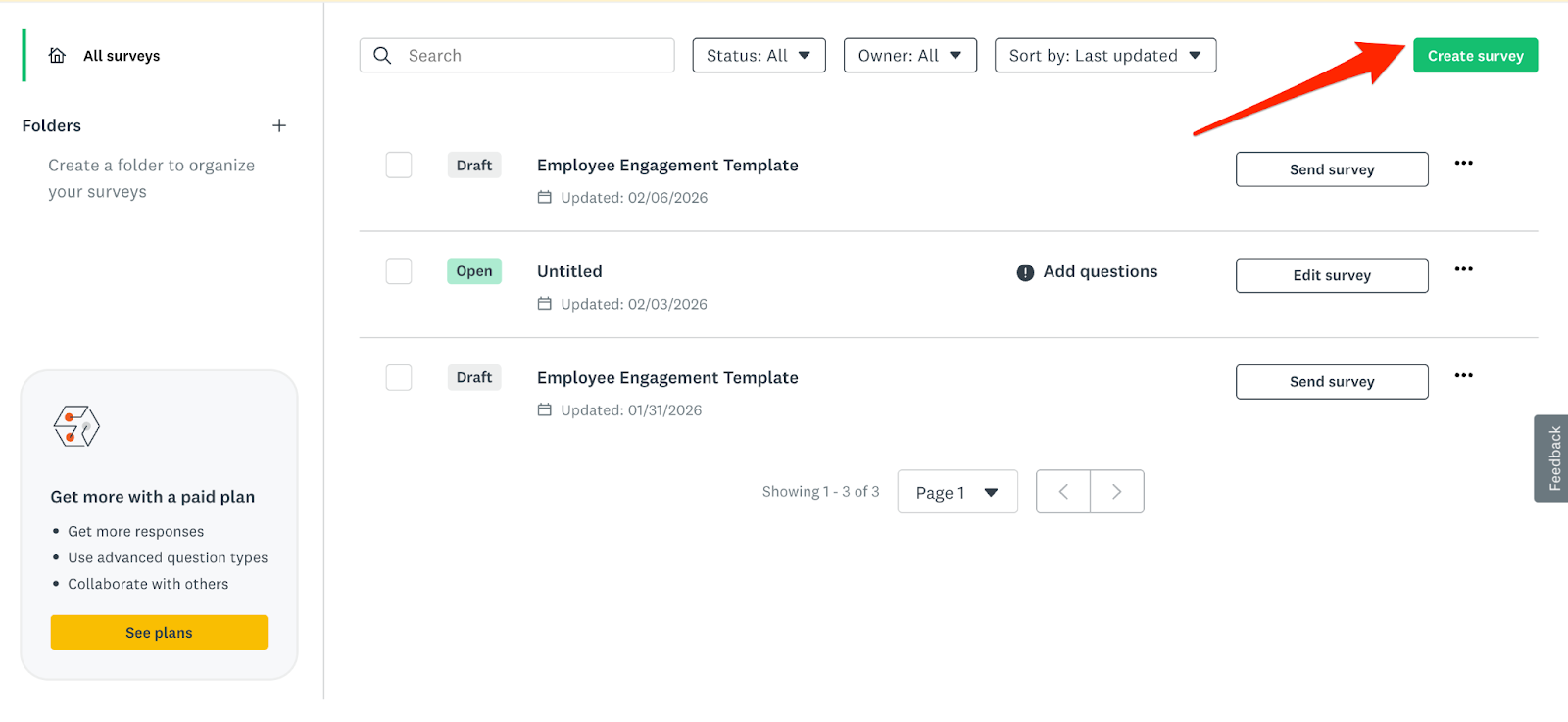
- From the dashboard, click Create Survey, then select Use a Popular Template.
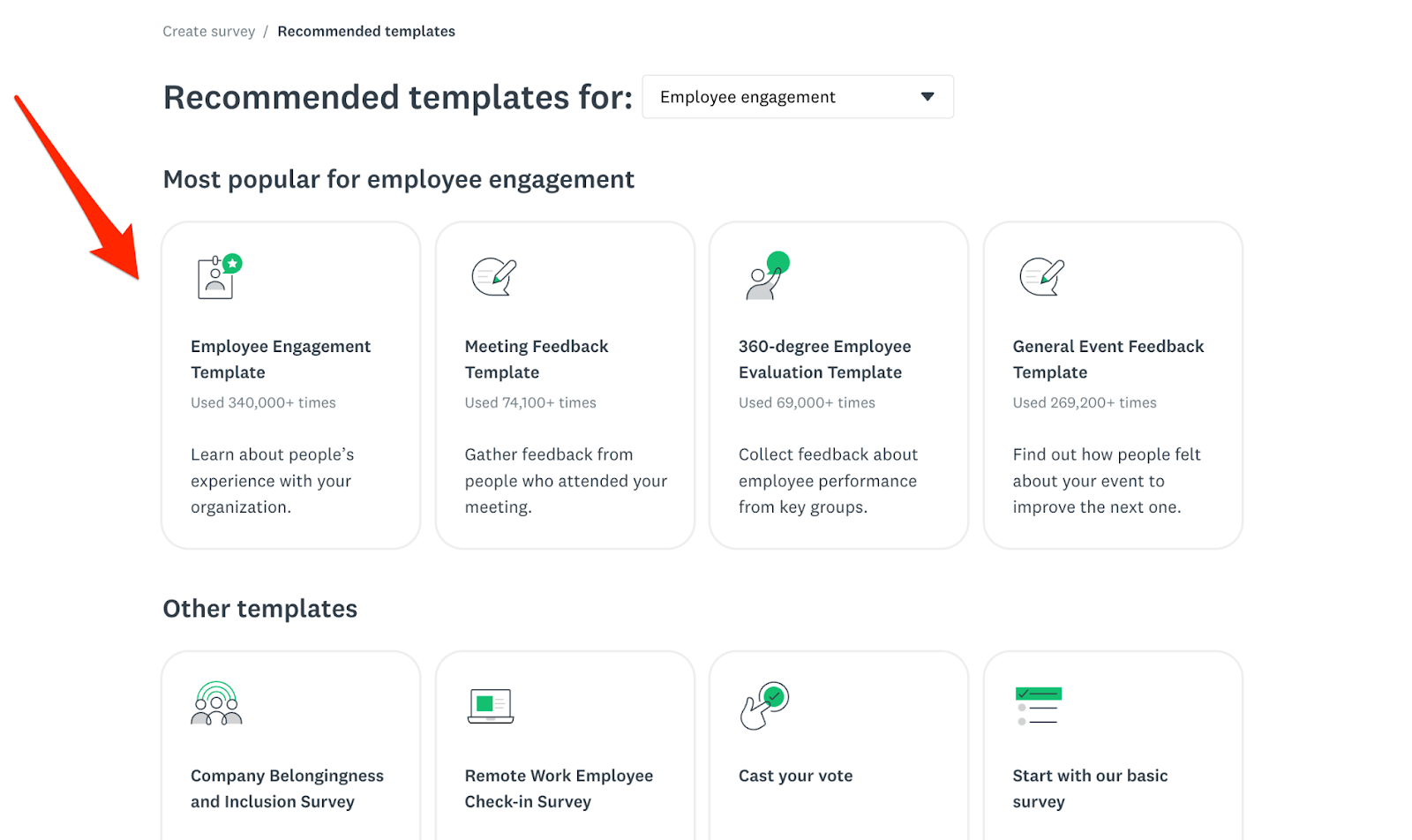
- Browse the Employee Engagement or Human Resources category and choose an employee satisfaction or engagement template that aligns with your goals.
- Review the example employee satisfaction questions in the template. Edit the wording, add or remove questions, and adjust response scales to reflect your organization’s language and priorities.
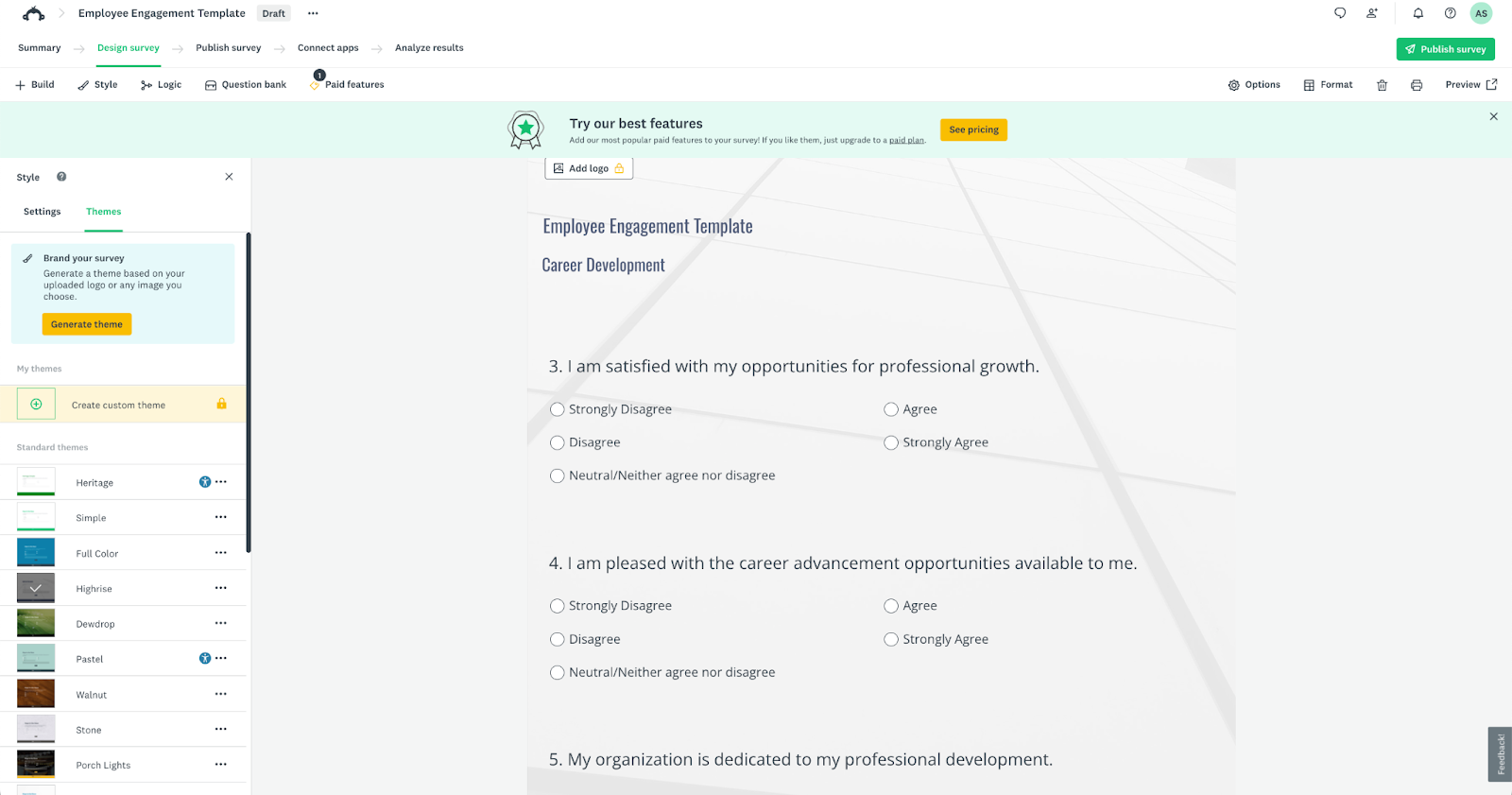
- Adjust survey logic (if that feature is available on your plan) and decide if you want any of your questions to be required.
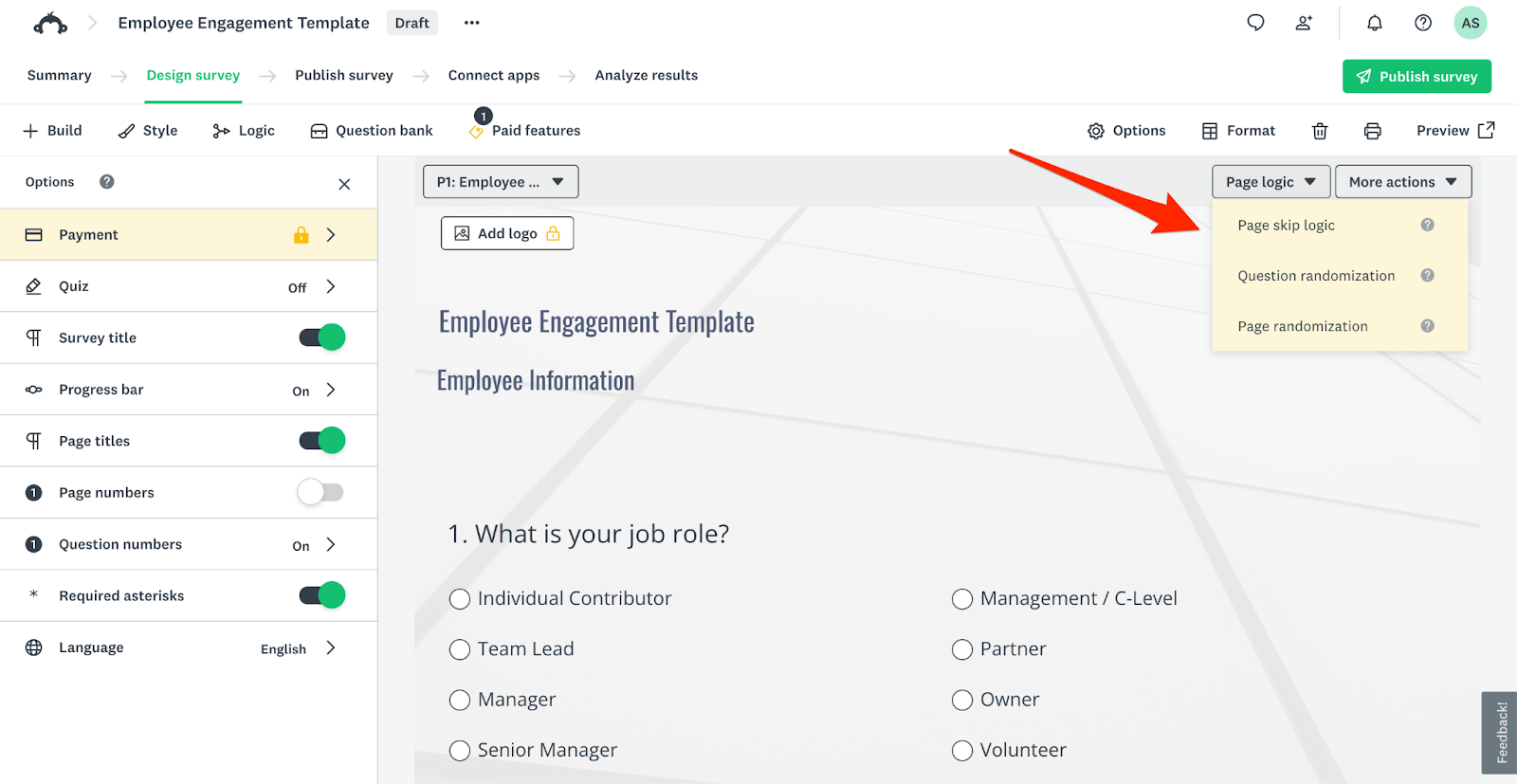
- Click Preview to get a look at the finished survey and send a test version to yourself or a colleague so you can ensure clarity and flow.
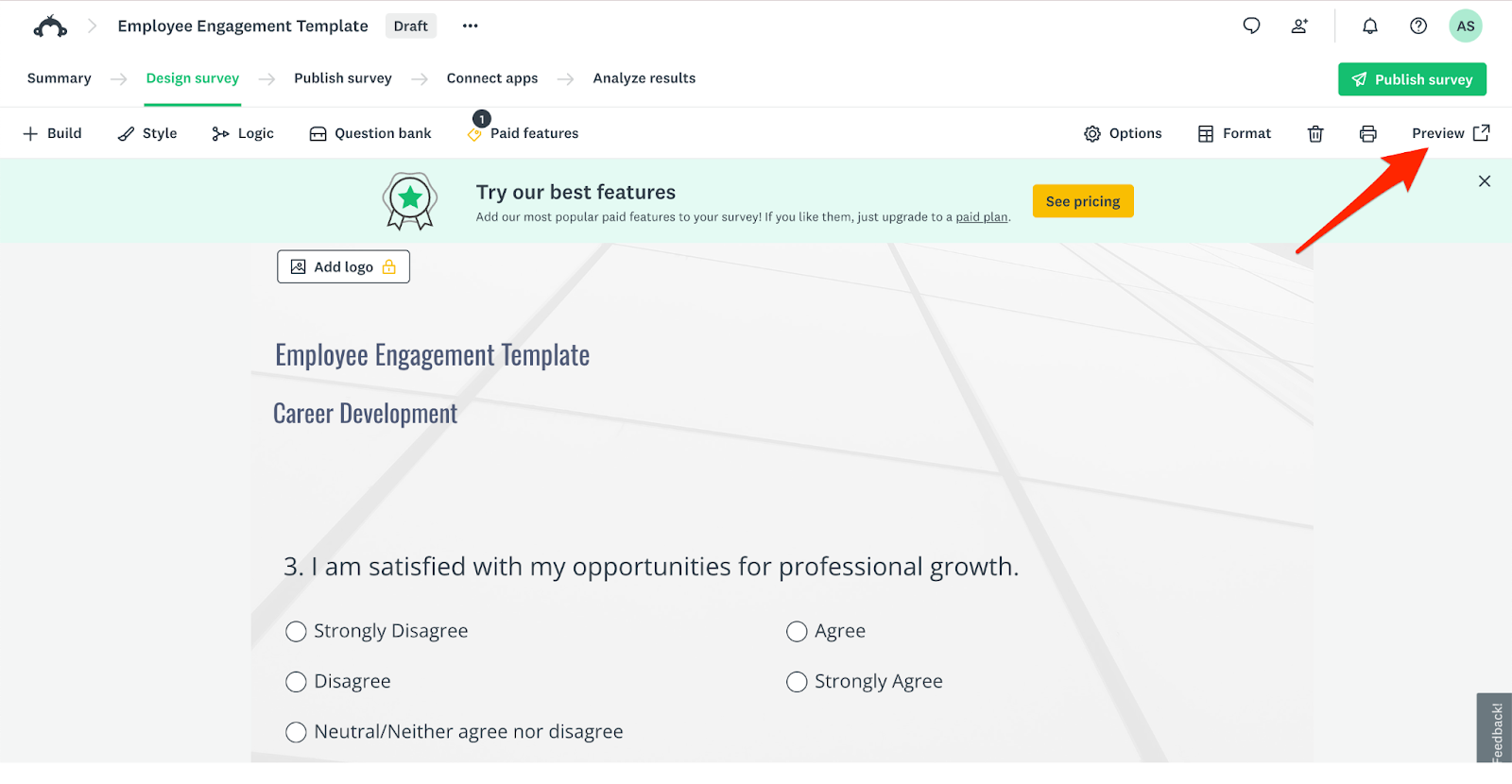
Pros of using the template method
- Speed and convenience: Templates are ready to use, saving time during setup.
- Expert design: Questions are based on research-backed best practices, which avoids bias or poorly worded prompts.
- Beginner-friendly: Ideal for teams without survey design experience.
Cons of using the template method
- Limited customization: Templates may not fully reflect your company’s culture, roles, or priorities.
- Generic tone: Questions can feel impersonal or less relevant to employees.
- Feature restrictions: Some advanced templates require paid plans.
Creating a survey from scratch
You can also build your survey from the ground up, using SurveyMonkey’s powerful tools.
- Go to SurveyMonkey.com and sign in to your account. From your dashboard, click Create Survey.
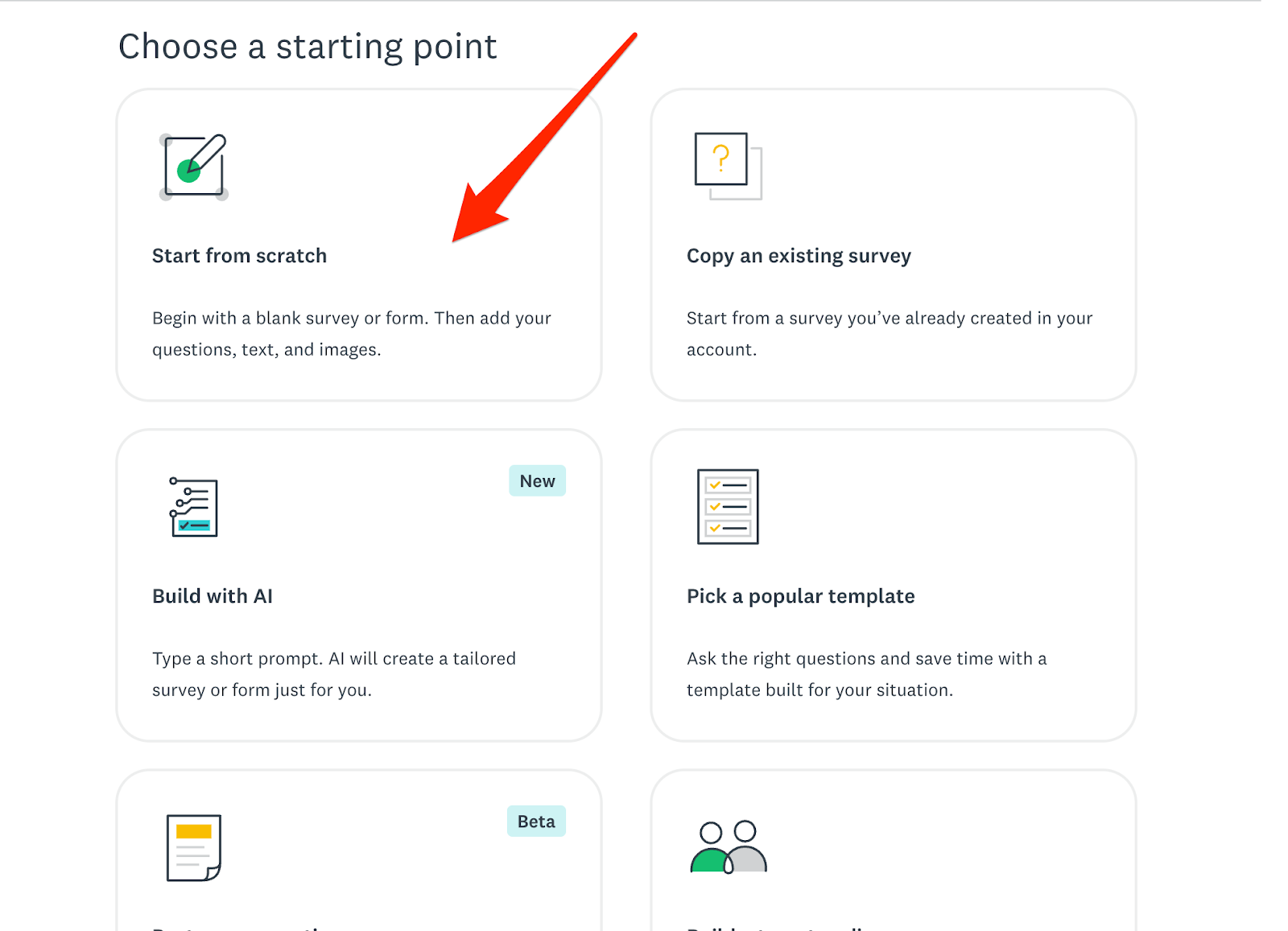
- Select Start from scratch, then choose Blank Survey.
- Enter a survey title, such as “Employee Satisfaction Survey 2026.” This title is internal and helps you organize surveys in your account.
- Click Add Content, then Question. Choose a question type (for example, Likert scale or Rating scale), then type your question text, such as “How satisfied are you with your overall work experience?”
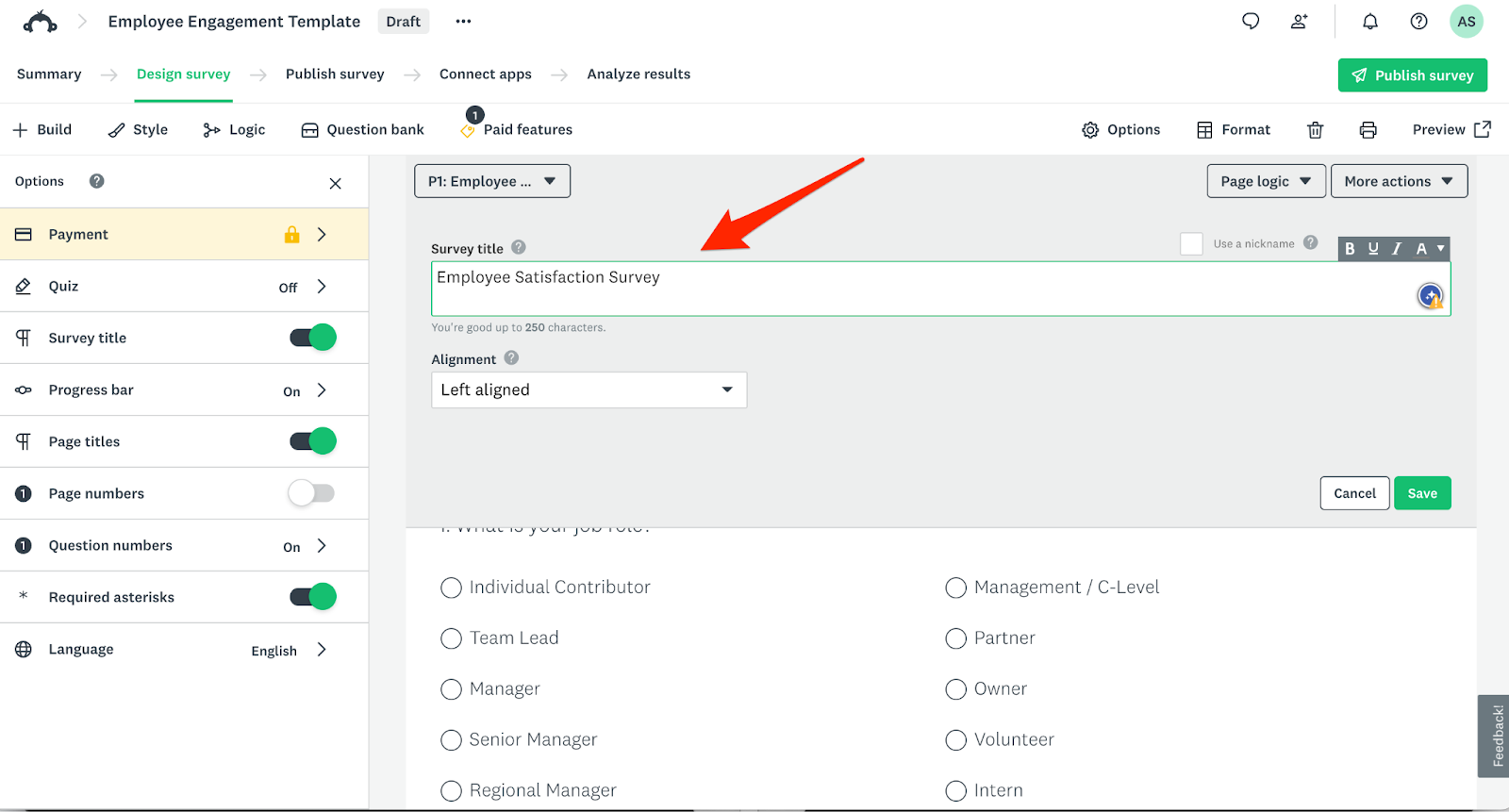
- Continue clicking Add Question to create sections covering topics like management, workload, compensation, growth opportunities, and workplace culture. Adjust answer choices and scales as needed.
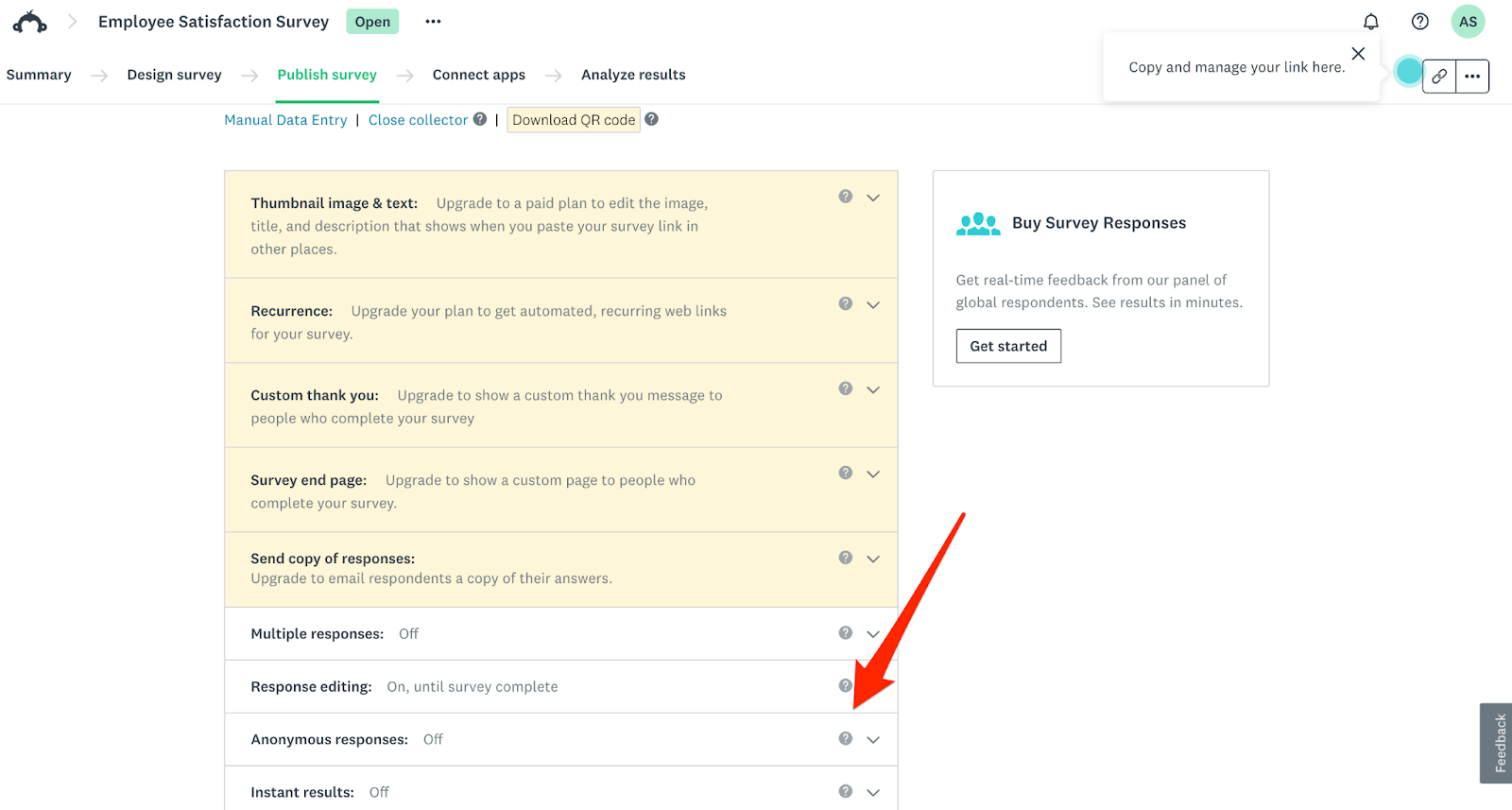
- Click Publish Survey, then click Settings. Turn on Anonymous Responses if you want confidential feedback. Mark key questions as required if appropriate.
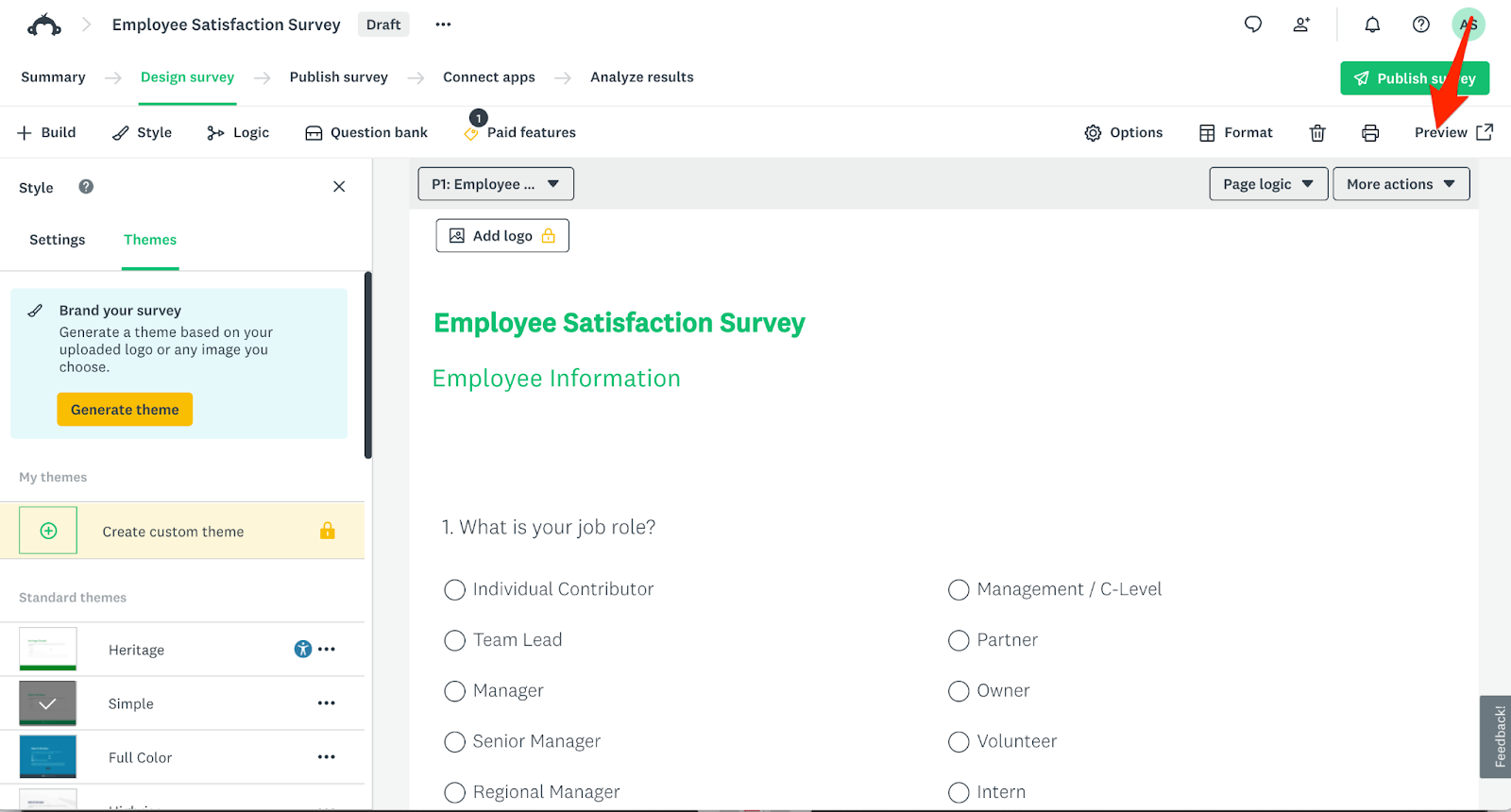
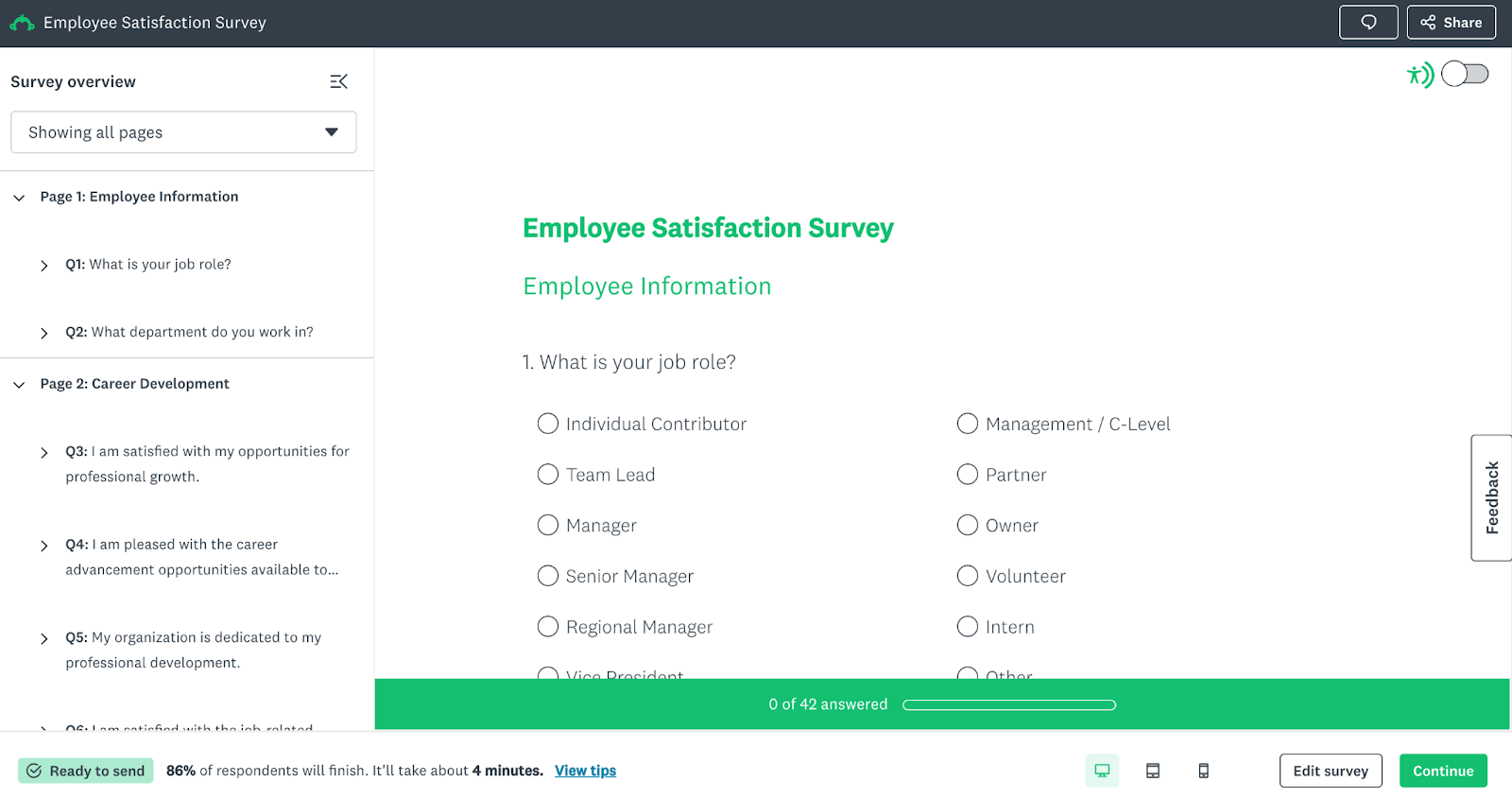
- Click Preview Survey to review formatting and flow. Send a test link to yourself or a colleague to check clarity.
Survey preview:
Pros of using the “from scratch” method
- Full control: Every question, scale, and flow can be tailored to your organization.
- More relevance: Custom surveys can address specific teams, initiatives, or pain points.
- Stronger engagement: Employees may respond better to surveys that feel purpose-built and highly targeted.
Cons of using the “from scratch” method
- More time-intensive: Writing and structuring questions takes longer.
- Higher risk of design errors: Poor wording or structure can affect data quality.
- Requires survey literacy: Best results come from understanding survey methodology.
Jotform: An alternative to SurveyMonkey to create employee satisfaction surveys
Jotform is a strong, value-added alternative to SurveyMonkey. As with SurveyMonkey, you can use Jotform tools to create dynamic surveys in two ways: through templates, such as employee satisfaction survey templates and employee motivation survey templates, and through tools to create surveys from scratch.
Creating a survey from Jotform Templates
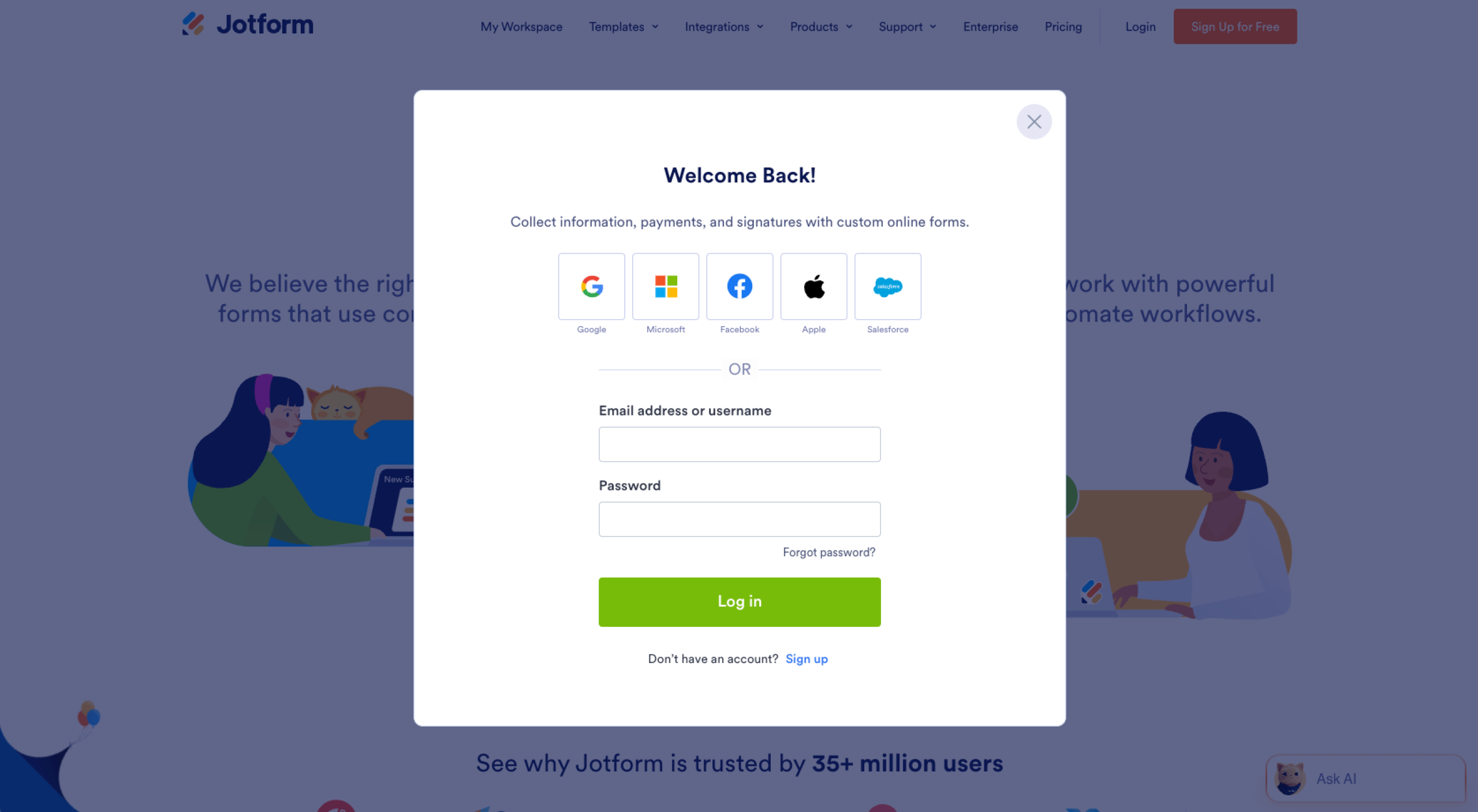
- Go to Jotform.com and sign in to your account. From the dashboard, click Create, then click Form.
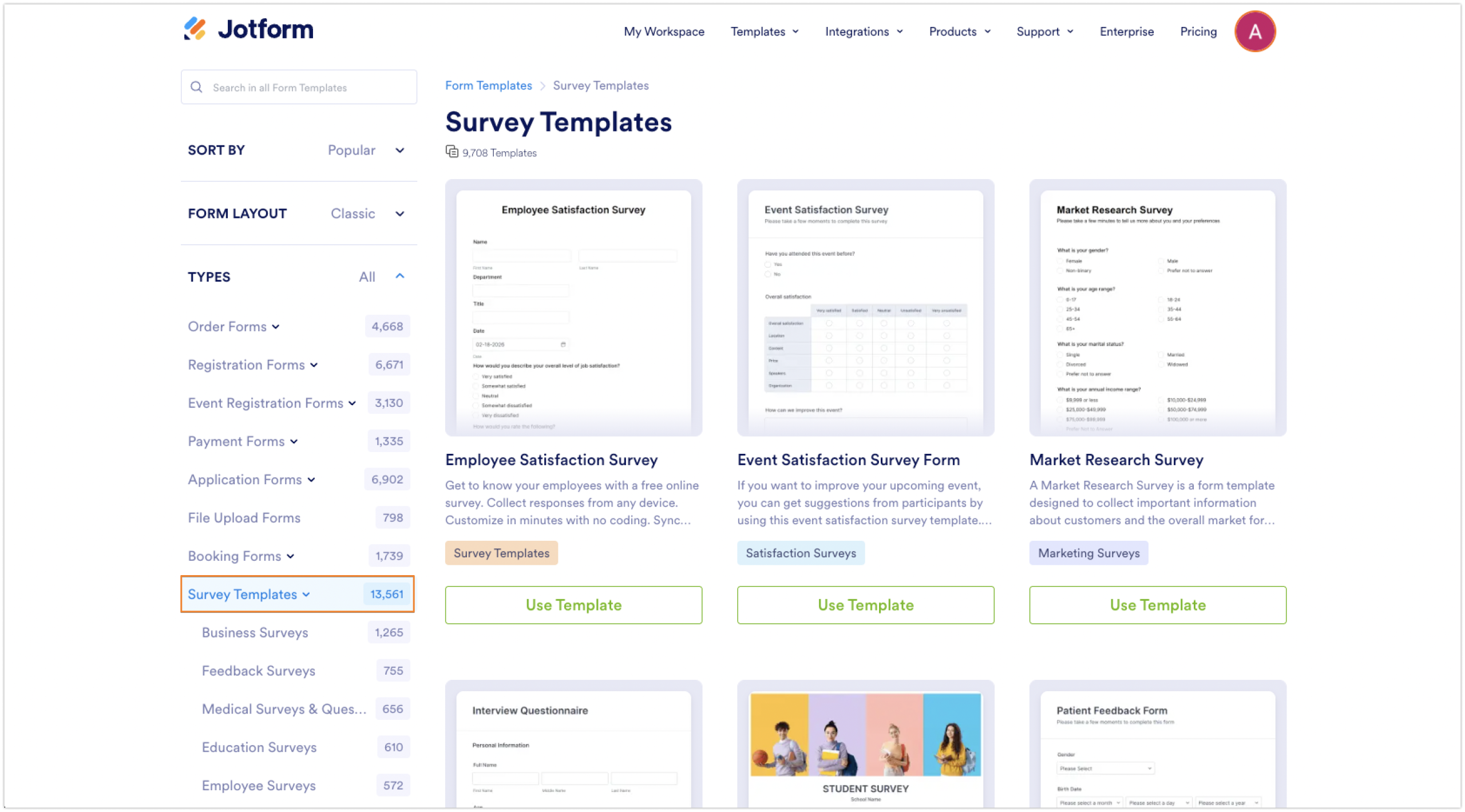
- Go to the Form Tempate Gallery, scroll down on the left side of the screen, and click Survey Templates. Browse through types of templates available, such as employee satisfaction survey template, employee surveys, or Human Resources templates.
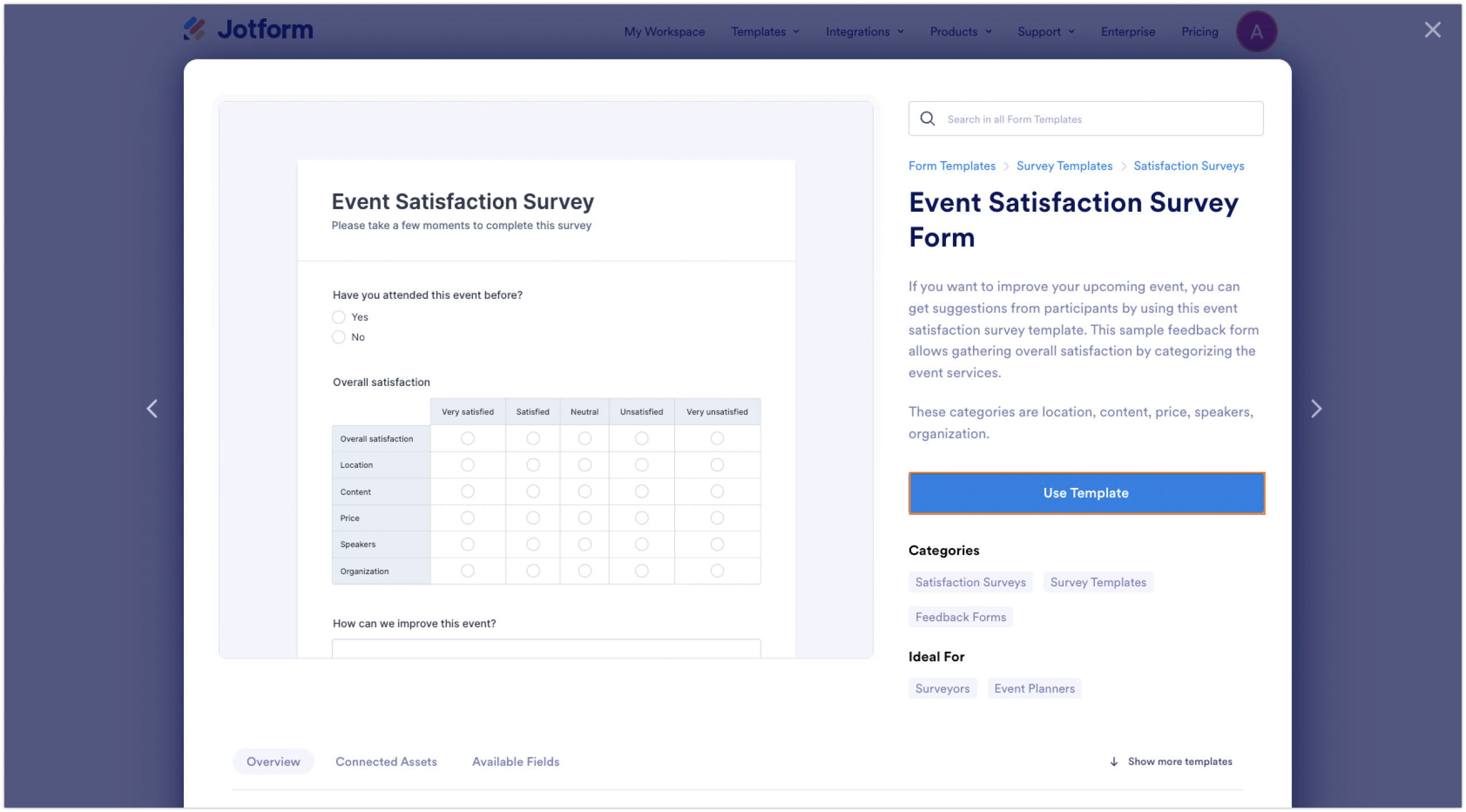
- Click on a template to preview it. When you find one that fits your needs, click Use Template to open it in the Form Builder.
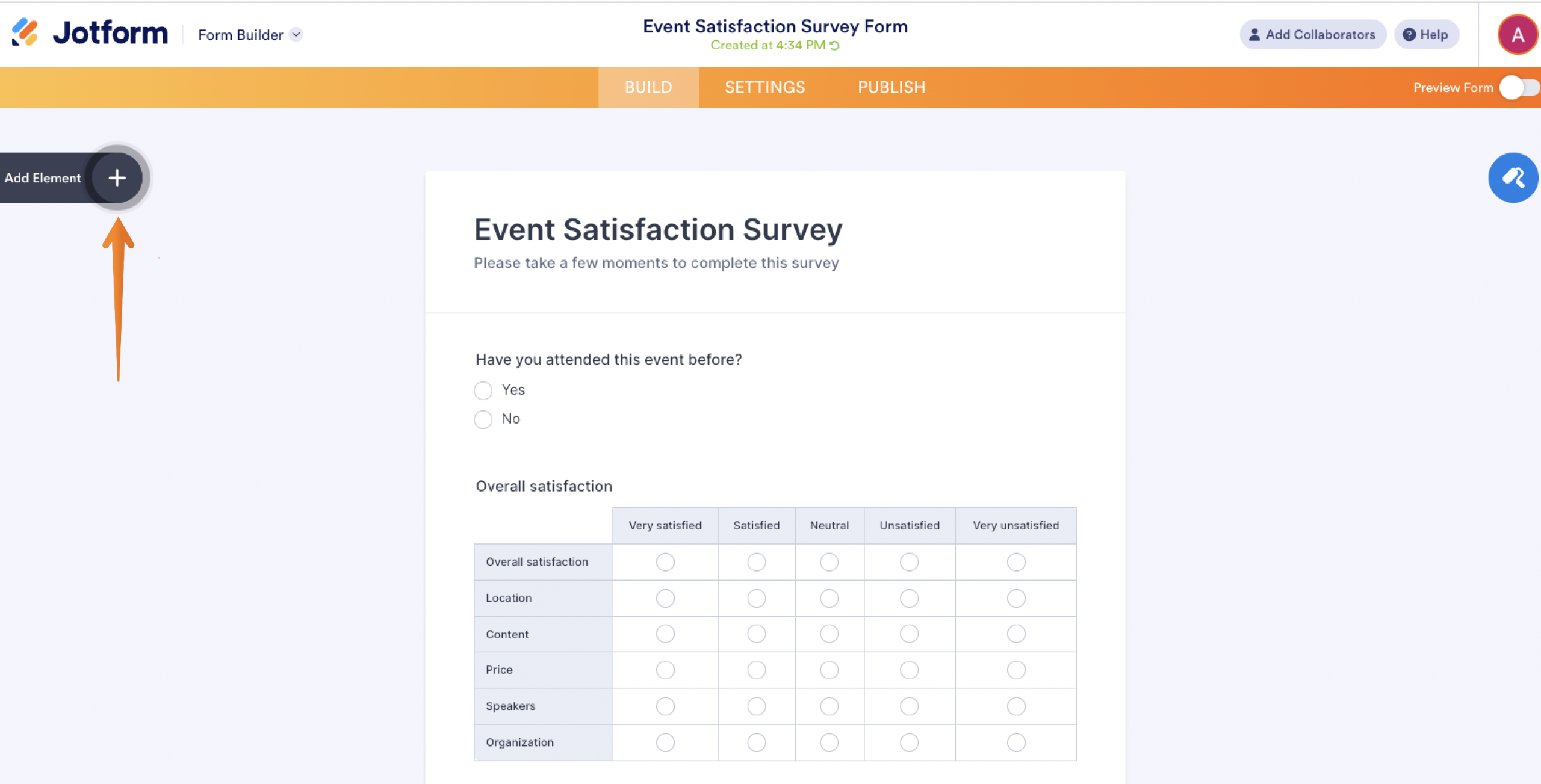
- Customize each question by clicking directly on it to edit the text, response options, or scale. Add new questions by clicking Add Element from the left panel.
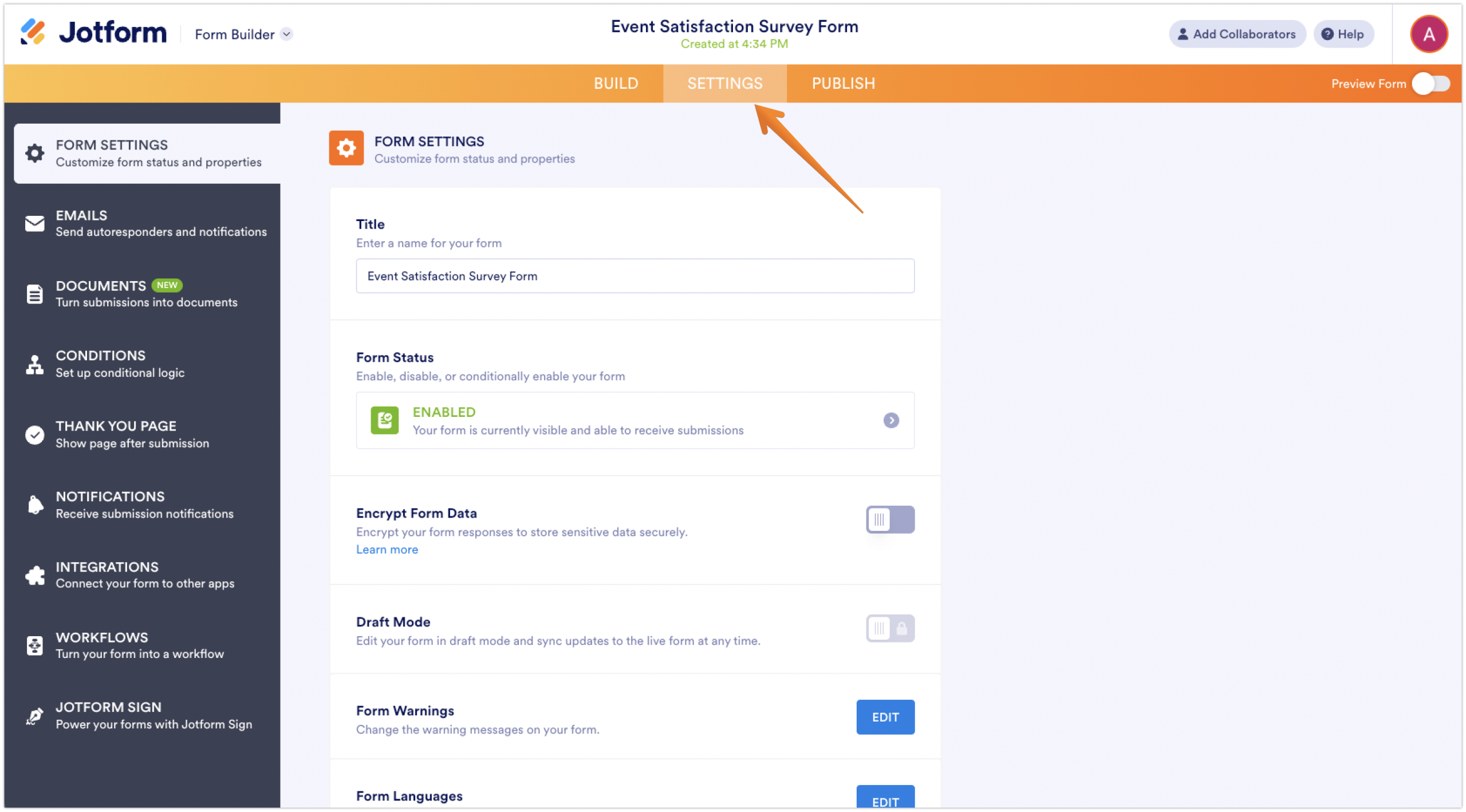
- Click Settings at the top of the builder to configure options like anonymity, required questions, and submission messages.
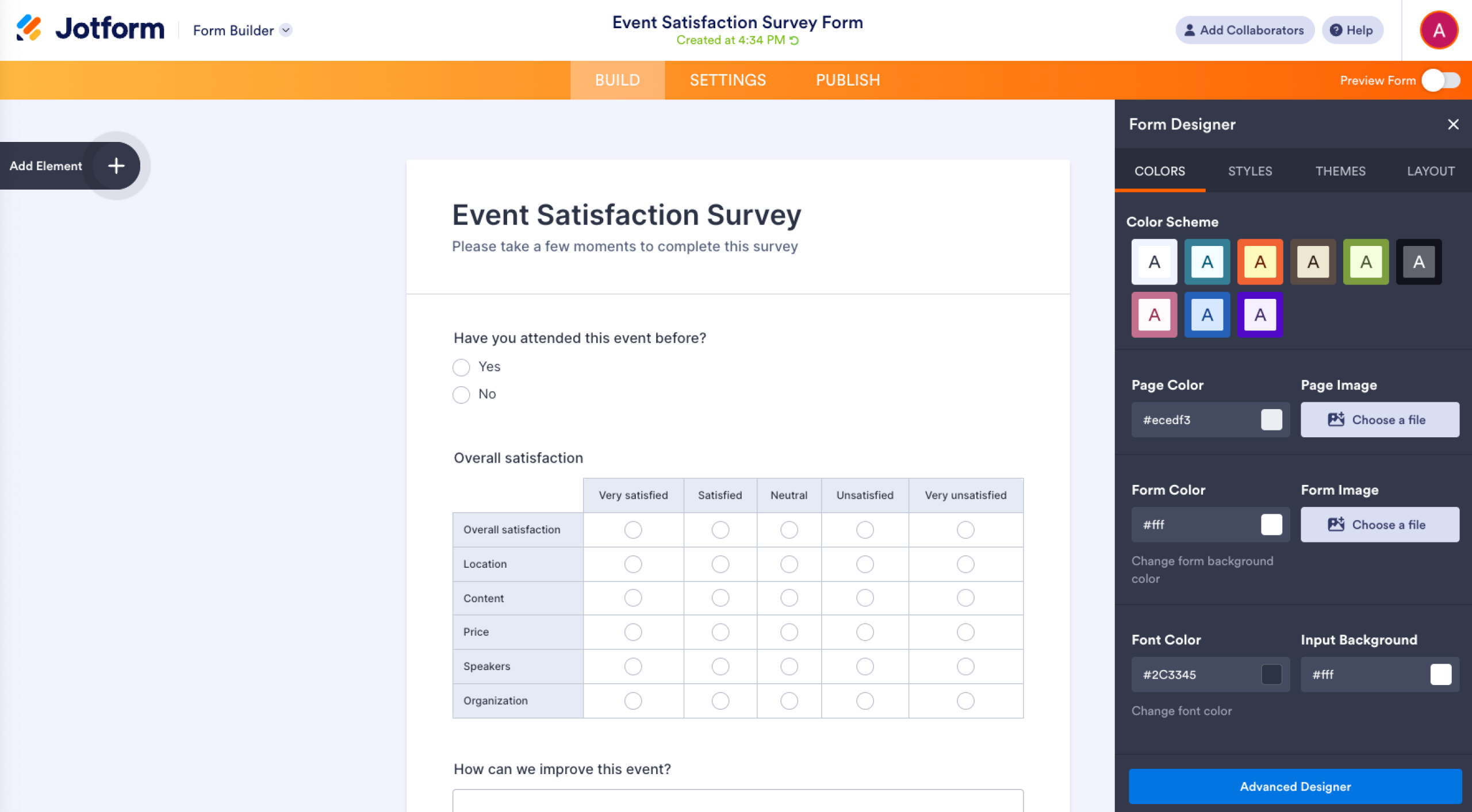
- If you like, click Form Designer to adjust colors, fonts, or layout so the survey matches your organization’s branding.
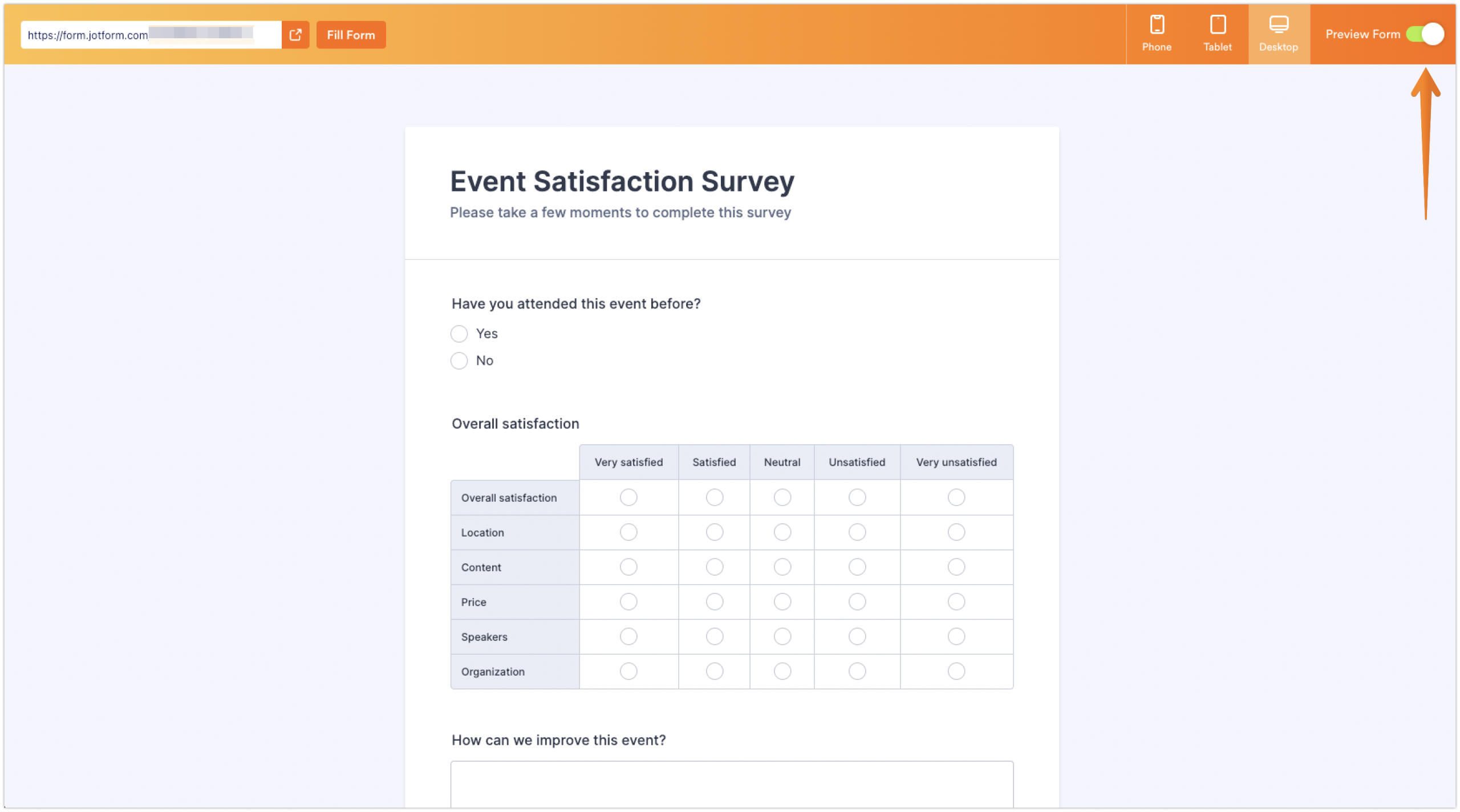
- Click Preview Form to review the survey. Submit a test response to confirm everything works as expected.
Pros of building employee surveys using Jotform templates
- Fast setup: Templates let teams launch surveys quickly without starting from a blank page.
- Pre-structured questions: Employee satisfaction templates include commonly used HR questions and scales, evident in employee benefits survey templates as well as employee benefits request form templates and more.
- Easy customization: Users can click directly into questions to edit wording or response options.
Cons of using the Jotform template method for your employee surveys
- Limited flexibility: Templates may not fully reflect company-specific roles, culture, or goals.
- Feature access: Some templates or features may require a paid Jotform plan to use fully.
Creating surveys from scratch with Jotform
You can also create an employee satisfaction survey from scratch with Jotform.
- Go to Jotform.com and sign in to your account. From the dashboard, click Create Form.
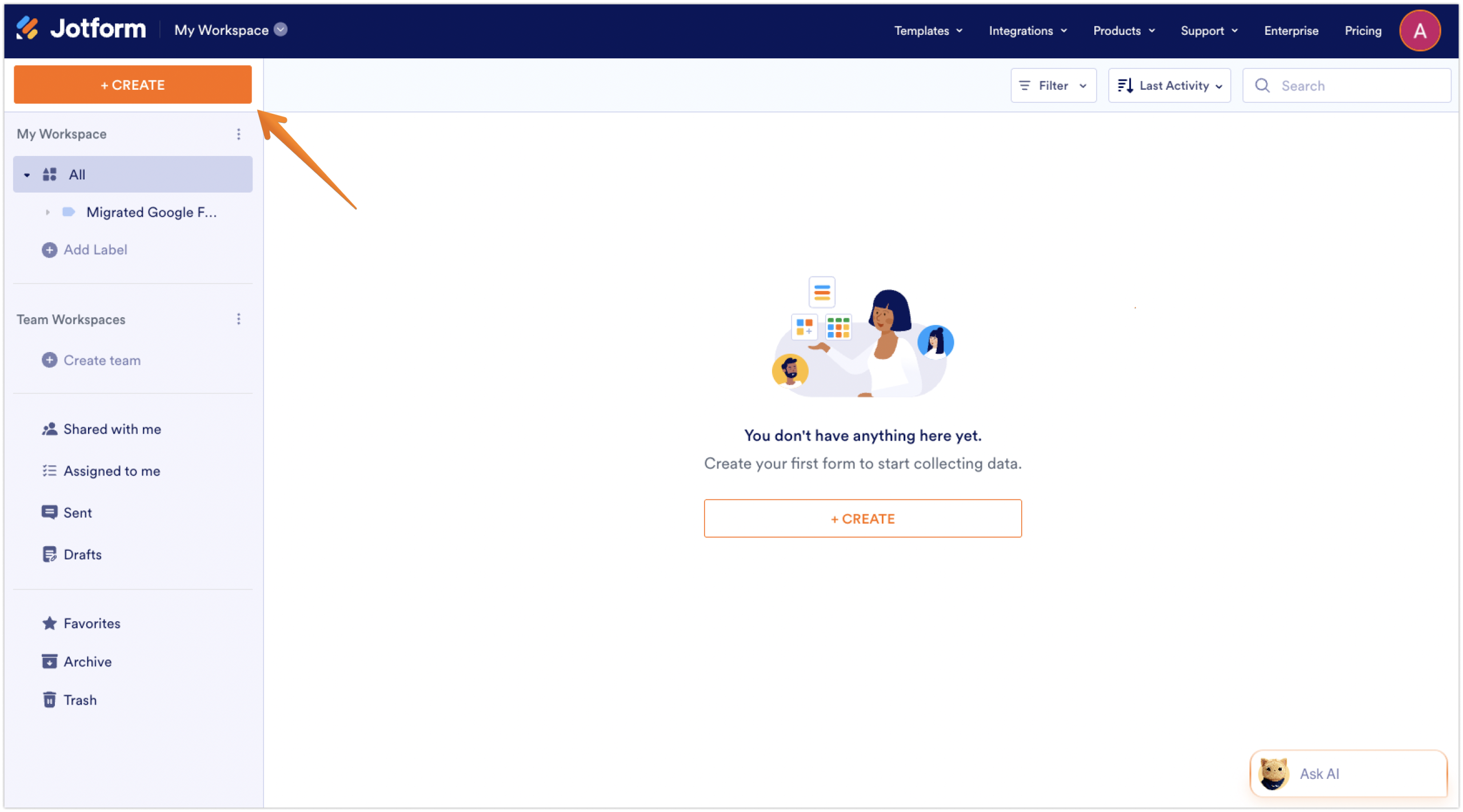
- Select Form, then choose Start from scratch and Classic Form to open the Form Builder.
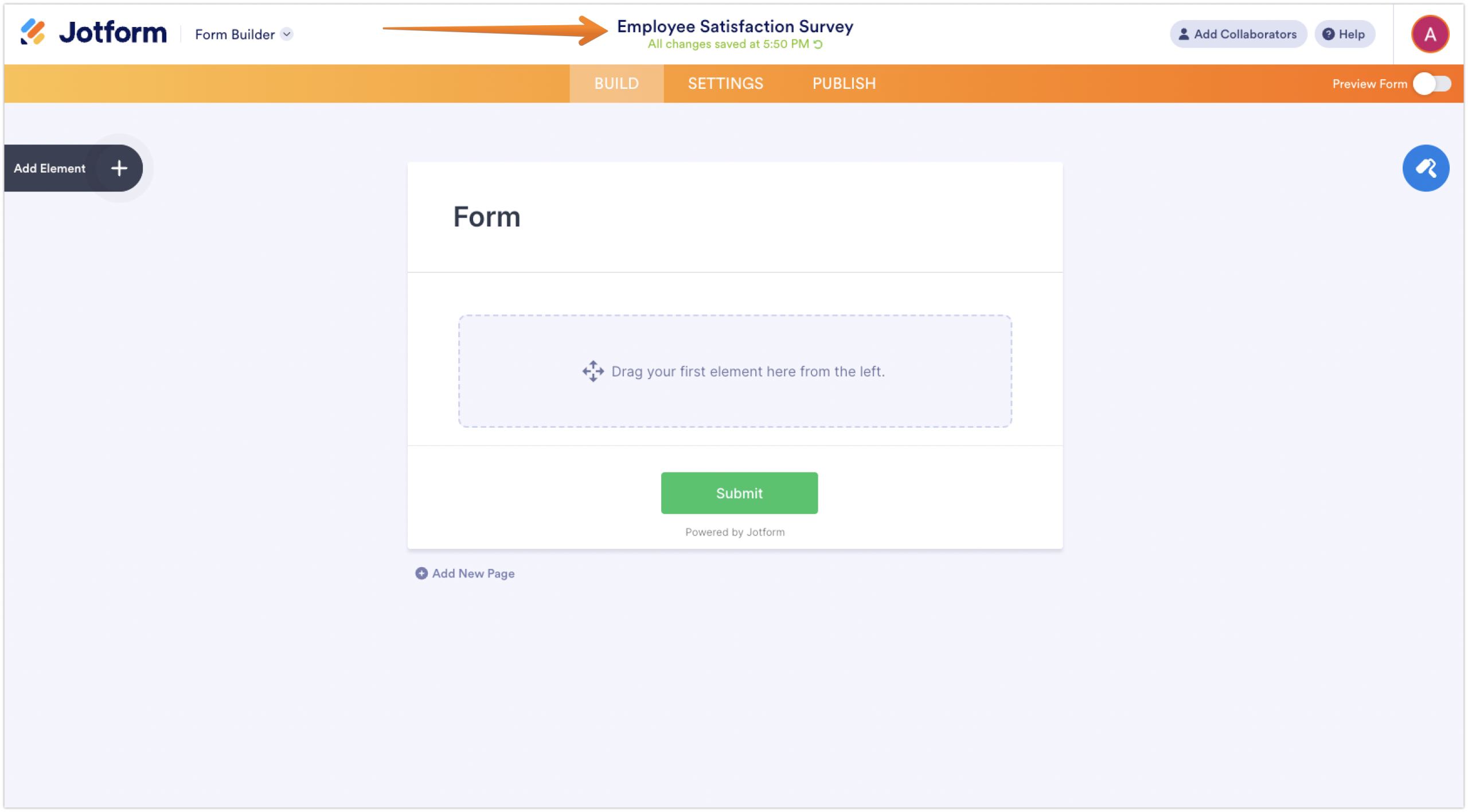
- Name your survey. Click the form title at the top of the page and enter a name, such as “Employee Satisfaction Survey,” to help organize your forms.
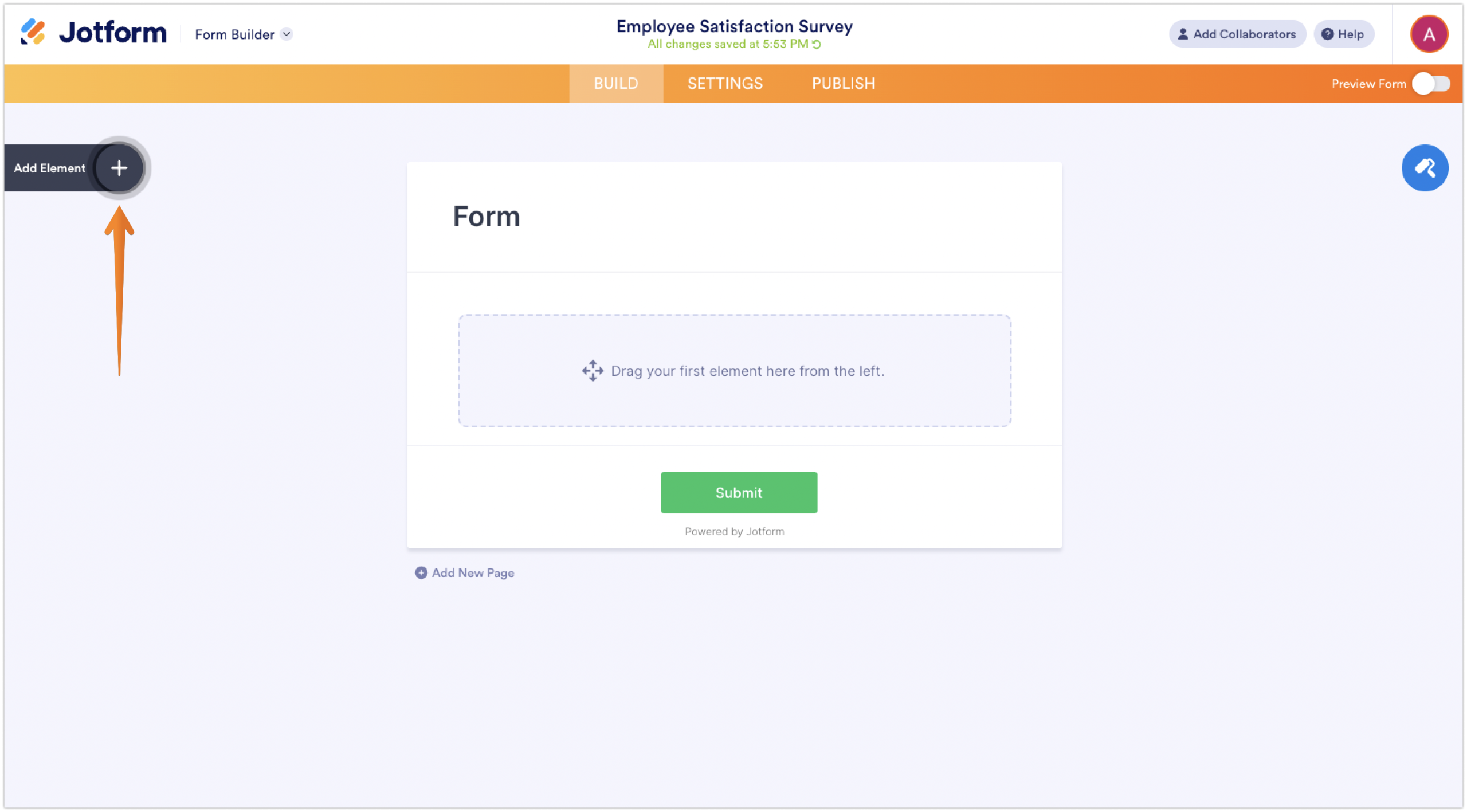
- From the left panel, click Add Element. Select a question type, such as Likert Scale or Multiple Choice, then enter your question text.
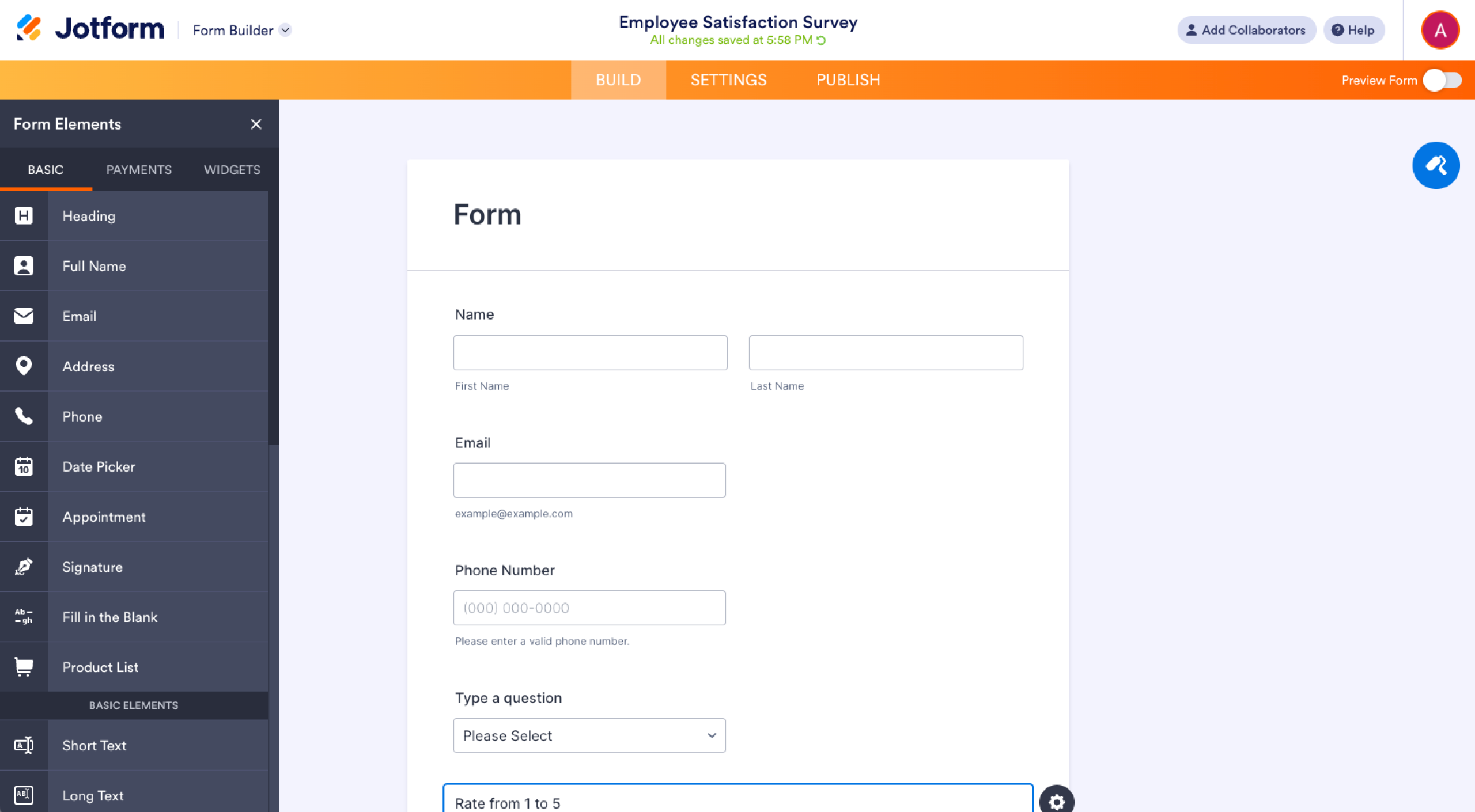
- Build out survey sections by adding questions that cover your key topics (for example, management, workload, etc.). Drag and drop questions to reorder them.
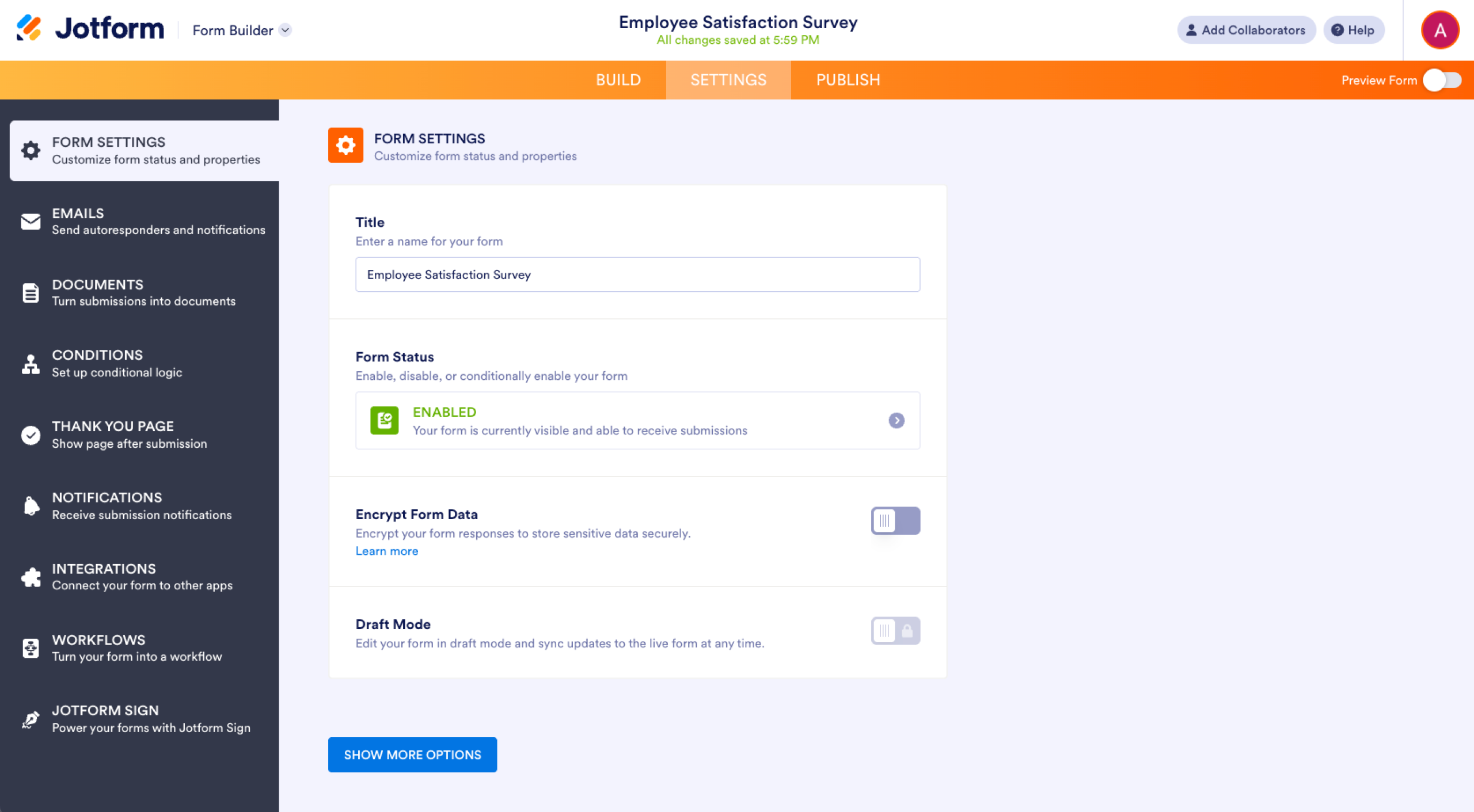
- Configure form settings. Click Settings at the top of the builder. Adjust privacy settings, mark required questions, and customize the submission message.
- Remove name or email fields if you want anonymous responses. Do not enable data collection fields that identify respondents.
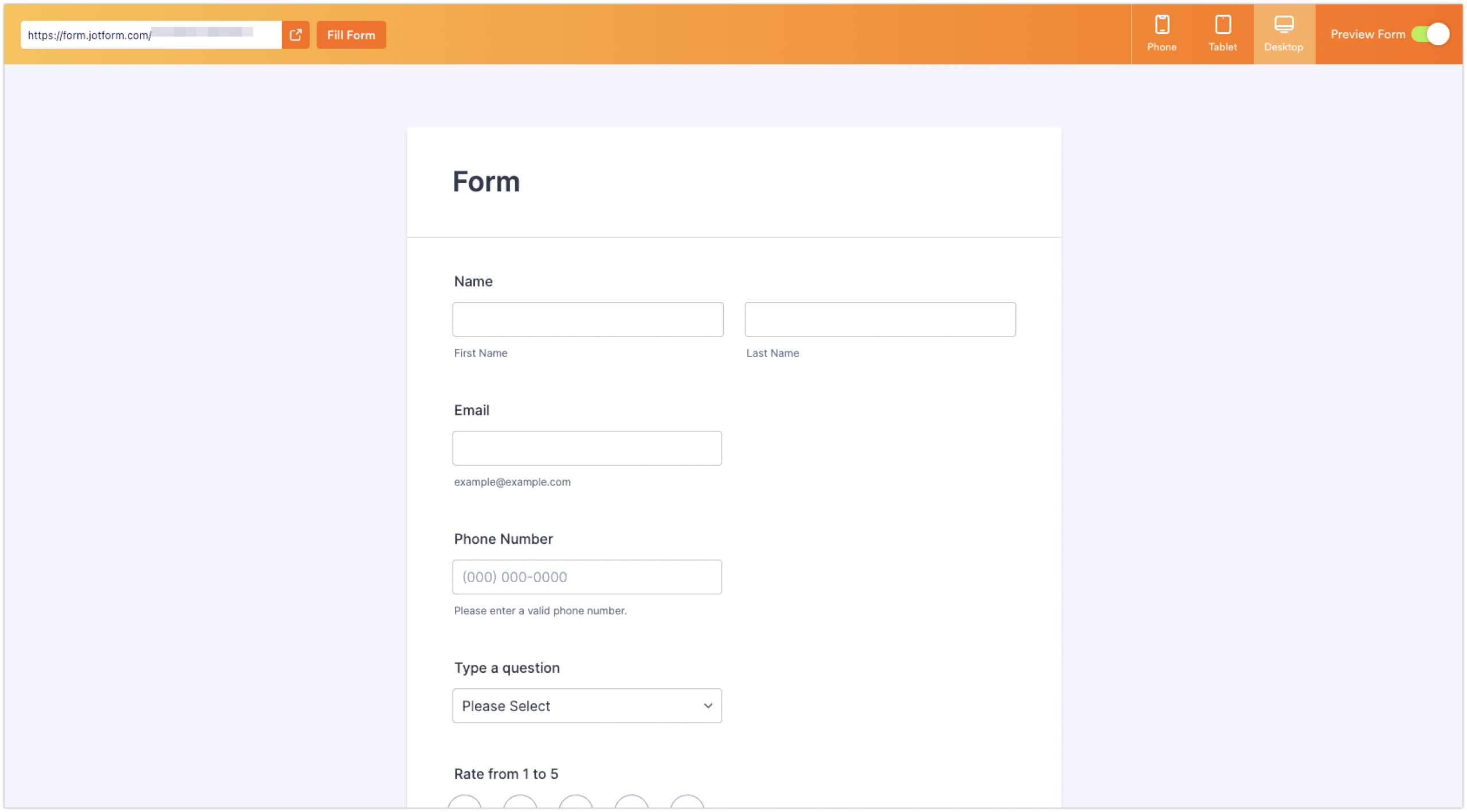
- Click Preview Form to review the survey layout. Submit a test response to confirm all questions function correctly.
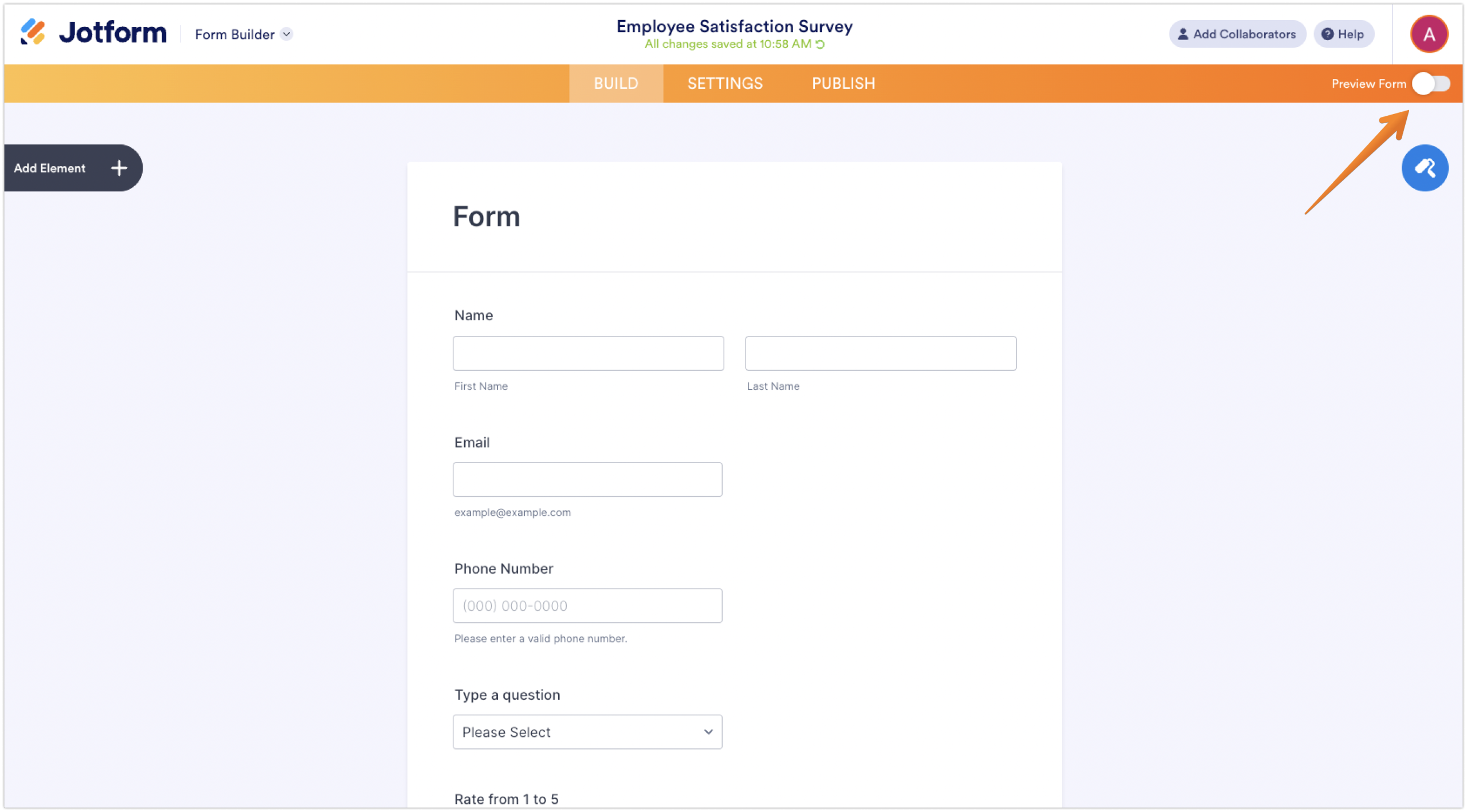
Form preview:
Pros of creating employee surveys from scratch using Jotform
- Full control: Every question, field, and layout can be customized to organizational needs.
- Flexible design options: Jotform’s drag-and-drop builder allows varied layouts and question types.
- Better employee engagement: Purpose-built surveys feel more intentional and thoughtful.
Cons of using Jotform to create a survey from scratch
- More time-consuming: Building a survey from scratch requires more setup and planning.
- No built-in benchmarks: Custom surveys do not offer automatic comparisons to industry data.
Jotform offers additional features that let you create an employee satisfaction survey that meets your organization’s specific needs. Some of those features include
- Conditional logic to create personalized surveys: Jotform’s conditional logic lets you show or hide questions based on previous answers, creating a more relevant experience for employees and reducing survey fatigue.
- Jotform Tables to track responses: Jotform Tables lets you view, sort, filter, and manage survey responses in a spreadsheet-style interface, making it easier to organize feedback and monitor participation.
- Jotform Report Builder to visualize and present survey data: Jotform’s Report Builder turns survey responses into visual reports with charts and summaries that can be shared with managers or leadership teams.
Choose the right survey tool
SurveyMonkey remains a solid, reliable choice for employee satisfaction and surveys. However, some organizations find the SurveyMonkey structure, customization limits, or plan restrictions too limiting.
If you’re looking for survey tool alternatives to SurveyMonkey, consider Jotform. With advanced conditional logic, built-in tables and more, Jotform offers greater flexibility across the entire survey process. For organizations looking for more control over how employee feedback is collected and used, it’s worth testing Jotform today to create an employee satisfaction survey that fits your workflow.
This guide is for HR, team managers, and small-business owners who need to launch credible employee satisfaction surveys quickly and turn results into action.






































































































Send Comment: