

Facility Management Forms

Arbeitsauftrag Anlagen Formular
Erfassen Sie Instandhaltungs- und Reparaturmeldungen pro Standort mit dem Arbeitsauftrag für Anlagen Formular und bündeln Sie die Datenaufnahme in Jotform, damit Facility-Management und Verwaltung Arbeitsaufträge schneller priorisieren und nachverfolgen können.
Zur Kategorie:Wartungsformulare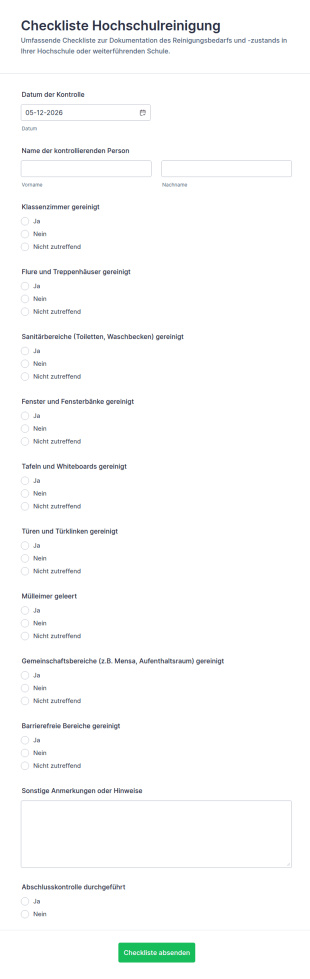
Reinigungs Checkliste Für Schulen Formular
Dokumentieren Sie Campus-Reinigungsprüfungen mit dem Checkliste Hochschulreinigung Form von Jotform und vereinfachen Sie die Datenerfassung für Hausmeisterdienste, Reinigungsfirmen und Facility-Management in Bildungseinrichtungen.
Zur Kategorie:Checklisten-Formulare
Gebäudeinspektions Checkliste
Dokumentieren Sie Objektbegehungen mit dem Gebäudeinspektions-Checklistenformular und erfassen Sie Zustände, Sicherheitsprüfungen und Fotohinweise für Hausverwaltung, Facility Management und Bauverantwortliche in Jotform.
Zur Kategorie:Checklisten-Formulare
Inspektionsverfolgungsformular
Inspektionsverfolgungsformular vereinfacht die Datenerfassung für Inspektionen und die Nachverfolgung von Maßnahmen für Teams in Betrieb, Technik und Gebäudemanagement mit einer anpassbaren Formularvorlage in Jotform.
Zur Kategorie:Inspektionsformulare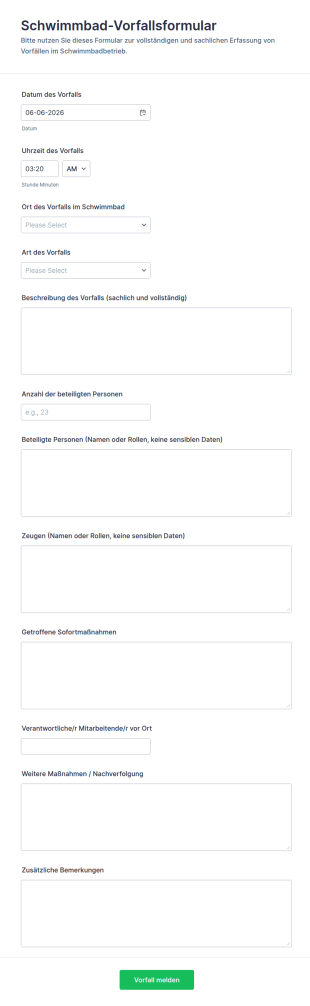
Schwimmbadvorfallbericht Formular
Dokumentieren Sie Vorfälle im Badbetrieb mit dem Schwimmbad-Vorfallsformular von Jotform, damit Aufsicht und Betriebsleitung Ereignisse konsistent erfassen, nachverfolgen und für interne Auswertungen nutzen können.
Zur Kategorie:Vorfallsmeldeformulare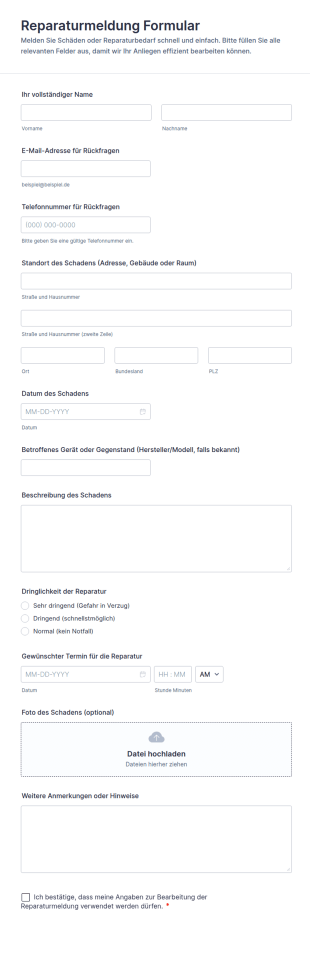
Reparaturbericht Formular
Erfassen Sie Defekte und Schäden zentral mit dem Reparaturmeldung-Formular von Jotform, ideal für Hausverwaltungen, Büros, Schulen und Betriebe, die Reparaturen priorisieren und Termine koordinieren möchten.
Zur Kategorie:Wartungsformulare
Betriebsrundgang Checkliste Formular
Dokumentieren Sie Begehungen von Gebäuden und Anlagen mit dem Facility-Walkthrough-Checkliste Formular und sorgen Sie für nachvollziehbare Datenerfassung, klare Maßnahmen und zuverlässige Nachverfolgung im Facility Management.
Zur Kategorie:Checklisten-Formulare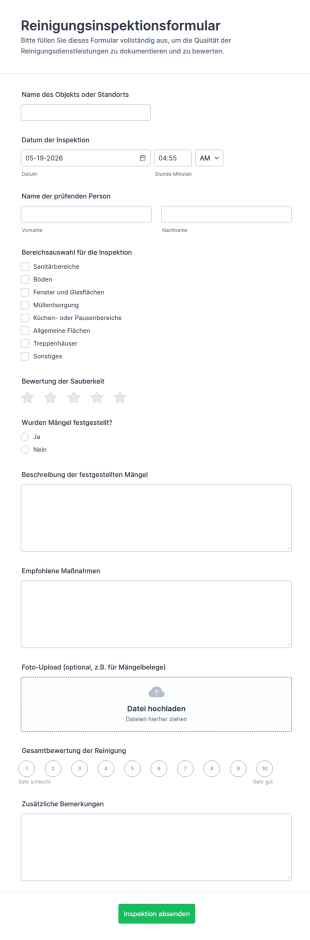
Reinigungsinspektionsformular
Dokumentieren Sie Reinigungsprüfungen je Standort, bewerten Sie Sauberkeit und halten Sie Maßnahmen inklusive Foto-Nachweis fest, ideal für Gebäudereinigung, Hausverwaltungen, Hotellerie und interne Facility-Teams.
Zur Kategorie:Reinigungsformulare
Begehungs Checkliste Formular
Begehungsprüfungsformular für Hausverwaltungen, Facility Management und Baustellen, um Begehungen zu dokumentieren, Beobachtungen festzuhalten und Ergebnisse in Jotform zentral für die weitere Bearbeitung zu sammeln.
Zur Kategorie:Inspektionsformulare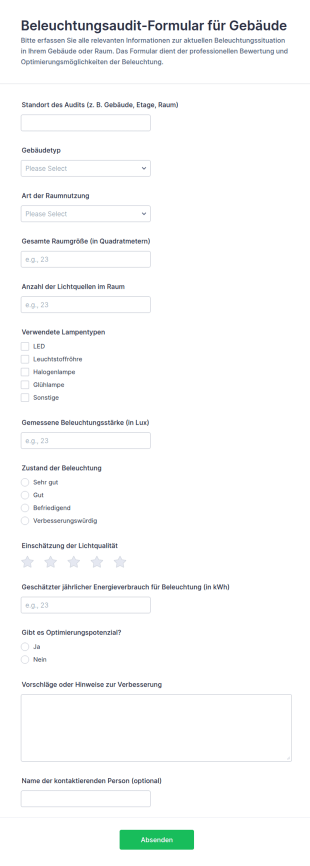
Beleuchtungsprüfung Formular
Erfassen Sie Beleuchtungsprüfungen in Gebäuden mit dem Beleuchtungsaudit-Formular für Gebäude und dokumentieren Sie Messwerte, Zustand und Optimierungspotenziale für Facility Management, Verwaltungen und Prüfteams.
Zur Kategorie:Audit Formulare
Hydrantenwasserdrucktest Formular
Dokumentieren Sie Hydrantenprüfungen inklusive Messergebnissen und Bewertungen zentral mit dem Hydranten-Durchflussprüfungsformular und nutzen Sie es für wiederkehrende Kontrollen in Kommunen, Betrieben und Prüfdiensten.
Zur Kategorie:Formulare für die Brandschutzinspektion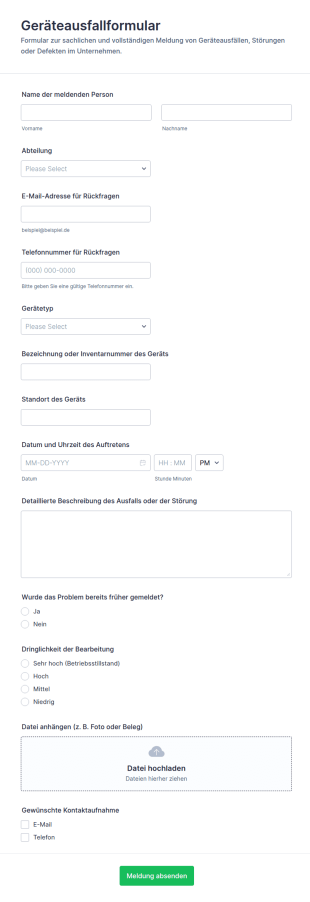
Ausrüstungs Und Geräteausfallformular
Erfassen Sie Geräteausfälle und Störungsmeldungen zentral mit dem Geräteausfallformular und verbessern Sie die interne Daten erfassen für Technik, IT und Gebäudemanagement mit Jotform Formularvorlagen.
Zur Kategorie:IT-Formulare
Wartungs Und Inspektionsformular Für Heizungsanlagen
Dokumentieren Sie Heizungsprüfungen direkt vor Ort mit dem Heizungsanlagen-Inspektionsformular von Jotform und sorgen Sie für konsistente Datenerfassung, klare Nachweise und eine einfache Auswertung der Formularantworten.
Zur Kategorie:Inspektionsformulare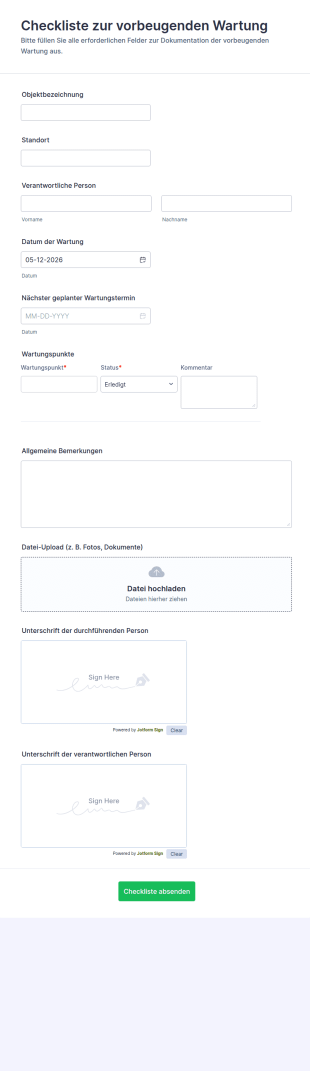
Wartungs Checkliste Formular
Dokumentieren Sie regelmäßige Wartungen von Geräten und Anlagen mit dem Checkliste zur vorbeugenden Wartung Formular und sammeln Sie Datenerfassung sowie Formularantworten zentral in Jotform für Teams in Technik, Betrieb und Verwaltung.
Zur Kategorie:Checklisten-Formulare
Pflegeheim Zimmerwechsel Formular
Pflegeheim Zimmerwechsel Formular erleichtert die digitale Datenerfassung rund um interne Umzüge, inklusive Freigaben und Dokumentation, und eignet sich für Verwaltung und Pflegeleitung in stationären Einrichtungen.
Zur Kategorie:Anfrageformulare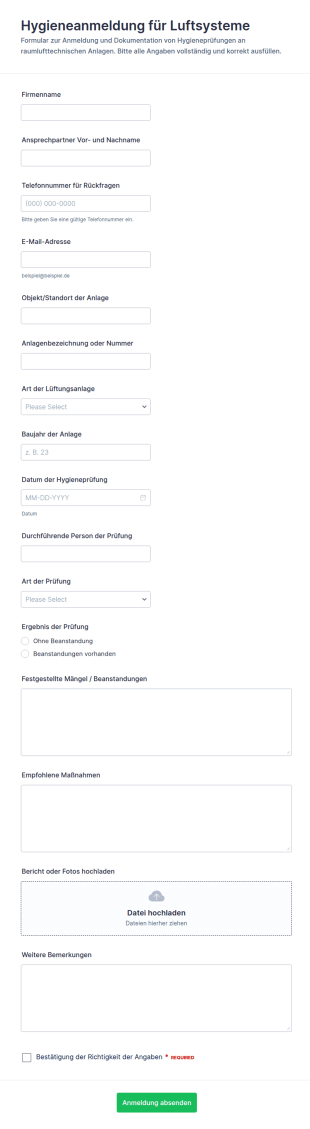
Hygiene Erfassung Für Luftsysteme
Das Hygieneanmeldung für Luftsysteme Formular unterstützt Betriebe bei der Datenerhebung und Dokumentation von Hygieneprüfungen an Lüftungsanlagen, damit Wartung, Qualitätssicherung und interne Abläufe nachvollziehbar organisiert werden können.
Zur Kategorie:Inspektionsformulare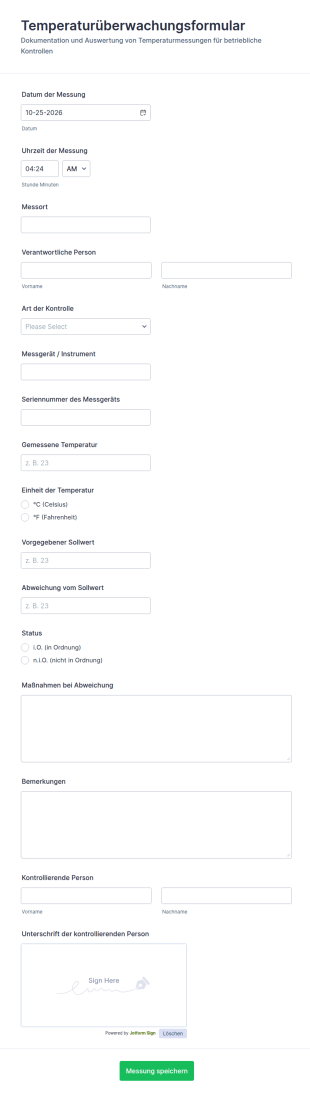
Temperaturüberwachungs Checkliste
Dokumentieren Sie Temperaturkontrollen in Betrieb, Lager oder Labor mit dem Temperaturüberwachungsformular und vereinheitlichen Sie die Datenerfassung, damit Teams Messungen leichter nachverfolgen und auswerten können.
Zur Kategorie:Monitoring Formulare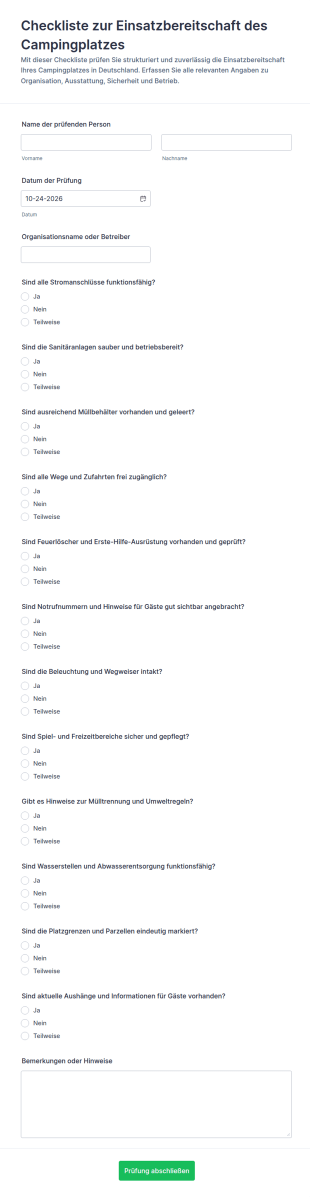
Standort Check Für Campingplatz Betrieb
Prüfen Sie mit dem Checkliste zur Einsatzbereitschaft des Campingplatzes Formular die Betriebsbereitschaft Ihres Campingplatzes und vereinheitlichen Sie Datenerfassung und Formularantworten für Teamkontrollen mit Jotform.
Zur Kategorie:Checklisten-Formulare
Notfallausgangs Checkliste
Notausgangsanlagen-Checkliste Formular erleichtert die Dokumentation von Prüfungen, Mängeln und Nachverfolgung für Betreiber, Hausverwaltungen und Facility-Management-Teams und unterstützt eine verlässliche digitale Datenerfassung mit Jotform.
Zur Kategorie:Checklisten-Formulare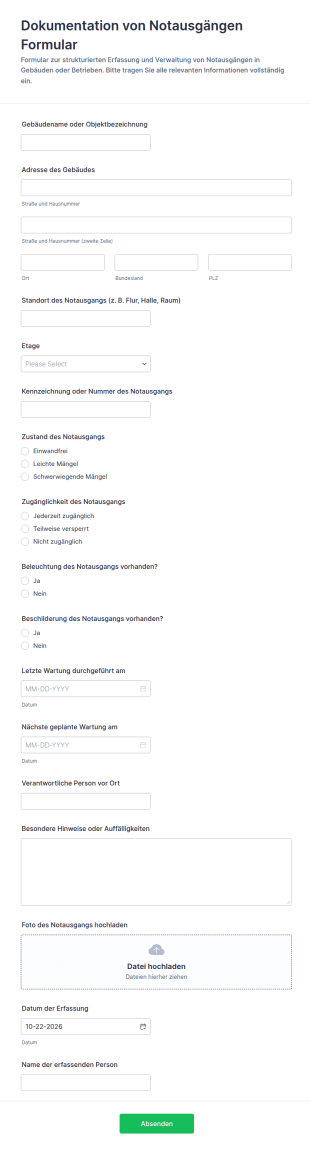
Dokumentation Zum Notausgang
Das Formular zur Dokumentation von Notausgängen erleichtert die Datenerfassung bei Objektbegehungen und Sicherheitsprüfungen, damit Betriebe, Verwaltungen und Teams Zustand und Wartungsbedarf von Notausgängen zuverlässig dokumentieren können.
Zur Kategorie:Facility Management Forms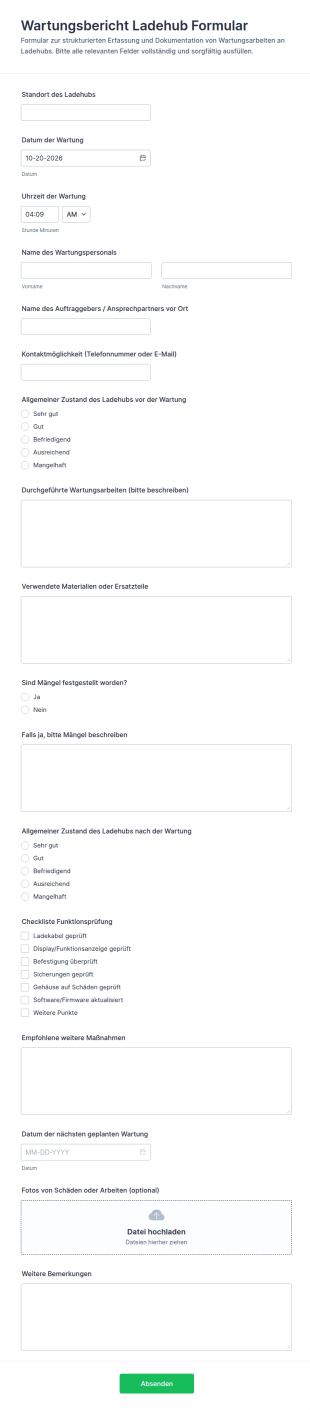
Wartungsbericht Für Ladehub
Dokumentieren Sie Wartungen an Ladehubs zuverlässig mit dem Wartungsbericht Ladehub Formular von Jotform, ideal für Betreiber, Dienstleister und technisches Gebäudemanagement zur digitalen Datenerfassung und schnellen Auswertung jeder Formularantwort.
Zur Kategorie:Wartungsformulare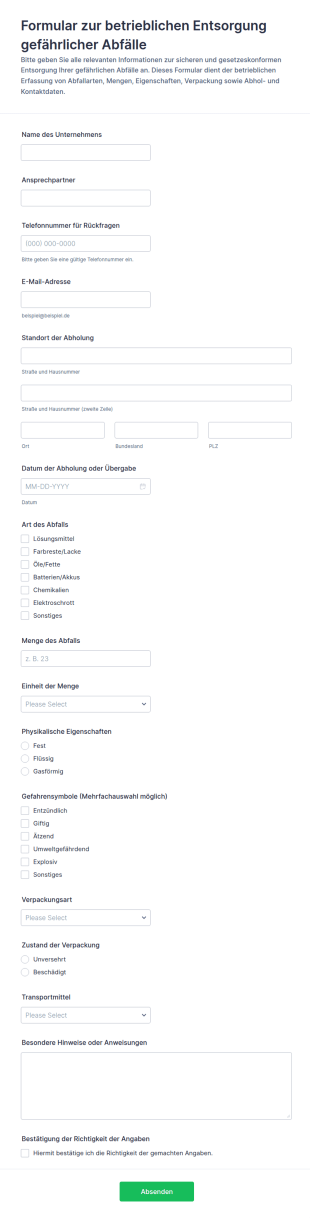
Entsorgungsanfrage Für Gefährliche Abfälle
Erfassen Sie Entsorgungsanfragen für gefährliche Abfälle inklusive Abholung und wichtigen Stoffangaben, damit Betriebe und Einrichtungen die Datenerfassung vereinheitlichen und jede Formularantwort in Jotform zentral verwalten können.
Zur Kategorie:Hazardous Material Forms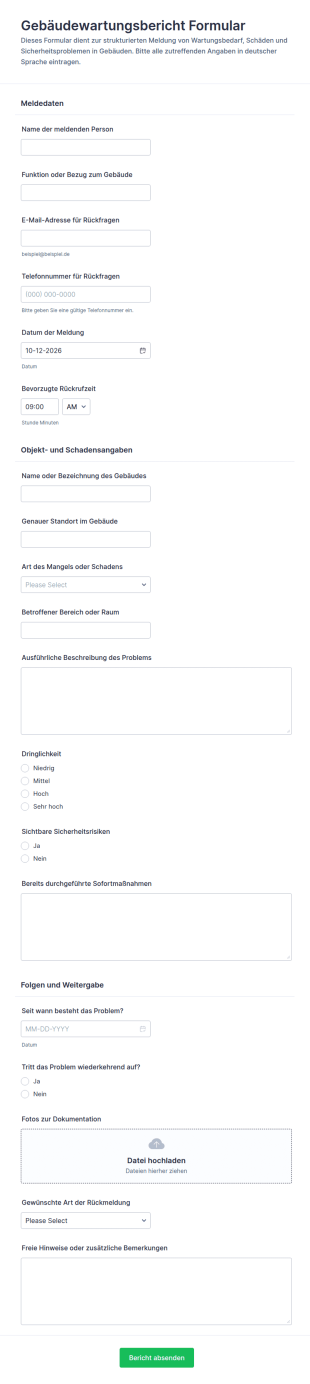
Meldeformular Für Gebäudewartung
Erfassen Sie Wartungsmeldungen und Schadenshinweise in Gebäuden mit dem Gebäudewartungsbericht-Formular und vereinfachen Sie die Datenerfassung für Hausverwaltungen, Facility-Teams und Betreiber mit Jotform.
Zur Kategorie:Wartungsformulare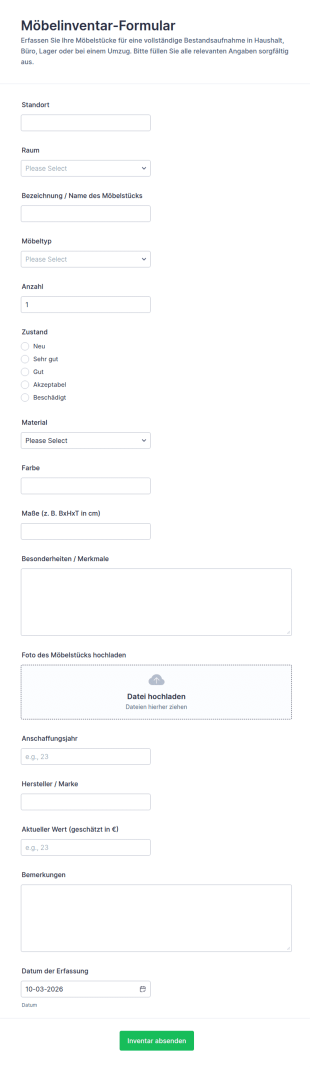
Möbelbestandsaufnahme Formular
Das Möbelinventar-Formular erleichtert die digitale Bestandsaufnahme von Möbeln für Haushalt, Büro, Lager und Umzüge, damit Teams und Privatpersonen die Datenerfassung vereinheitlichen und jede Formularantwort zentral verwalten können.
Zur Kategorie:Equipment Tracking FormsÜber Facility Management Forms
Facility management forms are structured documents used to manage and document facility operations such as maintenance, inspections, space requests, and service coordination. They help organizations collect consistent information about building issues, work orders, safety checks, vendor visits, and operational needs so facilities can run smoothly and safely. Facility management forms are commonly used in offices, campuses, hospitals, hotels, retail locations, warehouses, and industrial sites. Typical workflows include maintenance requests, preventive inspection checklists, cleaning schedules, access requests, and incident reporting. By standardizing these processes, facility management forms reduce delays, improve accountability, and create clear records for follow-up and compliance.
With Jotform, facility management forms can be created quickly using a no-code, drag-and-drop Form Builder and tailored to different buildings, departments, or service categories. Conditional logic can show relevant questions based on request type or urgency, and file upload fields can collect photos of issues, invoices, or vendor documents. Submissions are stored in Jotform Tables, making it easy to track requests by location, priority, and status. Automated notifications can alert the right facility staff when urgent repairs, safety risks, or service interruptions are reported.
Use Cases of Facility Management Forms
Facility management forms support maintenance workflows, safety operations, and service coordination across buildings. Below are common ways these forms are used and the challenges they help solve.
Mögliche Anwendungsfälle:
- Meldung von Instandhaltungs- und Reparaturaufträgen
- Auftragsfreigaben und Terminplanung für Serviceleistungen
- Inspektions- und Sicherheitschecklistenberichte
- Reinigung, Hausmeisterdienste und Instandhaltungsberichte
- Zugang für Lieferanten und Koordination von Servicebesuchen
- Meldung von Vorfällen und Gefahren in Einrichtungen
Lösungsansätze:
- Zentralisieren Sie Anfragen zu Einrichtungen, statt verstreute Anrufe und E-Mails zu erhalten
- Verbessern Sie Reaktionszeiten durch klare Erfassung von Standort und Dringlichkeit
- Fördern Sie proaktive Wartung durch strukturierte Inspektionen
- Erstellen Sie Dokumentationen für Compliance, Audits und Lieferantenmanagement
Mögliche Eigentümer und Nutzer:
- Facility Manager und Gebäudemanagementteams
- Wartungstechniker und Servicedesk-Mitarbeiter
- Büroleiter und Abteilungskoordinatoren
- Lieferanten und Auftragnehmer (für geplante Arbeiten)
- Mitarbeiter oder Mieter, die Anträge einreichen
Unterschiede der Erstellungsmethoden:
- Wartungsanfrage-Formulare erfassen Art des Problems, den genauen Ort, die Dringlichkeit, mögliche Folgen, Fotos sowie die bevorzugten Zugangszeiten für Reparaturen.
- Anlageninspektions- und Compliance-Checklistenformulare konzentrieren sich auf Prüfpunkte zur Bewertung von Zustand und Sicherheit sowie auf die Nachverfolgung von Korrekturmaßnahmen.
- Formulare zur Planung von Facility-Services und zur Koordination von Lieferanten erfassen den Arbeitsumfang, den Besuchstermin, die Zugangsdaten zum Standort, den Ansprechpartner sowie nötige Genehmigungen oder Dokumente.
How to Create a Facility Management Form
Creating a facility management form with Jotform helps you standardize how facility issues and requests are reported, routed, and tracked.
1. Wählen Sie eine Vorlage oder beginnen Sie komplett neu
Klicken Sie in „Mein Arbeitsbereich” auf „Erstellen” und wählen Sie „Formular”. Sie können mit einer Vorlage für Wartung oder Anfragen beginnen und sie an die Abläufe in Ihrem Gebäudemanagement anpassen.
2. Add Location and Request Context Fields
Klicken Sie auf „Element hinzufügen“, um den Gebäudenamen, die Etage/den Raum, die Kategorie der Anfrage (Elektrik, Heizung, Lüftung, Klimaanlage, Sanitär, Reinigung) und den Dringlichkeitsgrad zu erfassen.
3. Capture Details Needed for Action
Fügen Sie eine Beschreibung, Fotos, bevorzugte Zugangszeiten und Angaben dazu hinzu, ob der Betrieb beeinträchtigt ist. Verwenden Sie strukturierte Dropdown-Menüs, um die Daten konsistent zu halten.
4. Use Conditional Logic for Different Request Types
Zeigen Sie separate Abschnitte für Wartung, Inspektionen und Lieferantenbesuche an. Bei dringenden Sicherheitsproblemen zeigen Sie die Felder „Eskalation“ und „Bereich gesperrt“ an.
5. Benachrichtigungen und Weiterleitung einrichten
Informieren Sie das zuständige Team anhand von Kategorie oder Dringlichkeit, und schicken Sie dem Anfragenden eine Bestätigung mit den nächsten Schritten.
6. Track Requests in Jotform Tables
Nutzen Sie Jotform Tabellen, um nach Gebäude, Status, Priorität und Datum zu filtern und Daten für Berichte zu exportieren.
Häufig gestellte Fragen
1. What are facility management forms?
Facility management forms are documents or online forms used to manage building operations such as maintenance requests, inspections, service scheduling, and incident reporting.
2. Why are facility management forms important?
They standardize reporting, improve response times, and create clear records for repairs, compliance, and follow-up.
3. What information is typically included in facility management forms?
Common fields include location details, issue category, urgency, description, attachments like photos, and service scheduling information.
4. Who uses facility management forms?
Facility managers, maintenance teams, office administrators, vendors, and employees or tenants submitting requests may all use these forms.
5. Are facility management forms only for offices?
No. They’re used in many settings including campuses, hospitals, hotels, retail spaces, warehouses, and industrial facilities.
6. Can facility issues be reported from a phone?
Yes. Jotform forms are mobile-friendly, so users can report facility issues on-site using a phone or tablet.
7. Can facility management forms support inspections and compliance?
Yes. Facilities can use checklist-based forms for safety inspections, condition assessments, and corrective action documentation.
8. Can forms be customized for different buildings or departments?
Yes. Conditional logic and custom fields can tailor forms to different locations, request types, and approval processes.