

Vorfallsmeldeformulare
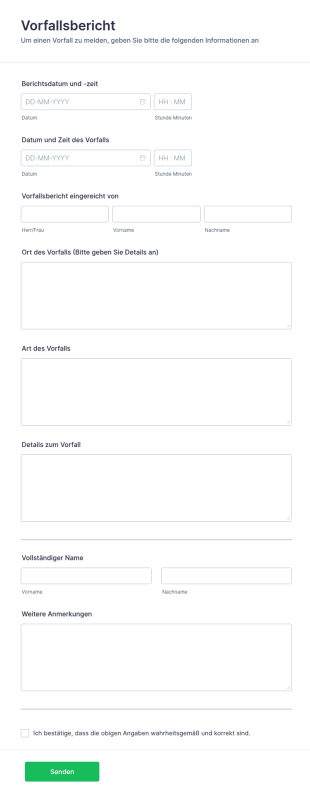
Vorlage Für Einen Vorfallsbericht
Eine Vorlage für einen Vorfallsbericht ist ein standardisiertes Formular, das zur Dokumentation von Details eines Zwischenfalls, Unfalls oder ungewöhnlichen Ereignisses innerhalb einer Organisation oder in einem bestimmten Kontext verwendet wird. Es bietet einen strukturierten Rahmen für die Aufzeichnung wichtiger Informationen wie Datum, Uhrzeit, Ort, Beschreibung des Vorfalls, beteiligte Parteien und ergriffene Maßnahmen. Dieses Formular ist für Unternehmen von unschätzbarem Wert, da es zu einer genauen und konsistenten Berichterstattung beiträgt und so ein effektives Management und eine effektive Analyse von Vorfällen erleichtert.Jotform, ein führender Online Formulargenerator, bietet eine Reihe von Funktionen und Möglichkeiten, die die Effizienz und Effektivität der Berichterstattung über Vorfälle verbessern. Dank der nahtlosen Integrationsmöglichkeiten mit beliebten Apps und Diensten wie Google Drive, Salesforce und Dropbox können Unternehmen Daten problemlos übertragen und automatisieren und so einen reibungslosen Arbeitsablauf gewährleisten. Darüber hinaus bietet die Widget-Bibliothek von Jotform zusätzliche Funktionen für Vorfallsberichte, darunter Kalender, Datei-Uploads und elektronische Unterschriften. So können Unternehmen ihre Vorfallsberichte an ihre spezifischen Anforderungen anpassen. Mit Jotform können Unternehmen ihren Berichtsprozess straffen, die Datengenauigkeit verbessern und die Zusammenarbeit zwischen den Teammitgliedern optimieren.
Zur Kategorie:Vorfallsmeldeformulare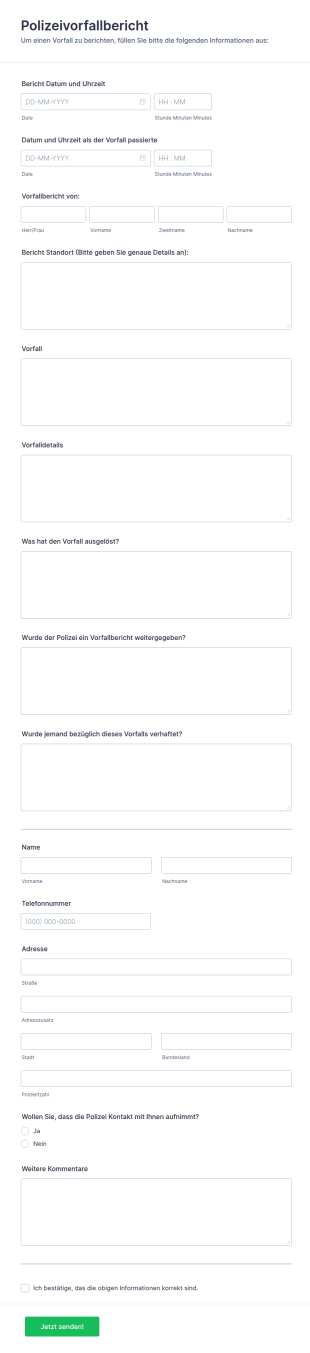
Polizeivorfallbericht
Diese Vorlage für einen Polizeivorfallbericht wird verwendet, um die Polizei über einen Vorfall oder eine Angelegenheit zu informieren, die als nicht dringlich eingestuft wird. Mithilfe dieser Vorlage können die Bürger den Vorfall mit Informationen wie Datum und Uhrzeit des Vorfalls, Ort des Vorfalls, Details zum Vorfall und Kontaktinformationen melden.
Zur Kategorie:Vorfallsmeldeformulare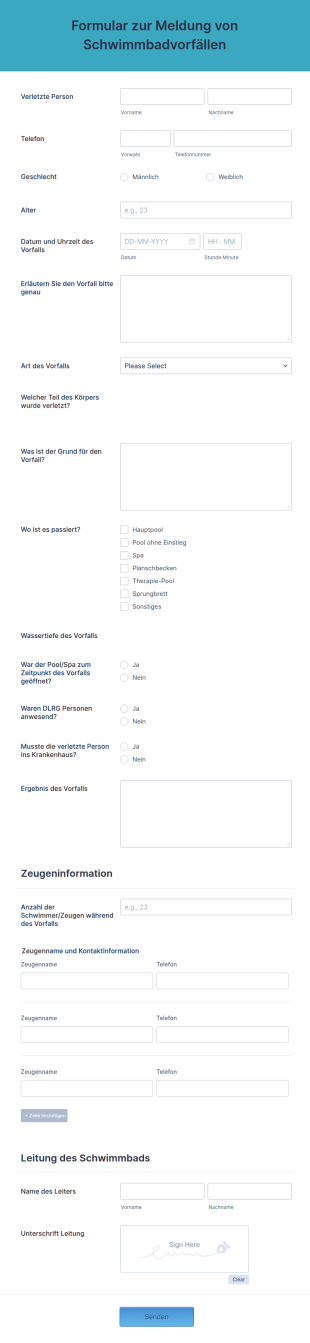
Formular Zur Meldung Von Schwimmbadvorfällen
Ein Formular zur Meldung von Schwimmbadvorfällen wird von Schwimmbadmanagern und -mitarbeitern verwendet, um einen Unfall und/oder einen ungeplanten Vorfall in einem Schwimmbad zu melden und solche Meldungen zu untersuchen. Dieses kostenlose Formular kann für die Meldung jedes Vorfalls in einem Schwimmbad verwendet werden. Verwenden Sie diese kostenlose Formularvorlage, um ein Formular für die Meldung von Schwimmbadvorfällen für Ihre Einrichtung zu erstellen.Passen Sie zunächst die Formularfelder an die Anforderungen Ihres Schwimmbads an und greifen Sie dann von jedem Gerät aus auf Ihr Formular zu. Wenn Sie Ihre Antworten mit Ihren anderen Konten - wie Google Drive, Dropbox oder Box - integrieren möchten, nutzen Sie unsere über 100 Integrationen. Mit der kostenlosen mobilen App von Jotform können Sie sogar direkt von Ihrem Telefon oder Tablet auf Ihr Formular für die Meldung von Schwimmbadunfällen zugreifen! Ein Formular zur Meldung von Vorfällen im Schwimmbad hilft Ihnen, Ihr Schwimmbad für Schwimmer sicher zu halten.
Zur Kategorie:Vorfallsmeldeformulare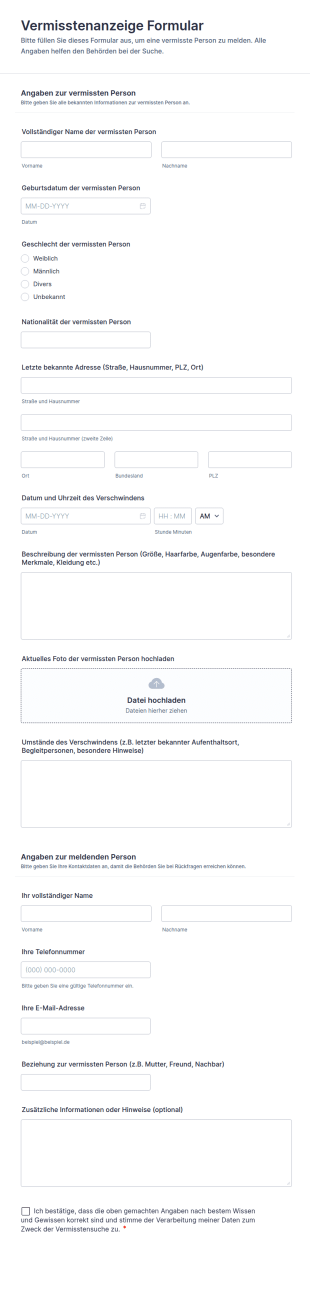
Vermisstenanzeige Formular
Erfassen Sie Vermisstenmeldungen mit dem Vermisstenanzeige-Formular von Jotform, um Datenerfassung und Formulareinsendung zu vereinheitlichen und Hinweise samt Kontaktangaben schnell an zuständige Teams weiterzugeben.
Zur Kategorie:Notfallberichtsformulare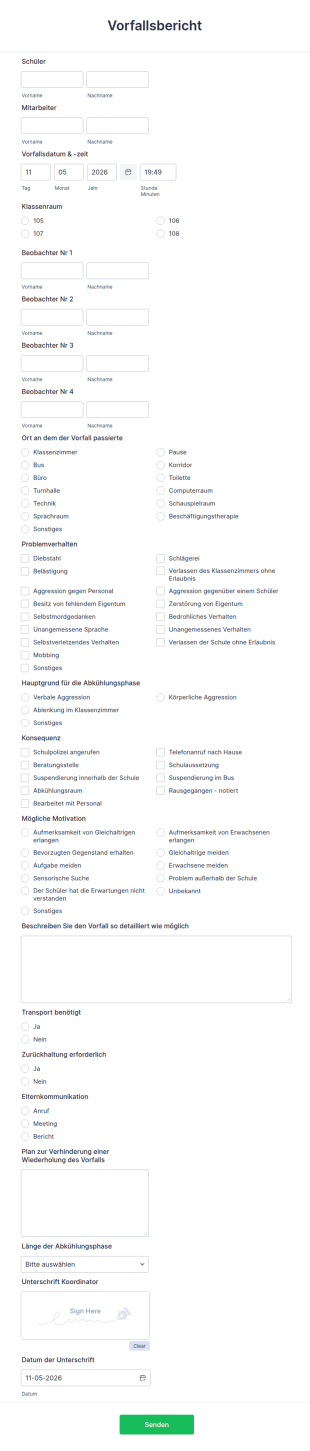
Formular Zur Meldung Von Vorfällen
Das Formular zur Meldung von Vorfällen in der Schule ermöglicht die sofortige Meldung eines Vorfalls, der sich in der Schule ereignet hat, unter Angabe von Schüler, Personal, Datum, Uhrzeit, Ort und Ansprechpartnern. Es hilft dabei, die Gründe für den erwähnten Vorfall und seine Folgen zu verstehen, die Eltern zu informieren und einen Plan zur Verhinderung weiterer Vorfälle zu erstellen. Das Formular enthält auch einen Bereich für die Unterschrift des Koordinators. Sie können die Vorlage mit weiteren Tools und Widgets anpassen, sie in Ihre Website einbetten oder als eigenständiges Formular verwenden.Wenn Sie ein Administrator an einer Schule oder Hochschule sind, ist ein Formular für die Meldung von Schulvorfällen ein Muss! Verwenden Sie diese kostenlose Vorlage, um den Überblick über Vorfälle in Ihrer Schule zu behalten. Stellen Sie sicher, dass sich auf jedem Schulcomputer eine Kopie des Formulars für die Meldung von Schulvorfällen befindet - es ist ein wesentlicher Bestandteil des Sicherheitsplans Ihrer Organisation. Verwenden Sie das Formular, um kleine Probleme zu melden, wie z.B. einen überquellenden Mülleimer, oder größere Störungen, wie z.B. einen Schüler, der mitten im Unterricht eine Szene macht. Sie können das Formular sogar an Ihre Mitarbeiter senden, um deren Antworten zu erfassen, damit Sie sich selbst um das Problem kümmern können. Passen Sie das Formular einfach an Ihre Schule an, fügen Sie Ihre Kontaktinformationen hinzu und laden Sie die Vorlage kostenlos herunter.
Zur Kategorie:Vorfallsmeldeformulare
Mechanischer Inspektionsbericht
Mechanische Inspektionsberichte werden von Autoreparatur- und Kfz-Diensten verwendet, um Testfahrten durchzuführen und Daten über Fahrzeuge zu erfassen. Verwenden Sie unsere Vorlage für einen mechanischen Inspektionsbericht, um einen kostenlosen Bericht für Ihr Unternehmen zu erstellen. Passen Sie das Formular einfach an und betten Sie es dann in Ihre Website ein oder teilen Sie es mit einem Link. Verfolgen Sie die übermittelten Informationen von jedem Gerät aus mit Jotform Mobile, unserer kostenlosen mobilen App. Erfassen Sie automatisch Informationen von Ihren Kunden mit den Jotform-Integrationen. Sie können die Daten, die Sie mit einem Mechanischen Inspektionsbericht sammeln, sogar an Google Sheets oder Microsoft Excel senden, um die Daten der Testfahrten zu analysieren. Sie können den Mechanischen Inspektionsbericht auch als PDF-Datei exportieren, damit Ihre Kunden ihn einfach ausdrucken und mit einem Stift ausfüllen können. Verfolgen Sie Ihre Probefahrt mit einem kostenlosen Mechanischen Inspektionsbericht.
Zur Kategorie:Vorfallsmeldeformulare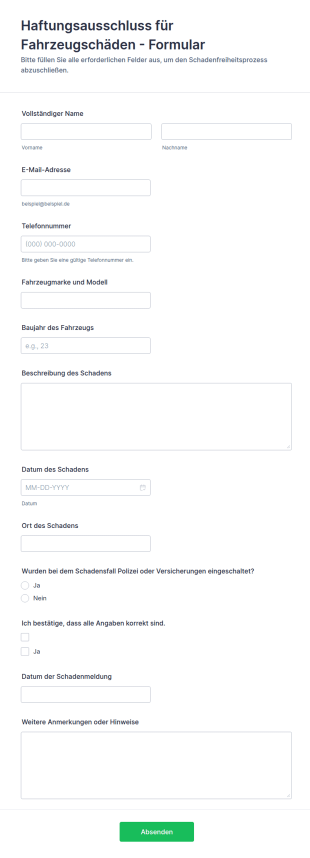
Haftungsausschluss Für Fahrzeugschäden Formular
Dokumentieren Sie Schadenmeldungen rund um Fahrzeuge mit dem Formular Haftungsausschluss für Fahrzeugschäden und bündeln Sie Datenerfassung und Formularantworten für Vermietung, Fuhrpark, Werkstatt oder Parkplatzbetrieb in Jotform.
Zur Kategorie:Automotive Formulare
Vorfallsmeldung Formular
Vorfallsmeldung-Formular für die interne Datenaufnahme, um Ereignisse in Organisationen nachvollziehbar zu dokumentieren, zu priorisieren und an zuständige Stellen weiterzuleiten, basierend auf einer anpassbaren Formularvorlage in Jotform.
Zur Kategorie:Vorfallsmeldeformulare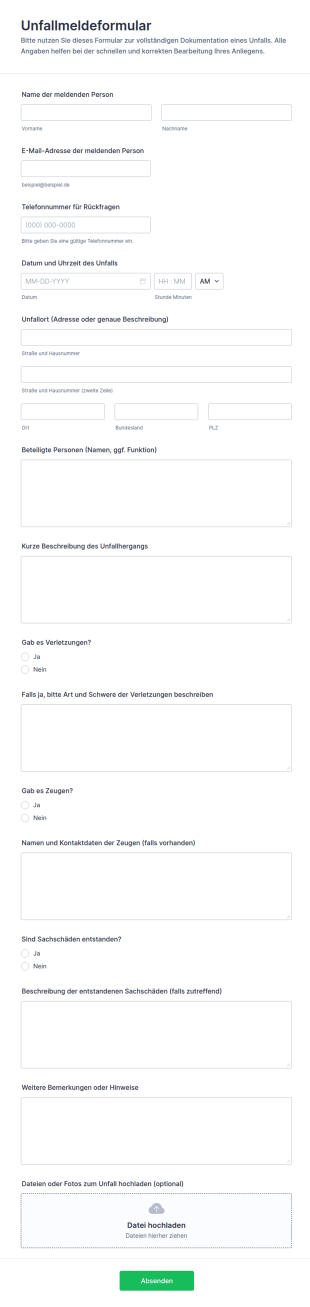
Unfallmeldeformular
Erfassen Sie Unfälle, Verletzungen, Zeugen und Sachschäden schnell und einheitlich mit dem Unfallmeldeformular von Jotform, ideal für Betriebe, Schulen, Vereine und Veranstalter zur digitalen Datenerfassung.
Zur Kategorie:Vorfallsmeldeformulare
Verletzungsbericht Bei Sportverletzungen Formular
Dokumentieren Sie Sportunfälle einheitlich mit dem Sportunfallbericht-Formular und unterstützen Sie Vereine, Schulen und Sportanbieter bei Datenerfassung, interner Nachverfolgung und klaren Zuständigkeiten.
Zur Kategorie:Vorfallsmeldeformulare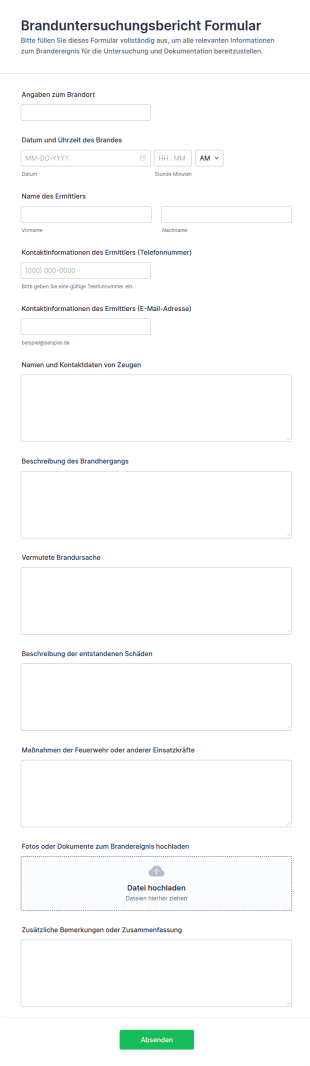
Branduntersuchungsbericht Formular
Dokumentieren Sie Brandereignisse nachvollziehbar mit dem Formular für Branduntersuchungsbericht und sammeln Sie Datenerhebung, Anhänge und Formular-Antworten zentral für Feuerwehr, Betriebe und Verwaltungen.
Zur Kategorie:Vorfallsmeldeformulare
Sicherheitsvorfall Meldeformular
Erfassen Sie Sicherheitsvorfälle einheitlich mit dem Sicherheitsvorfall-Formular von Jotform, um Meldungen zu priorisieren, intern weiterzuleiten und die Datenerfassung für Nachverfolgung und Auswertung zu vereinheitlichen.
Zur Kategorie:Vorfallsmeldeformulare
Verhaltens Und Vorfallbericht Formular
Dokumentieren Sie Vorfälle und auffälliges Verhalten in Schule, Betreuung oder Verein einheitlich mit dem Ridgewood Verhalten- und Vorfall-Formular und erleichtern Sie interne Abstimmung, Nachverfolgung und Auswertung in Jotform.
Zur Kategorie:Vorfallsmeldeformulare
Vorfallbericht Für Die Kindertagesstätte Form
Vorfallbericht für die Kindertagesbetreuung Formular erleichtert Kindertagesstätten die einheitliche Datenerfassung von Ereignissen, sorgt für nachvollziehbare Dokumentation und unterstützt Teams bei interner Abstimmung und Nachverfolgung.
Zur Kategorie:Kinderbetreuungsformulare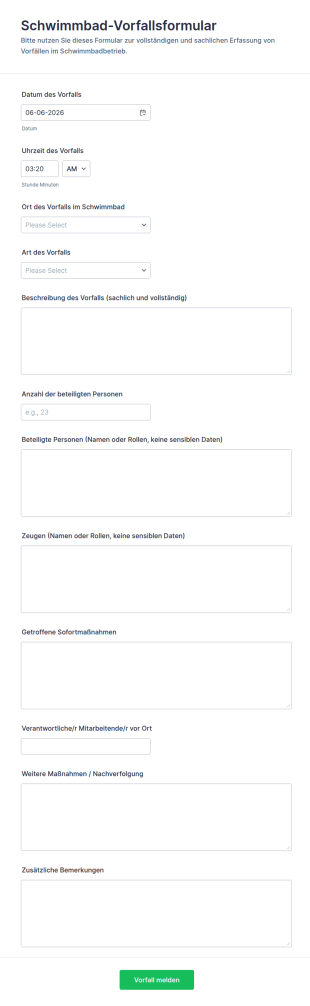
Schwimmbadvorfallbericht Formular
Dokumentieren Sie Vorfälle im Badbetrieb mit dem Schwimmbad-Vorfallsformular von Jotform, damit Aufsicht und Betriebsleitung Ereignisse konsistent erfassen, nachverfolgen und für interne Auswertungen nutzen können.
Zur Kategorie:Vorfallsmeldeformulare
Unfallmeldung Formular
Erfassen Sie Vorfälle im Betrieb oder Verein mit dem Verletzungsmeldung Formular und sorgen Sie für einheitliche Datenerfassung, schnelle interne Weiterleitung und übersichtliche Dokumentation in Jotform.
Zur Kategorie:Vorfallsmeldeformulare
Verstoßbeschwerde Formular
Dokumentieren Sie Meldungen zu Fehlverhalten einheitlich mit dem Beschwerdeformular für Fehlverhalten und unterstützen Sie Organisationen dabei, Hinweise inklusive Nachweisen zu sammeln, anonym zu ermöglichen und intern geordnet weiterzubearbeiten.
Zur Kategorie:Beschwerdeformulare
Mieter Vorfallmeldung Formular
Erfassen Sie Vorfälle in Mietobjekten mit dem Mieter-Vorfallformular von Jotform, damit Vermieter und Hausverwaltungen Meldungen zentral sammeln, priorisieren und die weitere Bearbeitung besser koordinieren können.
Zur Kategorie:Formulare für die Immobilienverwaltung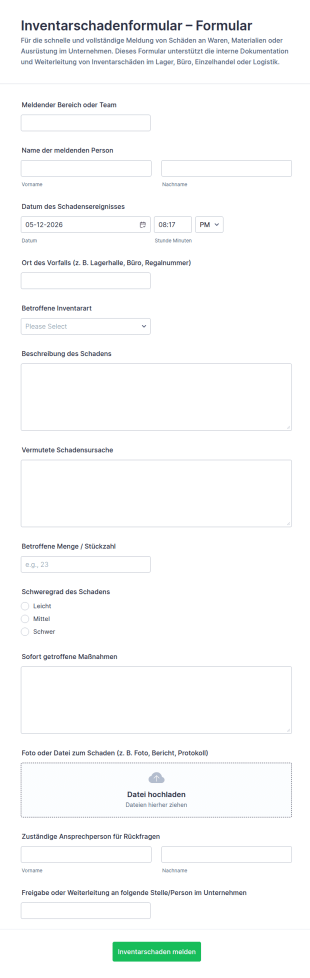
Inventarschadensmeldung Fragebogen 🎯
Inventarschadenformular unterstützt Teams dabei, Inventarschäden zu melden, intern weiterzuleiten und die Datenerfassung für Lager, Büro oder Betrieb digital zu organisieren.
Zur Kategorie:Vorfallsmeldeformulare
Cyberangriff Meldeformular
Erfassen Sie Cyberangriffs- und Sicherheitsvorfälle konsistent mit dem CrowdStrike-Cyberangriffs-Meldungsformular, ideal für IT- und Sicherheitsteams, die schnelle Datenerfassung, Priorisierung und nachvollziehbare Dokumentation benötigen.
Zur Kategorie:Vorfallsmeldeformulare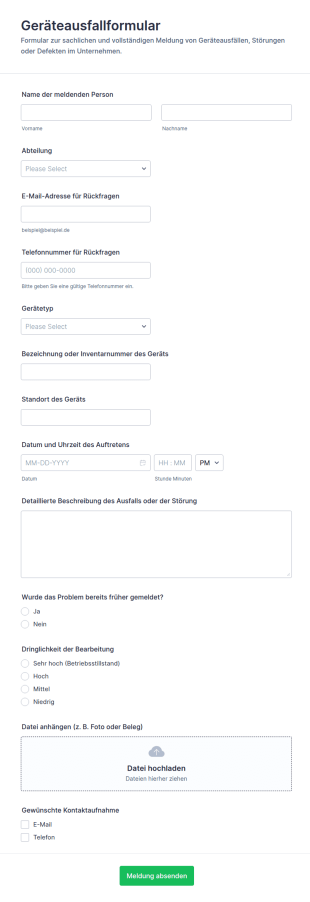
Ausrüstungs Und Geräteausfallformular
Erfassen Sie Geräteausfälle und Störungsmeldungen zentral mit dem Geräteausfallformular und verbessern Sie die interne Daten erfassen für Technik, IT und Gebäudemanagement mit Jotform Formularvorlagen.
Zur Kategorie:IT-Formulare
Schadensbericht Erfassungsformular
Erfassen Sie Schadensfälle einheitlich mit dem Schadensbewertungsformular von Jotform, um Datenerfassung, Priorisierung und interne Weitergabe für Unternehmen, Verwaltungen und Dienstleister zu vereinfachen.
Zur Kategorie:Anspruchsformulare
Verkehrsunfallbericht Formular 🚗🚧
Erfassen Sie Unfallmeldungen einheitlich mit dem Verkehrsunfallbericht Formular von Jotform, ideal für Privatpersonen, Fuhrparks und Betriebe, die eine schnelle Datenerfassung und übersichtliche Formularantworten benötigen.
Zur Kategorie:Automotive Formulare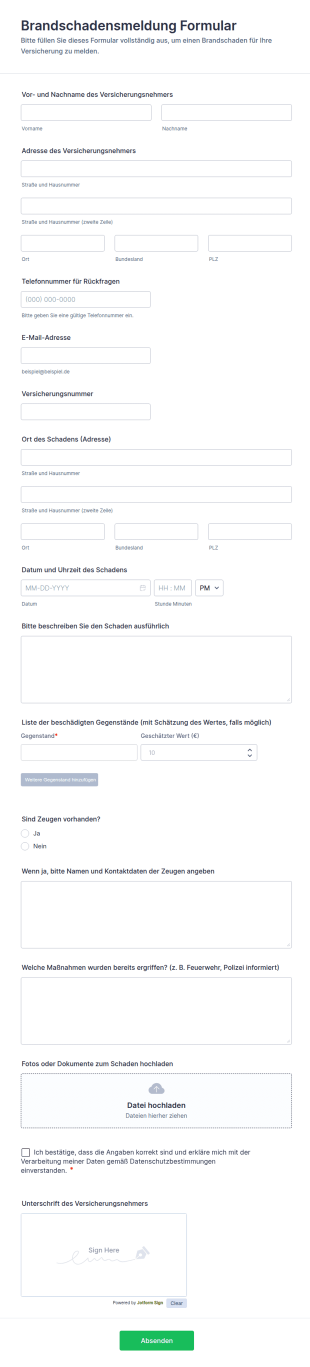
Brandschadensmeldung Formular
Dokumentieren Sie Brandschäden zuverlässig mit dem Brandschadensmeldung Formular und erleichtern Sie die digitale Datenerfassung für Versicherungsnehmer, Hausverwaltungen und Betriebe mit Jotform.
Zur Kategorie:AnspruchsformulareÜber Vorfallsmeldeformulare
Vorfallsmeldeformulare sind spezielle digitale Formulare. Sie optimieren die Dokumentation und Verwaltung von Vorfällen in verschiedenen Branchen. Diese Formulare erfassen Details zu Unfällen, Sicherheitsverstößen und anderen wesentlichen Ereignissen, die einer formellen Meldung bedürfen. Sie sind wichtig im Gesundheitswesen, in der Fertigungsindustrie und im Unternehmensumfeld. Dort ist eine genaue und zeitnahe Vorfallsdokumentation für Compliance und betriebliche Effizienz unerlässlich. Mit Vorfallsmeldeformularen erfassen Sie alle relevanten Daten einheitlich und effizient. So reagieren Sie schneller und lösen Vorfälle zügiger.
Jotform ist ein Online-Formulargenerator für die Erstellung und Verwaltung von Vorfallsmeldeformularen. Dank der intuitiven Drag-and-Drop-Oberfläche können Benutzer die Formulare einfach an die spezifischen Anforderungen ihrer Organisation anpassen. Mit Jotform erfassen Sie Daten automatisiert. So reduziert sich der manuelle Aufwand im Vergleich zur herkömmlichen Schreibarbeit. Die auf Jotform Tabellen basierenden Data-Management-Funktionen der Plattform zentralisieren alle Vorfalldaten. Sie sichern die Informationen und machen sie für Analysen und Berichte leicht zugänglich. Diese Integration von Formularerstellung und Data Management macht Jotform zu einem unverzichtbaren Tool für Unternehmen, die ihre Prozesse zur Meldung von Vorfällen optimieren möchten.
Why Use Incident Report Forms?
- Incident Report Forms are critical for ensuring data accuracy and consistency in incident documentation. By using structured digital forms, organizations can eliminate the variability and errors often associated with handwritten reports, thus maintaining high data quality and reliability.
- These forms significantly improve the speed of data collection and processing. Unlike traditional paper-based methods, digital forms allow for instantaneous submission and integration of data into centralized systems, thereby accelerating the incident resolution process.
- Professional data handling is another key benefit of using Incident Report Forms. With automated workflows and real-time data capture, organizations can ensure that all incident information is handled professionally, reducing the risk of data loss or mishandling.
- Incident Report Forms facilitate compliance with industry regulations and standards. By maintaining a comprehensive and accessible record of all incidents, organizations can easily demonstrate adherence to safety and reporting guidelines, thus avoiding potential legal and financial penalties.
- The use of these forms also enhances communication and collaboration within organizations. By providing a standardized format for incident reporting, all stakeholders can stay informed and aligned, enabling a more coordinated and effective response to incidents.
Common Problems Solved by Incident Report Forms
- One of the primary challenges addressed by Incident Report Forms is the inefficiency of traditional paperwork. Paper forms can be time-consuming to fill out, prone to errors, and difficult to manage. Digital forms streamline the entire process, making it faster and more efficient.
- Manual data entry is another common pain point that these forms alleviate. By automating data collection and integration, organizations can minimize the risk of errors associated with manual input, ensuring more accurate and reliable incident records.
- Lost or misplaced data is a significant concern in incident reporting. Digital forms ensure that all data is securely stored and easily retrievable, eliminating the risk of lost paperwork and ensuring that all incident information is readily accessible when needed.
- Incident Report Forms also address the challenge of delayed incident response. With real-time data submission and automated notifications, organizations can respond more quickly to incidents, reducing potential damage and improving overall safety and efficiency.
Passende Anwendungsfälle für Features
- For efficient data collection during an incident, the Drag-and-Drop Form Builder allows users to quickly create customized forms tailored to specific incident types, ensuring all necessary information is captured accurately and efficiently.
- Conditional Logic can be employed to streamline the form-filling process by dynamically adjusting the form fields based on user input, thereby ensuring that only relevant information is gathered and reducing the complexity of the form.
- Jotform's Electronic Signatures feature enables users to capture legally binding signatures directly within the forms, facilitating compliance and ensuring that all incident reports are duly authorized and validated.
- The PDF Editor can automatically generate professional PDF documents from form submissions, providing a polished and standardized format for reporting incidents to stakeholders or regulatory bodies.
- For organizations requiring seamless data integration, Jotform offers over 100 third-party integrations, including Google Sheets and Salesforce, allowing incident data to be automatically synced with existing systems for further analysis and reporting.
- Secure Data Management with Jotform Tables ensures that all incident data is stored safely, with access controls and encryption ensuring compliance with data protection regulations and safeguarding sensitive information.
How to Create a Incident Report Form
- Begin by browsing the Template List for an Incident Reports template or start from a blank form to tailor the design to your specific needs.
- Customize the design and fields using the Drag-and-Drop Form Builder, adding or removing elements as necessary to capture all relevant incident information.
- Once the form is complete, publish and share it via Direct Link, Email, or Website Embed to ensure easy access for all potential users.
Top Use Cases for Incident Report Forms
- For Managers: Incident Report Forms provide managers with a comprehensive and organized method for tracking incidents within their organizations. By having access to detailed and consistent reports, managers can identify patterns or recurring issues, enabling them to implement preventive measures and improve overall workplace safety. Additionally, the real-time data provided by these forms allows managers to make informed decisions quickly, reducing the impact of incidents on operations.
- For Teams: Teams benefit from Incident Report Forms by having a standardized and efficient way to document incidents as they occur. This ensures that all team members are on the same page, fostering better communication and collaboration in addressing and resolving incidents. By using these forms, teams can also streamline their reporting processes, saving time and reducing the administrative burden associated with traditional paper-based reporting methods.
- For Customers: Incident Report Forms can also be used to enhance customer satisfaction by providing a transparent and efficient mechanism for reporting issues or incidents. Customers can easily fill out these forms online, ensuring that their concerns are promptly addressed and resolved. This proactive approach to incident management not only boosts customer trust and loyalty but also helps organizations maintain a positive reputation by demonstrating their commitment to excellent service and responsiveness.
Summarizing Incident Report Forms
Incident Report Forms offer significant business value by enhancing the efficiency, accuracy, and reliability of incident documentation and management processes. By leveraging Jotform's robust online form builder, organizations can customize and automate their incident reporting workflows, ensuring that all relevant data is captured and managed effectively. This, in turn, facilitates faster incident resolution, improved compliance, and better decision-making, ultimately contributing to a safer and more productive work environment.
Häufig gestellte Fragen
1) Ist die Erstellung von Vorfallsmeldeformularen auf Jotform kostenlos?
Ja, Jotform bietet ein kostenloses Abo an. Damit erstellen und nutzen Sie Vorfallsmeldeformulare. Bei Bedarf können Sie auf ein Abo mit zusätzlichen Funktionen und höherer Kapazität upgraden.
2) Sind die Formulare und die übermittelten Daten sicher?
Jotform schützt alle Formulare und Daten mit Verschlüsselung und Sicherheitsmaßnahmen nach Industriestandard. So bleiben sensible Informationen sicher und Sie erfüllen die Datenschutzbestimmungen.
3) Benötigen Sie Programmierkenntnisse, um ein Formular zur Meldung von Vorfällen zu erstellen?
Nein, mit dem Drag-and-Drop-Formulargenerator von Jotform können Nutzer Formulare ohne jegliche Programmierkenntnisse erstellen. So bleibt der Vorgang für jeden zugänglich und unkompliziert.
4) Kann ich Zahlungen direkt über meine Formulare erfassen?
Ja, Jotform unterstützt die Integration mit über 30 Zahlungsportalen, darunter Stripe, PayPal und Square. So erfassen Nutzer Zahlungen direkt über ihre Formulare.
5) Können diese Formulare auf mobilen Geräten verwendet werden?
Ja, Jotform-Formulare sind vollständig responsiv. Nutzer können sie auf mobilen Geräten aufrufen und ausfüllen. So arbeiten sie unterwegs komfortabel und barrierefrei.
6) Kann ich Formularantworten in professionelle PDF-Dokumente umwandeln?
Ja, mit dem PDF Editor von Jotform erstellen Nutzer aus Formularantworten automatisch professionelle PDF-Dokumente, ideal für Berichts- und Archivierungszwecke.
7) Lassen sich diese Formulare in bestehende Systeme wie CRM- oder Projektmanagement-Software integrieren?
Ja, mit über 100 verfügbaren Integrationen von Drittanbietern lässt sich Jotform nahtlos mit CRM-Systemen wie Salesforce und Projektmanagement-Tools verbinden, wodurch ein reibungsloser Datenflow und eine gesteigerte Produktivität gewährleistet werden.
8) Gibt es Funktionen zur Automatisierung von Workflows für eingereichte Formulare?
Ja, Jotform bietet Genehmigungs-Workflows an. Damit automatisieren Sie die Weiterleitung eingereichter Formulare zur Prüfung und Genehmigung. So steigern Sie die betriebliche Effizienz und verkürzen die Bearbeitungszeiten.