
Most teams start with Google Forms. It’s already there, it’s free, and it’s frictionless for internal processes like PTO requests. At some point, though, teams start growing and hit the limits of what Google Forms can do, and that’s usually when alternatives like Formstack enter the conversation.
Formstack is worth a look if you need conditional logic, payment collection, or compliance, especially if you’re dealing with HIPAA. But it’s pricey, which means if you do buy it, it’ll probably only be for a select few who’ll get the most value from it. Everyone else can keep using Google Forms for free.
What exactly can each platform do? Which of your teams might need to upgrade? To answer these questions, I tested both platforms over several days and found a few things that surprised me. If you’re trying to figure out whether Google Forms is enough or whether Formstack justifies the upgrade — or whether to consider a third platform, like Jotform — the below guide will help you decide what makes most sense for you.
Looking for the best alternative to Google Forms?
Jotform’s full-featured form-building solution is mobile-friendly and has the most integrations in the industry. Use it to collect payments, automate workflows, gather leads, and more.
Key findings from my testing
Not every form needs powerhouse capabilities. Internal HR and operations forms are often relatively simple, whereas customer-facing forms have higher branding and compliance standards, and they often need to connect to broader workflows. While Google Forms and Formstack can both handle a wide range of forms, there are some big differences in who they’re for and what they can do.
- Formstack is ideal for healthcare, legal, and enterprise teams that need compliance features, workflow automation, and document generation in one platform.
- Google Forms is ideal for internal teams that need fast, free data collection for straightforward workflows, like employee feedback, travel requests, and intake forms.
- Both tools fall short if you need offline access. Formstack recently retired its mobile app, and Google Forms has never offered native offline capability.
- Choose Jotform if you need more than what Google Forms offers but can’t justify Formstack’s enterprise pricing. You get offline forms, 20,000-plus templates, native workflow automation, and compliance features, and you can get started with a free-forever plan.
It’s also worth paying attention to the ecosystem that each product lives in.
Google Forms exists inside Google Workspace, which means responses flow directly into Sheets, files are stored in Drive, and everyone has access without a separate login. Your existing Workspace permissions all trickle down to Google Forms automatically, and you can set granular access controls to determine who can respond (like certain teams or groups, or even specific users).
Formstack is part of a broader suite that connects forms to document generation, e-signatures, and multi-step workflows. If you need all those components anyway, Formstack makes it easy to connect it all together in a single platform.
 Formstack |  Google Forms |  Jotform | |
|---|---|---|---|
| Best for | Healthcare, legal, and compliance-driven workflows | Data collection for internal processes like HR and operations | Teams that need advanced forms, automation, and integrations across any budget |
| Starting price | $99 per month | Free | Free plan available, paid plans start at $39 per month |
| Free form builder | No free plan, 14-day trial available | ||
| G2 rating | 4.3/5 | 4.6/5 | 4.7/5 |
| Intuitive interface | A bit of a learning curve, suite navigation adds overhead | Zero learning curve | Drag-and-drop builder with guided onboarding |
| Offline forms | Yes, via Jotform Mobile Forms | ||
| Mobile-first surveys | "One question at a time" mode via page breaks | Simple and works well on any phone | Card-style layouts that look good on mobile |
| File upload | |||
| Conditional logic | Advanced, step logic only on Suite plan | Basic branching only | Advanced, available on all plans |
| Analytics | Built-in, includes abandonment rate tracking | Basic summary only | Built-in form analytics tool |
| Form limits | 100 forms and up to 5,000 submissions per form (Suite plan) | No limits | 100 forms and up to 10,000 monthly submissions (Gold plan) |
| HIPAA-friendly features | Yes, Enterprise plan only | Limited HIPAA compliance features on paid Workspace plans, admin configuration required | Yes, Gold and Enterprise plan |
| AI features | AI form builder, AI document generator | Only on paid Google Workspace plans, includes an AI form generator and question suggestions | AI Form Builder; Jotform AI Agents for conversational data collection via SMS, voice, and chat |
| Workflow automation | Suite plan and above | Requires third-party tools | Native workflow builder on paid plans |
| Templates | 350-plus | 17 | 20,000-plus |
| Alternatives | Alternatives | Alternatives |
What is Intellistack (formerly Formstack)?
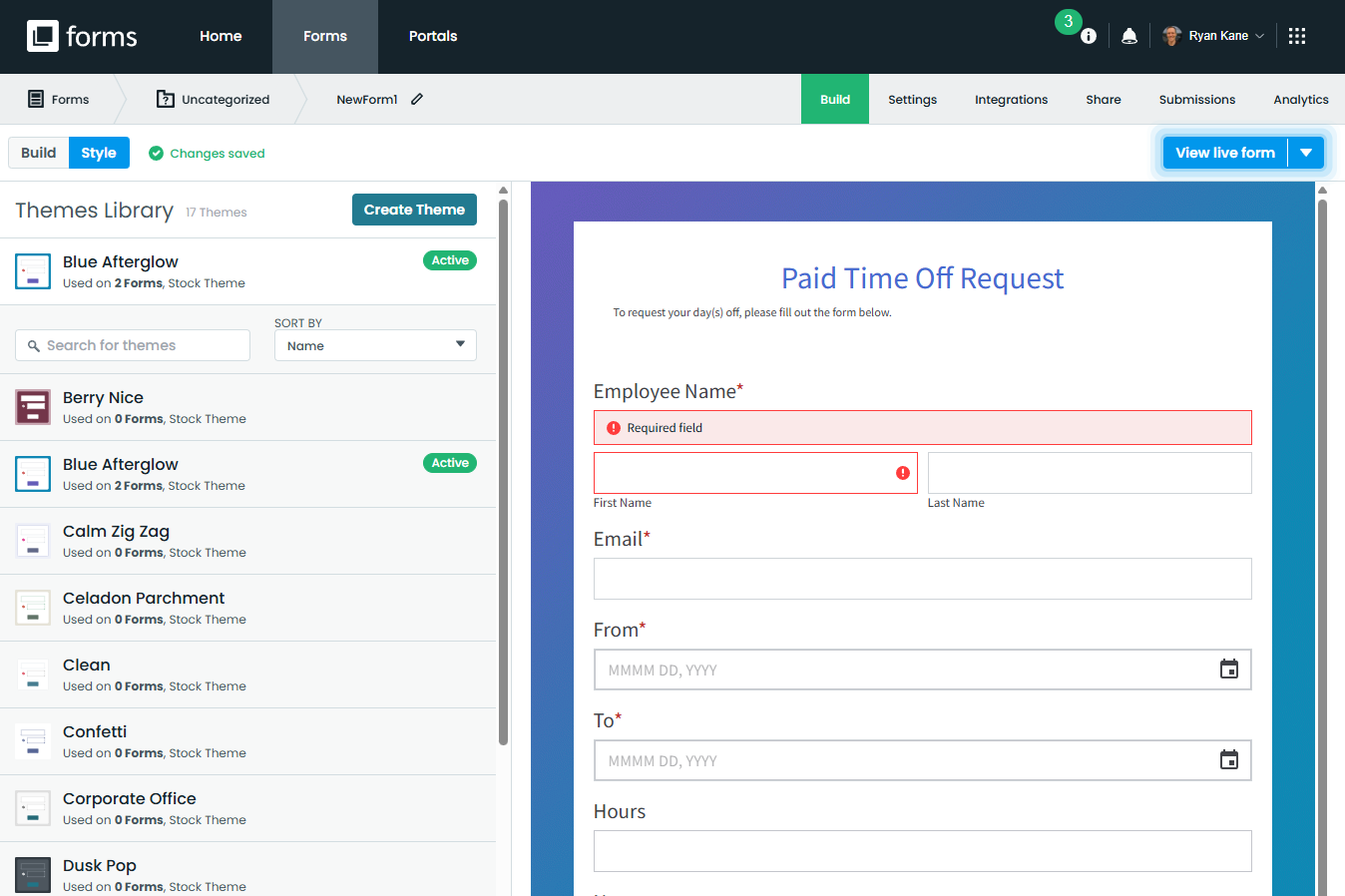
Formstack is a productivity suite for forms, document generation, and e-signatures, and it also lets you build workflows that connect each of those capabilities. If your organization needs all of this — especially if you’re in a regulated industry — it’s a real advantage to have it bundled together into the same platform. You also get native workflow orchestration, HIPAA compliance features, conditional logic, and advanced analytics. Formstack recently rebranded at the corporate level to Intellistack, but the Formstack product suite continues to operate under the same name.
- Pros
- Full suite covering forms, documents, e-signatures, and workflow automation
- HIPAA compliance features (on enterprise plans)
- Deep Salesforce integration (add-on)
- Abandonment rate analytics
- Cons
- $99 per month entry price for a single user, additional users are $20 per month
- Workflows, HIPAA compliance features, and Salesforce integration require higher-tier plans or add-ons
Workflow automation
Forms are often just one step in a larger process. Formstack’s workflow tool lets you tie multiple tasks together with end-to-end automation, and you can access prebuilt templates that speed things up for certain processes. For example, select the Medical Information Release template and you’ll quickly launch a workflow that includes the forms, document generation, and e-signatures necessary for patients to authorize the release of health data. You can also add approval workflows and conditional logic to your automation.
I’ve spent plenty of time with workflow automation tools, and Formstack’s is among the more intuitive I’ve seen. Adding forms, document generation, and e-signatures into your workflow is a simple matter of dragging and dropping modules.
If you’re comparing tools that connect forms to broader workflows, Jotform also combines forms, workflow automation, a tracking and organization workspace, and approvals in a single platform — making it easier to manage and act on submissions after they come in.
Conditional logic
Formstack handles conditional logic well. The Logic section sits right in the Build tab, and the rules-based interface is intuitive enough that you don’t need documentation to figure it out. The logic rules are pretty simple: you just set up each field to show or hide depending on the choices users make — dropdown menus make it easy.
One minor disappointment here is Formstack’s AI form builder, which does a great job of building out standard forms but isn’t set up to handle logic at all. Adding conditional logic manually is the only option.
Analytics and abandonment tracking
Formstack includes built-in abandonment rate tracking that shows you exactly where respondents drop off on a form, even down to the specific field. That’s especially valuable for customer-facing forms where incomplete submissions mean lost leads or missed data. You can also access partial submissions, allowing you to recover valuable data even when users don’t hit “Submit.” Just keep in mind that both of these features are part of Formstack’s Conversion Kit, which is a separate paid add-on.
Formstack pricing
- The Forms plan ($99 per month, billed monthly) includes one builder user, 25 forms, up to 1,000 submissions per form, and 2 GB storage. It also includes access to forms, workflows, dynamic task assignment, and custom branding.
- The Suite plan ($299 per month, billed monthly) bundles forms, workflows, documents, and e-signatures into a single plan. It includes three builder users, 100 forms, 5,000 submissions per form, and 10 GB storage. The Suite plan also adds step logic, multiple approvals, and data routing.
- The Enterprise plan (custom pricing) is built for organizations with specific security and compliance requirements. It includes a dedicated customer success manager, single sign-on eligibility, user-level permissions, and account management.
Both the Forms and Suite plans include a 14-day free trial with no credit card required. HIPAA compliance features are only available on the Enterprise plan, and pricing for the Conversion Kit add-on isn’t listed publicly.
Pro Tip
Already using Formstack? You can migrate your existing forms to Jotform in just a few steps.
What is Google Forms?
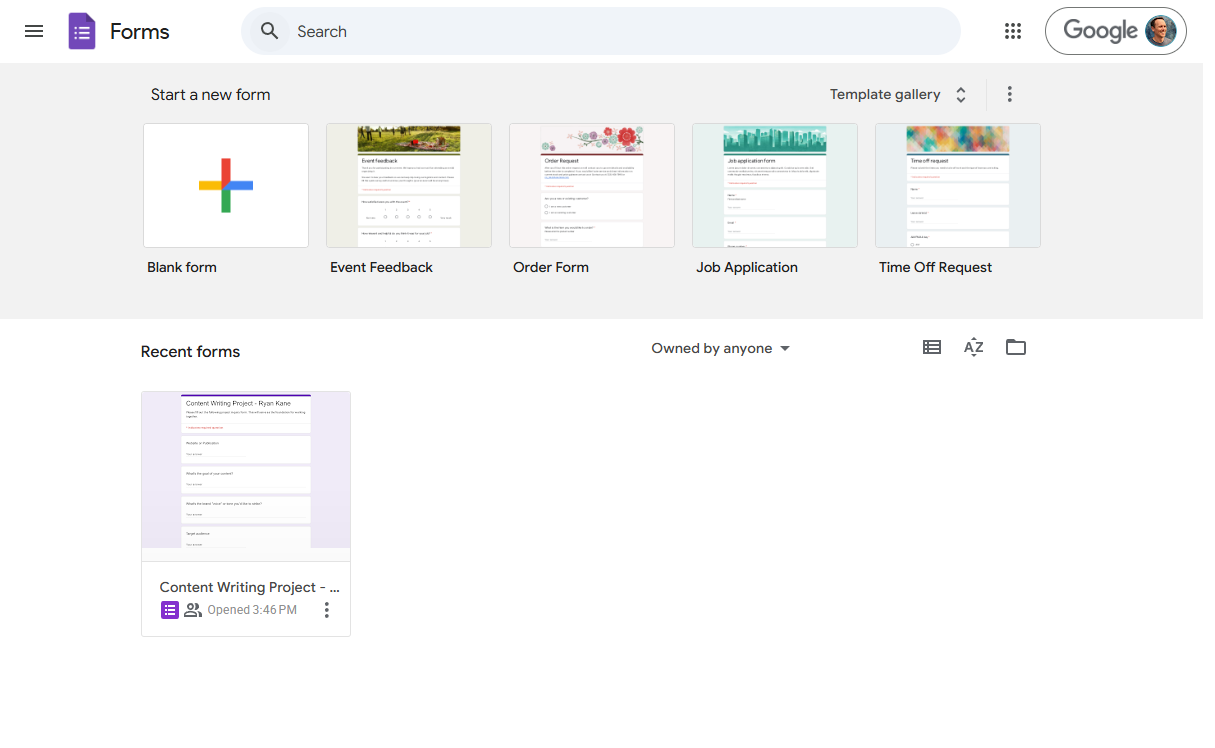
Google Forms is a free form builder that’s included with every Google account. So, if your organization already runs on Google Workspace, Google Forms fits into your existing stack without any additional configuration, user provisioning, or access control. It’s built for speed and simplicity: there’s no setup, no learning curve, and no per-user pricing apart from what you already pay for Google Workspace. For internal teams that need to collect straightforward data quickly, it’s hard to beat.
If you eventually need more advanced form logic, automation, or integrations beyond the Google ecosystem, tools like Jotform offer these capabilities while still keeping the form-building experience simple.
- Pros
- Free with any Google account
- Zero setup, since permissions and access are tied to existing Google accounts
- Native integration with Google Sheets, Google Drive, and the rest of Google Workspace
- Cons
- Limited templates and no advanced workflow automation
- Limited compliance features and no audit logging
Zero-friction deployment
Google Forms doesn’t require onboarding, training, or IT involvement. Because access is tied directly to Google accounts, permissions are already built in: you can restrict responses to people inside your organization, limit submissions to specific users, or let anyone with the link open your form. For internal workflows like PTO requests or employee feedback, being able to rely on your organization’s existing permissions is incredibly valuable and requires no configuration beyond checking a box.
Pro Tip
Check out these Google Forms tutorials to quickly learn how to create, customize, and share forms.
Google Workspace integration
Google Forms doesn’t have a purpose-built ecosystem like Formstack, but its integration with Google Workspace offers plenty of value. Its native connection to Google Sheets is a big deal: every Google Forms response can automatically be synced to a spreadsheet in real time, where you can convert your form responses into a chart, ticketing dashboard, or lightweight CRM. Google Drive lets you create folder-based permissions for your forms, Google Groups helps scale your access management, and Google Apps Script can auto-create calendar events or approval emails.
If you have the Google Workspace Standard plan or above, you also get access to e-signature features for Docs and PDFs, but there’s no built-in workflow to link that process to your forms — you’d have to do that manually.
Ease of use and form building
Google Forms has 17 templates — a fraction of what Formstack offers — but they’re useful and easy to modify, and you can upload your own form templates to your organization for others to use. I was able to build a multi-question form with basic branching logic in under five minutes, though I did need to check the documentation to figure out how to use Google Forms’ “Go to section based on answer” feature. However, there’s no multi-condition branching or show/hide options for individual fields, so for anything complex, you’ll hit the ceiling quickly. Still, for most simple internal data collection use cases, Google Forms is quicker and easier than almost any alternative.
Google Forms pricing
Google Forms is free with any personal Google account. For businesses, Google Workspace Starter starts at $8.40 per user per month. Compliance features unlock starting with the Google Workspace Standard plan at $16.80 per user per month, but it’s missing the comprehensive audit logging and compliance workflows that enterprises often need for sensitive data.
Pro Tip
Already using Google Forms? You can migrate your existing forms to Jotform in just a few steps.
Formstack vs Google Forms: Side-by-side comparison
After spending several days with both tools, here’s how they actually compare on the factors that matter most.
User interface and ease of use
Google Forms wins this category without much debate. Formstack does offer a smooth onboarding, and I particularly liked its “How would you like to start?” prompt that nudges you to either create a blank form or generate one with AI. Once you get into the dashboard, though, things aren’t quite as clear. There’s a lot of Intellistack infrastructure cluttering the navigation: even if you’re only using Formstack for forms, you’ve still got to proactively choose between Forms, Workflows, Documents, or Sign before you can do anything else. Formstack’s form-building process uses a drag-and-drop builder, so it’s fairly straightforward, but there are enough options and settings to create a bit of a learning curve.
Google Forms is simpler: just choose whether to start a blank form or use a template, then start building. Its user interface is clean and intuitive, and it’s easy to change your form’s theme and header image. You probably won’t run into any hurdles unless you’re building something complex.
Security and compliance
HIPAA is the big motivating factor for many organizations that make the jump to Formstack. Google Forms offers basic HIPAA features, but it’s not nearly as comprehensive — so if you’re in a regulated industry and this is a real concern for you, Formstack is usually the better option. You get healthcare-specific account setup, HIPAA-friendly integrations, secure notifications and file uploads, and built-in audit trails.
With both Google Forms and Formstack, you need to be on the enterprise plan and sign a Business Associate Agreement (BAA) to enable HIPAA features.
Workflow automation
Formstack’s workflows make it easy to link forms, documents, and signatures. During my testing, I was surprised at how intuitive it was to create one: if you’ve built email sequences or used any sort of automation platform, you’ll be right at home here. Formstack may be tough to justify if you only need forms, but if you also need documents and e-signatures it makes things substantially easier — especially because you don’t need to string multiple platforms together with third-party automations.
Google Forms has none of this natively. Any automation beyond a basic email notification requires Zapier, Make, or a custom Google Apps Script. If you have simple use cases, you probably don’t need to worry about any of this, but anyone connecting apps outside the Google ecosystem will need to deal with added cost, complexity, and a dependency on third-party tools that can break. And there are some things you still can’t automate completely: if you get creative, you can use Google Forms in conjunction with Apps Script to generate documents, but setting up documents for e-signature and sending them out to be signed is still a manual step.
If you’re looking for a free plan with powerful workflow automation, your best bet is Jotform Workflows.
Templates and form design
Formstack’s website shows 350-plus templates, but clicking on them takes you to a generic signup page rather than the template you expected. Once you sign up and actually poke around inside the app, the real number of templates emerges: around 40. (The niche use cases you see on Formstack’s website, like the Animal Intake Form for veterinarians, don’t seem to actually be available.) It’s still a decent selection — especially for HR, healthcare, and education — and the designs are attractive and appropriate for customer-facing use.
Google Forms offers only 17 templates, all of them generic: Event Feedback, Job Application, Order Form, and so on. And there’s a certain stigma to using a minimalist free tool for high-profile customer-facing work (“they’re using Google Forms for this?”), which means enterprises often use other forms externally even if they use Google Forms internally.
Neither platform’s library of templates is deep enough to eliminate the need to build from scratch for anything industry-specific or custom. Formstack’s real edge here is its AI form builder, which makes it faster to design forms no matter what you want to create.
Pro Tip
Jotform offers more than 20,000 form templates, which means you’re much more likely to find something that fits your precise needs.
Integrations
Formstack connects natively to 70-plus platforms including Salesforce, Stripe, Authorize.net, Google Drive, Dropbox, and a range of email marketing apps. That’s a capable stack for teams running sales, payment, and document workflows from a single platform. It’s worth mentioning that Formstack Forms for Salesforce — a native builder that operates entirely within Salesforce — comes at an additional cost.
Google Forms integrates natively with Google Sheets and the rest of Workspace, but not much else. Any connection outside that ecosystem requires Zapier, Make, or a custom Google Apps Script.
Pro Tip
Jotform includes over 150 form integrations, including dozens of CRMs, automation platforms, project management apps, payment processors, and more.
AI features
Google Forms now lets you use Gemini AI to generate a form, suggest additional questions, and summarize responses. The summary feature is particularly useful if you’re collecting feedback at volume and don’t want to read through hundreds of individual answers. The catch is that none of this is available on the free plan: Gemini in Google Forms requires Gemini Business, Gemini Enterprise, or Google One AI Pro, so if you’re on a basic Workspace subscription, you won’t see these features at all.
Formstack’s AI form builder is more capable. It can’t handle logic steps, but apart from that it can quickly generate almost anything you need with simple prompts. Formstack’s AI document template creator works similarly: just describe what you need, and Formstack maps the fields and structure. From there, you can connect your document directly to a form so data flows in automatically without any manual field mapping.
Pricing and value
Google Forms is free if you have a Google Workspace subscription, which millions of businesses do. If Google Forms meets your needs and you already have access to it, it’s an obvious choice.
Formstack costs $99 per month just to get started, and $299 per month if you want access to its full suite of features including e-signatures, documents, and workflow automation. If you need to add more users — the $299 per month plan includes just three — you’ll pay another $20 per month per user. If you need Salesforce integration or advanced compliance features, be prepared to negotiate a pricier custom enterprise plan.
For enterprises that need what Formstack’s upper tiers offer, its value is clear. For teams that don’t, it’s a big premium for a form builder. Fortunately, there are alternatives to Formstack — like Jotform — that provide considerable value at a lower price point.
Formstack vs Google Forms: Which is better?
Choose Formstack if:
- You’re in healthcare, legal, or another regulated industry and need HIPAA compliance features, audit logging, and secure workflows in a single platform.
- Your team runs multi-step processes — patient intake, HR approvals, contract generation — that need forms, documents, and e-signatures connected natively without third-party automation tools.
- You need conditional logic that operates at the individual field level, not just at the section level, and you need it to handle multiple conditions at once.
Choose Google Forms if:
- Your team runs on Google Workspace and needs a fast, free way to collect internal data like employee feedback or IT requests.
- You want to deploy with zero friction and avoid setup, training, user provisioning, and access control.
- Your data collection needs are straightforward and self-contained. If you don’t need workflow automation, payment collection, or compliance features, Google Forms covers the basics better and cheaper than almost any alternative.
Unsure which one to choose? Try Jotform instead
If you’ve outgrown Google Forms but you don’t want to shell out $299 per month for Formstack, Jotform is a great alternative and its free plan makes it easy to get started. Jotform’s Bronze plan starts at $39 per month and comes with 20,000 form templates, Jotform’s AI Form Builder, a survey maker, PCI-compliant payment processing, workflow automation, HIPAA-friendly features, and e-signature capabilities.
Jotform also has features that neither Google Forms nor Formstack offer:
- A mobile app with offline form collection
- Jotform Tables to view and track responses easily
- Jotform AI Agents for social, voice, SMS, and more
- 40-plus payment processor integrations
- Jotform Boards to turn form submissions into Kanban-style tasks
- Jotform Apps for no-code app building
As with Formstack, you can use Jotform to create workflows that link forms, documents, and e-signatures, and you can build approval steps into your workflows. But you can also do much more.
Jotform’s form builder can handle lots of complexity with conditional logic, 350-plus widgets for features like checklists and automatic calculations, and advanced options like answer piping, form translations, and kiosk mode. On top of that, you can set up an AI agent to send an SMS the moment someone submits a form, funnel tickets into a lightweight help desk, or convert submissions into tasks for easy management. Sign up for Jotform today to see if it makes sense for your team.
This article is for IT managers, operations leads, healthcare administrators, and small business owners who are deciding between a free, simple tool and a high-security, enterprise-grade workflow platform.



































































































Send Comment: