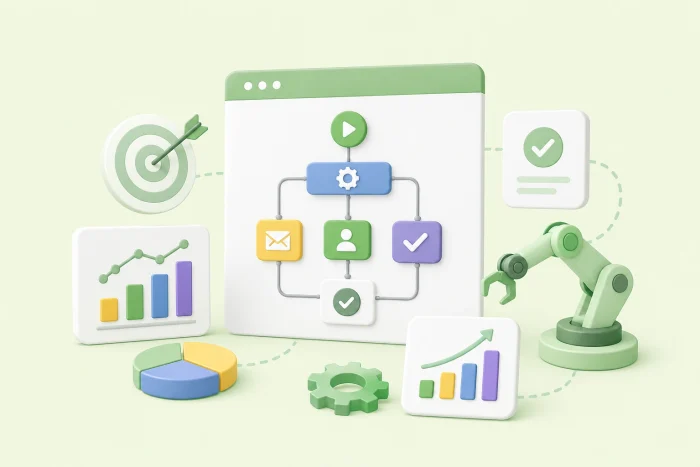
Best practices when approaching an automation effort
- Improve the current process before automating it
- Start small to prove value
- Define clear, measurable goals (KPIs)
- Involve the end-users early
- Standardize your data collection
Business automation is the default expectation, and with good reason. In 2017, A landmark McKinsey Global Institute analysis found about 60 percent of all occupations have at least 30 percent of activities that could be automated and estimated automation could lift global productivity growth by 0.8 to 1.4 percent a year. Since then, automation tools have evolved to unprecedented capabilities.
Today, there isn’t a niche set of roles being nudged toward efficiency. It’s a broad, cross-industry standard of workflow automation.
But there’s a catch: Throwing software at a messy workflow rarely fixes it. Automating a broken process usually produces a faster broken process. So when a team finally decides to upgrade its systems, the real question isn’t which tool to buy. It’s this: What is a best practice when approaching an automation effort?
The answer is less about technology than most people expect. Automation that scales is a strategic business move, a deliberate approach to business process automation rather than an IT project you hand off and forget. It depends on how well you understand your own processes, how carefully you choose where to start, and how honestly you measure whether any of it worked. What follows is a roadmap of five practices separating automation that compounds from automation that stalls.
5 core automation practices for your business
Think of these as the strategic phases of an automation rollout rather than a loose checklist. The fundamental rules that separate a high return on investment from a stalled project. Before any of them, though, do one thing: Map your workflows.
Lay out how work moves through your team, step by step, and you’ll see which processes are repeatable enough to automate and which still depend on human judgment. That kind of clear-eyed business process management turns automation from a guessing game into a series of deliberate decisions.
1. Improve the current process before automating it
Before you build anything, look hard at the process itself, because automation locks in whatever it is built on top of.
Walk through the process one step at a time and ask two questions during each step: Does this need to exist at all, and does it need a human to do it? Steps that survive only because “we’ve always done it this way” are the first to cut. Watch for the telltale signs of a process that isn’t ready: staff retyping the same data into multiple systems, information that has to be exported and reformatted by hand, or legacy tools that nothing else connects to cleanly.
Improving the process usually means consolidating duplicate steps, connecting tools, and eliminating approvals that no longer serve a purpose. It is also the moment to document how the process should run, because that clean, agreed-upon version becomes the specification your automation is built against.
What this looks like in practice
Take a small clinic about to automate its patient intake process, where staff enter the same details into three separate systems. A week spent trimming duplicate fields and swapping one legacy tool for a platform that integrates cleanly with its records system makes the eventual automation simpler to build, cheaper to maintain, and far less likely to break, because it isn’t built on a broken foundation.
2. Start small to prove value
Breadth is the enemy of scale. When you try to automate everything simultaneously, bugs are harder to isolate, value is harder to measure, and the whole effort is more likely to stall. Automating one process well beats automating five badly since the benefits of workflow automation compound — even a single automated workflow frees everyone who touches it for higher-value work.
So how do you choose the first one? Weigh impact against effort. The best starting candidate is usually a process that is both easy to automate and painful enough that fixing it earns visible relief. Get that one working flawlessly, measure the result, and only then expand. A proven win does more than save time; it builds the credibility and buy-in that make the next automation an easier sell.
What this looks like in practice
Picture a regional HR team that wants to automate everything from onboarding to payroll in one sweep. Instead, they start with a single high-friction workflow: PTO requests. Replacing back-and-forth email chains with a simple request form and automated approval routing drops approval time from three days to a few hours. That clear, measurable win is what earns them the room to tackle the next process, and the one after that.
3. Define clear, measurable goals (KPIs)
Once you know what you’re automating, decide how you’ll know it works. This is where automation efforts often get vague, because not every goal ties neatly to revenue. Automating how support agents receive a ticket’s full history, for instance, won’t show up directly on a profit-and-loss statement. But it can shorten call times and lift customer satisfaction, which eventually does.
The trick is to pick a metric you can more accurately track and name it before you build, not after. Some metrics are easy to measure: average response time, error rate, and the number of days a request sits in a queue. Others are slower and softer: satisfaction, repeat business, and employee frustration. Choose at least one hard metric you can put a number to, capture a baseline for it while the process is still manual, and you’ll have honest before-and-after proof instead of a vague sense that things feel faster.
Capturing that baseline is worth the effort. Pull the timestamps, logs, or manual counts that describe how the process performs today, before automation changes anything, so you have something real to compare against. Then set a cadence to check the same numbers after launch, whether that is weekly or monthly. A metric you glance at once and forget can’t tell you whether to expand the automation, adjust it, or roll it back.
What this looks like in practice
Imagine a support team that sets its targets up front: Cut average response time by 30 percent and raise the share of tickets resolved on the first reply. With those numbers defined, the team can design its ticket routing against a real baseline rather than a hunch. When response times end up nearly halved, they can prove the automation worked and show exactly where, which is a far stronger position than reporting the queue simply seems shorter these days.
4. Involve the end-users early
No plan survives first contact with real users. However elegant a workflow looks in the builder, it isn’t proven until the people who will run it every day have put it through its paces. They are the ones who will find the edge case you didn’t consider and the step that makes sense on a diagram but not at a busy desk.
You don’t need a full launch to learn this. Roll the automation out to a small subset of users, or run a timed pilot: Keep it live for a few days or weeks, then switch back, study what happened, refine, and decide whether to go wider. Just as important, bring a few of those users into the design before you build, since a tool people helped shape is one they are far more willing to adopt. Automation imposed from above tends to be quietly worked around.
What this looks like in practice
Consider an operations team that ships an automated purchasing workflow without consulting the employees who submit requests each week. Adoption stalls almost immediately on steps that feel rigid and confusing. The next time, the team pulls a handful of frequent requesters into the design phase, gathers their feedback on the form layout and notification rules, and pilots the workflow before going live. The result is a process that fits how people actually work, and adoption that climbs from the beginning instead of stalling.
5. Standardize your data collection
Finally, an easy step to overlook: how you collect the data in the first place. If the same field arrives formatted five ways, your dashboard ends up measuring noise and the automation faithfully carries the mess downstream.
Standardizing collection means agreeing on the details that are easy to let drift: shared field names, required formats for things like dates and IDs, validation that catches bad entries at the point of submission, and a single source of truth for records that multiple systems rely on. It is unglamorous groundwork, but it is what makes everything measured on top of it reliable.
In practice, that means favoring structured inputs over free text: dropdowns, date pickers, and required fields that reject invalid entries before they can pollute the data. The payoff compounds, too. Once information arrives clean and consistent, every future automation you build on top of it inherits that reliability instead of compensating for the mess, which is what lets a handful of small automations eventually add up to a system you can trust.
What this looks like in practice
Say a distributed sales team lets every region use its own field names and date formats. When the numbers come in, they are nearly impossible to roll up into one view, and leadership spends hours each month reconciling mismatched entries instead of trusting the report. Standardizing that collection first, so every submission arrives clean and consistent, turns the same reporting automation from a monthly cleanup chore into a source of answers the whole team can rely on.
How real teams automate their daily workflows with Jotform
Every practice above assumes a tool that can carry the workflow once you’ve designed it, and this is where no-code automation stops being abstract. With a drag-and-drop builder, the same team that mapped the process can build the automation itself, no engineering queue required. To help you get started, we’ve compiled some of the most common examples of business automation.
Multi-step approval loops. Instead of chasing decisions through long email chains, teams route them through Jotform Workflows. When an employee submits an expense report or PTO request, it goes straight to their direct manager. Approve it, and it moves on to HR or Finance; deny it, and the employee hears back right away. The request never gets lost in an inbox.
Zero-touch data entry. Copy-pasting leads from one system to another is exactly the kind of manual step that automation is meant to eliminate. Through native CRM integrations, a completed contact form can create a new profile in Salesforce, HubSpot, or Airtable the moment it’s submitted, with no one retyping a thing. The same pattern extends well beyond CRMs, since Jotform connects to most integrations in its field.
Dynamic, conditional communications. With conditional logic, one form can respond differently to every submission. Select Support issue and a high-priority alert lands in the IT team’s Slack; select “Sales inquiry” and an autoresponder goes out with a pricing PDF attached. The right people get the right message without anyone sorting submissions by hand.
End-to-end e-signature routing. Jotform Sign closes the loop on contracts. Once a client signs an intake form or NDA, the document finalizes on its own, the audit trail locks, and a secure PDF reaches every party at the same time. There’s no printing, scanning, or waiting on one signature before the copies can circulate.
Payment and invoice generation. Connect a form to a gateway like Stripe or PayPal through Jotform’s payment integrations, and the whole checkout runs itself. When a client pays, the transaction processes, a branded invoice generates, and a receipt goes out, all from the same submission.
The thread running through every one of these is a practice worth repeating: Start small to prove value. You don’t need to automate your entire operation this week. Pick the one manual, repetitive task that costs your team the most time right now, sign up for a free Jotform account, and build it with the drag-and-drop builder before the day is out. One working automation is the easiest case you’ll ever make for the next.
This article is for operations managers, IT leads, small business owners, and RevOps professionals who want to streamline manual tasks but need a strategic roadmap to avoid costly implementation mistakes.































































































Send Comment: