

# Free Online Survey Maker for 2026 | Questionnaire Creator | Jotform

# Free Online **Survey Maker**

**Jotform Surveys is an online survey maker that helps teams create, share, and analyze surveys in one place.** It is used to collect customer feedback, run research, and gather responses securely, without writing code.

Create Your Survey

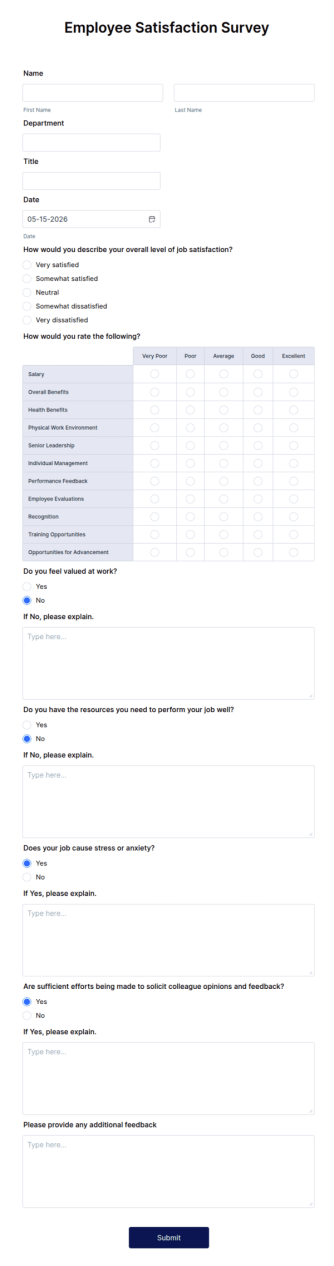
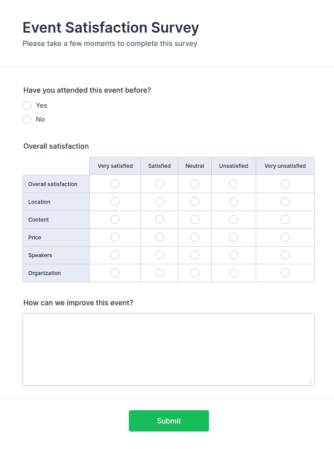
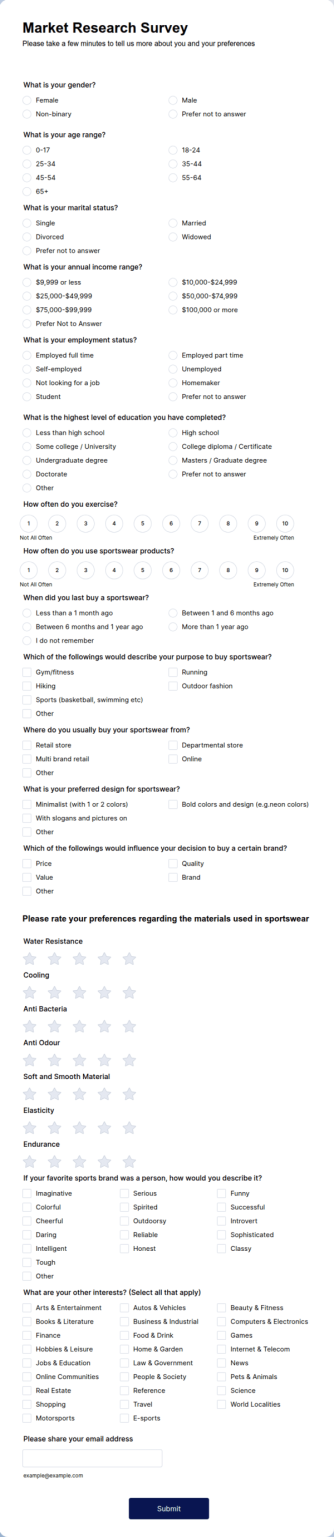
Employee Satisfaction Survey Event Satisfaction Survey Market Research Survey

Trusted by more than **35 million users worldwide**, with surveys used across **millions of online projects and websites**.

The Jotform Survey Maker is best for teams that need to create and analyze surveys quickly without technical setup.
## How to Create a Survey with Jotform

![Image 1: Start with a Template or a Prompt](https://cdn.jotfor.ms/image/r/aHR0cHM6Ly9jZG4uam90Zm9yLm1zL3Avc3VydmV5cy9hc3NldHMvaW1nLW1pbi9uL2hvdy1pdC13b3Jrcy0xLnBuZw==/how-it-works-1.png?w=40&t=1)

### Start with a Template or a Prompt

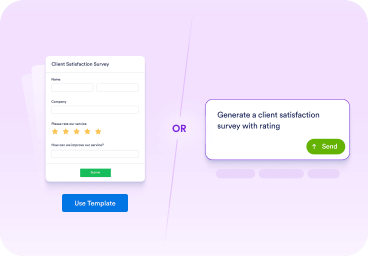
Begin with a template if you want a ready-made structure, or use a prompt to describe the survey you want to create in plain language.
![Image 2: Customize Questions and Logic](https://cdn.jotfor.ms/image/r/aHR0cHM6Ly9jZG4uam90Zm9yLm1zL3Avc3VydmV5cy9hc3NldHMvaW1nLW1pbi9uL2hvdy1pdC13b3Jrcy0yLnBuZw==/how-it-works-2.png?w=40&t=1)

### Customize Questions and Logic

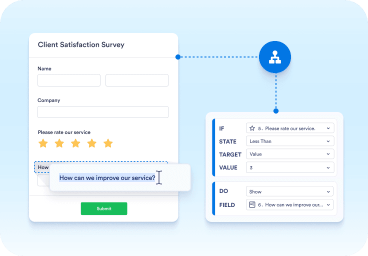
Edit questions, adjust the order, and add conditional logic so people only see what is relevant. Then choose a layout and confirm it works well on mobile.
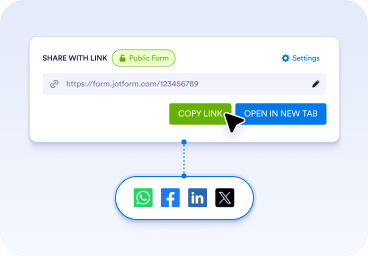
![Image 3: Share Your Survey and Review Results](https://cdn.jotfor.ms/image/r/aHR0cHM6Ly9jZG4uam90Zm9yLm1zL3Avc3VydmV5cy9hc3NldHMvaW1nLW1pbi9uL2hvdy1pdC13b3Jrcy0zLnBuZw==/how-it-works-3.png?w=40&t=1)

### Share Your Survey and Review Results

Share your survey using a link, email invitation, or embed. Responses are collected automatically, and you can review results with built-in reports or exports.

## Find Your Perfect Sample Size

Use our free calculator to find the right survey sample size in seconds and make sure your research results are statistically accurate.

[Get started now](https://www.jotform.com/sample-size-calculator/)

## Free Survey Templates

Jotform offers **8000+ free**[survey templates](https://www.jotform.com/surveys/%3C?=%20$myformsRedirectionURL%20?%3E) designed for everyday use cases. Templates help you start faster and follow proven survey structures. You can choose a template, customize questions and layout, and share your survey immediately

[**Employee Satisfaction Survey** ![Image 4: Employee Satisfaction Survey](https://cdn.jotfor.ms/image/r/aHR0cHM6Ly9jZG4uam90Zm9yLm1zL3RlbXBsYXRlcy9zY3JlZW5zaG90L2Zvcm0tdGVtcGxhdGVzL2VtcGxveWVlLXNhdGlzZmFjdGlvbi1zdXJ2ZXkucG5nP3c9NjAw/employee-satisfaction-survey.png?w=40&t=1)](https://www.jotform.com/form-templates/employee-satisfaction-survey)

[**Event Satisfaction Survey** ![Image 5: Event Satisfaction Survey](https://cdn.jotfor.ms/image/r/aHR0cHM6Ly9jZG4uam90Zm9yLm1zL3RlbXBsYXRlcy9zY3JlZW5zaG90L2Zvcm0tdGVtcGxhdGVzL2V2ZW50LXNhdGlzZmFjdGlvbi1zdXJ2ZXkucG5nP3c9NjAw/event-satisfaction-survey.png?w=40&t=1)](https://www.jotform.com/form-templates/event-satisfaction-survey)

[**Market Research Survey** ![Image 6: Market Research Survey](https://cdn.jotfor.ms/image/r/aHR0cHM6Ly9jZG4uam90Zm9yLm1zL3RlbXBsYXRlcy9zY3JlZW5zaG90L2Zvcm0tdGVtcGxhdGVzL21hcmtldC1yZXNlYXJjaC1zdXJ2ZXkucG5nP3c9NjAw/market-research-survey.png?w=40&t=1)](https://www.jotform.com/form-templates/market-research-survey)

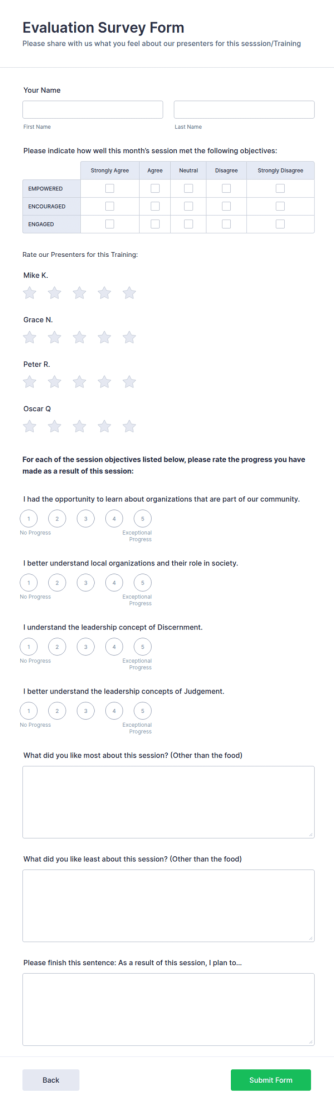
[**Evaluation Survey Form** ![Image 7: Evaluation Survey Form](https://cdn.jotfor.ms/image/r/aHR0cHM6Ly9jZG4uam90Zm9yLm1zL3RlbXBsYXRlcy9zY3JlZW5zaG90L2Zvcm0tdGVtcGxhdGVzL2V2YWx1YXRpb24tc3VydmV5LWZvcm0ucG5nP3c9NjAw/evaluation-survey-form.png?w=40&t=1)](https://www.jotform.com/form-templates/evaluation-survey-form)

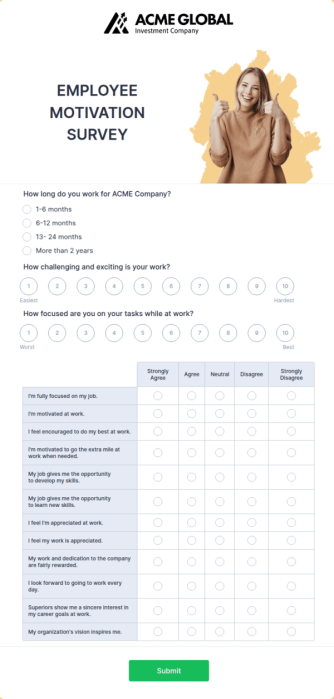
[**Employee Motivation Survey** ![Image 8: Employee Motivation Survey](https://cdn.jotfor.ms/image/r/aHR0cHM6Ly9jZG4uam90Zm9yLm1zL3RlbXBsYXRlcy9zY3JlZW5zaG90L2Zvcm0tdGVtcGxhdGVzL2VtcGxveWVlLW1vdGl2YXRpb24tc3VydmV5LnBuZz93PTYwMA==/employee-motivation-survey.png?w=40&t=1)](https://www.jotform.com/form-templates/employee-motivation-survey)

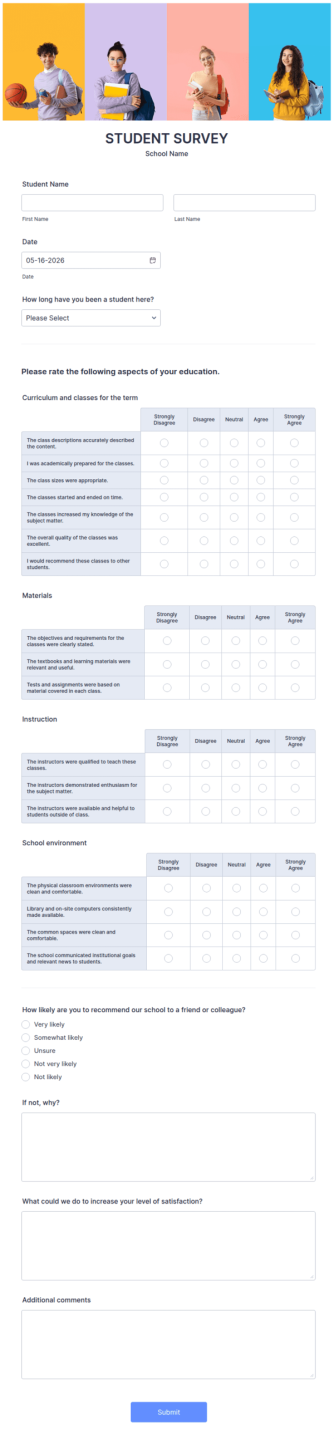
[**Student Survey** ![Image 9: Student Survey](https://cdn.jotfor.ms/image/r/aHR0cHM6Ly9jZG4uam90Zm9yLm1zL3RlbXBsYXRlcy9zY3JlZW5zaG90L2Zvcm0tdGVtcGxhdGVzL3N0dWRlbnQtc3VydmV5LnBuZz93PTYwMA==/student-survey.png?w=40&t=1)](https://www.jotform.com/form-templates/student-survey)

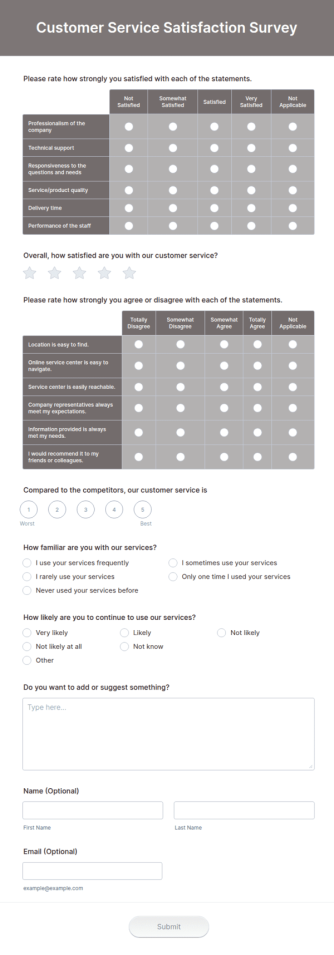
[**Customer Service Satisfaction Survey** ![Image 10: Customer Service Satisfaction Survey](https://cdn.jotfor.ms/image/r/aHR0cHM6Ly9jZG4uam90Zm9yLm1zL3RlbXBsYXRlcy9zY3JlZW5zaG90L2Zvcm0tdGVtcGxhdGVzL2N1c3RvbWVyLXNlcnZpY2Utc2F0aXNmYWN0aW9uLXN1cnZleS5wbmc/dz02MDA=/customer-service-satisfaction-survey.png?w=40&t=1)](https://www.jotform.com/form-templates/customer-service-satisfaction-survey)

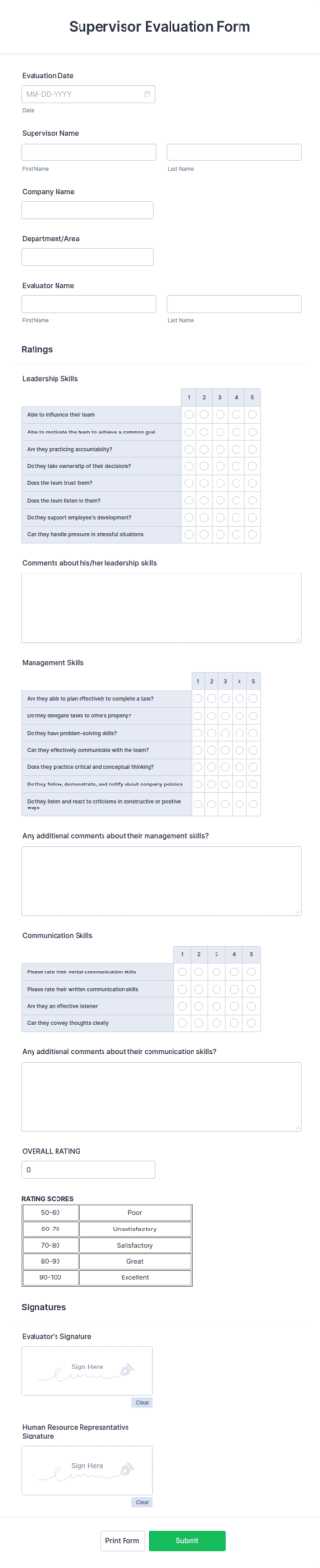
[**Supervisor Evaluation Form** ![Image 11: Supervisor Evaluation Form](https://cdn.jotfor.ms/image/r/aHR0cHM6Ly9jZG4uam90Zm9yLm1zL3RlbXBsYXRlcy9zY3JlZW5zaG90L2Zvcm0tdGVtcGxhdGVzL3N1cGVydmlzb3ItZXZhbHVhdGlvbi1mb3JtLnBuZz93PTYwMA==/supervisor-evaluation-form.png?w=40&t=1)](https://www.jotform.com/form-templates/supervisor-evaluation-form)

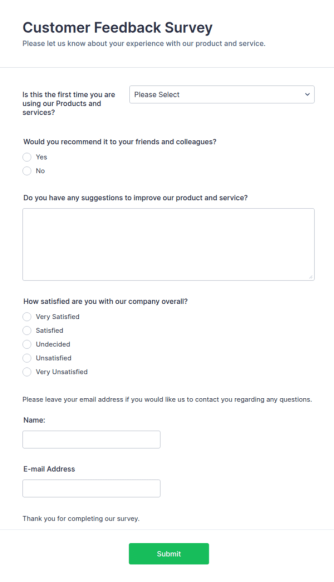
[**Customer Feedback Survey** ![Image 12: Customer Feedback Survey](https://cdn.jotfor.ms/image/r/aHR0cHM6Ly9jZG4uam90Zm9yLm1zL3RlbXBsYXRlcy9zY3JlZW5zaG90L2Zvcm0tdGVtcGxhdGVzL2N1c3RvbWVyLWZlZWRiYWNrLXN1cnZleS5wbmc/dz02MDA=/customer-feedback-survey.png?w=40&t=1)](https://www.jotform.com/form-templates/customer-feedback-survey)

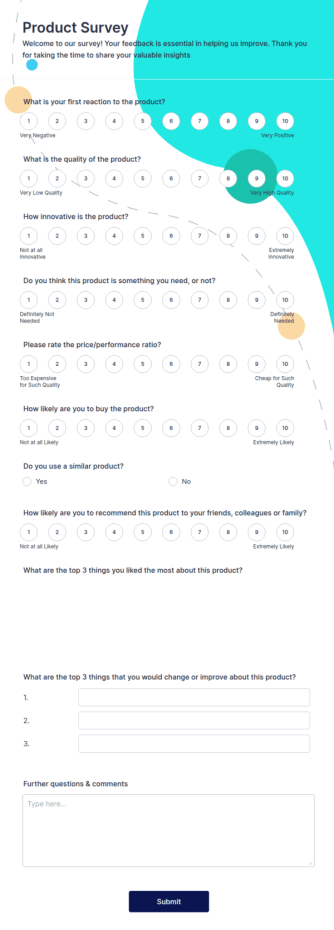
[**Product Survey Form** ![Image 13: Product Survey Form](https://cdn.jotfor.ms/image/r/aHR0cHM6Ly9jZG4uam90Zm9yLm1zL3RlbXBsYXRlcy9zY3JlZW5zaG90L2Zvcm0tdGVtcGxhdGVzL3Byb2R1Y3Qtc3VydmV5LWZvcm0ucG5nP3c9NjAw/product-survey-form.png?w=40&t=1)](https://www.jotform.com/form-templates/product-survey-form)

## Jotform Surveys are built for **any challenge**

Jotform Surveys supports a wide range of survey types used by teams and organizations.

*   CUSTOMER FEEDBACK 
### Turn feedback into better experiences ![Image 14: Turn feedback into better experiences](https://cdn.jotfor.ms/image/r/aHR0cHM6Ly9jZG4uam90Zm9yLm1zL3Avc3VydmV5cy9hc3NldHMvaW1nLW1pbi9uL3VzZS1jYXNlcy9jdXN0b21lci1mZWVkYmFjay5wbmc=/customer-feedback.png?w=40&t=1)
Collect CSAT, NPS, and product feedback at key moments like after a purchase or support request. Track patterns and follow up when it matters. 

*   EMPLOYEE EXPERIENCE 
### Build a workplace people want to stay in ![Image 15: Build a workplace people want to stay in](https://cdn.jotfor.ms/image/r/aHR0cHM6Ly9jZG4uam90Zm9yLm1zL3Avc3VydmV5cy9hc3NldHMvaW1nLW1pbi9uL3VzZS1jYXNlcy9lbXBsb3llZS1leHBlcmllbmNlLnBuZw==/employee-experience.png?w=40&t=1)
Run engagement and pulse surveys to understand what’s working and what needs attention. Use consistent questions to compare results over time. 

*   MARKET RESEARCH 
### Test ideas before you commit to them ![Image 16: Test ideas before you commit to them](https://cdn.jotfor.ms/image/r/aHR0cHM6Ly9jZG4uam90Zm9yLm1zL3Avc3VydmV5cy9hc3NldHMvaW1nLW1pbi9uL3VzZS1jYXNlcy9tYXJrZXQtcmVzZWFyY2gucG5n/market-research.png?w=40&t=1)
Validate demand, compare preferences, and learn what influences decisions. Segment results by audience type to spot clear trends. 

*   EDUCATION 
### Collect feedback students will actually complete ![Image 17: Collect feedback students will actually complete](https://cdn.jotfor.ms/image/r/aHR0cHM6Ly9jZG4uam90Zm9yLm1zL3Avc3VydmV5cy9hc3NldHMvaW1nLW1pbi9uL3VzZS1jYXNlcy9lZHVjYXRpb24ucG5n/education.png?w=40&t=1)
Create course evaluations, student surveys, and program feedback forms that work well on any device. Review results quickly and share updates with teams. 

*   EVENTS 
### Plan smarter events with real input ![Image 18: Plan smarter events with real input](https://cdn.jotfor.ms/image/r/aHR0cHM6Ly9jZG4uam90Zm9yLm1zL3Avc3VydmV5cy9hc3NldHMvaW1nLW1pbi9uL3VzZS1jYXNlcy9ldmVudHMucG5n/events.png?w=40&t=1)
Use surveys for RSVPs, preferences, and post-event feedback. Understand what attendees liked and what to change next time. 

*   HEALTHCARE 
### Collect patient feedback with clarity ![Image 19: Collect patient feedback with clarity](https://cdn.jotfor.ms/image/r/aHR0cHM6Ly9jZG4uam90Zm9yLm1zL3Avc3VydmV5cy9hc3NldHMvaW1nLW1pbi9uL3VzZS1jYXNlcy9oZWFsdGhjYXJlLnBuZw==/healthcare.png?w=40&t=1)
Capture intake details, satisfaction feedback, and follow-ups in one place. Keep surveys simple and easy to complete on mobile. 
![Image 20: Free online survey tool for students](https://cdn.jotfor.ms/image/r/aHR0cHM6Ly9jZG4uam90Zm9yLm1zL3Avc3VydmV5cy9hc3NldHMvaW1nLW1pbi9uL2ZlYXR1cmVkLXN0dWRlbnQtc3VydmV5LnBuZw==/featured-student-survey.png?w=40&t=1)

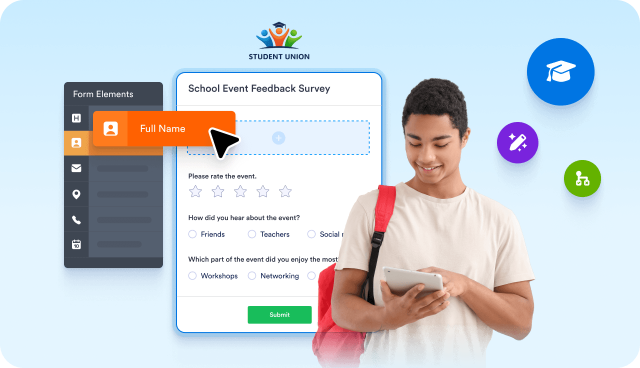
## Free online survey tool for students

Get the answers you need with unlimited student survey submissions. **Create custom surveys in just a few clicks with Jotform’s free survey maker for students.**

[Join the Program](https://www.jotform.com/surveys/free-survey-for-students/apply/)

## What You Can Do with Jotform Surveys

### Create surveys without setup

Create surveys using templates or prompts, then customize questions with a visual editor. No coding or technical setup is required, so you can start collecting responses right away.

Includes:
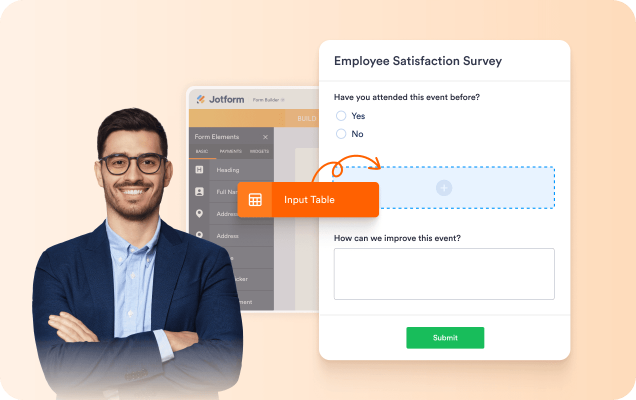
*   Drag-and-drop survey builder
*   Prompt-based survey creation
*   8000+ free [survey templates](https://www.jotform.com/surveys/templates/)
*   Question types for ratings, tables, and more
*   [Progress bar](https://www.jotform.com/widgets/progress-bar) to show survey completion status
*   [Save and continue later for longer surveys](https://www.jotform.com/features/save-and-continue/)

![Image 21: Create surveys without setup](https://cdn.jotfor.ms/image/r/aHR0cHM6Ly9jZG4uam90Zm9yLm1zL3Avc3VydmV5cy9hc3NldHMvaW1nLW1pbi9uL2JlbmVmaXQtMS5wbmc=/benefit-1.png?w=40&t=1)

### Collect Responses Anywhere

Share surveys online or offline and collect responses from any device. Surveys work seamlessly across desktop and mobile devices, even when an internet connection is unavailable.

Includes:
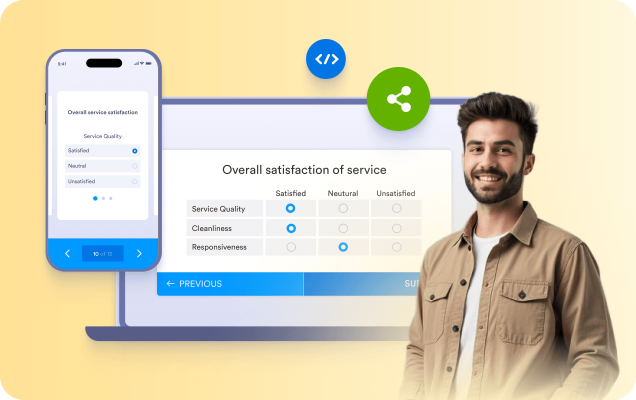
*   Shareable survey links
*   [Embed surveys](https://www.jotform.com/help/67-which-form-embed-code-should-i-use/) on the website
*   [Offline survey](https://www.jotform.com/products/mobile-forms/) collection with mobile apps

![Image 22: Collect Responses Anywhere](https://cdn.jotfor.ms/image/r/aHR0cHM6Ly9jZG4uam90Zm9yLm1zL3Avc3VydmV5cy9hc3NldHMvaW1nLW1pbi9uL2JlbmVmaXQtMi5wbmc=/benefit-2.png?w=40&t=1)

### Ask Smarter Questions

Utilize flexible question types and conditional logic to ensure surveys remain relevant and easy to complete. Only show follow-up questions when they matter.

Includes:
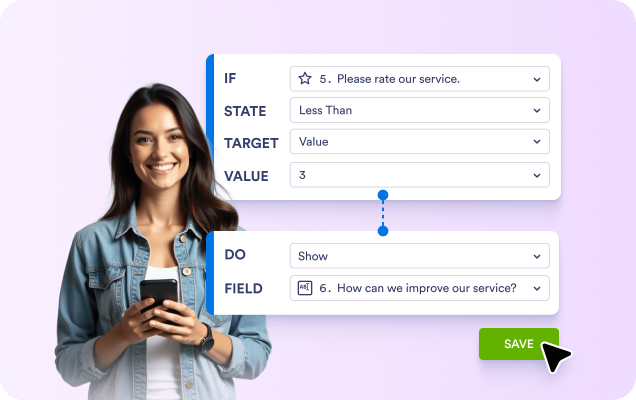
*   Multiple choice, [rating scales](https://www.jotform.com/likert-scale-creator/), and open-ended questions
*   [Conditional logic](https://www.jotform.com/help/57-smart-forms-conditional-logic-for-online-forms/)
*   File uploads, signatures, and payment fields

![Image 23: Ask Smarter Questions](https://cdn.jotfor.ms/image/r/aHR0cHM6Ly9jZG4uam90Zm9yLm1zL3Avc3VydmV5cy9hc3NldHMvaW1nLW1pbi9uL2JlbmVmaXQtMy5wbmc=/benefit-3.png?w=40&t=1)

### Analyze Results in Real Time

View responses as they come in and analyze data using built-in [survey analytics](https://www.jotform.com/survey-analytics/) and reporting tools. Built-in reports make it easy to review trends, share results, and export data for further analysis.

Includes:
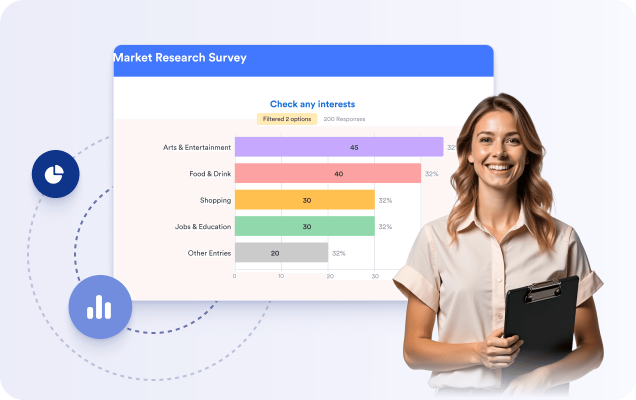
*   Real-time response summaries
*   Charts and filters
*   [Export survey results](https://www.jotform.com/features/export-submission-data/)

![Image 24: Analyze Results in Real Time](https://cdn.jotfor.ms/image/r/aHR0cHM6Ly9jZG4uam90Zm9yLm1zL3Avc3VydmV5cy9hc3NldHMvaW1nLW1pbi9uL2JlbmVmaXQtNC5wbmc=/benefit-4.png?w=40&t=1)

### Automate Survey Workflows

Send survey responses where they need to go and reduce manual work by connecting surveys to other tools.

Includes:

*   Automated email notifications
*   Integrations with Google Sheets, Slack, and CRMs
*   [Approval workflows](https://www.jotform.com/products/workflows/)

![Image 25: Automate Survey Workflows](https://cdn.jotfor.ms/image/r/aHR0cHM6Ly9jZG4uam90Zm9yLm1zL3Avc3VydmV5cy9hc3NldHMvaW1nLW1pbi9uL2JlbmVmaXQtNS5wbmc=/benefit-5.png?w=40&t=1)

### Keep Survey Data Secure

Protect responses with encryption and compliance options designed for sensitive data and regulated industries.

Includes:
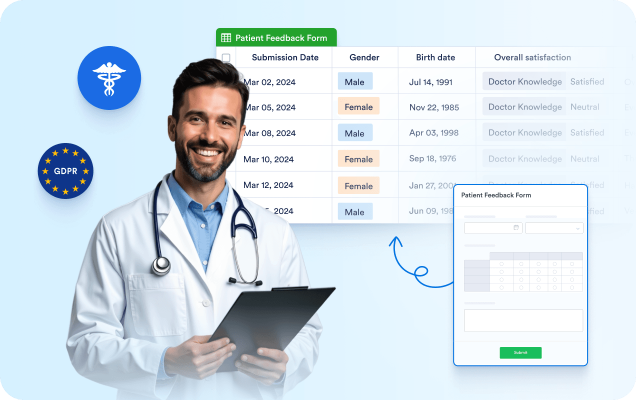

*   SSL encryption
*   GDPR-ready data handling
*   HIPAA-friendly plans

![Image 26: Keep Survey Data Secure](https://cdn.jotfor.ms/image/r/aHR0cHM6Ly9jZG4uam90Zm9yLm1zL3Avc3VydmV5cy9hc3NldHMvaW1nLW1pbi9uL2JlbmVmaXQtNi5wbmc=/benefit-6.png?w=40&t=1)

## How Teams Get Results with Jotform Surveys

IT & TECHNOLOGY

IT & TECHNOLOGY![Image 27: Reach Logo](https://cdn.jotfor.ms/image/r/aHR0cHM6Ly9jZG4uam90Zm9yLm1zL3Avc3VydmV5cy9hc3NldHMvaW1nLW1pbi9uL2N1c3RvbWVyLXN0b3JpZXMvcmVhY2gtbG9nby5wbmc=/reach-logo.png?w=40&t=1)
Reach utilized Jotform surveys to gather audience feedback during peak traffic periods. They experienced a 325% monthly increase in online submissions and collected over 120,000 responses in a short period.

[Read the customer story](https://www.jotform.com/customer-stories/reach/)

Increase in monthly online submissions**325%**

* * *

Total responses**Over 120,000**

* * *

Total visitors reached monthly**50 million**

HEALTHCARE

HEALTHCARE![Image 28: One to One Health Logo](https://cdn.jotfor.ms/image/r/aHR0cHM6Ly9jZG4uam90Zm9yLm1zL3Avc3VydmV5cy9hc3NldHMvaW1nLW1pbi9uL2N1c3RvbWVyLXN0b3JpZXMvb25lLXRvLW9uZS1sb2dvLnBuZw==/one-to-one-logo.png?w=40&t=1)
One to One Health uses Jotform surveys to collect patient feedback and follow-up information. Survey responses contributed to improved engagement, yielding a Net Promoter Score of 96.5.

[Read the customer story](https://www.jotform.com/customer-stories/one-to-one-health/)

Increase in adherence rate**200%**

* * *

Forms**335**

* * *

Submissions**38,511**

NONPROFIT

NONPROFIT![Image 29: United Way Roanoke Valley Logo](https://cdn.jotfor.ms/image/r/aHR0cHM6Ly9jZG4uam90Zm9yLm1zL3Avc3VydmV5cy9hc3NldHMvaW1nLW1pbi9uL2N1c3RvbWVyLXN0b3JpZXMvdW5pdGVkLXdheS1sb2dvLnBuZw==/united-way-logo.png?w=40&t=1)
United Way Roanoke Valley utilizes Jotform surveys to support community outreach and gather feedback. They handle more than 20,000 submissions each month and have improved processing speed for gifts by 86%.

[Read the customer story](https://www.jotform.com/customer-stories/united-way-roanoke-valley/)

Contact with families**5,002**

* * *

Submissions per month**20,000+**

* * *

Processing speed for gifts**86%**

## Survey Basics

### What is a survey

A survey is a structured set of questions used to collect information or feedback. Surveys are commonly used for customer feedback, research, and evaluations because responses are easy to compare and summarize.

### What are online surveys

An online survey is a digital survey shared through a link, email, or embedded form. Online surveys make it easier to reach a larger audience and organize responses automatically, eliminating the need for manual data entry.

### Surveys vs other data-collection methods

Surveys help reduce guesswork by systematically gathering real data. They also reduce bias and subjectivity, making it easier to aggregate responses and identify trends.

### How surveys are conducted

Surveys can be conducted in person using pen and paper or mobile devices, but this limits you to people who are physically present. Many teams utilize online tools because they facilitate the distribution of surveys and enable respondents to access them on any device with an internet connection.

### How to analyze survey results

After collecting responses, you can track and analyze survey data using reporting and data analysis tools. This helps turn feedback into insights that you can use to make informed decisions and drive improvements.

## What our users say about Jotform

This is the best tool ever!!! When we were looking for a solution for online registrations, options that we saw involved spending thousands of dollars with no easy customization - it involved paying developers for their time! With Jotform, you can make changes yourself and don't need a whole lot of experience in developing or coding! Love it and will probably continue using it for many years to come!

**Alissa Kline**Council Assistant, KLMCarpenters

*   Why use surveys? 
*   Common types of surveys 
*   How online surveys work 
*   Designing effective survey questions 
*   Collecting and managing survey responses 
*   Analyzing Survey Results 

## In-depth guide to surveys

The sections below provide a more detailed explanation of how surveys work, when to use them, and how to turn survey responses into valuable insights. This information is intended for readers seeking a deeper understanding beyond the basics.

### Why use surveys?

Surveys are a reliable method for collecting structured feedback from a large number of people. They help organizations understand opinions, behaviors, and experiences without relying on assumptions or guesswork.

Because survey questions are consistent across respondents, survey results are easier to compare and analyze. This makes surveys helpful in measuring satisfaction, identifying trends, and supporting data-driven decisions.

### Common types of surveys

Surveys can be used in various situations, depending on the type of information you want to collect.

Customer surveys are often used to measure satisfaction, gather product feedback, or understand customer needs. Employee surveys enable organizations to collect internal feedback on engagement, workplace experience, and communication. Market research surveys are used to test ideas, compare preferences, and analyze demand. Education and event surveys are commonly used to gather feedback from students, attendees, or participants.

### How online surveys work

Online surveys allow you to collect responses through a link, email invitation, or embedded form. Respondents can complete surveys on desktop or mobile devices, making participation easier and increasing reach.

Responses are stored automatically and can be reviewed in real time. This eliminates manual data entry and reduces the risk of errors that often occur with paper surveys.

### Designing effective survey questions

Clear questions are essential for collecting accurate survey data. Questions should be written in simple language and focus on one idea at a time. Using a mix of question types, such as multiple choice, rating scales, and open-ended questions, helps capture both quantitative and qualitative feedback.

Survey logic can be used to show or hide questions based on previous answers. This keeps surveys relevant and reduces unnecessary questions for respondents.

### Collecting and managing survey responses

Once a survey is shared, responses are collected automatically and organized in one place. You can track submissions as they come in and review individual responses or summaries.

Online survey tools also facilitate the management of large volumes of data, control access, and securely store responses.

### Analyzing Survey Results

Survey analysis focuses on identifying patterns, trends, and key insights from collected data. Built-in reports, charts, and tables help summarize results and highlight significant findings.

Survey results can also be exported for further analysis or shared with team members and stakeholders. This helps turn raw feedback into actionable insights that support planning and decision-making.

### Now that you understand surveys, you can start building one.

Templates or prompts help you move from planning to creation.

[Ready-made templates](https://www.jotform.com/form-templates/category/survey/)Generate your survey

## FAQ

*    
### What is a survey? A survey is a fast and easy way to get the answers you need from clients, customers, employees, students, or coworkers. No matter your industry, a survey can be a great way to gather research that will help you better understand your audience — so you can improve your services in a way that benefits your audience and keeps them engaged.   
*    
### What is a survey maker? A survey maker creates online surveys and questionnaires without requiring any coding. You can add questions, set up conditional logic, and share your survey with others to gather responses   
*    
### What is a survey maker used for? A survey maker builds surveys that conduct research or gather feedback. Aggregated responses can be converted into visual reports to help you gain critical insights and better understand your data.   
*    
### What is a good survey response rate? A good survey response rate varies based on survey type, industry, how many questions are asked, and the types of questions that are asked. For example, an exit survey may have a lower response rate than a survey that’s targeted at highly engaged visitors. In terms of question types, open-ended questions tend to have lower response rates across the board, so you can expect higher response rates from closed-ended questions. Learn more about [how to analyze survey data](https://www.jotform.com/blog/how-to-analyze-survey-data/) on our blog.   
*    
### How can I create a survey on Facebook? Facebook offers a built-in tool for creating basic surveys, ideal for quick checks about simple-to-understand topics. If you’d like to conduct more complex surveys on your Facebook page — with multiple question types, the ability to accept payments, and 100+ app integrations to sync survey results to your other accounts automatically — create a survey with Jotform’s drag-and-drop Form Builder, and share it with a link to start collecting responses! Check out our blog to learn more about [how to create a survey on Facebook](https://www.jotform.com/blog/how-to-create-a-survey-on-facebook/).   
*    
### Are online forms safe? Unlike paper forms, online forms are designed to keep submission data safe. Paper forms are messy and easy to misplace, but with online forms, you’ll receive each and every submission exactly where you want it — in a secure inbox that only you can access and share. Jotform protects your online forms with various encryption measures that prevent spam and third-party access; you also have the option to manage privacy settings and even set up a password for form access. Learn more on our [security page](https://www.jotform.com/security/).   
*    
### Can I create a free survey? You can create a survey for free using Jotform. Without a paid plan, you’ll be able to create a maximum of five free surveys — if you’d like to build more surveys and accept more than 100 monthly survey responses, you’ll need to upgrade your account.   
*    
### How do I design a survey? With Jotform, designing a survey only takes a few clicks! Once you’ve set your research goals and decided on a target audience, you can start creating surveys in our Form Builder either from scratch or by customizing a readymade survey template. Just drag and drop to add your survey questions, which will vary based on your survey goals. You can add demographic questions, yes-or-no questions, rating scales, and more! Learn more in our [guide to creating a survey](https://www.jotform.com/how-to-create-a-survey/).   
*    
### How many responses are needed for a valid survey? The more responses, the better. When you gather more survey response data from your target audience, you’ll have a more accurate representation of your audience’s wants and needs, which will help you make more informed business decisions. If you’d like to upgrade your Jotform account to accept more submissions, visit our [pricing page](https://www.jotform.com/pricing/) to explore our affordable pricing plans.   
*    
### How do I conduct a survey? To conduct an online survey, you’ll first need to set clear research goals and define your target audience. Use our Form Builder to create a survey that meets your needs and share it with your target audience to start collecting responses! To learn more about creating an effective survey, visit [our blog](https://www.jotform.com/how-to-create-a-survey/).   
*    
### How do I create an online survey? Building your first online survey is a breeze with Jotform! To get started, open our Form Builder and select whether you’d like to create your survey from scratch or customize a readymade survey template. Simply drag and drop to add survey questions and form fields, update the design, set up conditional logic and widgets, and add your branding. Then publish and share your survey to start accepting responses. Learn [how to create a survey](https://www.jotform.com/how-to-create-a-survey/) on our blog.   
*    
### What is conditional logic? How do I set up survey logic with Jotform? Our [conditional logic](https://www.jotform.com/features/conditional-logic/) feature will change the form fields that appear based on how a user answers your survey. To set up survey logic, go to **Settings** in the Form Builder and select the **Conditions** tab. You can choose whether to hide, reveal, require, and calculate fields, skip to a page, change the thank-you page, and more.   
*    
### What are the best customer experience survey questions? To gather effective feedback, you have to ask the right questions. And these questions will differ based on the type of business you run — but you should mainly aim to understand what your customers like about your product or service and what they would like to see improved. Surveys are also a great way to gather demographic information, such as age, income, and location, and to ask open-ended questions to get a better understanding of how your customers feel. To learn more about the [best customer satisfaction survey questions for effective feedback](https://www.jotform.com/blog/customer-service-survey-questions/), visit our blog.   
*    
### How do I increase my survey response rate? To boost your survey response rate, make your surveys engaging. You can opt for [card forms](https://www.jotform.com/cards/) to keep it conversational with one question per page, add emoji sliders and star ratings, and ask multiple-choice questions to speed up the form-filling process. The most important thing is to keep your survey as brief and to-the-point as possible — this will encourage form completion, show your clients or customers that you know their time is valuable, and leave them with a positive impression that will reflect back on your business.   
*    
### What type of surveys or questionnaires can I create? With Jotform’s 415+ [free survey templates](https://www.jotform.com/form-templates/category/survey), the possibilities are endless! Gather feedback from employees, get to know your customers, conduct market research, receive feedback about events you’ve hosted, and even collect medical questionnaires protected with [HIPAA compliance](https://www.jotform.com/hipaa/). No matter what industry you’re in, our drag-and-drop Form Builder can help you create the perfect survey or questionnaire for your needs in seconds.   
*    
### What types of questions should I add to my survey? The types of questions you add to your survey depend on your survey goals. You can ask [demographic questions](https://www.jotform.com/blog/demographic-questions/) or set up [rating scales](https://www.jotform.com/blog/survey-rating-scales/) to better understand your audience. [Yes-or-no questions](https://www.jotform.com/blog/yes-or-no-questions/) are just one type of survey question that helps [increase survey engagement](https://www.jotform.com/blog/survey-question-examples/). And it’s important to ask questions that match the type of survey you’re conducting — customer-focused surveys will ask more general market research-based questions, whereas feedback surveys will ask about a specific product, experience, or event. To learn more about what type of questions to add to your survey, visit our blog.   
*    
### How can I analyze my survey results? Jotform offers two ways for you to turn your survey data into valuable insights. You can use our [Form Analytics](https://www.jotform.com/form-analytics/) feature to analyze traffic, or you can convert survey responses into visual reports with [Jotform Report Builder](https://www.jotform.com/products/report-builder/).   
*    
### Can I create a report using my survey answers? Yes! Using [Jotform Report Builder](https://www.jotform.com/products/report-builder/), you can generate reports based on survey results in seconds. Whether you’re presenting form data to coworkers, employees, clients, or investors, you’ll be able to build a professional report and present it in a visual slideshow, embed it in your website, share it via email, or save it as a PDF — a great way to analyze survey results and gather new insights.   
*    
### Can users save their survey progress and continue to fill it in later? Yes. To boost submission rates on lengthy surveys and questionnaires, you can enable a feature that lets users save their progress and continue the survey later. To learn more about how to set up Jotform’s Continue Forms Later feature, visit our [user guide](https://www.jotform.com/help/495-setting-up-the-continue-forms-later-feature-in-card-forms/).   
*    
### Can I display my survey in Kiosk Mode? Yes. To set up Kiosk Mode, start by downloading Jotform Mobile Forms for [iOS](https://apps.apple.com/app/id1391524277?mt=8) or [Android](https://link.jotform.com/OXMC3z69qT). You can then choose a form on your mobile device, select **Open in Kiosk Mode**, and choose to continue with or without screen lock. When a user fills out a form on your smartphone or tablet, the form will automatically refresh after every submission so that it’s ready to be filled in by another user right away. For more information on how to use Kiosk Mode, visit our [user guide](https://www.jotform.com/help/571-how-to-use-kiosk-mode-in-jotform-mobile-forms/).   
*    
### Can I assign my surveys to specific users? Yes. Whether you need employees or clients to fill out your surveys, you can assign them to others to let them securely collect data for you and manage your forms directly through their devices. You’ll always stay in full control of your forms and data. To add an additional layer of security, you can even require your assignees to sign in. Learn more about [how to assign forms with Jotform](https://www.jotform.com/features/assign-forms/).   
*    
### Can I collect payments? Yes! Jotform offers 40+ popular payment integrations to help you collect payments through your online forms with no additional transaction fees. To get started, explore our selection of [payment gateways](https://www.jotform.com/integrations/category/payment-processing) — including Square, Stripe, and PayPal — and integrate your favorite payment gateway with your online survey or questionnaire. You can then accept payments and survey responses at the same time.   
*    
### How do I add Jotform surveys to my website? To add a Jotform survey to your website, publish your form and embed it into your website with an auto-generated embed code. All you have to do is copy and paste! To learn more about how to embed a survey in your website, visit our [user guide](https://www.jotform.com/help/34-embedding-a-form-to-a-web-page/).   
*    
### Is creating a survey in Jotform free? Yes! You can create up to five surveys for free using Jotform. To build more surveys and accept more than 100 monthly responses, you’ll need to [upgrade](https://www.jotform.com/pricing/) to a paid Bronze, Silver, or Gold plan.   
*    
### How can I migrate my surveys to Jotform? If you use another form-building platform, you can easily migrate your existing surveys to your Jotform account in just one click! Simply search for the app you used to create your surveys from our [list of integrations](https://www.jotform.com/integrations/), and use its respective form import tool to transfer your surveys to Jotform.   
*    
### How secure is my data with Jotform? The privacy and security of your data is our top priority at Jotform. All forms are protected with a 256-bit SSL connection, GDPR compliance, CCPA compliance, and the option to encrypt your forms. You can even upgrade for HIPAA compliance to keep sensitive health data protected according to HIPAA requirements! Learn more about the measures Jotform takes to protect your data by visiting our [security page](https://www.jotform.com/security/).   

View More