# Media Assets for Jotform Teams

Media Assets

# Jotform Teams

Discover how you can create shared online workspaces for teams within your organization using Jotform Teams. Explore our press kit to learn more.

[Download All Assets](https://cdn.jotfor.ms/assets/downloads/products/teams/Jotform_Teams_Media_Assets_v03.zip)

![Image 1: Media Introduction Mobile Image](https://cdn.jotfor.ms/image/r/aHR0cHM6Ly9jZG4uam90Zm9yLm1zL3AvdGVhbXMvYXNzZXRzL2ltZy1taW4vbWVkaWEvbWVkaWEtaW50cm9kdWN0aW9uLW1vYmlsZS5wbmc=/media-introduction-mobile.png?w=40&t=1)

Team Admin

![Image 2: Person-1](https://cdn.jotfor.ms/p/teams/assets/img-min/media/person-1.png)

Creator

![Image 3: Person-2](https://cdn.jotfor.ms/p/teams/assets/img-min/media/person-2.png)

Data Collaborator

![Image 4: Person-3](https://cdn.jotfor.ms/p/teams/assets/img-min/media/person-3.png)

Data Viewer

![Image 5: Person-4](https://cdn.jotfor.ms/p/teams/assets/img-min/media/01.png)

## All team assets in

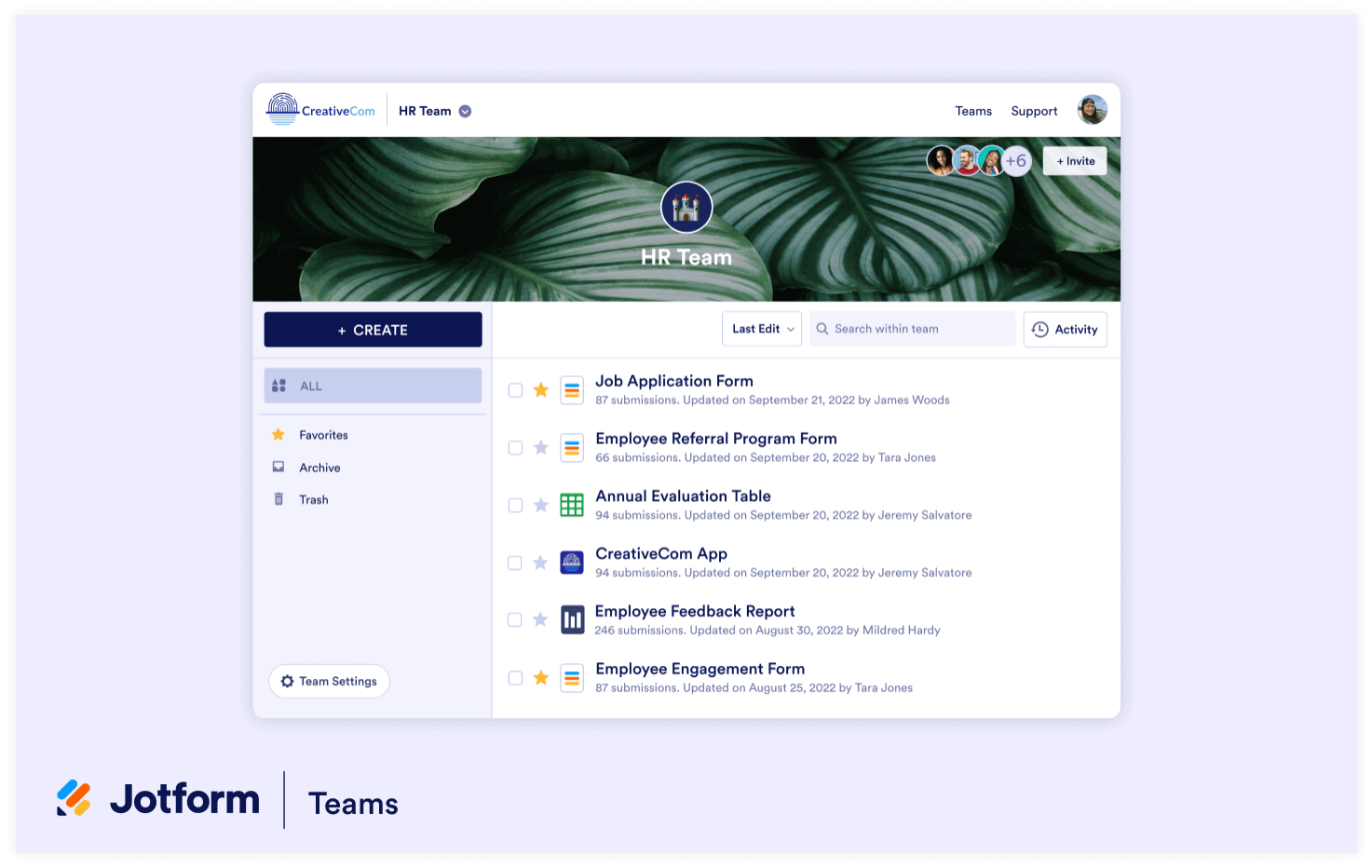
 one place

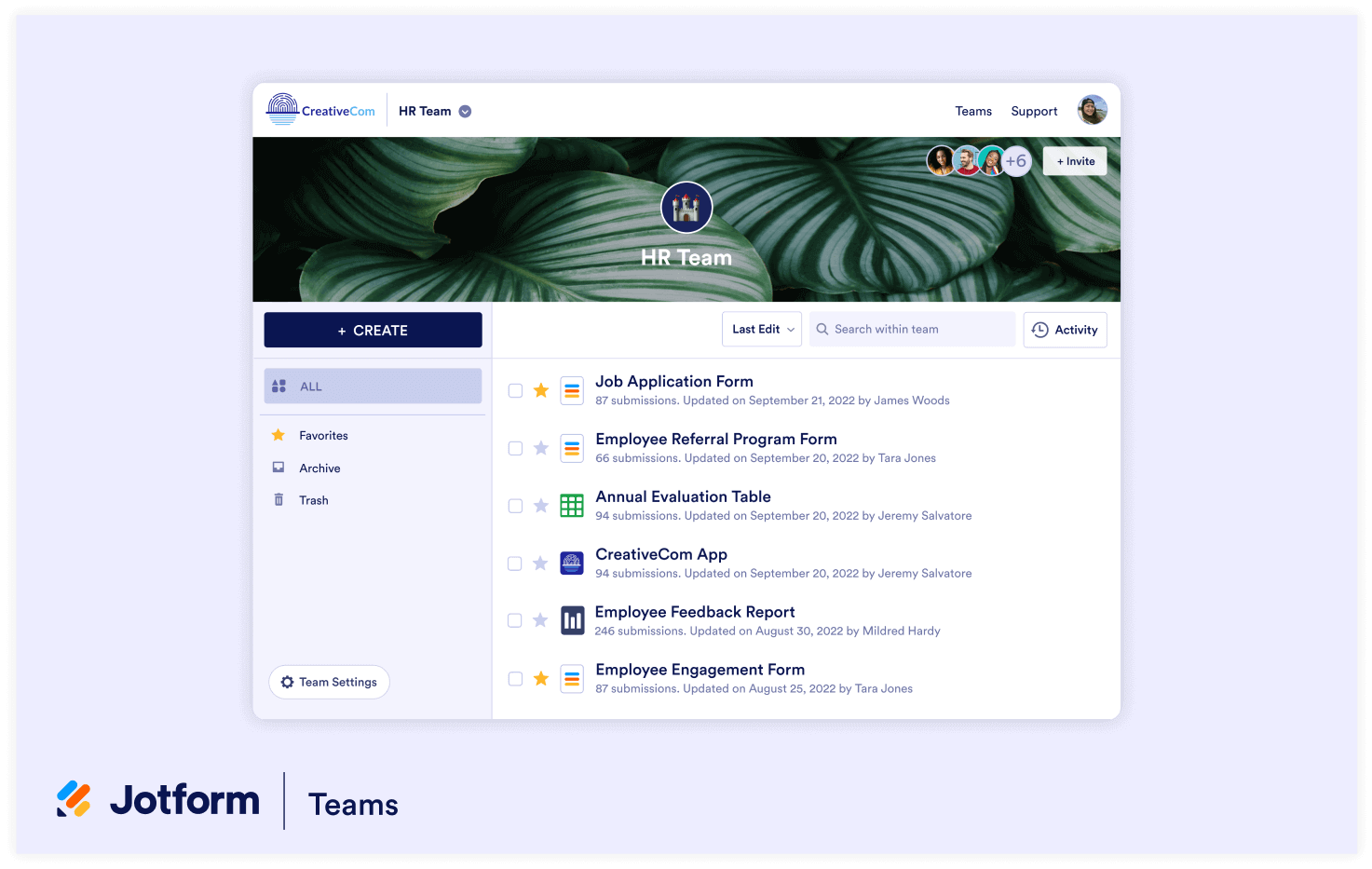
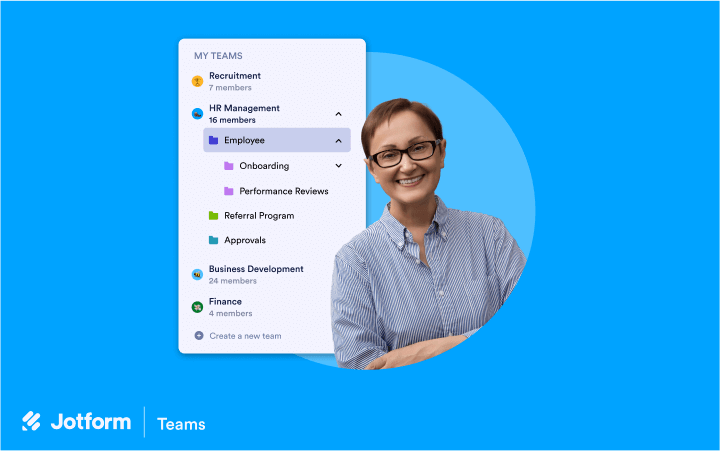
Give each team their own workspace to share information and collaborate online. Team members can create forms, apps, tables, e-sign documents, and approval flows — then share and manage them with ease.

[Download Image](https://www.jotform.com/p/teams/assets/img/media/jotform_teams_1.png)

![Image 6: Media-1 Image](https://cdn.jotfor.ms/image/r/aHR0cHM6Ly9jZG4uam90Zm9yLm1zL3AvdGVhbXMvYXNzZXRzL2ltZy1taW4vbWVkaWEvam90Zm9ybV90ZWFtc18xLnBuZw==/jotform_teams_1.png?w=1473&t=1)[Download Image](https://www.jotform.com/p/teams/assets/img/media/jotform_teams_1.png)

## Role-based access control

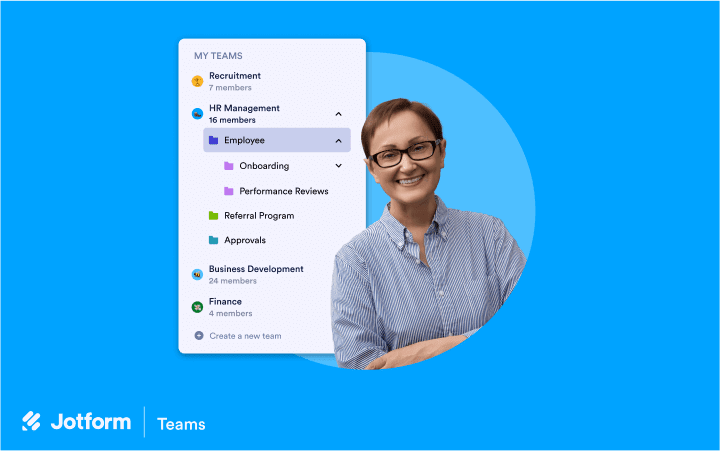
Assign different roles to different team members based on what you’d like them to be able to create, edit, and view within your workspace.

[Download Image](https://www.jotform.com/p/teams/assets/img/media/jotform_teams_2.png)

![Image 7: Media-2 Image](https://cdn.jotfor.ms/image/r/aHR0cHM6Ly9jZG4uam90Zm9yLm1zL3AvdGVhbXMvYXNzZXRzL2ltZy1taW4vbWVkaWEvam90Zm9ybV90ZWFtc18yLnBuZw==/jotform_teams_2.png?w=1481&t=1)[Download Image](https://www.jotform.com/p/teams/assets/img/media/jotform_teams_2.png)

## Organize team projects with folders

Assign different roles to different team members based on what you’d like them to be able to create, edit, and view within your workspace.

[Download Image](https://www.jotform.com/p/teams/assets/img/media/jotform_teams_3_v01.png)

![Image 8: Media-3 Image](https://cdn.jotfor.ms/image/r/aHR0cHM6Ly9jZG4uam90Zm9yLm1zL3AvdGVhbXMvYXNzZXRzL2ltZy1taW4vbWVkaWEvam90Zm9ybV90ZWFtc18zX3YwMS5wbmc=/jotform_teams_3_v01.png?w=40&t=1)[Download Image](https://www.jotform.com/p/teams/assets/img/media/jotform_teams_3_v01.png)

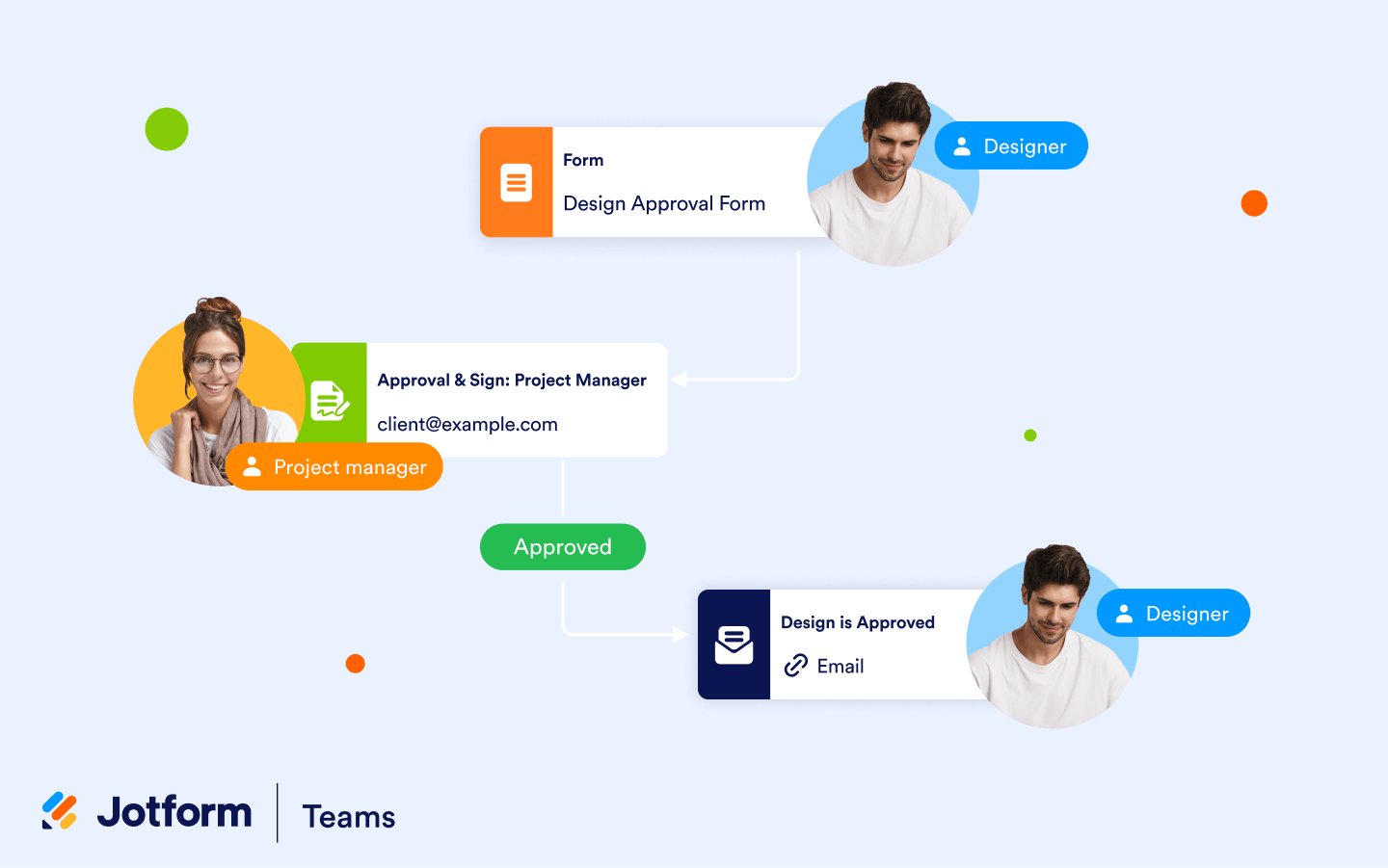
## Create workflows within your team

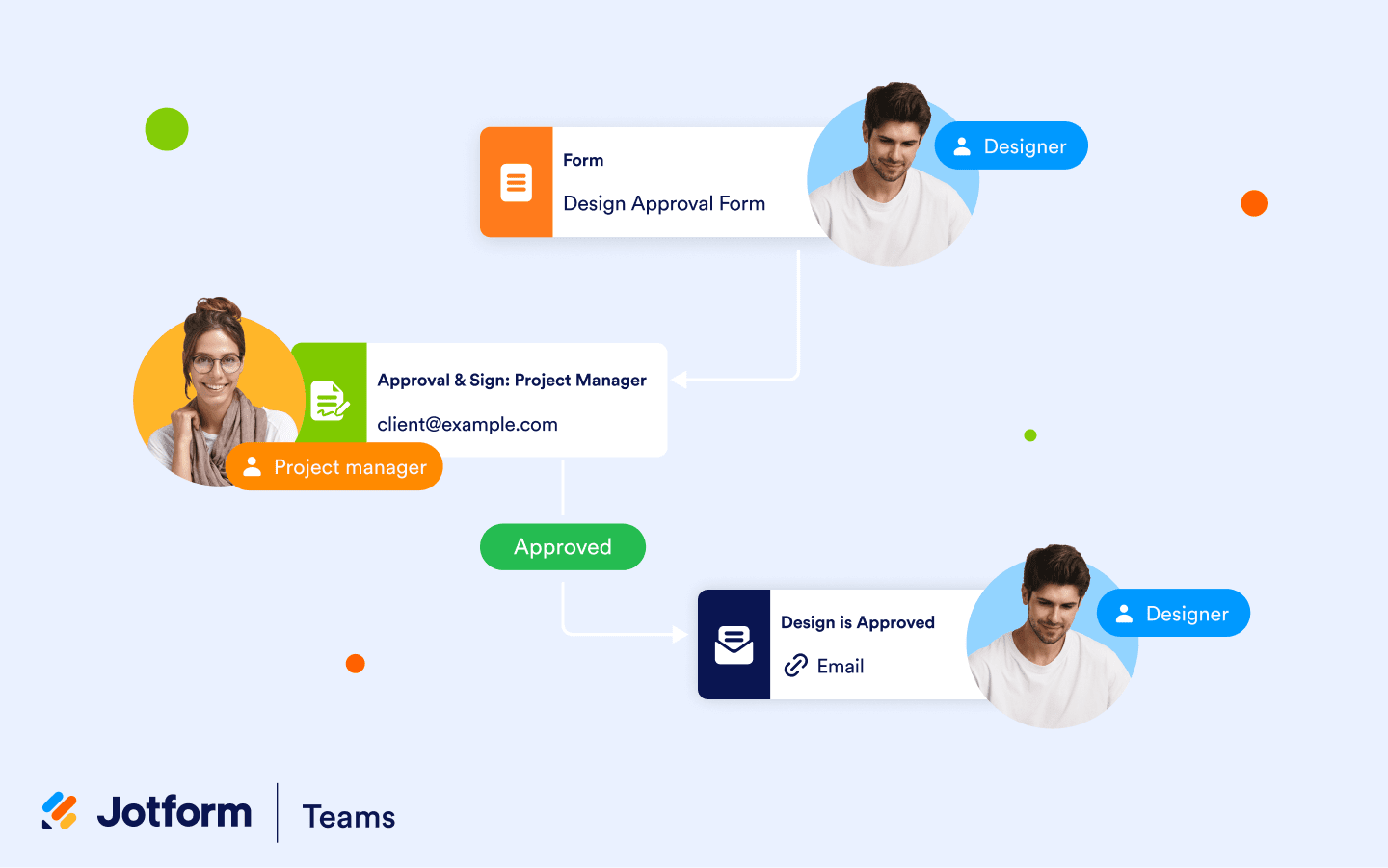
Set up an approval flow to reduce back-and-forth emails and automate manual processes. Once you receive a form submission, it will instantly be forwarded to the right team member for their review so they can approve or respond to it.

[Download Image](https://www.jotform.com/p/teams/assets/img/media/jotform_teams_4_new.png)

![Image 9: Media-4 Image](https://cdn.jotfor.ms/image/r/aHR0cHM6Ly9jZG4uam90Zm9yLm1zL3AvdGVhbXMvYXNzZXRzL2ltZy1taW4vbWVkaWEvam90Zm9ybV90ZWFtc180X25ldy5wbmc=/jotform_teams_4_new.png?w=40&t=1)[Download Image](https://www.jotform.com/p/teams/assets/img/media/jotform_teams_4_new.png)

## Download Media Assets

Images can be downloaded and used for editorial purposes only. All other uses are prohibited.

![Image 10: Download Brand Assets](https://cdn.jotfor.ms/p/teams/assets/img-min/media/icon-brand.svg)
### Brand Assets

[Download](https://www.jotform.com/resources/assets/media-kit.zip "Download Brand Assets")

![Image 11: Download Media Assets](https://cdn.jotfor.ms/p/teams/assets/img-min/media/icon-media.svg)
### Media Assets

[Download](https://cdn.jotfor.ms/assets/downloads/products/teams/Jotform_Teams_Media_Assets_v03.zip "Download Media Assets")

![Image 12: Download Press Kit](https://cdn.jotfor.ms/p/teams/assets/img-min/media/icon-press.svg)
### Press Kit

[Download](https://cdn.jotfor.ms/assets/downloads/products/teams/Jotform_Teams_Press_Kit_v02.zip "Download Press Kit")