
Top 7 free QR code generators
You point at a QR code and the restaurant menu loads before you’ve finished taking your coat off. It’s such a small and easy experience — point, tap, done — that you don’t think about it until you want to make one.
You don’t need to pay $12 per month for a QR code: There are good free QR code makers that don’t lock basic features behind paid plans. I tested over 30 tools and short-listed the seven best options to help you generate your first code right away.
| Tool | Best for | What I liked most |
|---|---|---|
 Jotform QR Code Generator |
Fast, easy QR code creation |
|
 QR TIGER |
Static + dynamic + integrations (a flexible all-rounder) |
|
 Flowcode |
Dynamic QR codes (free plan that actually works long term) |
|
 QRCode Monkey |
Printing high-resolution QR codes |
|
 QRCodeChimp |
Deep design customization (branding-forward QR codes) |
|
 QRBatch |
Generating QR codes in bulk |
|
 VecteezyQR |
Adding branded QR codes directly to marketing materials |
|
1. Jotform QR Code Generator: Best free QR code generator for fast, easy QR code creation
Create QR Codes in Minutes
Need a QR code in under 60 seconds? Jotform QR Code Generator delivers: no need to sign up for an account, no hidden fees or paywalls of any kind.
Converting your link to QR code is as easy as pasting your URL, choosing the QR code layout like a black QR code, and hitting generate. The design options lean professional: you can add a label to let your users know what to expect, customize the colors to match your branding, and pick one of the clean styles. You can also upload your logo to have it featured in the center of the code.
More than URLs, Jotform supports multiple link types, so your users jump from the camera directly to an app or to specific smartphone functionality. Look to the top of the interface to find all the options: you’ll find ways to share your phone number, a CV, or PayPal details. The setup is minimal for you, and the experience is much smoother for your users, especially when compared with the alternative URL-and-redirect method.
There are no dynamic QR codes here, true. But there are also no messy pricing pages, rules and limitations to be familiar with, or the chance that your QR codes will break in the future when something changes. The Jotform QR Code Generator is simple, dependable, and predictable, the best option for generating all the codes you need, minus the headache.
- Pros:
- Generate codes without signing up
- 50 link types supported
- Good customization tools
- Cons:
- No dynamic QR codes
- PNG download only
- Plans/Pricing:
- Free


2. QR TIGER: Best free QR code generator for a flexible option
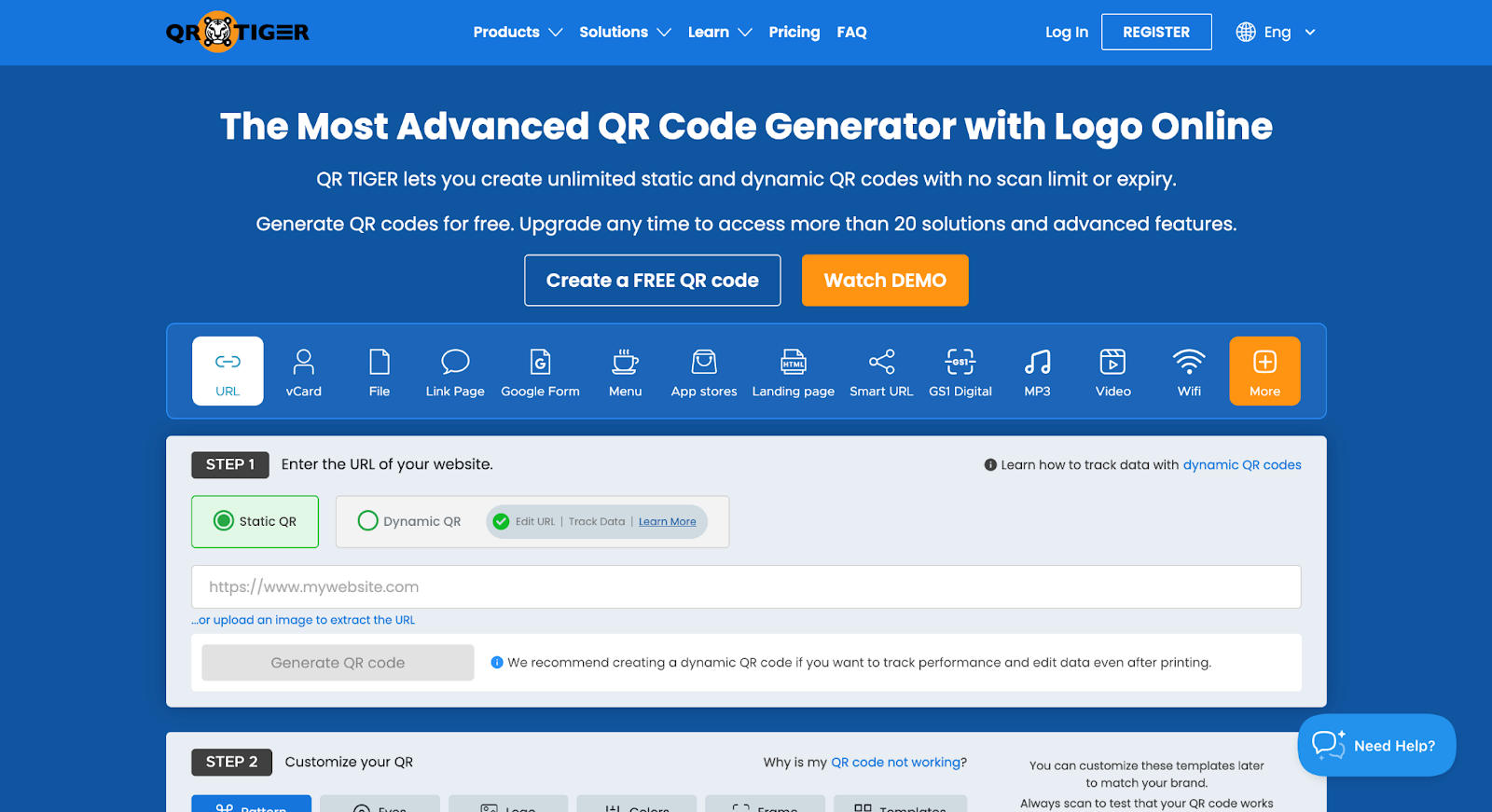
When you need a simple code today, a dynamic one tomorrow, or great design next week, QR TIGER is the QR code creator software that handles every scenario. It doesn’t excel in any particular feature when compared with others on this list, but it’s strong across the board.
After you paste in your URL, browse the customization tools. QR TIGER has range: you can change the code’s pattern, eye design, and colors. Want a strong design statement with a single click? The template section has punchy starting points to create a more engaging QR code.
Some link types are mini products that QR TIGER created to handle specific challenges. For example, if you want to create a link-in-bio-style page to attach to a QR code, the editor interface changes to let you add all your social media channels and fully customize that page with your branding. Unfortunately, some of these either rely on dynamic QR codes (which are limited on the free plan) or have entirely separate pricing. Still, it’s worth a look: it might match your use case perfectly.
The native integrations add another layer of flexibility. You can generate codes here and then import them into any Canva design, a good time-saver when you’re producing new visuals from scratch. Beyond that, it integrates with monday.com, HubSpot, and Zapier, great if you need productivity, sales features, or automation in the mix.
- Pros:
- ISO 27001 certified and compliant with GDPR
- 24 link types
- Well rounded in design tools and advanced settings
- Cons:
- Scan limits for dynamic codes on a free plan can break codes unexpectedly
- Dynamic QR codes show QR TIGER branding before redirecting
- Plans/Pricing:
- Free for unlimited static QR codes and three dynamic codes with 500 scans each
- Regular plan at $7 per month.
3. Flowcode: Best free QR code generator for dynamic QR codes
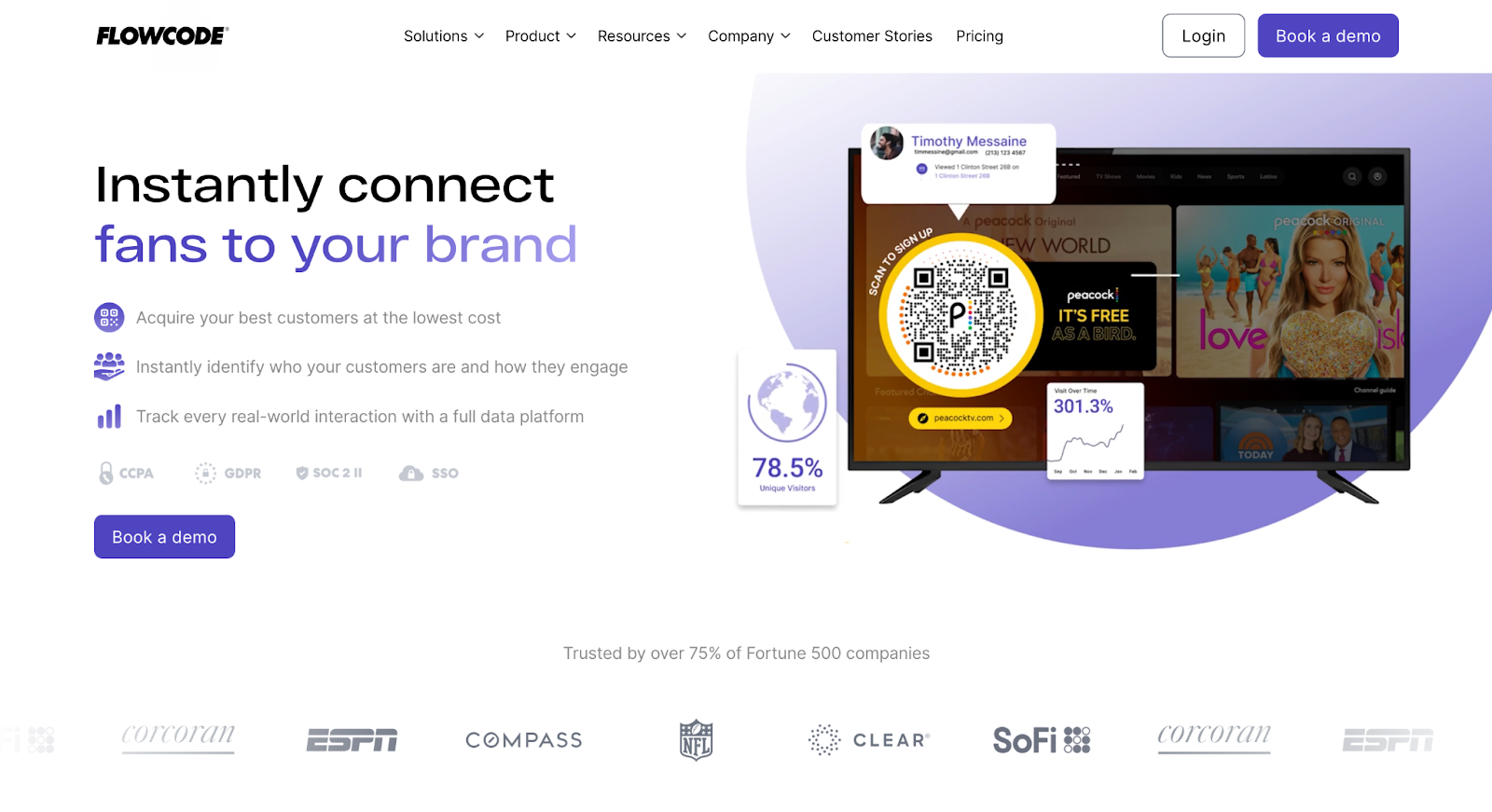
In places like event venues or restaurants, you want to print and place codes once, not every time anything changes. Dynamic QR codes solve this: you can change the destination URL without reprinting the code. Flowcode’s free plan is the best on the market compared with other dynamic QR alternatives, offering two codes without scanning limits, perfect for small businesses or personal projects.
The website pushes you to book a demo, but you can get your free account by visiting the pricing page here and clicking on Flowcode 1 for Individuals. The free plan has a signup button you can use for self-service registration, so you can start generating codes without a sales call.
Logging in, you’ll notice the interface’s enterprise-leaning look, with tabs to manage all codes you’ve created so far, scan analytics, work with templates, or manage your team accounts. The process of creating a new code is easy, with strong design features that let you play with colors, shapes, logos, and top/bottom text labels. Advanced settings include optimizing the QR code for video, extending the functionality beyond static websites or printed materials.
While you have plenty of design freedom with these tools, the free plan adds Flowcode’s branding to your codes, which might be a drawback if you need a perfectly clean result. That said, the branding is discreet: if you value functionality over aesthetics, these two free dynamic QR codes offer strong long-term value at no cost.
- Pros:
- CCPA, GDPR, and SOC-II compliant
- Codes keep working even if you hit analytics limits
- Includes mobile landing page builder
- Cons:
- Generated codes contain Flowcode brand on free plan
- Plans/Pricing:
- Free plan for two dynamic QR codes, unlimited scans, and analytics for the first 500 scans.
- Pro plan for individuals at $60 per month. Enterprise plans available.
- Only offers two dynamic codes on the free plan
4. QRCode Monkey: Best free QR code generator for printing high-resolution codes
Free doesn’t mean fuzzy. QRCode Monkey generates print-ready QR codes at high resolution without charging a cent, so your code doesn’t crash the beautiful design on your printed materials.
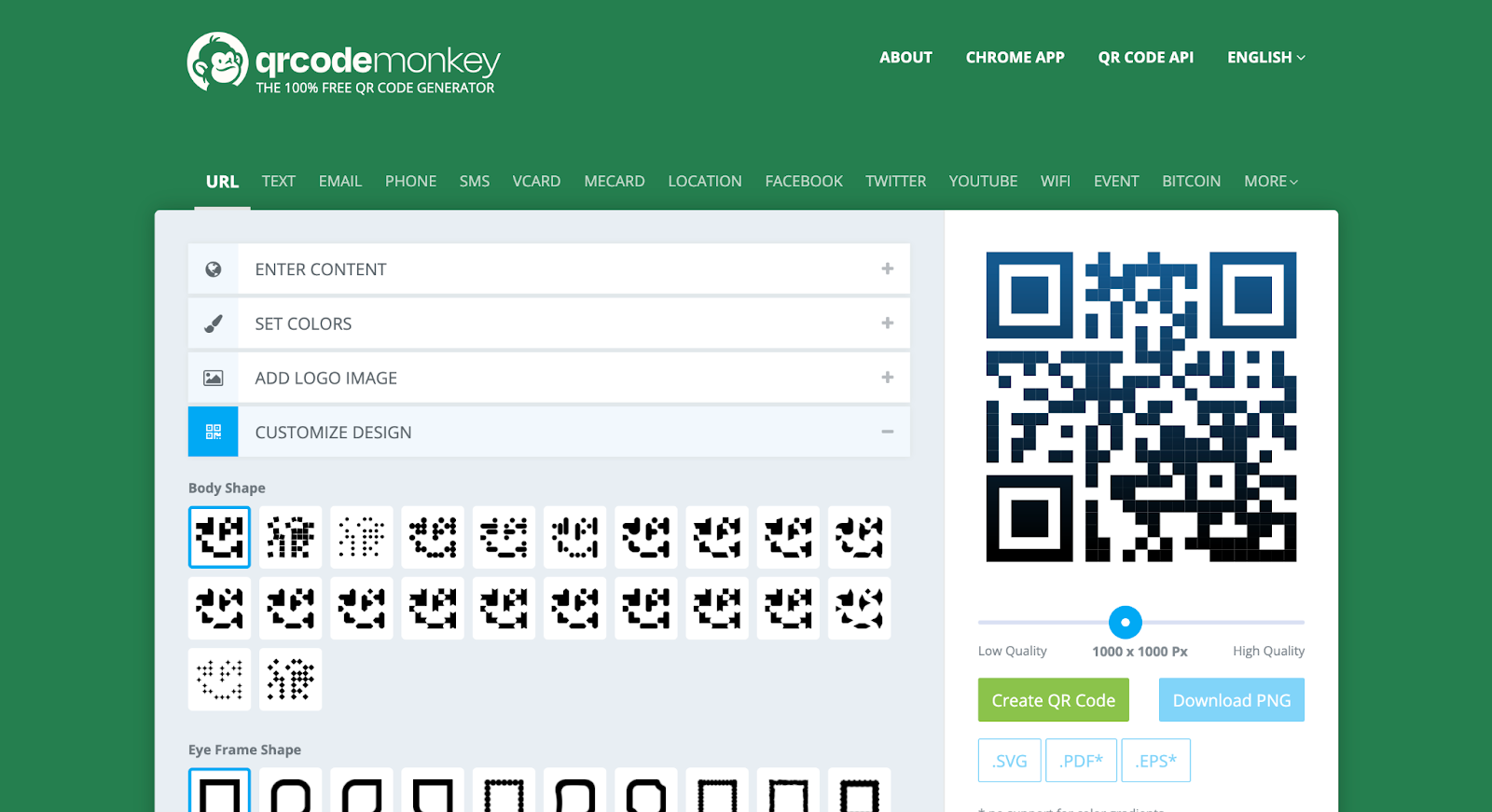
Tuning the resolution is really easy: under the QR code preview, adjust the slider to resize anywhere from 200px to 2,000px. More than that, it supports four download formats to simplify the export workflow. PNG covers basic needs; PDF offers a printer-friendly export; SVG offers a fully scalable image, helpful for larger sizes; and EPS is the legacy option for compatibility.
The design features are robust, with plenty of body and eye frame styles. The color controls look simple at first glance but offer more depth than expected, including gradients and separate eye color customization. The preview doesn’t update as you select new options, so always remember to click the create code button to see how each option looks.
QRCode Monkey is great for static QR codes, but there’s a bit of a catch with the dynamic QR codes. The user interface offers the “statistics and editability” setting, but that’s not native to QRCode Monkey itself: when you activate it, you’ll actually be taken to a different tool, QR Code Generator Pro. This is at the root of a lot of mismatched expectations in online reviews, as that’s a separate tool with a paid plan available.
- Pros:
- Good customization tools
- 22 link types available
- Exports to PNG, SVG, PDF, and EPS
- Cons:
- Only provides static codes; dynamic QR codes require signing up for a separate paid platform
- User interface not as intuitive as others
- Plans/Pricing:
- Free for unlimited static QR codes.
5. QRCodeChimp: Best free QR code generator for varied design customization tools
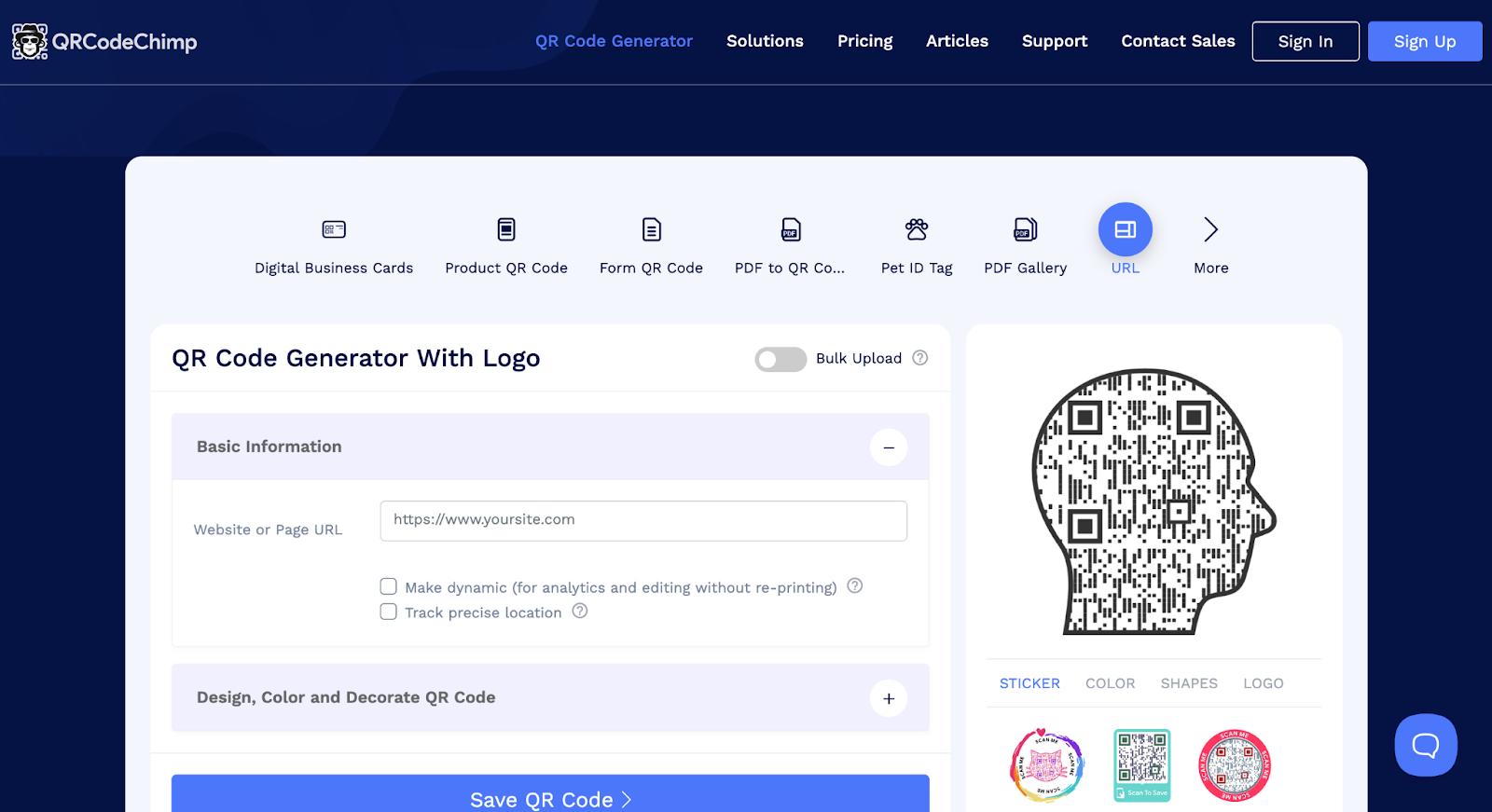
Most options on this list already have strong design tools. QRCodeChimp works as a custom QR code designer that takes it a step further, so your code can be part of a branding statement, not just a functional element you include because you have to.
Starting with the code customization itself, you can change the body type and the scaling of the pattern, including the stroke width. This lets you adjust how “noisy” or “sharp” the pattern looks. Beyond eye frames and ball types, you can adjust the scaling to make it more impactful.
Color controls are equally granular. The foreground color can be single or a gradient, with options for stroke, eye, eye stroke, eyeball, and background color available. Similar detailed controls are also present for logo customization.
As for what’s around the code, you can choose one of 72 shapes, including a circular frame and objects like a guitar or a book. Stickers add another outer layer to the code, so you can control the framing without having to use a graphic design app.
As you try out different design options, it’s easy to get carried away with aesthetics. You can create something appealing to the human eye, but not technically sufficient for cameras: QR code detection speed can suffer for more complex designs, so always keep testing whenever you make a major change.
- Pros:
- SOC 2 Type II certified and complies with GDPR
- Strong security features
- Useful business card sharing features on the free plan
- Cons:
- Limited link types
- Some design combinations can break QR code functionality
- Plans/Pricing:
- Free for unlimited static QR codes and 10 dynamic codes with 1,000 total scans per month.
- Starter plan at $9.99 per month.
6. QRBatch: Best free QR code generator for generating codes in bulk
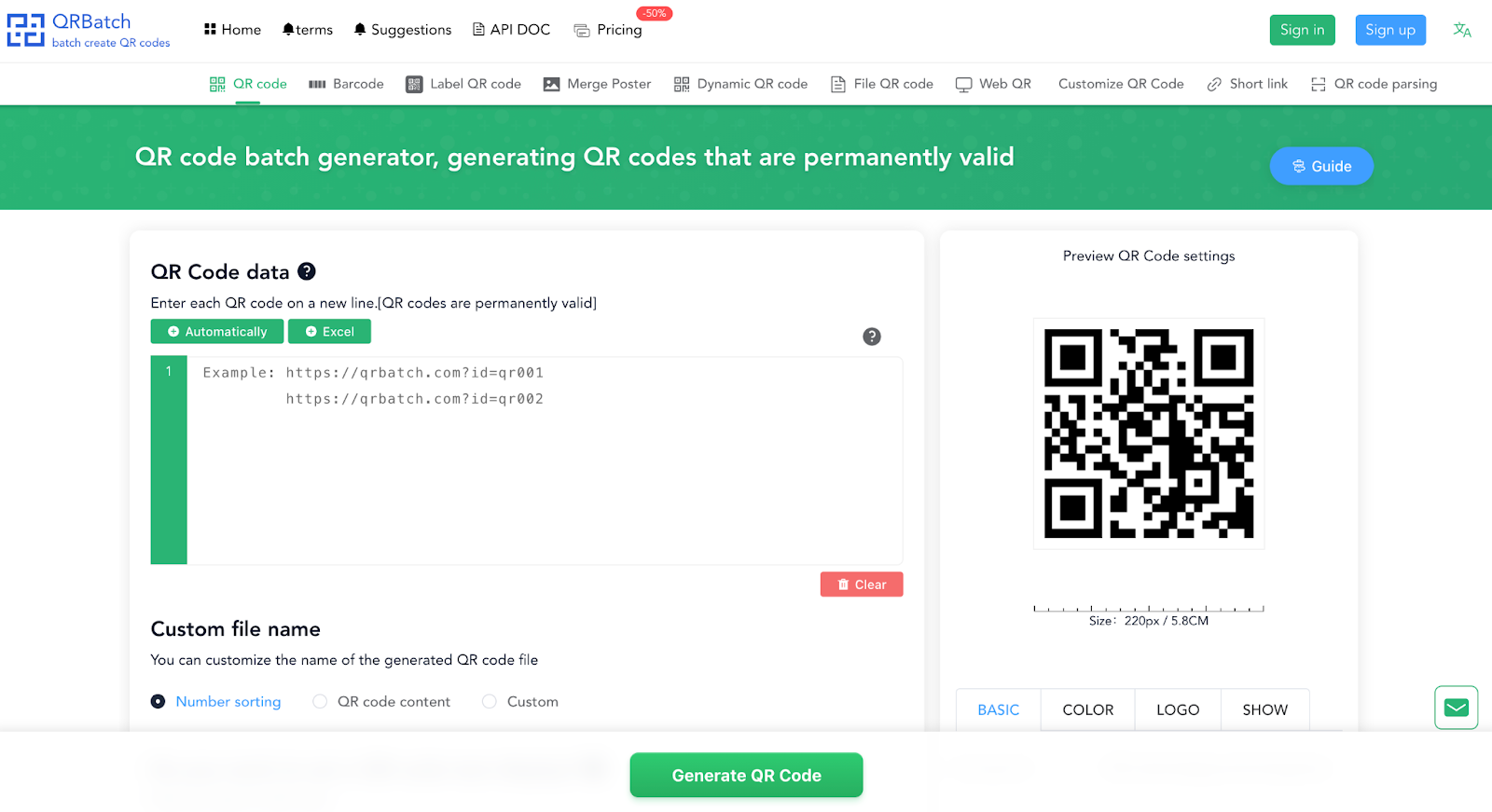
Creating 10 unique QR codes takes 10 minutes. A hundred for a small product line becomes tedious, and the repetition makes it easy to miss one or two. QRBatch turns the grind into uploading a list and getting your codes in bulk, no extra clicks required.
Instead of a single-line input field, you get a multiline box to enter a list of URLs. You can copy/paste your links into the box or import an Excel file. The app lets you customize file names so you can easily keep track of which code belongs to each link. You’ll get everything as a ZIP file, ready to extract and place all the codes on their corresponding assets.
The tools and available settings are good enough to customize your code. You can set up colors, logos, and label placement. QRBatch generates print-friendly codes as well: you can edit the detail of each code by adjusting the size and resolving power controls.
QRBatch’s user interface isn’t as sharp as others, but you’ll get the gist of it quickly. It handles the core task of turning a list of links into static QR codes, but mind the daily generation limit. It’s good for casual to moderate use, fitting the needs of most small businesses.
- Pros:
- No account needed
- Transparent background supported
- Advanced settings such as resolving power (DPI)
- Cons:
- Only lets you generate 200 codes daily
- User interface not as intuitive or polished as other options on this list
- Plans/Pricing:
- Free plan for unlimited QR codes, with batch generation limited to 200 daily.
- Standard plan at $15 per month.
7. Vecteezy QR Code Generator: Best free QR code generator for incorporating into marketing materials
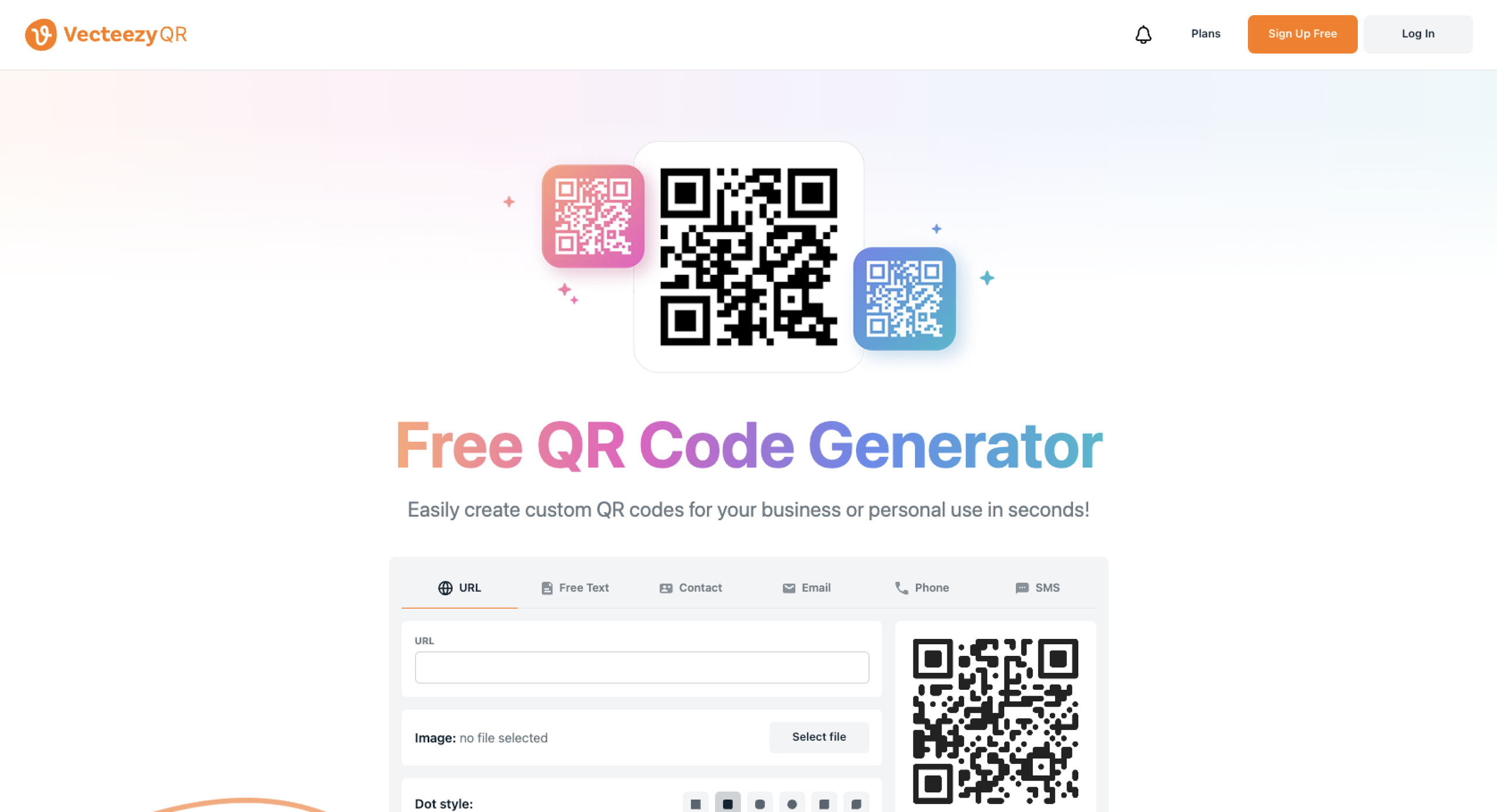
Vecteezy’s QR code generator is a straightforward free option that doesn’t require an account or login. You can create QR codes that lead to URLs, text and SMS messages, contact information, emails, or phone numbers.
When you create your custom QR code, you can select any color for the dots and background, and you can also select from six different dot styles. Optionally, you can upload an image or logo to go in the center of the QR code. While these features are simple, they make it easy to create a QR code that matches your branding.
The standout feature is that after you generate the QR code, it can be easily moved into Vecteezy’s browser-based editor and used in the design of business cards, flyers, brochures, invoices, and more.
- Pros:
- No account or login required
- Simple process that includes some customization options
- Integration with the Vecteezy editor
- Cons:
- Only static QR codes
- Some of the templates in the editor (business cards, brochures, etc.) require a Vecteezy Pro subscription
- Plans/pricing:
- Free for unlimited static QR codes
How I tested the best QR code generators
- Speed and ease of use. No weird user interfaces, no complicated setups, no endless configuration flows.
- Scan reliability and mobile responsiveness. I tested every QR code with my phone camera at different sizes to see how quickly it registered.
- Customization and branding flexibility. A QR code is a branding opportunity, so I made sure to include options that let you adjust colors, logos, and styling.
- Privacy, security, and data practices. Especially important for dynamic QR codes, I checked how each tool handles code generation and tracking to make sure your data stays protected.
- Is free really free? I disqualified every app that seemed free at the start but required credit card details or a plan to let you download your code.
Honorable mentions
These two options didn’t fit perfectly within my testing criteria, but they’re worth mentioning for specific situations:
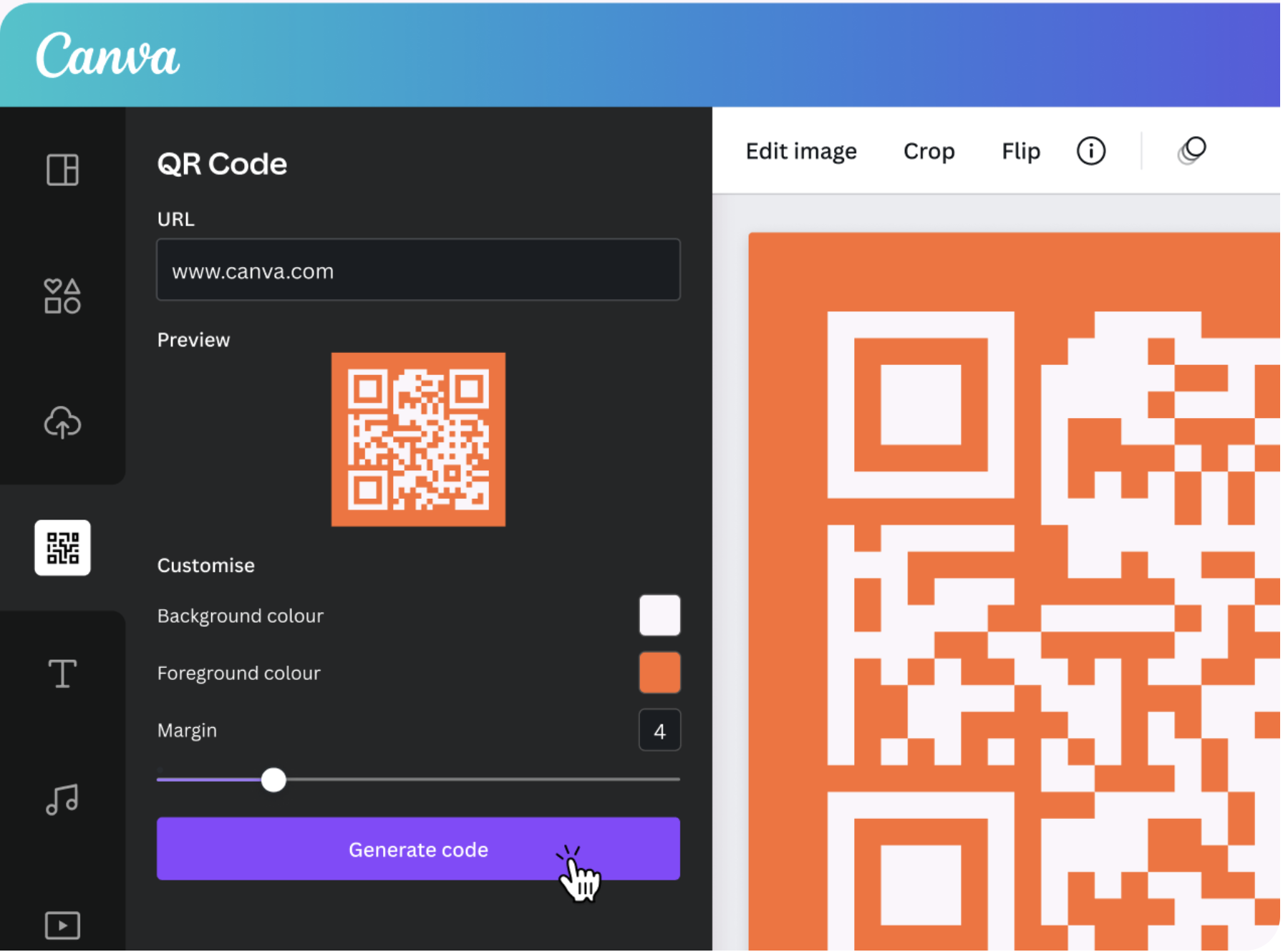
- Canva works well if you’re already designing marketing materials. Its built-in QR code generator lets you add very simple codes directly to posters or flyers without switching apps. Need more customization? It also integrates with QR TIGER, so you can import codes with advanced styling.
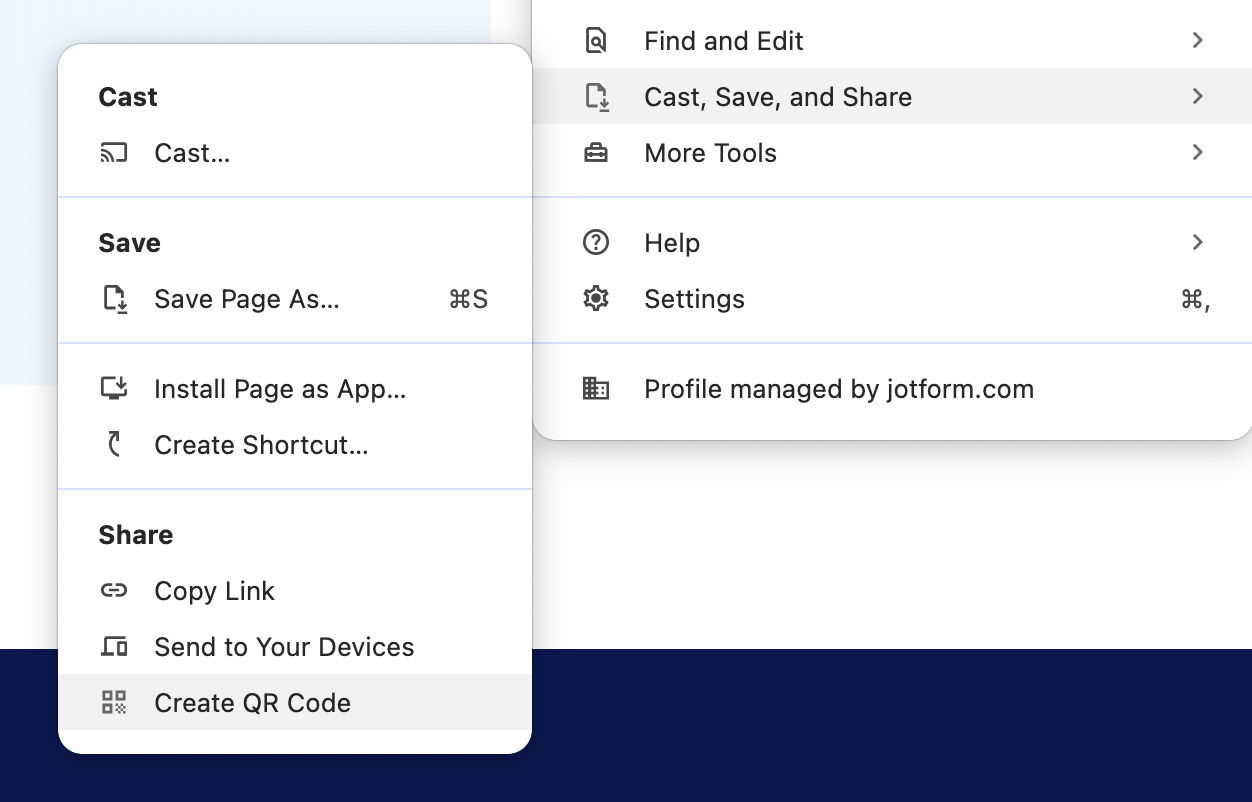
- Google Chrome offers the fastest option for sharing a webpage. Right-click any page and select “Create QR Code for this page” for an instant scannable code. If you’re in a web app where right-clicking doesn’t work, open the settings menu, go to “Cast, save and share,” then click “Create QR code.” It’s perfect for quick sharing without opening a new browser tab or separate QR tool.
Smart QR codes simplify engagement
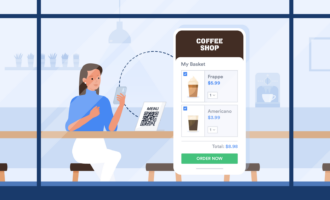
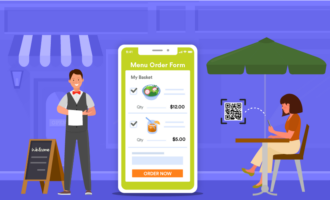
QR codes are powerful because they’re so simple, removing friction between the physical and the digital world. You can make ordering food easier, reduce wait times at ticket gates, or offer more information about a space without signage clutter.
The best way to find which platform works for you is to test a couple of options on this list, and see which one feels right. If you’re comparing tools, it’s also worth considering factors like features, customization, and overall QR code cost to make sure you’re getting the best value. That said, if you’d rather skip the comparison and start generating codes right away, Jotform offers flexibility and ease without the usual paywalls.
With these QR code generator free online options, your first QR code is five minutes away. Jump in.
Frequently asked questions about free QR code generators
Free static QR code generators are usually safe. Free apps that generate dynamic QR codes may introduce risks: collecting and sharing data with third parties, using broken or expired codes, and being vulnerable to redirection attacks (where the QR code points to a phishing site instead of the one you set).
Always check the privacy policy of free dynamic QR code generators and read online reviews to gauge which is the safest for you.
A static QR code contains a destination that’s hard coded into the QR pattern. Once generated, it can’t be changed and it doesn’t allow for analytics tracking. A dynamic QR code lets you change the destination of the code, often including analytics, but depends on the provider’s redirect to stay active: if the platform you used to generate it goes out of business, the QR code may break.
Static QR codes usually don’t expire: the URL is embedded into the QR pattern, so it’ll keep working as long as that URL is still live. Dynamic QR codes may expire depending on the platform you used to generate them: some have free trials or free plans that place limitations on ongoing availability.
Many free QR code creator tools let you change colors and sometimes even add a logo, although the customization depth can vary widely. Bear in mind that adding these can hurt scan reliability: always keep high contrast, preserve the quiet zone, and keep the logo small.
Scan tracking is usually only available in dynamic QR code generators. Doing so requires servers to track and redirect users: this is why analytics are usually a paid or freemium feature, sometimes with limitations.
While detailed scan tracking is a feature of dynamic QR codes, you can still implement simple tracking with static QR codes. You can do so by adding UTM parameters to the end of the destination link, generating a QR code, and then using your website analytics reports to learn more about visits and conversions attributed to the associated URL.
This article is for the small businesses, marketers, creators, educators, nonprofits, and anyone needing a simple, reliable QR code tool without running into paywalls.





















































Send Comment: