
A move from Etsy to Shopify is a huge step up. You get your own storefront, more control over how you sell, and considerably fewer reminders you’re building your business in somebody else’s marketplace.
There is, however, one fairly rude catch — your hard-earned reviews don’t travel with you.
That means you could have hundreds of glowing Etsy reviews but still open the doors to your new Shopify store looking as if nobody’s ever bought from you before. And shoppers notice: 98 percent of consumers consider reviews an essential resource when making purchase decisions, according to PowerReviews.
Luckily, you don’t have to abandon years of five-star evidence at the Etsy exit. You can import your reviews with a paid Shopify app, display them with a free visual widget, or simply add screenshots yourself.
I’ll walk you through how to do all three below.
Option 1: Install a Shopify review importer app
The Shopify App Store has a dedicated collection for apps that bring Etsy product reviews into Shopify.
At the time of writing, that collection includes four options. And two of them — Reputon Etsy Reviews and Kudobuzz Product Reviews & UGC — also carry the Built for Shopify badge. Shopify awards this designation to apps that meet its standards for performance, design, and integration, so it’s a great signal when you’re comparing options.
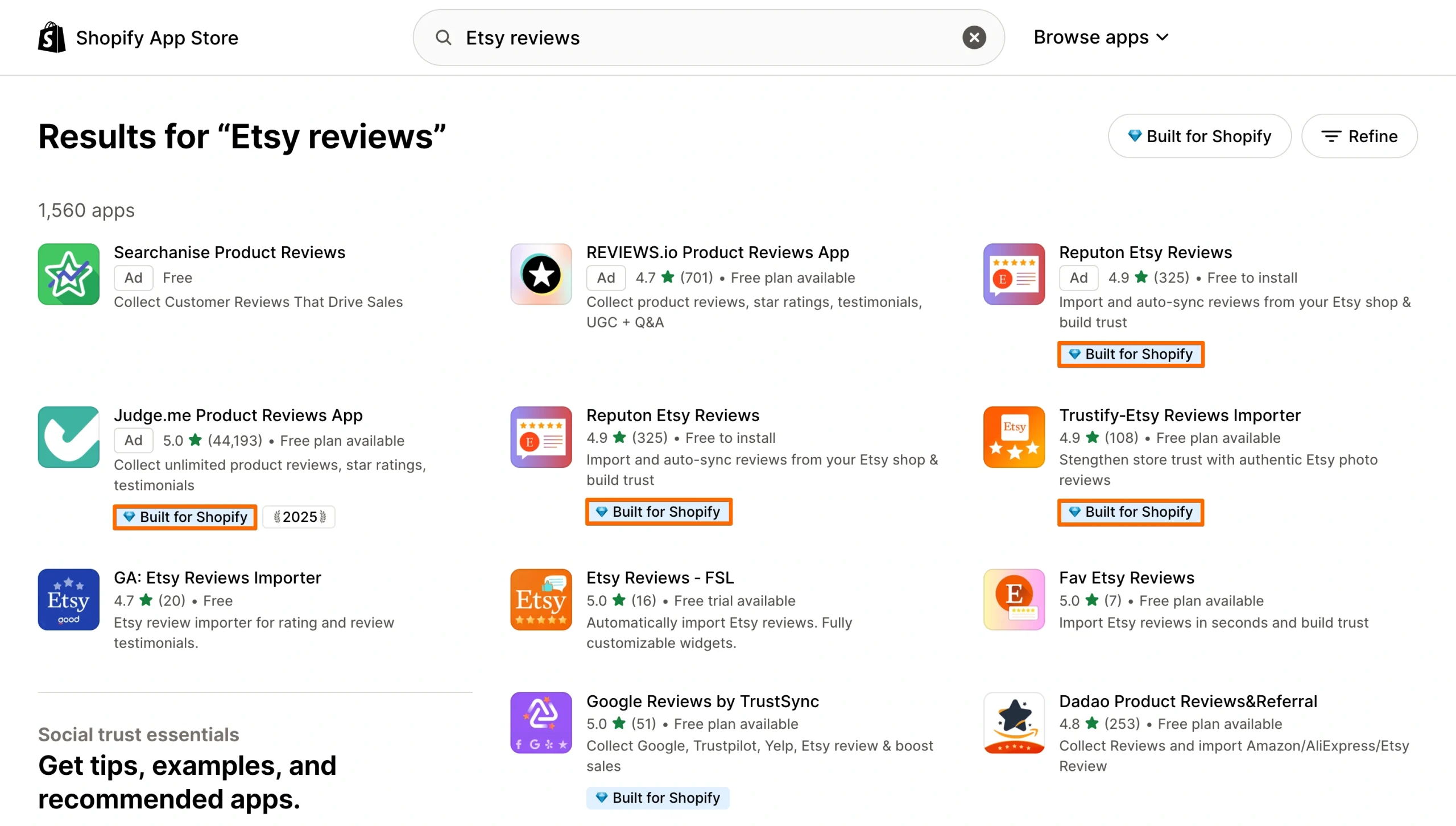
But pricing varies. Some apps are free to install or offer a trial, while paid plans in the current collection start at roughly $6 to $20 per month.
Here’s the general setup process:
- Choose an Etsy review importer: Open the Shopify App Store collection, compare features and pricing, and check for signals such as the Built for Shopify badge. Once you’ve chosen an app, click Install and review the permissions it requests.
- Connect your Etsy shop. Open the app from your Shopify admin and follow its instructions to connect or enter your Etsy store. Depending on the app, you may need to match Etsy listings with the corresponding products in Shopify.
- Choose how your reviews appear. Configure the review widget and decide where to display it, such as individual product pages or your homepage; some apps automatically sync new Etsy reviews.
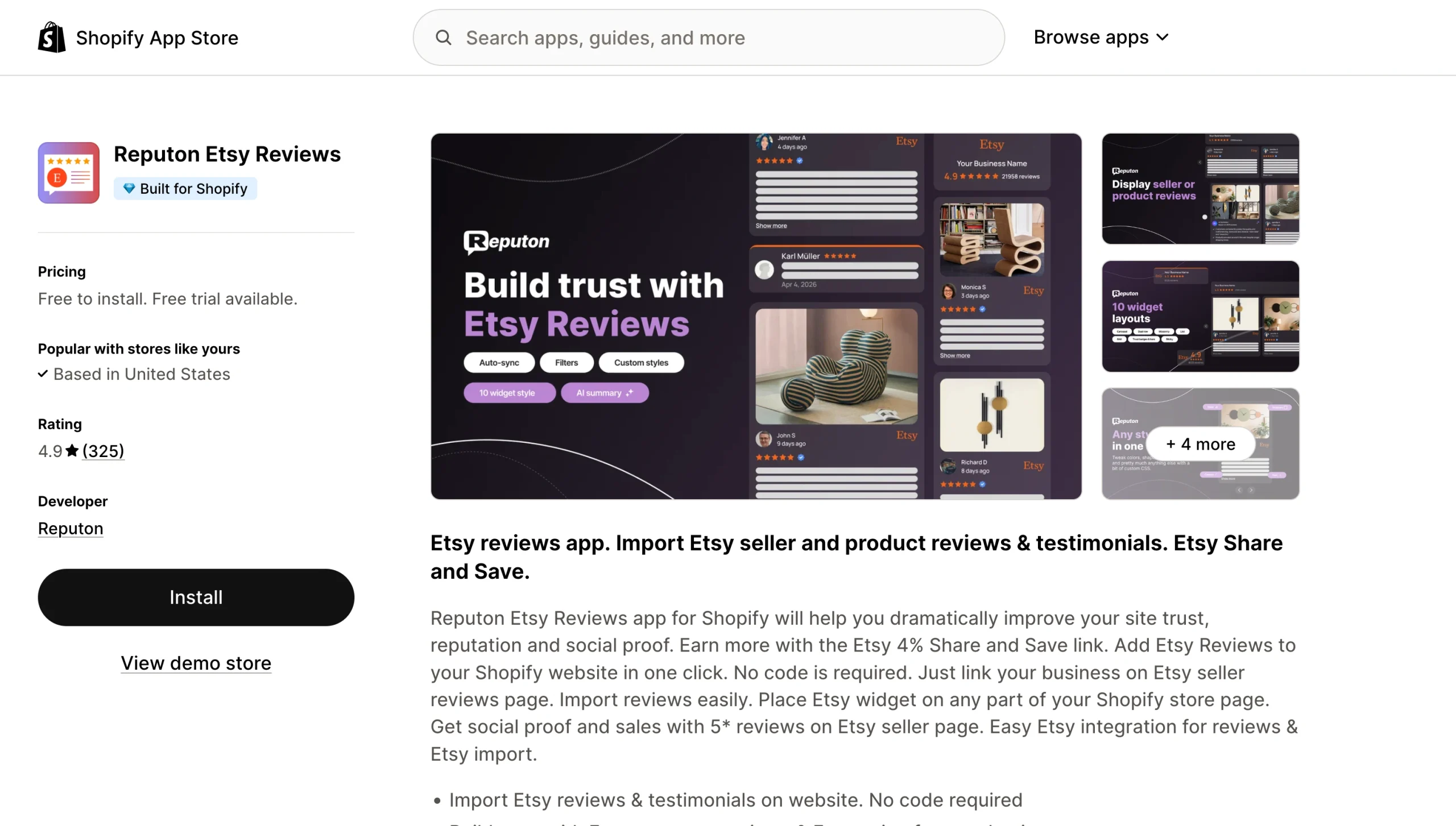
When you want reviews to sync automatically, an importer app is convenient, but ongoing features require a subscription. Plus, it’s worth checking performance after installation. Shopify recommends monitoring Web Performance reports when you add apps or make other storefront changes.
If you only need to display a few existing Etsy reviews though, a dedicated importer may be more than you need. That brings us to the next option.
Option 2: Use a free, customizable reviews widget
The Jotform Etsy Reviews Widget is a free, no-code alternative to importer apps that automatically pulls reviews from your Etsy shop and keeps them updated. Jotform’s Starter plan includes unlimited access to all Website Widgets features until 2027, so you can use the widget for free for now.
But they’re priced separately from other Jotform products, so check the current Website Widgets plans before choosing this option.
Here’s how to set it up:
- Connect your Etsy shop: Open the widget builder and paste your Etsy shop URL. Jotform will pull in your rating and public reviews automatically.
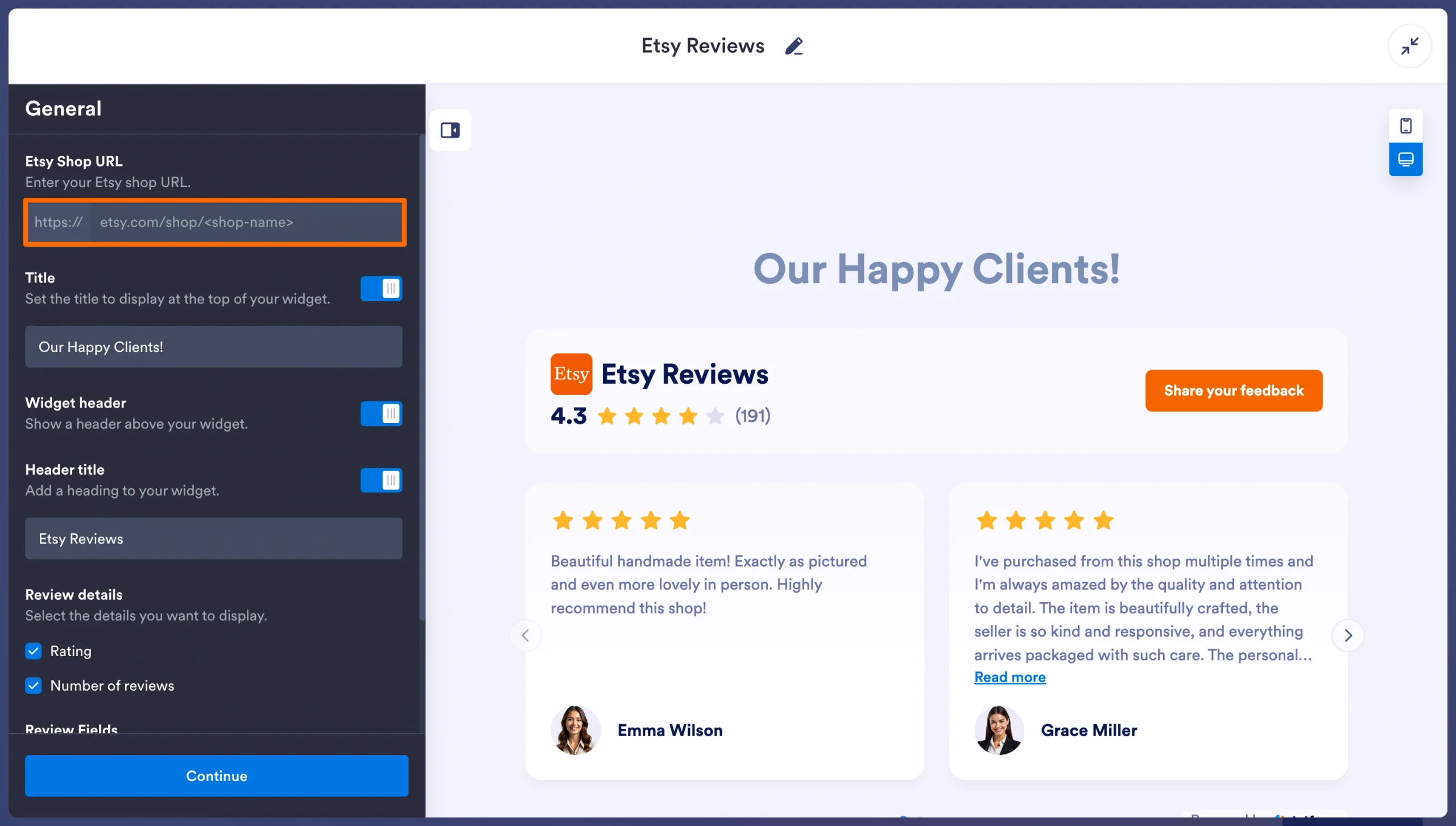
- Make it look like yours: Choose from carousel, slider, grid, list, masonry, or badge layouts, then customize elements such as the title, theme, colors, review details, and CTA.
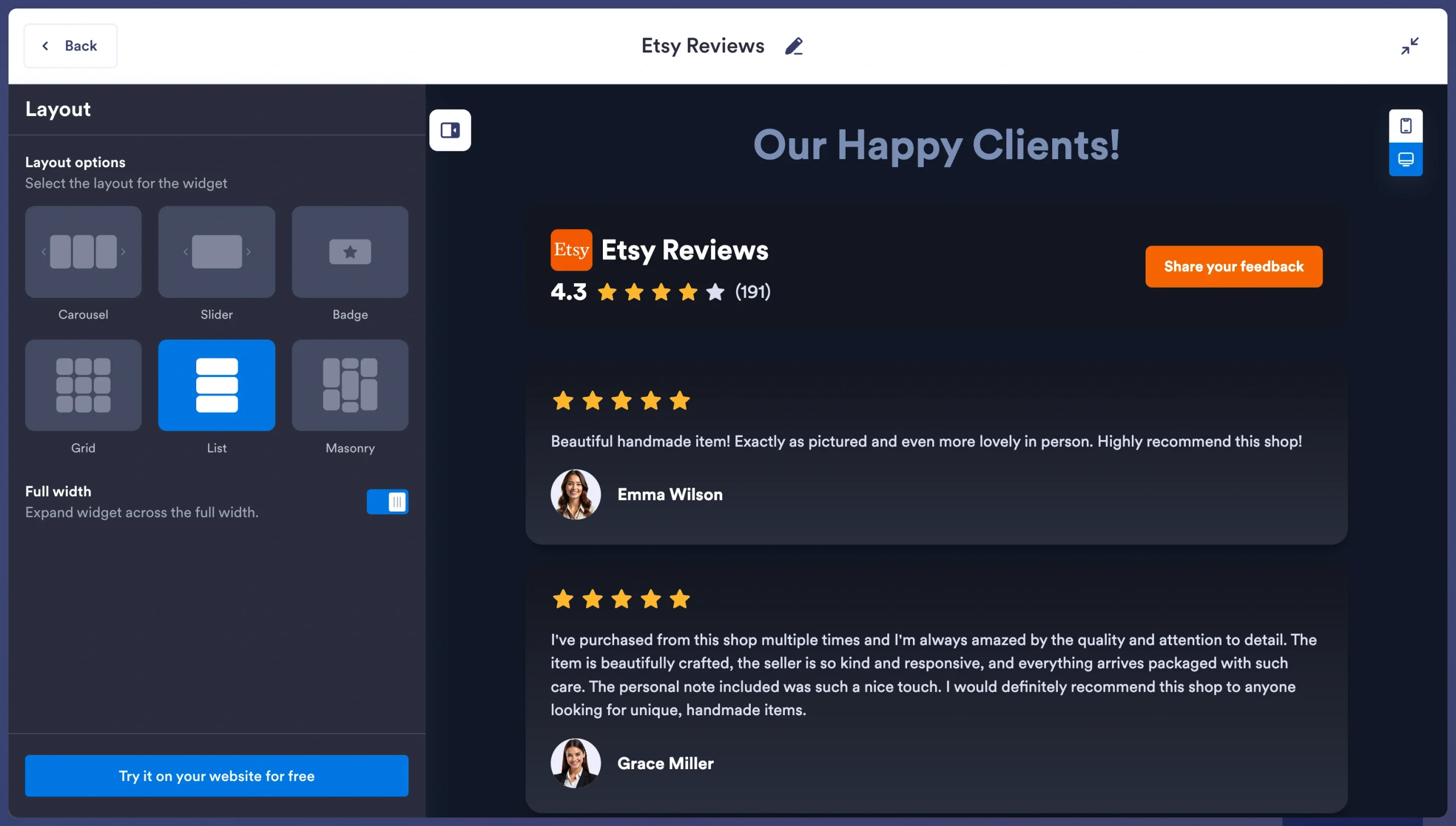
- Copy the embed code: Click Try it on your website for free, and copy the generated embed code.
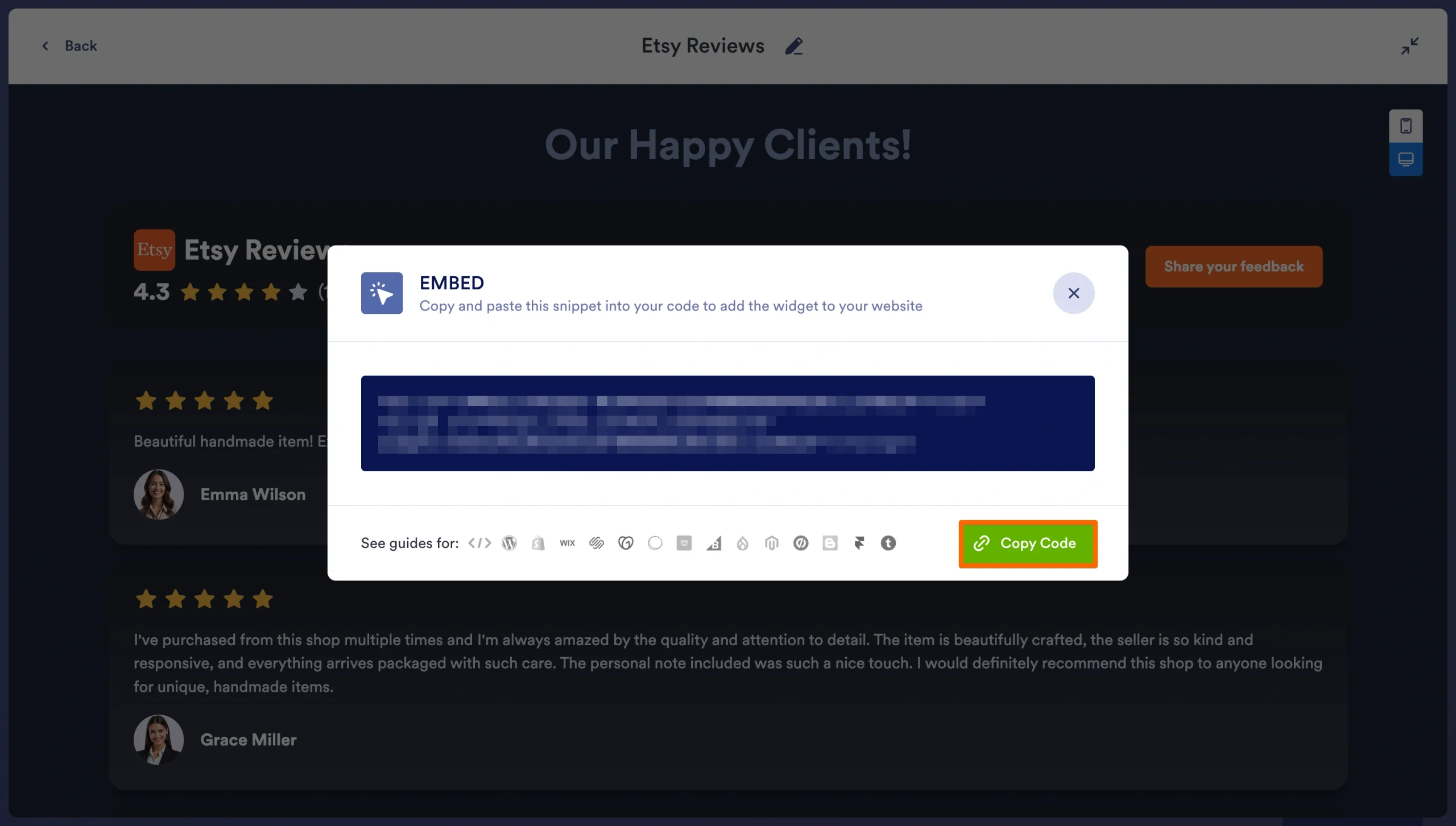
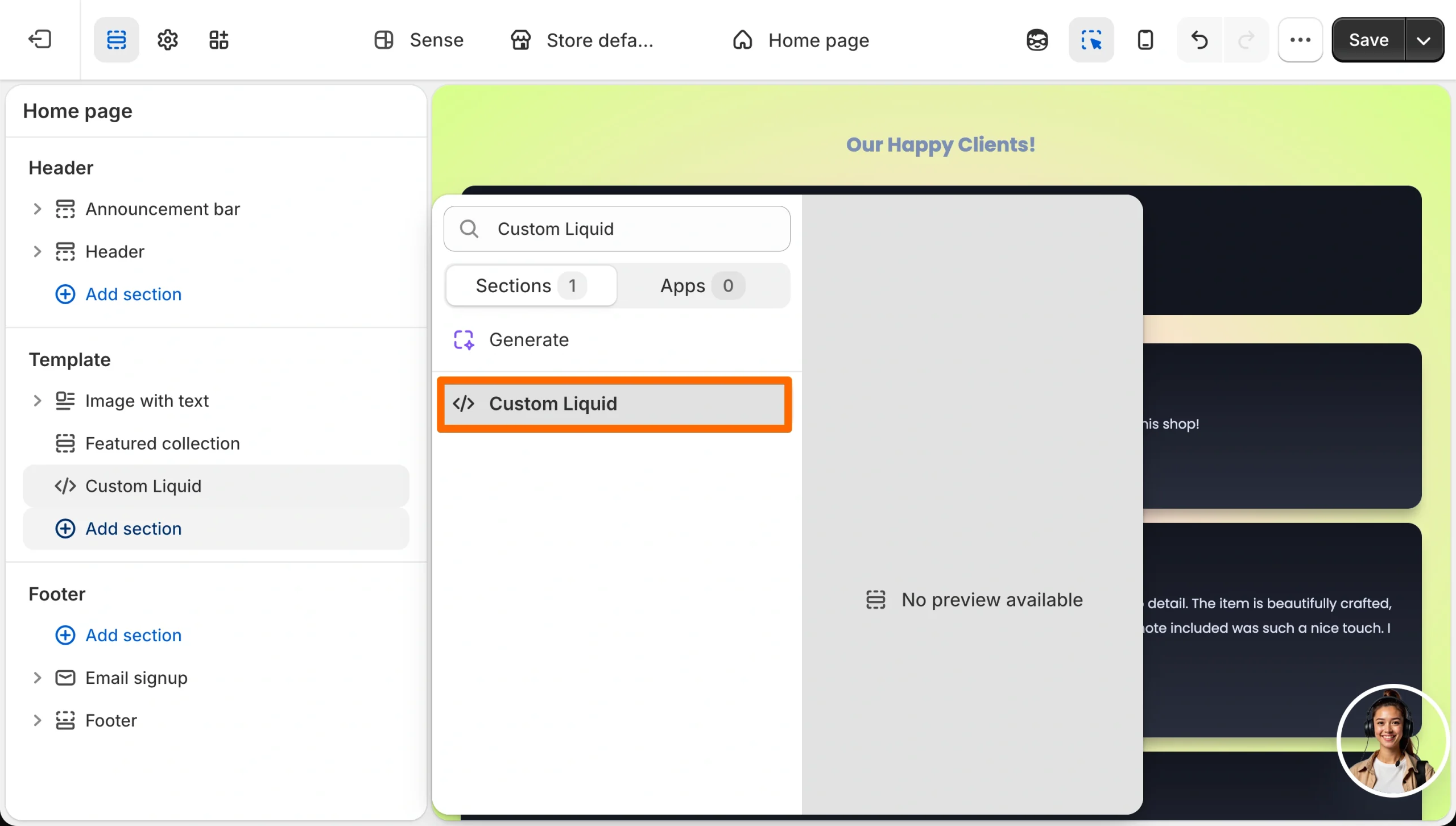
- Add it to Shopify: Paste it into a Custom Liquid section, or another HTML-compatible area supported by your theme, where you want the reviews to appear. Shopify supports Custom Liquid sections in compatible themes.
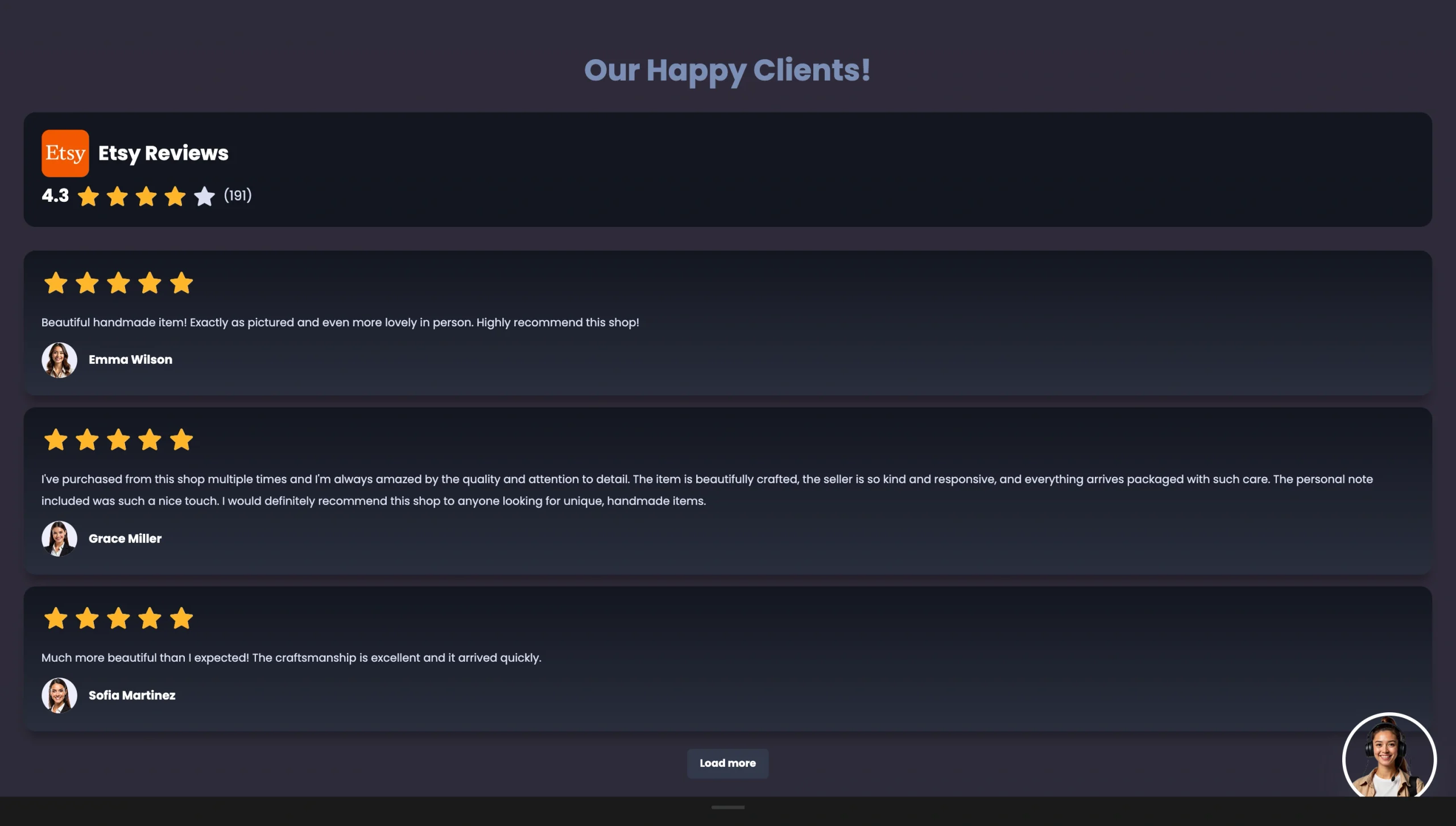
Voila! That gives you a live review display without installing another Shopify app. And you still control how the reviews fit your storefront.
For the full walkthrough, see Jotform’s guide to adding Etsy reviews to your website, or follow along with the video below:

Option 3: Upload manual review screenshots
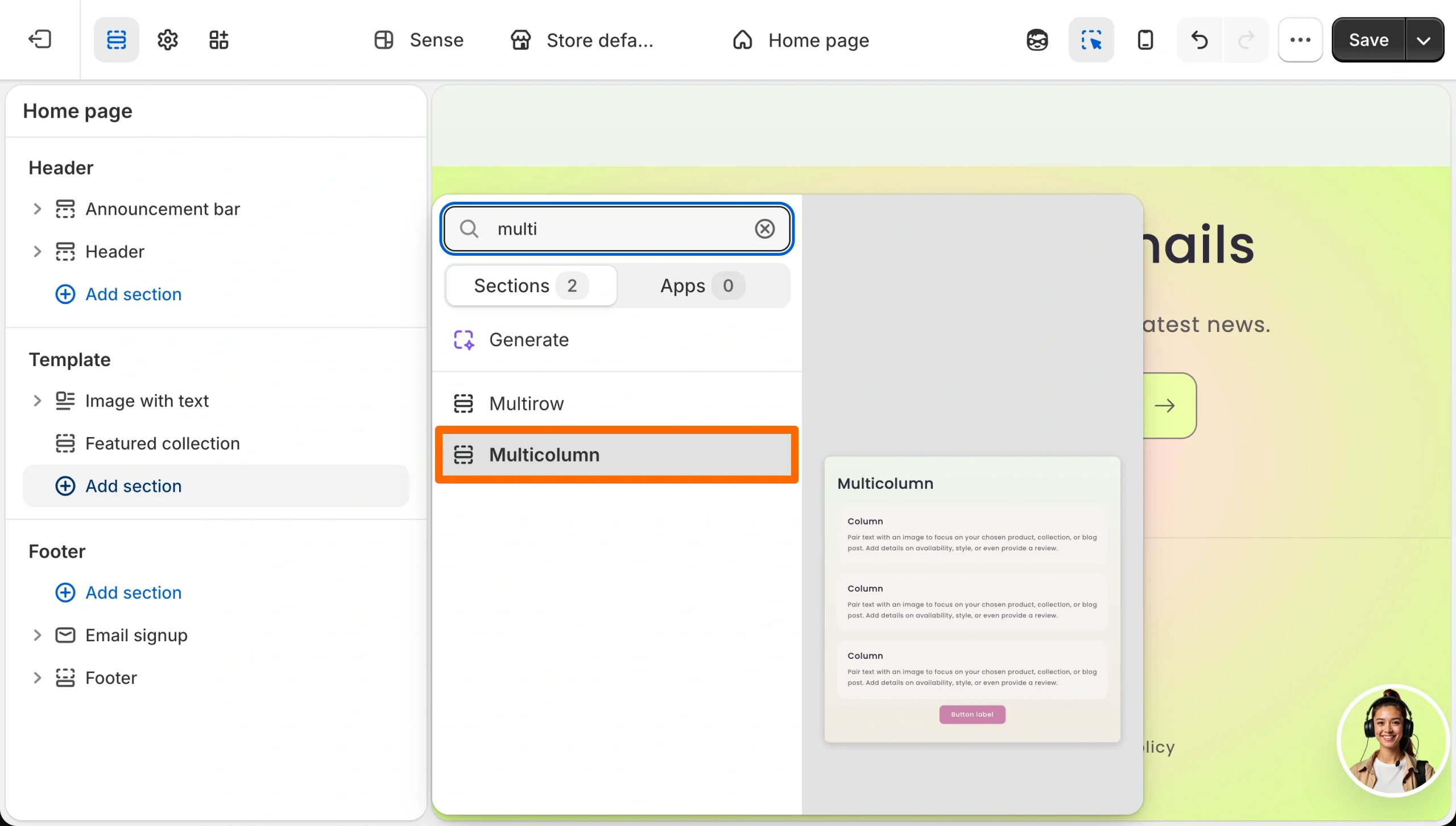
If you want a completely free method with zero apps and zero code, go old-school and screenshot your best Etsy reviews. Shopify’s native Image with Text or Multicolumn sections turns a handful of screenshots into a static wall of love on your homepage or a dedicated testimonials page.
I’d be remiss not to warn you about what this method may cost you.
- First, this method is slow: For every new review, you’ll need a fresh screenshot and a fresh upload. Not to mention it looks less polished next to a live widget, since there’s no rating badge anchoring it as real-time proof.
- Second, search engines can’t read text baked into an image, so none of that review content helps your SEO. Screen readers can’t parse it either, which is an accessibility gap. W3C recommends avoiding images of text where possible, while Google relies partly on descriptive alt text and surrounding page content to understand images.
This is how you do it:
- Screenshot your best Etsy reviews: Crop each image neatly so the review, rating, and relevant customer details are visible.
- Add them to your Shopify theme: From Online Store > Themes > Customize, add a Multicolumn section for a grid of several reviews side by side, or an Image with Text section if you want to pair a single standout review with a headline.
- Add descriptive alt text and publish: Give each screenshot appropriate alt text, check the layout on mobile, and save your changes.
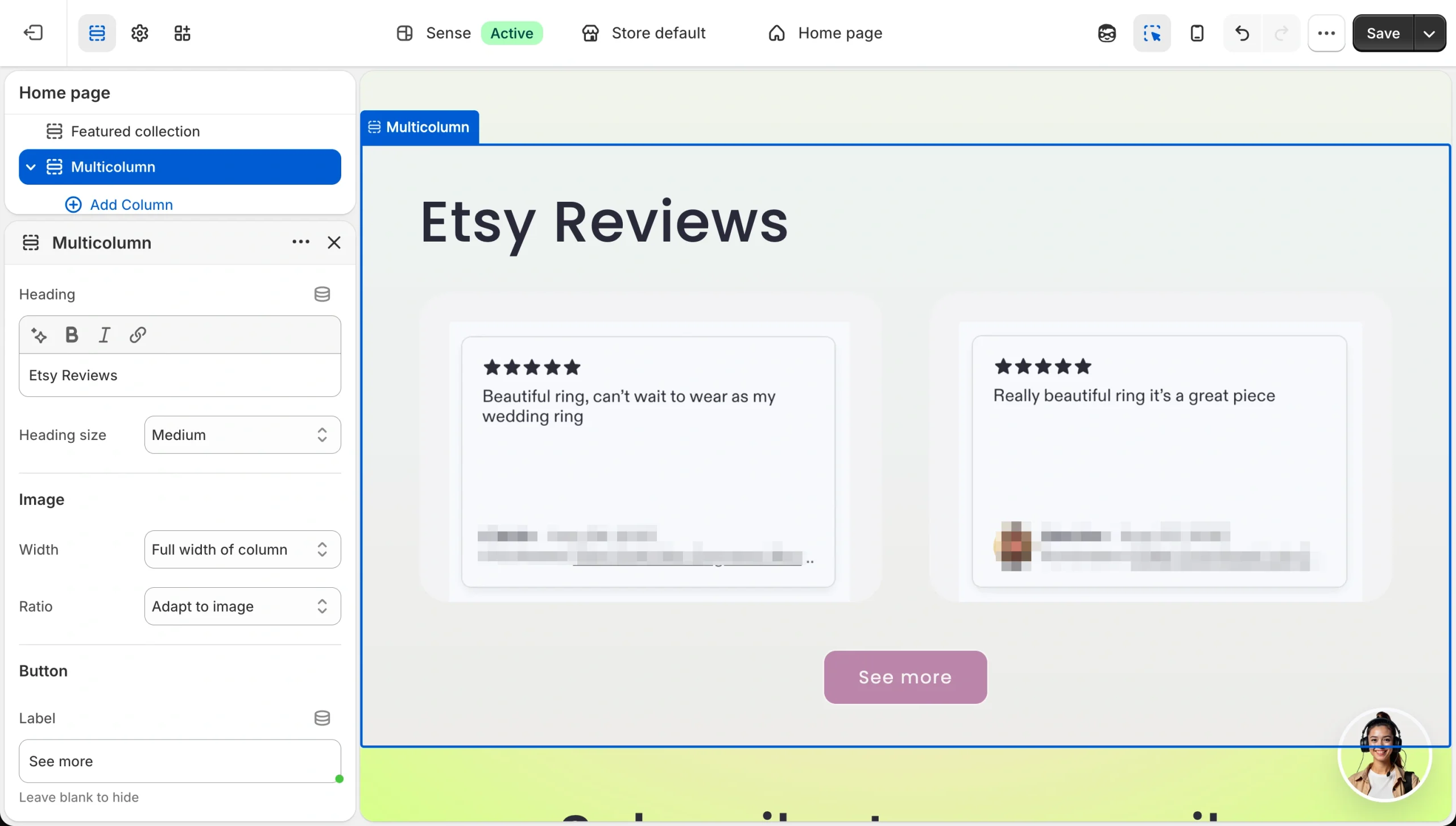
For a few standout testimonials, sure, this works. For dozens of reviews, or reviews you want to keep current, a live widget or importer will save you from considerably more upkeep.
Build out your Shopify store your way
When you move from Etsy to Shopify, you have more freedom to customize the buying experience around your brand. But scaling off Etsy to selling on Shopify shouldn’t cost you a slice of every sale just to look legitimate.
And Etsy reviews are just the start. Jotform’s Website Widgets library has more than 150 free, no-code embeds built for exactly this kind of situation — a new store that needs to look and function like an established one.
Here are a few I’d bookmark for launch week:
- Countdown Timer: Pair it with your launch sale to manufacture urgency.
- FAQ Widget: Pre-empt questions new visitors have.
- Popup: Capture the email of a visitor who isn’t ready to buy yet.
- Google Reviews: Once your Shopify reviews start rolling in, run this alongside your Etsy widget so both histories build trust in the same place.
And if you’re using Jotform beyond reviews, the Jotform Shopify integration lets you embed forms directly into your store.

Your Etsy reviews got you this far. Bring them with you, then build the rest of the store around what comes next.
How to add Etsy reviews to Shopify FAQs
Yes…with a caveat. The Shopify App Store lists Etsy review apps with free-install options, while Jotform offers a genuinely free Etsy Reviews Widget. If you’re searching for a Shopify Etsy review free app option, check what the free tier includes before installing.
To import Etsy reviews to Shopify, use a review app, embed a live widget, or upload screenshots manually. A widget is the quickest way to display Etsy reviews on Shopify while preserving your Etsy social proof that Shopify shoppers can see.
This article is for Etsy artisans and sellers who are scaling their business by launching a standalone Shopify store and need to transfer their existing social proof to build immediate trust with new buyers.













































Send Comment: