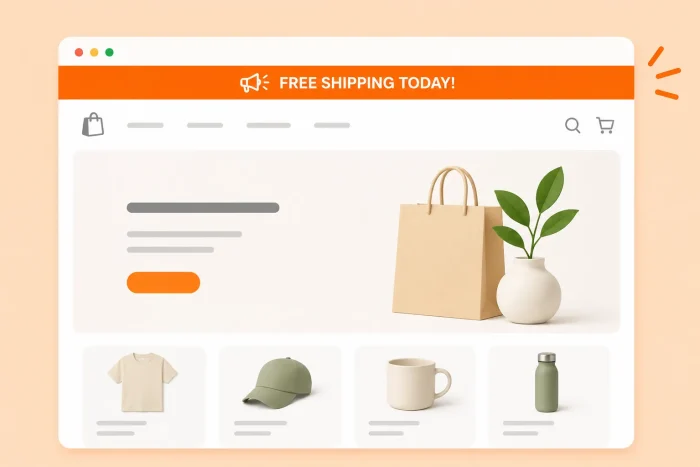
A Shopify announcement bar (also known as a hello bar, promo banner, or sticky banner) is a slim banner across the top and above the navigation of a website. It’s often used to announce benefits to the user that may encourage a sale — for example, a flash sale or a free shipping deadline.
Some Shopify Online Store 2.0 themes, including the default Dawn theme, come with a native announcement bar. It’s a good starting point, but fairly limited. With the Dawn theme, you can customize the basic color scheme, add or remove social media icons, and add a single line of text or links per rotating announcement.
If you’re picturing something more dynamic, such as multiple lines of text, buttons, a click-to-copy coupon code, or a countdown timer that adds scarcity, the native editor won’t get you there.
To build a high-converting, custom announcement bar in Shopify, you can either install a third-party app from the Shopify App Store, or use a free, lightweight Announcement Bar widget that keeps your site fast and your budget intact. We explore how to do both here.

Option 1: Install a dedicated Shopify banner app
The most common way that merchants add a sticky banner in Shopify is by heading to the Shopify App Store and installing a third-party marketing app.
Here’s what that setup typically looks like:
- Search the Shopify App Store for “announcement bar” or “promo banner” app.
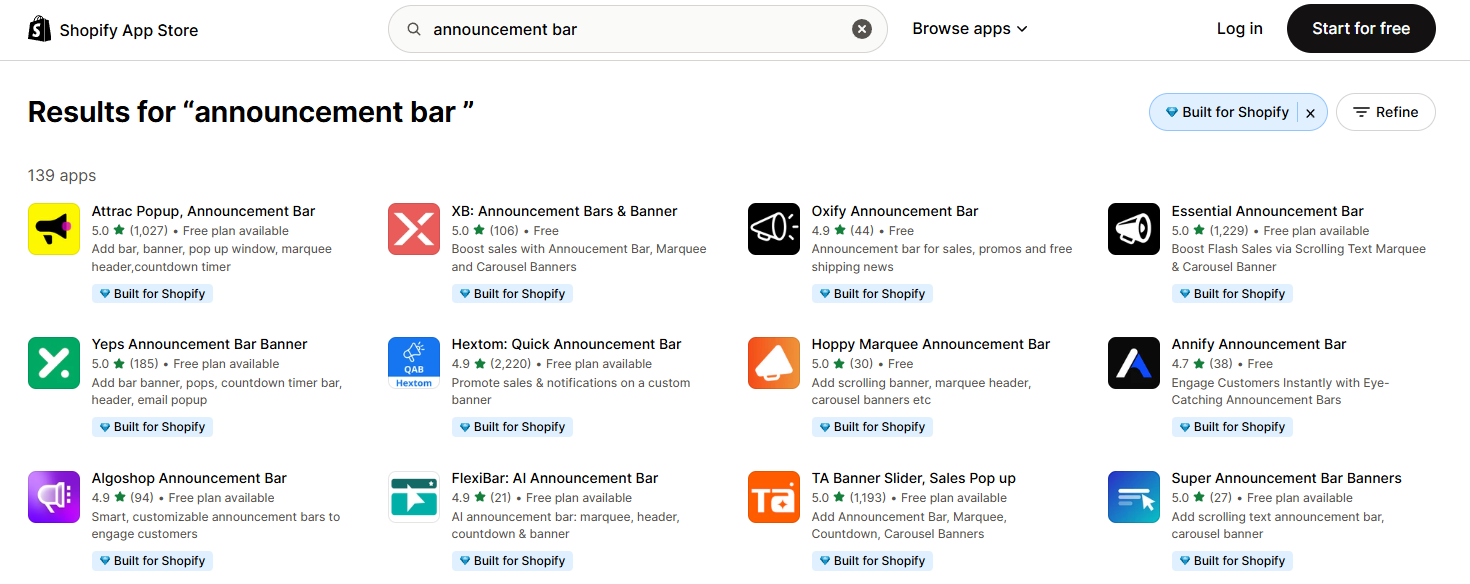
- Install the app and add it to your theme through the app’s onboarding flow.
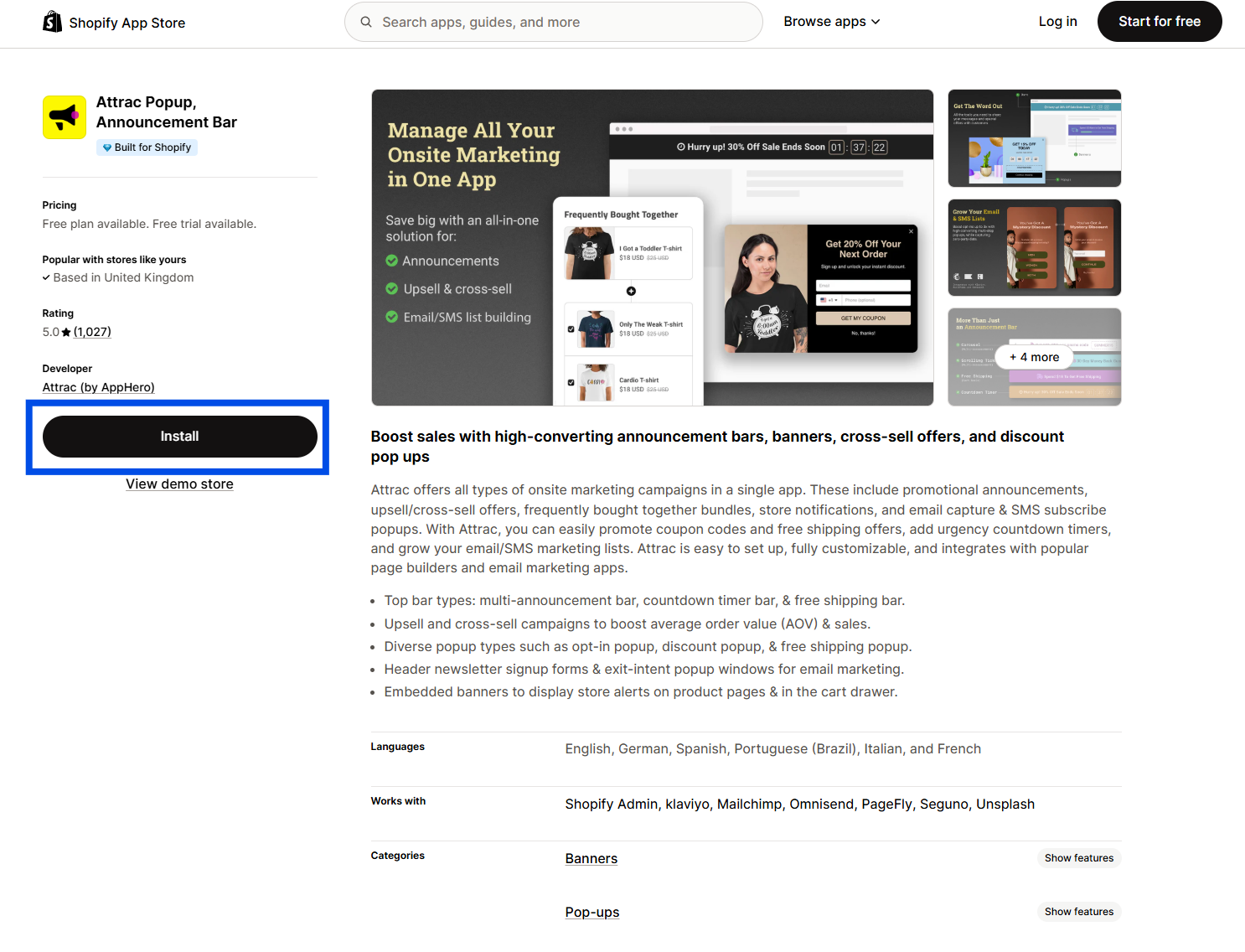
- Customize your banner’s text, colors, and behavior in the app’s dashboard.
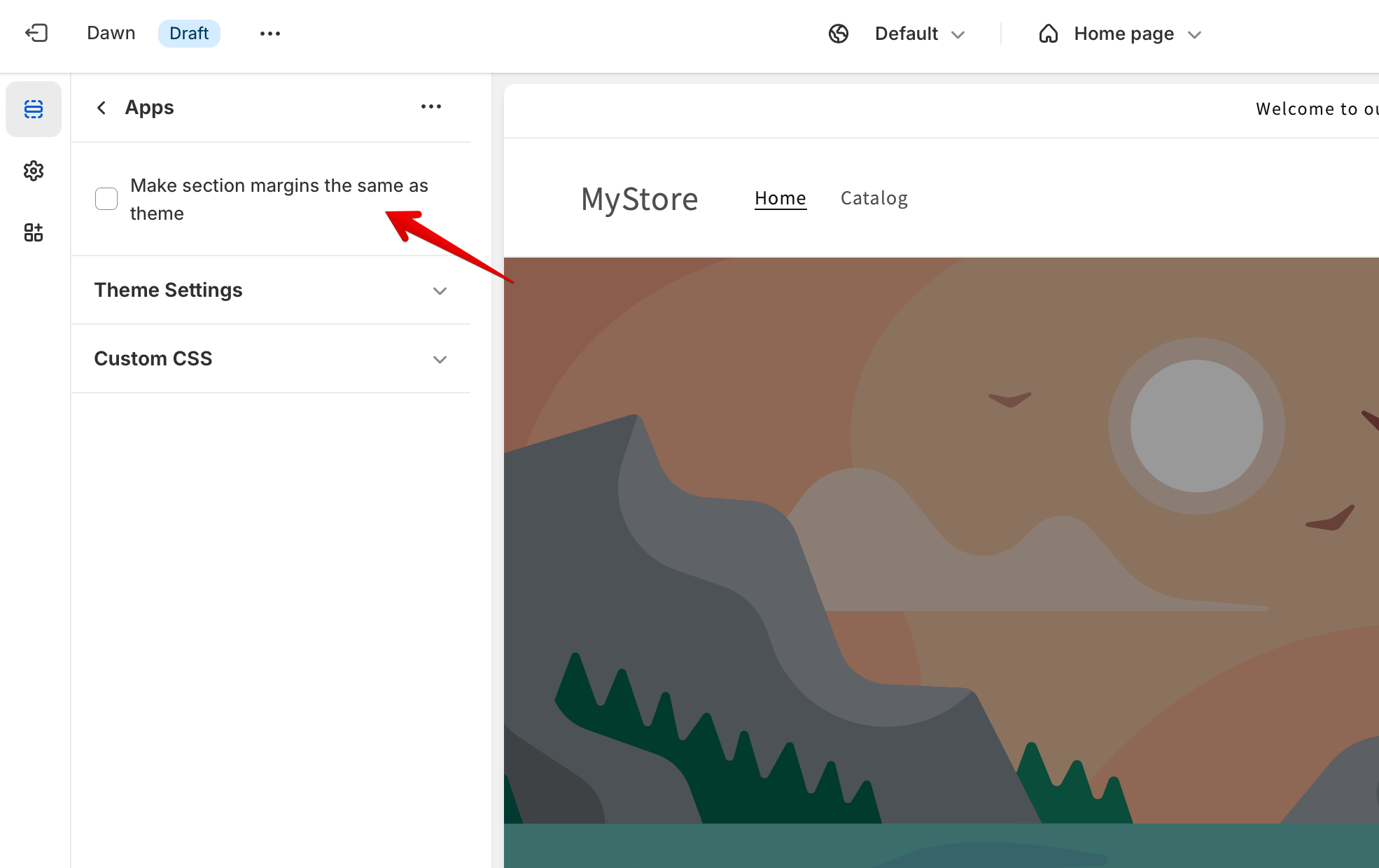
The workflow for customizing the banner will depend on the plug-in. The previous image gives you a look at how you can customize the width of a banner using the Attrac plug-in.
While this is the path many merchants default to, it comes with two drawbacks worth knowing about before you commit:
- Third-party banner apps may add JavaScript: They do this to power animations, rotating messages, or countdown timers, and that code often loads near the top of the page. Depending on how the app is built, this can slow down page speed and affect Core Web Vitals. Check reviews and see what other store owners say about an app’s real-world performance impact before installing it.
- Many free hello bars in Shopify are limited: The free plan is designed to get you in the door, and the features you actually want — like countdown timers, geotargeting, or simply removing the app’s watermark — are locked behind a monthly subscription.
If you’d rather skip all this, a free website widget is coming up next.
Option 2: Add a free, customizable announcement bar widget (recommended)
If you want a dynamic, well-styled promo banner with all the features you need — and you want it for free while maintaining site speed — the better route is a reliable, hosted widget embed.
This is where Jotform’s Announcement Bar Widget comes in. It works effectively as a Shopify promo banner app alternative.
Setting it up is straightforward:
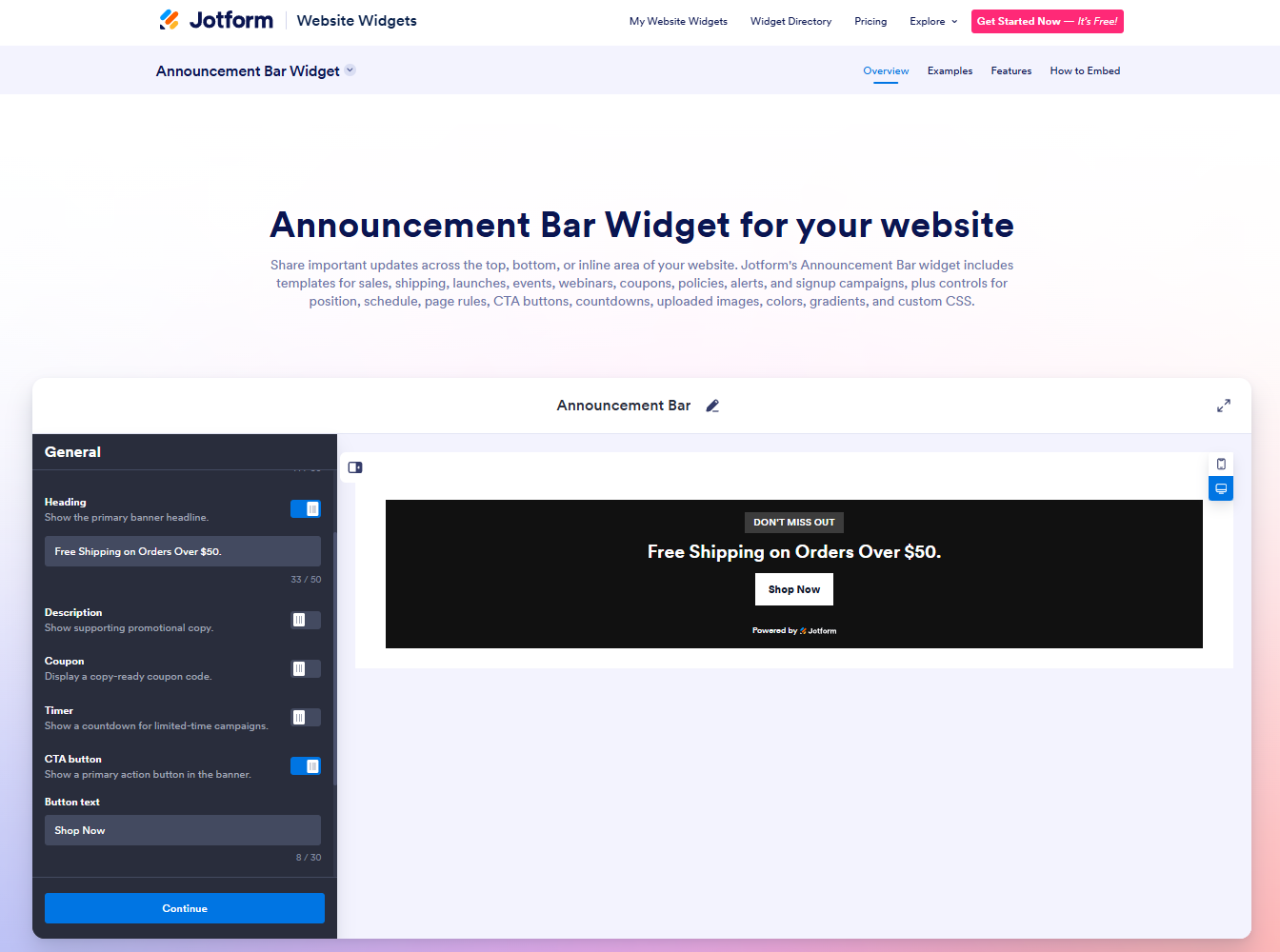
- Build your banner in the Jotform widget editor, adding your text and any CTA buttons or countdown timers in the General settings.
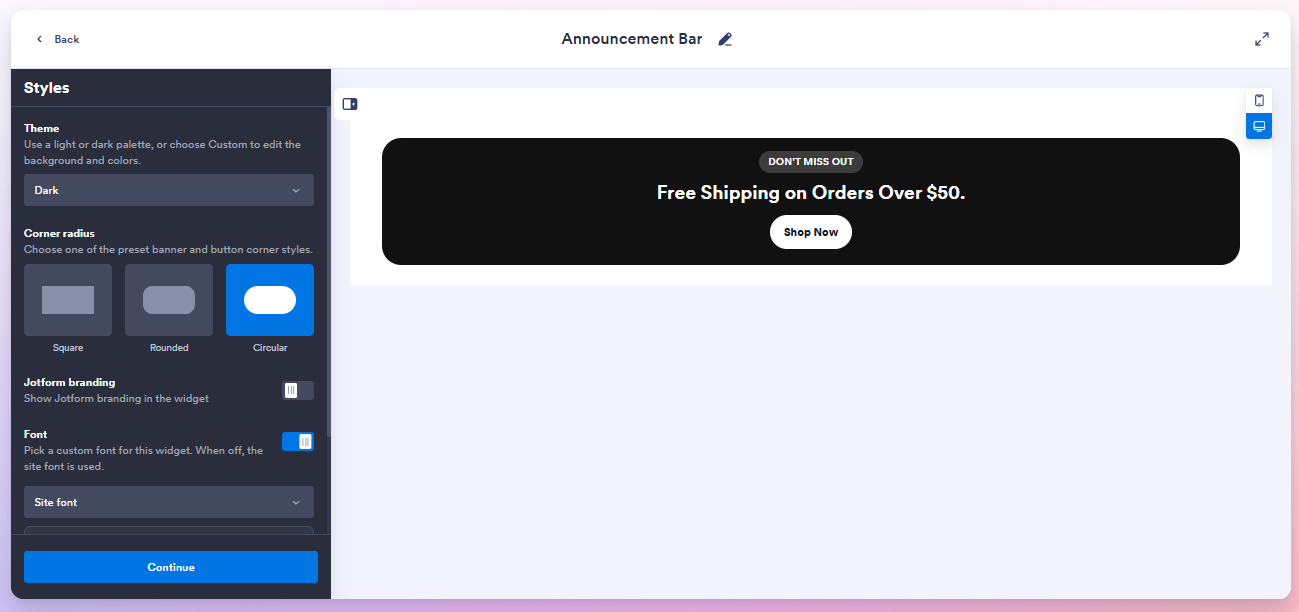
- Customize the colors and layout so it matches your Shopify theme.
- Click Continue and copy the embed snippet by clicking Copy Code.
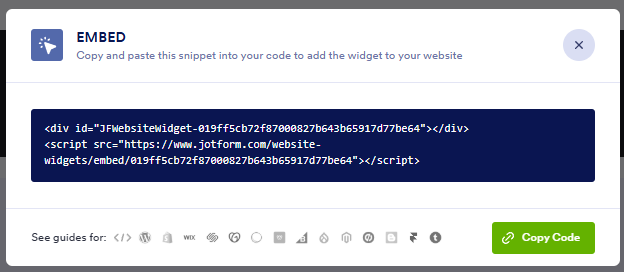
- Paste the snippet into a Custom Liquid or Custom HTML block in your Shopify Theme Editor.
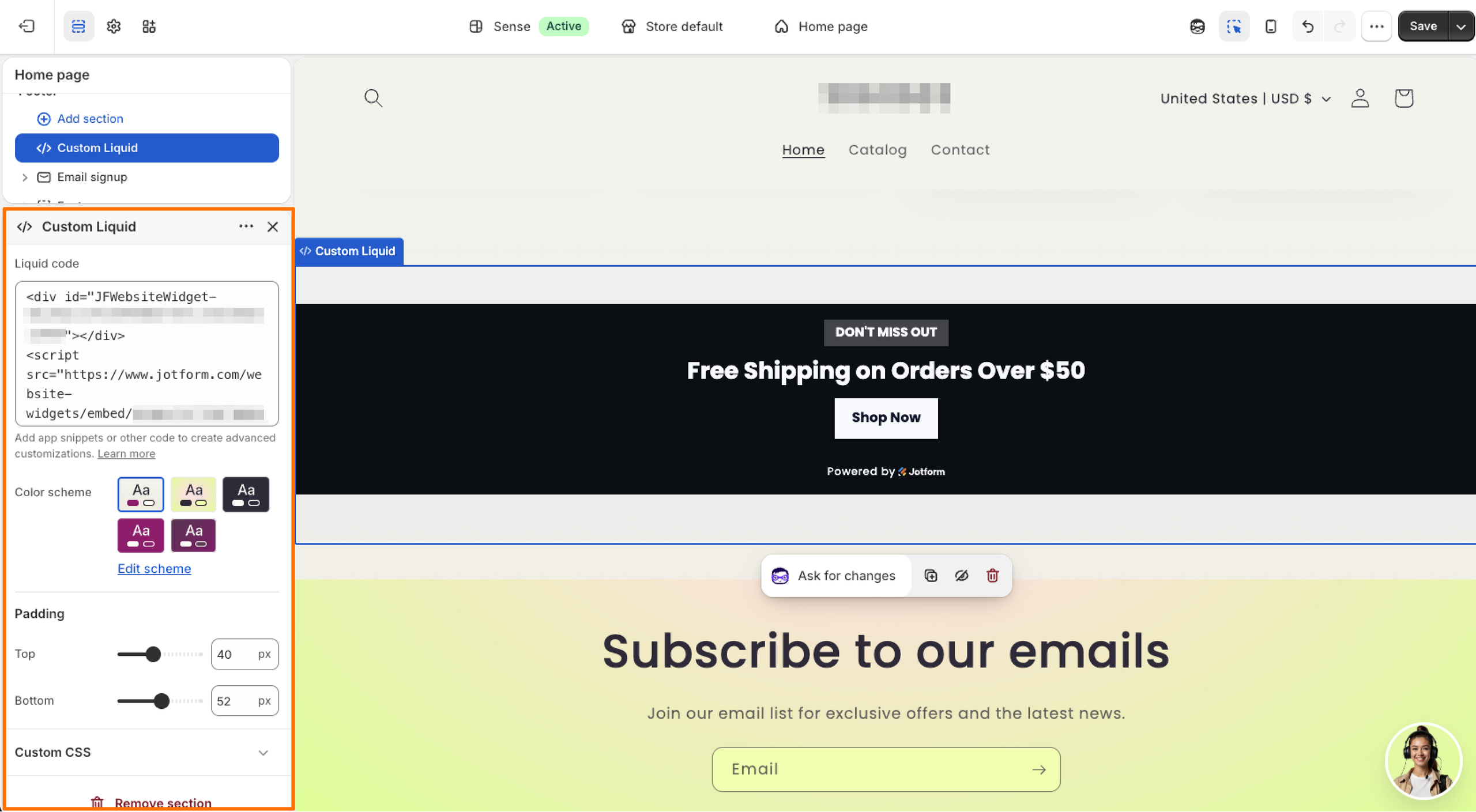
The advantage here is that you can fully customize the layout and match your Shopify theme’s colors exactly, all without premium upgrades.
And because the widget is an off-server Shopify announcement bar embed, all the heavy lifting — such as animations, timers, styling, and more — happens outside your Shopify theme. That means you get
- Clean styling that runs independently of Shopify’s global site styles, so there’s no conflict with your theme
- Fast load times because there’s no render-blocking code weighing down your page speed
- No recurring fees stacked on top of your hosting bill just to display a countdown timer or other desirable feature
Supercharge your Shopify store with smart, serverless widgets
An announcement bar is just the start. Jotform integrates with Shopify and has a full collection of free website widgets that offer the same flexibility with the same off-server approach.
A few worth checking out if you’re growing a Shopify store include
- A Google Reviews Widget to display customer feedback right on your product pages and build trust before checkout
- A Visitor Counter Widget to show real-time page activity and add social proof to high-traffic listings
- A Countdown Widget to reinforce urgency on limited-time offers, similar to what you’d build into your announcement bar
- A Popup Widget to capture email signups or promote a discount code without a dedicated landing page
As a growing e-commerce brand, you’re better off spending your marketing budget on selling on Shopify, sourcing products, and acquiring customers — not paying a recurring app fee just to get a banner to display properly. Free, off-server tools like the Jotform Announcement Bar Widget let you deploy a premium, high-converting promo bar in minutes — and once it’s live, you can turn your attention to the next widget that’ll help your store grow. Give it a try today.
This article is for Shopify store owners, dropshippers, and e-commerce managers who want to drive urgency with feature-rich promotional banners (like countdown timers or coupon codes) without slowing down their page speed or paying recurring App Store fees.











































Send Comment: