

What to look for in an electronic signature app?
The best electronic signature apps are easy to use and allow for sending documents, multiuser signing, and offline signature support, all with top-notch security.
Whether you’re sending out contracts via email or need to capture signatures on the go, the best electronic signature apps keep you organized and productive.
In most cases, e-signatures are as legally binding as pen-and-ink versions, without the added hassle of printing and scanning documents.
I cover the top 10 e-signature apps below, so read on to find the right one for you.
| Tool | Best for | Key features | Pricing |
|---|---|---|---|
 Jotform Sign |
Everyone, especially mobile users |
Mobile app, offline signing, automations, drag-and-drop PDF editor |
Free up to 10 documents/mo.; Starts at $34/mo., billed annually |
 Docusign |
Multichannel sending and signing |
Sending via WhatsApp and SMS, AI summaries |
30-day free trial; Starts at $25/user/mo., billed annually |
 Adobe Acrobat Sign |
Microsoft 365 users |
Deep integration with Microsoft 365, security compliance |
14-day free trial; Starts at $14.99/user/mo., billed annually |
 OneSpan Sign |
Identity verification and notaries |
White-label branding, ID verification, e-notary seals |
30-day free trial; Starts at $22/user/mo., billed annually |
 PandaDoc |
Sales teams, especially HubSpot users |
Native HubSpot integration, drag-and-drop proposal creator |
14-day free trial; Free up to 60 documents/yr.; Starts at $19/user/mo., billed annually |
 SignNow |
Offline support |
Unlimited users, kiosk mode for events |
7-day free trial; Starts at $8/mo., billed annually |
 Zoho Sign |
Zoho users |
Deep integration with Zoho business tools, blockchain time-stamping |
14-day free trial; Free up to 5 documents/mo.; Starts at $10/user/mo., billed annually |
 Dropbox Sign |
Small businesses and individuals new to contracts |
Automatic email reminders, audit trails, 40+ legal templates |
30-day free trial; Starts at $15/mo., billed annually |
 Signeasy |
Fast workflows |
AI contract analysis, central contract hub, Google Workspace extensions |
14-day free trial; Starts at $10/mo. for individuals or $20/user/mo. for teams, billed annually |
 Foxit eSign |
All-in-one PDF creation, editing, and e-signatures |
Flexible feature modules, PDF editing, NotaryLive integration |
14-day free trial; Starts at $120/yr., billed annually |
1. Jotform Sign

Platforms: iOS, iPadOS, Android, Salesforce, web
Best for: Most users, especially for digital and in-person signatures on the go
Key features:
- Mobile app for in-person signatures, including offline, via phones or tablets
- Automations and integrations with other Jotform Enterprise tools to streamline team workflows
- Drag-and-drop PDF editor
- Ability to make your existing PDFs signable or create one from 600+ templates
Pros:
- Efficient for on-the-go use: Snap a photo of a paper document to make it instantly signable
- Automatic audit logs for compliance recordkeeping
- Apple Pencil support for in-person signatures
Cons:
- Almost too convenient — your increased productivity may make others envious
- Standalone functionality but best when bundled with other time-saving Jotform tools
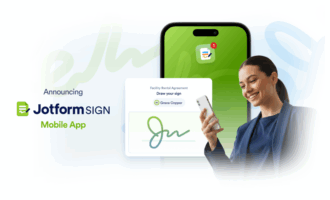
Jotform Sign is the best free e-signature software for most people, from individuals and freelancers all the way to enterprise organizations. It excels at working in the field: Use it to create a secure, digitally signable contract by snapping a photo of a paper copy with your phone, plus collect signatures anywhere with offline support.
I love Jotform Sign’s easy workflow. Whether I’m at my desk or in a meeting, I can create contracts using the drag-and-drop editor and then either send them out to sign or collect signatures in person with Apple Pencil support on my iPad. I’m able to track the status of all my documents on the web or in the iOS or Android apps and can rest easy knowing completed contracts are securely stored in my Jotform account.
Creating a document in Jotform Sign is just as easy as using Jotform Forms — which means super-duper easy — or taking a photo of a paper contract to turn it instantly into a digitally signable document. Plus, I can set a signing order, receive real-time notifications, and access a tamper-proof audit trail for every contract.
Jotform Sign balances ease of use and simplicity with powerful features that actually save time and make things easier for your clients.
Plans/Pricing:
- Free plan includes up to 10 documents per month.
- Premium plans range from $34 to $99 per month, when billed annually.
- Jotform Enterprise is available for large teams.
- Every plan includes all Jotform tools, such as Form Builder, no-code app building, Jotform AI Agents, and more.
G2 rating: 4.7/5
2. Docusign
Platforms: iOS, iPadOS, Android, web
Best for: Multichannel sending and signing
Key features:
- Ability to send documents via WhatsApp, SMS, and many other channels
- AI summaries to quickly review contract details
- 1,000+ integrations, including Salesforce, Google Workspace, Slack, and more
Pros:
- Multilingual support for sending documents in 14 languages
- Custom branding to elevate your client experience
- Customizable routing, signing order, workflows, and more
Cons:
- Features that go beyond basic signing get costly
- Drop-down fields and certain integrations only available in higher tier plans
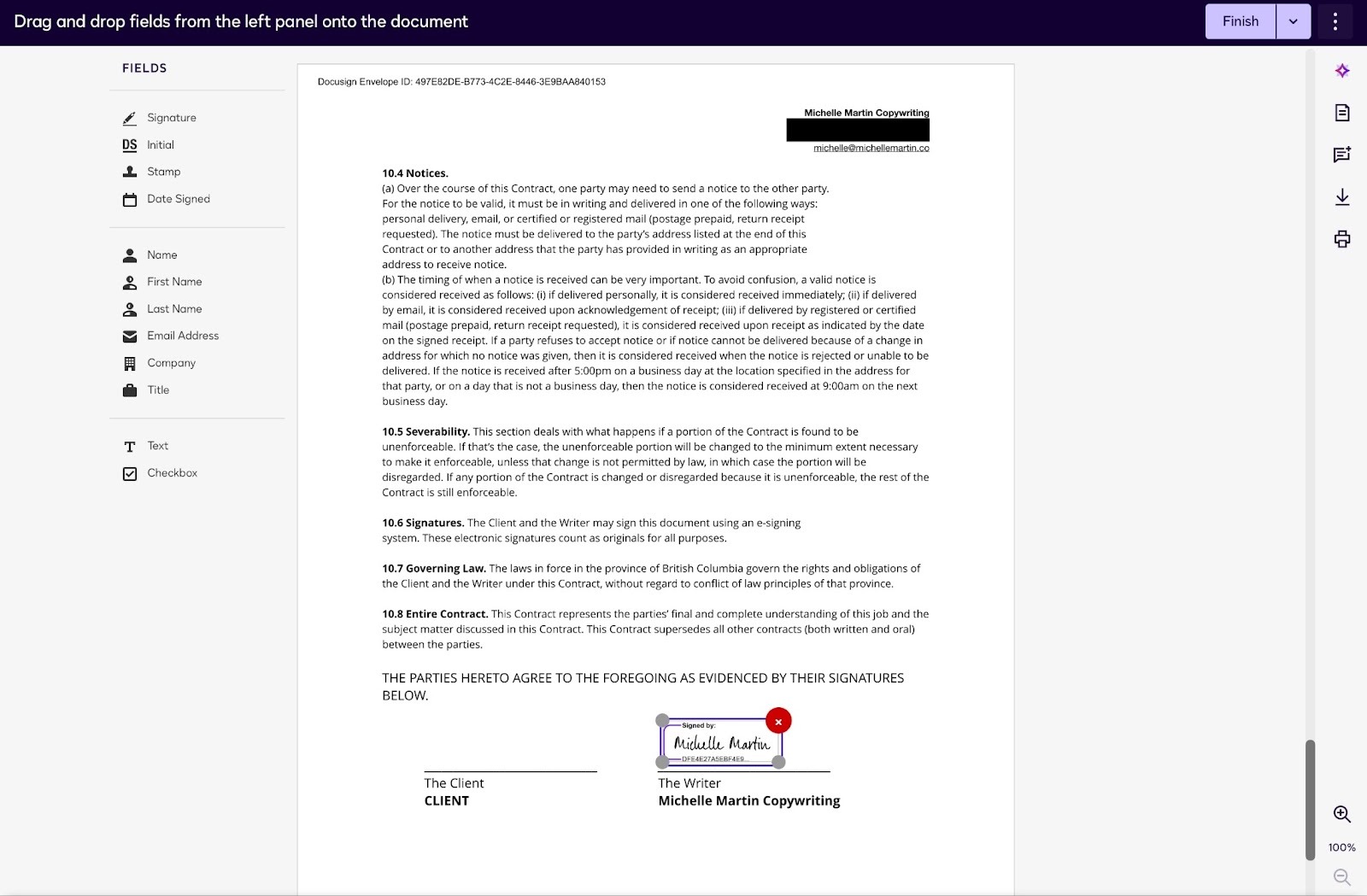
Docusign is a robust e-signature app that anyone can use, but it’s best suited for larger organizations that need or want to send documents via channels other than email. Docusign is highly customizable: Use it to create reusable templates, set team access roles, and deliver documents via WhatsApp or SMS messaging.
Unfortunately, Docusign’s power comes at a steep price. Nice-to-have features such as collecting payment, allowing clients to attach files (such as a driver’s license or ID photo), and even creating a signable website form are only available with the Business Pro plan and up. For a team of five users, that equals $2,400 per year — expensive for just an electronic signature app.
I appreciate Docusign’s ability to custom-brand the signing page that clients see. It’s purely aesthetic, but it adds to my clients’ overall experience and makes it a more seamless extension of my brand.
If you have the deep pockets for advanced features or only want a basic electronic signature app without custom automation, Docusign is a solid choice.
Plans/Pricing:
- Docusign offers a 30-day free trial.
- Paid plans range from $25 to $40 per user per month, when billed annually.
G2 rating: 4.5/5
Pro Tip
Dig into the details with our guide to the top Docusign alternatives including apps that go beyond e-signatures.
3. Adobe Acrobat Sign
Platforms: Windows, Mac, iOS, iPadOS, Android, web
Best for: Microsoft 365 users and Adobe Creative Suite users
Key features:
- Native integration with the Microsoft 365 suite
- Multiple security protocol options
- Availability as part of a bundle with other Adobe creative apps
Pros:
- Advanced accessibility support for screen readers and other inclusive features
- Compliance-friendly features for HIPAA, FedRAMP, and others
- Integrations with other Adobe tools
Con:
- Custom branding, web forms, and other features only available on higher tier plans
If you already use Adobe Creative Suite tools such as Lightroom, Photoshop, or Illustrator, Adobe Acrobat Sign is probably the best electronic signature app for you.
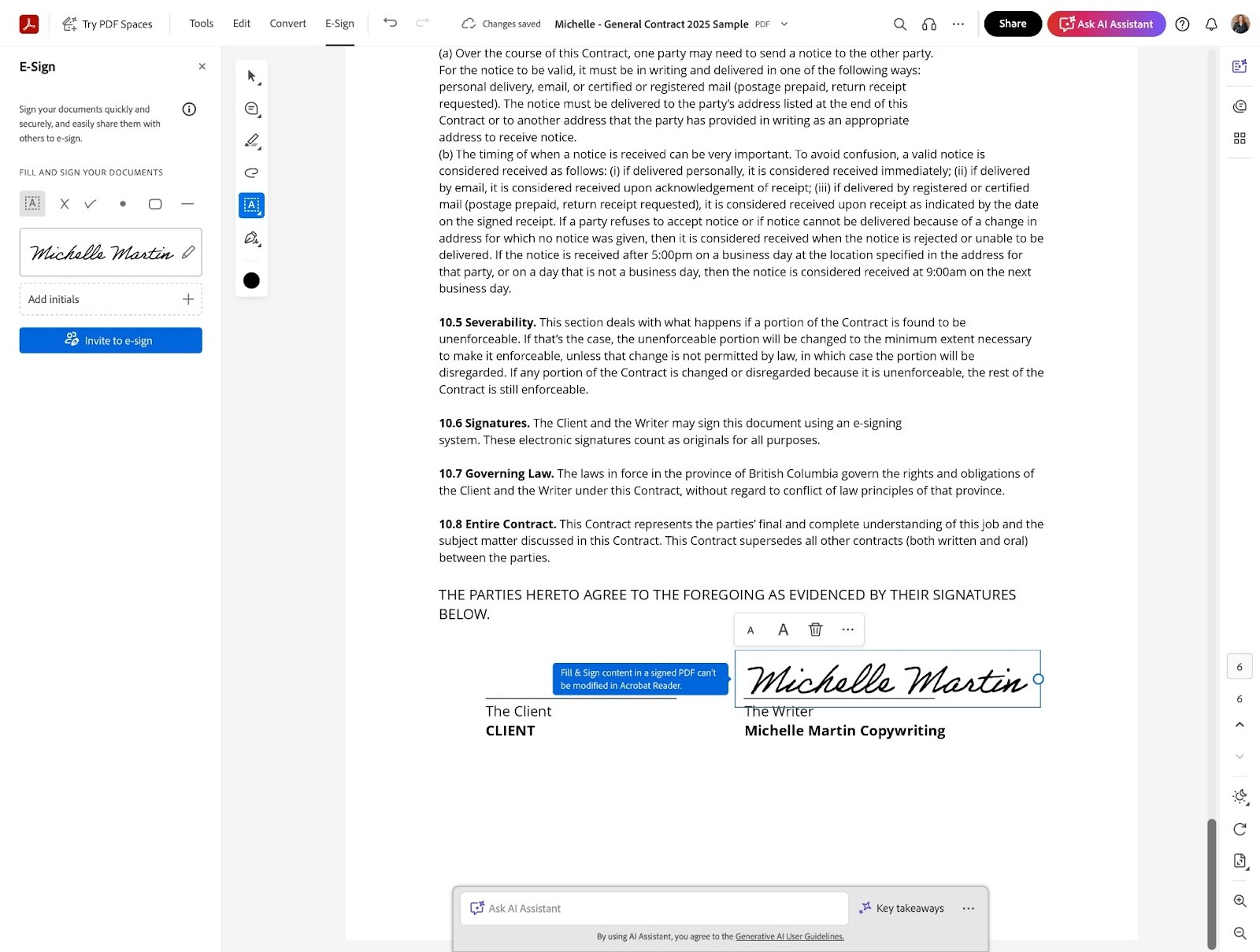
The same goes for Microsoft 365 users, thanks to Acrobat Sign’s native integration with Microsoft tools. Create, edit, and send documents for signing without ever leaving Teams, Word, Outlook, and other Microsoft apps.
Adobe Acrobat Sign is flexible, offering users the ability to select which security protocols or identity verification methods to follow per document. This is especially helpful for creative agencies and other organizations that work with a diverse range of clients, who may have industry-specific protocols they must follow, such as HIPAA, email authentication, and more.
As a longtime Adobe customer, I find Acrobat Sign easy and familiar to use, but users not familiar with other Adobe tools will probably experience a steeper learning curve than if they went with a tool like Jotform Sign or Docusign. Still, for creative and business professionals already using Adobe or Microsoft 365 products, Acrobat Sign is a good fit.
Plans/Pricing:
- Adobe Acrobat Sign offers a 14-day free trial.
- Paid plans range from $14.99 to $29.99 per user per month, when billed annually.
G2 rating: 4.4/5
Pro Tip
Just need e-signatures and not the other creative tools Adobe offers? Check out our list of the best Adobe Acrobat Sign alternatives.
4. OneSpan Sign
Platforms: iOS, iPadOS, Android, web
Best for: Identity verification and notaries
Key features:
- White-label branding for a seamless client signing experience
- Advanced identity verification for high-security transactions
- Complete solution for notaries who want to remotely and legally notarize documents
Pros:
- Efficient management for your notary business
- No cost surprises: Unlimited documents and e-signatures included in plan
- Robust features list, with likely every feature you could possibly need
Cons:
- Almost too many features — overly complex for most users
- Data storage for 120 days only; must download copies for your records
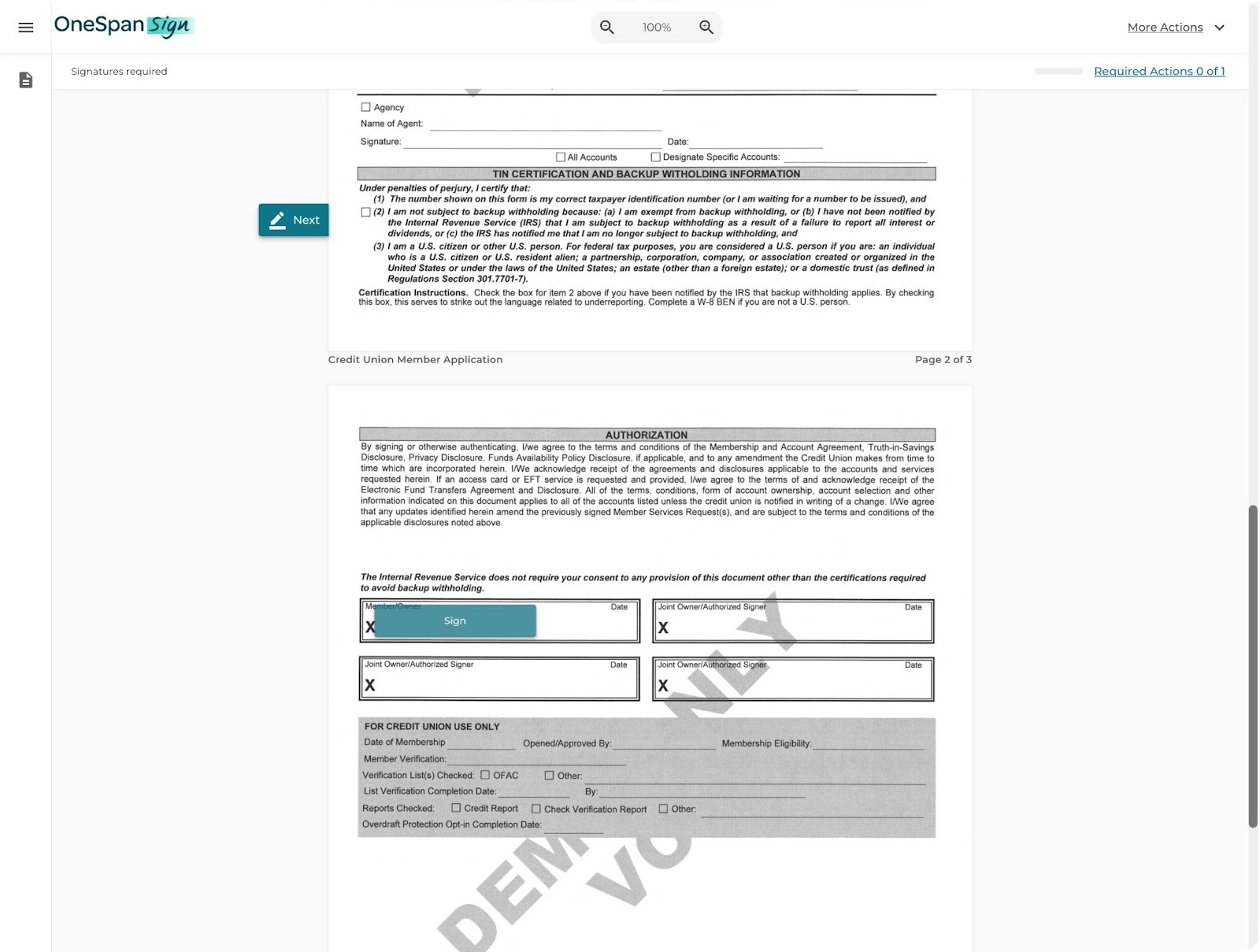
OneSpan Sign is best suited for organizations working with sensitive documents in the financial, healthcare, and other industries where identity verification and legal compliance are very important.
In addition to the basics — document creation, form editing, sending, and electronic signing — OneSpan Sign offers pretty much every feature you could ever need: client attachments, conditional logic, expirations, customizable rules and workflows, encrypted storage, audit trails, and much more.
For absolutely secure transactions, you can have signers confirm their identity via government ID, biometrics, third-party tools like Equifax, and other options. OneSpan Notary is a specific version of the app designed to help notary offices manage their business and support organizations that offer remote notarization for their contracts.
Honestly, OneSpan Sign is more than most businesses need. As a freelancer, I only need a simple solution to sign contracts. But if you’re a notary or if being able to verify identities at scale is crucial for you, OneSpan Sign is a powerful electronic signature app.
Plans/Pricing:
- OneSpan Sign offers a 30-day free trial.
- Premium plans start at $22 per user per month, when billed annually.
- Additional plans are available for enterprise and notary clients.
G2 rating: 4.7/5
5. PandaDoc
Platforms: iOS, iPadOS, Android, web
Best for: Sales teams, especially HubSpot users
Key features:
- Native, two-way syncing with HubSpot or Salesforce
- 1,000+ drag-and-drop contract and document templates
- Ability to turn proposals into signable contracts in a few clicks
Pros:
- Free plan for up to five e-signatures per month; great for freelancers
- One place to manage your sales pipeline, from proposal creation to signing
- Drag-and-drop document builder with advanced tools
Cons:
- Sales-focused workflows — ideal for sales teams but not for other users
- Extra cost for certain features, such as Salesforce integration
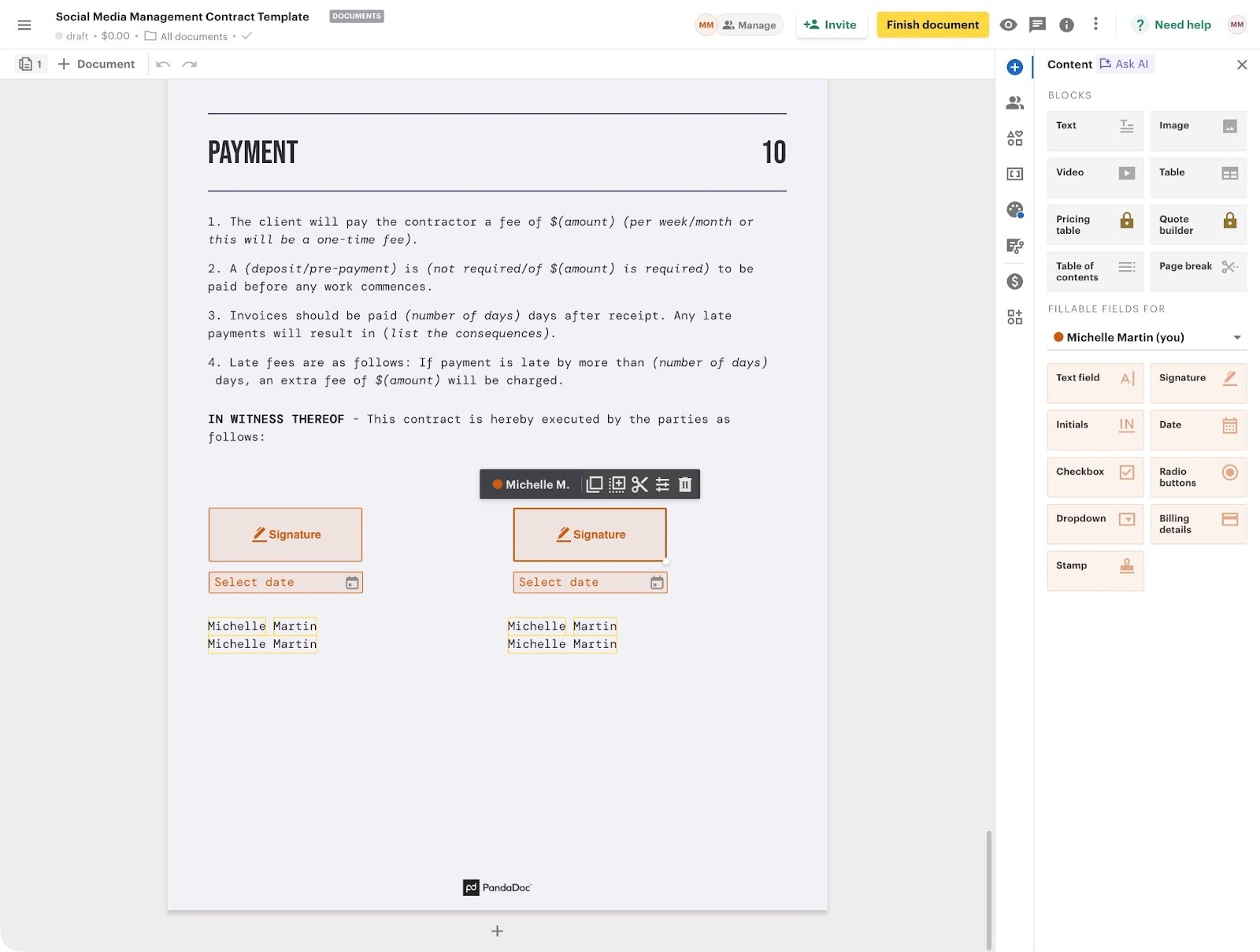
PandaDoc is a salesperson’s best friend, thanks to its ease of use and ability to capture your full workflow in one tool. Yes, you can use any electronic signature app to finalize sales contracts, but PandaDoc powers your sales pipeline from proposal creation all the way through to signing and even collecting payment.
Other e-signature apps may integrate with sales customer relationship management systems (CRMs) like HubSpot and Salesforce, but PandaDoc is the only native e-signature app built specifically for HubSpot. Because it uses HubSpot’s “Configure, Price, Quote” (CPQ) workflow, you can create proposals quickly from gorgeous templates, pre-fill them with information directly from HubSpot, and then turn those proposals into legal contracts that are ready to sign.
If you don’t use HubSpot, you can still create proposals within PandaDoc and connect with other top sales apps, such as Salesforce, Pipedrive, Monday.com, Microsoft Dynamics, and many more.
Personally, I love PandaDoc’s proposal builder. It’s super easy to use, and being able to recycle standard info (such as current pricing and service descriptions) means I can put together a branded, professional-looking proposal in minutes. Sending a signable proposal right after a call means I can turn leads into clients faster, without all the back-and-forth emailing and scanning of documents. When time is money, that capability matters.
Plans/Pricing:
- PandDoc offers a 14-day free trial on all plans.
- A free plan includes up to 60 documents per year.
- Paid plans range from $19 to $49 per user per month, when billed annually.
- Custom enterprise and notary-specific plans are also available.
6. SignNow
Platforms: iOS, iPadOS, Android, web
Best for: Offline e-signatures and affordability
Key features:
- Kiosk mode for e-signatures at events
- Very affordable, including unlimited users
- Integrations with Microsoft Dynamics, Microsoft 365, Salesforce, Google Workspace, and more
Pros:
- Offline, mobile signing to work from anywhere
- Sending via SMS included in cheapest plan
- Support for top security protocols, including HIPAA and data residency
Cons:
- Salesforce, NetSuite, and other integrations only available as paid add-ons
- Sneaky annual limit: After 100 e-signature requests, subscription switches to pay-per-signature model
Unlimited users for just $8 per month? You likely won’t find a better deal than SignNow for e-signature apps. Its affordability makes it ideal for small businesses and startups.
However, the platform’s initial affordability comes with an important limitation: Exceeding 100 e-signature requests within a year automatically switches your subscription to the pay-as-you-go Site License plan for $1.50 per e-signature. I think that’s a little sneaky, since it isn’t mentioned clearly up front.
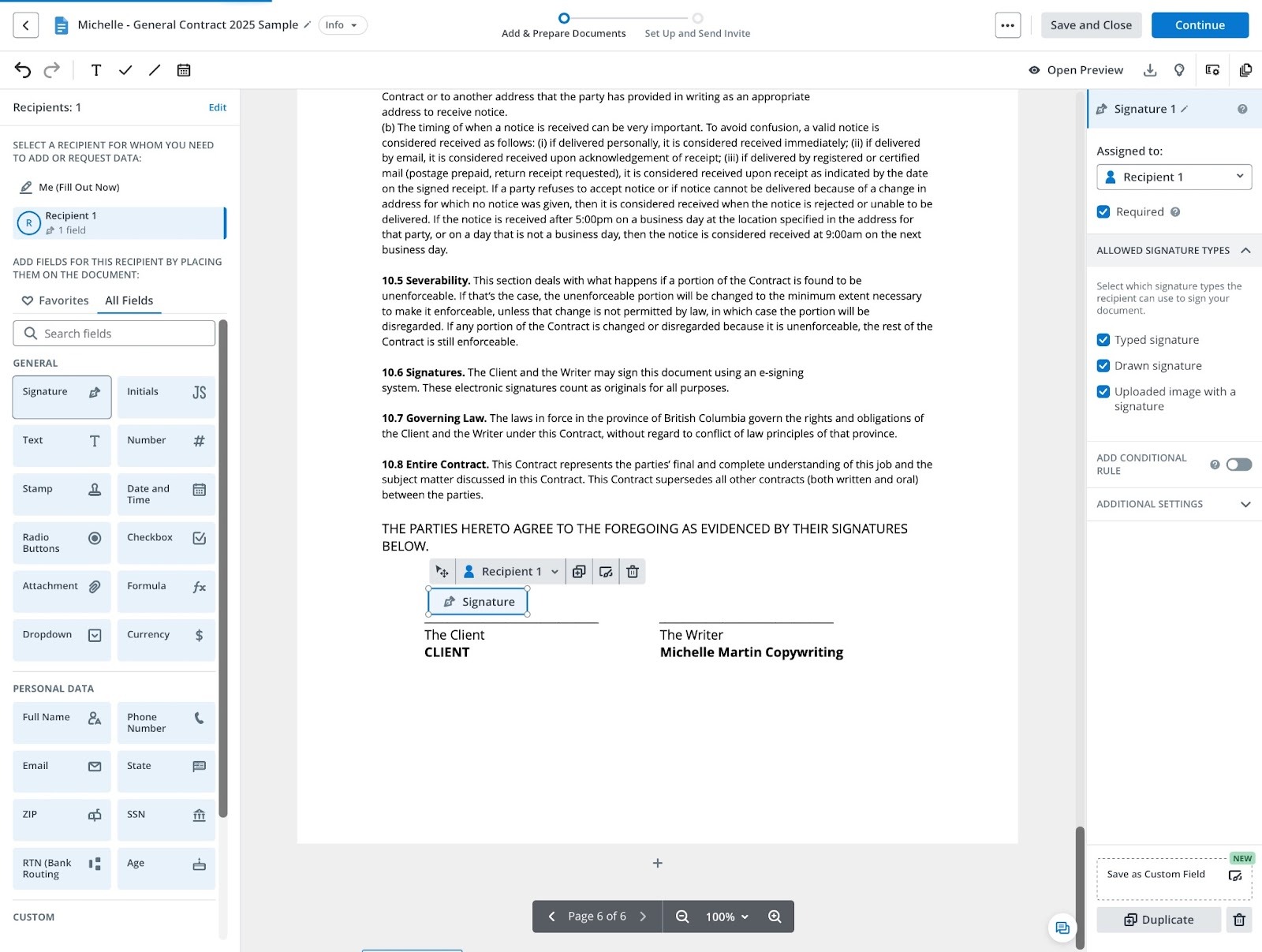
But if that limit or per-signature pricing works for you, SignNow offers plenty of features that other electronic signature apps charge premium rates for, such as sending via SMS, custom branding, templates, team collaboration, API access, and more. I think SignNow has the best mix of features, ease of use, and affordability, if you can take advantage of its unlimited users.
SignNow’s kiosk mode also lets you turn an iPad into a lead-collection machine at events by capturing e-signatures and automatically opening a new version of your document ready for the next person to sign. This, complete with offline e-signature support, makes SignNow a great choice for organizations who attend trade shows and conferences to boost lead generation.
Plans/Pricing:
- SignNow offers a 7-day free trial.
- Paid plans range from $8 to $30 per month, when billed annually.
- A volume-based Site License plan is also available for a cost of $1.50 per e-signature invite.
G2 rating: 4.6/5
Pro Tip
For a more detailed review of SignNow’s features in comparison to others, check out our article on top SignNow alternatives.
7. Zoho Sign
Platforms: Windows, Mac, iPadOS, iOS, Android, web
Best for: Zoho users
Key features:
- Deep integration with other Zoho business apps
- Blockchain time-stamping for ultimate security
- AI tools to summarize documents, autofill fields, and more
Pros:
- Free plan with up to five signatures per month
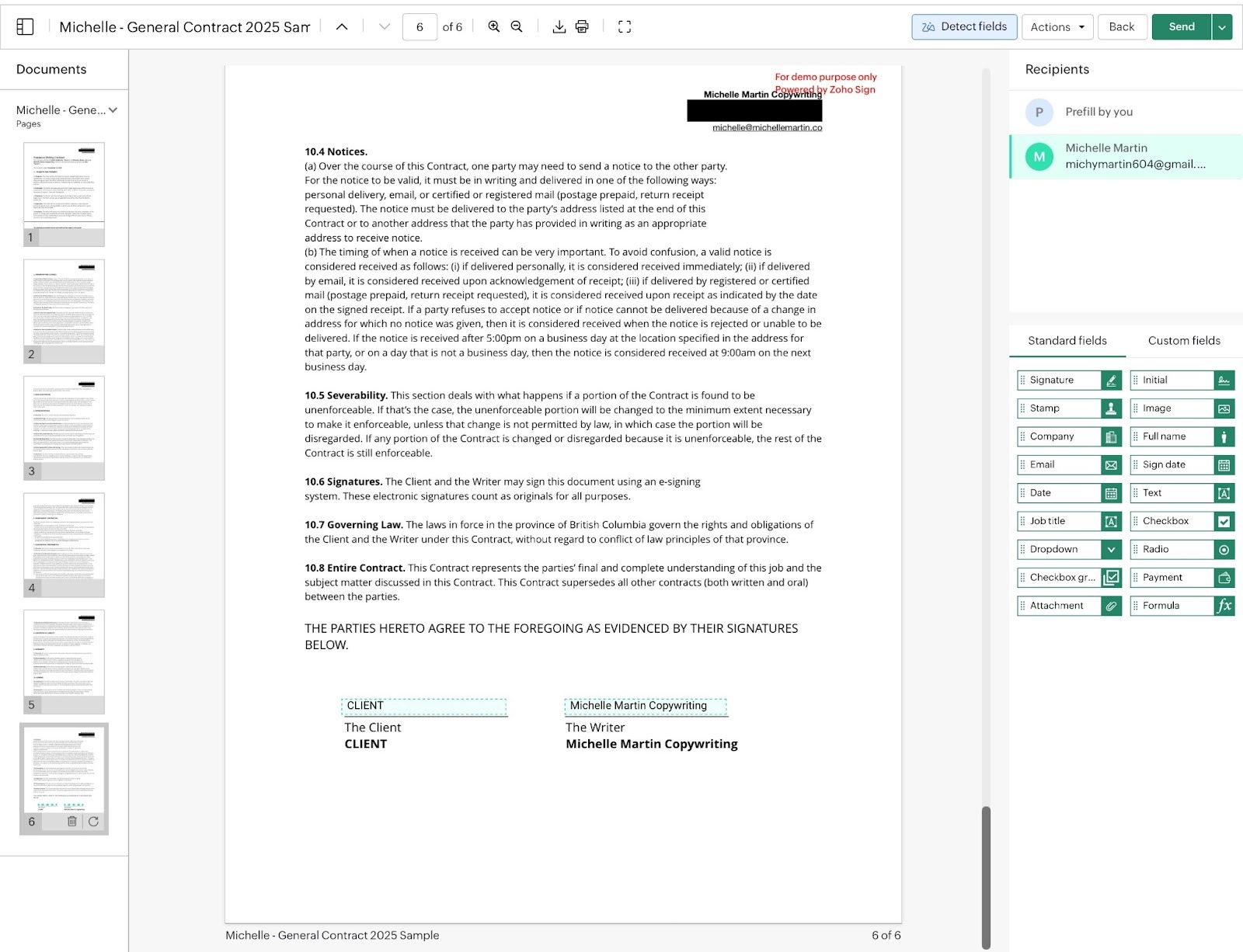
- Easy to turn existing PDFs into signable documents with auto-detection
- Customizable options, such as signing order, time limits, reminders, and more
Con:
- Advanced security protocols limited to highest tier plan
Zoho Sign makes the most sense for current Zoho users who manage their businesses with Zoho’s full suite of apps. The platform’s features are split into different price tiers, although the higher tier plans are affordable compared to the competition. Some security features, such as blockchain time-stamping and FDA certifications, are only available in the top-tier plans.
Zoho Sign works best when used alongside other Zoho offerings, like its CRM, invoicing, bookkeeping, cloud storage, document creator, and other tools. Its seamless integration and data syncing between tools boosts efficiency for small businesses using Zoho as the backbone of their business management.
Interestingly, you can also incorporate Zoho Sign into your own or third-party apps with their API-only plan for only $0.50 per envelope — 35 percent less than an actual postage stamp.
I was able to use the platform to upload my PDF contract, turn it into a signable document with field auto-detection, and easily customize settings, such as how long people have to sign it and when to send reminders. It’s simple, straightforward, and with data syncing across Zoho’s ecosystem, convenient for small businesses.
Plans/Pricing:
- Zoho Sign offers a 14-day free trial.
- A free plan includes up to five documents per month.
- Paid plans range from $10 to $22 per user per month, when billed annually, or $0.50 per envelope on the API-only plan.
G2 rating: 4.4/5
8. Dropbox Sign
Platforms: Web
Best for: Small businesses and individuals who are new to creating contracts
Key features:
- Automatic email reminders to speed up document completion
- 40+ editable contract templates to customize for your business
- Audit trails
Pros:
- Lawyer-crafted contract templates — a great starting point for beginners
- Mobile-friendly view that turns documents into responsive forms
- Top e-signature security features, included in basic plan
Cons:
- In-person signing, teams, and conditional logic only available on higher tier plans
- Additional costs for Salesforce integrations and SMS sending
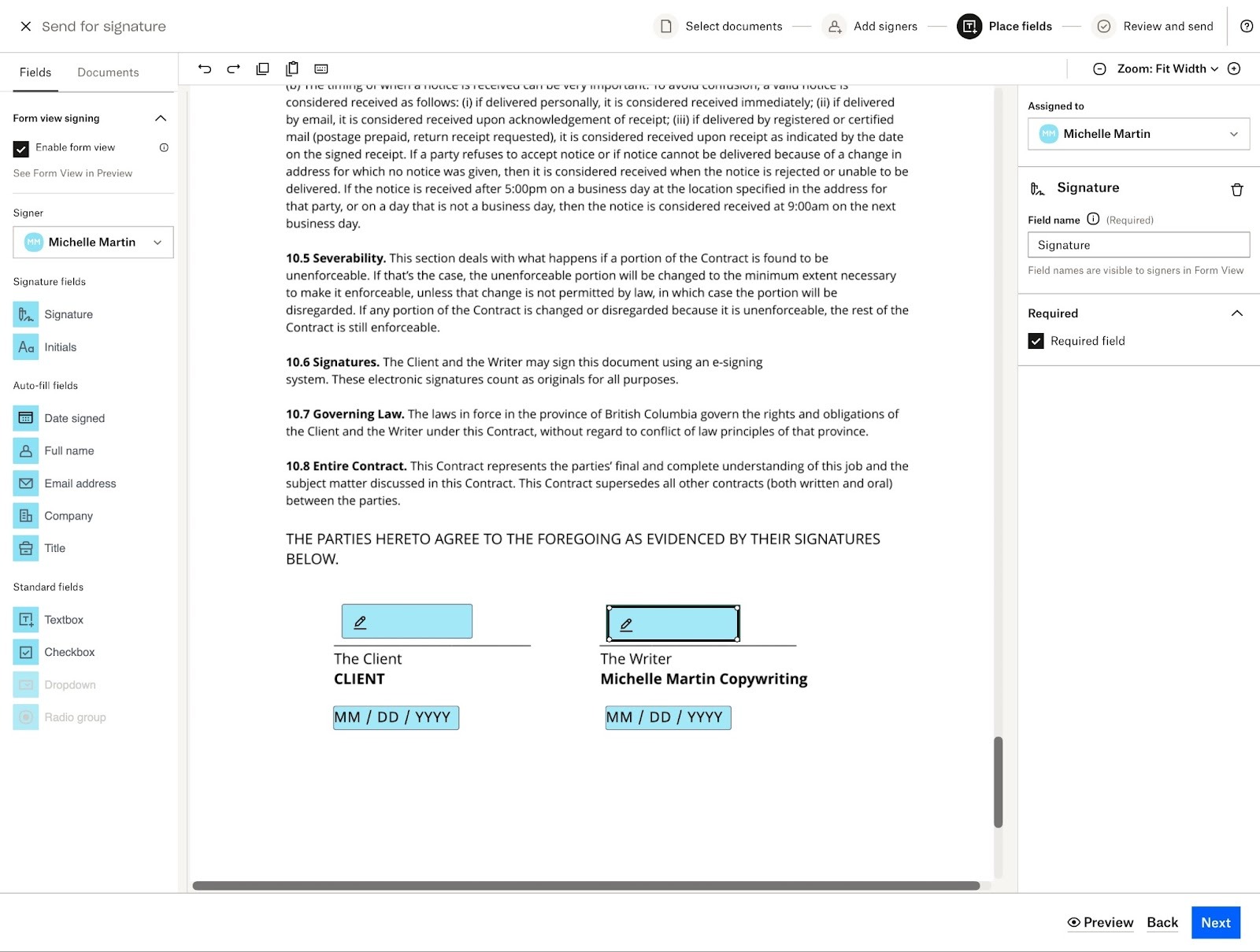
Organizations of all sizes can use Dropbox Sign, but it’s definitely a great place to start if you don’t currently have any contracts or agreements in place. Dropbox Sign has over 40 contract templates created by legal experts that you can customize in just a few minutes. Of course, always do your due diligence and get professional legal advice as well.
Dropbox Sign also addresses a common struggle your clients face when e-signing documents: scrolling to read long documents on their phone screen. Instead, Dropbox Sign walks mobile users through each field step-by-step like a form, making it more likely that clients will actually fill it out on their phones instead of deferring it to later on desktop (and then forgetting about it). As someone who’s had to pinch and zoom their way through plenty of 8.5″ x 11″ PDFs while on the go, I appreciate this feature a lot.
Additionally, Dropbox includes support for Qualified Electronic Signature (QES) — meeting strict verification and auditing protocols — in the most basic Essentials plan. However, if you require HIPAA compliance features or specific data residency, those are only available in the custom-quoted Premium plan.
Plans/Pricing:
- Dropbox Sign offers a 30-day free trial.
- Paid plans start at $15 per month for individuals and $25 per user per month (minimum of two users) for teams, when billed annually.
G2 rating: 4.7/5
9. Signeasy
Platforms: Mac, iPadOS, iOS, Android, Google Workspace and Microsoft Office extensions, web
Best for: Fast, AI-powered contract reviews and workflows
Key features:
- Centralized Intelligent Contract Repository to keep all your documents organized and searchable
- Conversational AI to answer questions, summarize, and define key terms
- Customizable team workflows
Pros:
- Unique Gmail, Google Docs, Microsoft Teams, and HubSpot extensions, allowing e-signatures without leaving apps
- Easy startup with Signeasy’s free white-glove migration and onboarding
- Ability to set auto-reminders before contracts expire
Cons:
- Two-factor authentication for signers and audit logs only available on Business Pro plan
- Potential privacy concerns: Signeasy AI shares data with third parties (but stresses it won’t be used for training)
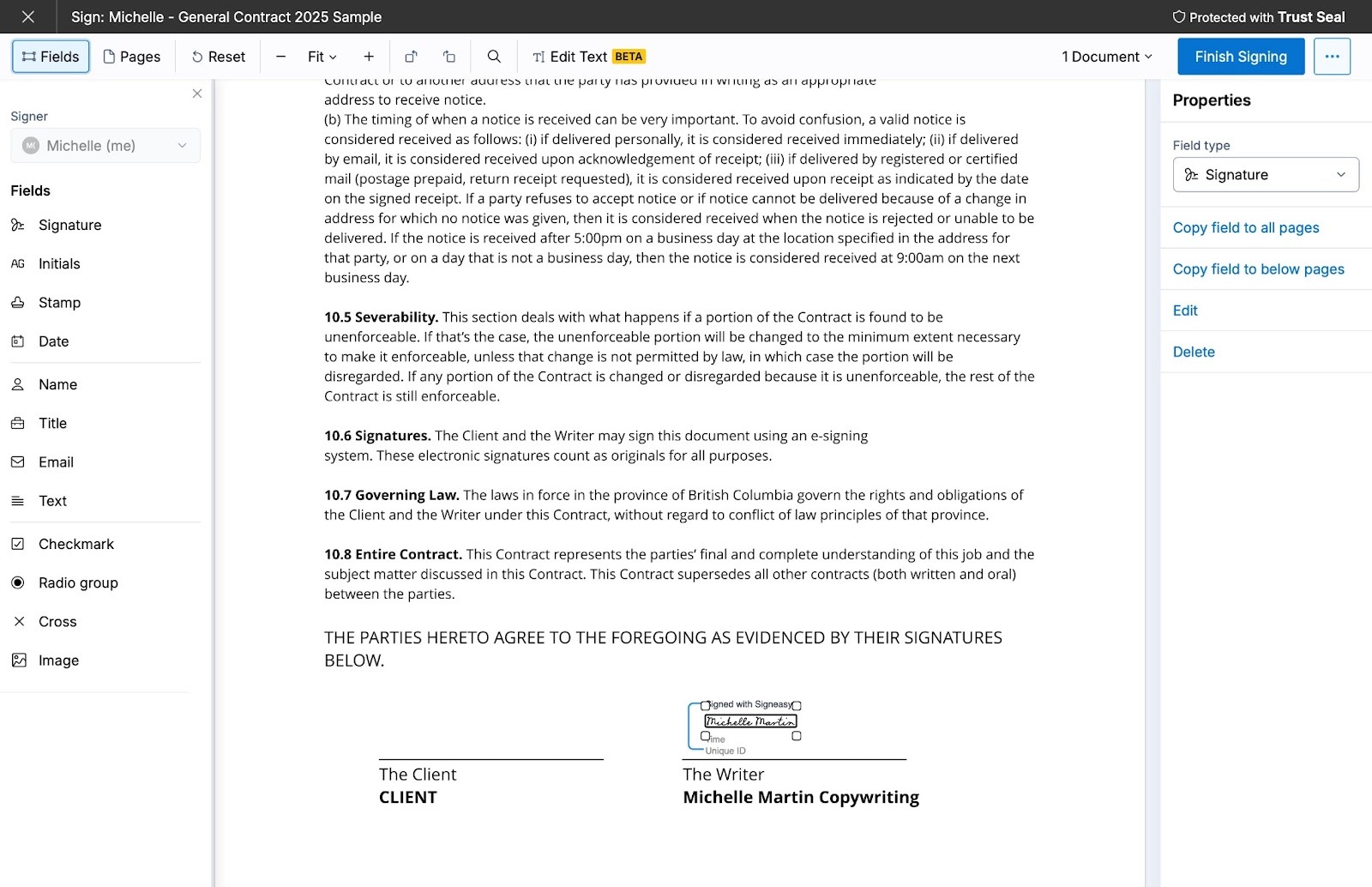
Now this is cool: You can e-sign contracts directly from Gmail, Google Docs, Google Sheets, Microsoft Outlook, and more with Signeasy. I haven’t seen this executed so well from any other electronic signature app, and it really makes Signeasy live up to their name — signing is easy.
Signeasy packs plenty of power in other areas too. You can use it to import existing documents or create one from a template, customize branding and signing workflows, and manage your team from any device. Plus, Signeasy supports attachments, reminders, cloud storage archiving, and integrations for pretty much every business app out there.
Signeasy AI also makes reviewing contracts easy by pulling out key terms, summarizing agreements, and even adding dates from contracts directly to your Google, Apple, or Outlook calendar.
As someone who uses Google Workspace tools daily, I’m impressed with the Gmail and Docs integrations. No more emailing: I can keep my contracts in Google Docs, where I do the majority of my work, and send them directly from there. (Signeasy also offers similar Microsoft extensions for Office 365 peeps.)
All those features and Signeasy will migrate your data and pay out the rest of your current e-signature app’s subscription? That’s tough to beat.
Plans/Pricing:
- Signeasy offers a 14-day free trial.
- Paid plans start at $10 per month for individuals or $20 per user per month for teams, when billed annually.
G2 rating: 4.7/5
10. Foxit eSign
Platforms: Windows, Mac, iPadOS, iOS, Android, web
Best for: All-in-one PDF creation, editing, and e-signatures
Key features:
- Customizable plan costs with flexible feature modules
- One tool for PDF creation, editing, and e-signing at about half the cost of Adobe
- Integration with custom APIs
Pros:
- NotaryLive integration to support legal compliance
- Deep integration with Salesforce, including two-way data syncing
- Built-in AI for summarizing and editing PDFs and contracts
Cons:
- Signable web forms and offline signing only available in Business plan
- Steep learning curve due to wide array of features
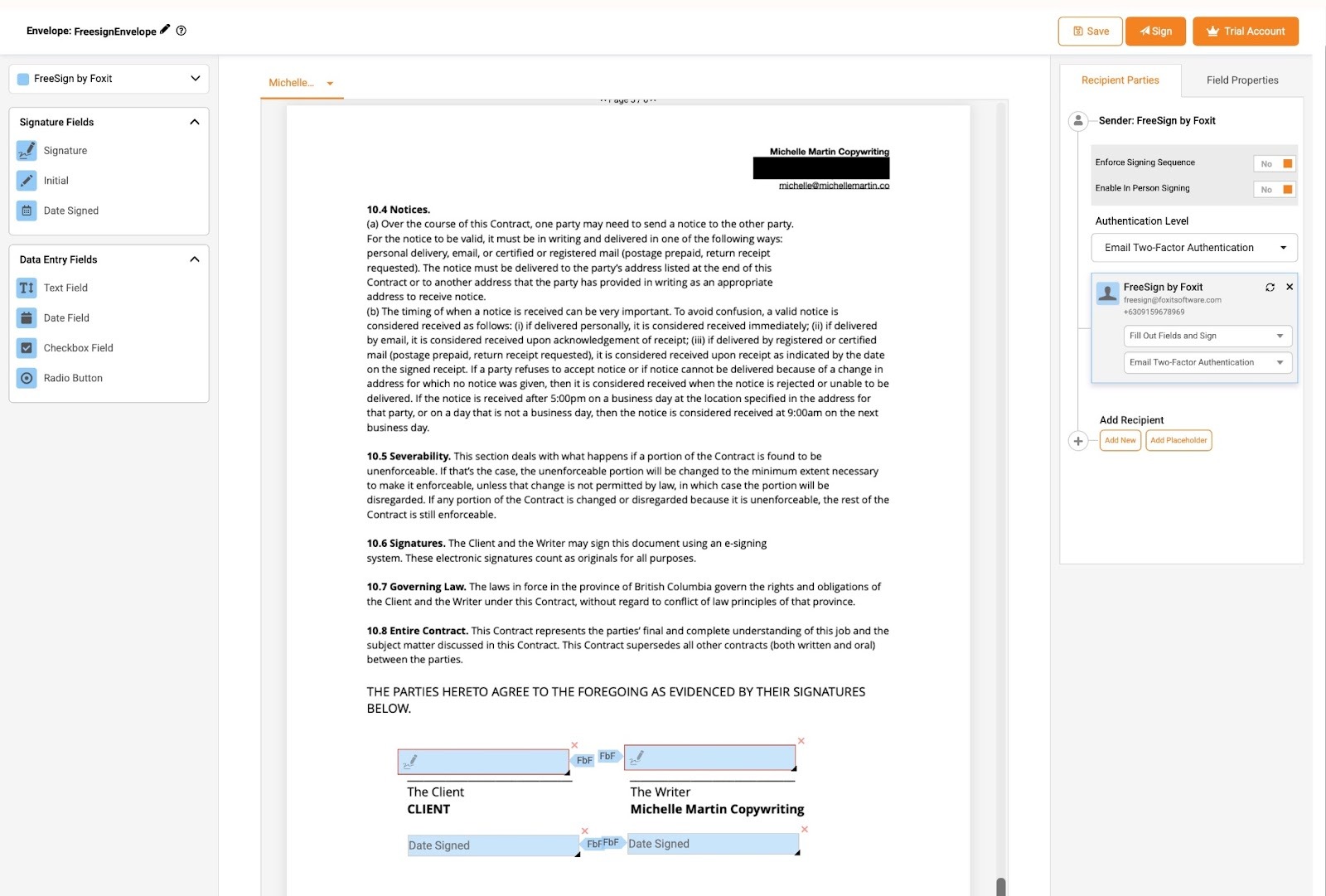
Foxit eSign is part of a suite of document tools that handles everything from PDF creation, conversion, and editing to powering document tools in other apps through developer APIs. Foxit’s modular pricing lets you add only the features you need, with options from eSign-only to full PDF editing at roughly half the cost of Adobe Acrobat Sign.
With Foxit eSign, you have all the most-needed e-signature tools at your fingertips, including mobile signing, sending and tracking, accepting payments, audit trails, and more. But you can also add modules to further fit your needs, including ones that enable HIPAA and other advanced security compliance, API access, and advanced workflow customization.
Legal-centric organizations will appreciate the platform’s NotaryLive integration as well as Smart Redact, a unique feature where Foxit’s AI automatically hides sensitive data within documents. It’s ideal for organizations handling healthcare data or legal cases to help reduce manual reviews.
While I don’t have any fancy needs like that, I still appreciate Foxit’s ability to create PDFs, summarize contracts, and send everything from one tool.
Plans/Pricing:
- Foxit eSign offers a 14-day free trial.
- Paid plans start at $120 per year for individuals or $300 per user per year for teams (minimum of five users), when billed annually.
G2 rating: 4.6/5
How I chose these 10 e-sign apps
I personally tested many apps before narrowing it down to the top 10 electronic signature apps that appear in this article. When evaluating these e-signature apps, I primarily thought about ease of use, overall user experience (including for signers), and unique or standout features.
Pro Tip
Read more about e-signatures:
- 6 best free PDF signing tools: Our picks of the best free PDF signing tools on the market.
- How to create an electronic signature: Learn how to create your own e-signature in minutes.
- How to sign a document electronically: Learn how to sign documents digitally.
- How to create an electronic signature on a phone: Learn how to create your mobile e-signature.
Which e-sign app should you choose?
Every organization has different needs and priorities. As a freelancer, I want an easy-to-use app that allows me to reuse contract templates and manage documents on the go, such as Jotform Sign Mobile or PandaDoc.
Organizations with advanced data privacy or legal responsibilities, however, may opt for an e-signature app better suited for rigorous compliance needs, such as OneSpan Sign or Foxit eSign.
Ultimately, the best e-signature app for your organization is the one with the features and workflow customizations you need at a price point that fits your budget.
FAQs about electronic signature apps
An electronic signature indicates agreement with a document or set of terms, and it can include typing your name in a box, ticking a checkbox, or clicking an “I agree” button.
A digital signature includes proof of identity along with the signer’s name, which may include tracking details like an IP address or verifying identity with additional documents or methods.
Yes, iOS and Android devices have built-in photo markup tools, and most electronic signature apps offer mobile versions, such as Jotform Sign Mobile.
Yes, you can. Most people sign their names in cursive, though it’s not required. Digital signatures include proof of identity through an electronic signature app.
Save time by storing your digital signature securely and using it to sign any document with Jotform Sign Mobile.
This guide is for teams and solo pros seeking a mobile-ready e-signature app with multi-signer workflows, offline capture, templates, audit trails, and essential integrations.





































































Send Comment:
1 Comment:
December 19, 2025
We love how it clearly explains features, pros, and cons, making it super easy to choose the right app for any need!