
When a new client reaches out to your business, you need a way to gather their information quickly, securely, and professionally. Whether you’re a therapist preparing for an initial session, a lawyer onboarding a new case, or a wellness coach meeting a client for the first time, a well-designed intake process sets the stage for a successful client experience.
Read on to learn everything you need to know, and go from asking, “What is a client intake form?” to getting all the information you need from customers in just a few clicks.
What is the purpose and importance of client intake forms?
Client intake forms verify a client’s identity, collect their personally identifiable information (PII), and assess their needs so you can best serve them from the start. These forms are especially important for healthcare providers, legal professionals, therapists, and wellness practitioners because they often handle sensitive data that requires HIPAA compliance to protect client privacy and follow federal regulations.
Here’s why new client intake forms are essential for modern service providers:
- Gather critical client details in advance: Ask for contact information, background details, service needs, protected health information (PHI), and any other relevant information to prepare for client interactions.
- Help providers understand client background and needs up front: Access to medical histories, legal circumstances, or wellness goals allows you to tailor your approach from the beginning.
- Save time during appointments or calls: Instead of spending the first 15 to 20 minutes of an appointment asking basic questions, you can jump right into the service.
- Acknowledge legal, health, or service-specific disclosures: Your intake form can include important disclaimers, privacy notices, and regulatory acknowledgments that protect your business, employees, and customers alike.
- Document consent and agreements: From privacy policies to service terms, invoices, and treatment authorizations, intake forms create a clear paper trail of what clients have agreed to.
- Improve communication and service customization: If you ask about a client’s preferred communication methods, scheduling constraints, and specific requirements ahead of time, you can personalize the client experience from the first touchpoint.
- Reduce errors: Digital intake forms guarantee consistency, confirming required fields are completed before submission and allowing clients with unclear handwriting to simply type their responses.
- Create a professional first impression: A well-designed intake form signals to clients that you’re organized, thorough, and respectful of their time.
What to include and avoid in a client intake form
There’s an art to making an effective intake form. You want to capture all the information you need without frustrating potential clients with endless requests. Make sure your form follows these basics to turn first-time clients into repeat visitors.
Key fields to include
The bare-bones information a client intake form gathers should include
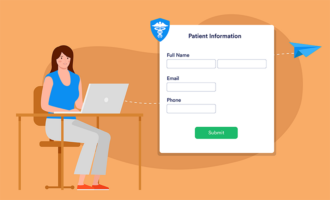
- Contact information: Legal name, phone number, email address, and home address
- Purpose: Service needs or reason for inquiry
- Context: Relevant background details (medical, legal, business, etc.)
- Disclosure: Consent, disclosure, and agreement checkboxes
- Communication consent: Preferred communication method and consent to contact
- Availability: Preferred method, time, and date for meeting
What to avoid
Be mindful of these common pitfalls that can dissuade customers from completing your form or even contacting you altogether:
- Request overload: Collecting too much data up front can feel like a waste of time. Only ask for essential information that will be helpful to know ahead of a meeting.
- Overcomplicating terms: Don’t alienate potential clients with unclear or overly technical language. Keep the wording accessible, concise, and easy to understand.
- Inaccessible forms: Use a digital client intake form that’s mobile-responsive and compliant with online accessibility guidelines. This will allow more people to contact your business, regardless of how they do it.
- Skipping disclaimers: Although clients appreciate shorter intake forms, it’s important not to skip legal agreements or disclaimers that protect all involved parties.
Who should use a client intake form?
You’re probably most familiar with client intake forms at medical appointments, but there are a variety of businesses and service providers who can benefit from using them:
- Healthcare providers: Use intake forms to gather historical medical information and get details about why patients made an appointment.
- Fitness services: Ask about fitness goals, health habits, and relevant medical information to plan for personal training or recommend gym packages.
- Consultants and freelancers: Sift out qualified leads via forms that gather information about budget, project pitches, and deadlines.
- Educational institutions: Collect information about prospective and current students to organize events, host seminars, or gather feedback.
- Financial services: Request basic financial information, job history, and financial goals to create plans before the first client meeting.
- Creative professionals: Gather and organize commission requests, example work, and contracts.
- Cosmetic services: Ask about potential allergies and request inspiration photos to prepare for hair, nail, and other cosmetic services.
Build secure, HIPAA-friendly client intake forms with Jotform
Creating a professional, secure client intake form shouldn’t require a graphic design degree or expensive software. With the Jotform Form Builder, you can create customized, on-brand intake forms and use automations that digest and share the results with the right person — all without writing a single line of code.
Here’s how Jotform helps you build better client intake processes:
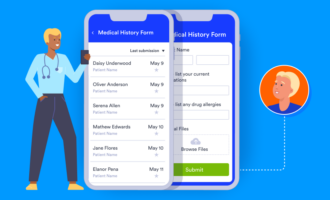
- Create tailored client intake forms with a drag-and-drop interface that makes it easy to add, remove, or rearrange fields until your form feels exactly right.
- Choose from hundreds of customization options to match your brand colors, add your logo, and create a professional appearance that builds trust with potential clients.
- Use conditional logic to ask the most relevant questions. Conditional logic shows or hides specific intake questions based on previous answers. This personalizes intake for each person and provides a better user experience from the start.
- Access more than 600-plus prebuilt intake form templates for healthcare, legal, wellness, and other industries. These templates provide a professional-looking starting point that you can adjust to your specific needs, saving hours of design work.
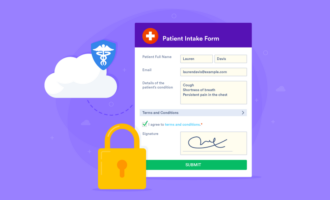
- Enable HIPAA compliance features to collect and manage medical data securely. When you use HIPAA-friendly intake forms, Jotform provides additional security measures specifically designed for PHI.
- 256-bit SSL encryption protects all forms, with options for password protection and data encryption at rest. This shields your clients’ privacy and blocks unauthorized access to their responses.
- Integrate with over 150 third-party applications, from Google Drive and Dropbox for file storage to Salesforce and HubSpot for client relationship management. This allows you to make the switch to Jotform without losing important legacy data and with minimal changes to your existing workflows.
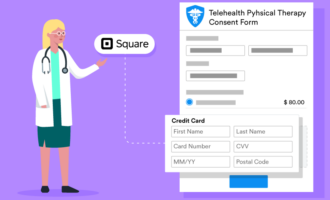
- Collect payments directly through your intake forms using integrations with Square, PayPal, Stripe, and other payment processors. This is especially useful for registration fees, deposits, or copays.
- Add complex fields like electronic signature fields, file uploads, and consent checkboxes, and implement logic-based flows to enhance the client experience.
- Automate workflows with Jotform Workflows to trigger actions based on form submissions. Send welcome emails, create tasks in project management tools, or notify team members automatically when new clients complete intake forms.
Whether you need a simple contact form or a comprehensive medical intake form, no-code tools like Jotform provide an accessible and secure way to simplify client intake.
Client intake form templates
Explore these expertly designed intake form templates to provide better client experiences with minimal setup:
- Tax preparation client intake form: Includes fields to gather basic tax information required to file annual tax returns
- Esthetician client intake form: Includes fields about relevant medical history, skincare routines, and lifestyle habits that would be helpful for cosmetic appointments
- Massage intake form: Collects contact information and asks about massage preferences, injuries, or conditions that the massage therapist should know
- Counseling intake form: Gathers contact, basic medical, and insurance information to help counselors prepare for intake appointments
- Medical intake form: Asks for comprehensive background and medical information to help healthcare providers prioritize walk-in appointments based on need
- Fitness client intake form: Asks about health habits, medications, injuries, and current fitness level to help trainers prepare custom fitness plans
- Hair salon client intake form: Records appointment requests with customer availability, desired services, and the ability to upload example photos
- Social media marketing client intake form: Asks for key information about a business’s current social media practices and goals to help marketing professionals prepare pitches
Streamline your client intake processes today
The right digital client intake forms not only save paper — they save your team from the wrath of frustrated clients. They can improve your entire onboarding experience, saving valuable time and reducing data-entry errors that can create costly miscommunication or service delays.
Whether you’re a therapist implementing a new patient intake process, a lawyer collecting case details, or a wellness coach learning about client goals, the right intake form is a foundation for organized, professional, and compliant client relationships.
Try building a secure and effective client intake form with Jotform Form Builder. Between the drag-and-drop design interface, optimized template library, e-signature fields, and HIPAA-friendly workflows, you can create a customized intake experience in minutes.
FAQs
Potential clients fill out intake forms themselves. In some cases, such as intake forms for minors or individuals with certain disabilities, they might need assistance from someone else.
The main benefits of using a client intake form include
- Supporting HIPAA-friendly data collection practices for healthcare providers
- Saving time during appointments and meetings by answering basic questions ahead of time
- Reducing administrative burden with automated workflows
- Minimizing errors from illegible handwriting or missed fields
- Creating a professional, organized first impression
- Documenting important legal disclosures and consent agreements
- Personalizing services based on client needs
The most common mistakes on intake forms include
- Designing forms with poor visual hierarchy, which makes them difficult to navigate and complete
- Asking for too much information up front that creates frustration and leads to form abandonment
- Using unclear or overcomplicated language that confuses clients
- Creating forms that don’t work well on mobile devices
- Skipping necessary legal disclaimers or privacy acknowledgments
- Not providing clear instructions for required fields
A client intake form typically includes a header with your business name, logo, and contact information, followed by organized sections asking your client to provide their responses. It starts with basic contact fields like name, email, and phone number, and then progresses to more specific questions about service needs, background details, and relevant history.
Most modern intake forms are digital and mobile-responsive, with clear labels, dropdown menus for common selections, checkboxes for agreements, and sometimes conditional fields that appear based on previous answers. Mobile intake forms allow clients to fill them out on their own schedules and take their time, which gives your business more information and reduces abandonment rates.
Clients should fill out intake forms before their first touchpoint with your business, ideally at least 24 to 48 hours in advance. Sending the intake form immediately after a client books an appointment ensures they complete it while their commitment is fresh.
When an intake form is filled in advance, it gives you time to review the client’s information, prepare relevant materials, and identify any special accommodations or urgent concerns.
This article is for healthcare providers, legal professionals, wellness practitioners, and anyone who wants to securely collect and manage client information using HIPAA-friendly intake forms that streamline onboarding and protect sensitive data.

































































































Send Comment: