Create Fast Forms
Jotform’s fast forms help you create custom online forms quickly accessing 20,000+ ready-made templates from and an intuitive drag-and-drop builder. With this fast forms tool, you can build forms without coding, share them via link or embed on your site, and track submissions in Jotform Tables to gather data and insights efficiently.
Шаблони
Explore Fast Form Templates
Struggling for ideas? Choose one of Jotform’s ready-made templates and customize it with our drag-and-drop form builder in just a few minutes.
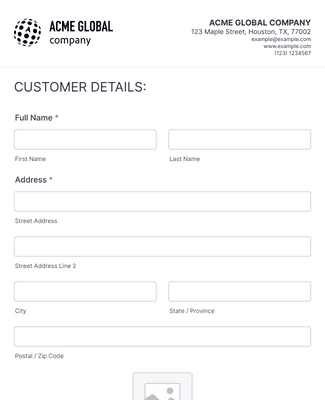
Образац за Регистрацију Новог Корисника
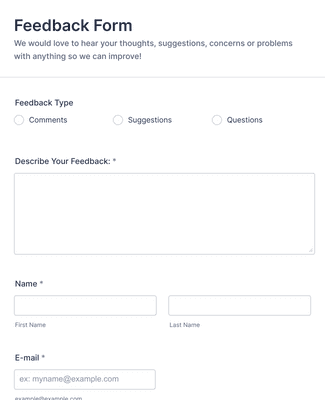
Образац повратне информације
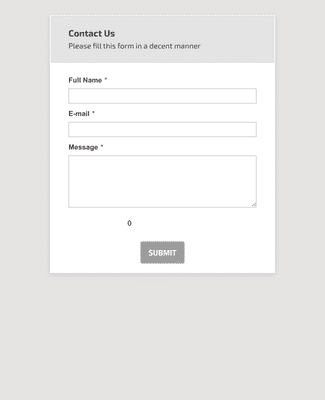
Општи контакт образац
Погодности
Intuitive Drag-and-Drop Form Builder
Build a form using a drag-and-drop editor, so form creation doesn’t require code. Add, rearrange, and customize form fields, widgets, and integrations as the form takes shape. You can also use conditional logic, accept payments, and generate reports when the form needs more than basic data collection.
Easy to Customize to Your Needs
Customize the form to match a brand by changing fonts and colors and adding logos, images, and videos. Jotform Sign and Store Builder can be added when the form needs signatures or an order flow in the same experience. This keeps the form consistent with the workflow it supports instead of feeling like a separate tool.
Share and Embed in Seconds
Share the form with a custom URL as soon as the form is ready. Send the link by email, place it in a social media bio, share a QR code, or embed the form on a website. This gives people multiple ways to open the form, so it’s easier to collect responses quickly.
Прати и управљај пријавама
View every submission in the Jotform account and access submissions from any device. Organize submission data in Jotform Tables, so sorting and reviewing responses is faster than scrolling through a list. Convert submissions into PDFs or route submissions through approval steps with Jotform Workflows, so follow-up work is less manual.
Build Beautiful, Custom Apps
Turn forms into a no-code app that people can open and use like a dedicated portal. An app can include an online store, a company portal, or multiple forms in one place for easier access. Jotform Apps works on smartphones, tablets, and desktops, so the app stays usable across devices.
Препоруке
Шта наши корисници кажу за Jotform
Learn how to create forms with Jotform
Discover how to build faster, more efficient online forms using Jotform in this quick tutorial.

Frequently Asked Questions
Сва твоја питања везана за Jotform - одговорена. Погледај наша честа питања за одговоре на уобичајена питања или контактирај наш тим за подршку за додатне информације.
What are fast forms?
Fast forms are pretty self-explanatory: They’re forms that you can build quickly and that your audience can fill out quickly! Jotform’s software is designed to make the form-building process as easy and fast as possible for you, so you won’t have to spend hours coding just to make a short form. Similarly, we aim to make our forms as intuitive as possible, so everyone can fill out an online form in a matter of minutes.
How do I make my own form?
It’s easy to get started making your own form with Jotform. Simply sign up for one of our plans — ranging from a free Starter plan to a variety of paid plans — and use our drag-and-drop form builder to start creating forms. You can customize your form by adjusting fonts and colors, adding logos, uploading images and videos, and much more. When you’re done, share the form via email, link, QR code, or by embedding it in your website or social media platforms. You can complete the process in mere minutes — it’s that easy!
How do I embed forms in an email or website?
You can embed forms in an email or website with Jotform’s custom embed feature. Just copy and paste your form’s embed code into your site builder, email, or other third-party platform. Options include JavaScript, source code, iFrame, popups, plug-ins, and much more!
Is there any fast way to manage and analyze form data?
Yes — with Jotform Tables, you can track, manage, and analyze your form submission data in an all-in-one workspace. You’ll have the flexibility to sync responses from connected forms, import data, or enter data manually. You can also request and share submission edits, search and filter your data, add formulas and calculations, send data to other platforms, automatically create PDFs, and more. Jotform Tables makes it a breeze to collaborate with teammates for data collection, organization, and management.