
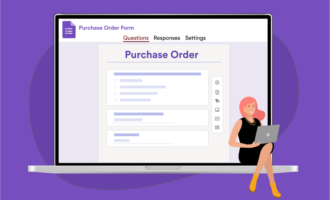
Accepting payments on Google Forms requires a third-party tool, and Payable Forms is one of the most popular options. It’s a Google Workspace add-on that automatically calculates totals from form responses, syncs payment status to Google Sheets, and integrates with PayPal, Stripe, Square, Rapyd, and Razorpay.
If you’re already comfortable using Google Forms, there’s almost no learning curve with Payable. That’s made it a go-to for small business owners, event organizers, club administrators, and solopreneurs who need a simple way to collect payments. But will Payable Forms’ free plan meet your needs?
Keep reading to review Payable Forms plans so you can get a sense of how much this add-on costs and how each Payable Google Forms pricing bracket works. That way, you’ll know exactly what to expect before committing.


Payable Forms pricing at a glance
Payable Forms doesn’t use traditional subscription plans or pricing. Instead, it offers three pricing tiers — and the right one for you will depend on how often you collect payments and how large each payment is.
| Free | Fixed | Percentage | |
|---|---|---|---|
|
Best for |
Occasional, low-volume use |
Regular payment collection |
High-volume or business use |
|
Transaction size |
Under $5 |
$5–$50 |
Over $50 |
|
Price |
Free |
$0.49 per transaction |
One percent fee on the transaction total |
Pro Tip
If you want to cut the time it takes you to set up a form, AI Form Builder is another Google Workspace Marketplace add-on that generates Google Forms from a simple text prompt. It pairs nicely with Payable Forms when you’re creating multiple payment forms and don’t want to rebuild the structure each time.
Payable Forms Free bracket
Best for: Solopreneurs, running clubs, meetup organizers, and anyone collecting occasional, low-value payments.
If most of your payments are under $5, Payable costs you nothing beyond what PayPal, Stripe, or Square already charges. For example, a solopreneur selling a $4 printable template, a running club collecting $3 in monthly dues, or a pop-up meetup charging a $2 RSVP fee to cover snacks all fall into this Free bracket.
Example:
- Transaction amount: $4
- Stripe fee (2.9 percent plus $0.30): $0.42
- Payable Forms fee: $0
- You keep: $3.58
Your payment processor still takes its cut, even when Payable doesn’t. That works out to about 10 percent in fees, but that’s not on the Payable end. It’s the flat portion of your processor’s fee hitting small payments hard.
Tips:
- Price strategically: While a $4.99 sale stays in the Free bracket, a $5.01 product jumps to the Fixed bracket with a $0.49 fee. If you’re close to the edge, it’s worth doing the math.
- Use the Free bracket to validate before scaling: Launch a new $4 product and see if there’s demand before committing to pricier offerings. Since Payable has no subscription and requires no commitment, experimenting costs you nothing.
Payable Forms Fixed bracket
Best for: PTAs, yoga studios, event organizers, and small businesses collecting regular payments for mid-priced items or services.
For payments between $5 and $50, Payable Forms charges a flat $0.49 per transaction in addition to your payment processor’s fee. This is the sweet spot for many small organizations, whether it’s a PTA collecting $20 field trip fees, a yoga studio selling $30 drop-in classes, or a candlemaker charging $25 for their signature soy candle.
Example:
- Transaction amount: $25
- Stripe fee (2.9 percent plus $0.30): $1.03
- Payable Forms fee: $0.49
- You keep: $23.48
The $0.49 flat fee from Payable is predictable, but your processor’s percentage fee is about six percent. That’s a significant improvement over the Free bracket’s 10 percent-plus rate on small transactions and shows where the Fixed bracket starts paying off.
Tips:
- The flat fee favors higher-priced items: $0.49 on a $6 sale is about eight percent of the transaction, whereas $0.49 on a $45 sale is about one percent. If your items are at the lower end of the range, consider whether a slight price bump or bundling would net you more per sale after fees.
- Pass some of the fees to your customers: Payable lets you add a custom handling fee in your checkout settings. Even a flat $0.75 surcharge recoups most of your combined processor and Payable fees on mid-range transactions.
- Keep an eye on volume: The $0.49 fee feels small per transaction, but it adds up quickly. Collecting 200 payments at $15 each means $98 will go to Payable alone, in addition to processor fees. If you’re processing that volume regularly, it’s worth comparing your total Payable Forms cost against the best online form builders that offer native payment fields and no per-transaction markup.
Payable Forms Percentage bracket
Best for: Wedding photographers, conference organizers, community league admins, and small businesses collecting premium payments.
Anything over $50 moves into the Percentage bracket, where Payable charges one percent of the transaction total. This is where the larger payments fall, such as a wedding photographer’s $500 deposit, a conference’s $250 ticket, or a basketball league’s $150 registration fee.
Example:
- Transaction amount: $200
- Stripe fee (2.9 percent plus $0.30): $6.10
- Payable Forms fee (one percent): $2
- You keep: $191.90
At this size, you’re looking at an effective fee rate of about four percent — the cleanest of the three brackets. Bigger transactions dilute the flat processor fee, so each dollar you collect goes further than in the Free or Fixed brackets.
Tips:
- Do the annual math: One percent feels easy to ignore on a single $200 sale. But a small business processing $10,000 a month in the Percentage bracket pays $100 monthly to Payable Forms alone. That’s $1,200 a year on top of processor fees.
- Higher-value payments need an improved checkout experience: Customers paying over $300 expect a polished, branded process, not a simple Google Form and a generic checkout page. If your prices are increasing but your form still looks like a homework assignment, it’ll probably hurt your conversion rate.
- Make sure your reporting can handle refunds and disputes: For higher-value transactions, a single chargeback or refund can be expensive to resolve manually. Payable syncs payment status to Google Sheets, but that’s about it. Anything beyond basic tracking is up to you to build yourself. If refunds are common or your business needs clear financial records, working without a robust report builder can quickly become an operational problem.
Payable Forms pricing: Is it worth it?
So, is Payable Forms worth it? That depends on what you’re collecting, how often you collect it, and what you need your form to do beyond the payment itself.
Worth it if
- You’re already running your operation in Google Forms and don’t want to switch tools
- Your payment volume is occasional or modest, and most of your transactions fall within the Fixed bracket’s sweet spot, closer to $50
- Your form just needs to collect a payment without branding, conditional logic, or handoff to your customer relationship management (CRM) platform
Not worth it if
- You’re processing payments regularly at high volumes, where the one percent Percentage-bracket fee starts adding up to hundreds of dollars a year
- Your checkout experience matters to your brand, your customers, and your conversion rate
- You’ve outgrown Google Forms’ limits and keep needing Google Forms add-ons to compensate
If the Payable Forms pricing model doesn’t feel like the right fit for your needs, it might be time to explore an alternative. When comparing Payable Forms vs Jotform, you’ll find that a native AI form builder like Jotform can handle more. Jotform is worth considering if you need payment collection plus conditional logic, custom branding, CRM integration, multi-step forms, AI agents, or a form that works independently of Google.
Jotform offers native payment collection without add-ons
Payable works by adding payments to Google Forms, while Jotform payments are built in from the start. There’s no add-on to install, no extra fees beyond your payment processor, and no second tool to manage alongside your form builder.
Here’s what makes Jotform a strong alternative:
- 40-plus payment integrations, including PayPal, Stripe, Square, and Apple Pay
- Native product and order form fields without workarounds to calculate totals
- Conditional logic and multi-step forms for smarter, more personalized checkouts
- Custom branding and more than 1,000 themes, so your form looks like your business
- 150-plus form integrations, including HubSpot, Mailchimp, and Google Sheets, so your form data flows straight into the tools you already use
- 1,700-plus payment form templates built for specific use cases like event registrations, donations, online orders, and invoices
- A library of more than 20,000 free form templates for everything from surveys to applications to registrations
You can also explore Jotform’s broader tools, such as e-signature for contracts and approvals, Tables for managing submissions without a spreadsheet, and Smart PDF Forms for turning static paperwork into fillable online forms. Ready to switch? Migrate your Google Forms to Jotform in a single click and start collecting payments without any add-ons.
This article is for small business owners, event organizers, club administrators, and solopreneurs who are using or considering Payable Forms to collect payments through Google Forms and want to understand what each plan includes before committing.





























































































Send Comment: