
You want your online forms to be just right before you put them in front of respondents. Spelling errors, misplaced questions, and other common issues that arise during the drafting process make your forms seem unprofessional if users encounter them while filling them out.
This is why many users expect a Save as Draft or Publish button to let them know their in-progress forms are out of the public eye. But for Google Forms users, this isn’t a reality.
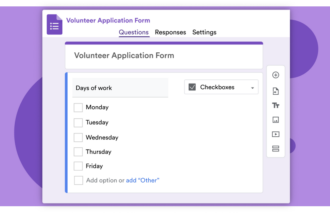
Google Forms, one of the most popular online form builders, uses a real-time editor. This means once you publish your form, all edits you make are live for anyone with a link, leaving no dedicated way to save progress privately in a Google Form.
But that doesn’t mean you’re out of luck if you want to edit a Google Form draft in peace. Follow along as we explain how to create a Google Form draft using a bit of creativity, and why Google Forms alternatives like Jotform Enterprise offer you more in terms of draft control.


Google Forms is always live, so you cannot create a draft
Although Google Forms is always live, that doesn’t mean there isn’t a way you can work around this to create your own draft process. The main workaround for this issue is to create a “sandbox” copy of your form where you can make edits and test new ideas without pushing your content live to respondents or taking your form down, which can negatively affect your response rate.
Here’s how you approach this workaround:
- Open Google Forms and click the published form you want to edit, or start a new form.
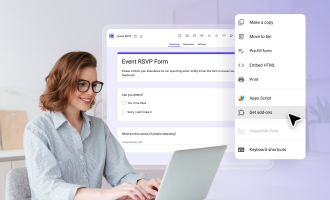
- In the top right corner, click on the Three dots icon for more options.
- In the dropdown, click Make a Copy.
- Edit your unpublished copy as needed and test it.
- Copy over updates from your sandbox copy to the live form. Updates will save automatically.
This method lets you edit quickly by copying and pasting changes from your unpublished sandbox copy into your live form, rather than worrying about how to save and continue Google Forms edits later without users seeing them.
If you don’t want to juggle two copies of your form, you can also choose to unpublish it. However, doing so may frustrate users who expect the link to work — this could undermine your form’s overall effectiveness.
Jumping back and forth between two copies (and keeping track of which is the live version) or taking down your form to edit may not be ideal. That’s why many users prefer a more flexible tool that offers greater control over visibility throughout the drafting process, such as Jotform Enterprise.
How Jotform Enterprise gives you total control
Google Forms’ bare-essentials platform can be effective enough for those who only need the basics. But for businesses that often use online forms, there are gaps in Google’s capabilities that can be frustrating.
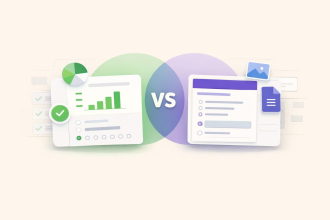
Jotform Enterprise offers a more well-rounded experience across the form creation and editing process. Let’s take a quick look at how these two tools compare in some key areas:
 Google Forms |  Jotform Enterprise | |
|---|---|---|
| Drafting environment | None. Edits are saved in real-time and are live for anyone with the link. | Dedicated "Draft Mode" provides a private staging area for making updates. |
| Editing safety | Low. All changes, such as removing a question, are instantly pushed to live users. | High. Changes are private until you choose to publish. |
| Testing logic | Requires manual testing of new flows in a separate copy. | Offers a built-in environment for testing complex logic without impacting your live form. |
| URL stability | "Sandbox" draft copies have a separate URL from live forms. | Maintains a single live URL, even when you overhaul. |
| Collaboration | Team members must collaborate and edit the live version together, risking duplicate changes or mismatched edits. | Team members can collaborate on a draft version and refine edits before pushing live. |
Overall, Jotform Enterprise offers a “live vs staging” environment. By using separate environments, you can overhaul your live forms in the background while collaborating with your team on changes. Once you’re done, all you need to do is hit the Publish button to push your updates live without affecting your form’s URL.
But this isn’t the only benefit Jotform Enterprise holds for power users. This advanced form-building environment offers a robust suite of features, making it the ideal solution for professionals with form-building needs.
Migrate your Google Forms to Jotform in seconds
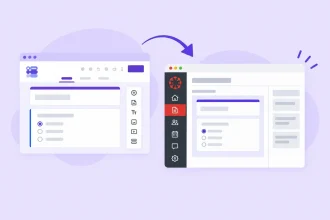
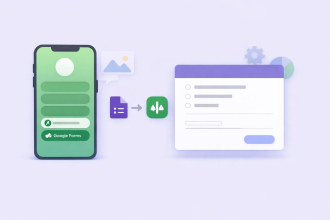
If you’re interested in switching to Jotform but worried about losing your existing forms, you can easily migrate Google Forms to Jotform in just a few clicks. Here’s how to get started:
- Sign in to Google Forms and choose which forms you want to migrate.
- Import your form and review the results for accuracy. Edit if necessary.
- Customize your form using Jotform’s Form Builder, then share it.

Once you’ve migrated your Google Forms over to Jotform, you can take advantage of the features that make Jotform the best Google Forms alternative for power users — particularly Jotform Enterprise.
Power users need access to features that take their online forms beyond the basics offered by Google Forms. That’s why Jotform Enterprise offers a full suite of enhanced capabilities, including
- Access to the full suite of Jotform products
- AI-enhanced form-building tools
- Data collection and scalability
- Team workflows, workspaces, and permissions settings
- Admin controls and real-time analytics
- Dedicated support
- Enterprise-grade security features
By leveraging these capabilities to your advantage, you can create a more efficient end-to-end online form process and optimize every aspect of your workflow, from design to analysis.
Why Jotform Enterprise is the solution for power users
With its ability to create no-risk drafts and the additional benefits of its enterprise suite, Jotform Enterprise is a powerful alternative to Google Forms. Thanks to its user-friendly interface and efficiency-focused design, this online form builder helps you circumvent the challenges of Google Forms and improve your workflows.
Jotform Enterprise is a trusted online form solution for small businesses, nonprofits, universities, and even Fortune 500 companies worldwide. Contact sales to learn more about which custom Jotform Enterprise pricing options are available for your organization and how Jotform Enterprise elevates your online form usage.
This article is for survey creators, students, and employees who are filling out long Google Forms and need to ensure their work is saved so they can finish it later without losing data.












































































Send Comment: