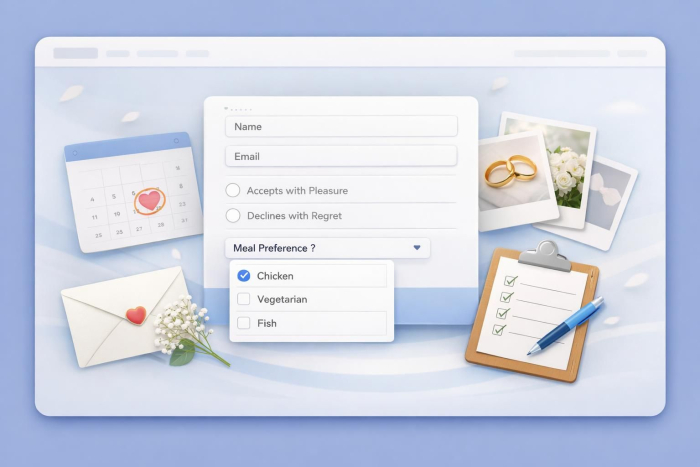
RSVPs are an essential part of any wedding planning process. But the cost of physical RSVPs — averages sit around $226 — can seem like an unnecessary expense for couples trying to stretch their budget. That’s why many are going digital and creating a wedding RSVP Google Form.
If you’re interested in using Google Forms to create your free online wedding RSVP form, this guide offers step-by-step instructions for doing it yourself. We’ll also cover an alternative, Jotform, so you can learn how to make your invites even more beautiful and personalized.
Create a wedding RSVP form in Google Forms step by step
Google Forms makes it easy to build your own RSVP form using two key methods: from scratch, or with its RSVP template. No matter how you choose to build your Google Forms RSVP wedding invite, the process takes just a few simple steps.
Here’s how to start building your free wedding RSVP form from scratch:
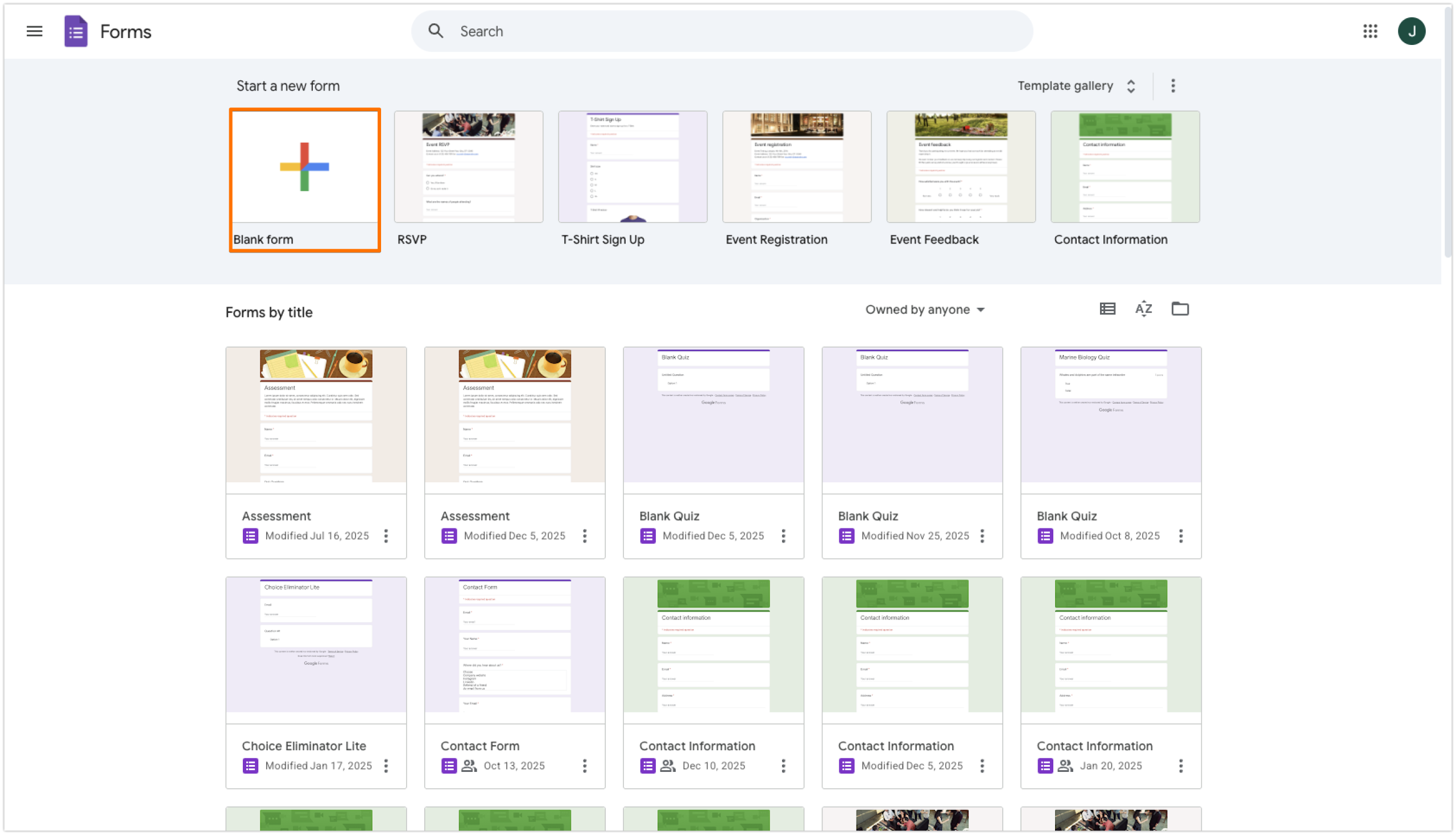
- Open Google Forms.
- Click on Blank Form under the Start a New Form menu at the top of the page.
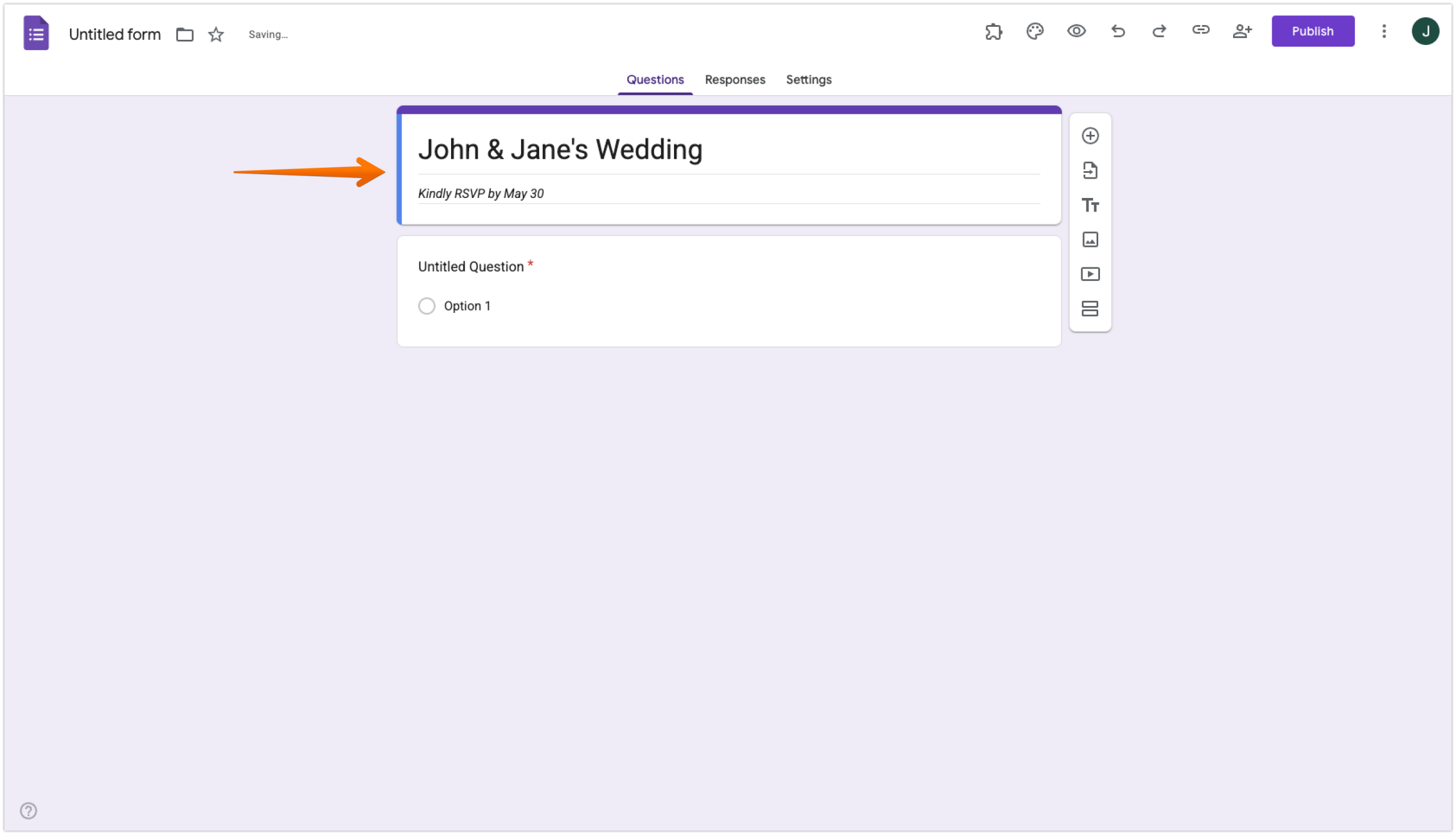
- Update your form title to reflect your wedding details.
- Add a form description under your form title, including your “RSVP by” date.
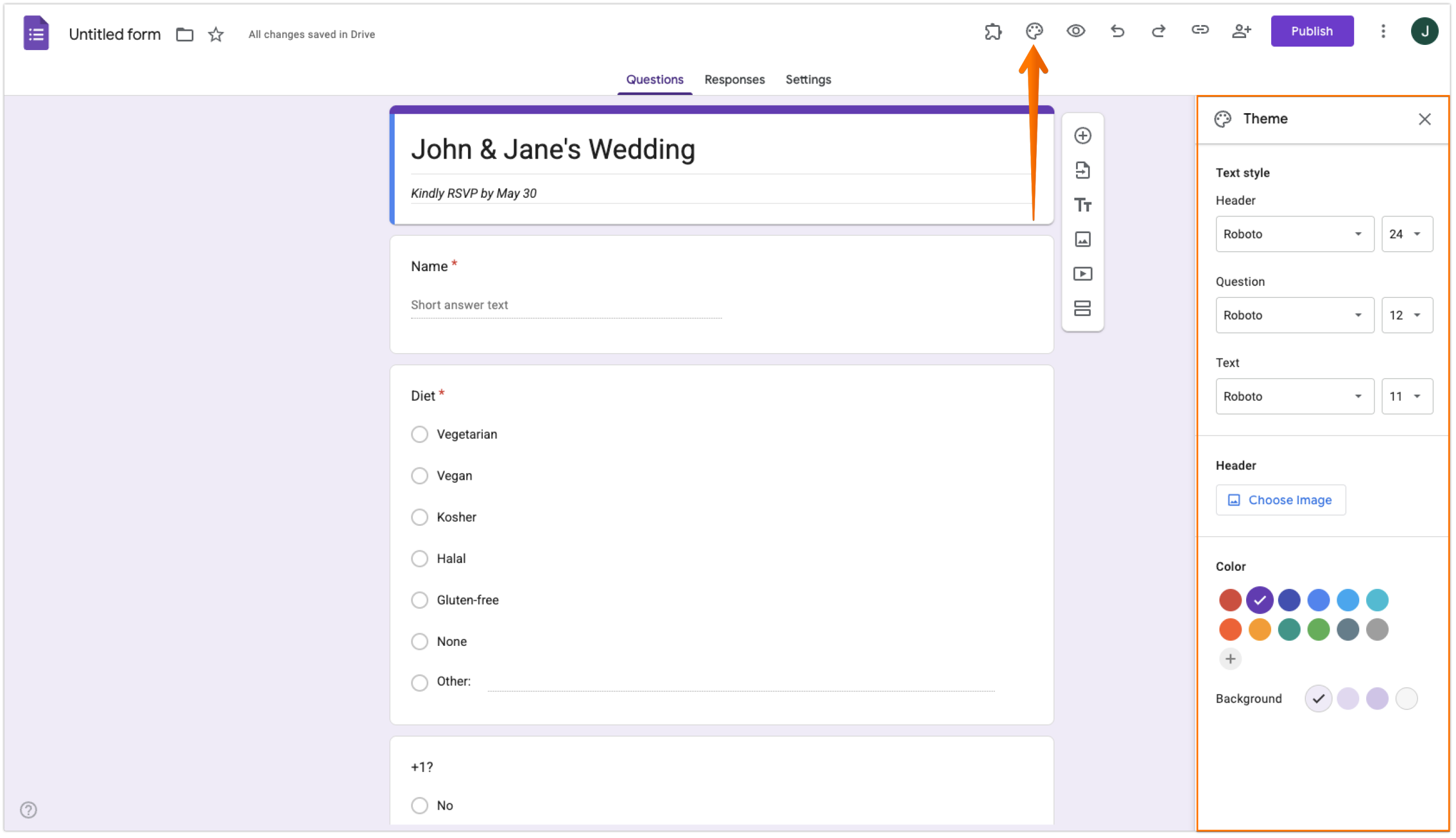
- Add your wedding RSVP form questions by clicking the “+” symbol on the floating right-side menu.
- Once all your questions are in place, you can customize your RSVP by clicking the Customize Theme button in the top menu. This includes adding a header of your choice and updating your form’s font or color.
- Update your settings to match your preferences by clicking into the Settings menu in the top middle of the page. Here you can toggle email collection, response editing, or limiting to one response.
- Test your form before you send it out, and then click Publish once you’re ready to distribute it to your guests.
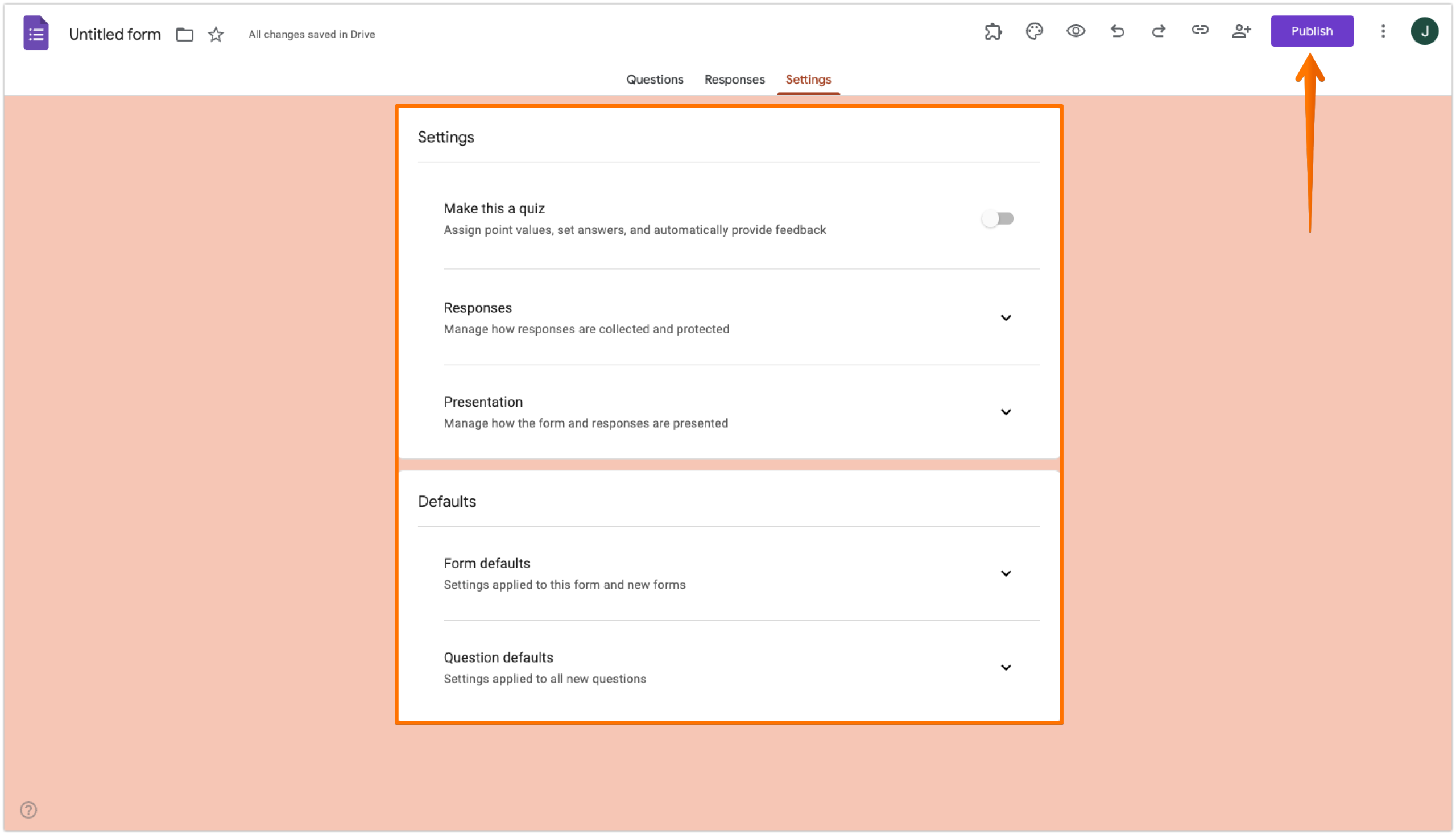
If you’re looking to save time with a Google Forms wedding RSVP template, you’ll follow a process similar to the one above. But instead of creating a blank form, you’ll choose the RSVP template from the Template Gallery in the top right of the Google Forms home screen.
Although Google Forms makes it easy to create a free wedding RSVP form, you’ll find that it’s limited in its customization capabilities — and when it comes to your big day, why settle for something basic? For an RSVP option that truly reflects your style, consider trying a more powerful wedding RSVP tool like Jotform.
Go beyond a simple wedding RSVP form with Jotform
By using Jotform’s drag-and-drop form builder, you can easily create a wedding RSVP form that matches your vision in a matter of minutes. Jotform offers customization features that can change everything from color schemes to themes, using manual or AI-powered design tools — all without needing to write code.
You can incorporate conditional logic into your form, so guests who decline can automatically skip irrelevant questions like dinner options. You can also build a custom thank-you page with a personalized message and even collect monetary gifts toward a honeymoon or future home.
Looking to save time in your creation process? Try using Jotform wedding RSVP templates instead. These ready-made templates can be easily generated, customized, and shared in just a few clicks.
What about a wedding app to keep all your wedding invites and information in one place? Jotform has you covered there, too, with a wedding RSVP app builder that lets you create a free wedding invitation app to streamline the RSVP process and add a more polished touch.
Already have a Google Form? Migrate to Jotform with a single click


If you’ve already gone through the process of building your wedding RSVP form in Google Forms, but you’re looking for a way to personalize it further, you can easily migrate Google Forms to Jotform and start making it your own.Wow your wedding guest list with a form that’s beautiful and sets the tone before the big day. Try Jotform today for free and discover why this Google Forms alternative is the one that couples prefer.
This article is for engaged couples and wedding planners who want to create a free, easy-to-share digital RSVP form and are considering Google Forms as the starting point.
































































































Send Comment: