

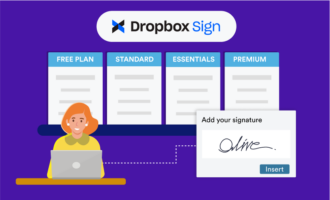
Approval and signature workflows often create hidden bottlenecks. Unanswered emails and follow-ups stretch the time between sending a document and getting it signed. It’s for this reason that many teams integrate their e-signature tools with Dropbox and Slack.
It solves the problem of lagging signature workflows by providing
- Instant notifications when someone views or signs a document
- Centralized communication where teams already collaborate
- Less back-and-forth emailing for cleaner inboxes
- Improved visibility for distributed and fast-moving teams
The Dropbox Sign Slack integration speeds up timelines by giving your entire company visibility into these workflows — and this guide covers everything you need to get started with it. It also introduces a more advanced option for teams interested in exploring additional time- and money-saving benefits.
How the Dropbox Sign Slack integration works
Dropbox Sign connects document status updates from Dropbox to your Slack channels. It can automatically push alerts to a channel for team-wide visibility or a direct message for private items like HR paperwork. Here are step-by-step instructions to get you set up:
- Open Dropbox Sign.
- Navigate to “Integrations” and select Slack.
- Authorize your Slack workspace.
- Select the channel or user that will receive updates.
- Send a document and watch Slack notifications appear automatically.
Once active, the user or channel you selected will start getting Slack messages for document updates. These can show when a document is sent, when a recipient views it, when it’s been signed, and when it’s fully complete. It’s a simple, lightweight process that streamlines signature workflows, helping teams move faster.
If that’s all your team needs, Dropbox Sign with Slack may be perfect. There are plenty of Dropbox benefits, but it has some drawbacks you should know about, too.
Limitations of the Dropbox Sign Slack integration
Dropbox Sign with the Slack integration covers the basic aspects of the signature process, offering real-time visibility and better status transparency. Sales, HR, and onboarding can all benefit from having fewer steps between sent and signed. However, you’ll notice some limitations once you try to go beyond these basic workflow steps.
The key downside is that Dropbox Sign’s Slack integration is notification-only and not designed to automate your workflows fully. This means you won’t get access to features like
- Forms and data collection
- Approval workflow automation
- Custom routing
- Document generation from forms
- Mobile workflow management
- An all-in-one platform to manage it all
No automated movement between intake and delivery means humans will still need to push documents through workflows manually — adding time and potentially still leaving you to follow up with employees who miss tasks. You also won’t be able to generate documents automatically from the forms you capture, which means additional work for your team.
Pro Tip
If your team already stores client files and signed documents in Dropbox, Jotform’s Dropbox integration is a more powerful solution. It offers the same foundational benefits of Dropbox Sign with Slack, while also giving you the tools to upgrade to more advanced workflow automation over time.
Meet a more advanced alternative: Jotform Sign and Slack
Dropbox Sign alternatives build on what Dropbox does well to deliver greater value to your business. For example, Jotform Sign with Slack offers a unified platform for forms, document creation, automation, and signatures. Then it automatically sends those results to Slack according to the rules you choose.
Here are some key use cases:
- Send signed documents or submitted data to Slack channels (just like Dropbox Sign).
- Send results as private direct messages (perfect for legal and HR).
- Populate Slack with completed forms, intake results, approvals, and signed PDFs.
- Generate documents automatically from templates or uploaded PDFs.
- Use over 800 ready-made e-sign templates.
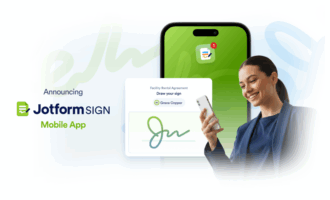
- Manage everything from your desktop or the Jotform Mobile App.
Teams need the right workflows surrounding the signature capture process to run smoothly — and this is where the free e-signature software Jotform Sign stands apart. It helps teams move beyond capturing signatures to create a full operational engine around document management, approval logic, intake storage, and communication.
Let’s take a deeper look at how each automation tool in this popular alternative to Dropbox Sign and Slack will support your e-sign workflows.
Jotform Tables
Jotform Tables is your document workflow command center. It captures every document action in a structured database, which your teams can use to
- Track contract statuses through stages like pending, approved, signed, and archived.
- Segment records based on customers, vendors, and other internal needs.
- Add internal-only note fields for added context.
- Filter by department, region, signer, or document type.
- Export data for compliance and audit trails.
- Provide controlled access to support security goals.
For example, a construction company could use Jotform Tables to see all subcontractor agreements for a particular job site. Field supervisors can verify signature status directly in Slack, while accountants can use the same tables to release payment after final sign-off.
Jotform Workflows
Jotform also gives you control over the steps beyond getting a document signed electronically. You can set rules based on internal needs for what happens to the document next, who gets notified, what tasks are triggered, and what downstream systems need the data.
Workflows prepare teams to replace multiple tools with a single platform. It becomes a home for signature tracking, task assignment, and document delivery. This keeps everything that your employees need to do their work in one place, while enabling cross-department visibility.
Jotform Approvals
For many companies, the approvals attached to a document can be more work than collecting signatures. Say that an invoice is over $5,000 — you may need to send it to your finance team for approval. That takes human input when using Dropbox Sign, which reintroduces the bottlenecks that the platform was supposed to help you resolve.
With Jotform Approvals, you can build
- Multi-step approval chains in just a few clicks
- Auto-rejection processes with return-to-signer instructions
- Escalations when approvals aren’t completed within a set timeframe
- Automated notifications for Slack channels, email, or both
- Parallel approvals across departments for team-wide visibility
For instance, you could automate many of your onboarding steps for new hires. Once HR approves a form, Jotform can automatically notify IT to create the employee’s accounts. Then, once they’ve finished, it can send a notification to a supervisor to let them know the employee’s login credentials are ready. This eliminates much of the back-and-forth messaging that can slow progress and waste the company’s resources.
Jotform Mobile App
You can also grant your team access to the Jotform Mobile App, which brings these capabilities to their smartphones and tablets. It helps users access signature workflows beyond the desk, with features like
- Offline mode for field teams with minimal connectivity
- Photo capture during the form and signature collection process
- Kiosk mode for high-volume intake
- Mobile alerts for approvals or task assignments when out and about
For example, a property manager might use the Jotform Mobile App to complete a move-in walkthrough with a new tenant. They could photograph any damage, note it in the form, and collect a signature from the tenant in the apartment. That information could then be sent automatically to Dropbox and the maintenance team for follow-up.
Pricing snapshot
If you’re interested in Jotform, you can try the Starter plan for free to see if it’s right for your workflows. However, this option is best for low-volume teams just looking to explore their options before committing. The paid plan unlocks
- More submissions and forms each month
- More storage for uploads and signed documents
- Removal of Jotform branding
- Access to more robust automation and compliance features
Here’s what to expect from a pricing standpoint, based on the plan you choose:
| Plan | Price (billed annually) | Features |
|---|---|---|
| Starter | Free | Supports a small number of active forms and submissions per month, with some storage limitations |
| Bronze | $34 per month | Higher usage limits and a better fit for small teams scaling up from free use |
| Silver | $39 per month | Increased capacity for forms, submissions, and storage |
| Gold | $99 per month | Highest public-tier capacity, supporting the largest volumes of submissions, signatures, and storage with advanced features |
| Enterprise | Custom | Unlimited or very high capacity with enterprise-grade features around user management, permissions, and custom branding |
How to use the Slack integration with Jotform Sign
Jotform Sign integrates easily with Slack. Non-technical teams can do it in just a few clicks by following a simple process:
- Create or upload your document in Jotform Sign. You can upload an existing PDF, start a new doc from scratch, or build one that automatically pulls information from a form.
- Navigate to “Settings” and then “Integrations.” This is where you’ll configure how your document interacts with apps like Slack.
- Search for Slack and click to select the integration. Jotform offers dozens of workflow and productivity integrations. You can use the search bar to find Slack quickly and explore other options that could be useful to your team.
- Authenticate your Slack workspace. You’ll be asked to log into Slack and grant permission to Jotform.
- Choose a Slack channel or direct message recipient. That could mean sending onboarding documents to your HR channel and sensitive agreements in a private DM.
- Select what should be delivered, such as a completed PDF or notification. Notifications can go out whenever you prefer, including when the form is submitted, the document is viewed, or the signer finishes.
- Run a test submission or signature to confirm the connection works. Once confirmed, your approvals will begin flowing to Slack automatically. You can always adjust the settings as your processes evolve.
Why Jotform Sign and Slack is the better workflow choice
Dropbox Sign with Slack is an easy-to-configure option for basic Dropbox e-signature notifications. However, it’s limited for teams seeking flexibility, deeper automation, data collection, and integrated workflows.
Jotform Sign with Slack is a more powerful alternative. It brings together all your tools for forms, signatures, approvals, routing, and storage into a unified platform. In this way, it eliminates lengthy manual hand-offs and repetitive follow-up emails that drain productivity.
Send my document for signature
File type is not allowed.
Maximum file size limit exceeded. (5MB)
Something went wrong.
Organizations that rely on structured approvals will benefit most. Jotform Sign connects signatures to the systems and actions that follow, helping teams achieve greater efficiency and scale with fewer tools. This supports your growth goals without adding unnecessary complexity.
That’s why, for most small and medium-sized businesses, Jotform Sign delivers superior long-term value. Try Jotform Sign for free and integrate with Slack today for instant efficiency.
This article is for business teams, operations managers, and anyone who wants to streamline e-signature workflows and Slack communication by comparing Dropbox Sign’s integration with Slack to a more powerful alternative like Jotform Sign.
AS ALWAYS, CONSULT AN ATTORNEY BEFORE RELYING ON ANY INFORMATION ON THIS PAGE. THE CONTENT ABOVE IS FOR INFORMATIONAL PURPOSES ONLY. JOTFORM IS NOT PROVIDING LEGAL, FINANCIAL OR OTHER ADVICE.


































































Send Comment: