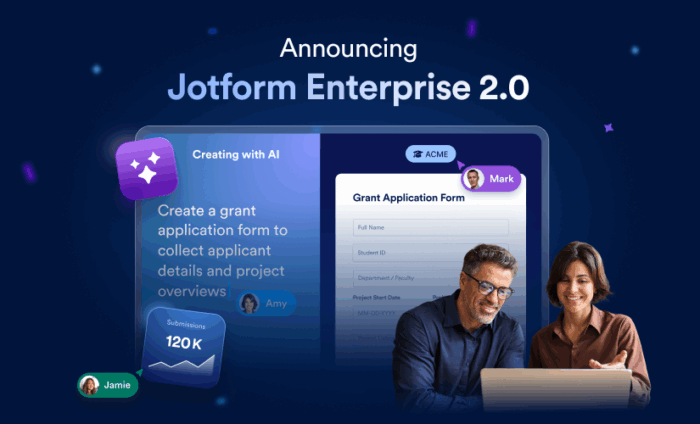

Nearly a decade ago, we created Jotform Enterprise to give organizations a secure, multiuser platform where they could create forms without limits.
Since then, Jotform Enterprise has expanded with Workflows, Boards, Jotform Sign, AI Agents, integrations, and more. As we built, you requested more control, analytics, and flexibility for managing the platform.
This evolution is like an orchestra taking the stage. As performers arrive and start warming up, sound slowly fills the room, from a single stringed instrument to swelling, discordant noise until the conductor takes command and the noise becomes music.
With Jotform Enterprise 2.0, administrators can effortlessly control every facet of their instance and teams can create solutions that are always performance-ready.
This completely redesigned experience includes seven major innovations:
- Admin Console: Redesigned and updated for greater flexibility and control
- Server-wide template directory: For streamlined form creation and better collaboration
- My Workspace: New features for managing individual and team assets
- Draft and Publish: A controlled way to test and edit forms
- Jotform Insights: Robust analytics to optimize all your digital assets&
- AI Assistant: An AI-powered resource that answers questions, creates assets, and more
- Help Center: Even more support to guide new users or deepen knowledge
Admin Console: Smarter management, seamless control
The new Admin Console transforms how Enterprise administrators manage users, assets, and security. More than a settings panel, it combines oversight, analytics, and customization in one powerful dashboard.
Admins can
- Monitor usage and performance across all assets: forms, apps, workflows, e-sign documents, and AI Agents
- Search all submissions for keywords and generate reports based on the results
- Manage users and teams more efficiently, including resetting passwords, logging out users in bulk, and managing guest access
- Control security settings, including SSO, 2FA, and IP restrictions, from one page
- Instantly create an AI-powered brand kit using their organization’s logo or URL
- Ensure brand consistency organization-wide by creating or updating form themes
- Customize headers, logos, and colors to make the platform their own
With unified analytics and centralized management, the Admin Console helps organizations operate more securely and efficiently, and scale like never before.
Server-wide template directory
It’s now easier than ever for Enterprise customers to create and share forms as templates. Server-wide template generation functionality allows them to create a form template library for their entire organization. To make stocking this library even easier, AI Assistants are on hand to create templates.
In the new template gallery, simply enter a description of the form you’d like to create. You can specify certain field types and dictate design elements or keep your ask simple and open-ended. The AI template creator will do the rest.
Once your form is created to your liking, it’s easy to share. You don’t even have to go to a different page.
Learn more about AI-powered server-wide organizational templates in our dedicated blog.
My Workspace: One hub for everything you build
If you’ve ever wanted a more intuitive, organized way to manage your Jotform assets, My Workspace is for you.
This redesigned hub brings all your forms, apps, workflows, documents, and AI Agents together in one seamless interface. Its clean layout, quick-access folders, and real-time collaboration tools make it easy to stay organized and focused.
Use Settings to tailor the look and feel of your workplace with custom colors or gradients or by adopting your company’s established theme.
Whether you’re switching between projects or monitoring team activity, My Workspace helps you focus on what matters most.
Draft and Publish: Safe editing, confident releases
Every form creator knows the stress of editing a live form. One small change can interrupt submissions or break a workflow. Draft and Publish solves that problem by providing a safe staging environment where you can make, test, and review updates before they go live.
Draft and Publish makes it easy to
- Test new conditions, designs, or fields in draft mode
- Ensure calculations and flows are working as expected
- Publish updates only when you’re ready
- Keep collecting submissions while refining forms
The result: fewer errors, smoother releases, and complete confidence when managing high-volume or sensitive workflows. Check out the new Draft and Publish feature. Don’t hesitate, iterate.
Insights: Turning data into decisions
Data is powerful only when you can act on it. Jotform Insights transforms your data into clear, actionable analytics across every form, workflow, app, document, and AI Agent in your organization.
With powerful dashboards, interactive charts, and exportable reports, Insights helps you uncover trends and measure engagement at a glance.
You get
- Unified analytics across all Jotform products
- Audience breakdowns by device, location, browser, and source
- Metrics that reveal how each asset performs over time
- Workflow and AI Agent tracking that shows where automation succeeds and where human input is needed
- Custom dashboards for visually rich, side-by-side comparisons of form performance
- Custom filters and exports for shareable reports that keep teams aligned
Insights elevates Jotform Enterprise from a form-building platform to a complete business intelligence solution — helping you see what’s happening and why.
AI Assistants: Fueling the future of work
AI Assistants aren’t just for creating forms. They’re now available for Admins in the Admin Console and for users within the My Workspace environment. AI Assistants can provide answers to questions, help create assets and intricate workflows, search for resources and help guides, and route questions to support when needed or desired.
Jotform Enterprise 2.0 expands upon our customer success experts and dedicated customer support teams with AI Agents that increase the productivity of every organization’s workforce. With Jotform Enterprise 2.0, your potential is limitless.
Help Center tailored for Jotform Enterprise customers
You asked us for help guides and access to information specific to your Enterprise instance. We heard you! A new Help Center is located in the Admin Console. To access the resources and user guides, click the Help button at the top right of the Admin Console. You’ll be directed to a wealth of information and articles to support your teams and help you maintain your platform.
Empowering the modern enterprise
Together, these seven enhancements form the foundation of Jotform Enterprise 2.0 — a platform that’s smarter, safer, and more connected than ever.
From customizing workspaces to fostering compliance and optimizing performance, every feature was designed to help you work faster, smarter, and with total confidence.
Explore Jotform Enterprise 2.0 today
Learn more about the new features:
- Attend our live launch event to find out more and see a demo.
- Dig into the details with dedicated blogs for the Admin Console, Insights, Draft and Publish, AI-powered brand kit, and server-wide template generation.
- Log into your instance to experience the new features firsthand.
- Contact our sales team to discover how Jotform Enterprise can support your use case.
We’re excited to see where the new Jotform Enterprise 2.0 experience will take you. Is everything working in harmony? Is something a bit off? Let us know. We’re always listening to ensure we bring you the best possible performance.




































































































Send Comment:
2 Comments:
December 11, 2025
How do you see Jotform Enterprise 2.0’s new capabilities transforming the way organizations manage and optimize their digital workflows?
November 18, 2025
We are a non-profit that rehabilitates male teens between 13-18 years of age who have been struggling with life-controlling issues.
We have Office 365 for no fee.
I am wondering how much of the new JotForms are available for little or no cost.