Form themes are a simple way to give your forms a fresh, professional look without any extra effort. With just one click, you can completely change the appearance of your form to match your style or branding. Jotform offers a wide selection of themes, ranging from modern and sleek to colorful and creative, giving you the freedom to choose the design that best fits your needs.
Whether you’re creating a form for personal use, business, or an event, applying a theme makes it easy to achieve a polished, visually appealing look. Here’s how you can quickly apply a theme to your form.
Applying a Theme within the Form Builder
To apply a Theme in your Form
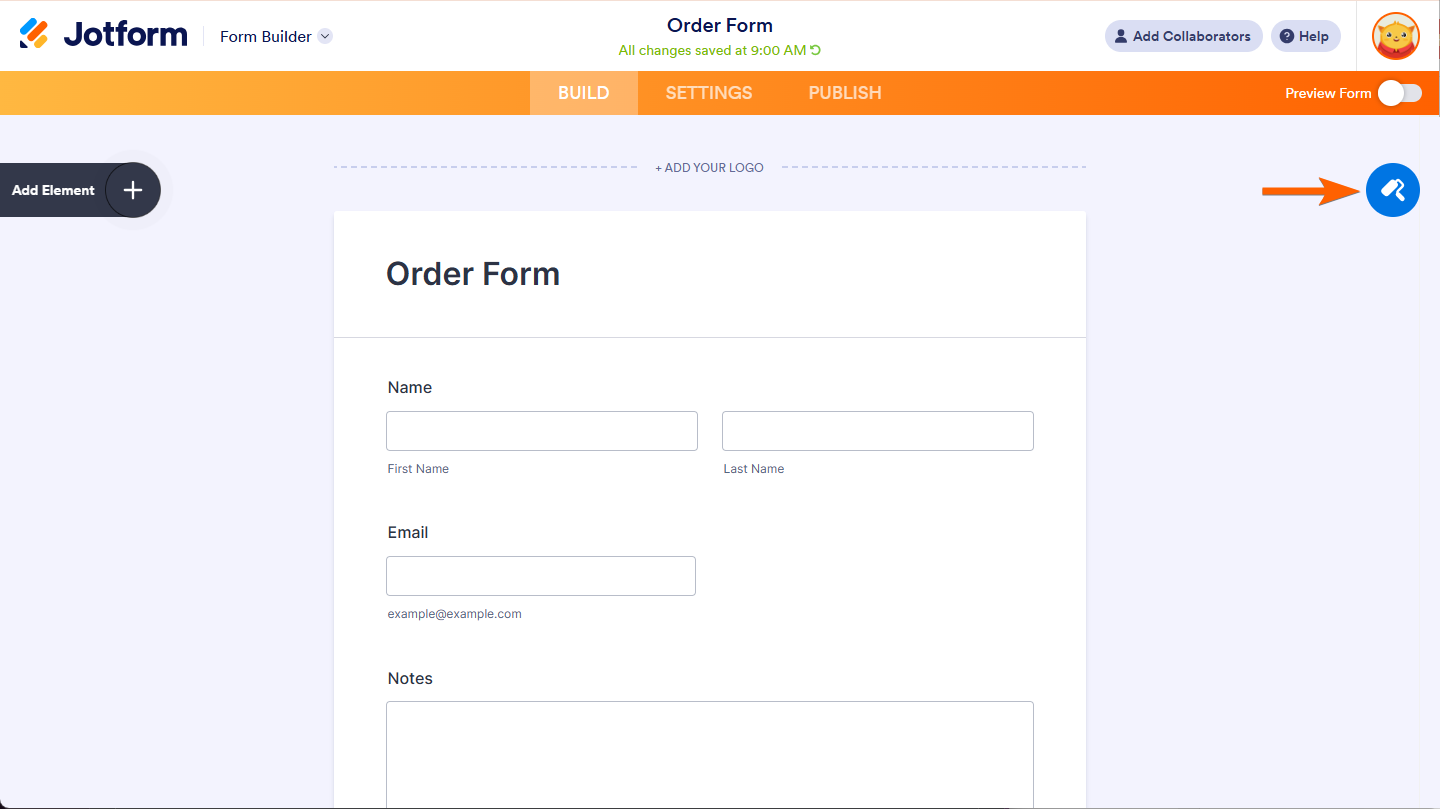
- In the Form Builder, click the paint roller icon on the right side of the page.
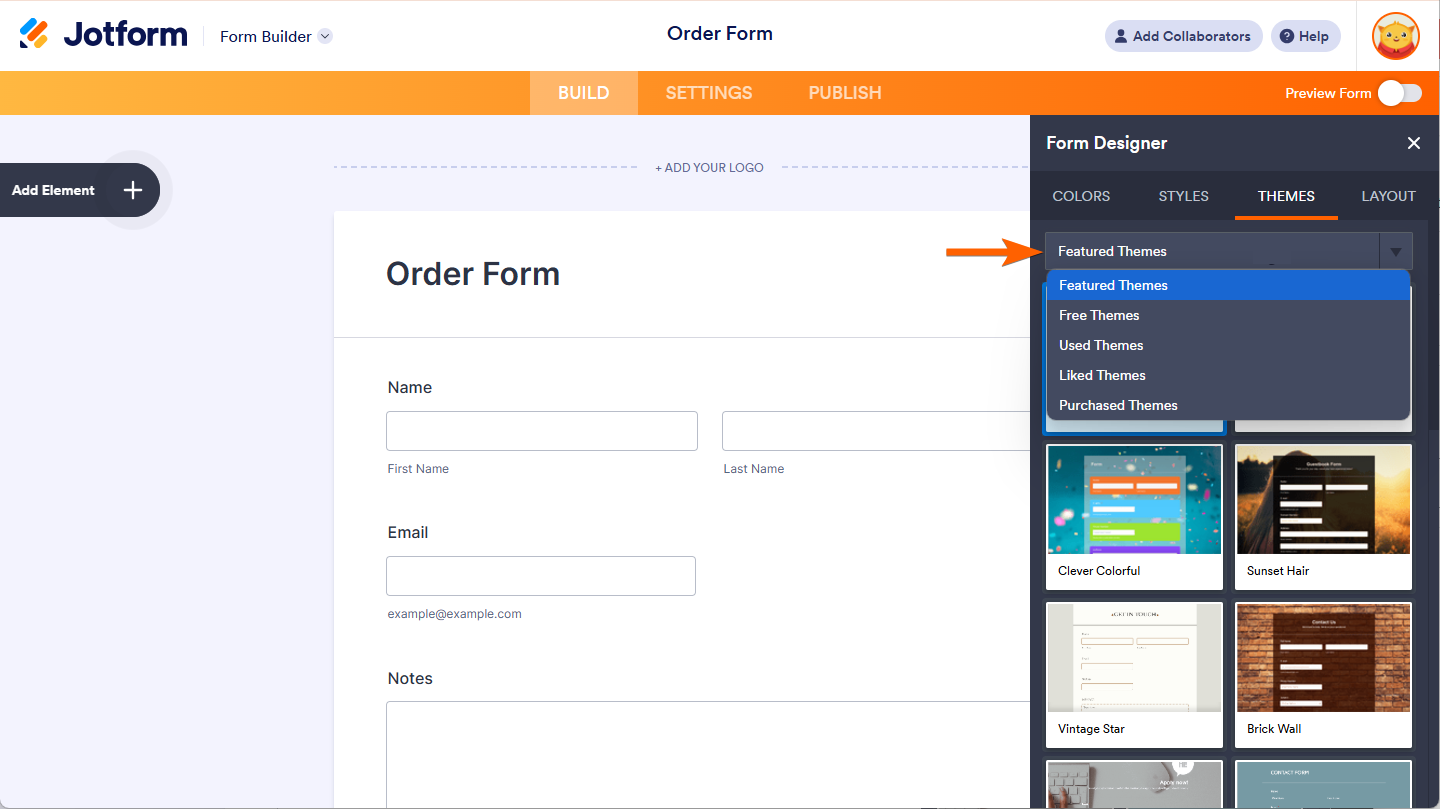
- Under Themes tab of Form Designer, click on dropdown menu where you’ll see the following options:
- Featured Themes — Browse top-rated themes to give your form a standout look.
- Free Themes — Pick from a selection of no-cost themes to style your form.
- Used Themes — Quickly find themes you’ve already applied to your forms.
- Liked Themes — Access themes you’ve marked as favorites for easy use.
- Purchased Themes — Use themes you’ve bought to make your forms unique.
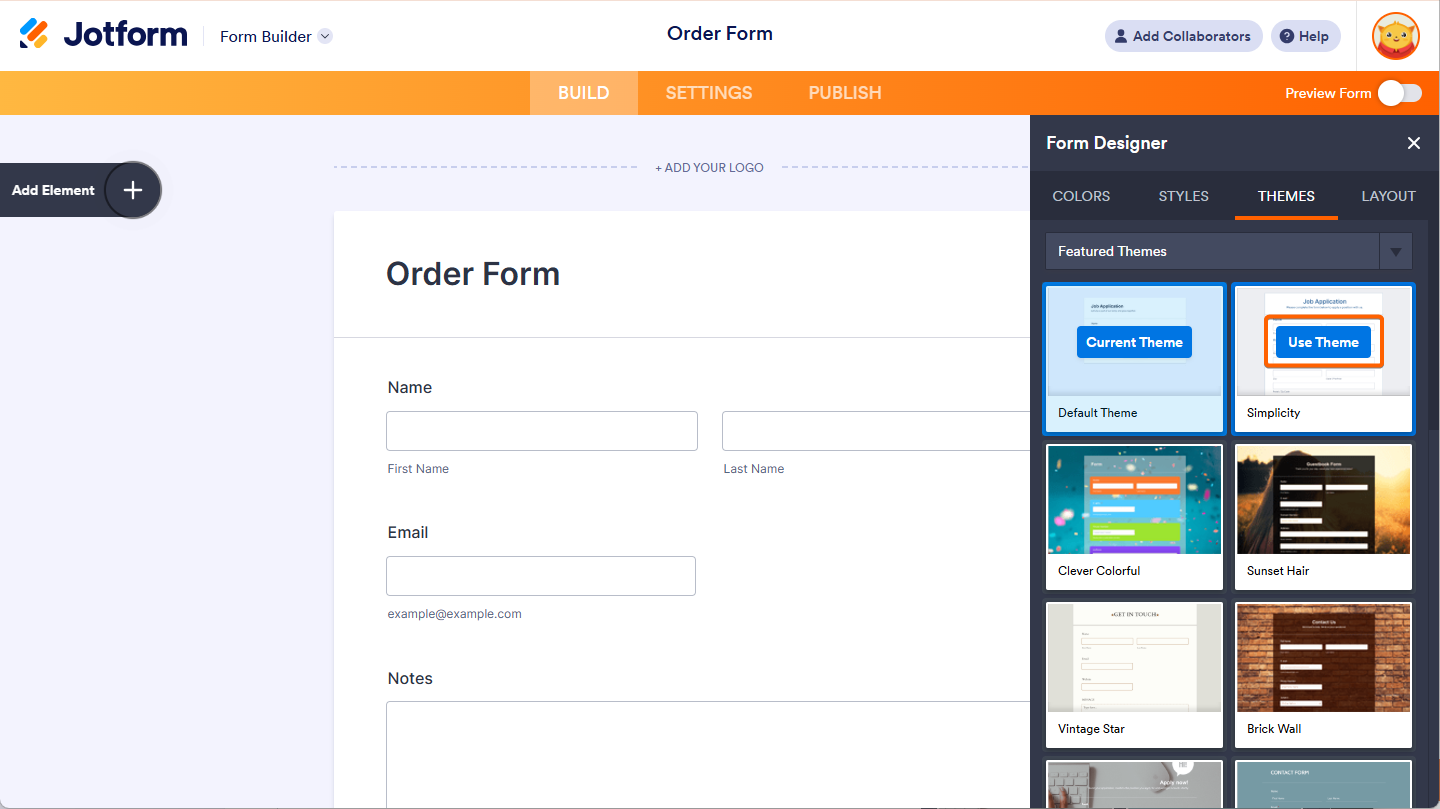
- Hover your mouse over a theme you like and click Use Theme to add it to your form.
Applying a Theme While on Theme Store Page
The Jotform Theme Store brings together all our themes in one convenient place. You can find a wide range of free and premium themes to find the perfect look for your forms. Let’s do it!
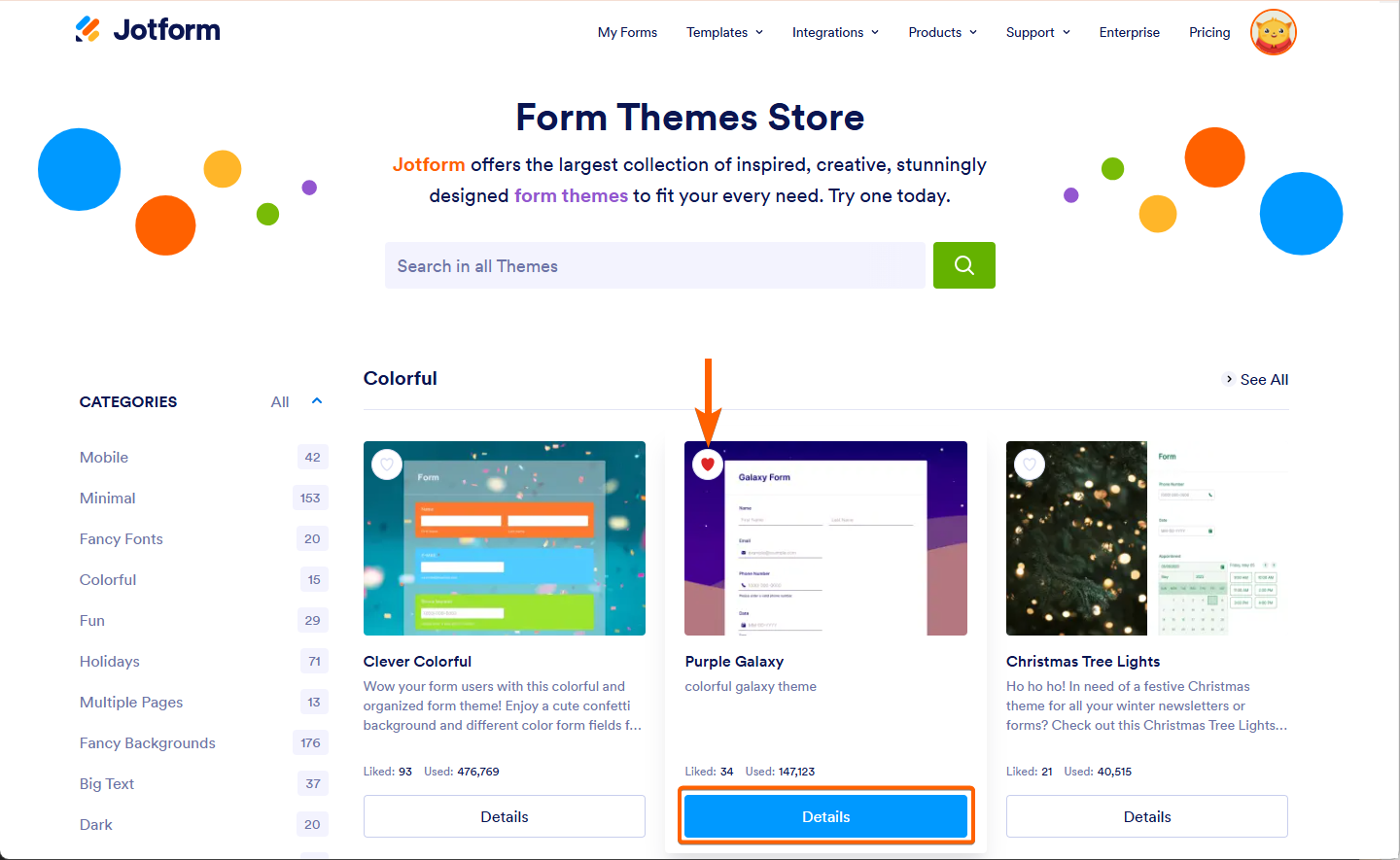
- Search for a template using the search box or explore different categories on the left.
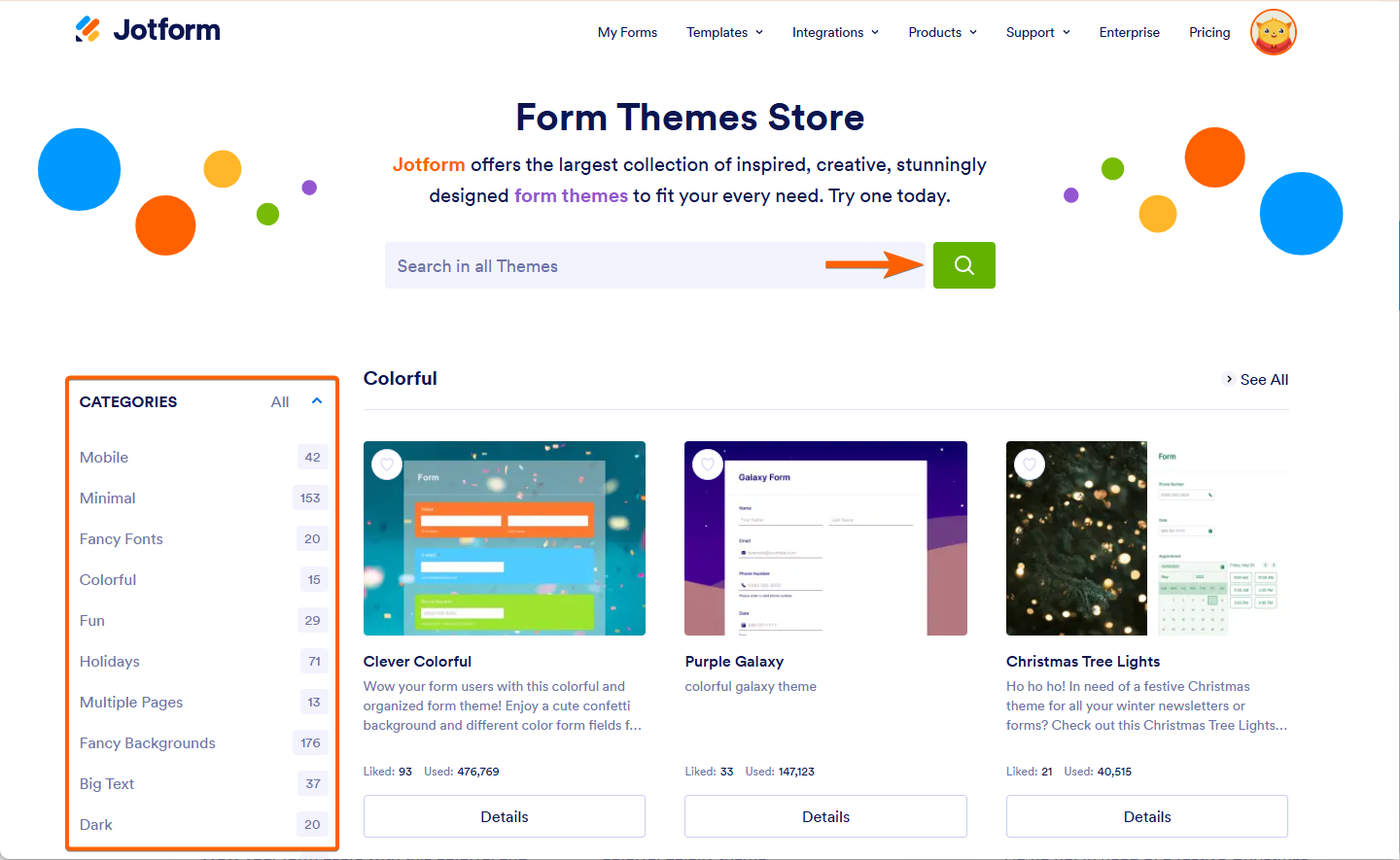
- Click the heart icon to add the theme to your Favorites.
- Select the Details button on the theme you want to use.
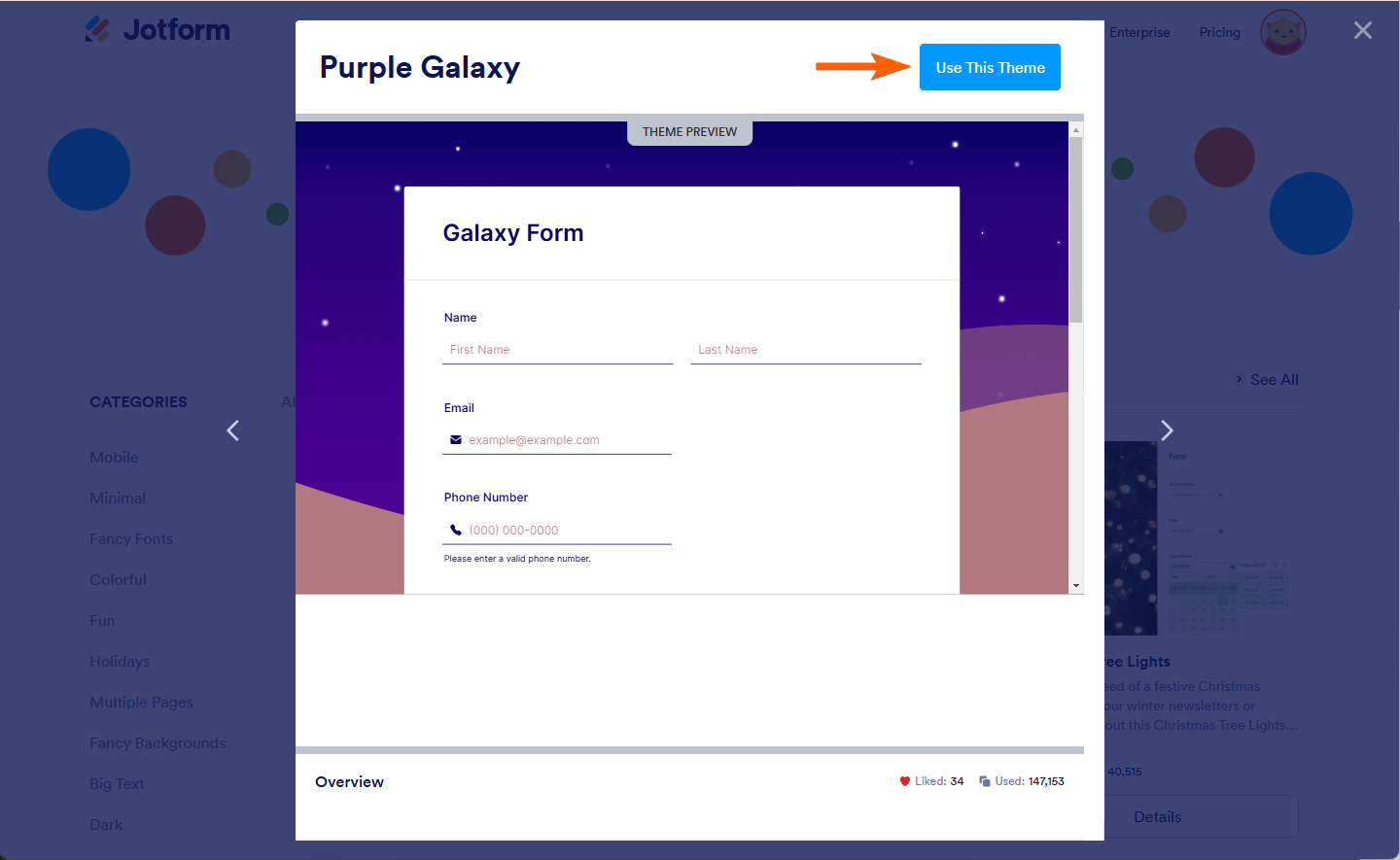
- In Preview Window, Click on Use This Theme button to apply the Theme in your Form.
Great job! Now that your form has a new theme, you’re ready to impress. Enjoy exploring and customizing more themes to make your forms truly stand out!
See also:

Send Comment:
20 Comments:
February 18, 2025
How can I add my logo to a form?
January 29, 2024
Can you style and create a theme and then apply that theme to other forms?
March 25, 2022
With rails, moving over info is pretty easy, but I'm not sure how to do it in php.
I have a custom form set up which has the fields for the number of guests, the check in date, and the check out date.
What I'd like to do is to make it so that when I hit submit on the first form, it would populate the data on the reservation form.
The reservation is hosted on jotform
February 13, 2020
Can I create my own theme that is for my use only (not to be publicly shared)?
June 5, 2019
Can we have 2 themes in 1 form? If so, how do we go about setting this up?
March 25, 2019
Well I am just trying to get used to this. I am so lost. I jut need a 30 mins head start from you guys.
December 7, 2017
thanks just trying to learn what to do
October 17, 2017
Hi, I am loving Jotform! but I am a bit stuck regarding themes, I have created a custom theme and saved it as A Theme. I them go to Themes and selected used Themes and select the theme I created. it shows on the Build form but not when I preview the form.
September 7, 2017
Can I move the entire form over so it doesn't cover the picture in the background of the theme?
August 14, 2017
Clone form button on the themes is not working properly. Page reloads, the theme flashes momentarily and then reverts back to the default.
August 14, 2017
I agree with BeeGeo (previous msg) on this. The themes are not working. I've tried this multiple times.
August 1, 2017
I followed the instructions and applied the theme but it is not working. How can I fix this?
January 6, 2017
I've got a group of sub-users and I want to share a theme I've created with them. How can I send the theme or place it where they can access and apply it to a new form?
January 26, 2016
Hope you'll also fix that horrible Design of the main page and the complete editor.
January 26, 2016
I would love to be able to add an "edit your form here" link to my forms. I work with event planning forms and sometimes things change. It would be great if I could receive the link to edit when I receive the form!
January 26, 2016
Also, a check list of things to do before enabling the form.
Check to make sure no space is beyond the pasted link.
Turn on the payment provider. etc.
Check the submission page to see if it will work for you.
Test the form from various people, etc.
January 26, 2016
Hopefully, a new submission page will be designed to make it more like Adobe Forms submission page- a page that will allow us to have several Team members viewing the form, in their "own" view, without disturbing the original view.
Also, for all us "little" people doing events, a series of easy to follow instructions from start to finish, using pics of "how to do it", or vimeo or youtube slow, easy to understand videos. And then a glossary of slides, or vimeos so we can look up a term to learn more about it. Thanks. We would bother tech a lot less if we had that info. & we'd promote jotforms to our friends more often, because it would be so easy. Yes, it is very easy, once one has some idea of how it works, but just starting from scratch, even though I learned Adobe simple forms, it was difficult doing it a different way. So, an overall learning video with arrows pointing out all the different things, and then showing a sample, slowly so we can pause it and grab the info, would be exceedingly helpful.
Many thanks for ALL the incredible updates!!
January 22, 2016
Can you change the color of themes?
November 15, 2015
I followed the instructions above and this doesn't work for me. Help!
July 17, 2015
How do I remove a theme if I no longer want to use it?