Use a free Visual Form Builder
Jotform’s visual form builder is a free, no-code tool for creating and customizing online forms. With this visual form builder, you can design visually appealing forms to gather data and embed them into your WordPress site using Jotform’s WordPress plug-in. Use it to improve engagement and simplify data collection for businesses, educators, and individuals.
Шаблони
Visual Form Templates
Need a little inspiration? Select from our library of ready-made templates and customize your form using our simple drag-and-drop form builder. Get ready for effortless customization to match your branding in minutes.
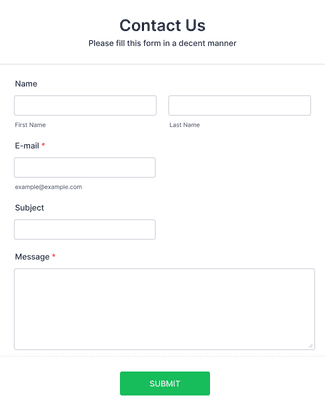
Контакт образац
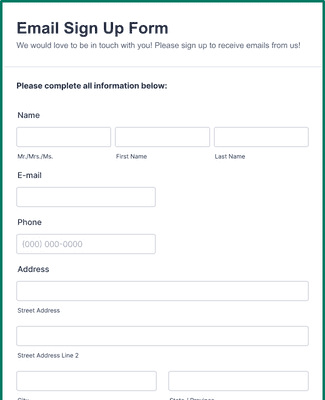
Образац за Регистрацију Имејлом
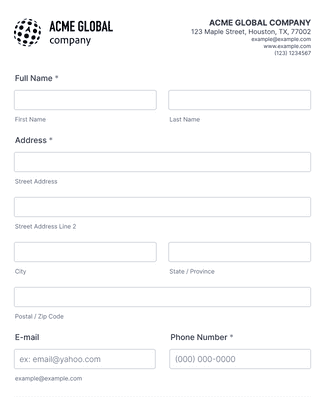
Образац за Регистрацију Новог Корисника
Погодности
Create the perfect form in minutes
Build Without Coding
Use a drag-and-drop form builder to add, rearrange, and customize form fields so the form works exactly how you need it. Hundreds of templates and layout options let you match your design to your goals without touching code. You can adjust fonts, colors, and logos so forms look intentional and professional.
Works on All Device Types
Forms built with the visual builder automatically adapt to phones, tablets, and desktops so respondents can open them from any device. This device flexibility helps ensure higher completion rates because people can fill out forms wherever they are. Jotform’s responsive layouts mean you don’t need separate mobile versions.
Receive Periodic Submission Updates via Email
Get automatic email summaries that highlight recent submissions so you can stay informed without logging into your account. Jotform's Digest Emails let you focus on trends and responses that matter most to your workflow. This keeps your team aligned on new data without extra manual reporting.
Unlock Powerful Widgets and Integrations
Add hundreds of widgets like e-signature fields, appointment slots, image sliders, and more to extend what your form can do. Connect form responses to integrations you already use, such as Google Drive, Slack, Zoom, HubSpot, Salesforce, and Dropbox, so data flows easily into your existing systems.
Collect and Manage Responses
All form responses automatically populate Jotform Tables, giving you a central workspace to organize, sort, filter, and review submissions. You can share the table with collaborators in one click, which helps teams work together on insights and next steps without juggling spreadsheets.
Easily Embed and Share
Publish your form by embedding it on a website, sharing a custom link, or distributing a QR code so people can open it instantly. Multiple share options help you reach respondents wherever they engage, whether through email, social media, or web pages. This increases accessibility and response rates.
Препоруке
Шта наши корисници кажу за Jotform
Learn how to create a form with Jotform
Discover how you can build visually appealing and efficient online forms using Jotform’s online form builder in this informative tutorial.

Frequently Asked Questions
Сва твоја питања везана за Jotform - одговорена. Погледај наша честа питања за одговоре на уобичајена питања или контактирај наш тим за подршку за додатне информације.
What is the Visual Form Builder?
Jotform’s Visual Form Builder is flexible and lets you implement flows into your form’s design (like conditional logic), instead of confining you to horizontal logic across all questions. The Visual Form Builder also allows you to customize smart forms to match your branding. Plus, you can use your forms as many times as you need. After you’ve created your form, use Jotform’s WordPress plug-in to include your form in your WordPress website.
Is it necessary to have design or coding skills to use a visual form builder effectively?
Not at all! Jotform’s drag-and-drop interface makes it easy to build and design your forms — without any coding experience. In minutes, you can rearrange form fields, add your own logos, adjust fonts and colors, upload images, and much more. Plus, you can use our 100+ popular integrations to harness the power of the most popular apps out there.
How do I store and manage the data collected through visual forms?
All of your visual form submission data is automatically stored in your Jotform Inbox. Additionally, you can analyze and track your data in Jotform Tables, an all-in-one data management workspace. All of your submissions will auto-populate your tables, so you can focus on identifying trends. You can even migrate additional data to Jotform Tables by importing your Excel or CSV files into a new or existing table.
Keep in mind that all data submitted and stored in Jotform is secure. Jotform uses a 256-bit SSL connection, offers encryption features, and has PCI-DSS Level 1 certification. Jotform also follows GDPR and CCPA regulations to ensure your data stays protected.
What are some general use cases for visual forms?
Visual forms are a game-changer for data collection, which can include anything from contact information — such as phone numbers and email addresses — to customer feedback. But the world of online forms doesn’t stop there. You can use visual forms for event registration, polls, surveys, support tickets, requests, employee training, purchase orders, contracts…the list goes on! Your forms can be customized for any of your needs while staying true to your brand image.
How can I create my visual forms?
You can create visual forms in minutes with Jotform. Simply go to our online form builder and click Create Form. You can start from scratch or use one of our templates, then customize your form to your needs. When you’re finished, share your form via email, link, QR code, or by embedding it in your website. For more information about how to get started, check out How to Create Your First Web Form.
How do you create a form for WordPress by using Jotform’s Visual Form Builder?
You can create a form for WordPress in minutes using Jotform’s Visual Form Builder. Simply create and customize your form with our drag-and-drop form builder, and embed it in your WordPress website using the Embed Form plug-in. You can then start accepting submissions instantly and manage them on the go in the Jotform Mobile Forms app.
How do I create a contact form with a visual form builder?
You can create a contact form in Jotform’s Visual Form Builder by going to our Contact Forms directory. Choose a template that works best for your needs, then customize it to your liking. It’s that easy!