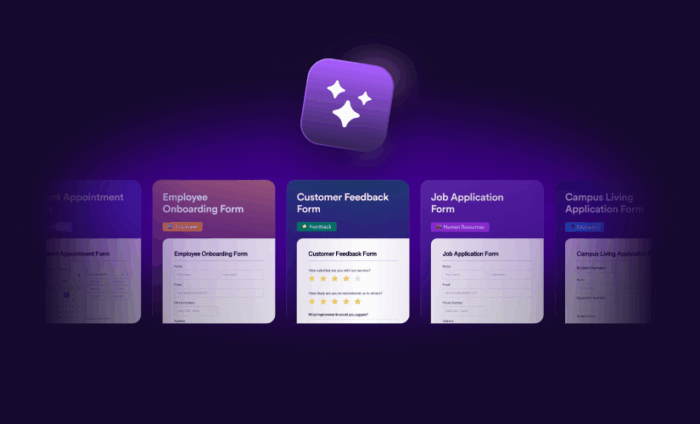
Your teams move fast, and your forms need to move even faster. With new AI-powered, server-wide template generation from Jotform Enterprise, you can create professional forms faster than ever before.
Prior to Enterprise 2.0, sharing a form template required an individual user to create a copy of a template within their individual workspace. This was definitely not the most efficient way to work. . The ability to select from a library of prebuilt templates is a fantastic time-saver; however, AI templates take that functionality one step further.
Templates are now instantly customizable with AI and universally shareable across your Enterprise server. Get ready to accelerate your workflow and unlock unprecedented efficiency.
What’s new in your workspace?
This new capability delivers powerful benefits that directly address the standardization and scaling challenges unique to Enterprise customers. You can now generate, customize, and share professional, perfectly configured forms across your organization, giving every team an immediate head start on their work.
Previously, templates could only be created from a manually built form, and the resulting template was saved in the individual user’s account. The only way to share a template was by adjusting the Share Options in the Form Builder.
Now, everything is centralized. There are two primary ways to discover and create templates. You can access templates directly from the Templates link in the Workspace header.
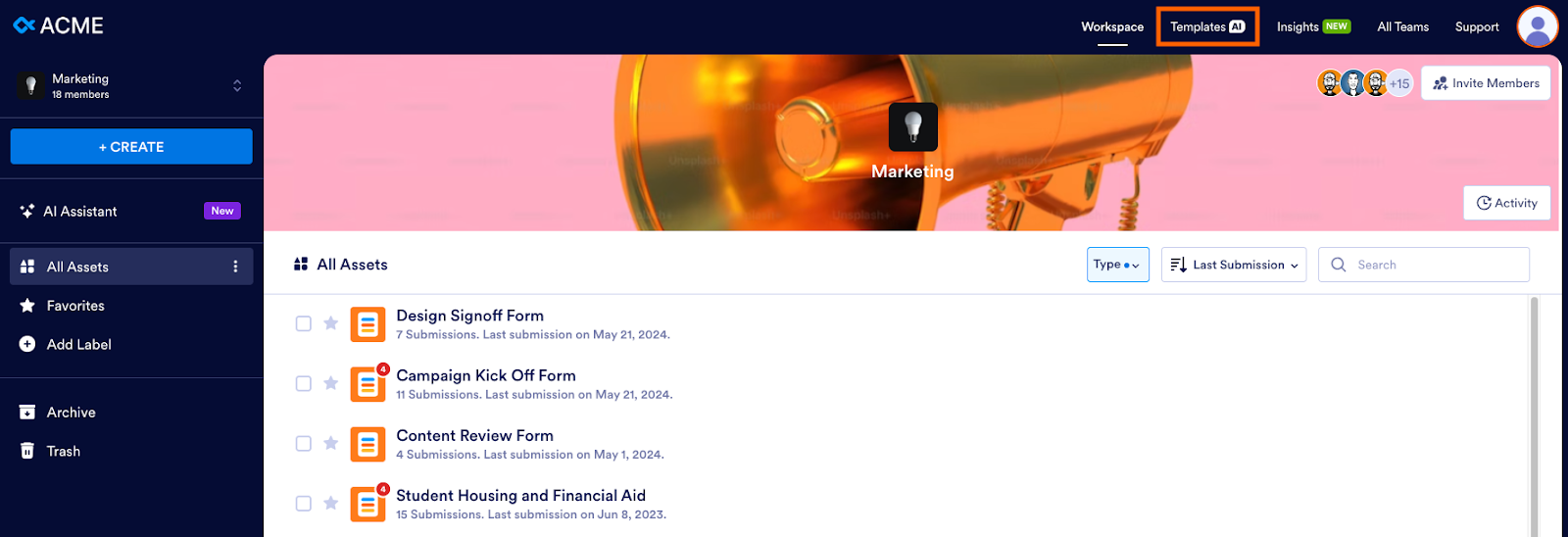
The organization-wide template directory allows users to browse, view, use, or create new templates using AI.
You can still share a template created from a manually built form. Use the Share as Template option in the Form Builder.
Regardless of the creation method, templates are shareable organization-wide, ensuring every team has access to the same approved forms, which drives consistency and efficiency.
Create form templates in seconds
Forget the days of manually building and sharing internal templates. While your teams are already brilliant at creating custom solutions, AI Templates give everyone a major head start.
Let’s walk through how your HR department can use AI Templates to standardize a process. In this example, your HR team needs a new employee onboarding checklist form with required signature fields and an “About me” section.
To create this template, follow these steps:
- From your enterprise workspace, click on the new Templates link in the header (shown above).
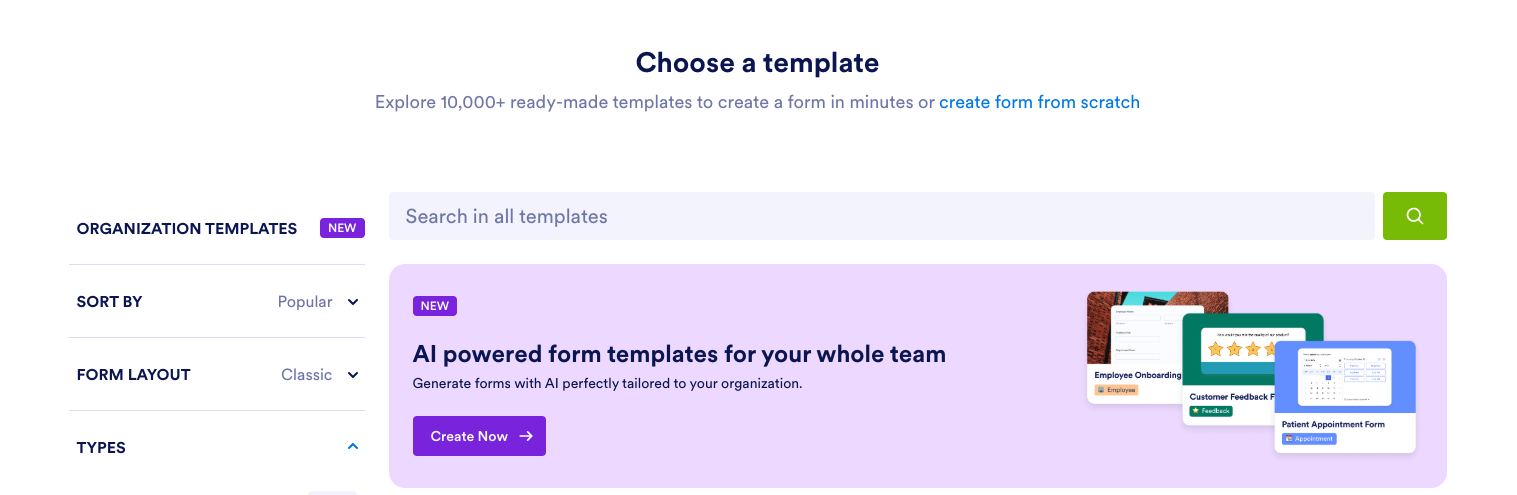
- Click Create Now under “AI-powered form templates for your whole team.”
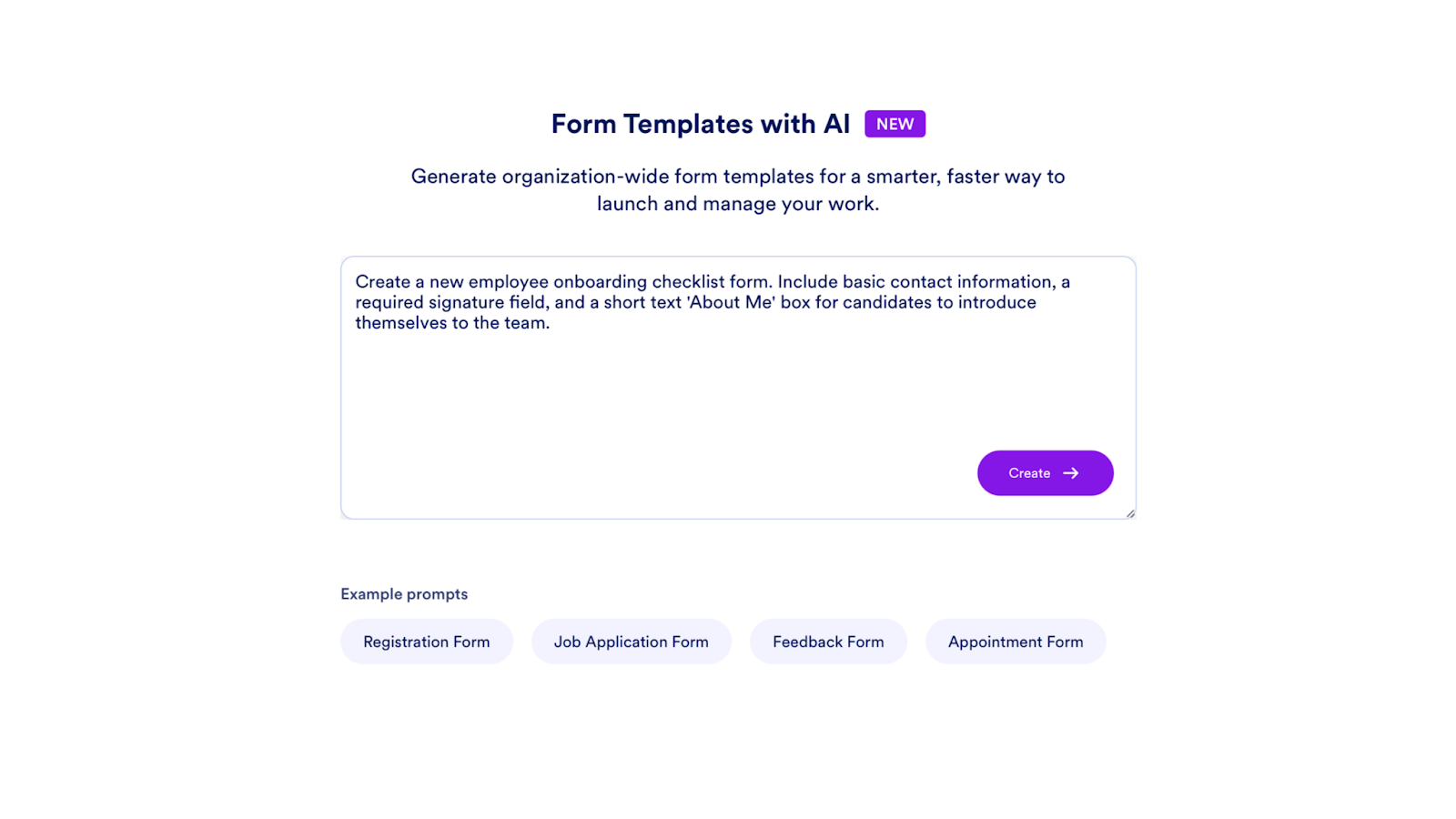
- Enter your detailed request in the prompt field and click Create.
- Sit back and watch as your form is generated in seconds.
- Make your form template reusable by editing the title, language, category, and description.
- Share your template organization-wide or keep it private.
- If you need to make edits, click Edit Form. Click Share as a Template if you’re done.
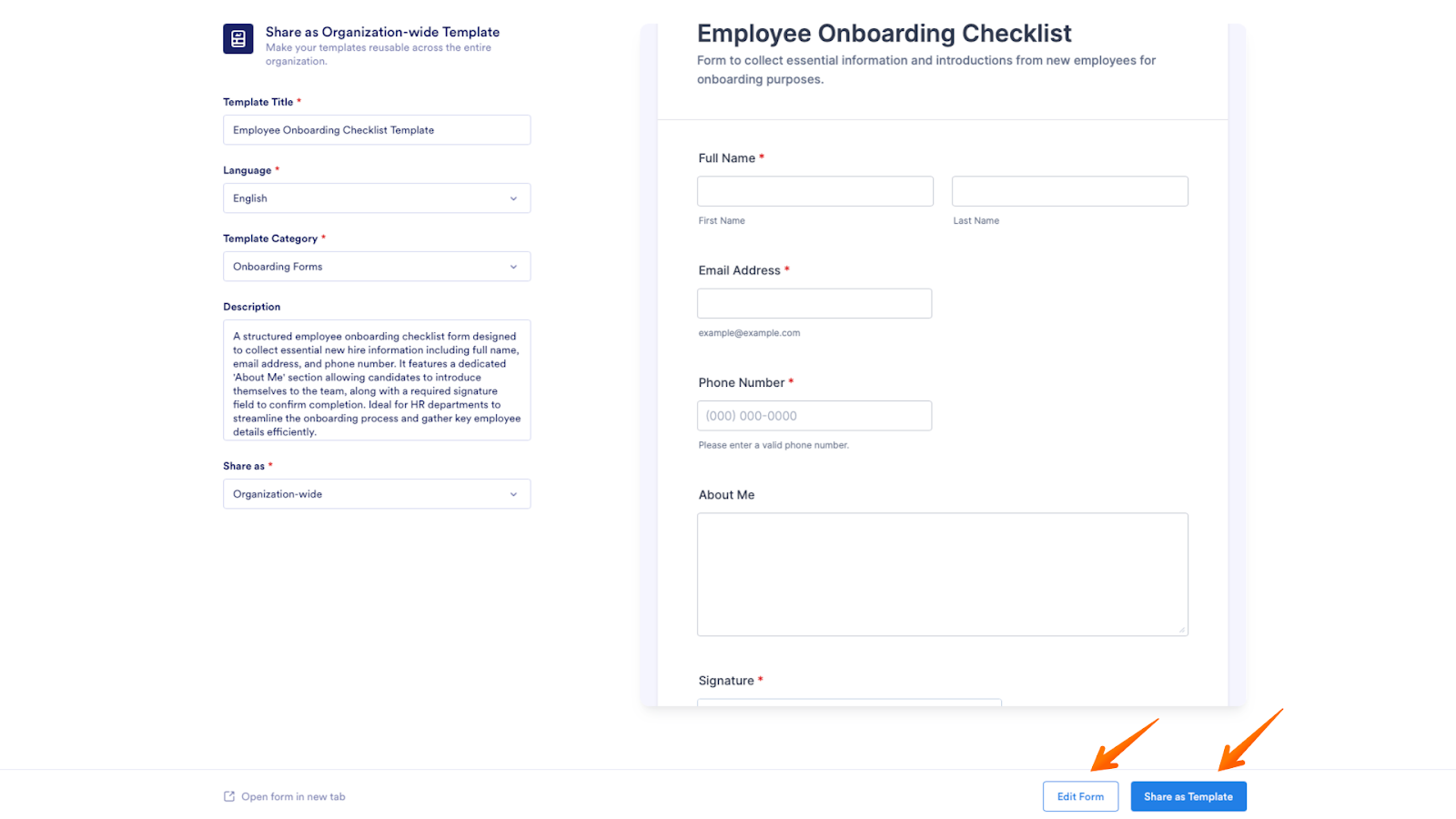
Instead of assigning someone else the task of perfecting the form template, you can simply enter your request into our new AI template tool. Within seconds, the AI will generate a professional, ready-to-use form template tailored precisely to your organization’s needs.
New tools for governance and flexibility
Centralizing assets across your organization requires strong administrative oversight. Jotform Enterprise added new capabilities to the Admin Console to assist admins in managing server-wide templates.
To manage your organization’s form templates, follow these steps:
- From the Admin Console, click on Assets.
- On the next page, click the Forms tile.
- Click the Settings button.
- On the Settings page, go to the Templates tab. Here, admins can easily manage who can contribute to this organization-wide template library by enabling or disabling the overall use of server-wide templates. Just toggle the button on or off.
- Admins can also control who can share organization-wide form templates: All Users or Admins Only, by selecting from the dropdown.
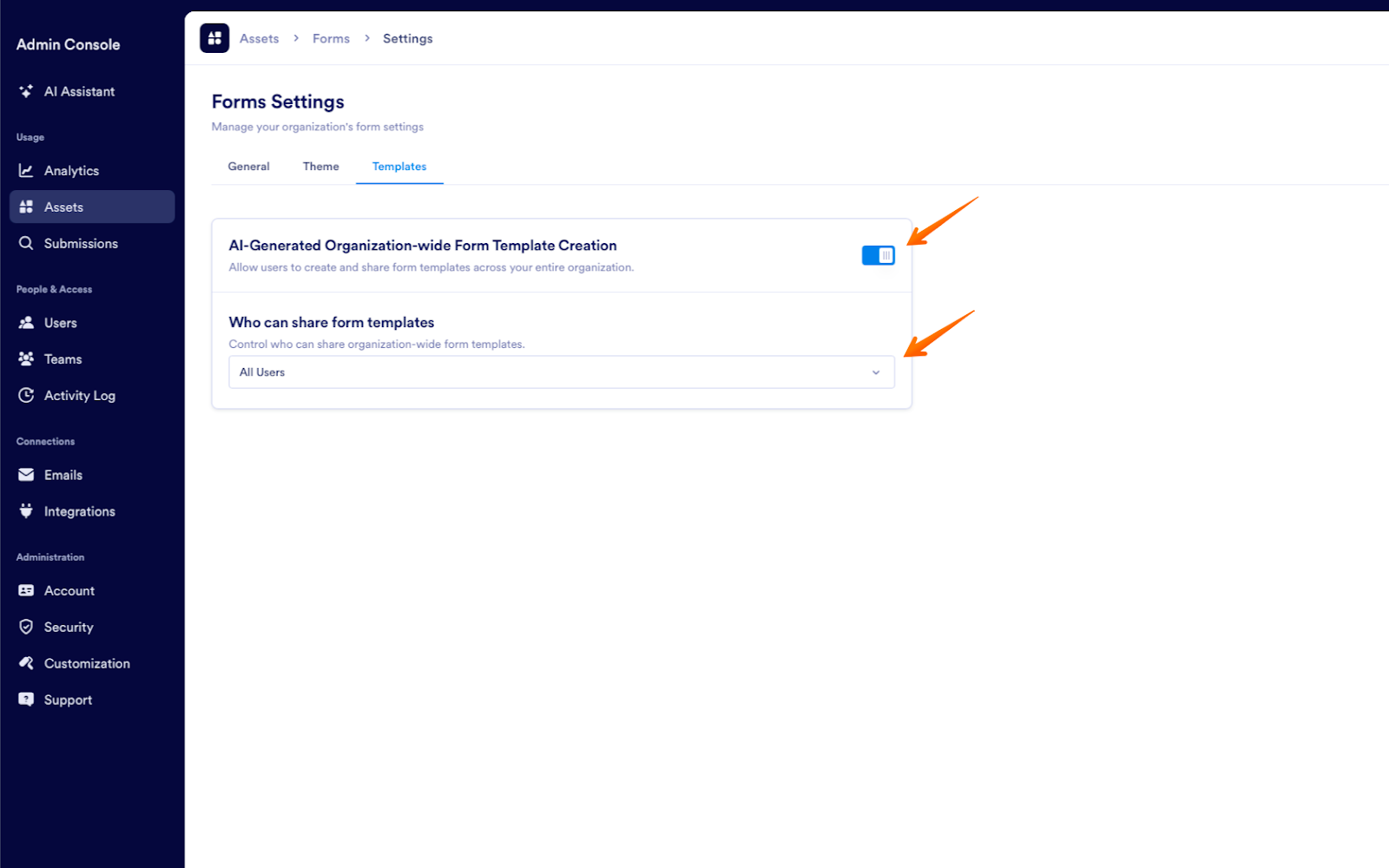
These options ensure that your organization maintains the highest standards of security and quality control over every asset.
Ready to elevate your form building?
The power to instantly create, govern, and share professional form templates server-wide is here. Whether you use the new AI-powered template generator or continue to build forms manually and save them as templates, Jotform Enterprise makes it easier than ever to standardize your data collection processes.
Log into your Enterprise Workspace today and give the new Templates section a try — we can’t wait to see what you create!























































































Send Comment:
1 Comment:
December 13, 2025
I like the platform