
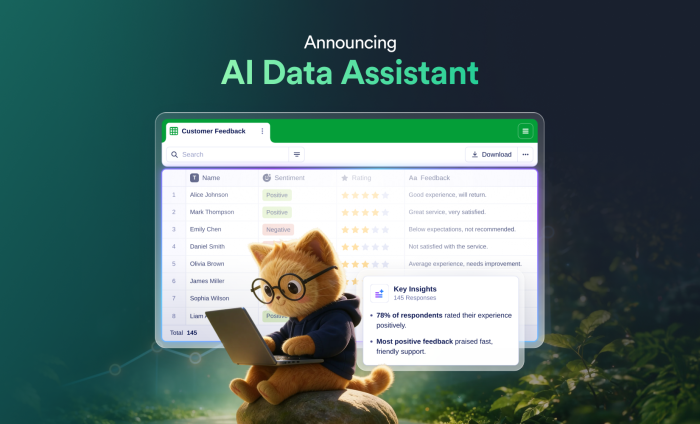
The health of your organization can be measured — if you have the right data.
That type of data could include
- Monthly recurring revenue
- Customer lifetime values
- Employee turnover and engagement
- Customer support requests and resolution times
Of course, in order to get actionable insights out of the data, you also need someone to thoughtfully organize and analyze it — and present the findings clearly.
Now there’s an easier way to do just that. Meet the Jotform AI Data Assistant, a conversational way to create, organize, analyze, visualize, and act on your data across Jotform Tables and Jotform Inbox.
The Jotform AI Data Assistant uses AI to transform collected data into meaningful insights and actions. Instead of manually configuring tables, building formulas, creating filters, or reviewing records individually, simply describe the insight you want in natural language. The Jotform AI Data Assistant uses your submission data to complete the task directly inside Jotform.
What can Jotform AI Data Assistant do?
With Jotform AI Data Assistant, you can
- Create structured tables from prompts, uploaded files, or voice commands
- Add and edit columns, tabs, filters, and table views across multiple records
- Analyze submissions and generate summaries, totals, averages, and visual reports from your data
- Use AI Columns to summarize, translate, categorize, calculate, or classify responses
- Add, edit, archive, restore, and clean up submission records
- Export, share, and collaborate on Jotform Tables and Inbox views
- Generate replies, confirmations, reminders, and follow-up emails
TL;DR: The Jotform AI Data Assistant turns raw data into actionable insights — without the hassle of navigating multiple tools.
Get started with Jotform AI Data Assistant
If an Admin on your Jotform Enterprise account has enabled this AI feature, the Jotform AI Data Assistant will be available to anyone in your Jotform Enterprise Workspace. To enable Jotform’s AI features, go to the Admin Console and select Assets > Settings > AI Features.
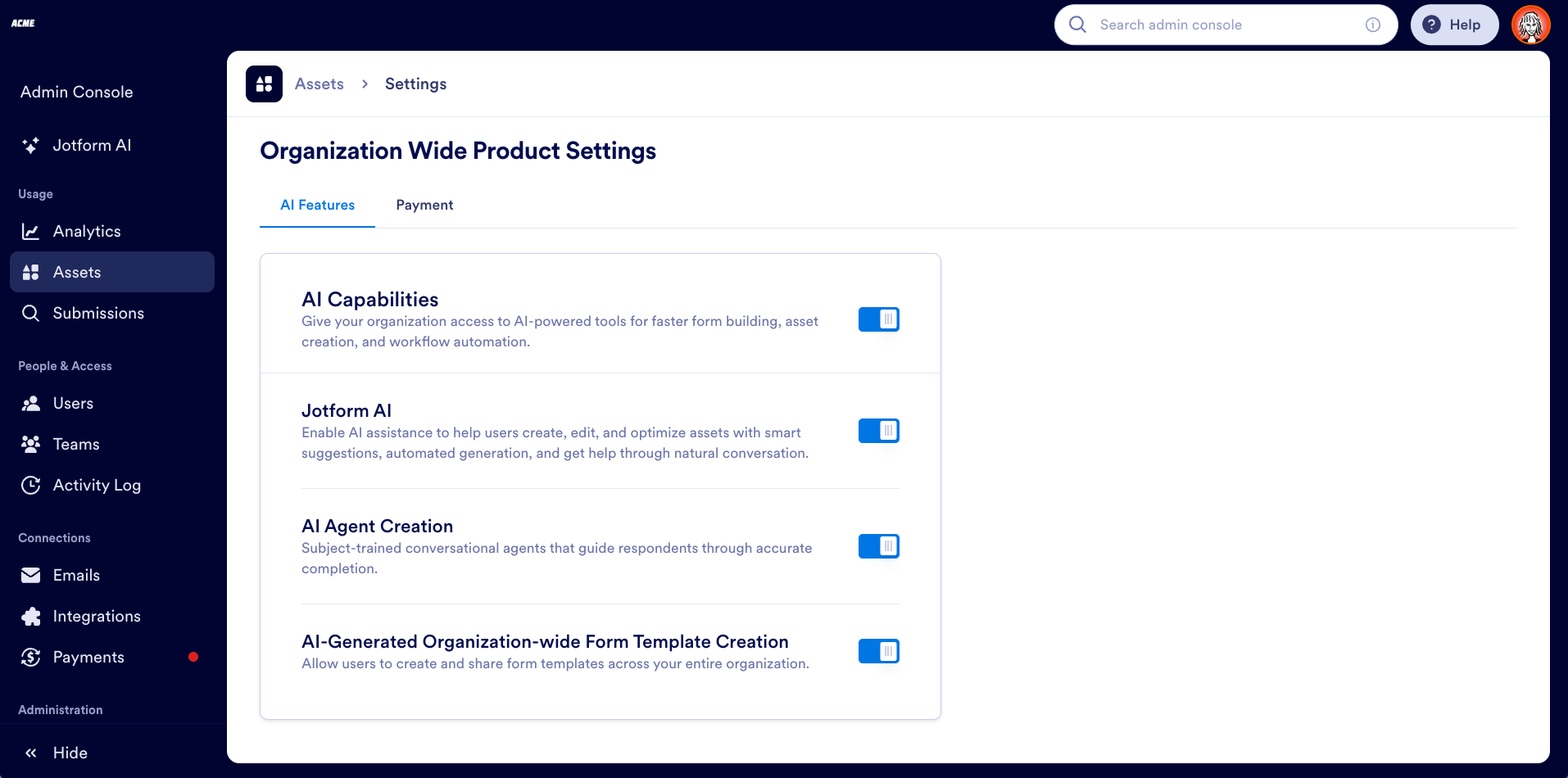
Once you’ve enabled the AI settings, here’s how to get started with the Jotform AI Data Assistant, followed by an in-depth overview of its key features.
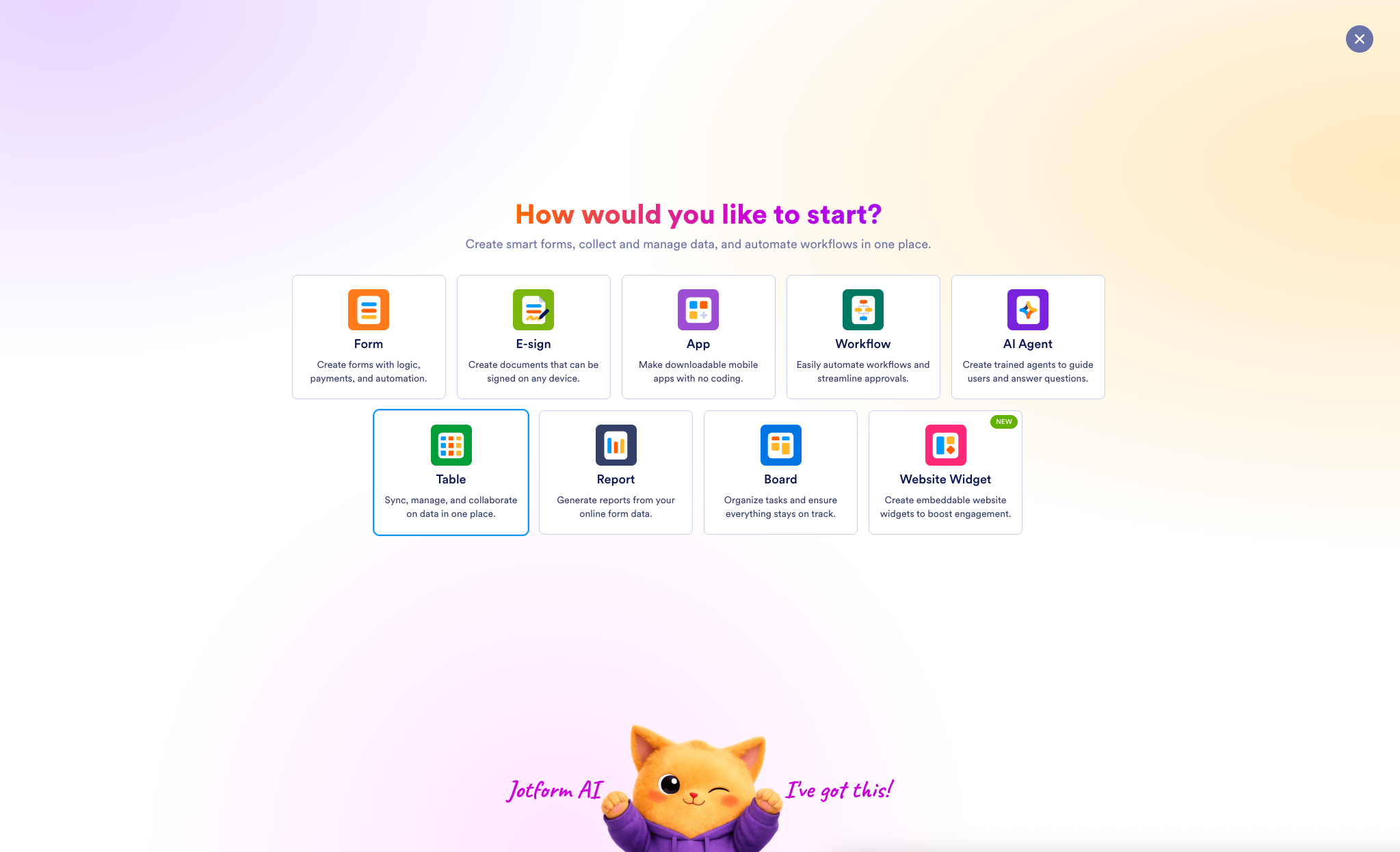
- From your Workspace dashboard, click + Create in the upper left. Then select Table.
- Create a table using prompts, files, or voice requests.
Here, I’ve asked the Jotform AI Data Assistant to create a table to track my orders.
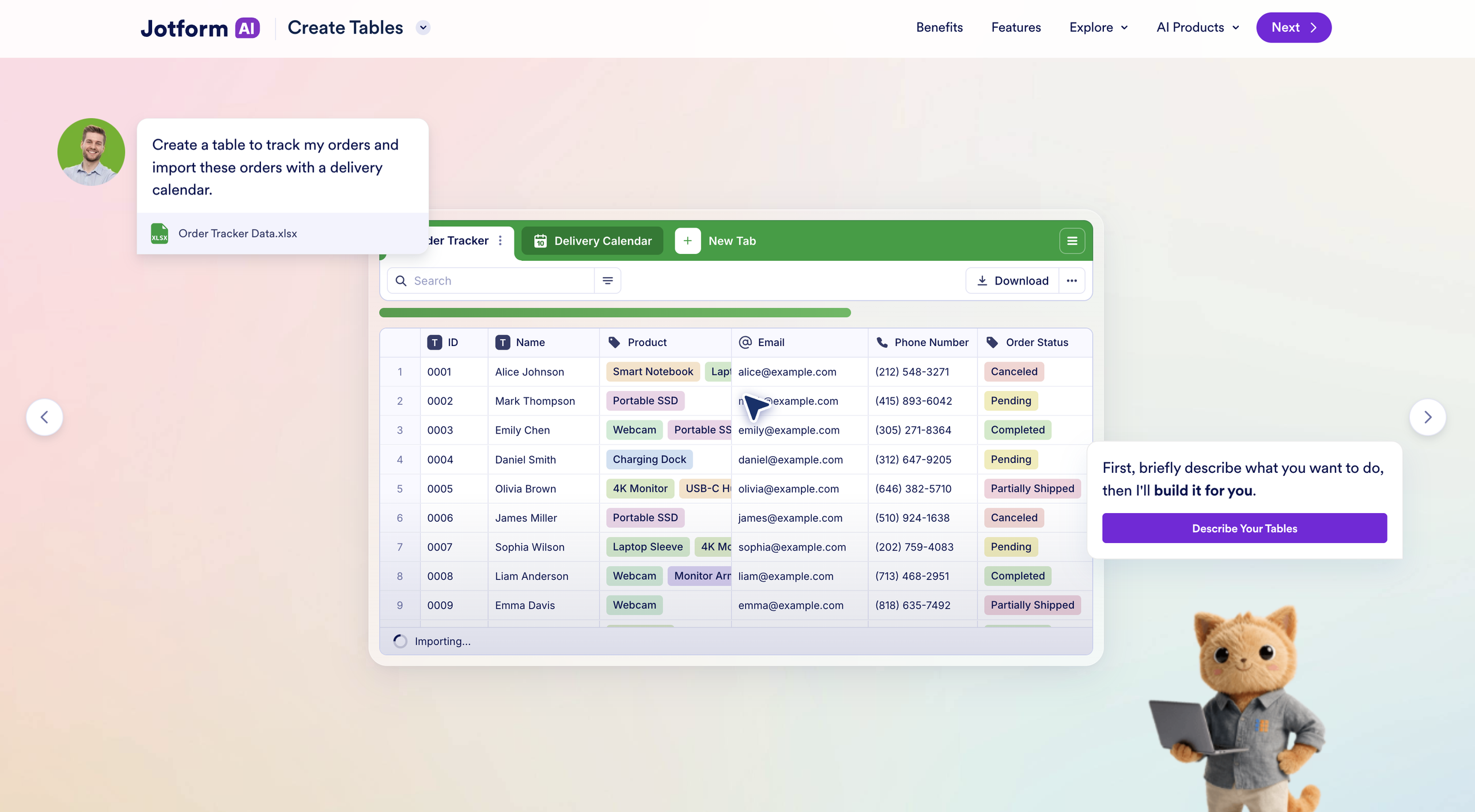
The Jotform AI Data Assistant also populated the table with sample data, providing a more complete preview of its structure.
- Now that you have a table, you can continue refining it conversationally with the AI Data Assistant, including customizing the design, adding descriptions, creating or editing tabs, and organizing data into different views.
Here, I’ve asked the Data Assistant to import an Excel file of orders and use that data to create a delivery calendar in a new tab. The calendar view makes the delivery schedule easier to visualize at a glance.
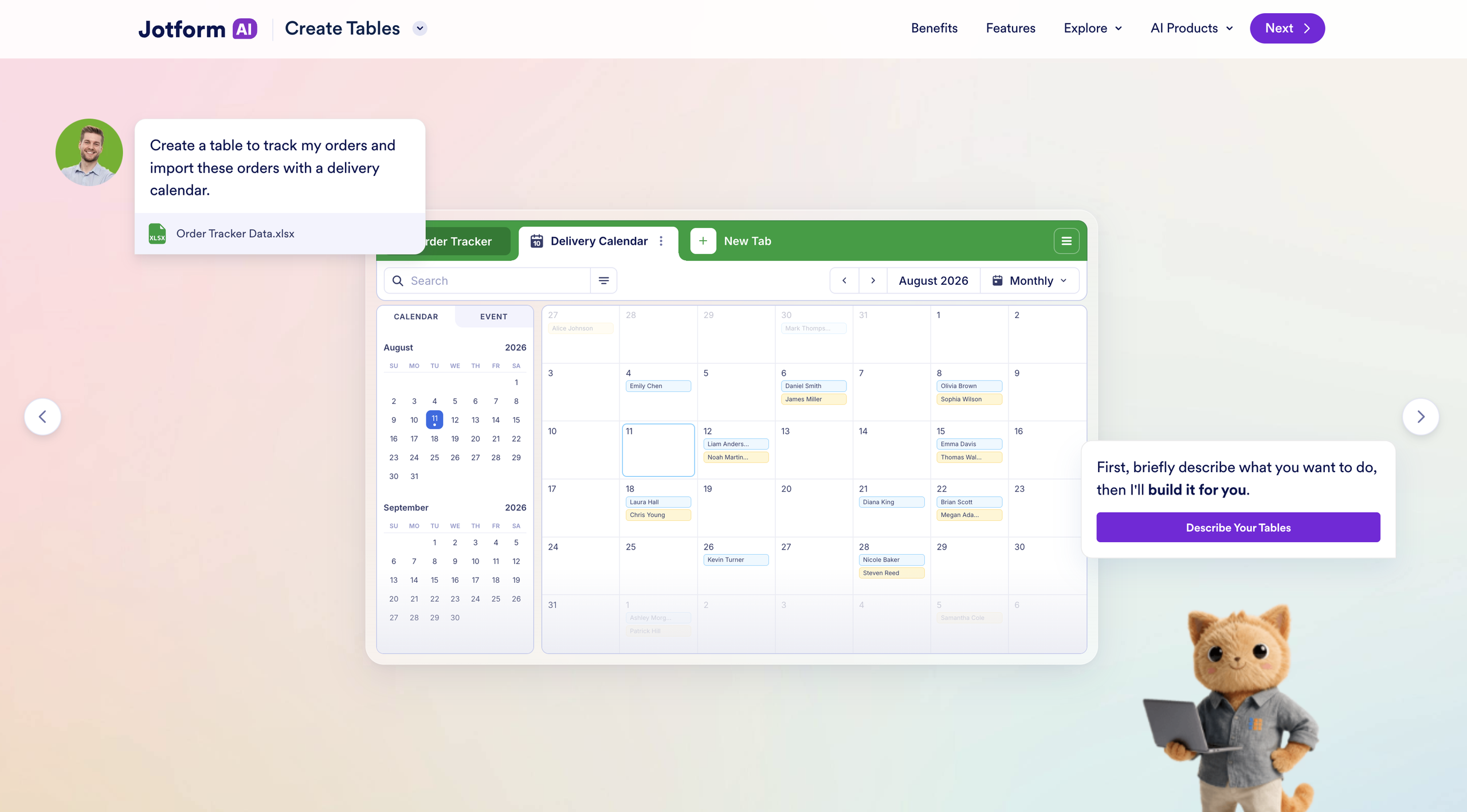
That’s all it takes to get started with Jotform AI Data Assistant.
Now that we’ve covered the basics, let’s take a closer look at how you can make the most of its other key capabilities.
Turn submissions into clear answers
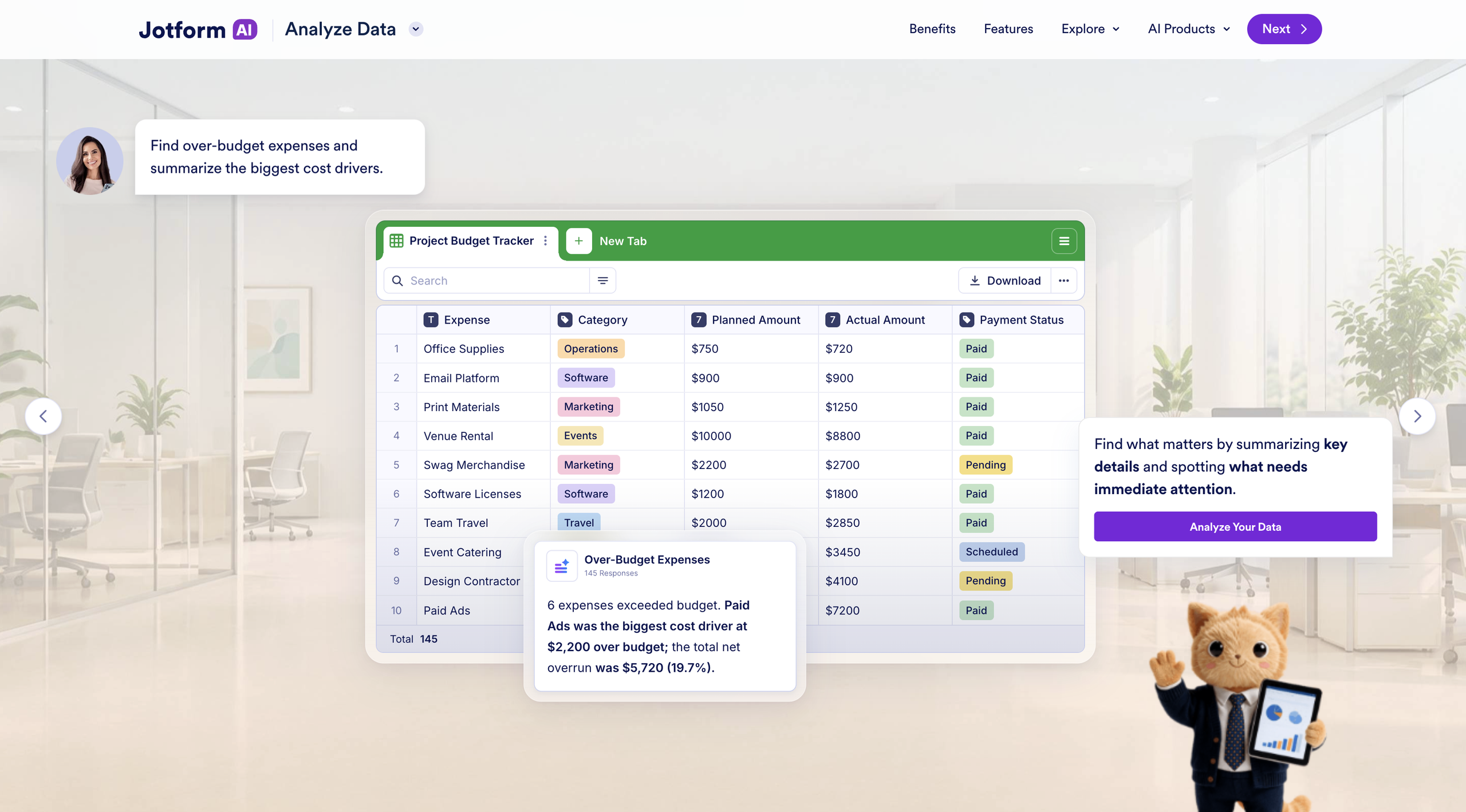
The answers you need may already be hiding in your data, but uncovering them manually can take hours. With Jotform AI Data Assistant, you can ask questions in everyday language and instantly receive summaries, totals, averages, and detailed breakdowns of your submission data.
It can also reveal patterns, flag outliers, identify recurring themes, and highlight records that need attention. Whether you’re working with structured data or open-ended responses, you can quickly find what matters without combing through every submission.
In this example, a hotel staff member prompts Jotform AI Data Assistant to surface important information from guest requests.
The assistant categorizes requests by status — including new, in-progress, and escalated cases — and highlights notable records like VIP requests. It also suggests follow-up questions, helping the team get additional insights and determine the appropriate next steps.
Transform data into clear visual summaries
Some insights are best communicated visually. Jotform AI Data Assistant can generate charts, grids, Markdown tables, and other visual summaries directly from submission data.
Describe the visualization you need, and the Data Assistant presents the relevant data in a clear, accessible format designed for easy interpretation and sharing.
This gives teams a faster way to prepare reports, compare results, and communicate findings without choosing chart types, configuring data ranges, or manually formatting tables.
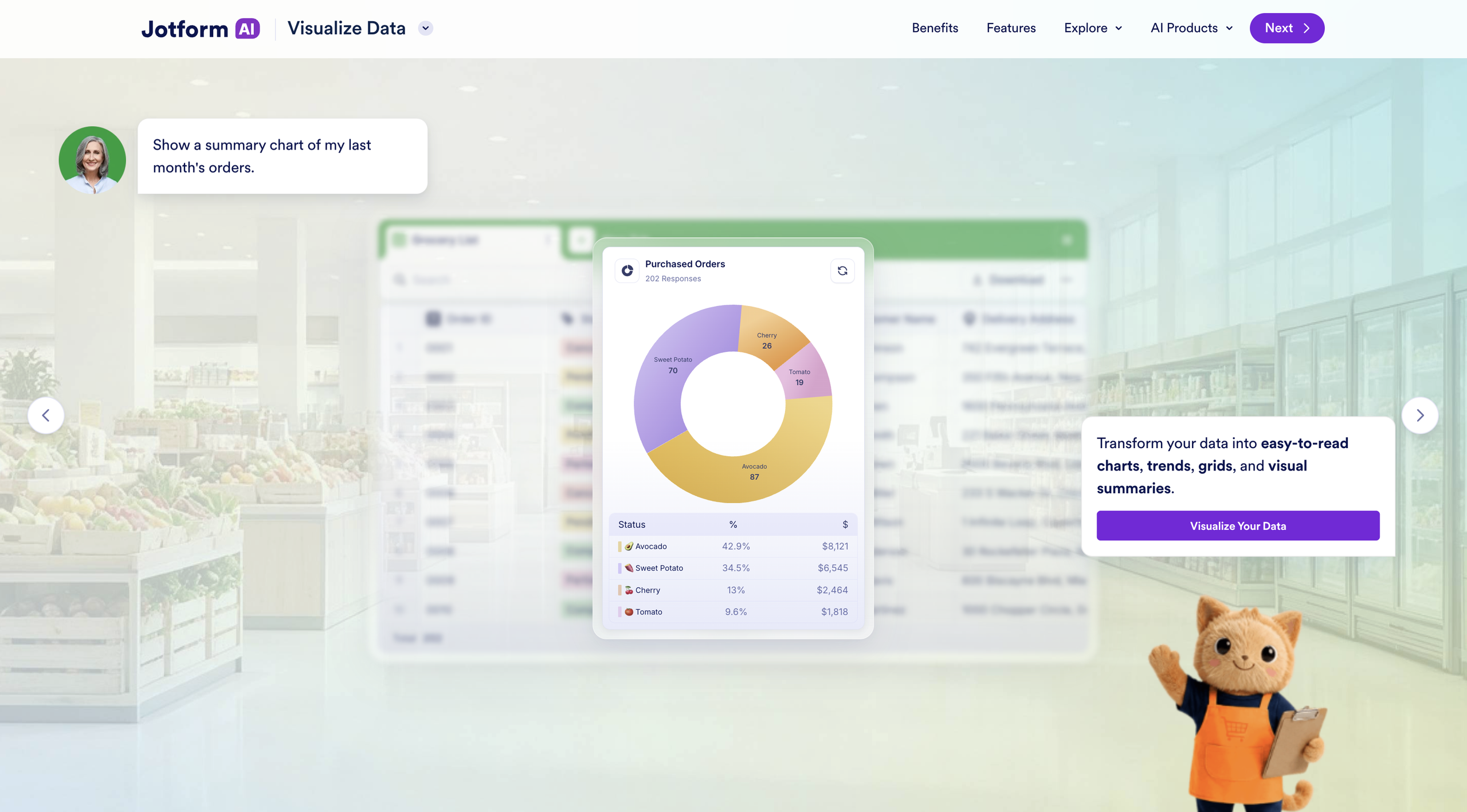
Here, Jotform AI Data Assistant was asked to summarize the previous month’s grocery orders. In seconds, it transformed a dense spreadsheet into a clear chart that was easy to digest (no pun intended 😉) at a glance.
Automate repetitive data work
Data management often includes tasks that need to be repeated across many submissions. Responses may need to be summarized, translated, calculated, or categorized before a team can use them.
With AI Columns, you can apply AI-powered bulk actions directly to table data. Check out a short video here to see how I use this feature.
AI Columns can generate submission summaries, classify sentiment, translate responses, extract important details, calculate values, categorize open-ended answers, or create custom outputs for individual records.
Jotform AI Data Assistant can also help with bulk actions. Instead of editing entries one at a time, you can update matching records, archive completed submissions, restore entries, flag items for follow-up, or clean up data across a larger group.
These capabilities reduce repetitive work while giving your teams more flexibility in how they prepare and manage submission data.
Move from insight to action
Understanding the data is valuable, but acting on it often involves communication and collaboration.
The Jotform AI Data Assistant makes it easy to share data and insights with the right people. Use natural-language prompts to share tables, invite collaborators, manage access, or generate shareable links. You can also export submission data as CSV, Excel, or PDF files, making it simple to distribute reports or continue working in other tools.
Jotform AI Data Assistant works directly with Jotform Inbox to generate replies, confirmations, reminders, and follow-up messages using information from submissions. After identifying the people who need attention, you can prepare the appropriate response without re-creating the context in another tool.
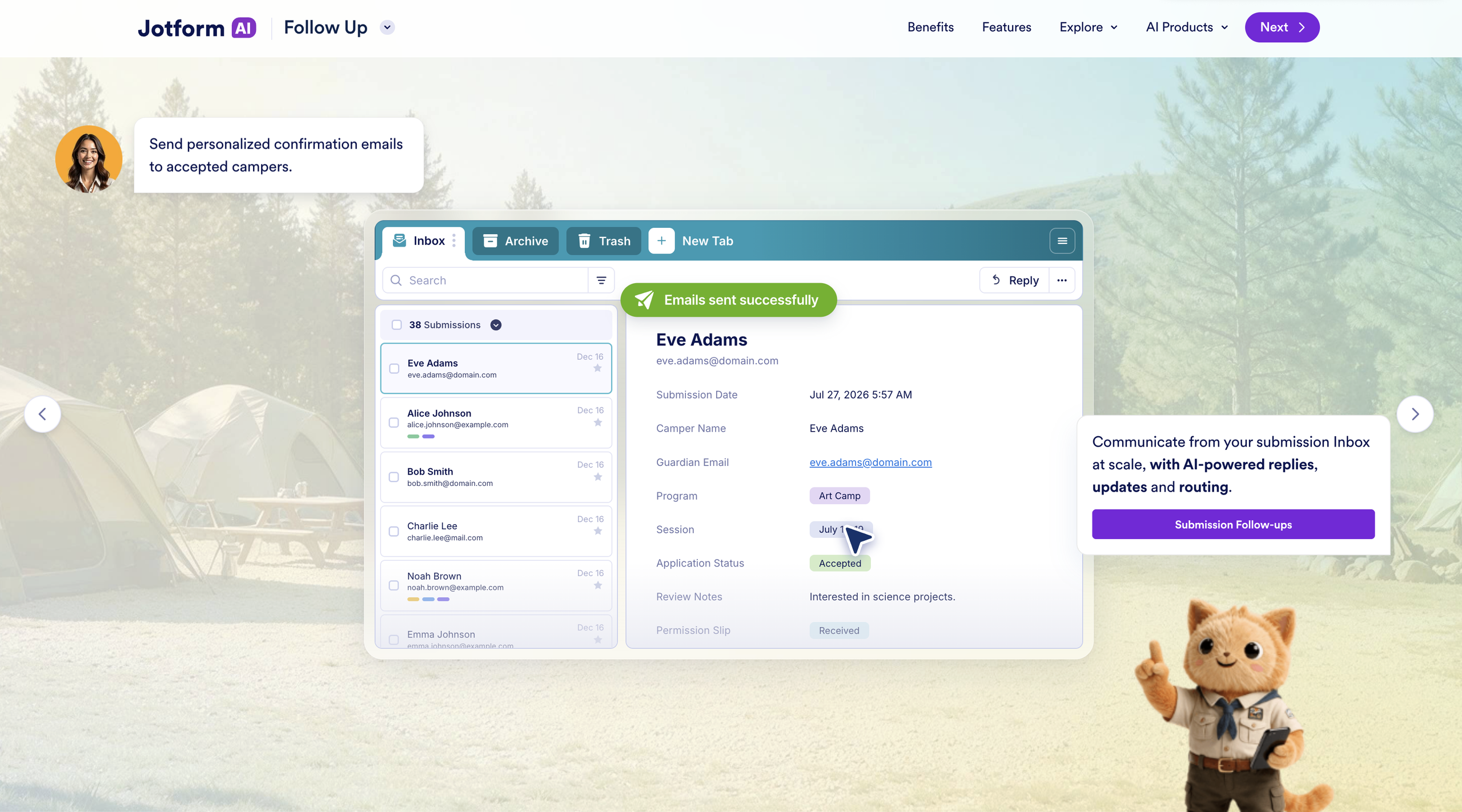
In this example, I’ve asked the Jotform AI Data Assistant to identify a specific group of respondents and draft personalized confirmation emails to them. With a single prompt, the AI Data Assistant locates the relevant records and drafts emails to all 28 recipients.
Pro Tip
Tired of typing on the go? Use voice input to access all these capabilities and create or manage your data hands-free.
Teams across industries can use Jotform AI Data Assistant to simplify their workflows and get more from their data. Here are a few ways the AI Data Assistant can help with common data analysis needs.
| Team or industry | Prompt for Jotform AI Data Assistant |
|---|---|
|
Operations |
“Show me all low-stock items and group them by supplier.” |
|
Human resources |
“Find onboarding records that are missing required information.” |
|
Marketing and research |
“Summarize the top three themes in this customer survey.” |
|
Education |
“Create a chart of registrations by course.” |
|
Events |
“Show me confirmed attendees who selected the vegetarian option.” |
|
Healthcare services |
“Identify intake submissions that still need review.” |
How does Jotform AI Data Assistant fit into the Jotform ecosystem?
Jotform AI Data Assistant is more than an AI feature layered onto a spreadsheet-style interface. It transforms the submission data you and your teams collect through Jotform into actionable insights, enabling them to analyze, visualize, and act on their data across the broader Jotform ecosystem.
Forms capture both structured and open-ended information. Jotform Tables helps organize and manage that information. Jotform Inbox provides a place to review individual submissions and communicate with respondents.
Jotform AI Data Assistant connects these tools to help the members of your organization understand and act on their data more easily.
This approach enables you to move from collecting information to analyzing results and completing follow-up work without having to leave your Jotform Enterprise workspace.
Jotform AI Data Assistant builds on Jotform AI and marks the next chapter in our continued effort to make every Jotform product more accessible, intuitive, and efficient. By bringing AI deeper into everyday workflows, we help more teams move from collected data to meaningful action faster than ever.
Try the Jotform AI Data Assistant for yourself here.
















































































Send Comment: