
Your organization invests significant resources into maintaining a cohesive visual identity. Like many organizations, you might rely on Canva to keep every sales deck and corporate report polished and professional. But even the most impeccable design remains a passive experience if it can’t address a customer’s questions in real time.
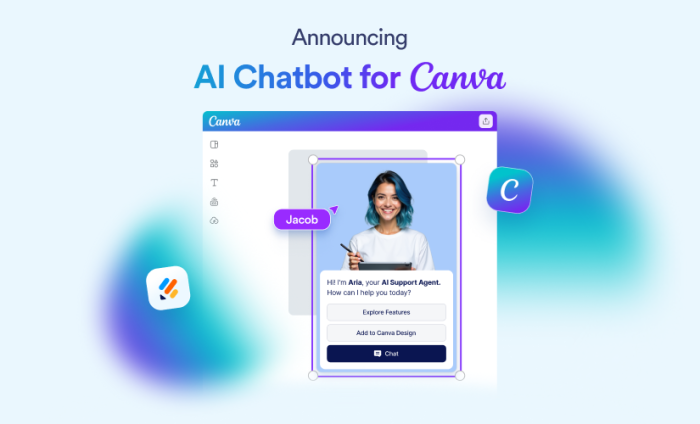
We are thrilled to introduce the first-ever AI chatbot experience for the Canva platform. This breakthrough integration transforms static designs into secure, conversational experiences, making it easier for your team to capture every critical growth opportunity.
Design meets intelligence with the AI Chatbot for Canva
Following the launch of Jotform Enterprise AI Agents, many of our customers requested a way to use AI agent support in designed assets. They wanted to eliminate the friction that occurs when a prospect leaves a static design to find a “Contact Us” page or other external link.
To address this common pain point of fragmented customer journeys and disruptive workarounds, we developed the Jotform Enterprise AI Chatbot for Canva. Now, you can embed an AI Agent that is trained on your organization’s specific knowledge base directly into your Canva design. A pioneer in native AI conversational tools for Canva, Jotform Enterprise is empowering your organization to deliver accurate, secure, and immediate support at scale.
With the Jotform Enterprise AI Chatbot for Canva, you can
- Embed an AI chatbot directly into any Canva design.
- Customize the chatbot’s colors, buttons, avatar, and agent personality to match your brand voice.
- Answer customer questions instantly, using text from your Canva design to inform and deliver relevant responses.
- Capture leads, book appointments, and guide customers to forms.
- Manage advanced settings for automations, integrations, and complex logic in the Jotform Agent Builder.
How to use the Jotform AI Chatbot for Canva
The Jotform AI Chatbot for Canva is available on both the Jotform Enterprise and Canva native interfaces.
How to create your Canva agent in Jotform Enterprise
From your Jotform Enterprise Workspace, click on the Create button in the upper left corner. Then select AI Agent to get started.
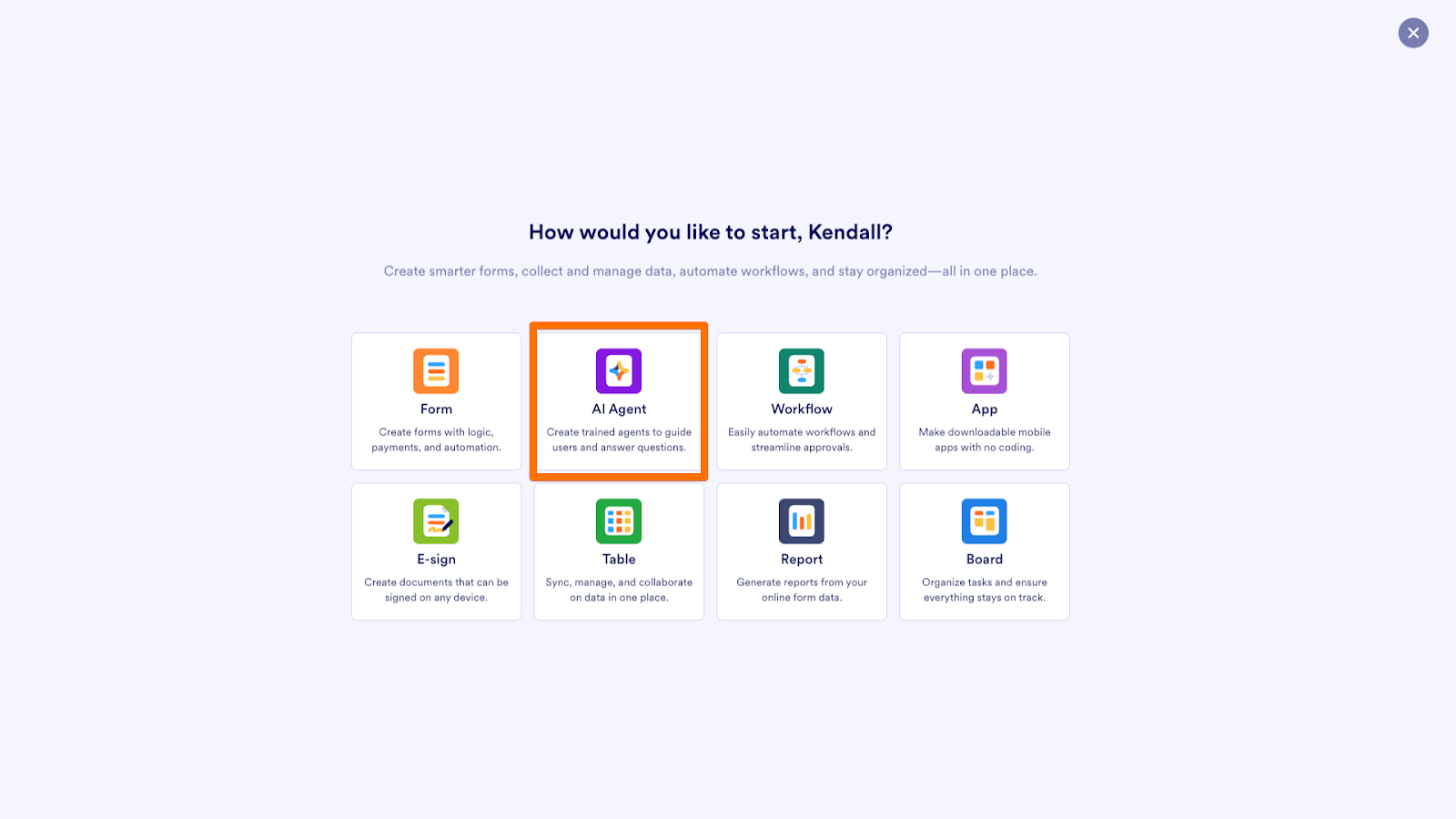
Describe the kind of agent you’d like to create, or use one of the preset options available, such as Customer support or Feedback. Click the Create button.
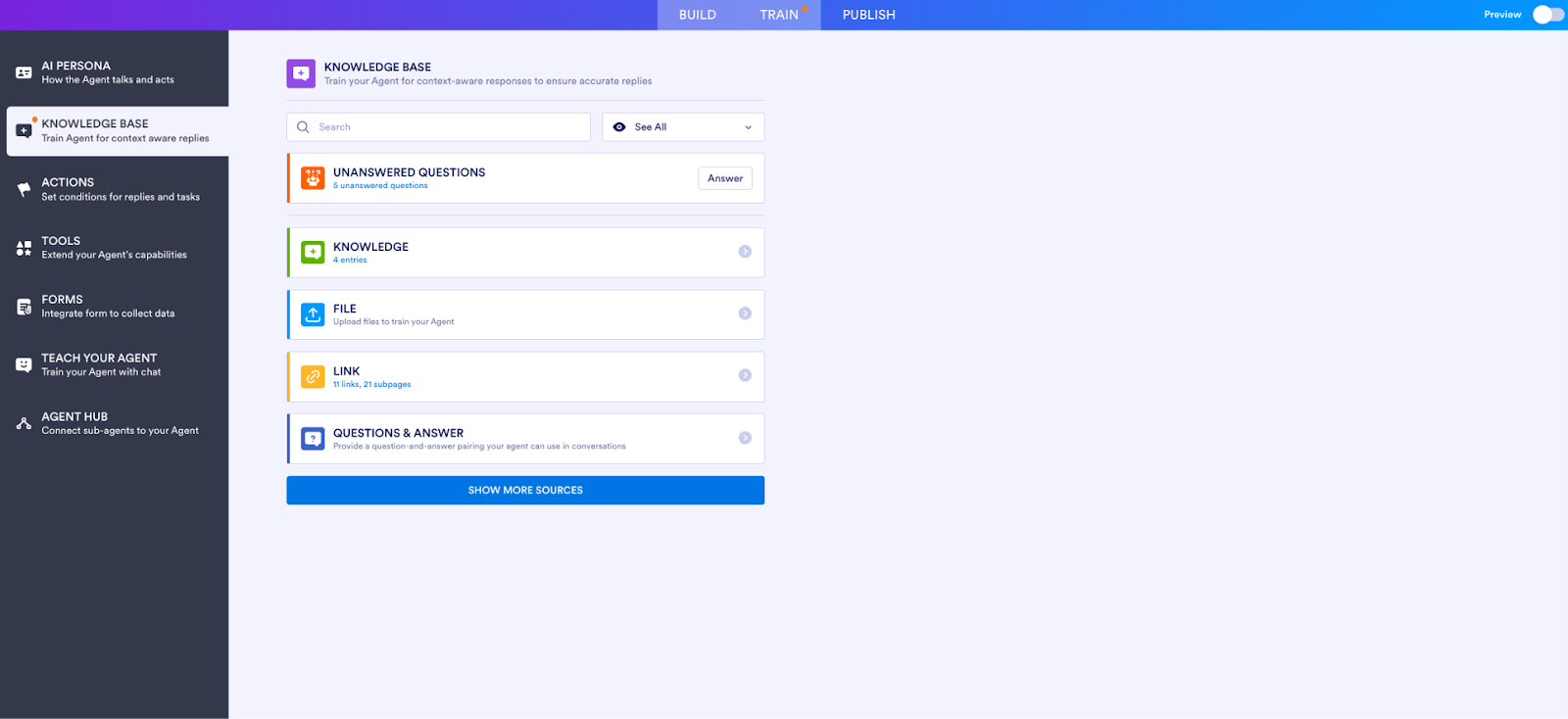
Customize your chatbot by clicking the gear icon to access Settings. Under the Train tab, add knowledge sources for context-aware responses, set conditional logic for replies and tasks, and enable specific tools and automations.
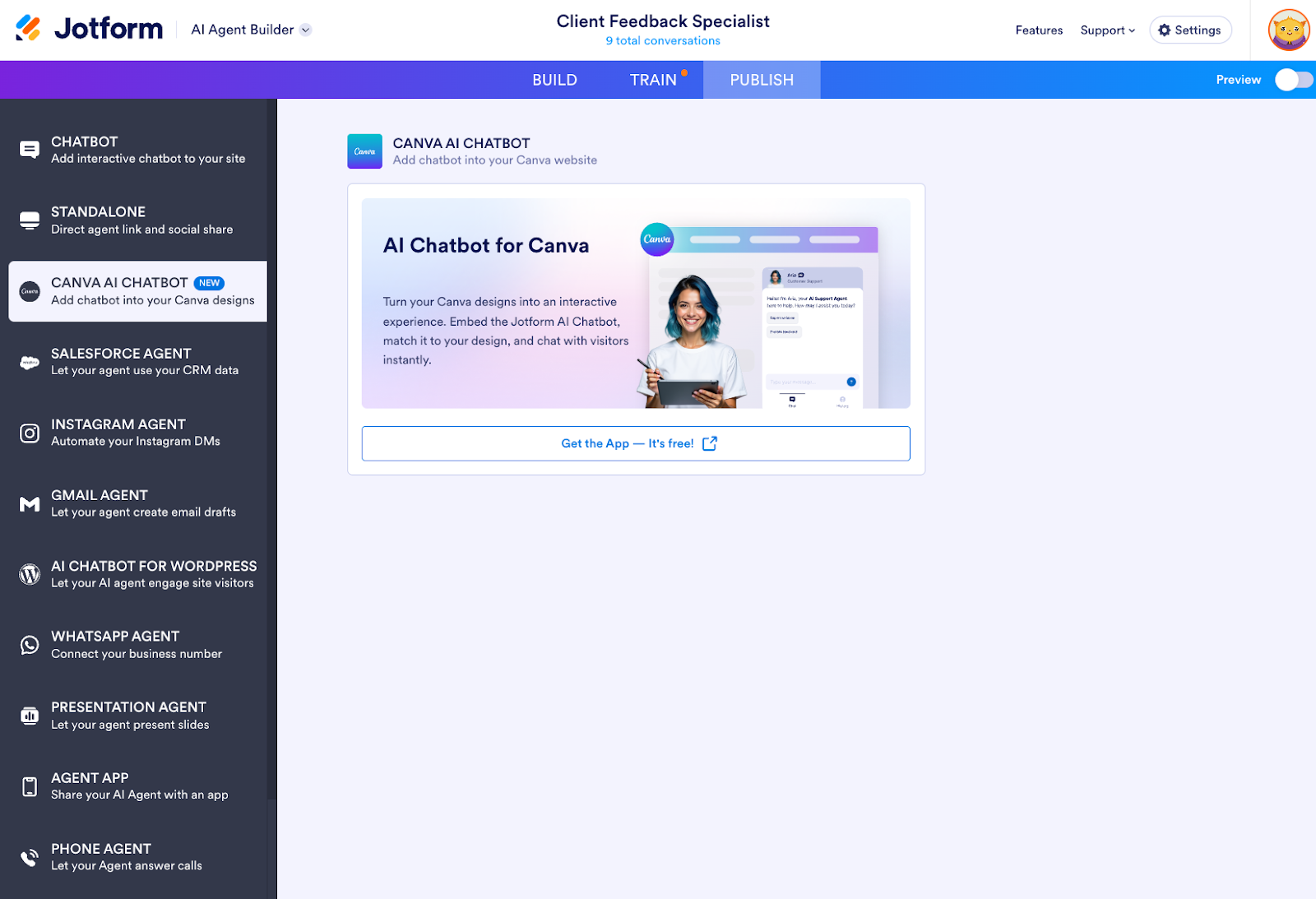
Once you’re finished training your agent, you can find the option to add the agent to your Canva design under the Publish tab. Choose whether you want to use the chatbot in an existing design or a new one, and you’re good to go!
Next, we’ll show you how to integrate your new AI chatbot in Canva.
How to create your Canva chatbot in Canva
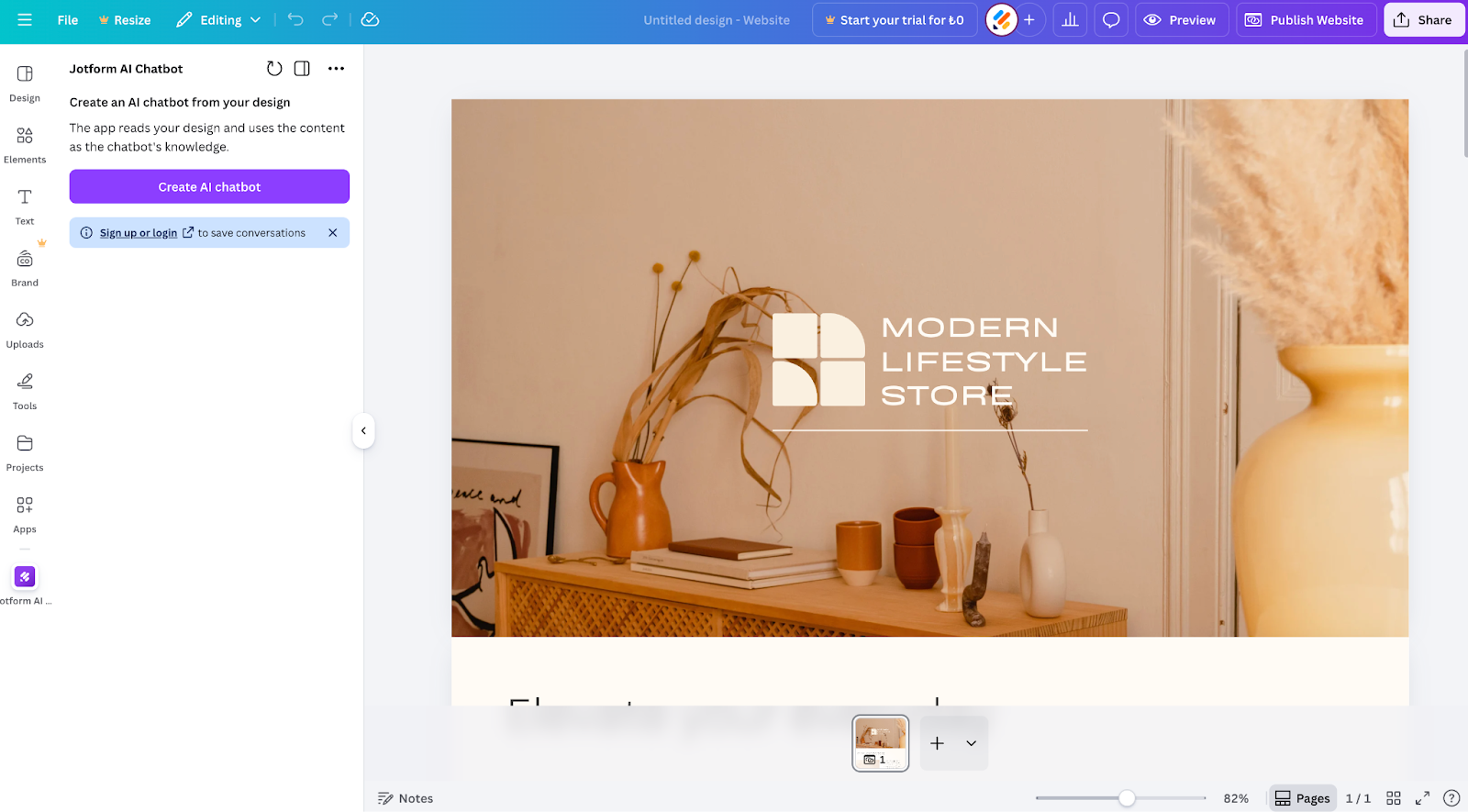
To integrate the Jotform AI Chatbot into your Canva design, navigate to the Apps sidebar in Canva and open the Jotform AI Chatbot app.
Select the Create AI chatbot button.
Pro Tip
Make sure you’re logged in to your Jotform account before you try adding your chatbot in Canva. If you’ve already created an AI agent in Jotform, you’ll be able to easily add it to your Canva designs to save time.
Once you click Create, the app will start creating your AI Chatbot; this usually takes 10–15 seconds. You’ll see informative messages above the loading bar as the agent processes your content and reads your design.
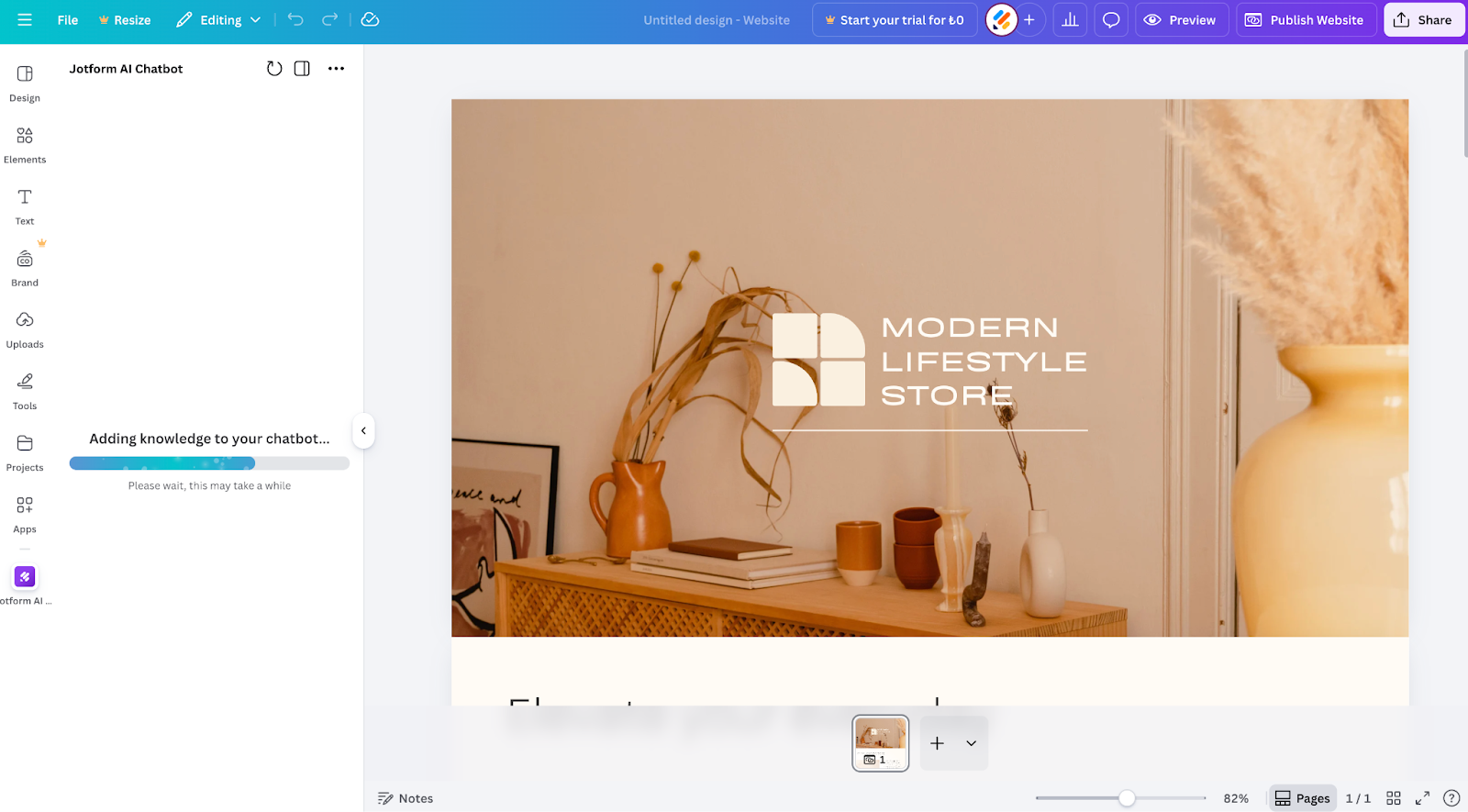
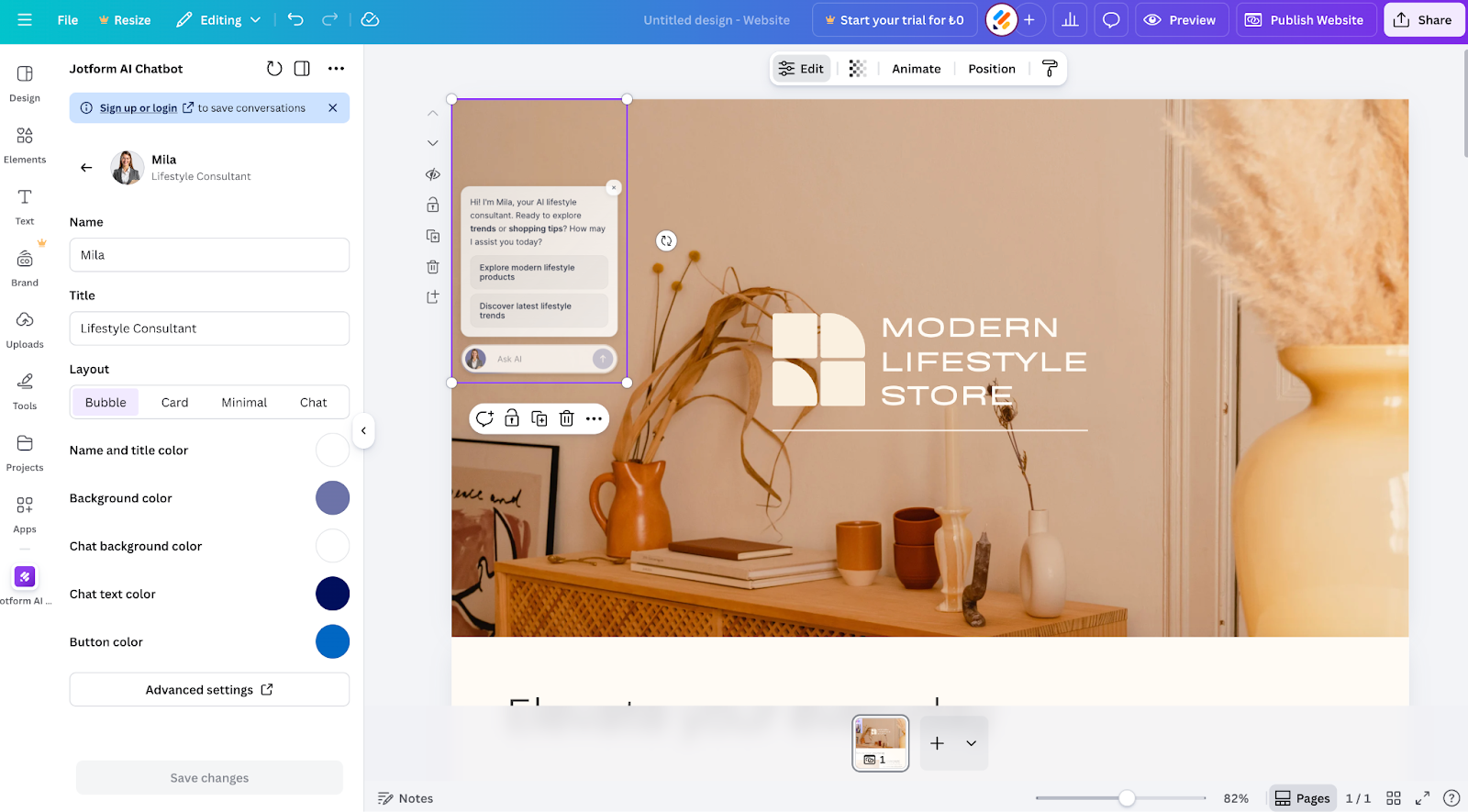
And just like that, your chatbot has been created! You’ll then be directed to the customization screen, where you can modify avatars, names, color schemes, buttons and more to reflect your needs. Changes are immediately updated in the live chat.
Pro Tip
Click on Advanced settings to open up the AI Agent Builder in Jotform and unlock further customization like knowledge sources, tools, and automations.
Ways to use the AI Chatbot for Canva
The Canva chatbot is designed for organizations seeking to boost engagement, capture more leads, and deliver real-time support seamlessly within their designs. The use cases are endless. Here are a few examples of how different industries can benefit from the tool.
| Industry | Canva chatbot features | Use case |
|---|---|---|
Real estate agents |
Dynamic knowledge integration pulls listing details from the design for accurate, context-aware answers. |
Show property listings, book viewings, and answer questions about locations, availability, and pricing. |
Small business and e-commerce owners |
Smooth in-Canva functionality pulls information from forms, orders, and conversation history into a chat without leaving the design. |
View delivery updates, help customers track orders, manage return requests, collect leads, promote new offers, and guide visitors to order or contact forms. |
Service providers and freelancers |
Advanced settings let you set up appointment workflows, automations, and integrations. |
Allow clients to book, reschedule, or cancel appointments directly in chat while keeping calendars up to date. |
Designers |
Train agents to answer common questions and perform tasks through chat to reduce manual workload. |
Provide quick answers to common questions and share details about services, portfolios, or resources through an interactive FAQ. |
Entrepreneurs and marketers |
Connects Canva designs across platforms, with Jotform forms, CRM tools, and automations to support scalable lead capture. |
Collect leads through conversations and route data to Jotform forms or CRM systems. |
Why it matters
By blending professional visuals with real-time, AI-powered interactions, Jotform Enterprise AI Chatbot for Canva allows your organization to transform static designs into high-performance tools that deepen customer engagement and accelerate conversion.
This integration extends Jotform Enterprise’s robust AI ecosystem into the Canva environment, joining our suite of automation tools to provide a sophisticated, unified experience that scales alongside your organizational goals and enhances the customer journey at every touchpoint.
Try the Jotform Enterprise AI Chatbot for Canva now.



























































Send Comment: